-
-
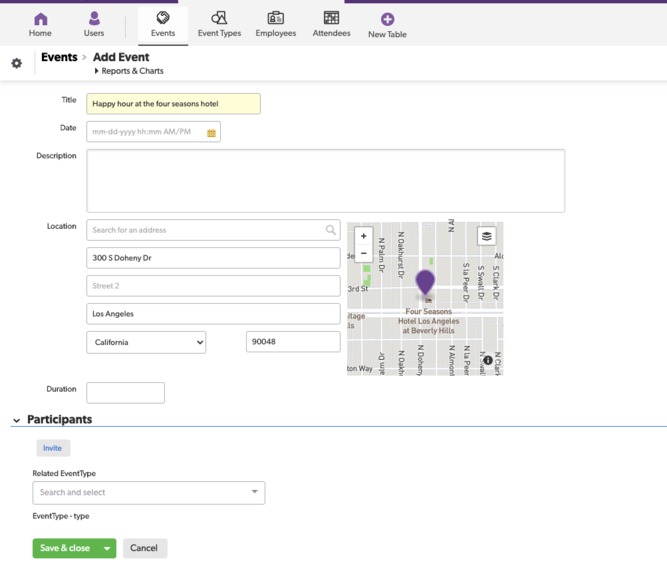
Create a new event via the SocialQB Quickbase application
-
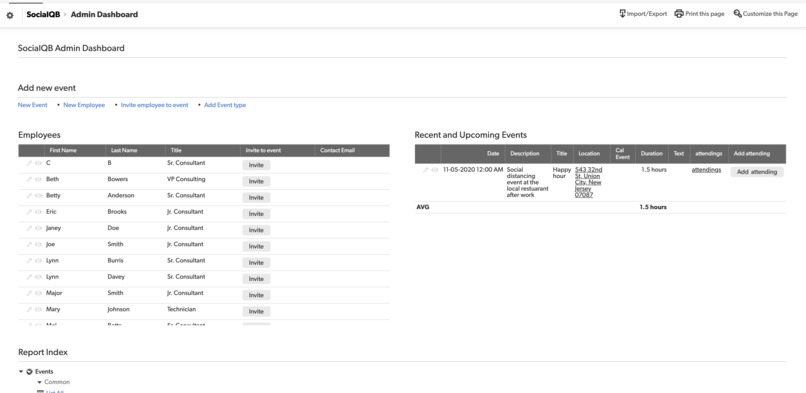
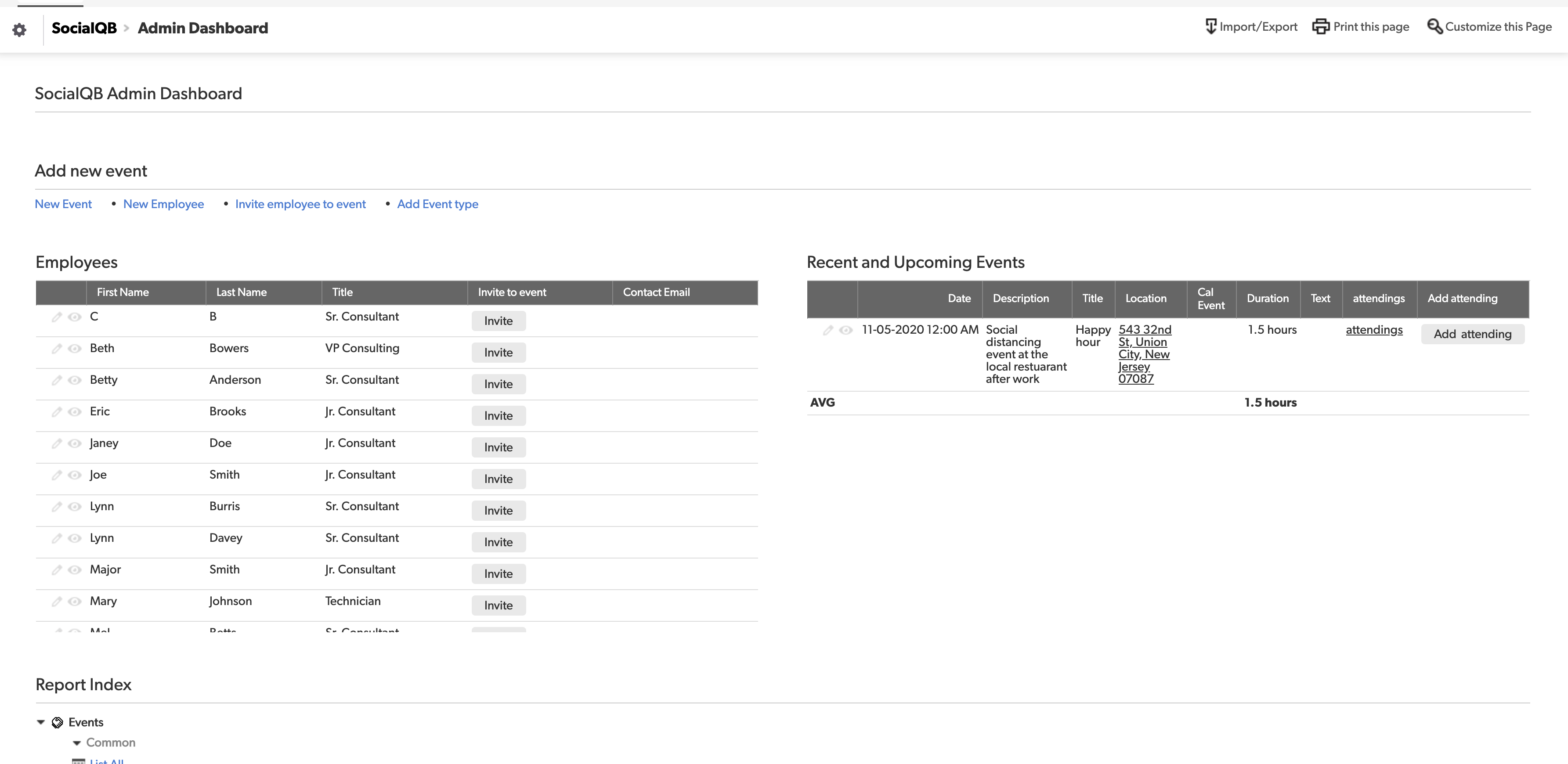
Admin dashboard for adding new events, employees, and attendees for events
-
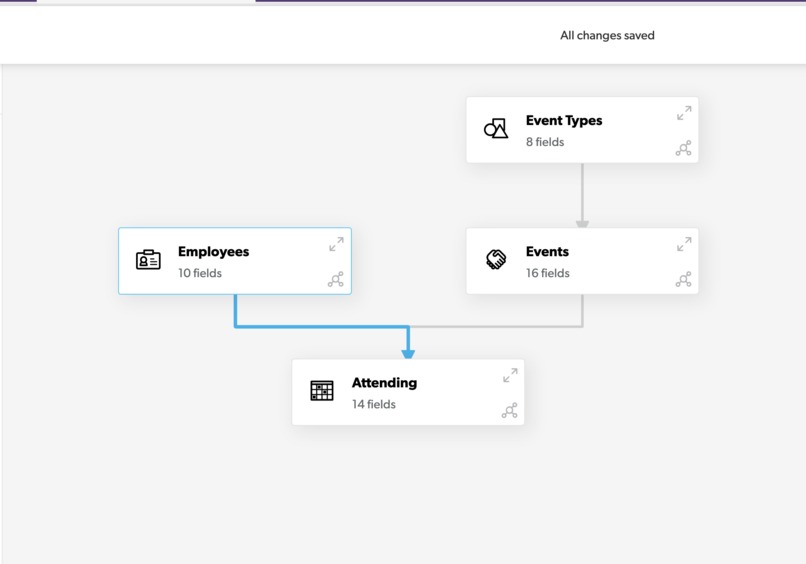
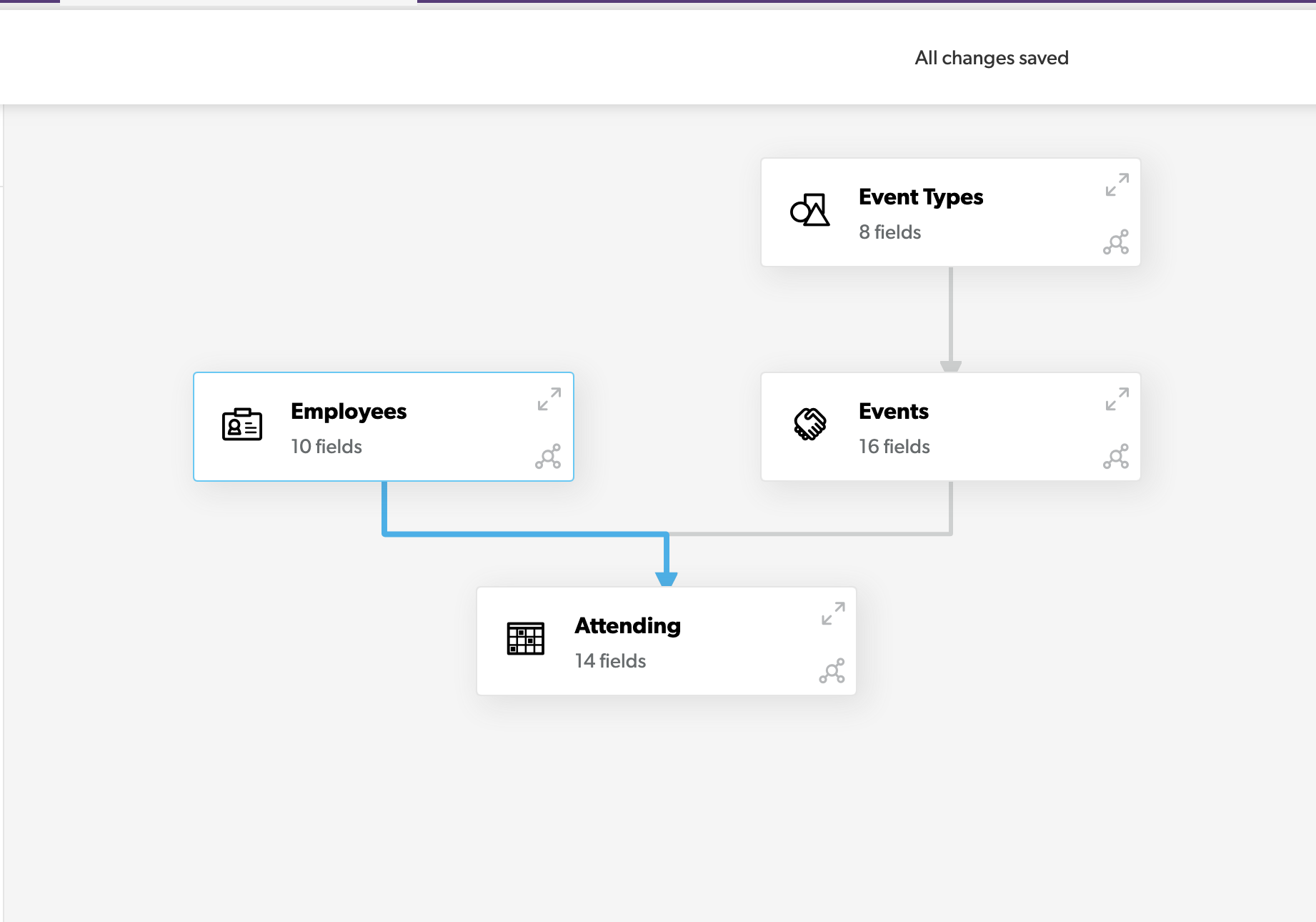
Core table structure and relationships (shown more in demo)
-

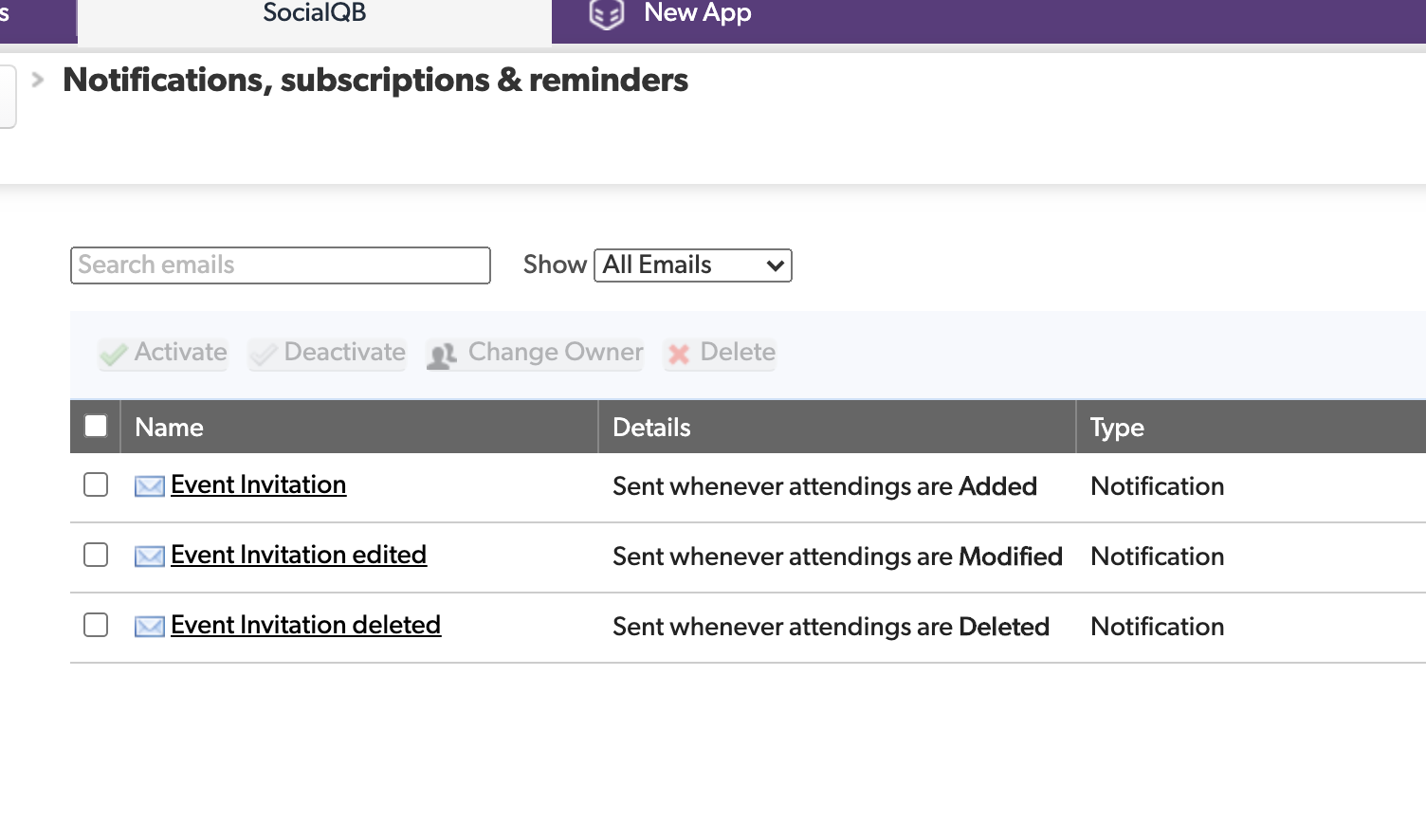
Triggers that fire email notifications
-

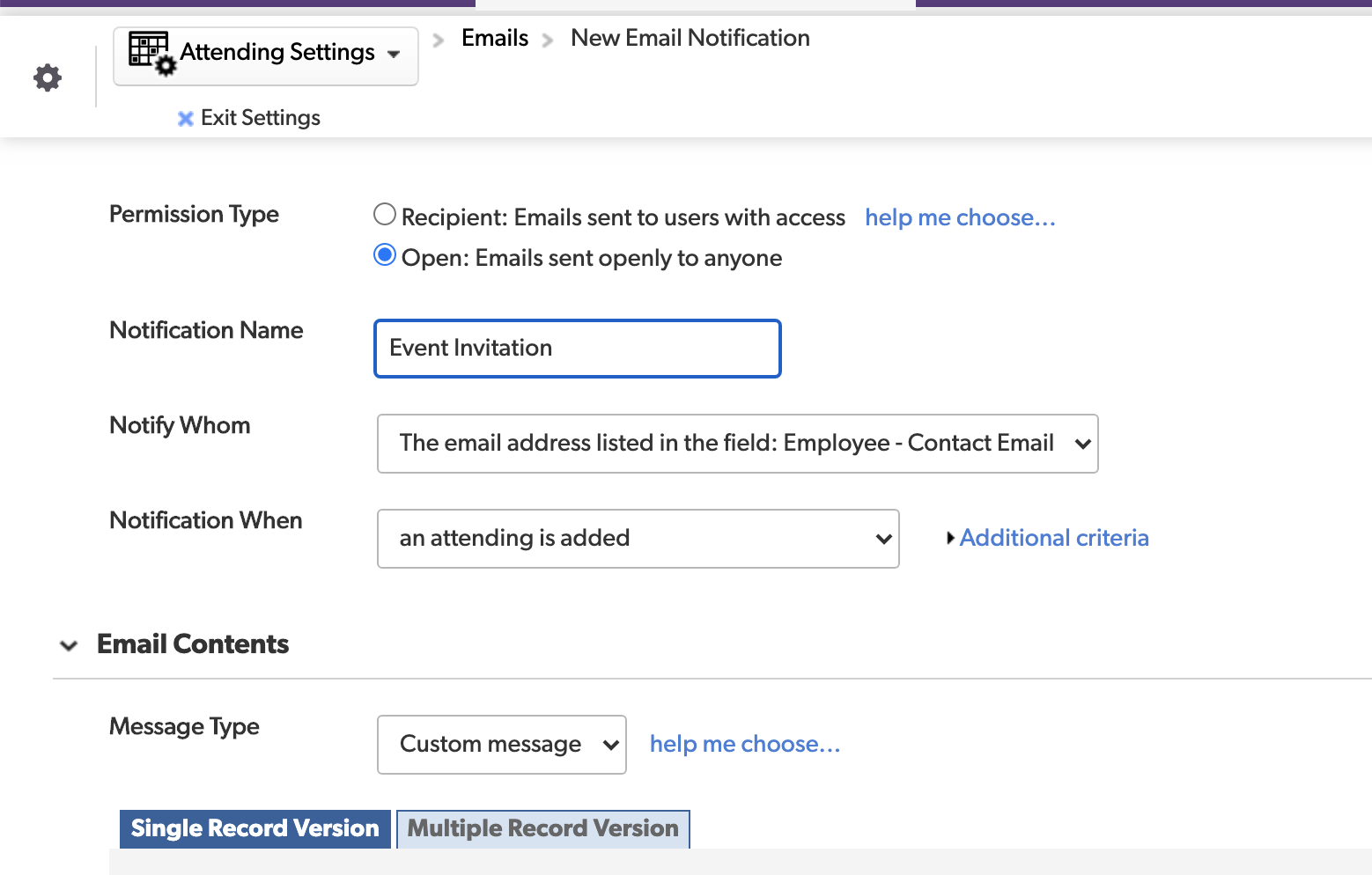
Adding a new notification
-
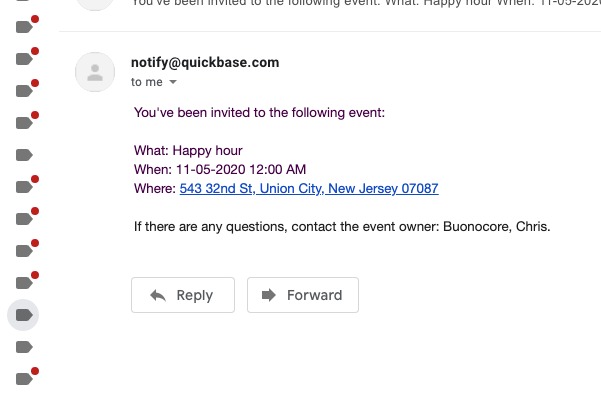
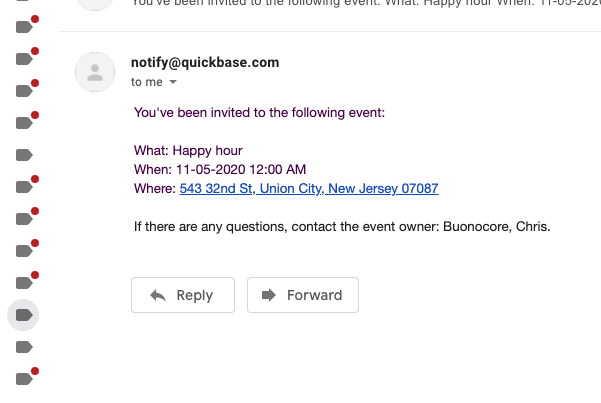
Basic email event invitation (without calendar invite). Users will also receive email updates if their attending status changes.

SocialQB
Inspiration
Outside of work it can be hard to find friends (even harder with COVID), this is a way to organize events to connect with people within your network.
Pitch Deck: https://docs.google.com/presentation/d/1wH_nOP9g_DoslLTx_OyUIhZq_knqlZqsUC5hPM6v_V4/edit?usp=sharing
What it does
- Manages an index of events and employees that you can invite (and remove) from events at any time.
- Automatically sends emails whenever an event is scheduled, rescheduled, or cancelled with particular employees
- Track attendance over time for particular employees and members.
- Determine which events have good performance and which ones do not over time.
- Optimize your events using data instead of when you "feel" like hosting something.
- Engaging your employees both around work related things and non-work related things could help with retention and satisfaction with the company culture.
How I built it
Tables, Table to table relationships, formulas and foreign keys, notifications and automatic triggers.
- Admin dashboard for your HR team or event administrator to review and manage events for your employees.
- Full Schema outline below:
Roles:
- Administrator (can see all meetings)
- Users (hosts and attendees) - can see meetings involving them
Meeting specific title:
- Host
- Attendee
Tables:
- Employees (enables not every employee to need a QB account)
- Connected table to some external system - in this case I have it connected to a csv
Events
- Event Types (happy hour, game, sport, conference, webinar)
- Attending - Used to create the many to many relationship between events and employees
- Contains lookup fields into both the events and employees tables
- Whenever an entry is added or mutated here, notification goes out
Notifications (currently emails or calendar invites):
- On schedule (email all attendees + hosts)
- On reschedule
- On cancel
Reports:
- Employee attendance (over time)
- # of events (events over time)
- # of event types (over time)
Dashboard:
- Manage events, employees, and attending statuses
Form:
- New event (creator is the host)
- Invite employee to event
Challenges I ran into
- The many to many relationship between events and employees
- Wiring up the event notifications to look like calendar events.
- Creating the admin dashboard with the appropriate links and tables
Accomplishments that I'm proud of
- Was able to get the table connections to work
- Created a powerful admin dashboard that gives the user control over all events and employees from a single location.
What I learned
- How to integrate multiple tables and components to create a Quickbase application which solves a pain I've seen at previous companies.
Demo video: https://youtu.be/Ke6NHgMq9us
Built With
- quickbase
- quickbase-formulas
- quickbase-notifications
- quickbase-table-relationships

Log in or sign up for Devpost to join the conversation.