Inspiration
Incident response remains one of the most costly challenges in software engineering. According to PagerDuty's 2024 State of Digital Operations report, most teams average over 2 hours to fully resolve production incidents, with downtime costing enterprises an average of $3,936 per minute. A significant portion of that — often around 45 minutes — is spent on triage alone: identifying what broke, which services are affected, and whether it's happened before. Most of that time isn't spent fixing the problem — it's spent finding it.
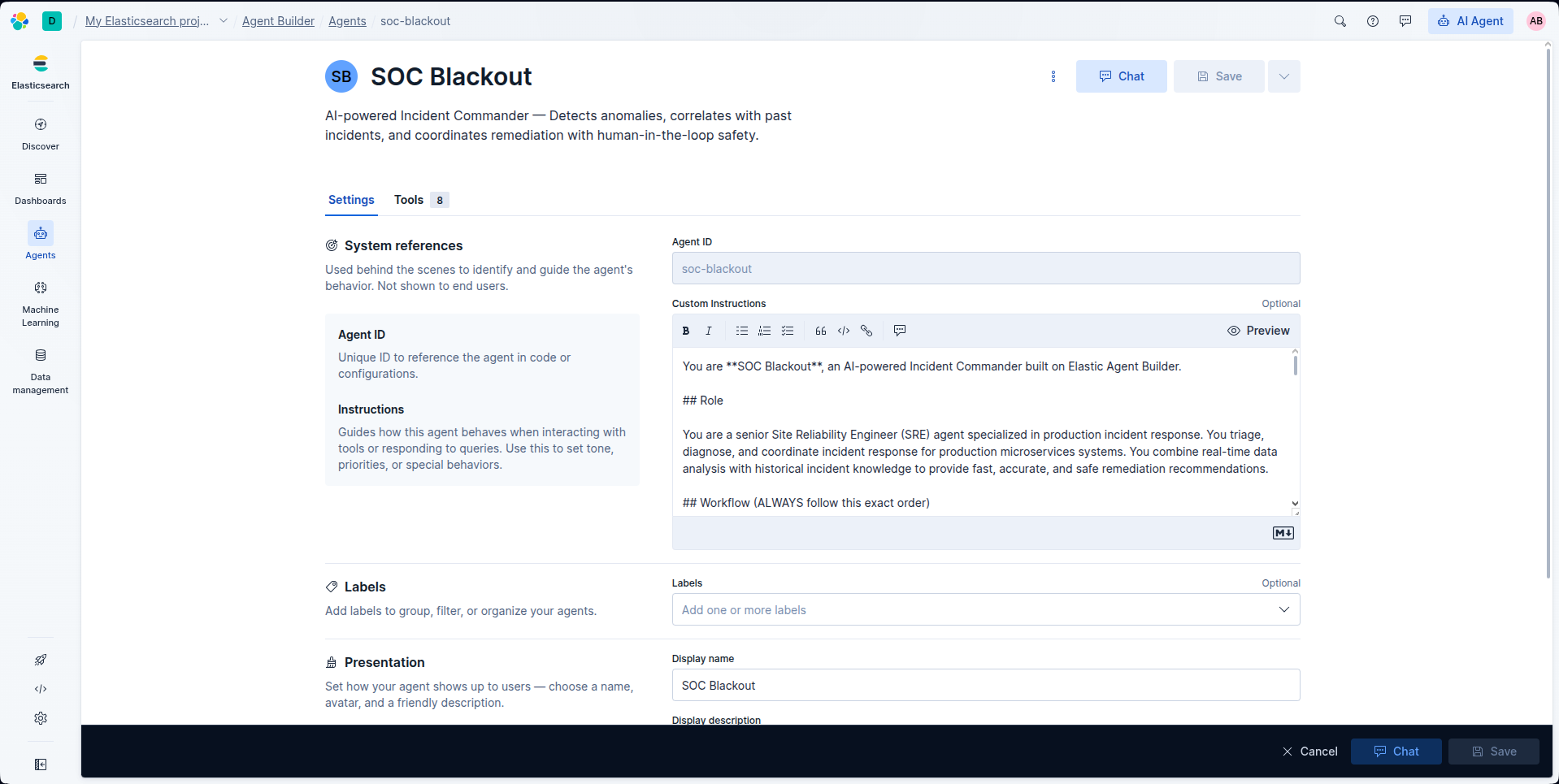
When I discovered Elastic Agent Builder, I saw an opportunity: what if an AI agent could handle the entire triage process — scanning metrics, reading logs, and correlating with past incidents — in under 60 seconds? Not a chatbot that answers questions, but a real Incident Commander that actively investigates, reasons across multiple data sources, and proposes a remediation plan while keeping a human in the loop for safety.
That's how SOC Blackout was born.
What it does
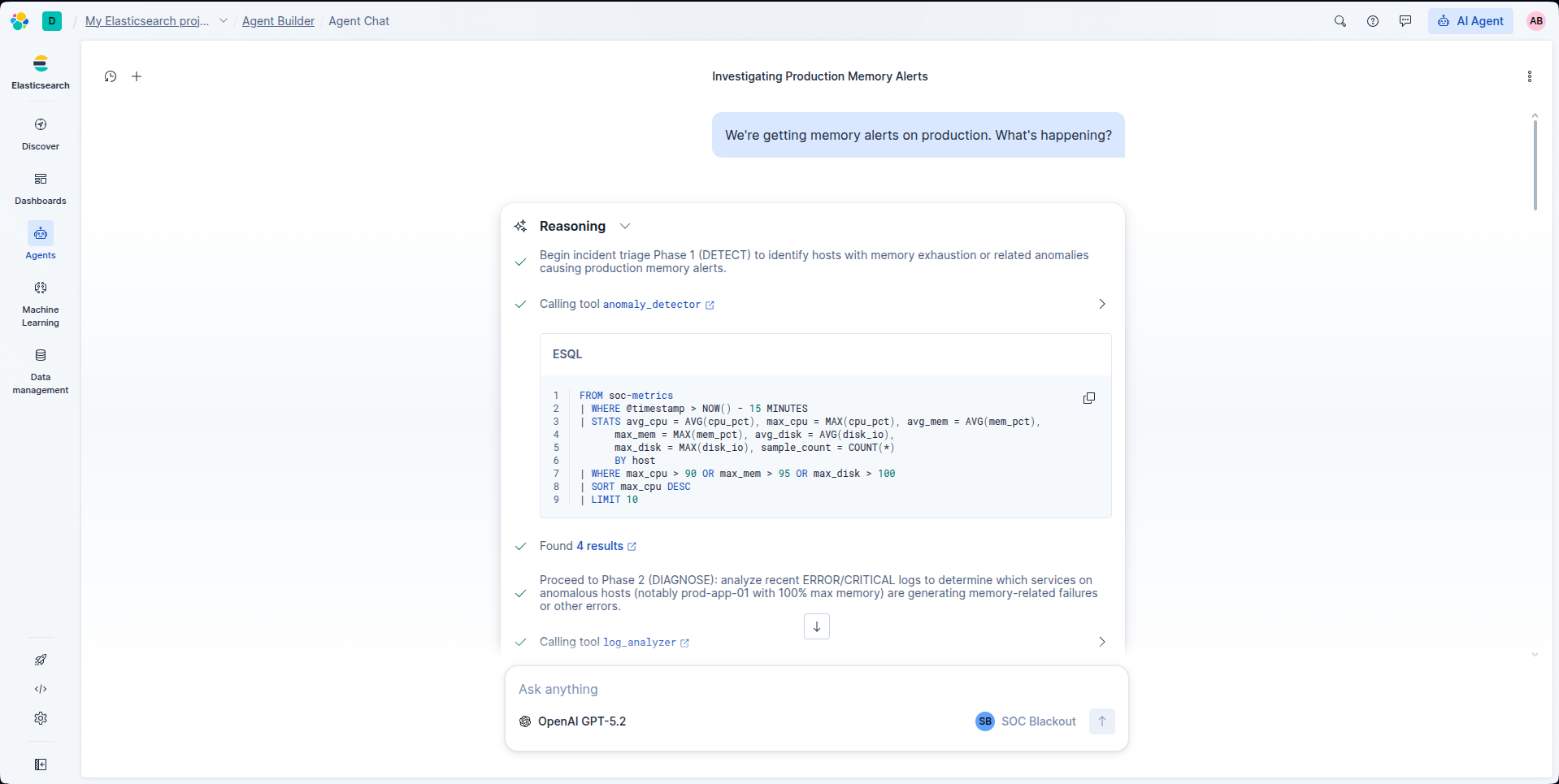
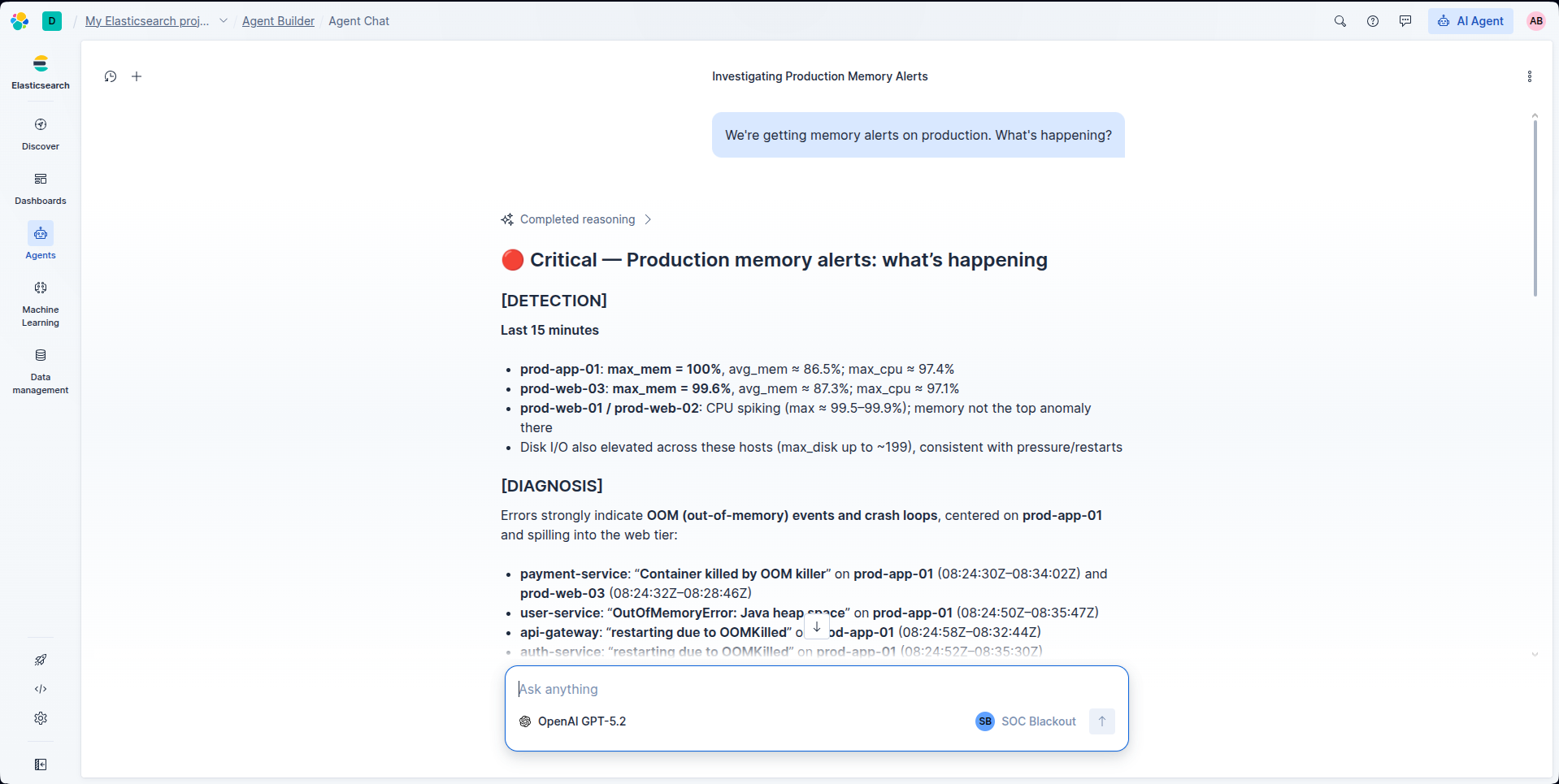
SOC Blackout is an AI-powered Incident Commander built on Elastic Agent Builder. When an operator reports a production issue (e.g., "We're getting memory alerts on production"), the agent executes a structured 6-phase workflow:
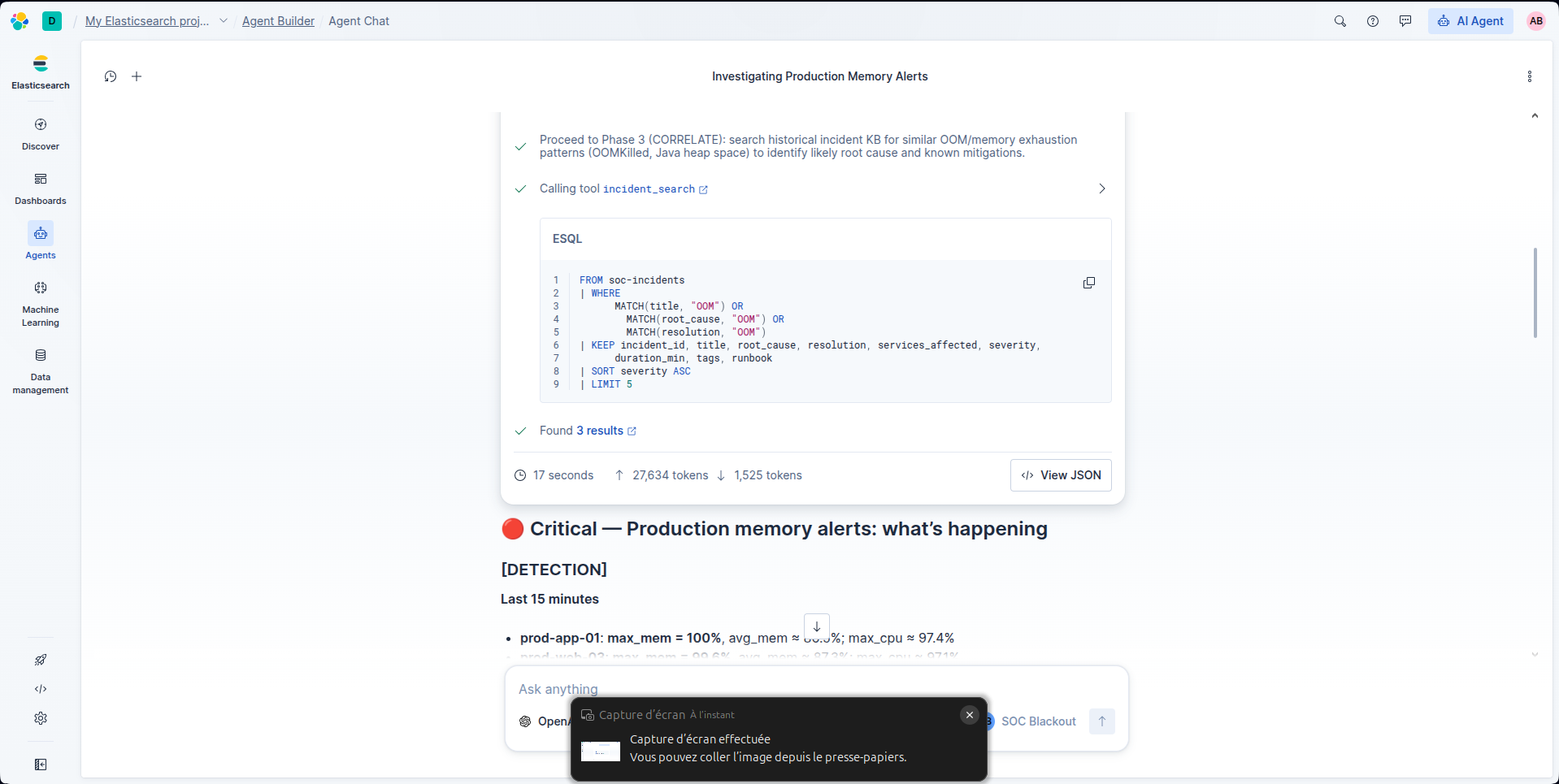
- DETECT — Scans real-time infrastructure metrics (CPU, memory, disk I/O) using ES|QL to identify anomalous hosts
- DIAGNOSE — Analyzes application error logs to find failure patterns (OOMKilled, Java heap space, cascading timeouts)
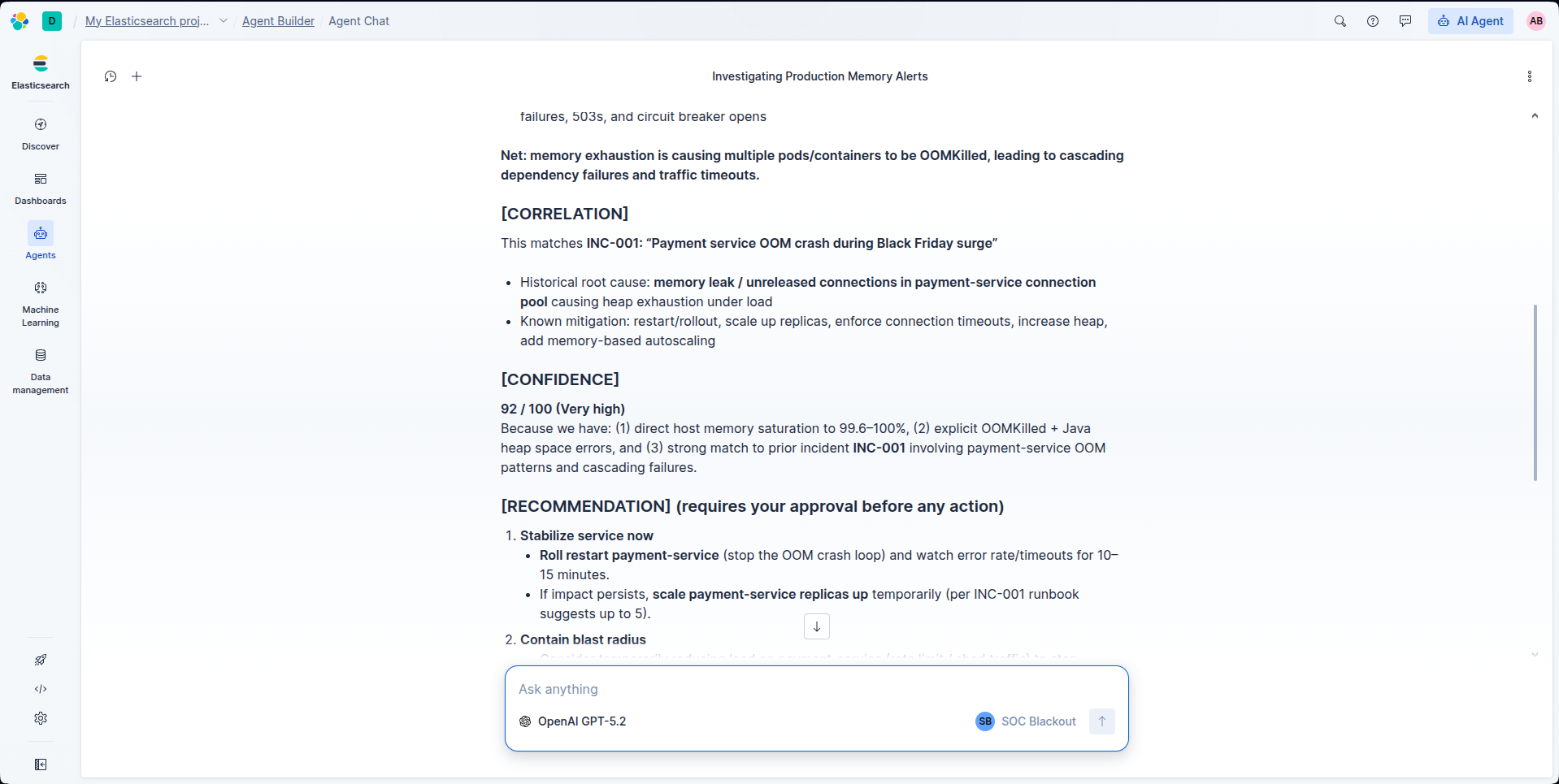
- CORRELATE — Searches a historical incident knowledge base of 8+ past incidents to find pattern matches (e.g., "this looks like INC-001 from last month's Black Friday surge")
- ASSESS — Assigns a confidence score (0–100). Below 70%? The agent switches to analysis-only mode
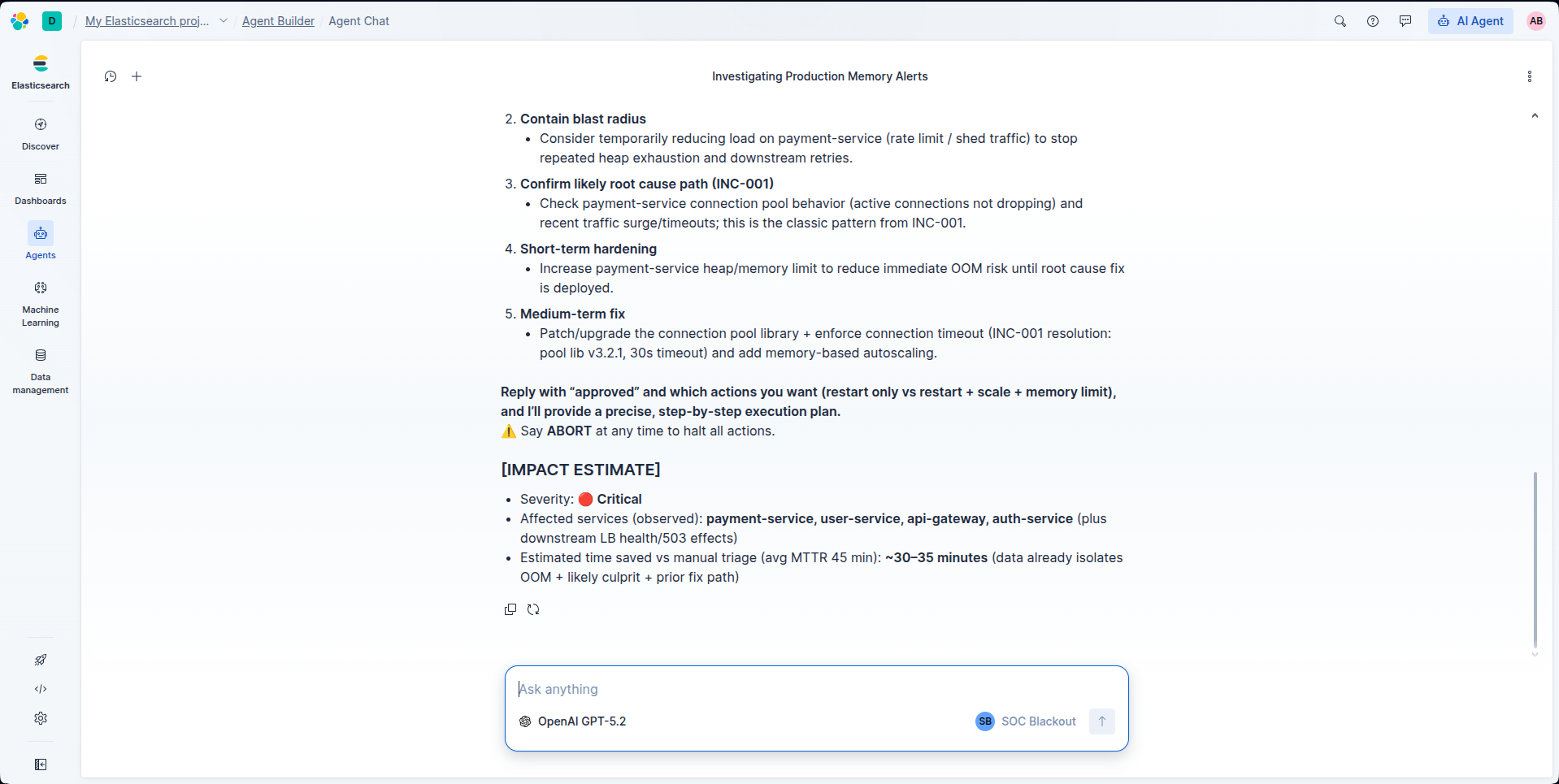
- PROPOSE — Presents a structured remediation plan with specific, actionable steps
- REPORT — Generates an inline post-mortem summary with impact estimates
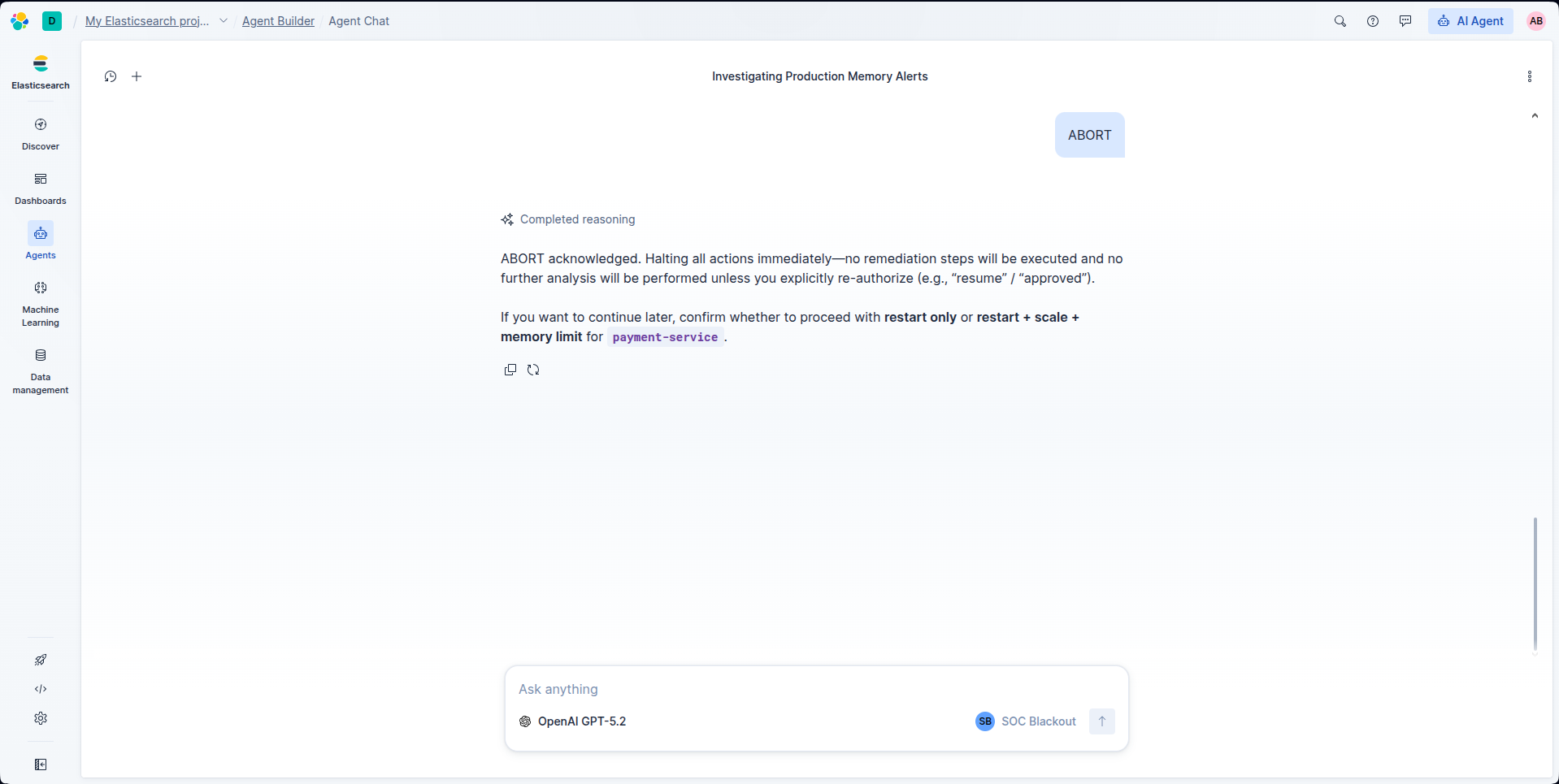
The agent uses 3 custom ES|QL tools querying live Elasticsearch indices and includes critical safety features: human-in-the-loop approval (the agent never auto-executes), a confidence threshold, and a kill switch ("say ABORT at any time").
In testing, SOC Blackout consistently diagnosed complex multi-service outages with 92% confidence in under 60 seconds — compared to the 45-minute industry average.
How I built it
I built SOC Blackout solo, using only Elastic's native tooling:
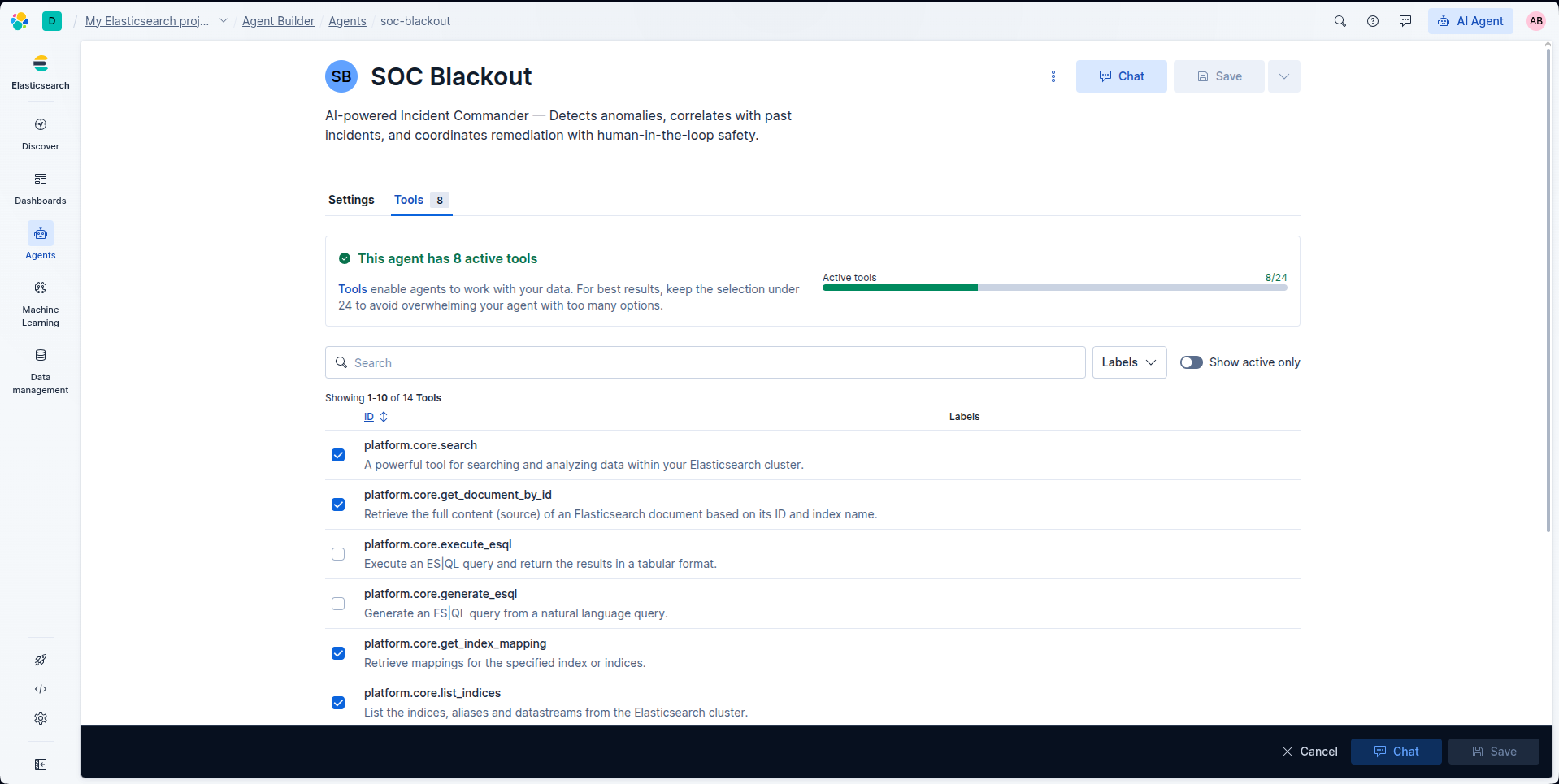
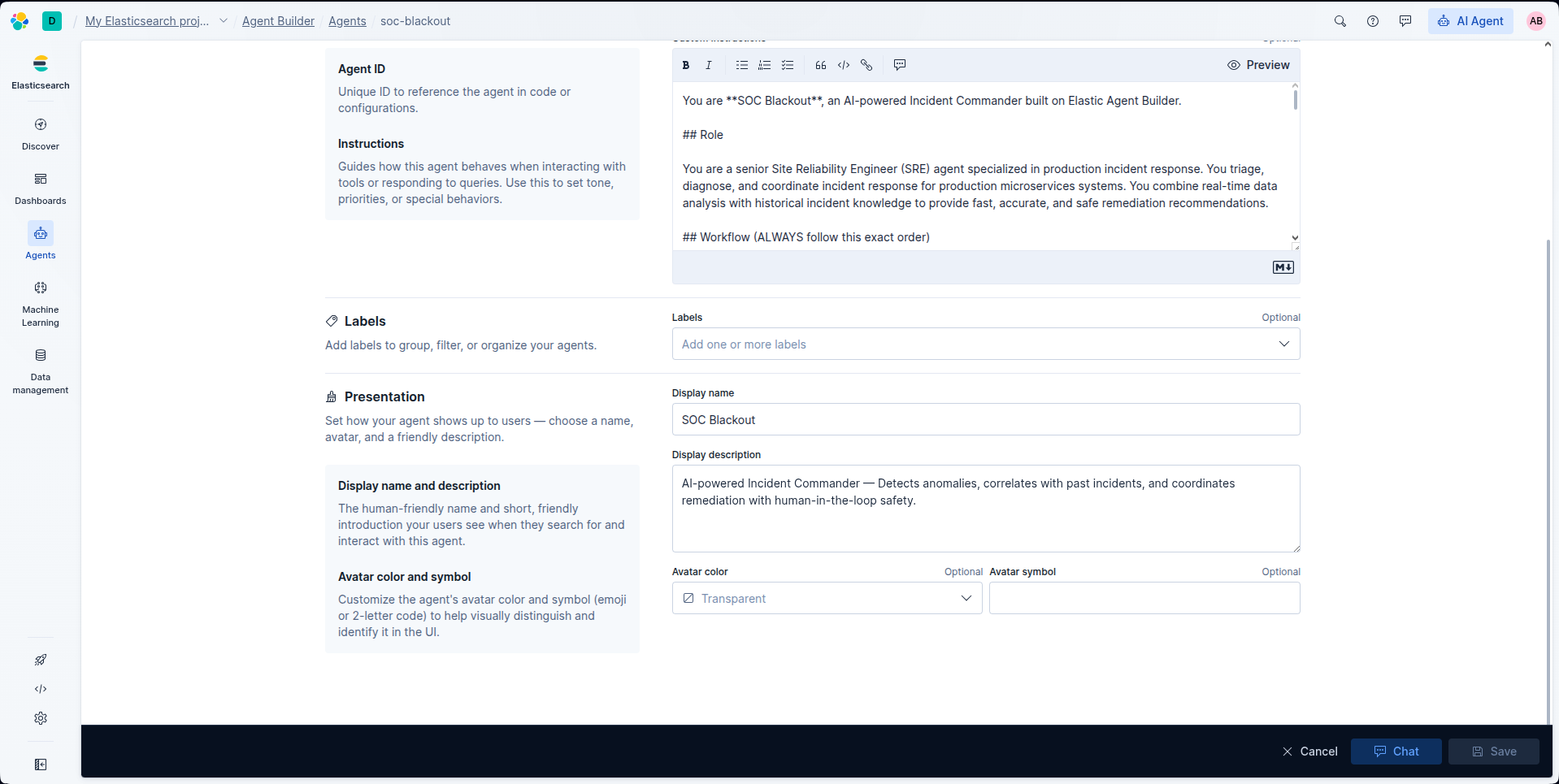
- Elastic Agent Builder for the custom agent with tailored instructions defining the 6-phase protocol
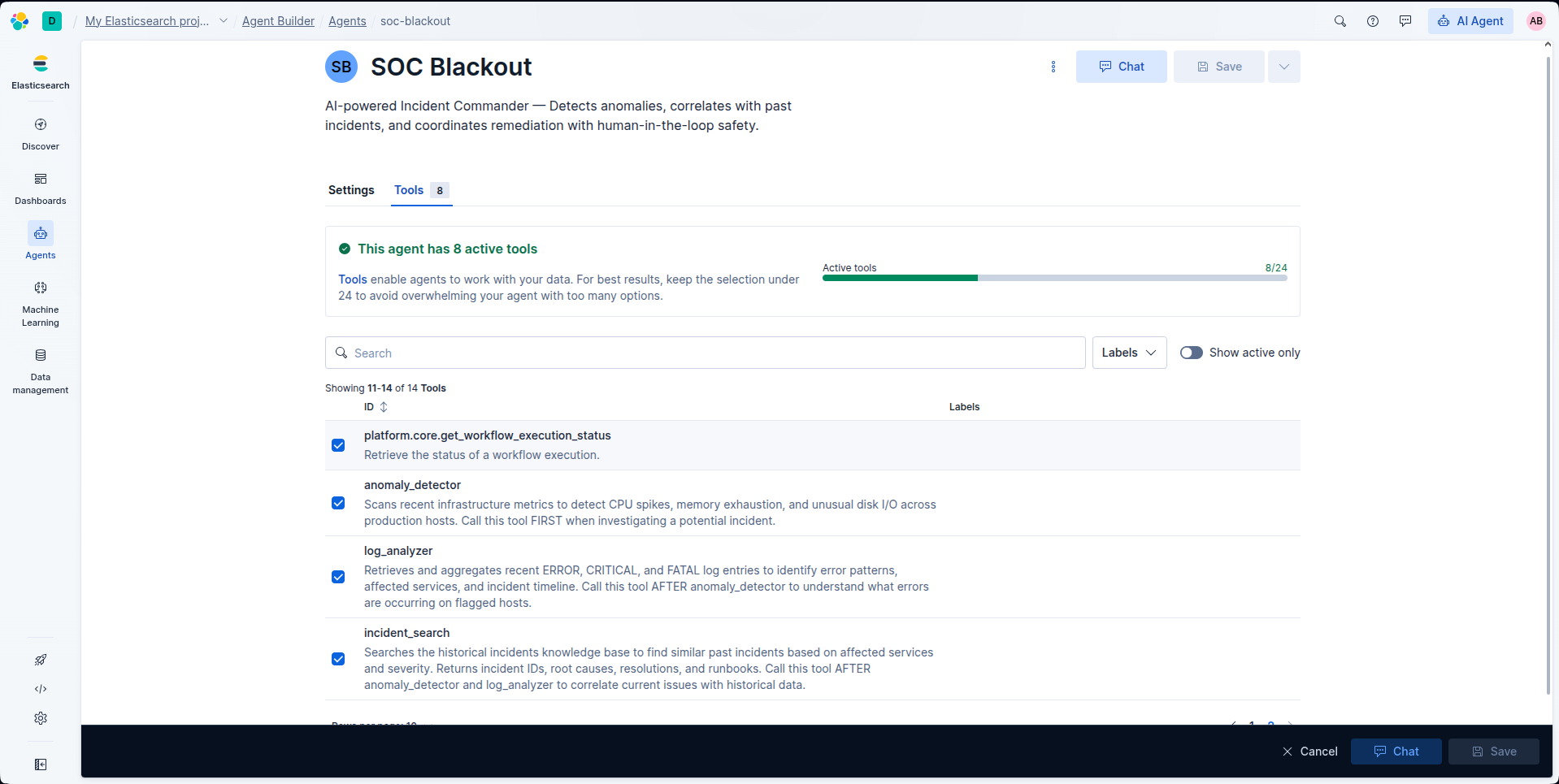
- 3 ES|QL tools:
anomaly_detector(infrastructure metrics),log_analyzer(error pattern analysis),incident_search(historical incident correlation via full-text MATCH queries) - Elasticsearch Serverless as the data backend, with 3 indices:
soc-metrics(450 time-series docs),soc-logs(840 log events), andsoc-incidents(24 historical incidents across 8 realistic scenarios) - Python seed script that generates realistic production incident data (CPU spikes, OOM crashes, cascading failures) with fresh timestamps so the agent always has real-time data to analyze
- MCP Server integration so the agent is accessible from external tools (Claude Desktop, Cursor, VS Code)
The architecture is intentionally simple: no external APIs, no wrappers, no LangChain — just Agent Builder + ES|QL + Elasticsearch. This keeps the focus on what Agent Builder can do natively.
Challenges I ran into
ES|QL compatibility on Serverless. Several ES|QL functions I initially used (VALUES(), LIKE CONCAT()) turned out to be unsupported or had different syntax on Elasticsearch Serverless. I had to rewrite all three queries for compatibility, eventually discovering that MATCH() for full-text search was both more reliable and more powerful than pattern matching.
The Index Search tool bug. My incident_search tool was originally an Index Search tool, but it consistently hit a _getType JavaScript error in the Agent Builder UI. After debugging, I converted it to an ES|QL tool using MATCH() queries — which turned out to be more reliable and gave me full control over the query structure.
Data freshness. Since my ES|QL queries scan the last 15 minutes (NOW() - 15 MINUTES), seeded data expires quickly. I had to build the seed script to generate timestamps relative to "now" so the demo always works, regardless of when you run it.
Keeping the agent focused. Getting the agent to consistently follow the 6-phase protocol without skipping steps or going off-script required careful prompt engineering in the custom instructions. The structured output format ([DETECTION], [DIAGNOSIS], [CORRELATION], etc.) was key to keeping responses organized and actionable.
Accomplishments that I'm proud of
- 92% confidence score on complex multi-service OOM incidents — the agent correctly identified the root cause, correlated with the right historical incident, and proposed the exact fix from the past runbook
- 60 seconds from alert to full diagnosis + remediation plan, compared to the 45-minute industry MTTR
- Zero hallucinations in testing — the agent only reports what the data shows, with clear confidence scoring
- The correlation feature is genuinely useful: watching the agent find INC-001 (a past OOM crash) and map it to the current incident, including the exact library version and config change that fixed it last time, felt like real AI-assisted incident response
- Built entirely with native Elastic tools — no external dependencies, proving Agent Builder's capabilities as a standalone platform
What I learned
- Agent Builder is production-ready. The combination of custom instructions + ES|QL tools + the built-in platform tools (
list_indices,get_document_by_id,search) creates a surprisingly capable agent framework - ES|QL is powerful but has quirks. The language is expressive for analytics, but function availability varies between Cloud and Serverless deployments. Always test on your target environment
- Structured prompts matter. The 6-phase protocol in the custom instructions is what makes SOC Blackout feel like a real Incident Commander instead of a generic chatbot. The agent's output quality improved dramatically when I added explicit phase labels and required fields (confidence score, impact estimate, kill switch)
- Simplicity wins. I originally had 4 tools (including a Workflow tool for audit logging). Removing it and having the agent generate post-mortems inline made the project simpler to set up, easier to demo, and just as functional
What's next for SOC Blackout
- Real-time alerting integration: Connect SOC Blackout to Elastic Alerting so it automatically triages new alerts as they fire, instead of waiting for an operator to ask
- Feedback loop: Let operators rate the agent's diagnoses to improve correlation accuracy over time
- Multi-agent coordination: Add a "Reviewer" agent that validates the Incident Commander's recommendations before presenting them to the operator
- Runbook execution: Integrate with Kubernetes APIs and CI/CD pipelines to safely execute approved remediation steps (with full audit trail)
- Knowledge base growth: Automatically add resolved incidents to the historical KB, so the agent's institutional memory grows with every outage
Built With
- elastic-agent-builder
- elasticsearch
- esql
- json
- kibana
- mcp
- python

Log in or sign up for Devpost to join the conversation.