🚀 Inspiration
Learning Linux system administration and SSH configuration is intimidating for beginners. Setting up real servers is costly, mistakes can be destructive, and most tutorials are passive reading experiences. We wanted to create a safe, hands-on environment where anyone can learn by doing — directly in their browser.
🎯 What It Does
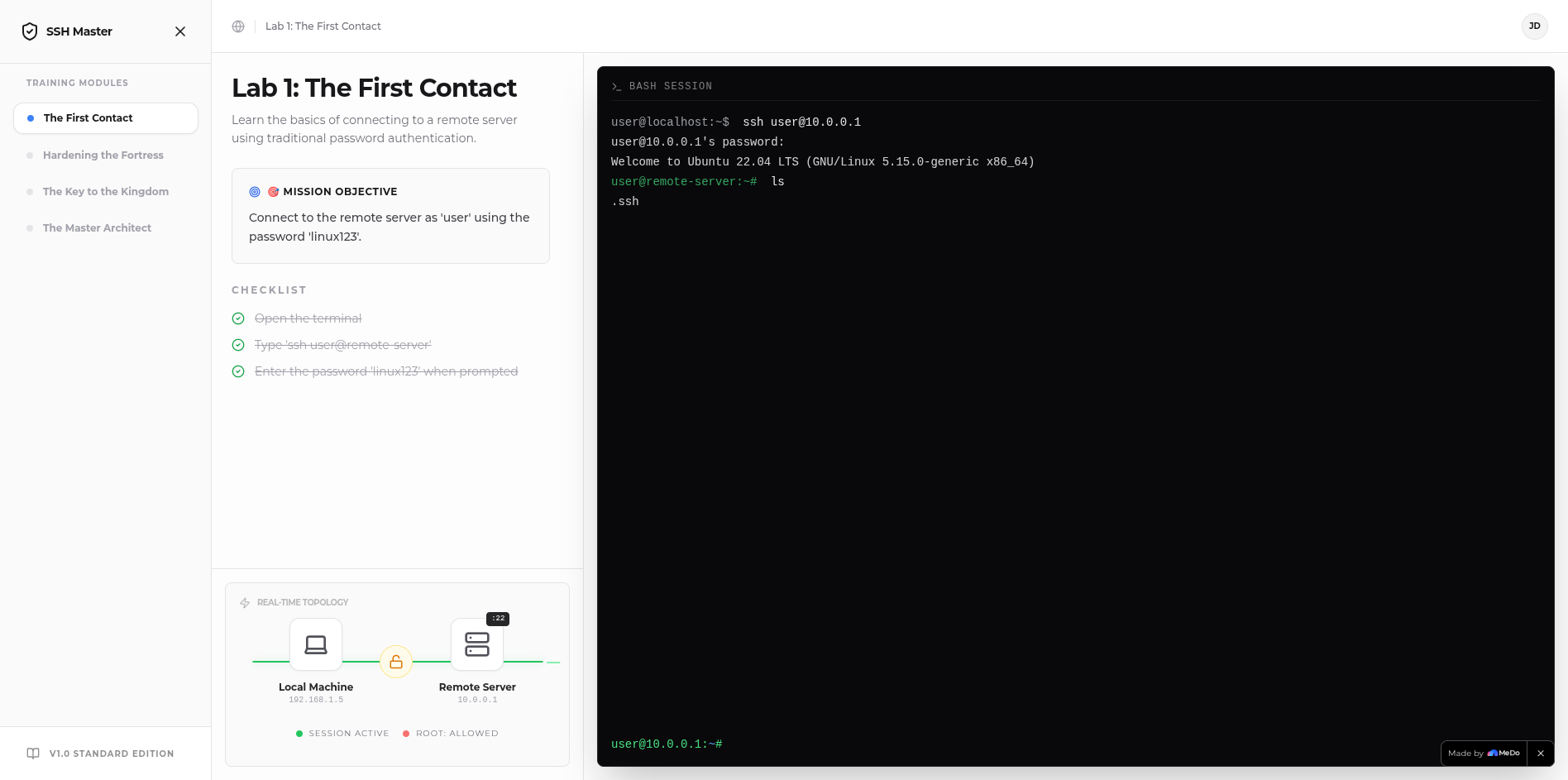
SSH Architect is a pure client-side web application that simulates a real Linux environment for learning SSH fundamentals. Users progress through 4 interactive labs covering:
- The First Contact — Password-based SSH authentication
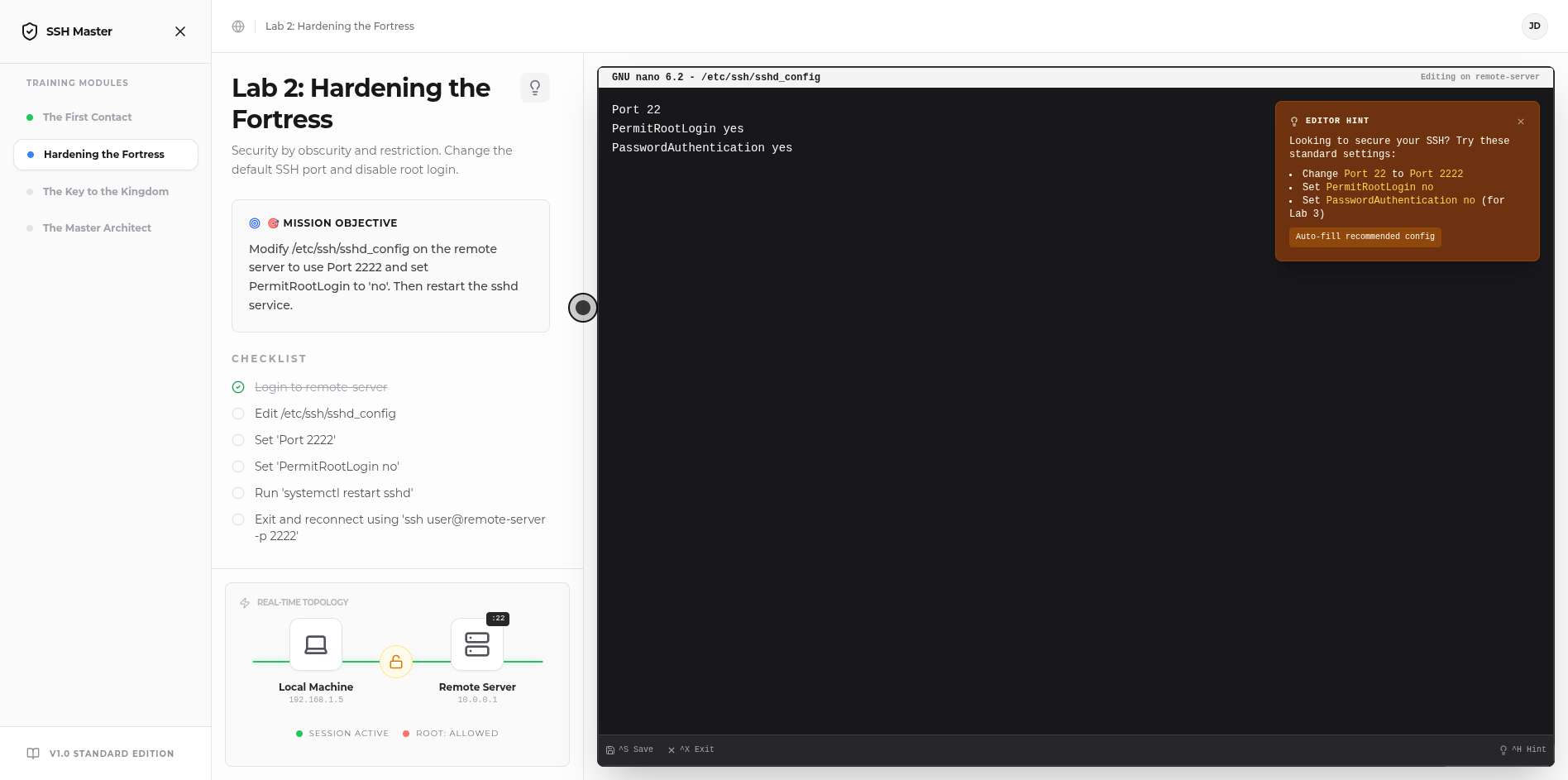
- Hardening the Fortress — Securing SSH by changing ports, disabling root login
- The Key to the Kingdom — SSH key-pair authentication and disabling passwords
- Master of Aliases — Creating SSH config files for streamlined connections
Each lab features a fully interactive terminal, real-time network topology visualization, and step-by-step documentation with a smart hint system.
✨ Key Features
- Interactive Terminal Simulator — A realistic bash shell with support for
ssh,ssh-keygen,ssh-copy-id,nano,cat,echo,systemctl, and more - Dual-Node Virtual File System — Independent file systems for "localhost" and "remote-server" with realistic directory structures
- Visual Network Topology — Real-time visualization of connection state, authentication methods, and port configurations
- Built-in Nano Editor — A simulated GNU nano editor with syntax-aware hints and auto-fill templates for SSH configuration files
- Smart Hint System — Context-aware hints that guide users without spoiling the learning experience
- Progress Tracking — Real-time objective checklist and automated lab completion detection
- Onboarding Tour — Interactive guided tour for first-time users
🛠️ How We Built It
- Frontend: React 18 + TypeScript + Vite
- Styling: Tailwind CSS with a minimal, airy design aesthetic
- Animations: Framer Motion for smooth transitions
- Terminal Engine: Custom-built VFS (Virtual File System) and SSH simulation hooks
- State Management: React hooks with local state — no backend required
📚 What We Learned
Building a convincing terminal simulator required deep understanding of:
- Shell command parsing and argument handling
- SSH protocol authentication flows (password vs. publickey)
- File system operations and path resolution (
~expansion) - Edge cases in user input (quotes, flags, port numbers)
- Balancing guidance vs. discovery in educational software
🔮 What's Next for SSH Architect
- Docker Lab Integration — Simulate container management and Docker networking
- Scripting Challenges — Add bash scripting exercises with automated validation
- Multiplayer Mode — Collaborative server administration scenarios
- Certificate Authority (CA) Lab — Advanced SSH certificate-based authentication
- Mobile Optimization — Touch-friendly terminal for learning on the go
Try it now: No installation, no servers, no risk. Just open your browser and start architecting.
Built With
- biome
- css3
- html5
- javascript
- react
- tailwind-css
- vite


Log in or sign up for Devpost to join the conversation.