
Inspiration
Virtual group study solves a real problem: it is easier to find a time to call friends than a time and place for everyone to meet in person. But when cameras and microphones are off, whether students are in a library, trying to stop themselves from yapping, saving battery, or simply wanting privacy, the accountability that makes group study effective can disappear.
- Students can be technically “studying together” while quietly drifting into social media, games, or unrelated tabs.
- Traditional site blockers address distraction, but they make focus a solo willpower challenge and are easy to disable when motivation drops.
- Video coworking restores social presence, but it can require students to stay visibly on camera or interrupt one another to check in.
- We wanted to create a middle ground: social accountability without mandatory surveillance.
That idea became SnuffleStudy: a privacy-first Chrome extension that helps friends stay focused together, even in quiet, camera-off study rooms.
What it does
SnuffleStudy helps high school and college students structure individual focus sessions while adding an optional layer of friend-powered accountability.
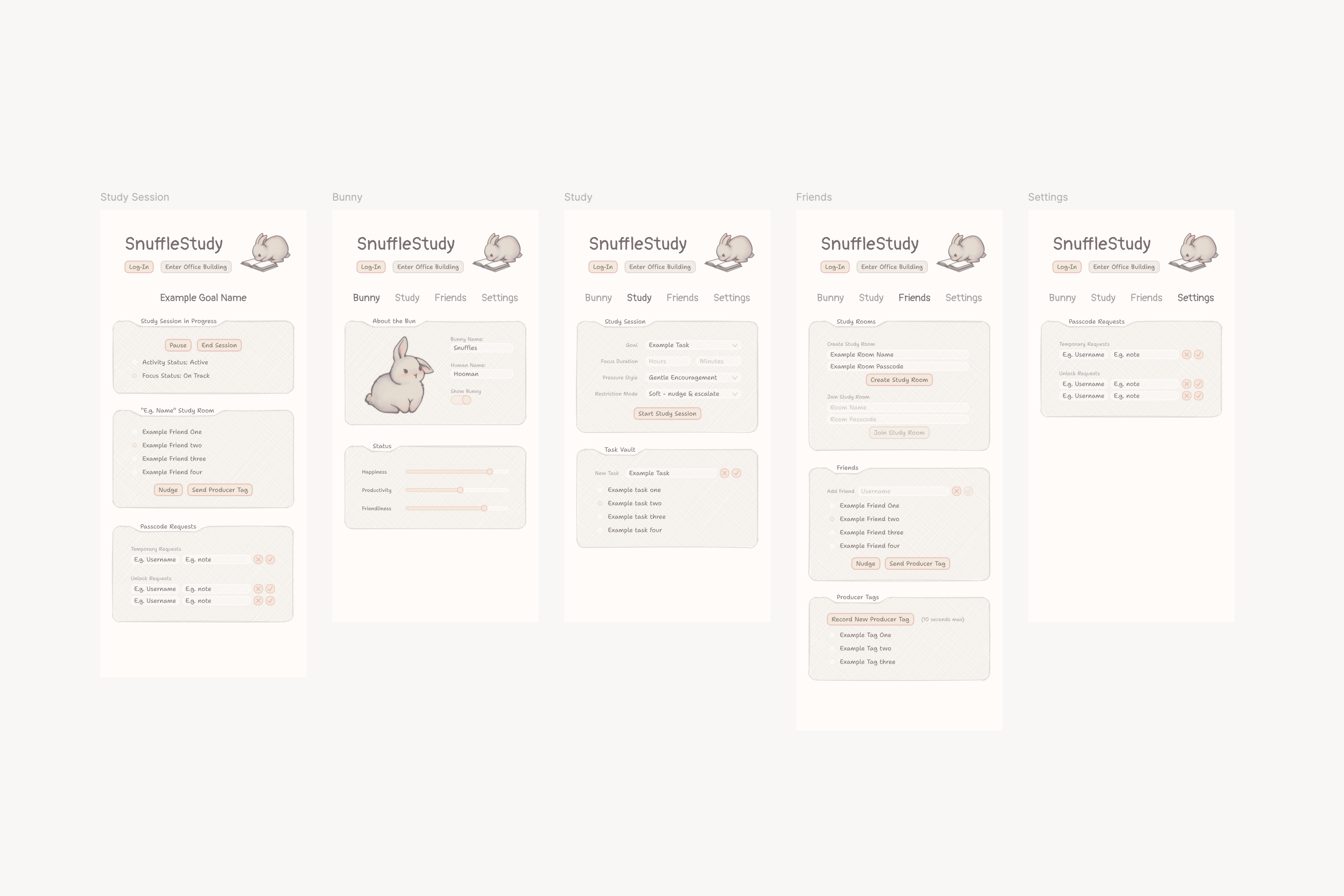
Start a focused session
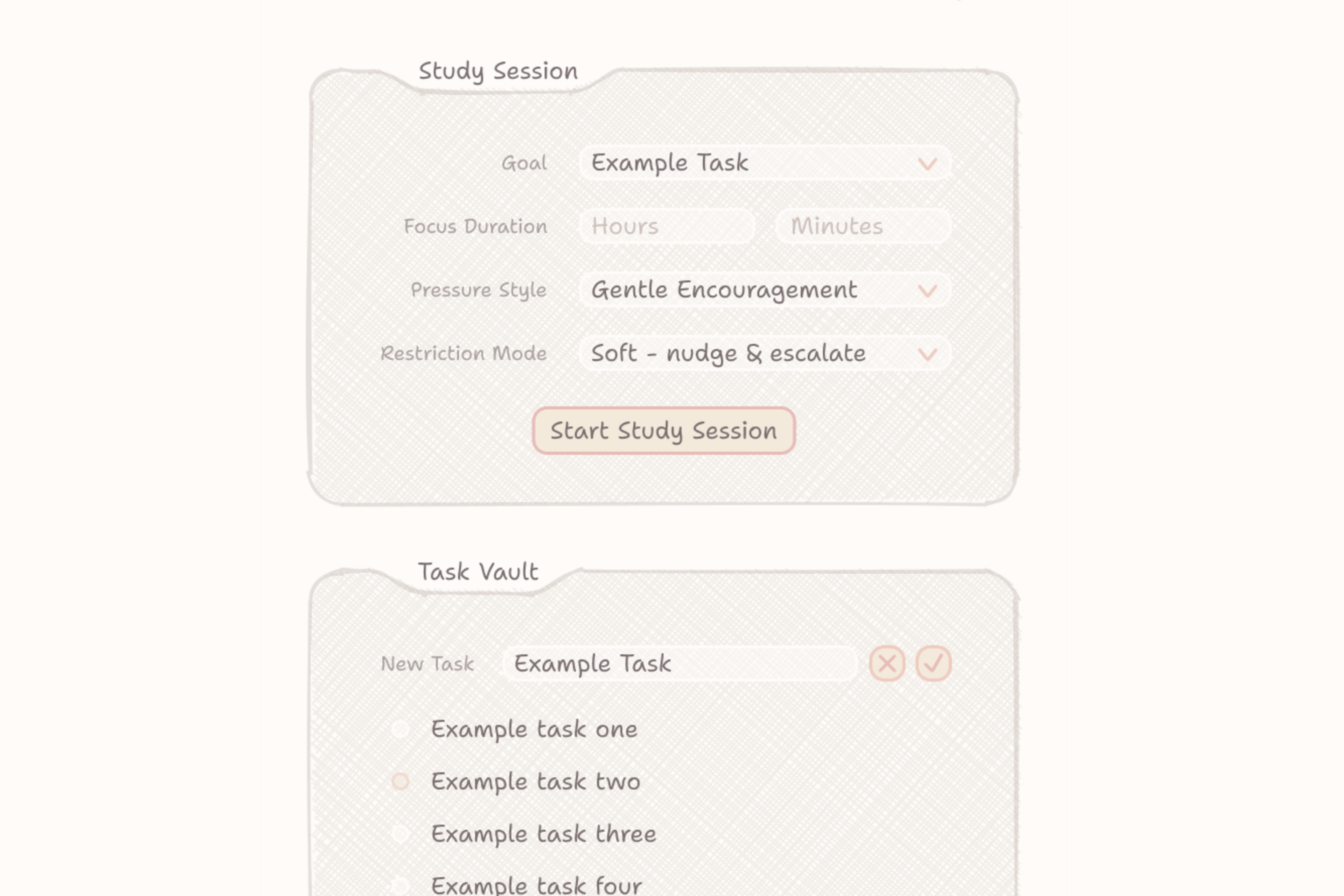
- Set a study goal, duration, pressure style, and restriction mode.
- Use the Task Vault to turn a large goal into smaller, checkable subtasks.
- Choose a focus duration in minutes or hours.
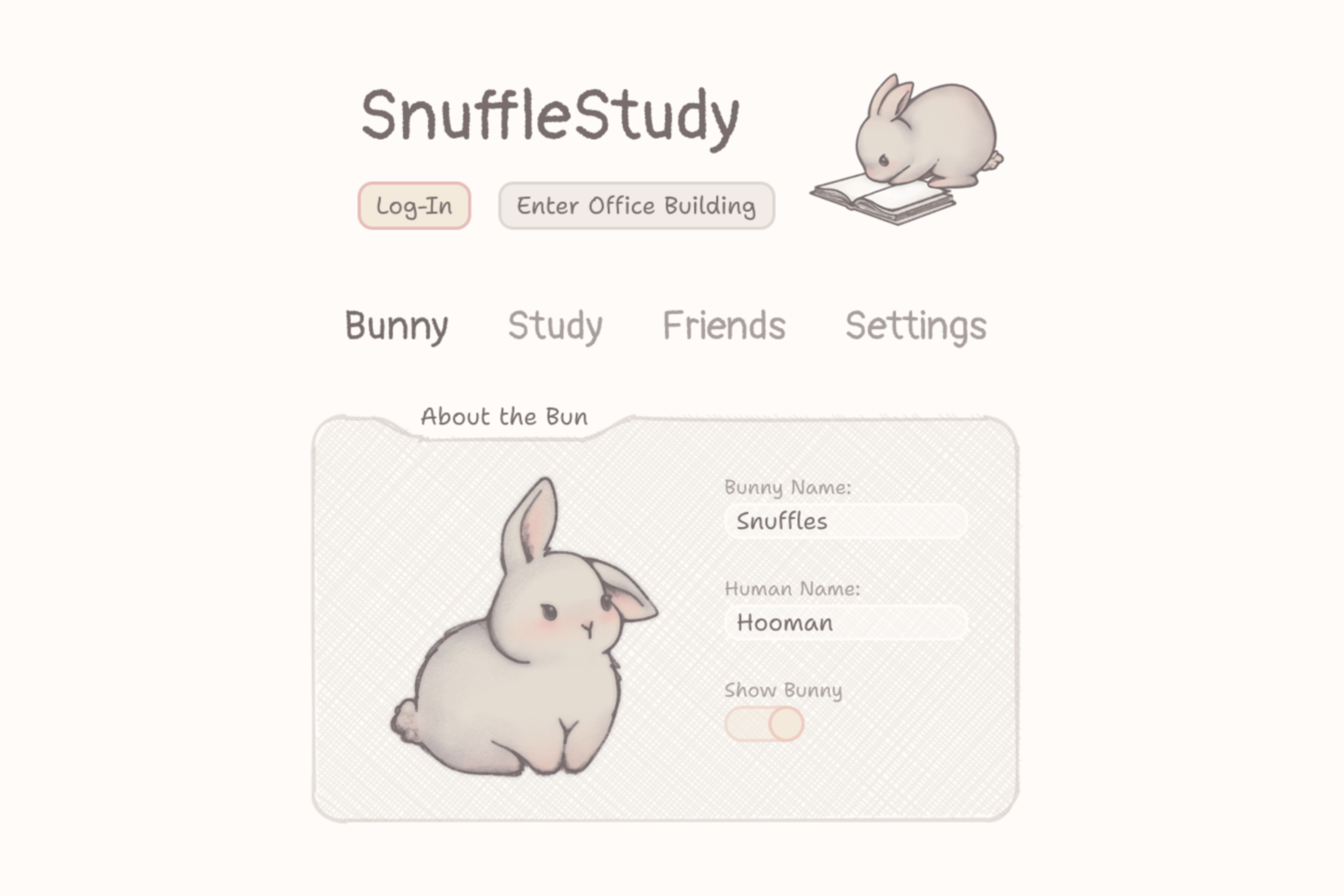
- Receive coaching from Snuffles, a hand-drawn bunny companion whose tone adapts to the selected pressure style.
- Select constructive styles ranging from gentle encouragement to stricter accountability, while keeping feedback focused on actions and effort rather than personal attacks.
Stay on track
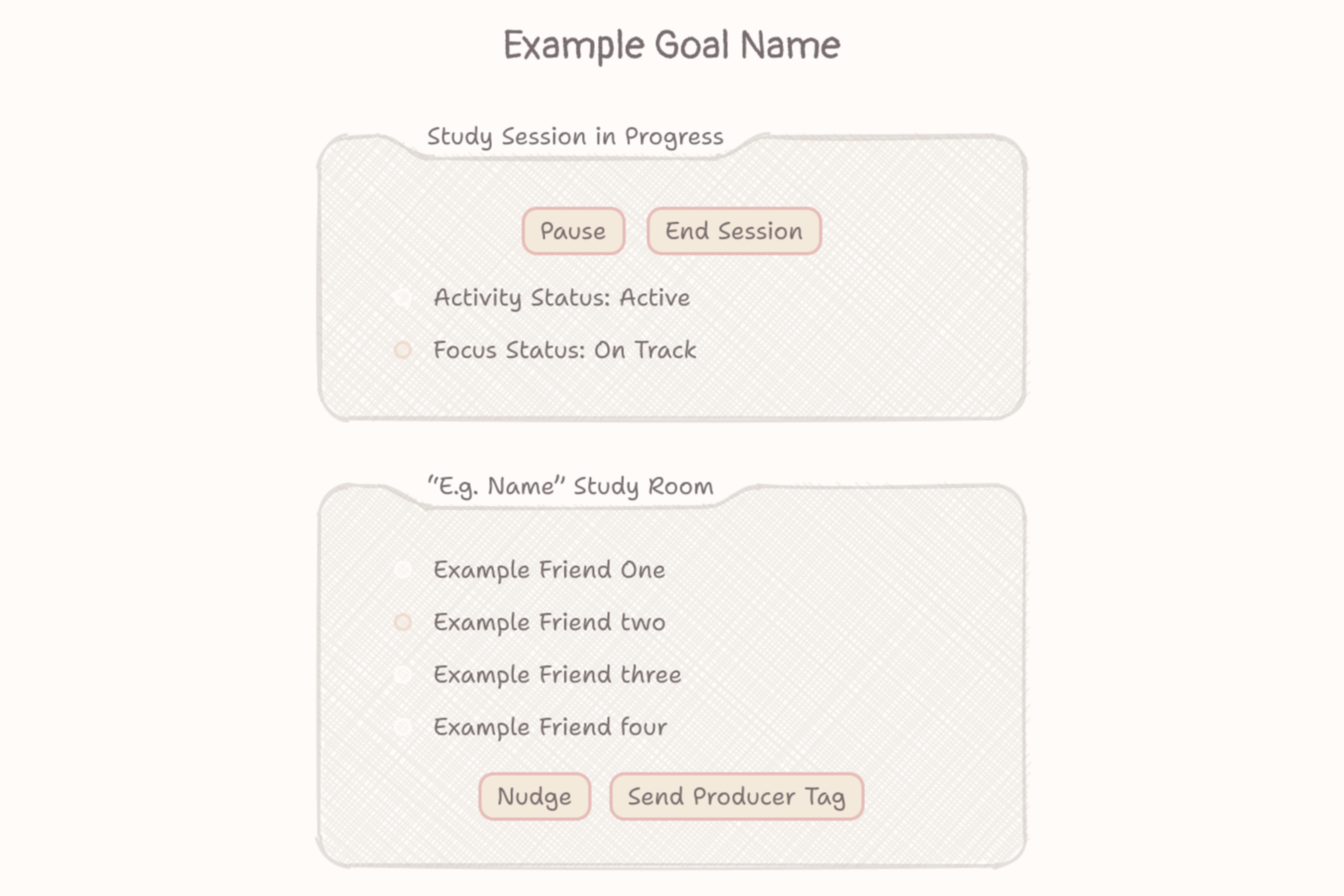
- Soft mode detects inactivity or visits to restricted sites and escalates supportive reminders.
- Hard mode blocks distracting sites until the user receives a passcode from a trusted friend.
- Request a temporary single-site pass for a legitimate exception, such as opening a specific YouTube lecture, without unlocking every blocked site.
- Keep the core experience available offline: timers, tasks, and distraction detection work locally even when the backend is unavailable.
Study with friends
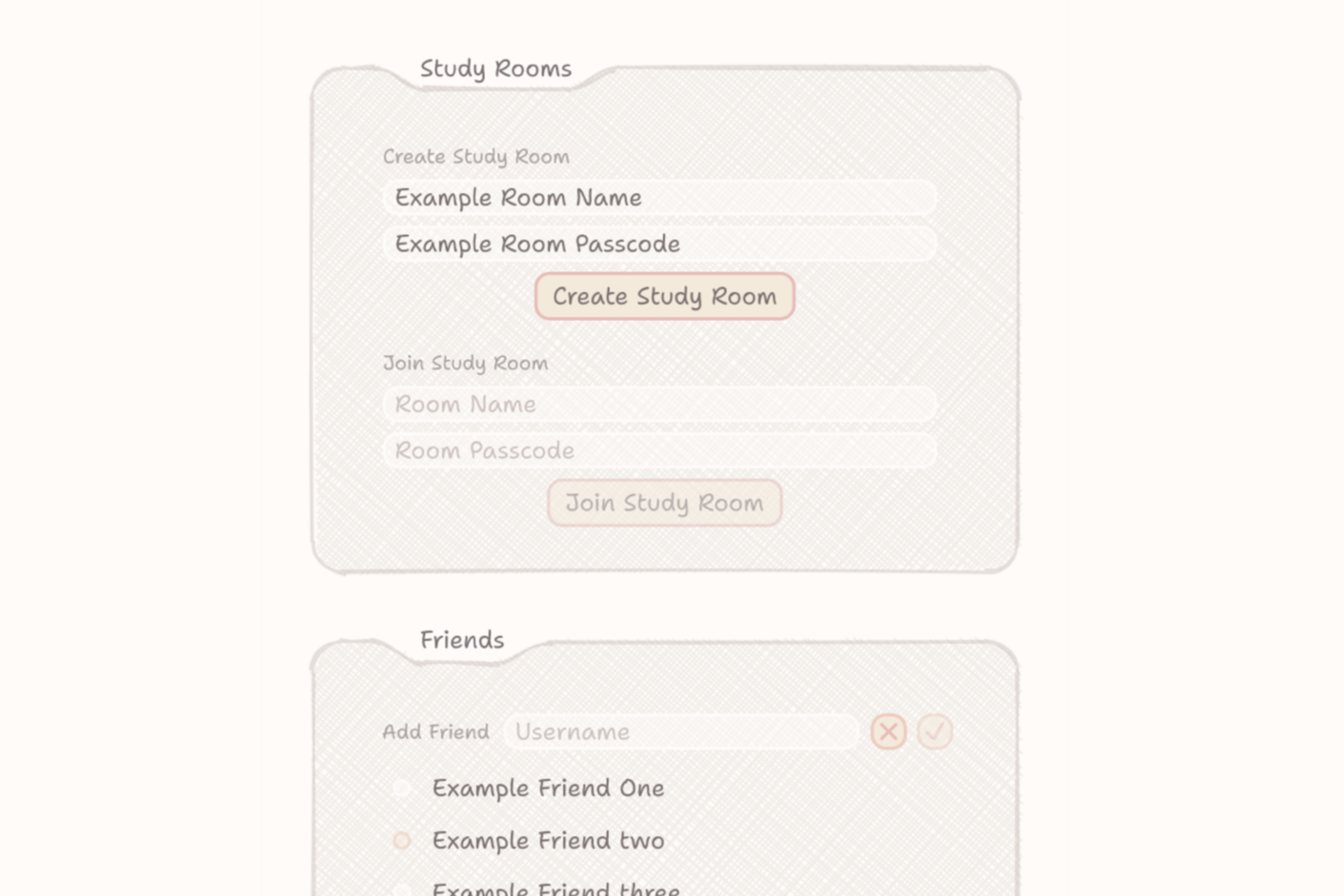
- Add friends, join or create Study Rooms, and study together without requiring camera or microphone access.
- Choose what, if anything, friends can see. Sharing is optional and controlled separately for information such as goal text, activity, current site, distraction count, and history.
- When a user has opted in and drifts off-task, their study group can be notified.
- Friends can respond with a Producer Tag: a short, pre-recorded audio nudge that restores accountability without forcing anyone to unmute or interrupt the entire room.
- Friends can approve unlock requests remotely, so the person trying to focus cannot simply remove their own restriction in the moment they are tempted.
Together, these features make SnuffleStudy more than a timer, blocker, or virtual call. It is a flexible system for studying independently while still being supported by people who are working toward their own goals.
Why it matters
Most productivity tools frame distraction as a personal discipline problem. SnuffleStudy recognizes that many students focus better when someone else is quietly present and expecting them to follow through.
- It preserves the best part of group study: people are more likely to stay on task when their effort is visible to peers.
- It removes the pressure of constant video: students can maintain privacy, conserve bandwidth, and work in public or shared spaces.
- It gives users different levels of support: someone who only wants a gentle reminder can use Soft mode, while someone who wants stronger commitment can give a friend the Hard-mode passcode.
- It protects student autonomy: the user chooses their restrictions, their friends, their room, and every category of information they share.
- It makes accountability lightweight: Producer Tags can create a quick social nudge without turning a study session into a conversation or confrontation.
- It works even without a group: the local-first focus tools remain useful for solo study, while the social layer becomes available when friends join.
The goal is not to shame students into working. It is to make focused study feel less isolating and make it easier for friends to support each other without sacrificing privacy.
Key features
- Camera-optional Study Rooms: Study alongside friends without requiring video or microphone access.
- Producer Tags: Send short, pre-recorded audio nudges to bring a distracted friend back without derailing the room.
- Focus sessions and Task Vault: Set a goal, break it into subtasks, choose a duration, and track progress.
- Soft and Hard restriction modes: Choose between escalating reminders or passcode-protected site blocking.
- Friend-held accountability: A trusted friend can approve full unlocks or limited single-site passes.
- Privacy controls by default: Each shareable data type, such as activity, current site, goal text, or history, has its own default-off permission toggle.
- Two consent-based tracking tiers: Activity-only tracking works without site permissions; site-level accountability requires an explicit permission grant.
- Local-first core: Timers, tasks, and distraction detection continue to work even if the backend is unavailable.
- Snuffles: A hand-drawn bunny companion with customizable names and constructive pressure styles, designed to be motivating rather than personally harsh.
How We Built It
SnuffleStudy is a Manifest V3 Chrome extension built with TypeScript, React, and WXT. It uses a layered domain, infrastructure, and presentation architecture so that the core productivity tools and optional social features can evolve without becoming one tightly coupled codebase.
Extension and local-first foundation
- Chrome Storage and IndexedDB store core session data locally.
- Focus timers, task management, and distraction detection continue to function offline.
- Session timing uses persisted timestamps and Chrome alarms rather than relying on in-memory timers.
- The architecture separates the offline focus experience from the online social layer.
Social and backend features
- Supabase provides authentication, Postgres, Realtime, Storage, and Edge Functions.
- Study Rooms support live social presence and optional video/audio through LiveKit.
- Friend relationships, nudges, room participation, and approval flows are supported through a structured backend model.
- Row-level security enforces who can access each category of user data at the database level.
Safety and integrations
- Hard-mode and temporary passcodes are stored as salted hashes, not plaintext.
- Passcode guessing is rate-limited.
- Temporary approvals allow a friend to authorize a limited exception without learning the user’s permanent passcode.
- Integrations, including Anthropic Claude, LiveKit, Supabase services, and Resend, are routed through server-side Edge Functions, so secrets never ship inside the extension bundle.
- Claude is used narrowly for optional coaching lines, with immediate pre-written fallbacks if a network request is slow or unavailable.
Design and personality
- The interface was designed in Figma with a soft, handmade visual direction.
- Snuffles artworks were hand-drawn in Procreate.
- The design intentionally avoids making focus feel cold or punitive: the mascot, language, and pressure styles aim to encourage sustained effort while respecting the user.
Challenges we ran into
The largest challenges were not simply building features. They were making accountability, security, privacy, and browser-extension reliability work together.
Designing accountability without surveillance
- We needed the extension to support friends helping friends without automatically exposing browsing behavior.
- SnuffleStudy includes two distinct tracking tiers: activity-only tracking, which does not require site permissions, and site-level tracking, which requires a separate explicit permission.
- Every type of data a friend may see has its own default-off sharing control.
- Privacy settings are enforced through database row-level security, rather than only being hidden or shown in the interface.
Building restrictions users can trust
- A blocker is not useful if it creates accidental lockouts or can be trivially bypassed.
- Soft mode provides an accessible, low-stakes starting point for users who want reminders rather than hard enforcement.
- Hard mode creates a deliberate accountability agreement by placing the passcode with a trusted friend.
- Temporary single-site passes prevent an all-or-nothing decision when a user genuinely needs one blocked resource.
- Passcodes are salted, hashed, and rate-limited to avoid treating security as an afterthought.
Working within Manifest V3
- Chrome can suspend a Manifest V3 service worker at any time, so timers could not safely exist only in memory.
- We rebuilt session timing around real timestamps, persistent storage, and
chrome.alarms. - This means a session can remain accurate even if Chrome pauses and later restarts the background worker.
Keeping a growing product maintainable
- Friend systems, room access, nudges, unlock approvals, and temporary-pass approvals each require carefully defined permissions.
- We consolidated related approval flows into a shared request model instead of maintaining several nearly identical systems.
- We isolated third-party services behind small adapters, making the application easier to maintain and reducing the cost of replacing a provider later.
Accomplishments we’re proud of
- Building a camera-optional accountability mechanic rather than another individual site blocker.
- Creating Producer Tags as a lightweight way for friends to intervene without interrupting a study room.
- Making privacy enforceable at the database layer with row-level security and default-off sharing controls.
- Building an offline-capable core, with social functionality as an optional enhancement rather than a dependency.
- Designing a passcode system where a trusted friend can support a user’s goals without learning their permanent passcode.
- Creating a warm, hand-designed experience through original Figma designs and hand-drawn art instead of generic default UI.
What we learned
SnuffleStudy taught us that a good study tool is not just about adding more ways to block distraction. It is about giving students meaningful options for how they want to be supported.
- Privacy must be architectural. A privacy toggle only matters if the server and database enforce it, not if the interface merely hides information.
- Accountability works better when it is consensual. Users should decide what they share, who supports them, and whether they want reminders or a stronger friend-held restriction.
- Local-first design makes a product more dependable. Students should still be able to start a timer, follow their task list, and monitor their focus even if a backend service is unavailable.
- Browser platforms shape product decisions. Manifest V3 forced us to build persistent timers and think carefully about service-worker life cycles instead of assuming a normal web-app environment.
- Security details affect user trust. Hashing passcodes, limiting guesses, separating tracking permissions, and keeping API keys off the client are not flashy features, but they make the experience safer and more credible.
- Small social interactions can be more powerful than large ones. A brief Producer Tag can be enough to interrupt distraction without forcing a group call into an awkward conversation.
- Tone is a product decision. Snuffles’ personality, hand-drawn design, and constructive pressure styles matter because students need a tool that feels supportive, not judgmental.
This structure gives judges a clear scan path: the headings communicate the main product story, while the bullets reveal the scope, technical depth, and smaller features that make SnuffleStudy feel complete. Which section do you think is most likely to convince a judge that SnuffleStudy is more than a typical site blocker?
What’s next for SnuffleStudy
- Complete the interactive, draggable on-screen Snuffles companion.
- Add a dashboard built from session history and focus patterns.
- Add push notifications so social nudges arrive immediately.
- Expand Snuffles’ personalities, pressure styles, Play Mode rewards, cosmetics, and mini-games.
- Add multi-device support and expand beyond Chrome.
- Prepare for public launch with a privacy policy, account deletion flow, and Chrome Web Store release.
Built With
- anthropic-claude-api
- chrome
- chrome-storage
- figma
- indexeddb
- livekit
- manifest-v3
- postgresql
- procreate
- react
- resend
- row-level-security
- supabase
- supabase-auth
- supabase-edge-functions
- supabase-realtime
- typescript
- wxt

Log in or sign up for Devpost to join the conversation.