-
-
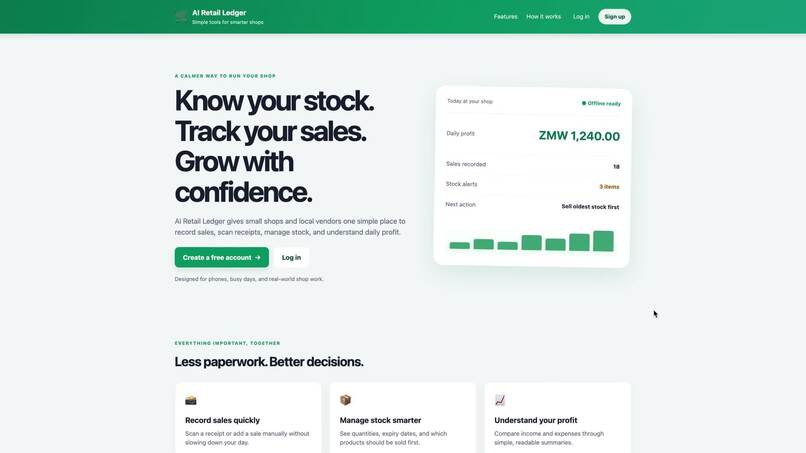
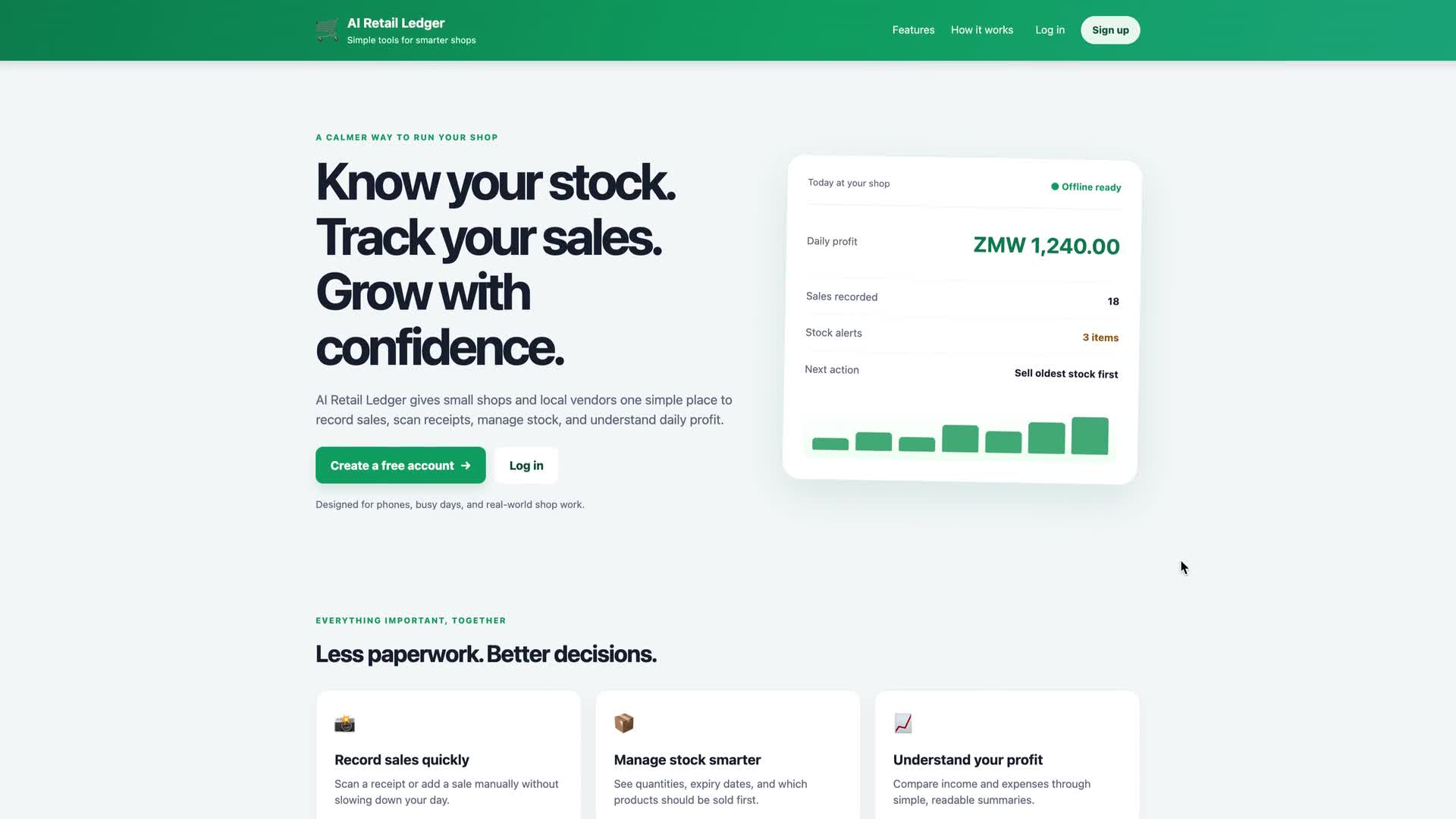
Home page
-
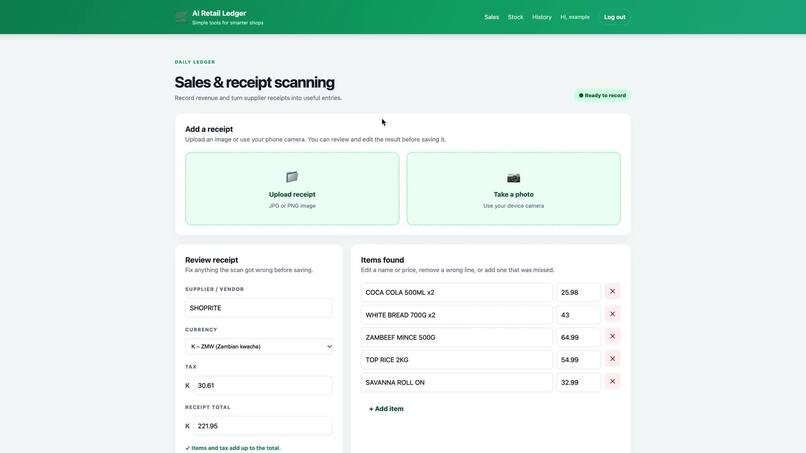
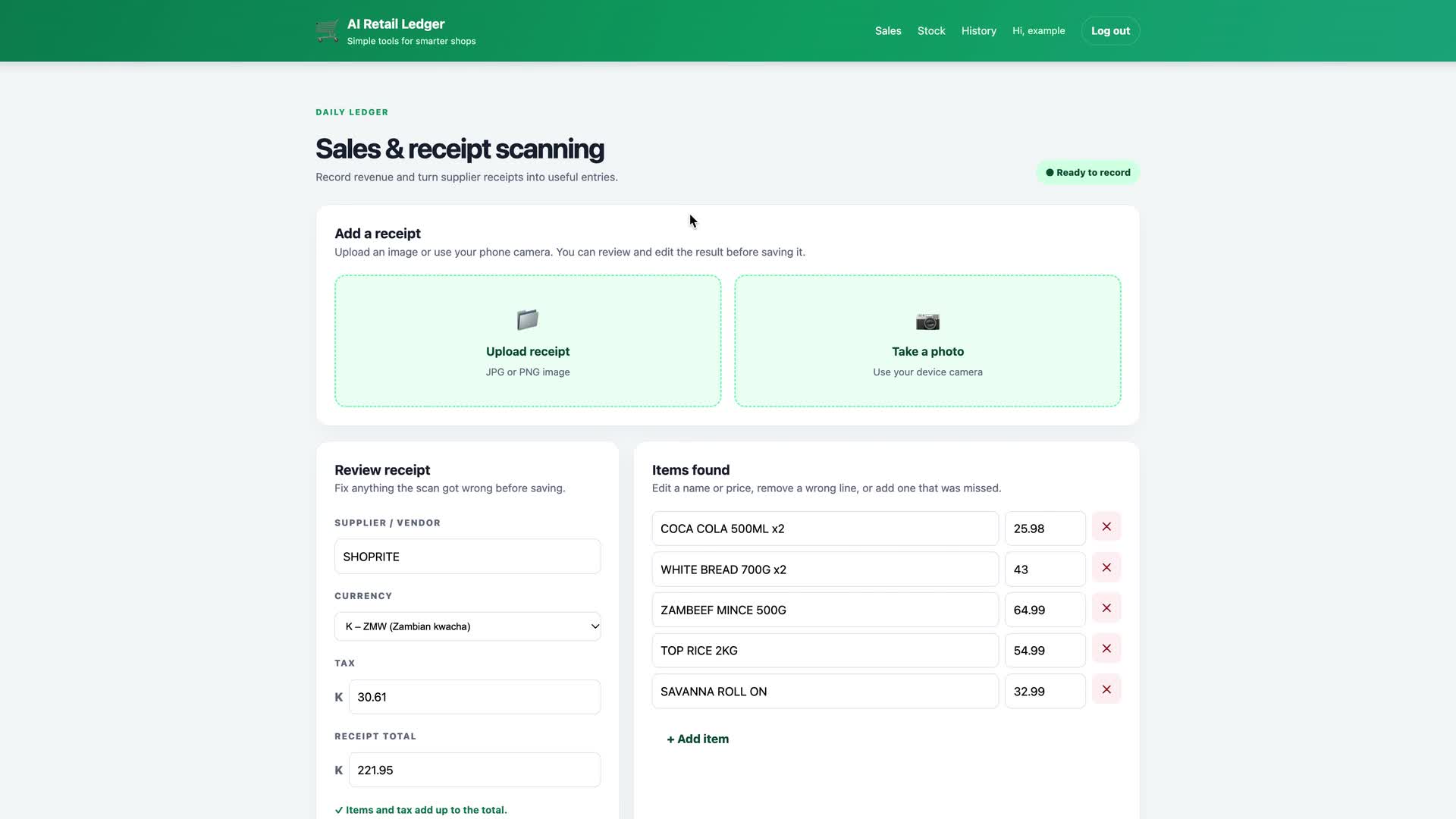
Scanning a Shoprite receipt with AI
-
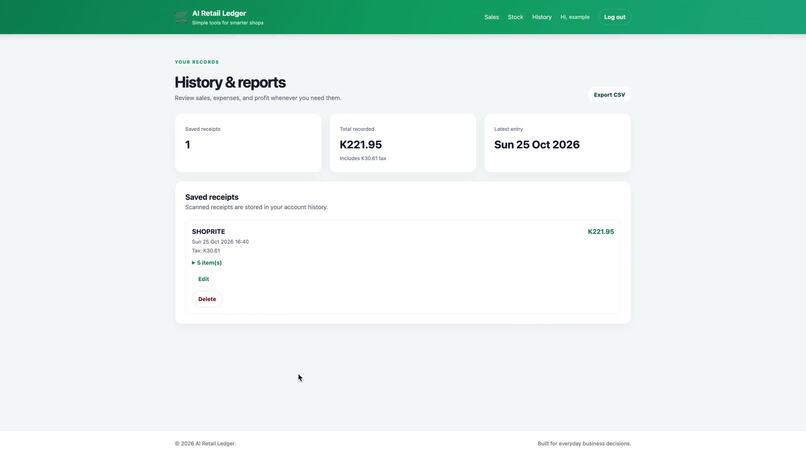
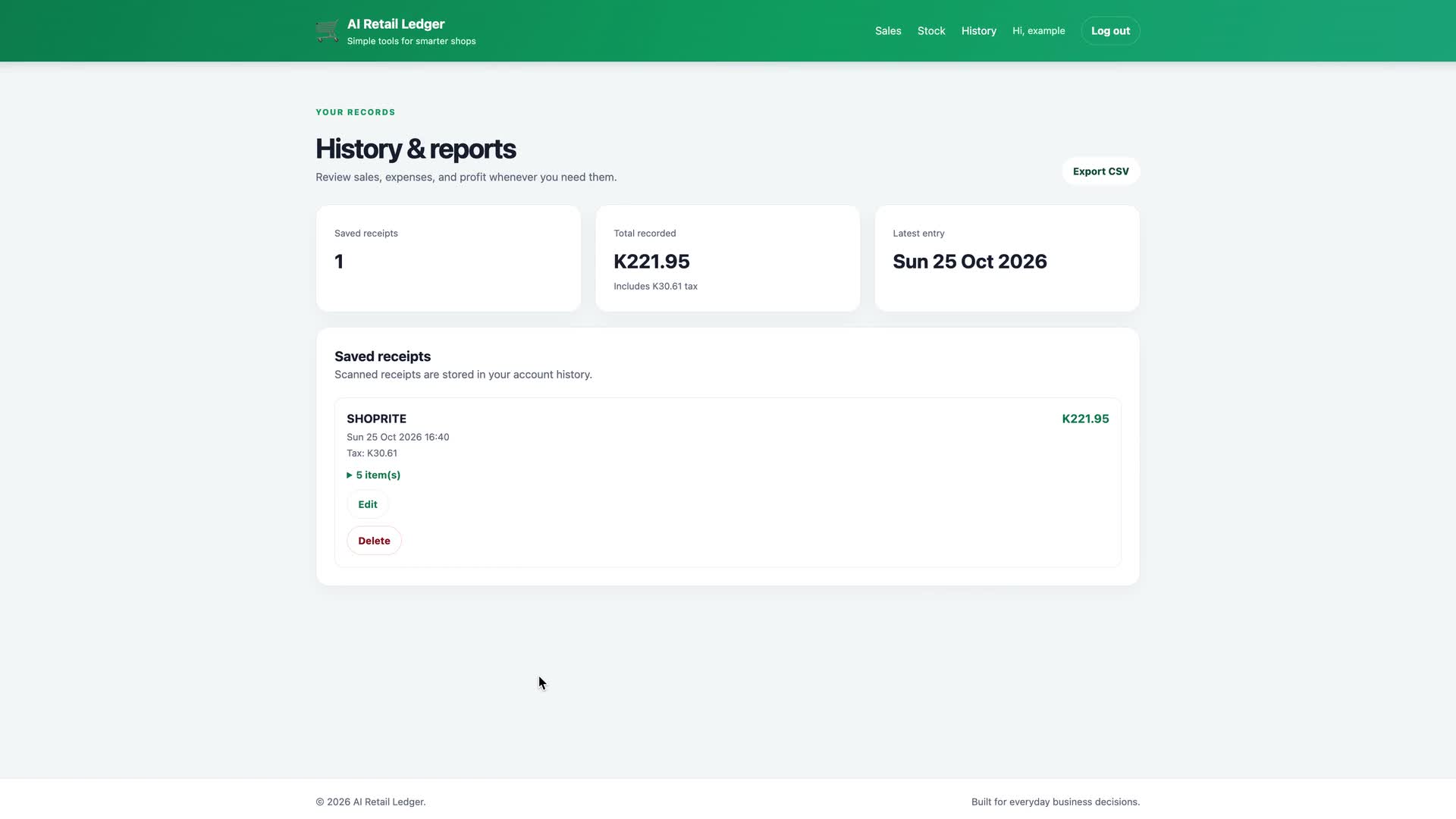
History and daily totals
-
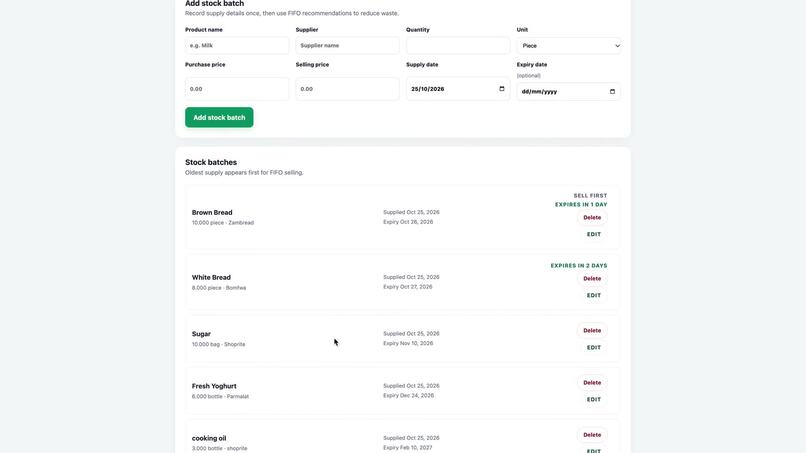
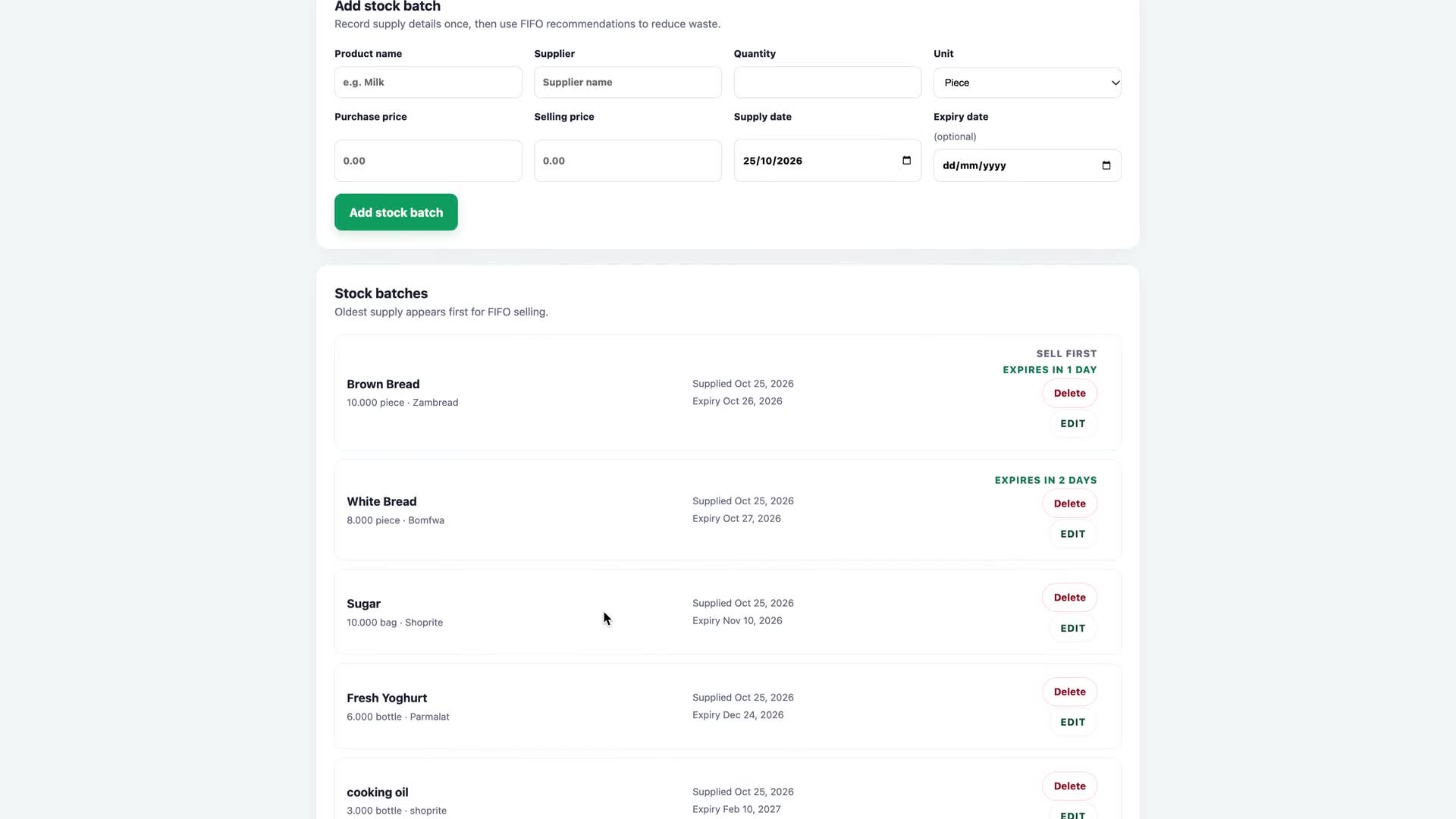
Stock batches with Sell first and expiry badges
-
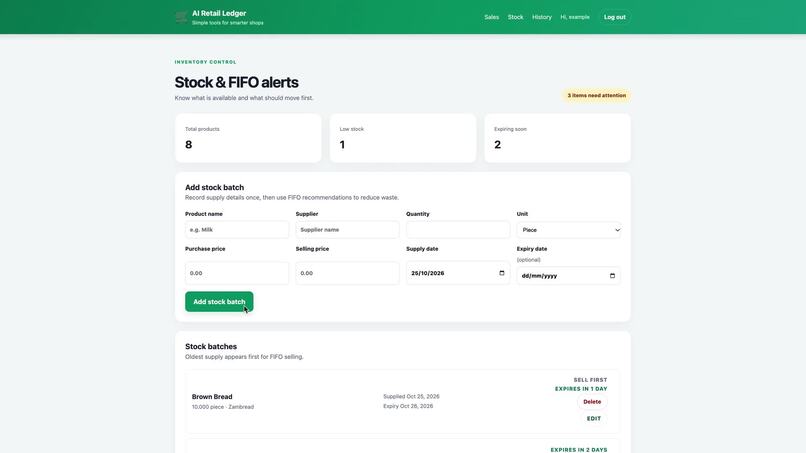
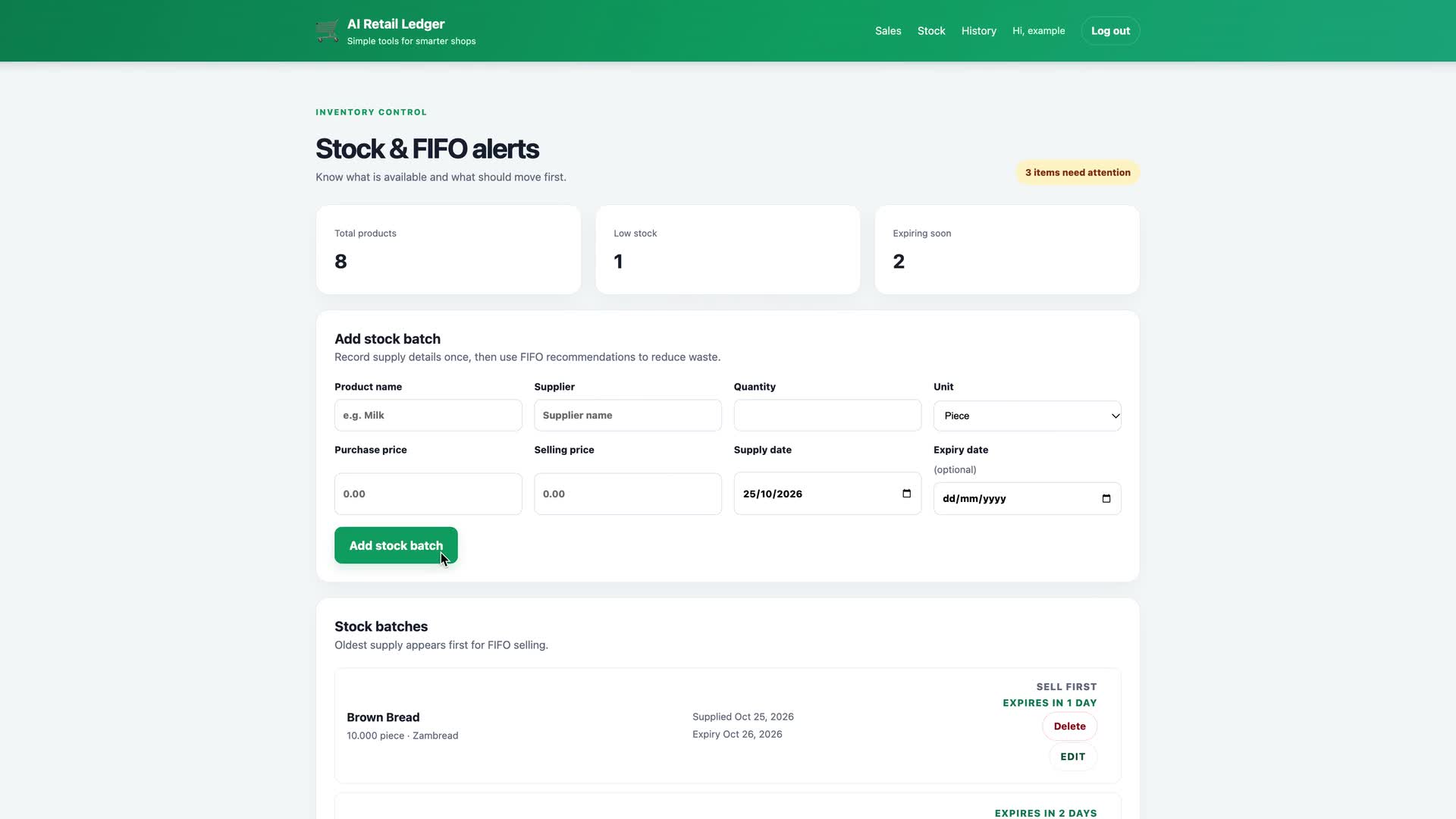
Stock and FIFO alerts
Inspiration
Small shop owners in Lusaka keep piles of paper receipts from suppliers like Shoprite, and it's easy to lose track of what was bought, what's left in stock, and what's about to expire. We wanted bookkeeping to be as easy as taking a photo.
What it does
Snowhite Ledger turns a supplier receipt into a clean, editable ledger entry:
- Scan a receipt: upload an image or take a photo with your phone camera. AI reads the vendor, every item, quantities (e.g.
COCA COLA 500ML x2), line totals, VAT and the receipt total. - Review before saving: fix any line, add a missed item or remove a wrong one, and pick a currency (ZMW, USD, ZAR, EUR, GBP). The app checks that the items and tax add up to the total, and it understands VAT-inclusive receipts like Shoprite's.
- History: every saved receipt can be viewed, edited or deleted later.
- Stock batches (FIFO): track each batch's supplier, quantity, unit, buying and selling price, supply date and expiry date. Batches are listed oldest first, the oldest batch of each product is marked "Sell first", and batches that are running low (5 or fewer) or expiring within 7 days are flagged.
- Accounts: sign up and log in so each shop sees only its own data.
How we built it
- Backend: Node.js and Express, with Multer for image uploads and Axios for AI calls
- AI: Google Gemini reads the receipt image and returns structured JSON. An xAI Grok route is kept as a backup for when the Gemini quota runs out.
- Frontend: EJS templates with plain HTML, CSS and JavaScript, built to work well on a phone
- Database: PostgreSQL
- Hosting: Render, on our own domain snowhite-ledger.tech
Challenges we ran into
- Multi-quantity lines: lines like
2 @ K12.99kept showing up as separate items or losing their quantity. We tightened the AI prompt so each product is listed once, with its quantity and line total. - VAT-inclusive totals: Zambian receipts already include 16% VAT in the prices, so adding the tax on top made every receipt look wrong. The total check now accepts both styles.
- AI quota limits: we keep a second AI provider ready so scanning doesn't stop.
Accomplishments that we're proud of
Real Shoprite-style receipts scan into correct, balanced entries, with quantities included, in a few seconds, and the app is live on our own domain.
What we learned
How to prompt an AI model for reliable structured JSON, how to handle API errors and retries, and how to deploy a full-stack app with a database.
What's next for Snowhite Ledger
- A one-tap sell button that deducts from the oldest batch automatically
- CSV export of daily summaries


Log in or sign up for Devpost to join the conversation.