-
-
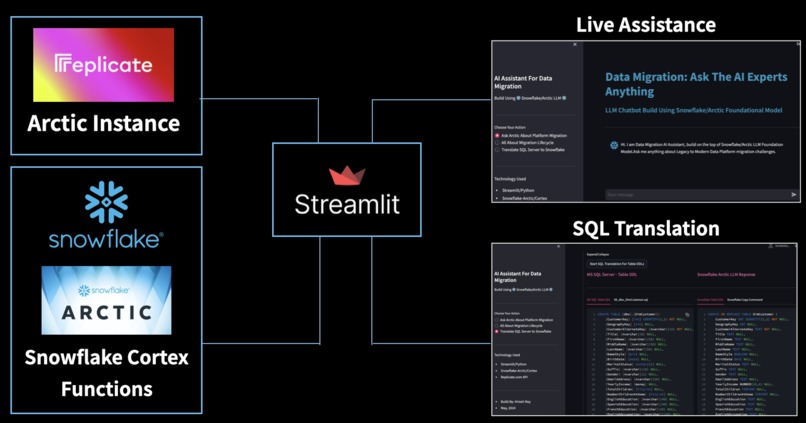
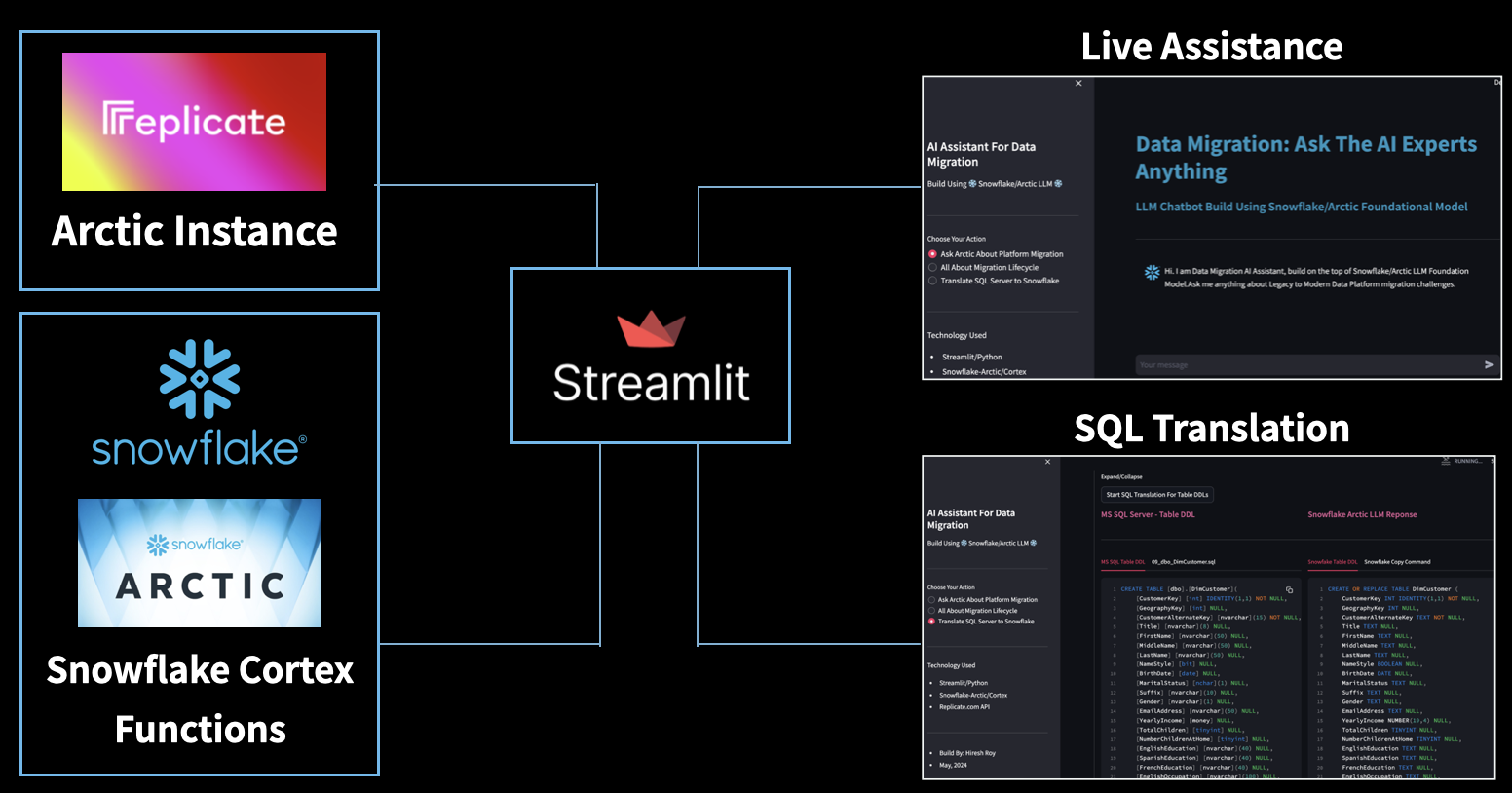
High Level Application Architecture
-
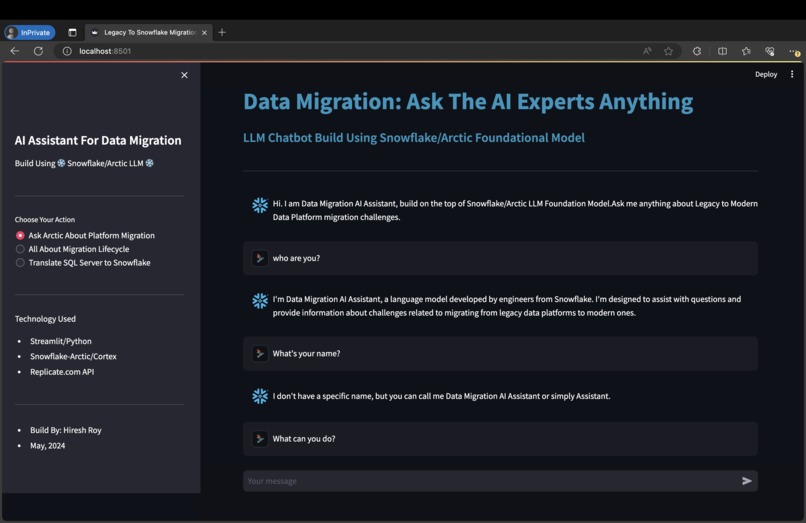
Live Assistance Feature Based on Relicate.com API
-
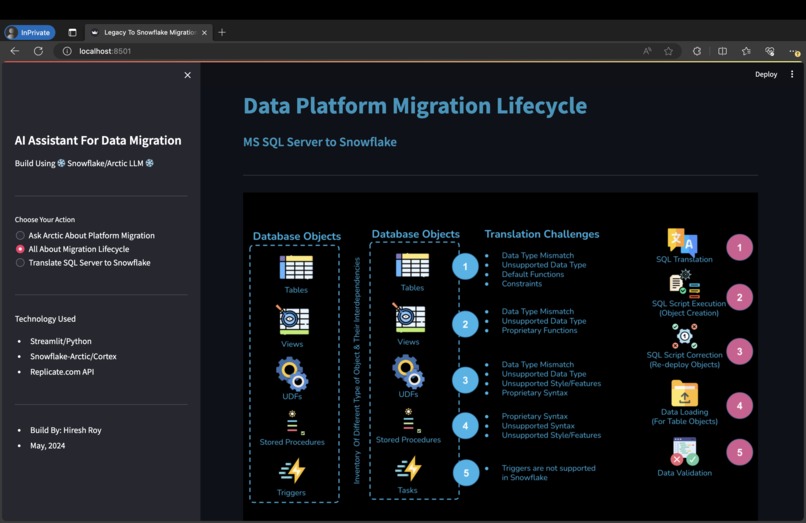
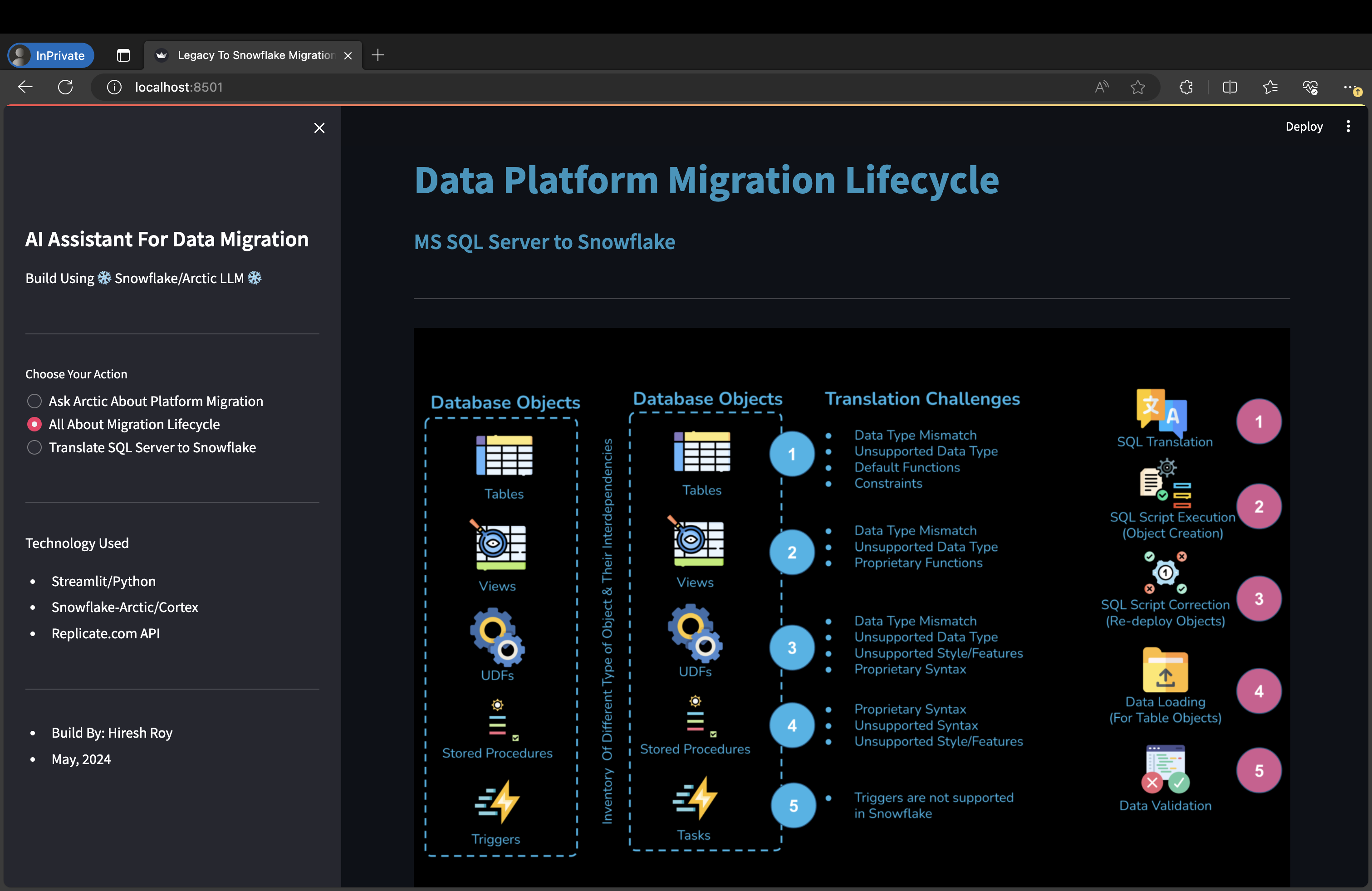
Migration Life Cycle & Challenges
-
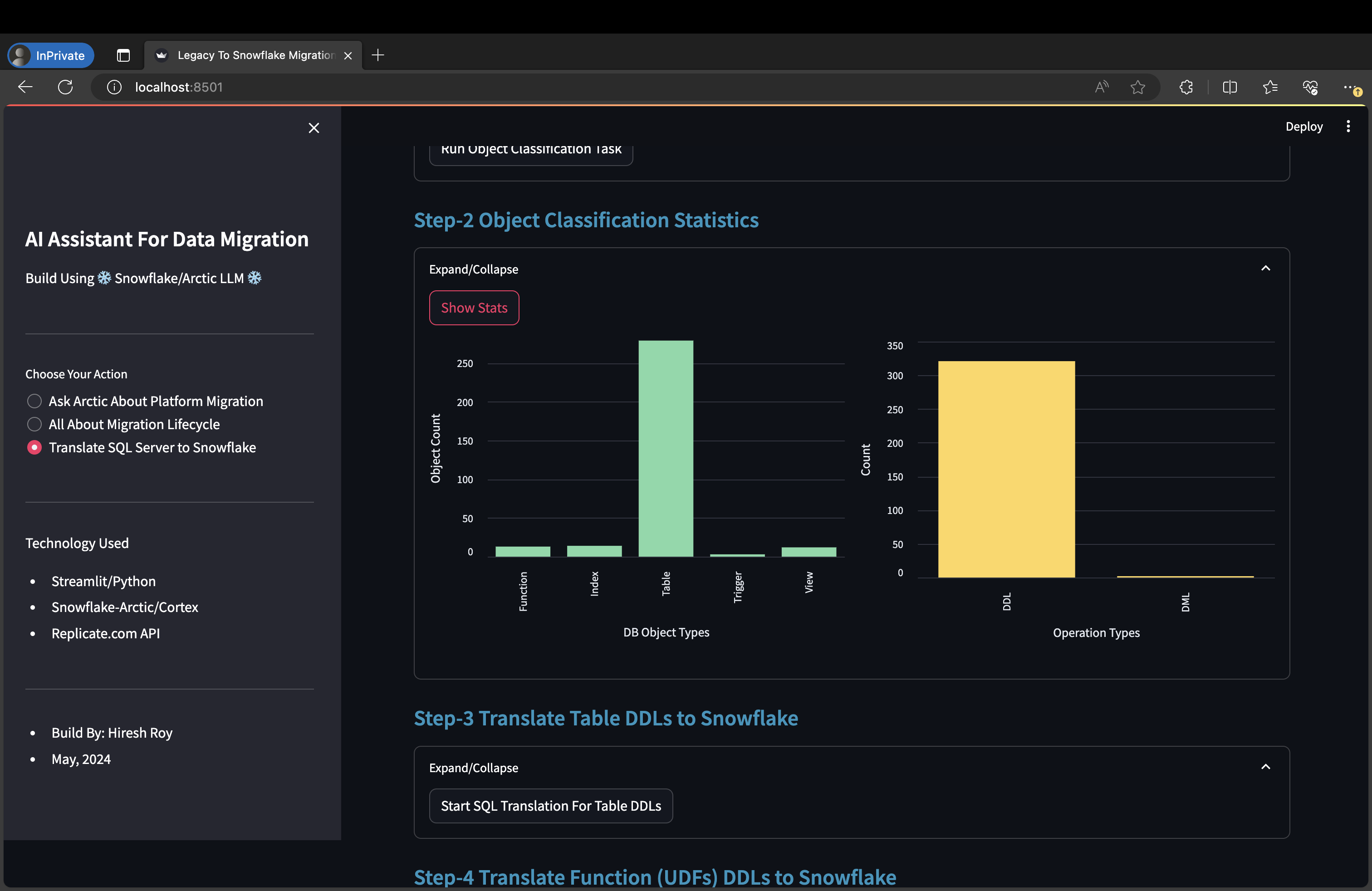
Database Object Classification Using Snowflake Cortex Function
-
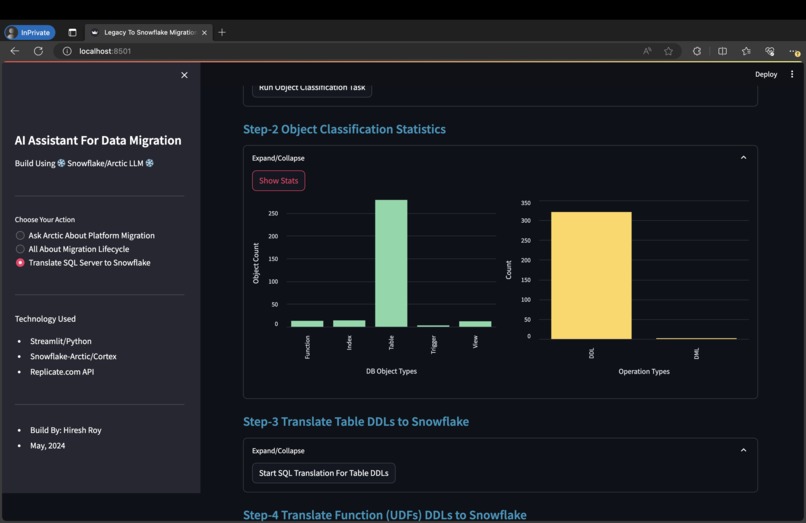
Object Classification Stats - How Many Type Of Objects
-
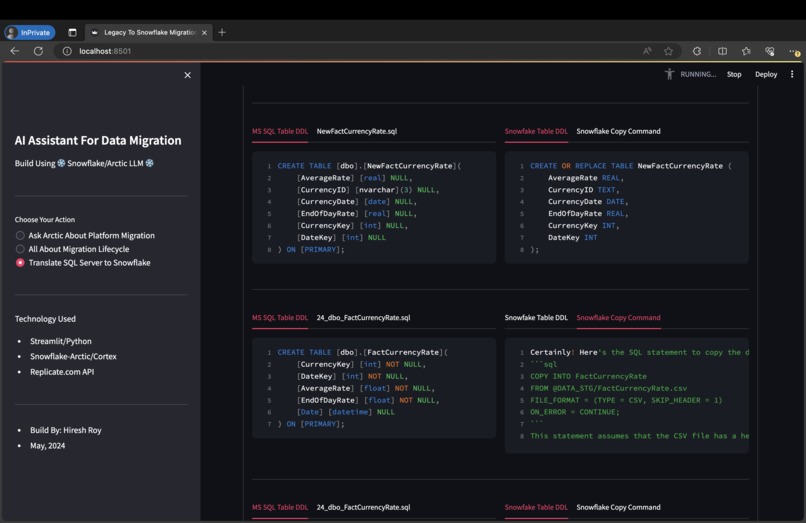
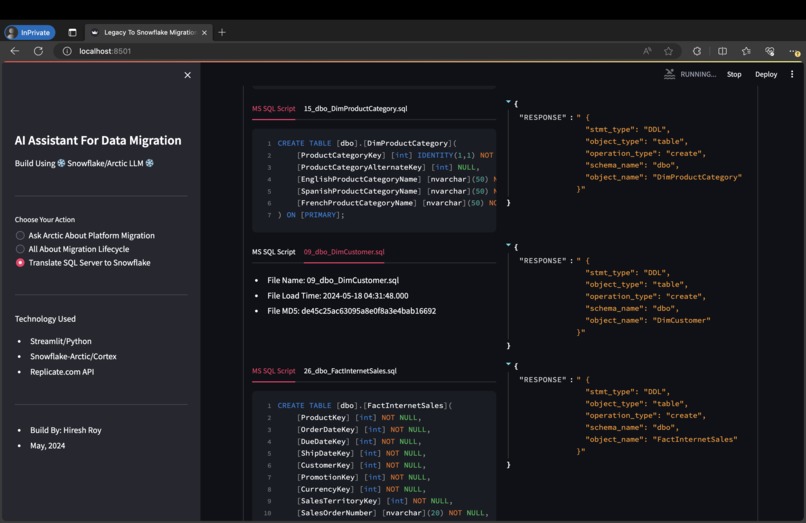
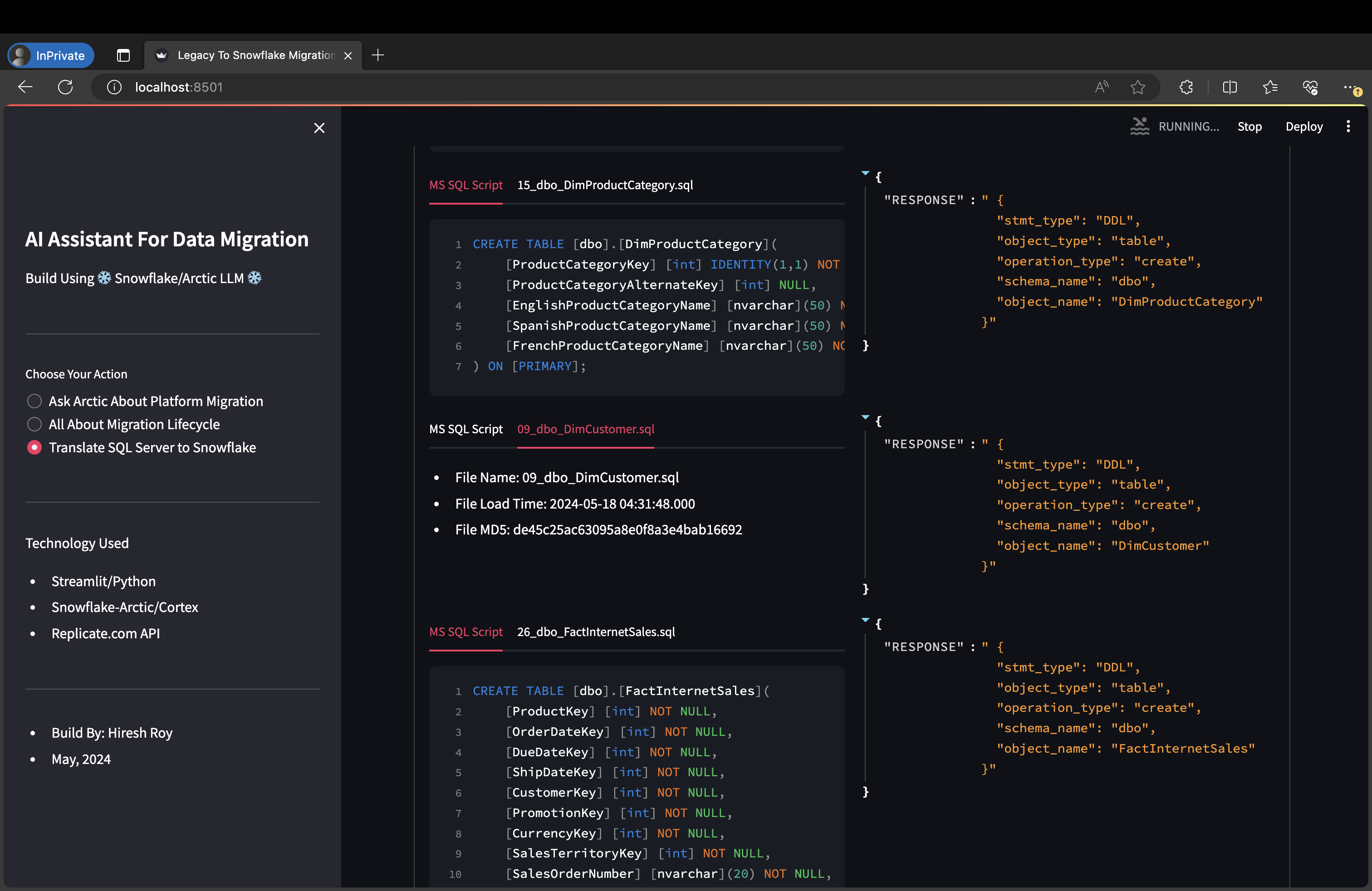
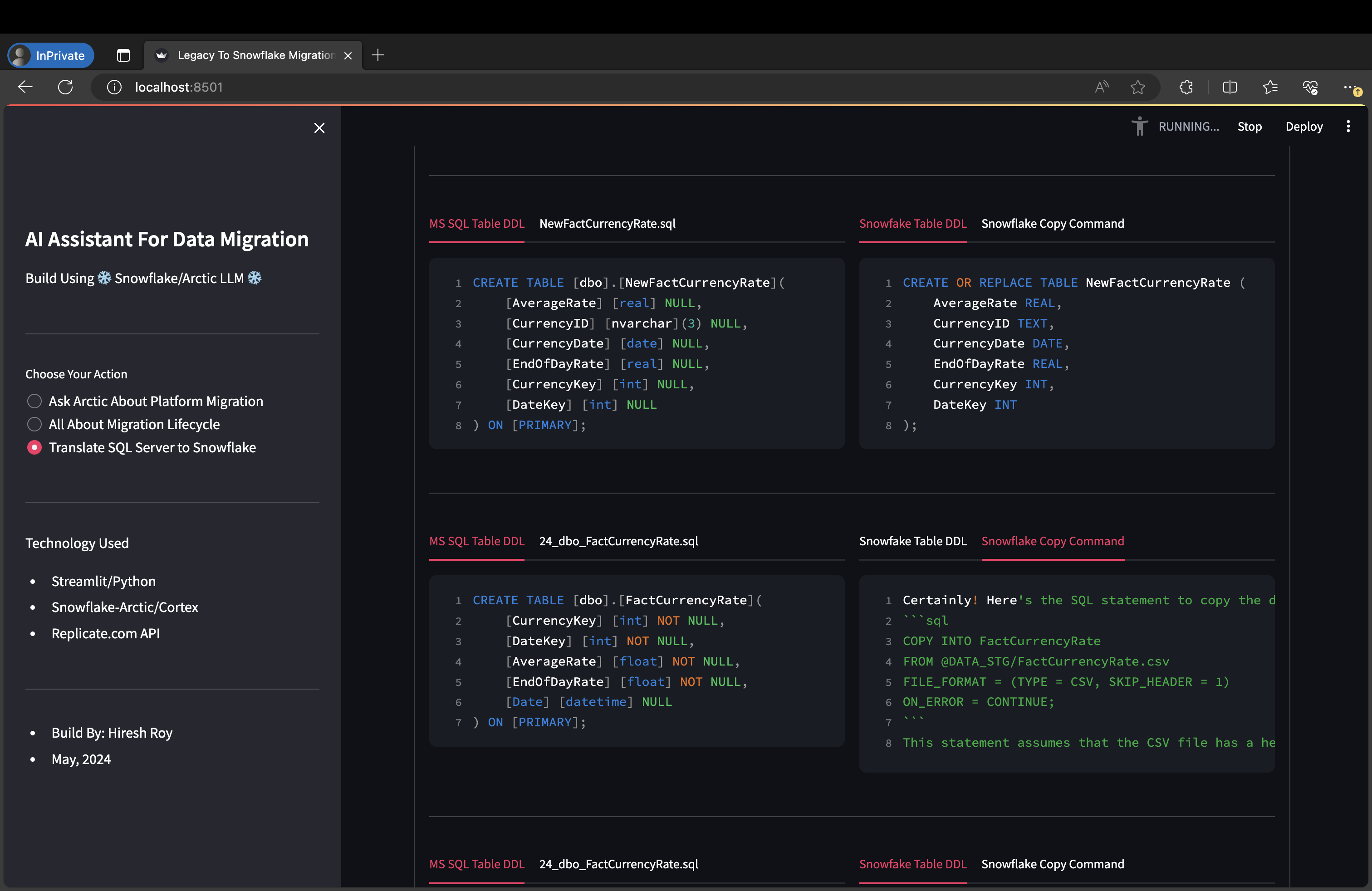
Real Time SQL Translation For Table DDLs (Build Using Snowflake Cortex Function)
-
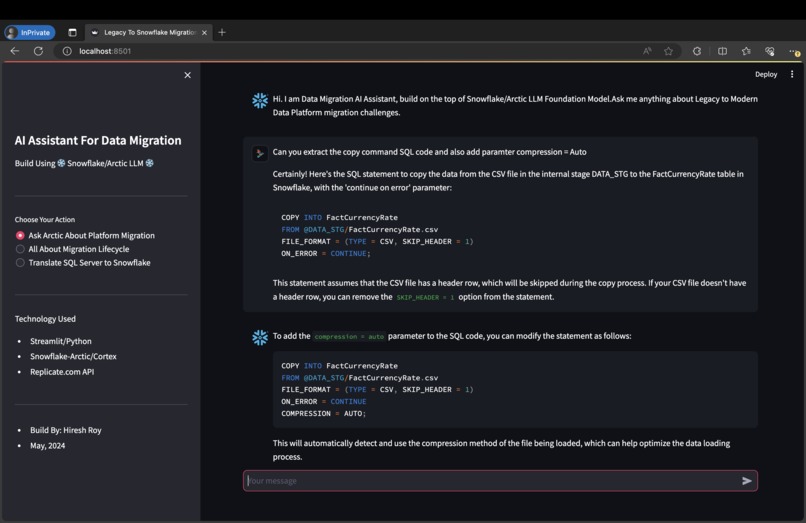
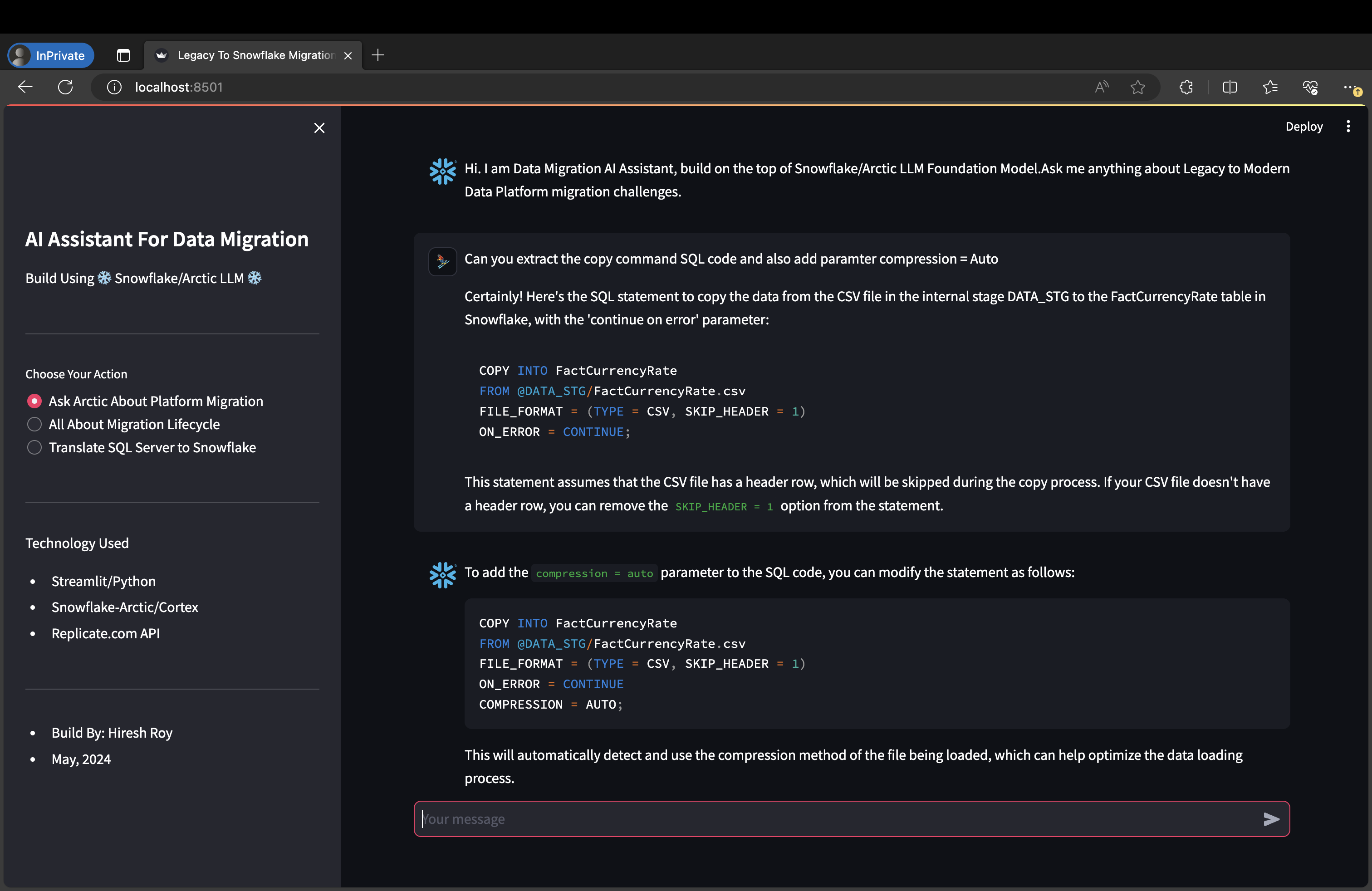
Using Live Chat For SQL Correction (Build Using Replicate.com Arctic Instance)
-
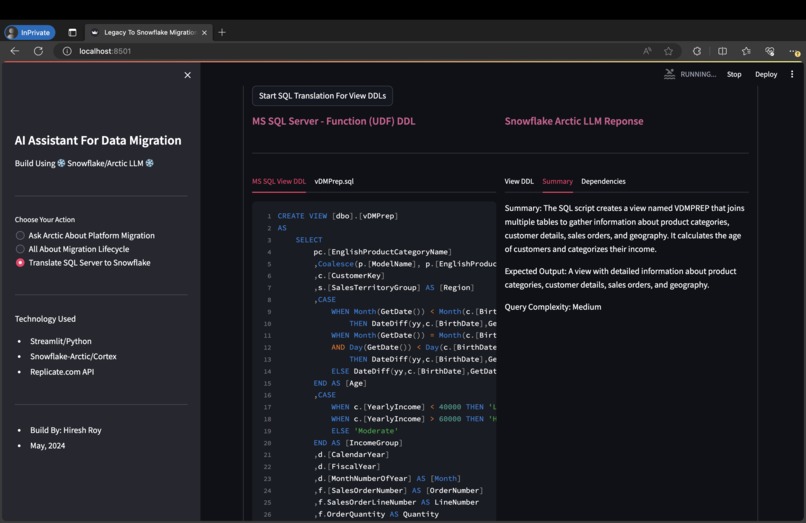
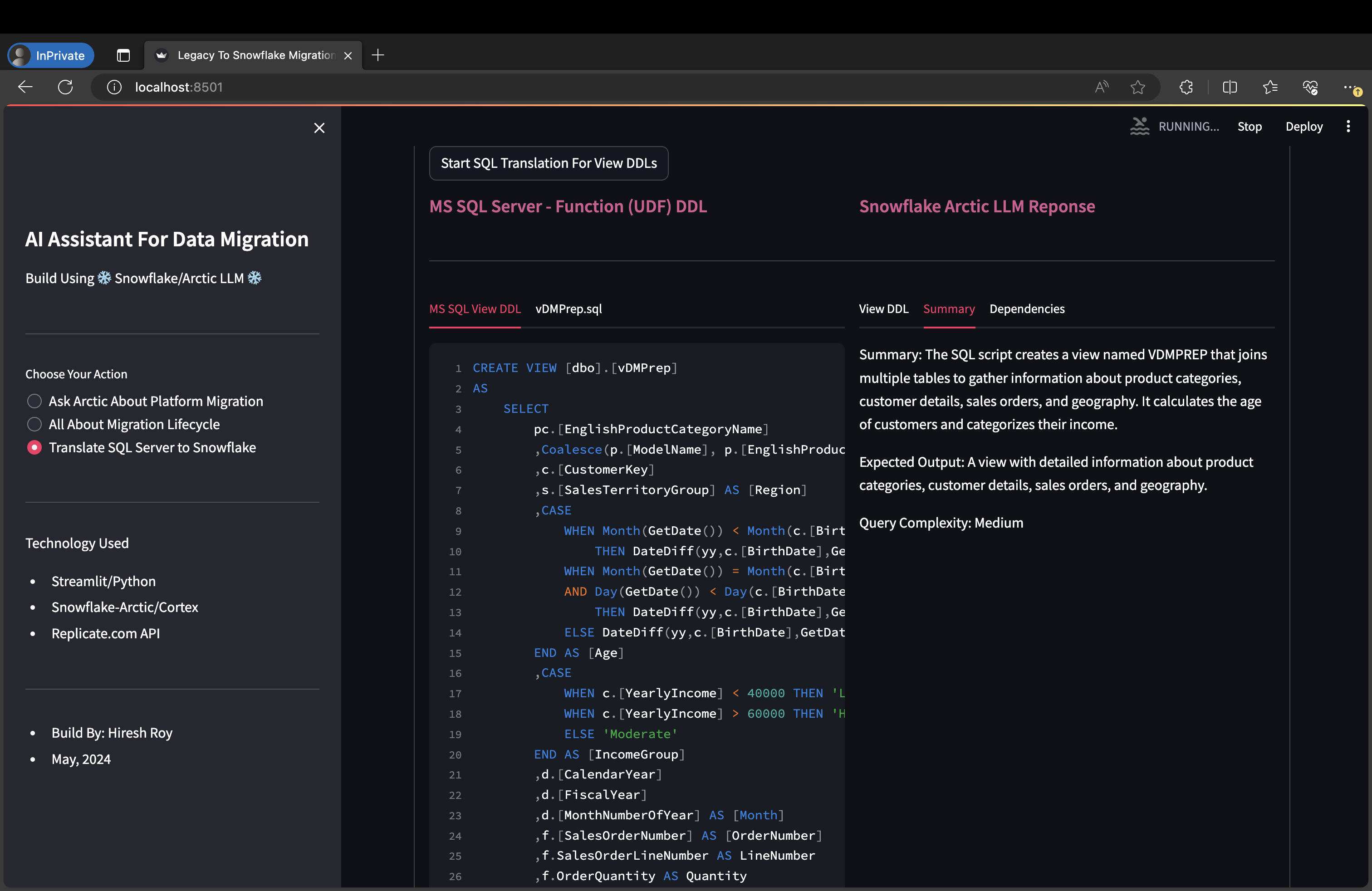
View object Summarization (Build Using Snowflake Cortex Function)
-
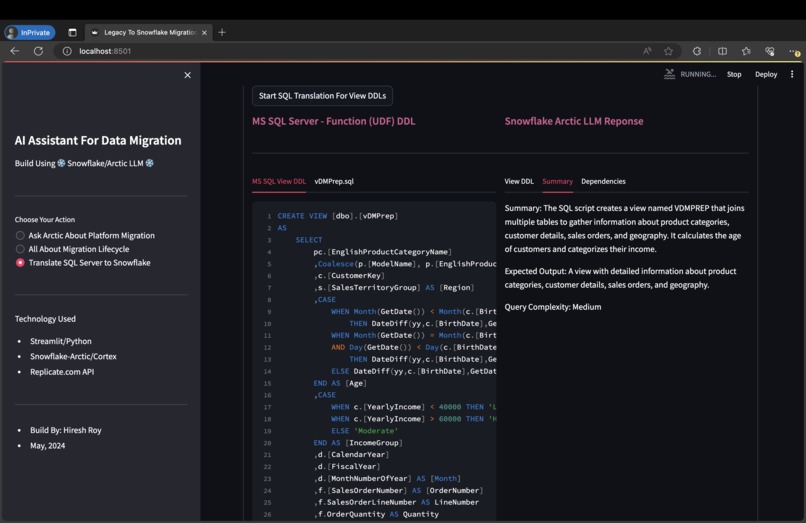
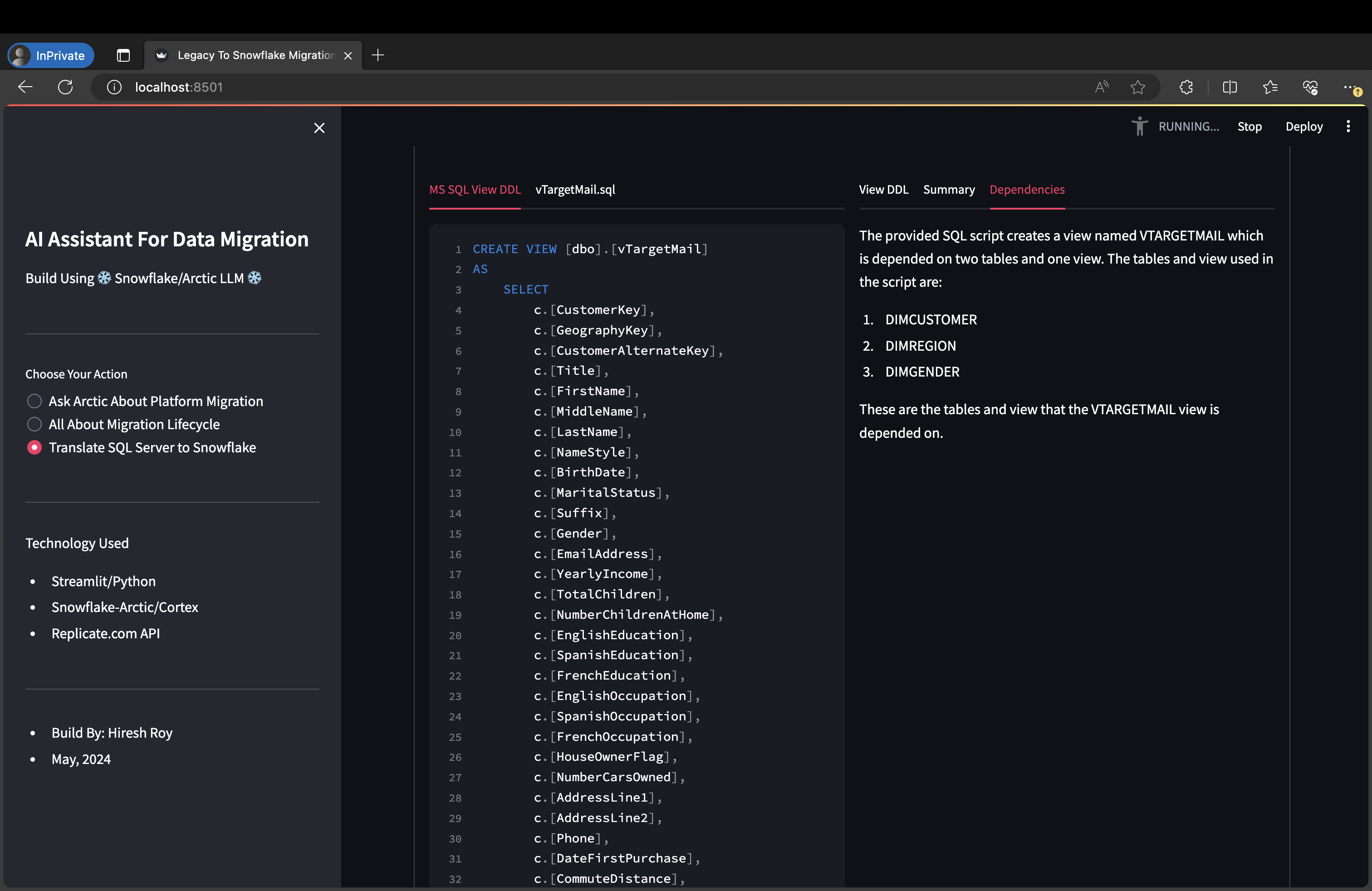
View object Summarization (Build Using Snowflake Cortex Function) View Dependency List (Build Using Snowflake Cortex Function)
-
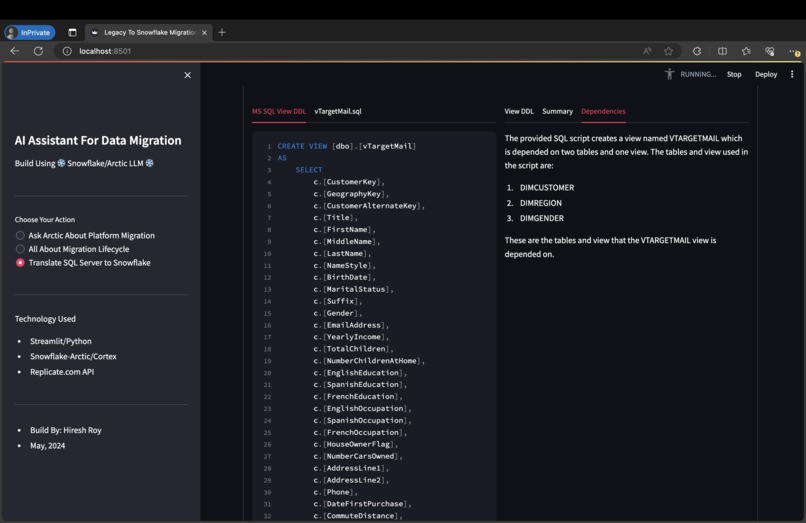
View Dependency List (Build Using Snowflake Cortex Function)
-
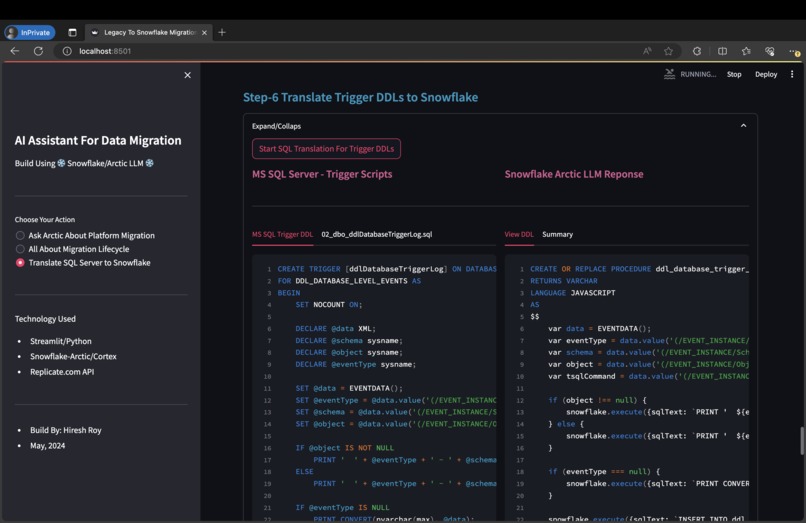
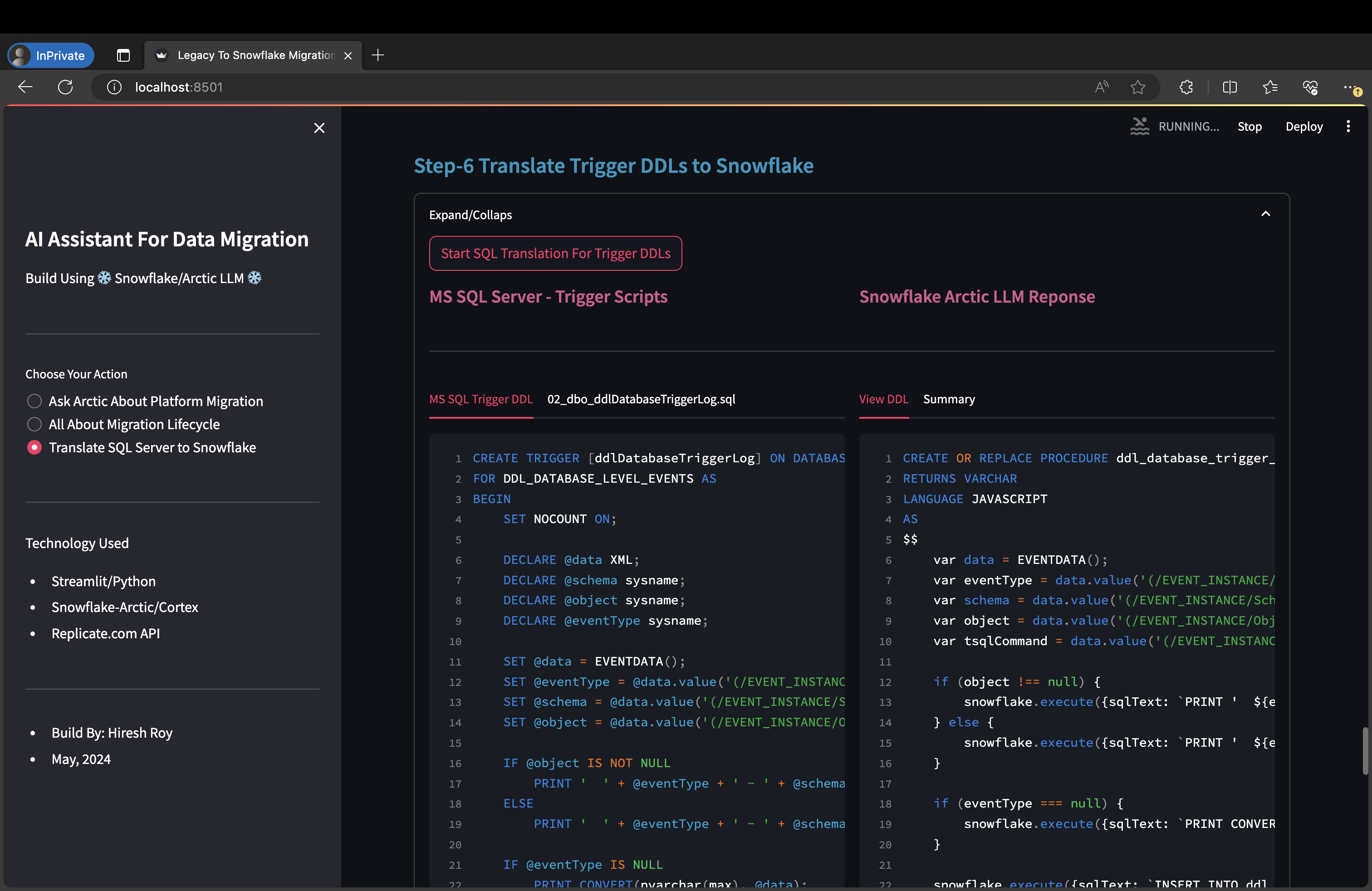
Trigger Object to Task & Stored Procedure (Build Using Snowflake Cortex Function)
-
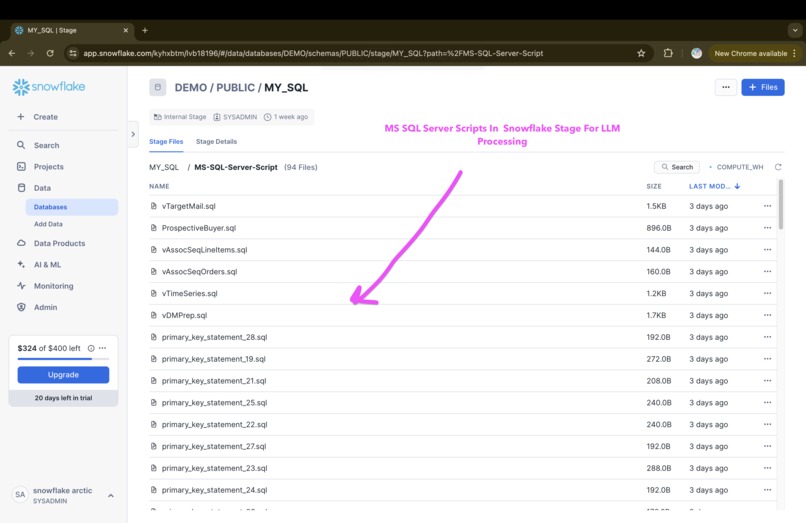
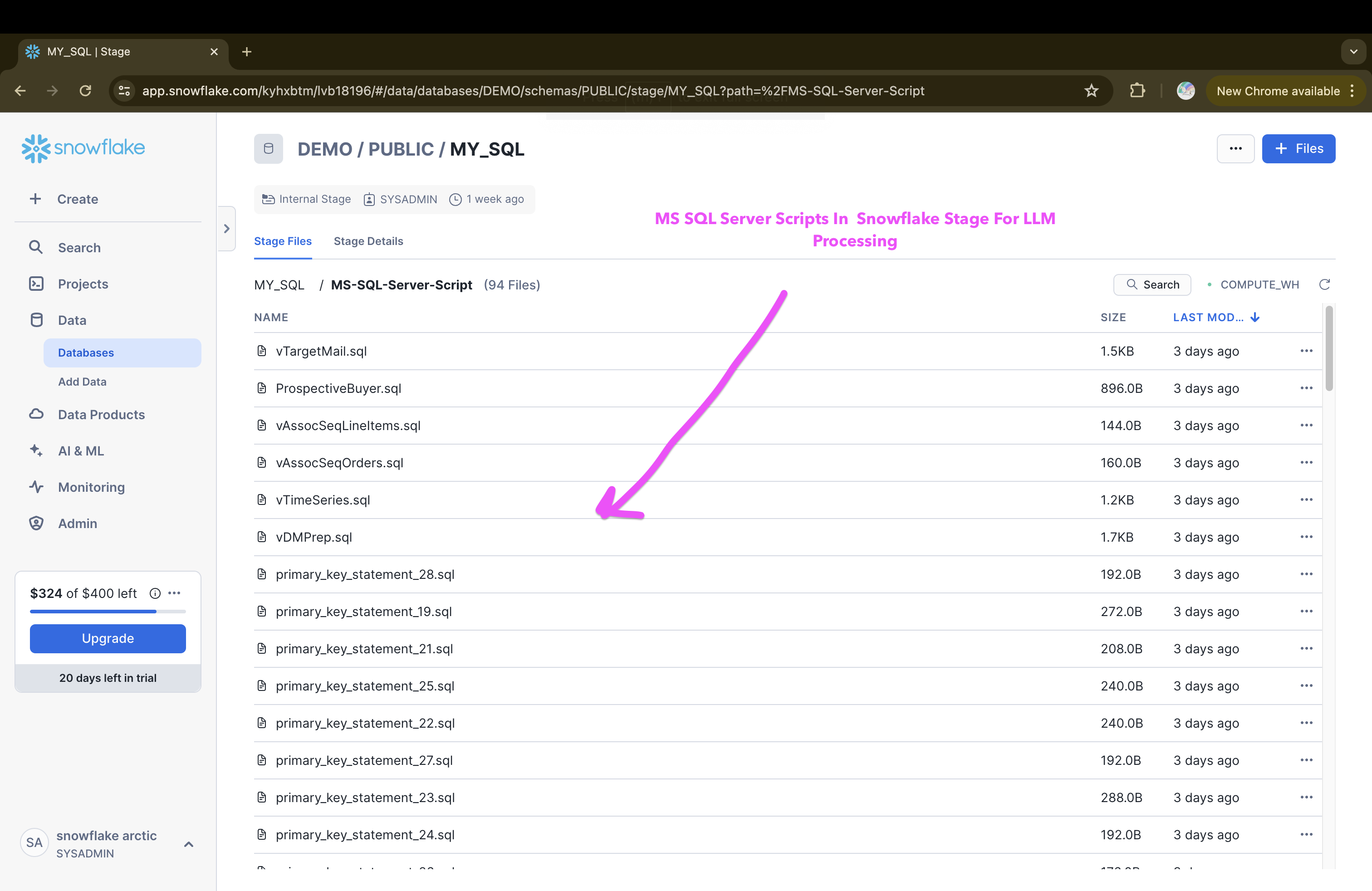
MS SQL Server Script


Inspiration
Migrating from legacy systems to Snowflake is challenging. Classifying and translating database objects and understanding the total workload is time-consuming. AI/LLM Powered automation can greatly increase confidence, making the migration quicker, faster, and within budget ( = cost-efficient).
What it does
- Analyze all the SQL scripts uploaded in Snowflake stage location from Legacy Database (MS SQL Server)
- Classify all the objects and tag them if it is a table DDL script, or a view DDL or a Stored Procedure etc.
- Translate all the SQL script from legacy (MS SQL Server) to snowflake-compatible SQL
- If direct translation is not possible (like a trigger object), then propose a revised alternative to accommodate the workload/object within Snowflake (Task/Stored Procedure) without any human intervention and SME involvement.
- Summaries view, function, and stored procedure logic including the complexity tag if it is a simple or medium or complex view or stored procedure again without any human intervention and SME involvement.
- Generate copy command to load the data from the stage location to raw tables in the Snowflake.
- Allow manual correction (SME view) in the SQL script and preserve the revised script within the snowflake table for review and deployment.
- Allow live assistance for any migration issues and help to generate revised SQL code/script or logic.
How we built it
The solution is built using Snowflake-provided Arctic LLM foundational model by leveraging snowflake cortex functions and for live interaction and assistance Replicate.com powered API calls are leveraged (consuming the Snowflake/arctic base model).
Challenges we ran into
- For different kinds of object translation, tweaking the prompt to make sure the appropriate (SQL) response is created and I have to iterate this process it to get the right prompt for the right response.
- UDF and stored procedure output (SQL Script response) were having GAP and SQL needed manual correction.
Accomplishments that we're proud of
- Migration is a real challenge for any enterprise and happy to see Snowflake Arctic producing accurate results and hundreds of SQLs getting translated very fast.
- No infrastructure and setup overhead, everything is accessible via simple SQL functions.
What we learned
- How to use snowflake cortex functions
- How to use Snowflake Arctic through Replicate.com
- How to build LLM-based solution using open-source foundational models.
- Effective usage of prompt engineering.
What's next for Snowflake Arctic Powered Data Migration Assistant App
- Simplifying RBAC for a very large Snowflake-based data platform project without writing any code.
Built With
- api
- llm
- python
- replicate.com
- snowflake
- streamlit


Log in or sign up for Devpost to join the conversation.