-
Our Landing Page
-
Our Dashboard
Inspiration
As a team, we all have the same bad habit:
We binge good content — Twitter threads, podcasts, Substack posts, random PDFs — and tell ourselves “this is genius, I’ll use it later.”
Later never comes.
Those ideas end up scattered across:
- 30 open tabs,
- screenshots buried in Photos,
- DMs we send to ourselves,
- half-finished notes in Notion / Apple Notes.
When we sit down to actually create — to write, design, or plan a product — we’re staring at a blank page thinking, “I know I’ve seen something about this… but where?”
SnipStack was born out of that very familiar frustration:
- We didn’t need yet another notes app.
- We needed a low-friction inbox for sparks of insight, and a way to see the patterns in what we’ve been consuming.
The idea was:
“What if everything interesting we touch automatically lands in one place, and once a week we get a mirror that says: Here’s what your brain has really been orbiting?”
That’s the itch SnipStack tries to scratch.
What it does
SnipStack is a personal snippet inbox for the web.
You interact with content the way you already do; SnipStack becomes the brain behind it:
Capture
- Paste any quote, idea, or link into the SnipStack “capture board”.
- In the full vision: a browser extension quietly grabs highlights, copied text, tweets, and article URLs as you browse.
Auto-tag & cluster
- Each snippet is auto-tagged with 2–3 concise topics using an LLM.
- Related snippets are grouped into themes (“AI Agents”, “Workflow”, “Fundraising”, “Urban design”, etc).
See your brain’s orbit
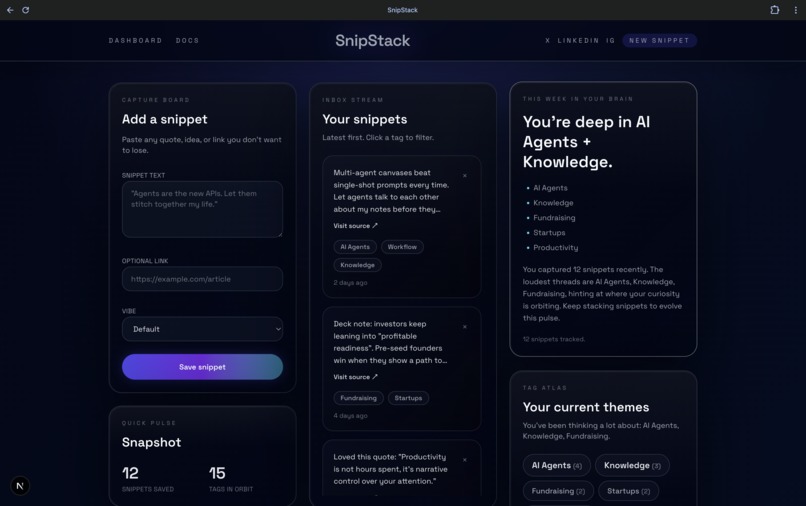
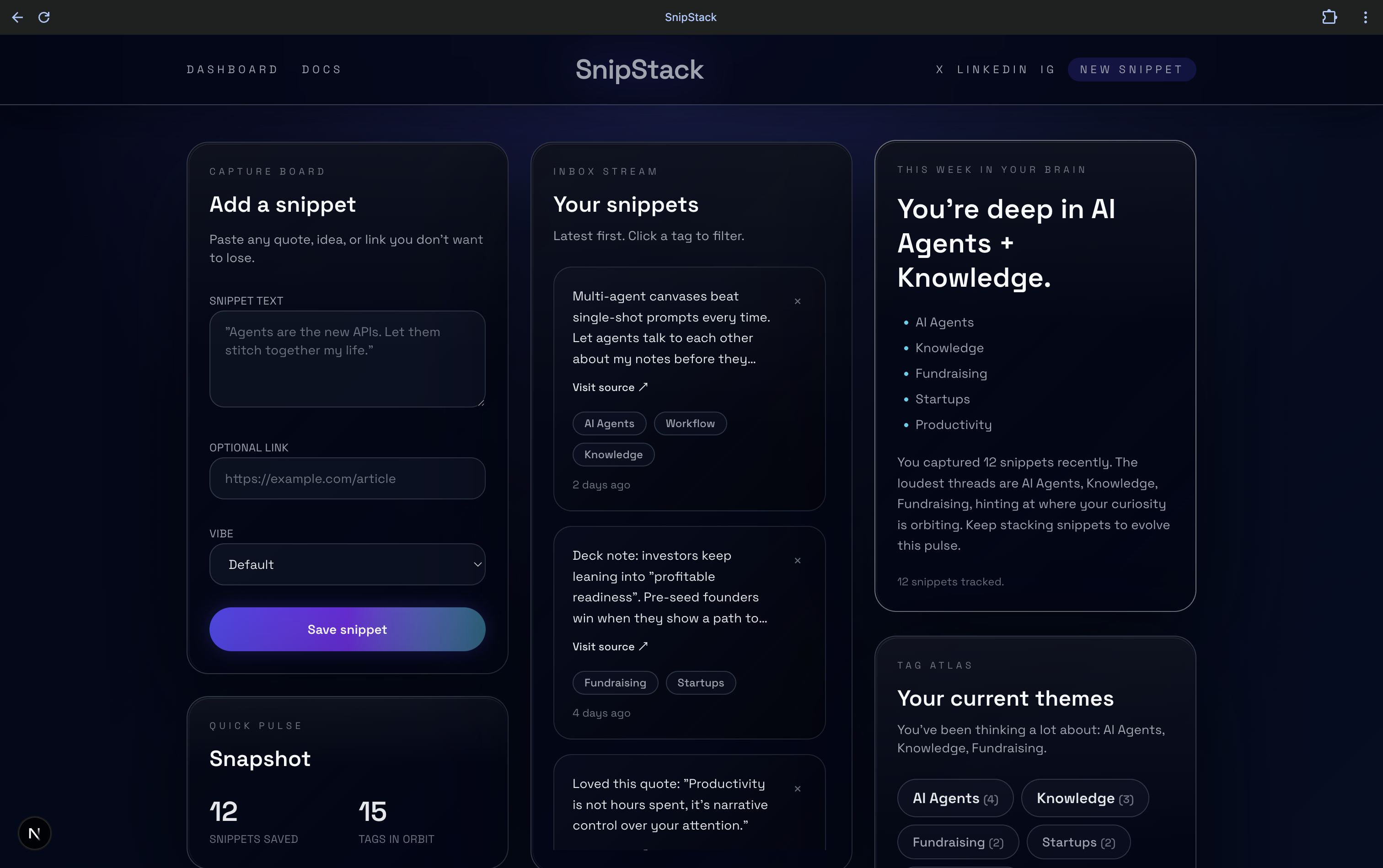
- A “Your snippets” inbox shows everything you’ve captured, filterable by tag.
- A Tag Atlas surfaces your loudest themes and how many snippets sit under each.
Weekly “brain check”
- A “This week in your brain” panel summarizes:
- what topics you’ve been saving most,
- how your focus has shifted,
- and what threads you might want to turn into content or deeper research.
SnipStack’s goal is to make sure you don’t lose any good spark, and more importantly, to connect the dots between otherwise random, haphazard thoughts — turning doom-scrolling into something you can actually build from.
How we built it
We had ~36 hours, so we optimized for a real, shippable brain, not every future feature.
Frontend & core UX
- Built as a Next.js + React app with TypeScript so we could move fast but keep things type-safe.
- Styled with Tailwind CSS and a custom “dark slate liquid-glass” design system (Inter as the base font, pill-shaped buttons, frosted cards, radial glows).
- We designed two main experiences:
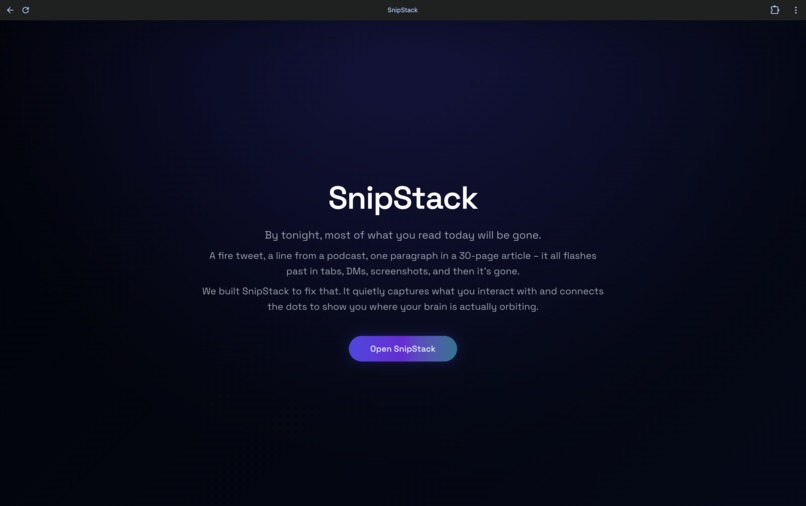
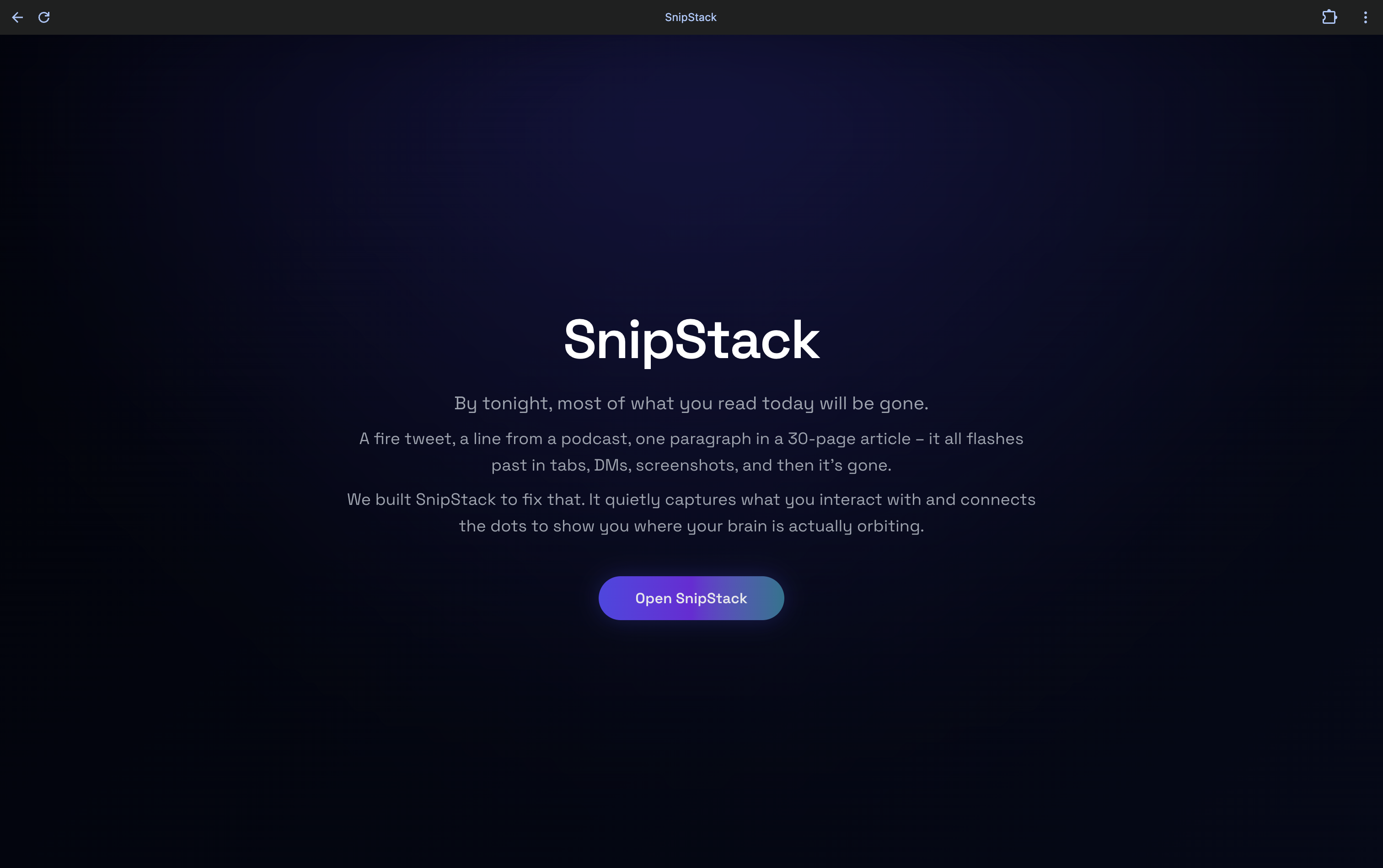
- A simple landing page that explains SnipStack in one sentence.
- A three-column dashboard: Capture Board → Snippet Inbox → Brain Summary + Tag Atlas.
Snippet model & state
- Defined a
Snippettype with fields for text, URL, tags, and timestamps. - Used React state for the snippet list, then synced it to
localStorageto simulate a real user’s “past month of snippets” without needing a full backend. - Seeded realistic example snippets (AI agents, creator economy, fundraising, productivity) so the demo feels like a real person’s brain.
- Defined a
Tagging & summarization
- Created a small API route to act as the LLM gateway:
- On snippet save, we send
{ text, url, vibe }and ask for 2–3 topic tags. - For the “This week in your brain” panel, we send the recent snippets and ask for:
- a headline,
- top themes,
- and a short narrative summary.
- When there’s no API key configured (e.g., judges playing locally), we fall back to deterministic keyword-based tags and a templated summary so the app still works.
Tools we leaned on
- Used Cursor as our AI pair-programmer to iterate on components and refactor.
- Used Lovable for rapid visual iteration and to apply a cohesive glassmorphism aesthetic to the entire app.
- Pushed everything through GitHub so we could bounce between local dev and cloud builders.
Challenges we ran into
Scoping the vision vs. the clock
The idea naturally wants to become a whole ecosystem: browser extensions, mobile share targets, email-in, spaced repetition, team workspaces…
We had to be ruthless about scope and ask: “What’s the smallest thing that still feels like SnipStack?” That led us to focus on the dashboard brain first.Designing for reflection, not just storage
It’s easy to build “a place to paste text”. It’s much harder to answer:
“What would actually make a creator look at this and think differently?”
We iterated several times on the Brain Summary and Tag Atlas to make them feel like insight, not just stats.Prompt design & LLM UX
Getting the LLM to produce:- short, consistent tags (not full sentences), and
- a summary that feels human but doesn’t hallucinate wildly
took a surprising amount of prompt tuning and guard-rails.
Making fake data feel real
For a good demo, we needed the dashboard to look like it had watched someone’s brain for weeks.
Crafting seeded snippets and tags that felt organic — not like repeated Lorem Ipsum — took thought (and honestly, a lot of creative writing).Keeping things polished but debuggable
We wanted a sleek, glassy UI and the ability to tweak logic quickly. Balancing “looks like a real product” with “we can still debug this at 3am” was its own challenge.
Accomplishments that we're proud of
A demo that feels like a real product, not just a toy
SnipStack’s dashboard looks and behaves like something you could plausibly use tomorrow as a creator or founder.We made “reflection” tangible
The “This week in your brain” panel and Tag Atlas genuinely surface non-obvious themes from the snippets. It’s a small but satisfying glimpse of “AI as thinking partner.”Cohesive visual language in hackathon time
We managed to ship a consistent, minimal glassmorphism aesthetic that doesn’t feel like a template — it feels like a product with a point of view.A clear extension-driven roadmap
We didn’t just hack a UI; we designed it around a believable next step: a browser extension that turns passive consumption into a continuous stream of snippets.We stayed focused on creator value
Throughout the build we kept asking, “How does this help someone actually make things?” That constraint shaped almost every decision.
What we learned
AI is most valuable when it’s boring but relentless
The magic isn’t “wow, an LLM wrote a paragraph.” It’s the boring part: tagging every snippet, every time, so patterns emerge without extra effort from the user.Small UX details dramatically change perceived intelligence
Things like:- grouping tags,
- sorting snippets by recency,
- writing the summary in the second person (“You’ve been deep in…”)
made the app feel like it “gets” you, even though the underlying logic is pretty simple.
Local-first is a great hackathon strategy
Keeping everything in the browser (state +localStorage) let us move fast while still telling a realistic story about how the product would behave with a real backend.Good prompts are product features
Prompt engineering wasn’t an afterthought; it was the feature. The way we talk to the model directly shapes what SnipStack feels like to the user.Tools like Cursor and Lovable are force multipliers
Using AI coding and design tools let us spend our limited time on product thinking and UX instead of wrestling with boilerplate.
What's next for SnipStack
Short term, to turn this prototype into a true MVP:
Chrome / browser extension
- Highlight → right-click → “Send to SnipStack”.
- Auto-capture copied text + URLs without ever opening the app.
Real accounts & sync
- Move from
localStorageto a database. - Let users log in and carry their “brain” across devices.
- Move from
Weekly brain email
- A Sunday “This week in your brain” email with:
- your main themes,
- 3–5 stacks to revisit,
- and a gentle nudge toward what to create next.
Better clustering & resurfacing
- Smarter grouping of snippets into projects.
- Resurfacing old snippets when a theme reappears (“You’ve been saving agent ideas again — here’s your previous stack”).
Longer term:
Creator & team stacks
- Shared spaces for founders, research teams, or funds to see what they’re collectively circling around.
- Potential B2B play in “team brain / research memory.”
Deeper integrations
- Export stacks directly to Notion, Google Docs, or your writing tool of choice.
- Pull from tools like Readwise or Notion to boot-strap your very first SnipStack view.
The north star is simple:
If your curiosity is the input, SnipStack should be the place where it quietly compounds.
Built With
- cursor
- github
- javascript
- next.js
- openai
- react
- tailwind
- tauri
- typescript

Log in or sign up for Devpost to join the conversation.