-

logo
-
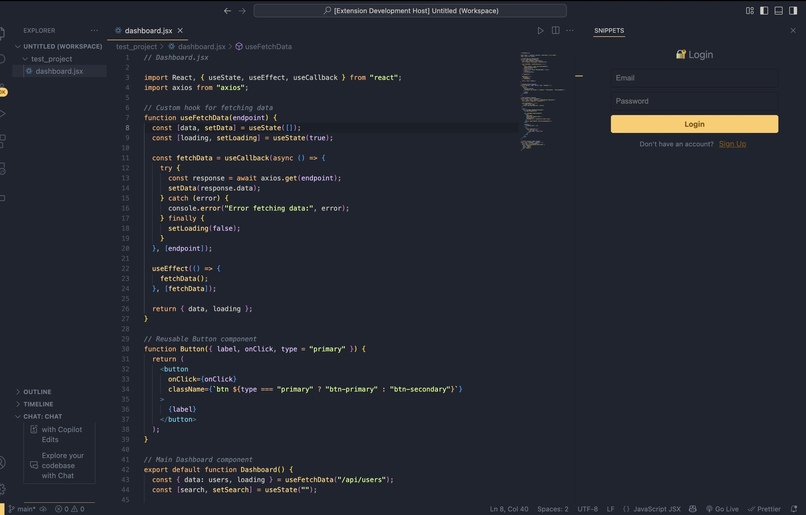
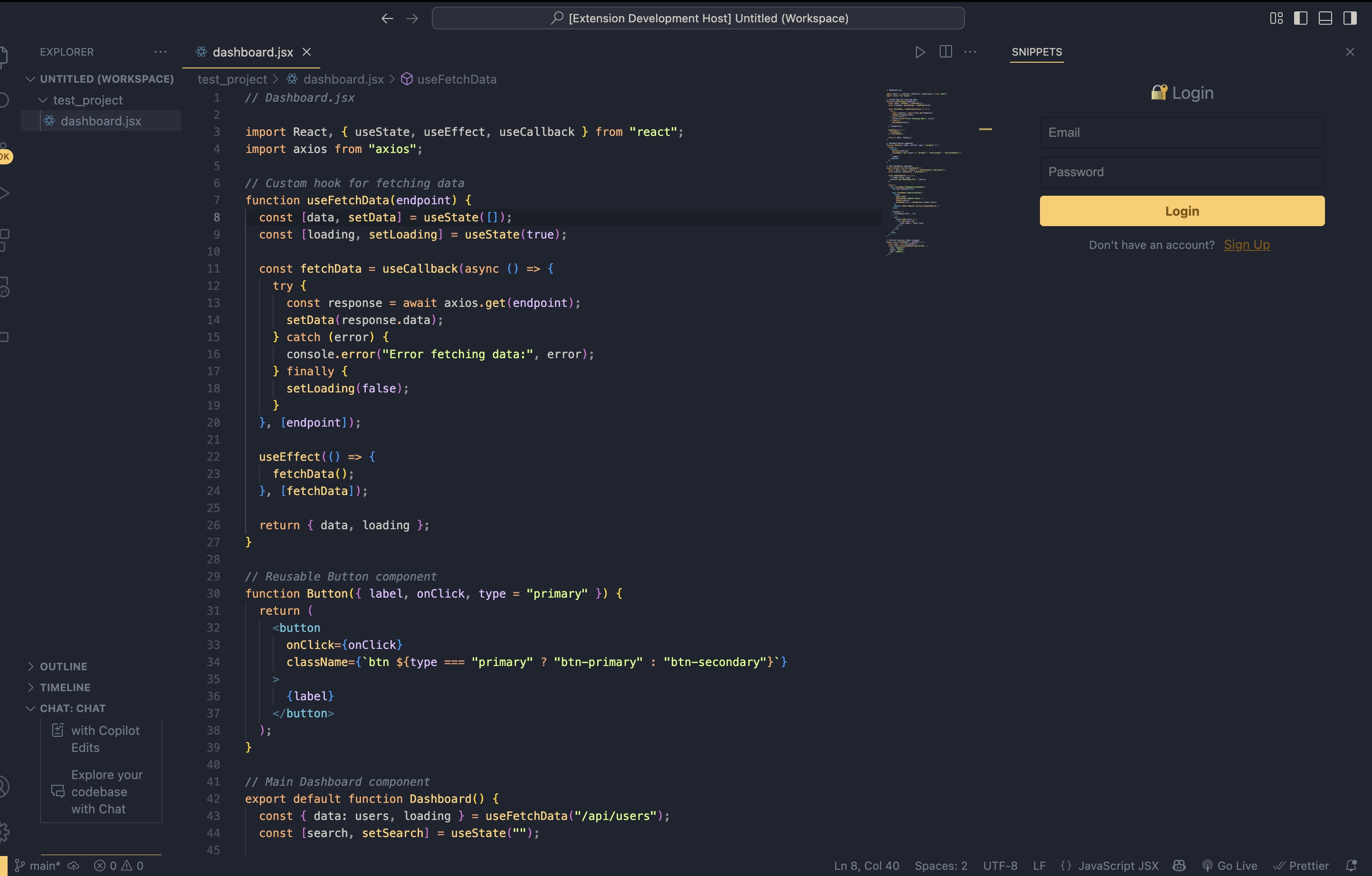
login
-
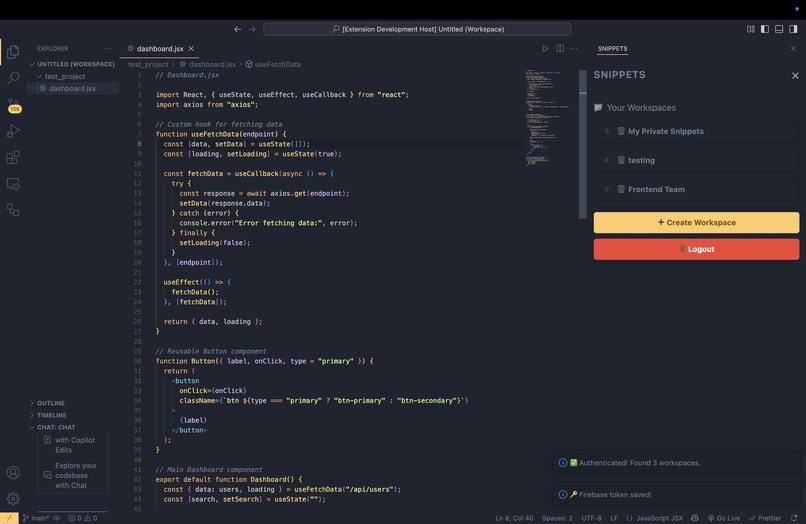
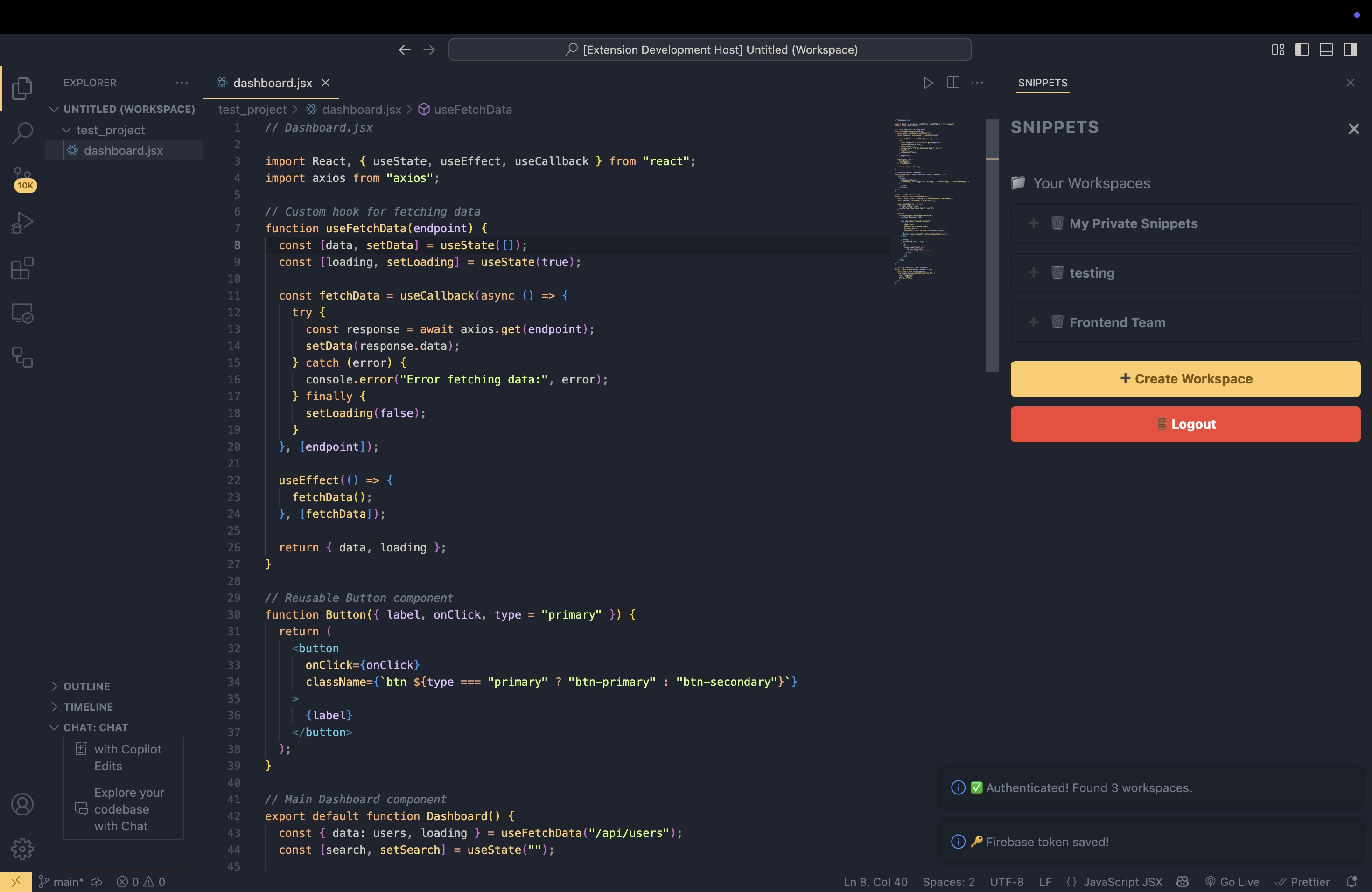
workspace view
-
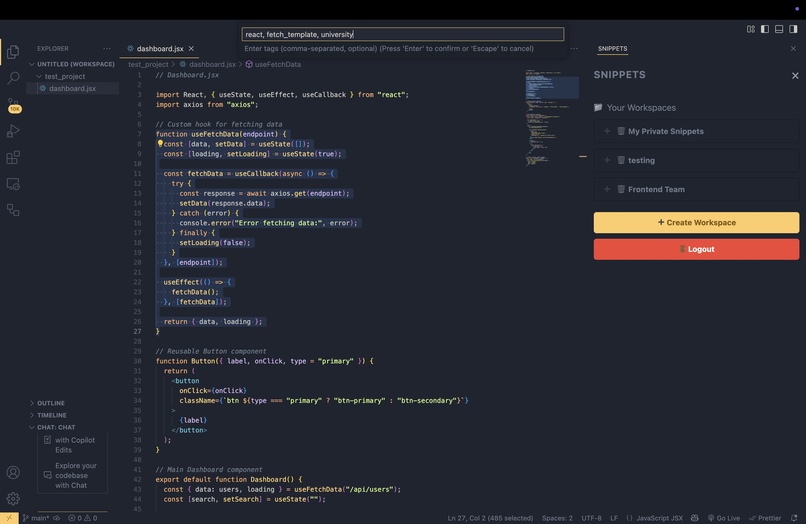
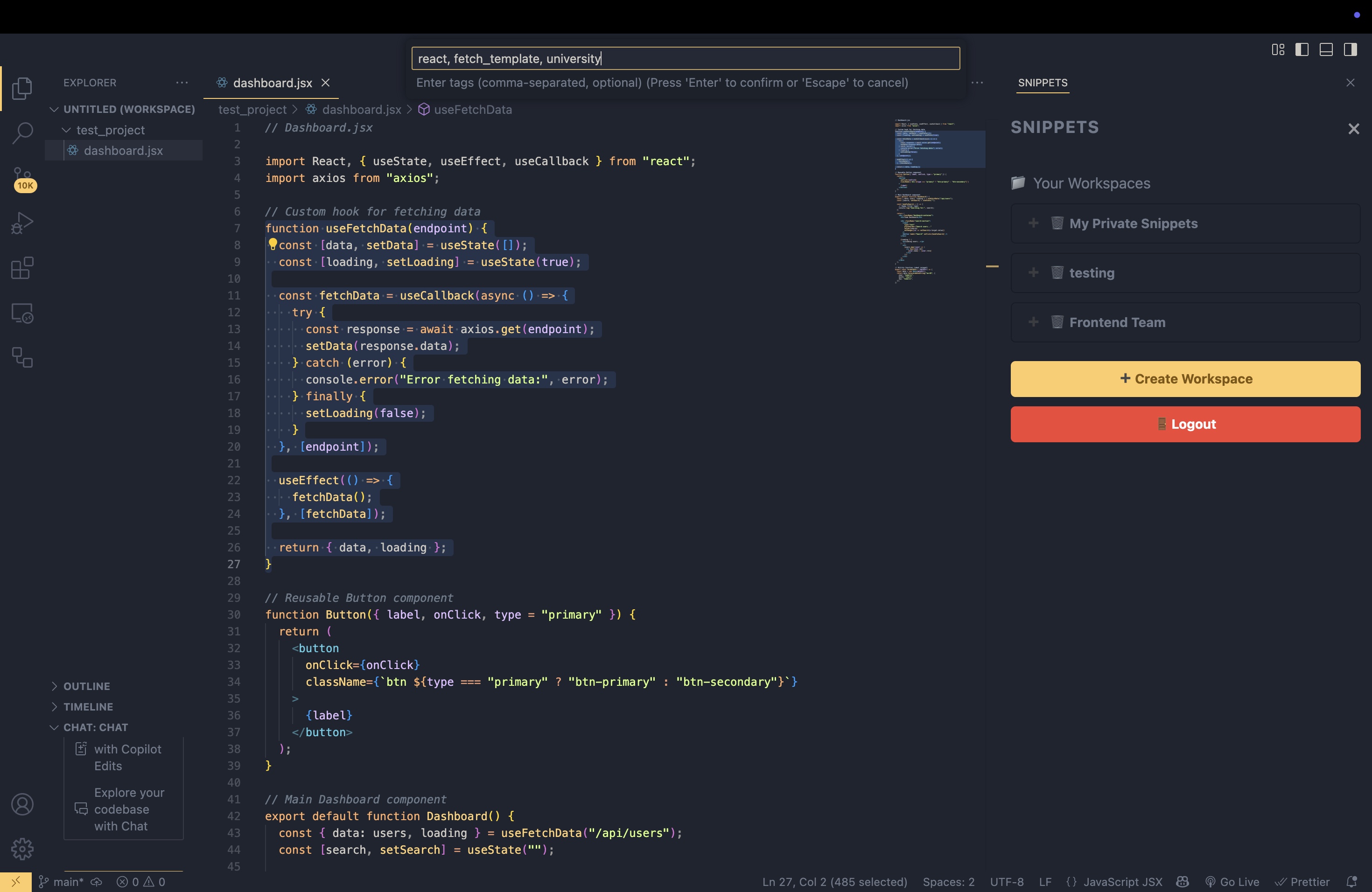
creating new snippet
-
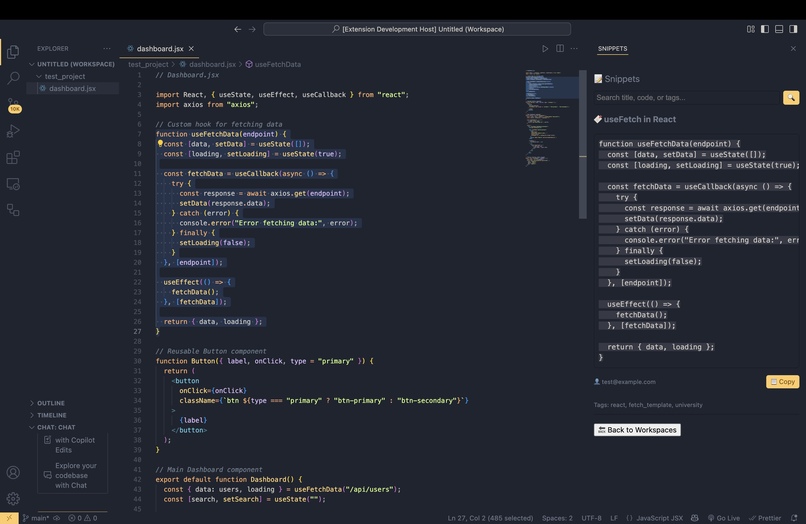
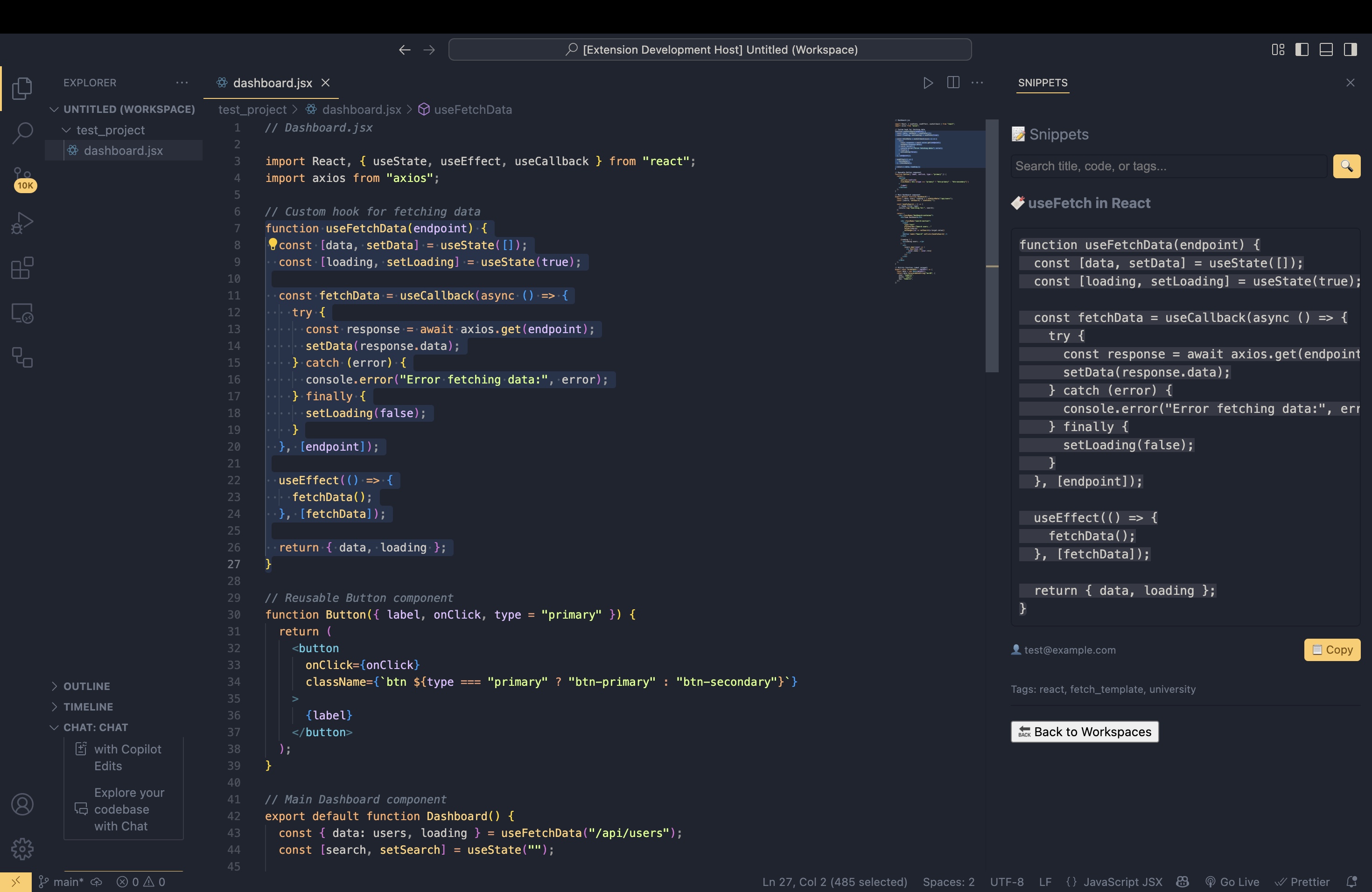
snippets view

Inspiration
Alex, a hackathon enthusiast, is working in a team of four at his latest hackathon. As they sprint to build their project, Alex constantly finds himself rewriting the same React hooks from scratch or scrambling through Slack threads and email attachments to locate the AWS config file his teammate shared.
Dave, a seasoned engineer at a big tech company, frequently collaborates with internal teams on tooling. Yet, when he needs a snippet from another team’s private repo — like a standardized API error handler or even a secrets file template — he wastes precious time navigating corporate red tape or juggling different knowledge-sharing platforms.
Then there’s Tarun, who, a year ago, wrote innovative React Native components for a startup idea. Fast forward to today, he’s working on a different project, but when trying to recall how he solved a complex gesture animation back then — it’s gone. Lost in the clutter of old repos and scattered notes.
All these scenarios share a common problem: fragmented, inefficient knowledge sharing, code reuse and worst of all - exiting VS Code. SnippetShare was born out of this pain.
What if there was a simple, secure, and collaborative way to store, organize, and share code snippets, right where developers spend most of their time — inside VS Code?
What it does
SnippetShare is a collaborative snippet management tool built directly into Visual Studio Code, allowing developers to create, share, and manage code snippets with their teams—all without ever leaving their editor. Whether you're working solo or collaborating across a distributed team, SnippetShare ensures that essential code, secrets, and configurations are always just a click away.
✨ Features:
Firebase Authentication: Secure sign-in with Firebase Auth.
Workspaces: Create private or custom workspaces to organize snippets by team or project.
Member Management: Invite or remove members from your workspace to securely collaborate.
Snippets Management: Add, view, and search through your collection of snippets in a clean UI.
Copy-to-Clipboard: Instantly copy snippet code while preserving formatting and indentation.
Integrated Experience: Everything runs inside VS Code, no external dashboards or apps required.
How we built it
Developed a custom VS Code Extension using the VS Code Extension API and Webview API.
Designed the UI with HTML, CSS, and Vanilla JS to blend seamlessly with VS Code themes.
Integrated Firebase Authentication (email/password) for secure user access.
Built a Flask backend API to manage workspaces, snippets, and permissions via Firebase Firestore.
Added a custom keyboard shortcut (Cmd + Option + S) for quickly creating new snippets.
Implemented real-time webview messaging for frontend-backend communication.
Registered modular VS Code commands for actions like creating workspaces and managing snippets.
Packaged and tested the extension using vsce.
Challenges we ran into
Transitioning from VS Code’s native TreeView API to a fully dynamic Webview to support a modern, interactive UI.
Implementing seamless two-way messaging between the VS Code extension backend and the Webview.
Firebase security restrictions blocked direct extension requests, so we built a secure Flask API layer to handle all Firebase Authentication and Firestore CRUD operations.
Accomplishments that we're proud of
Successfully building and packaging a fully functional VS Code extension.
Designing a clean, theme-aware UI that integrates smoothly inside the VS Code environment.
Implementing secure Firebase Authentication directly within the extension workflow.
What we learned
How to structure and develop VS Code extensions from scratch.
Handling secure authentication flows using Firebase in non-traditional environments (like VS Code).
Building dynamic webviews and managing bi-directional communication between VS Code and custom UIs.
Designing developer-first UX tailored to native IDE experiences.
What's next for SnippetShare
Next, we plan to integrate Google Gemini to provide intelligent suggestions based on the context where the user is inserting a snippet. Additionally, we aim to templatize code snippets, allowing users to insert dynamic placeholders that can be quickly filled based on project-specific needs.


Log in or sign up for Devpost to join the conversation.