Inspiration
What it does
Snippet Stash is a minimalist code snippet manager that lets developers:
- Save code snippets with titles and tags
- Search/filter snippets instantly
- Copy code with one click
- Store everything locally — no sign-in required
It’s fast, distraction-free, and designed for devs who just want their code when they need it.
How we built it
Using a single bolt prompt:
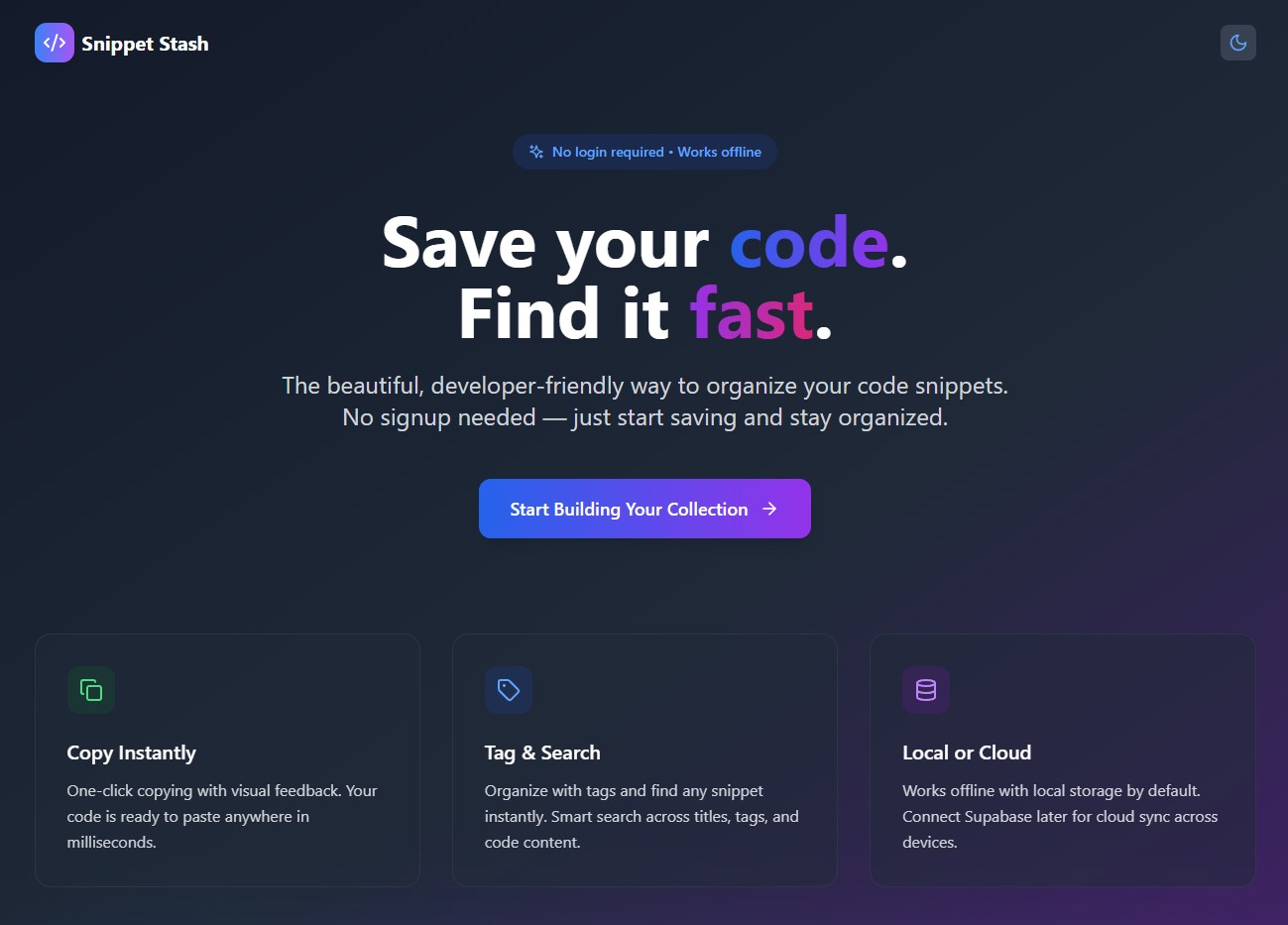
Build a modern web app called Snippet Stash that allows users to save and organize their code snippets with tags. The app should include:

🏠 Landing Page
App name: Snippet Stash

Hero section with a tagline like: "Save your code. Find it fast. No login needed."

Include key features as 3 icons or cards:

⚡ Copy snippets instantly

🔖 Tag and search easily

🧠 Save locally, or use Supabase

A large “Open App” or “Start Now” button that takes the user to the main app.

Design the landing page to be clean, developer-friendly, and slightly playful. Take visual inspiration from Tailwind UI, Ray.so, and ReadMe.com.

🧠 Snippet Manager App
Simple sidebar or top-nav layout.

Main features:

Add a new snippet with:

Title

Code (multi-line input)

Tags (comma separated)

View all saved snippets in a list or grid.

Filter/search snippets by keyword or tag.

Click a button to copy the code to clipboard.

Store all data in localStorage. Also allow switching to Supabase storage if connected later.

Each snippet card should show title, tags, and a copy button.

Make everything feel fast, responsive, and minimal.

🖌️ Design System
Use Tailwind CSS.

Rounded corners (rounded-xl), soft shadows (shadow-md).

Code blocks in a monospace font inside a subtle card (bg-gray-100 or bg-zinc-900 depending on theme).

Light and dark mode toggle.

Use Lucide or Heroicons for small icons (tag, copy, search).

Layout should work well on desktop and mobile.

Don’t require login. Use localStorage for default storage and prepare for optional Supabase integration later. The whole experience should feel light, hacker-friendly, and beautiful out of the box.
What's next for Snippet Stash
- Optional Supabase integration for cloud syncing across devices
- Custom themes and font choices
- Snippet import/export (JSON, Markdown)
- “Smart Tags” based on code analysis
- A tiny Chrome extension to save from browser/devtools instantly
Built With
- bolt.new

Log in or sign up for Devpost to join the conversation.