Inspiration
We built Snippbot, a self-hosted AI agent platform: your agents, memory and files live on your own computer or VPS instead of someone else's cloud. While our agents worked, we kept wanting to check on them, approve things and reply while away from our desk. The Snippbot Android app is that remote control: it talks directly to the server you run, with no Snippbot account and nothing routed through our servers.
What it does
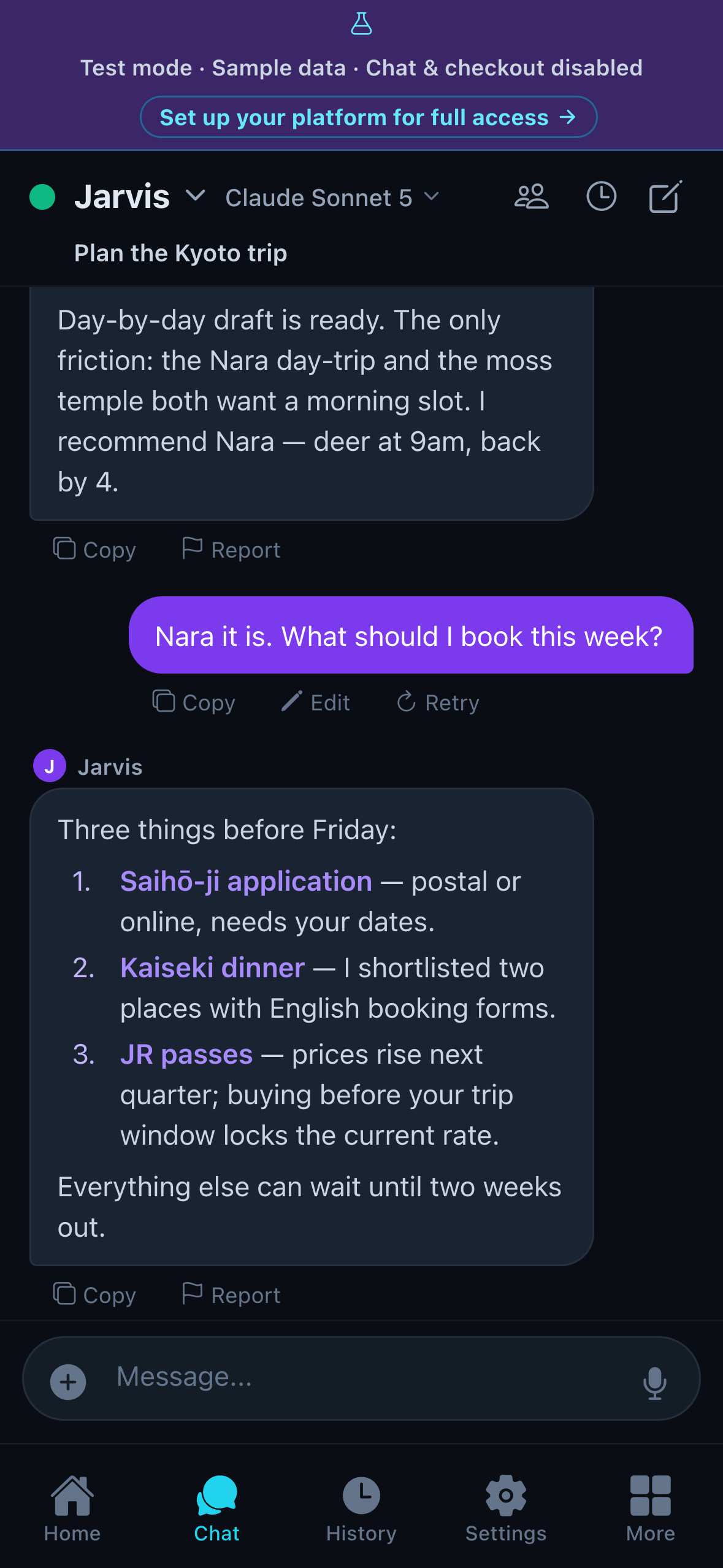
- Chat with your agents anywhere. Streaming replies, photo attachments and voice messages, sent to the agents on your own server.
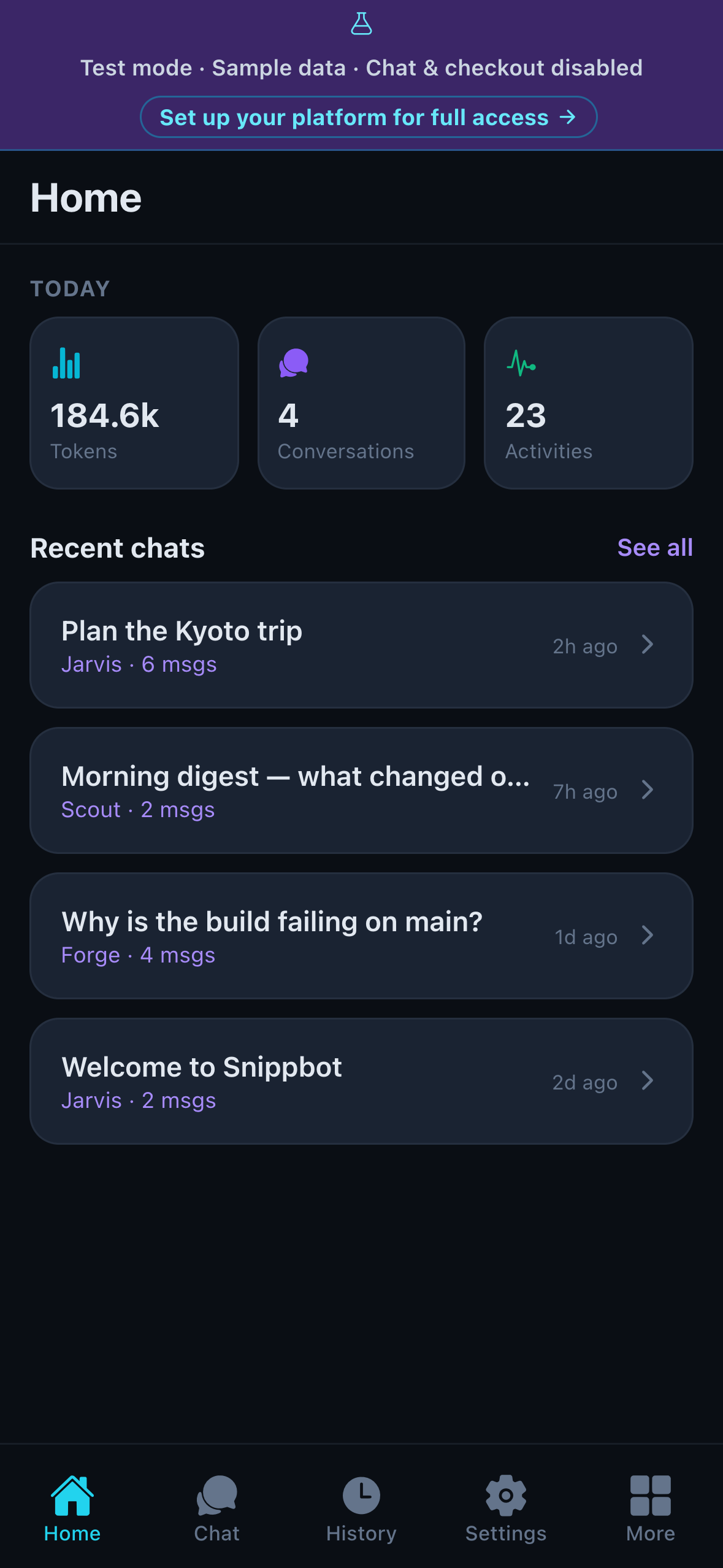
- See what they're doing. Conversation history, memory, skills, projects, token usage and server health.
- Pair in seconds. Install the server (
pipx install snippbot), start it, and pair with a 6-digit code or QR code. - Private by design. The access token sits in Android's encrypted storage, with an optional biometric lock.
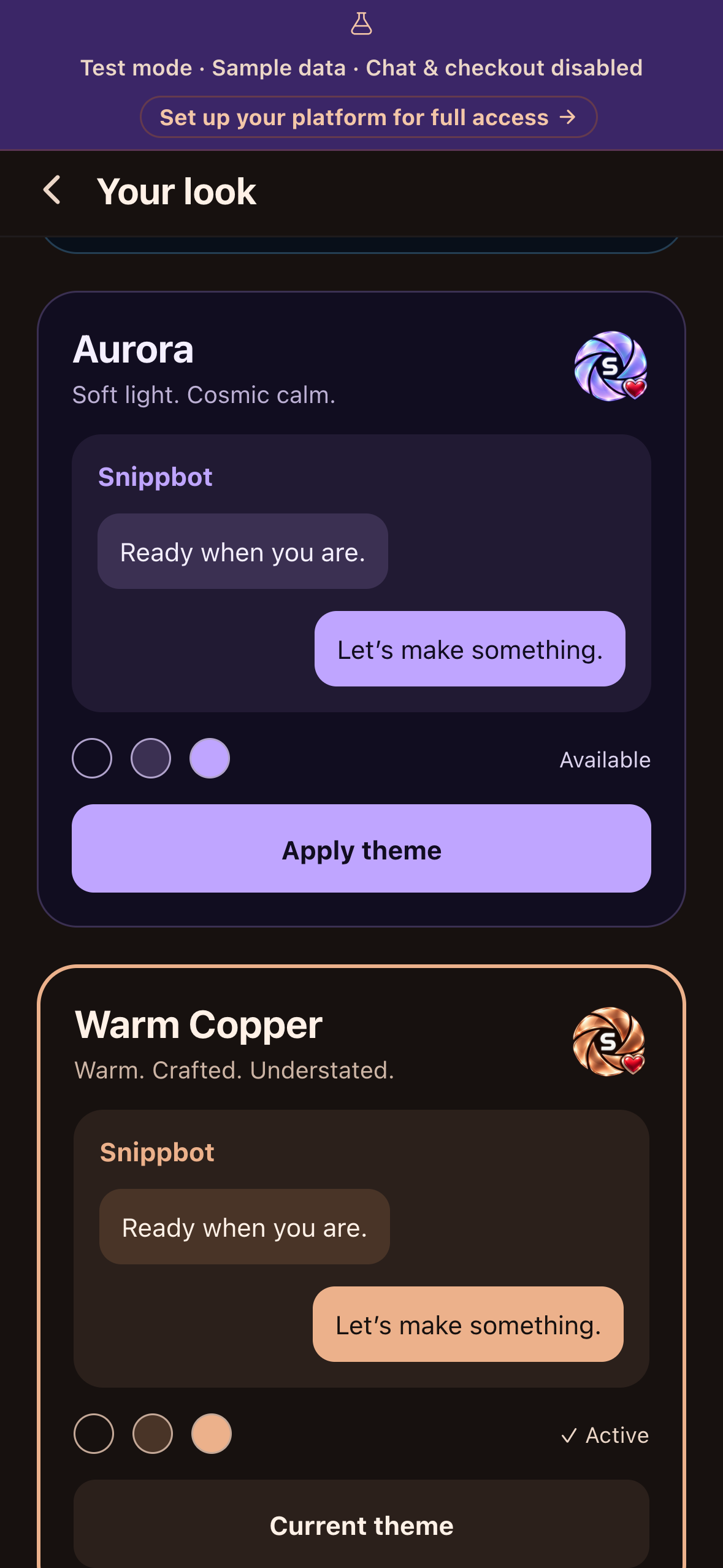
- Test mode on first launch. A fresh install opens with built-in sample agents and conversations, so anyone (including judges) can explore the whole app without setting up a server. Sending chats and checkout are disabled there, with a clear banner explaining how to get full access.
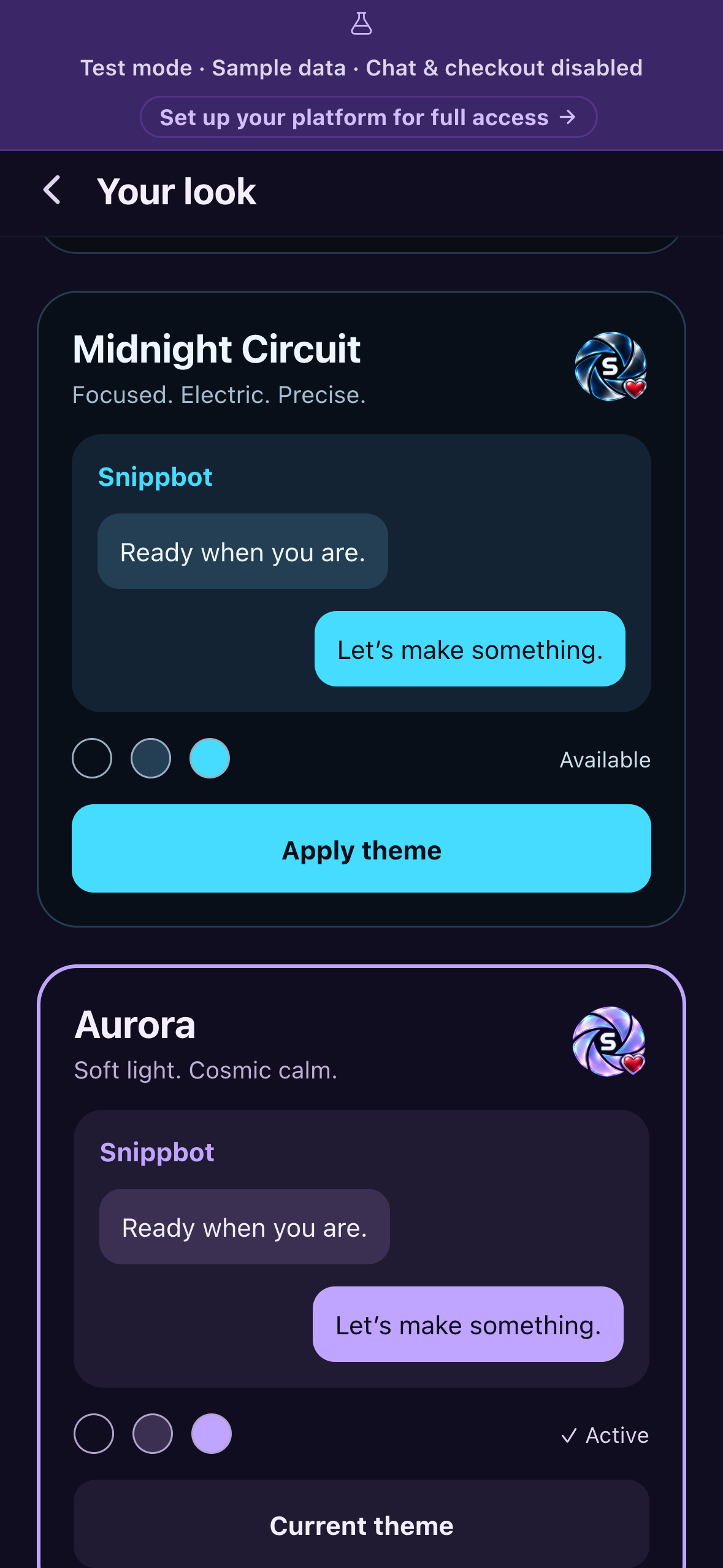
- Supporter badge (RevenueCat). An optional one-time purchase unlocks an iridescent Supporter badge and three exclusive themes: Midnight Circuit, Aurora and Warm Copper. Every core feature stays free.
How we built it
- App: React Native + Expo (TypeScript), Expo Router and React Query; built on EAS and released via Google Play.
- Payments: the RevenueCat SDK (
react-native-purchases) with a non-consumable Google Play product, asnippbot_supporterentitlement and an offering with a lifetime package. The app only unlocks themes when RevenueCat's CustomerInfo shows the exact entitlement; pending or cancelled payments stay locked, and Restore Purchases re-applies the entitlement on another install. - Themes: we moved every screen from hard-coded colors to a theme context, so a palette change repaints chat bubbles, cards, headers and navigation. Each theme has its own badge art, and the heart stays red in every version for contrast.
- Test mode: sample data is served by intercepting the app's own API client, so the real screens render without a network, and write actions are blocked at the source.
- Server: the Snippbot daemon (Python, Starlette) that the app pairs with is the same self-hosted platform we ship on PyPI.
Challenges
- Making a purchase feel rewarding. Our first build recorded the purchase correctly in RevenueCat but gave no visible payoff, so we redesigned around a prominent badge, a confirmation state and themes that apply instantly.
- A self-hosted app is hard to review because every user brings their own server. Test mode solves that for store reviewers and judges without exposing anyone's real platform.
- Theming a large existing app: dozens of screens had inline colors, and some cached style tables had to be rebuilt when the theme changed.
What we learned
Small cosmetic rewards need verified state, clear feedback and restore paths just as much as big features do. And RevenueCat's entitlement model kept the client logic simple: one entitlement check drives the badge, the themes and restore.
Judges: how to test
- Install Snippbot from Google Play. It opens in test mode with sample data, so you can browse Home, Chat, History and Settings right away.
- Open Settings → Themes to preview the premium themes (Midnight Circuit, Aurora, Warm Copper) for free.
- Chat live with real agents on our hosted demo server. Open https://demo.snippbot.com/judges in any browser to get a 6-digit pairing code. In the app, tap Set up your platform for full access, enter the server https://demo.snippbot.com and the code. You're now connected to a real Snippbot server with demo agents, projects and conversations, and can start new chats and watch replies stream in.
- Known issue: right after connecting, the app may show "Something went wrong". Close and reopen the app once; it opens connected to the demo.
- The demo's agents run on Anthropic Claude and Google Gemini, with chat-only tools and a daily usage cap. On your own Snippbot server you can add any provider (OpenAI, local models and more) and the full tool set.
- Unlock the Supporter purchase. Redeem one of the promo codes we provided in the Play Store (Profile → Payments & subscriptions → Redeem code). Then, while connected to the demo server, open Settings → Support Snippbot → Restore purchases to see the badge and themes unlock.
- To run your own server:
pipx install snippbot && snippbot start, then pair from the app (guide: https://docs.snippbot.com).
Built With
- android
- expo.io
- google-play
- python
- react-native
- revenuecat
- starlette
- typescript

Log in or sign up for Devpost to join the conversation.