-
Our focus was that user would just download the extension, and we will take care of the rest.
-
-
-
-
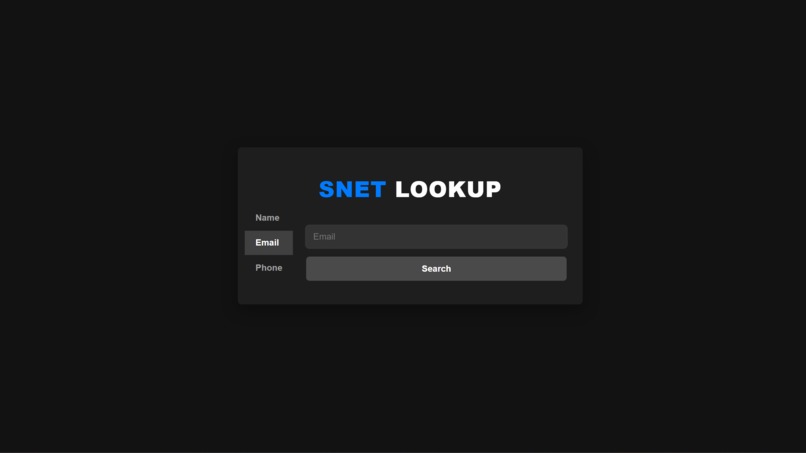
SNET LOOKUP TOOL
-
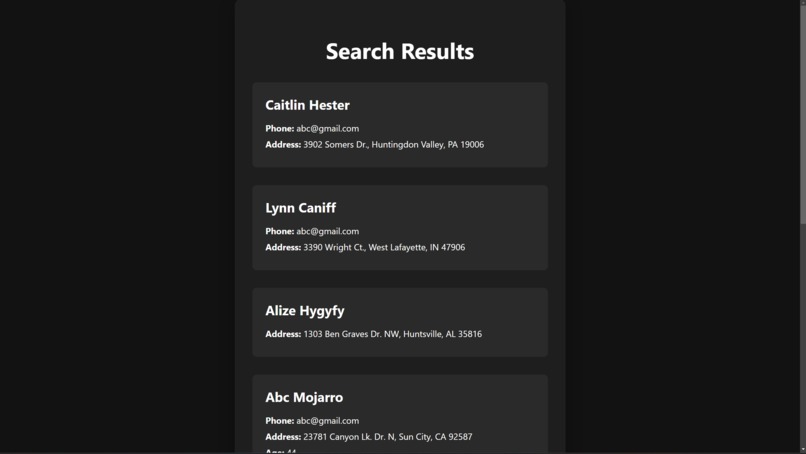
Since we searched for anyone whose email is [email protected], we got a lot of unusable data .
-



Inspiration
With phishing attacks and online predators becoming a growing concern, especially for those less tech-savvy, we knew we needed a solution that’s powerful yet easy to use. SNET (Safe Internet) was born from the idea that everyone deserves to feel safe online, especially families. From blocking phishing attempts to giving parents peace of mind about their kids’ online interactions, SNET aims to be a one-stop solution for safer browsing.
What it does
SNET is made up of two key tools:
Phishing Protection Chrome Extension:
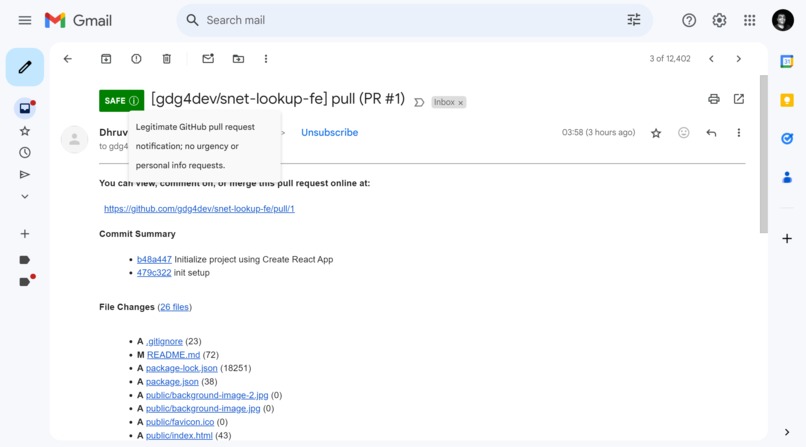
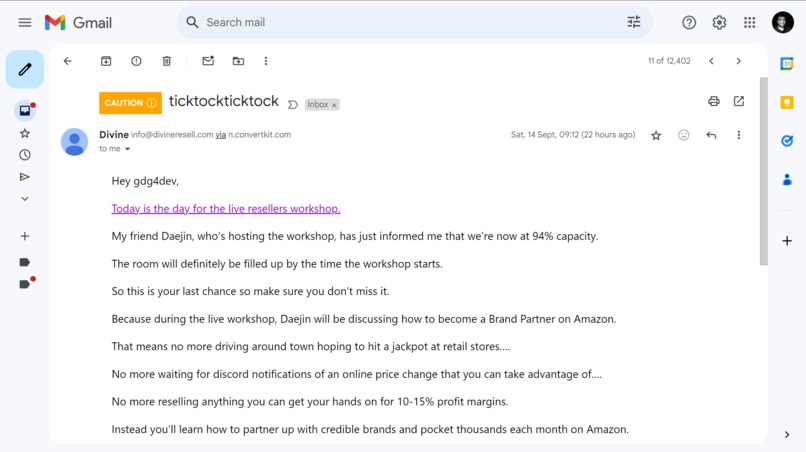
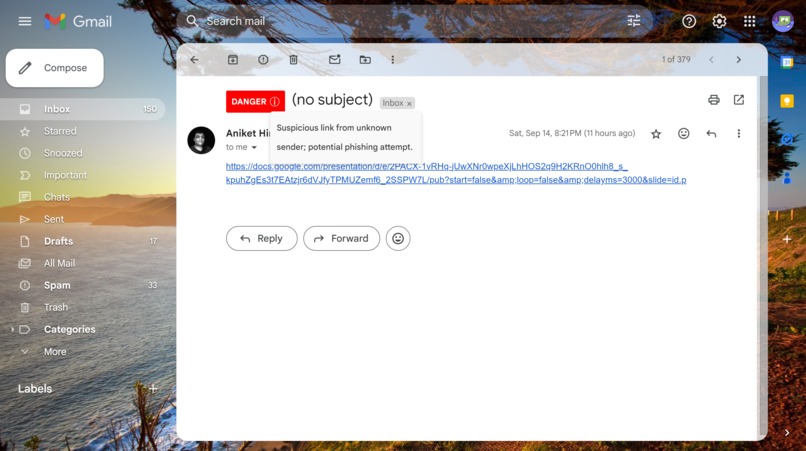
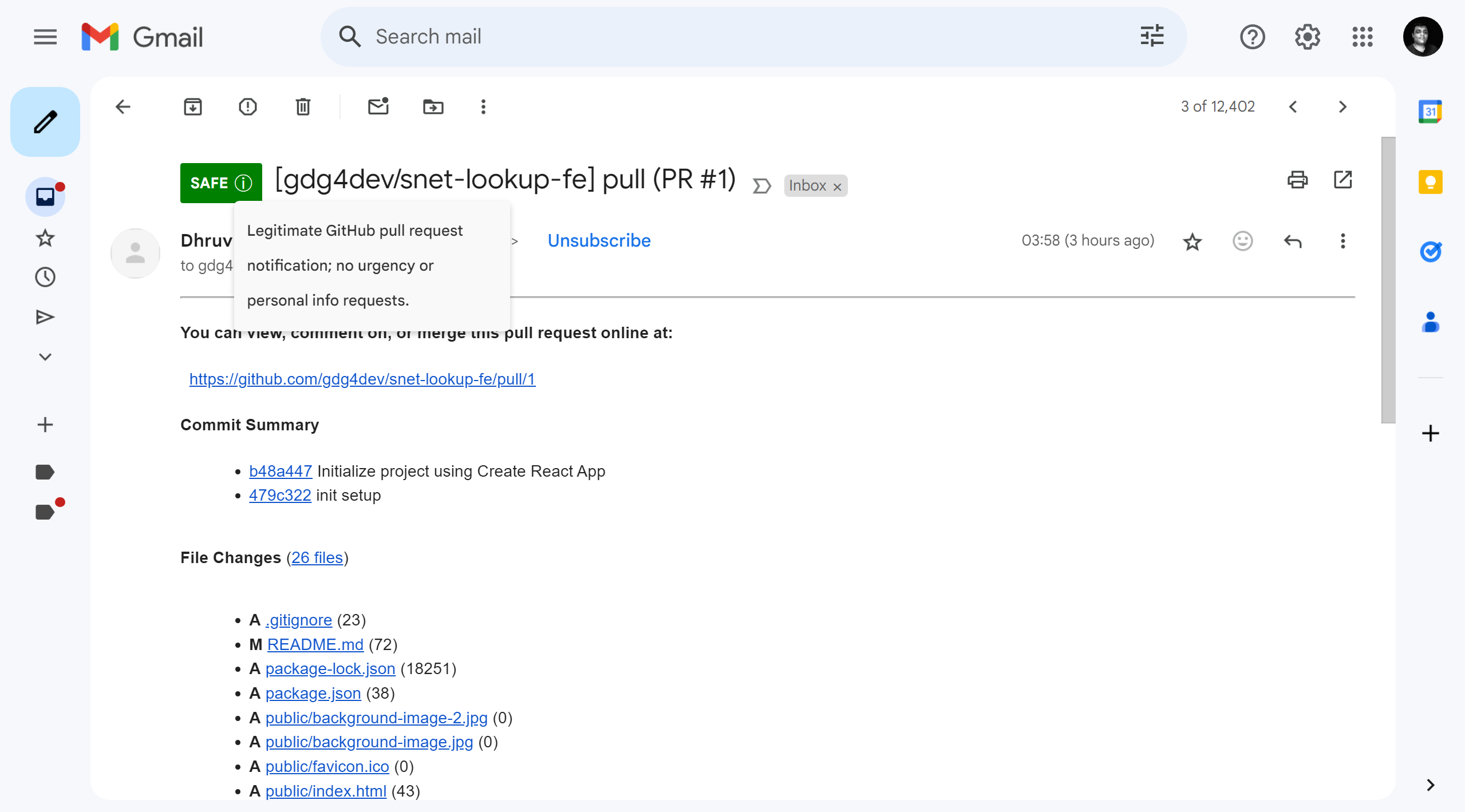
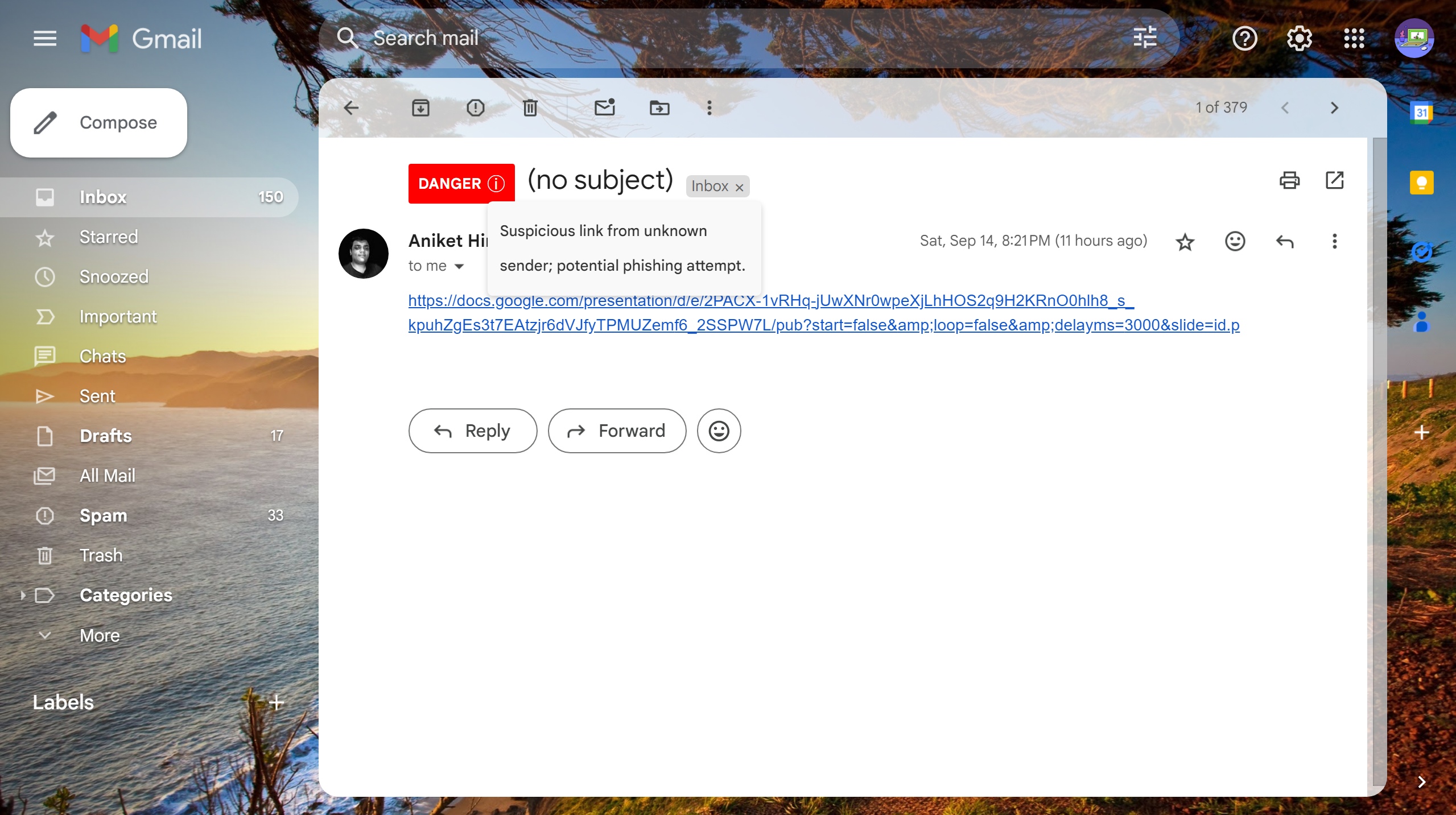
This Chrome extension works directly with Gmail. Every time you open an email, our tool analyzes it using AI (LLM) and adds a badge next to the subject line. You’ll know instantly whether the email is Safe, Cautious, or Dangerous, and we’ll even tell you why.
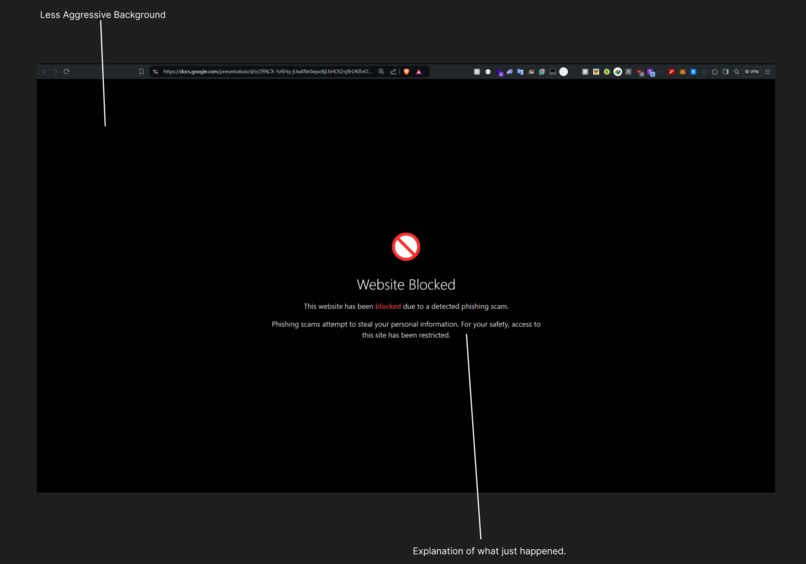
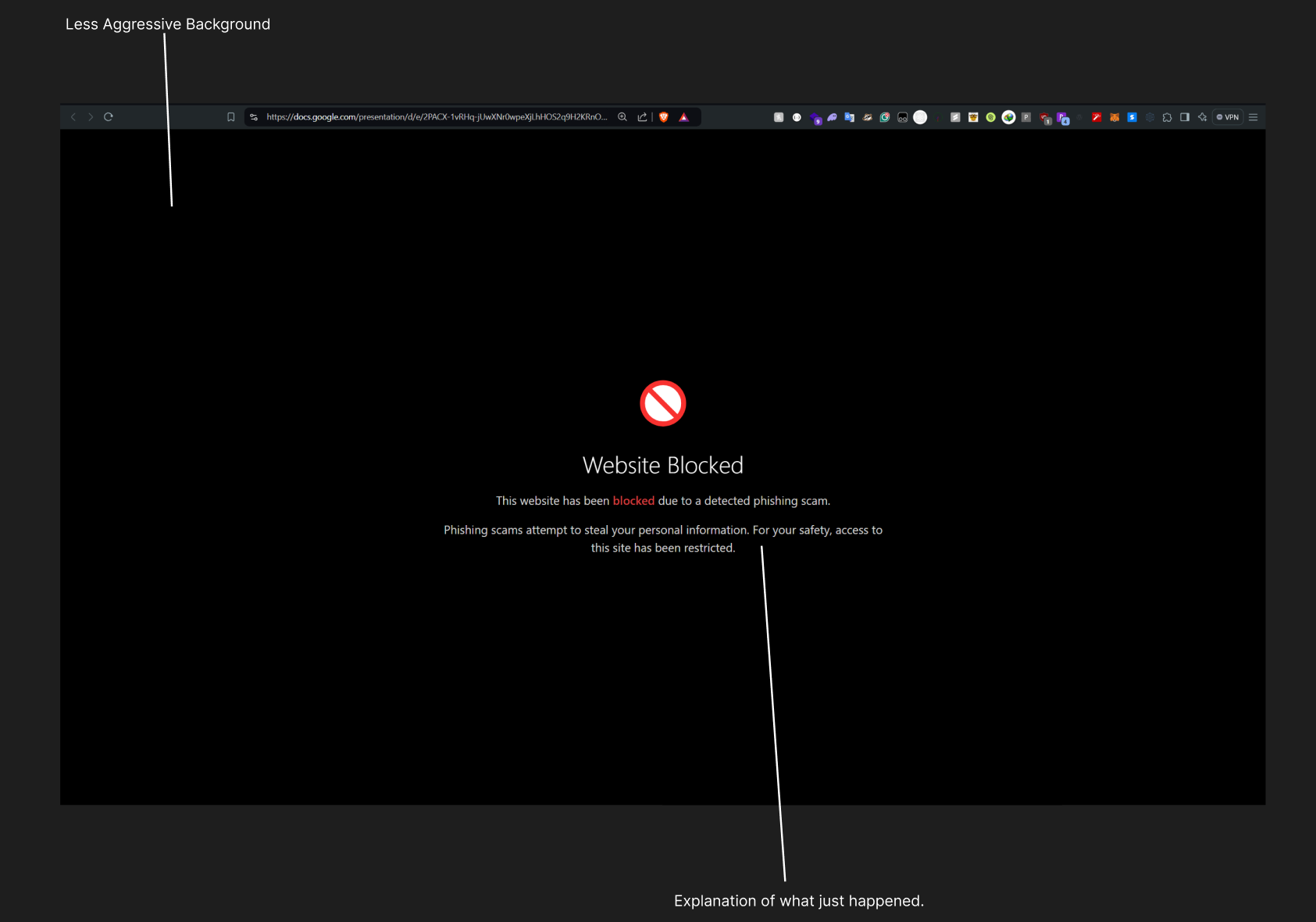
If that’s not enough, it also offers a second layer of protection. Accidentally click on a phishing link? Don’t worry—our extension scans over 400,000 phishing URLs in less than 5 milliseconds and blocks dangerous sites before they can do any harm.
SNET Lookup Tool:
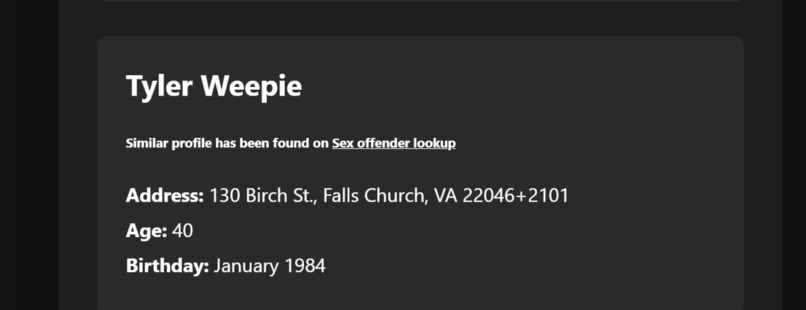
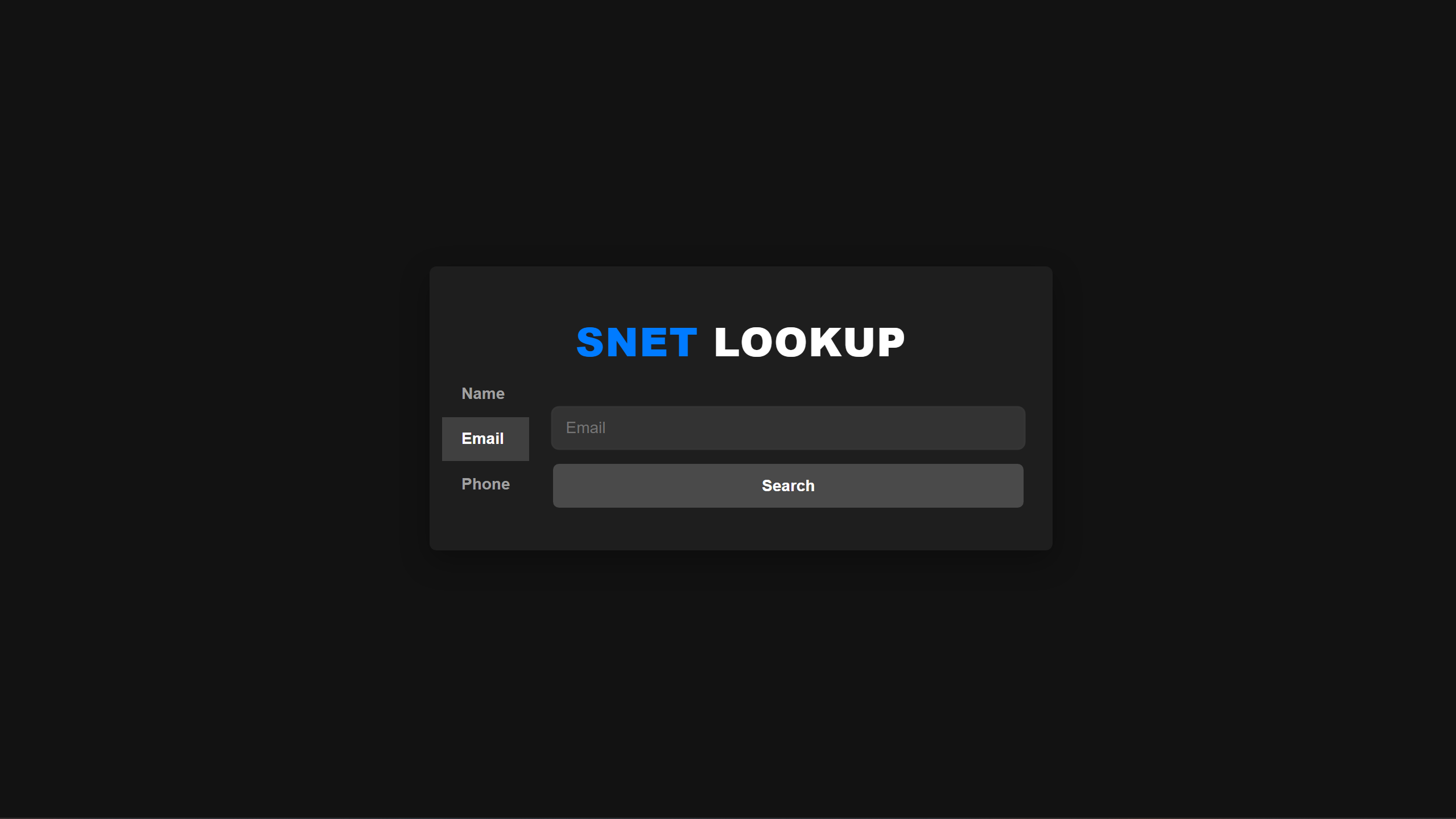
This is for the parents who worry about who their children are talking to online. Our lookup tool helps you search by email, phone number, or name to find out if the person interacting with your child is who they claim to be. We scrape public data sources, like Thatsthem.com, to provide details. The goal? Keep kids safe by giving parents the tools to verify who’s behind the screen.
How we built it
- Frontend: We built the Chrome extension using JavaScript for quick integration with Gmail, while the lookup tool’s interface was crafted using React for an intuitive user experience.
- Backend: The backend, powered by Node.js and Express, handles two key APIs. The first API, check-url, uses a Bloom filter to sift through 400k phishing URLs in milliseconds. The second, check-email, leverages AI to flag emails as dangerous, cautious, or safe. For the lookup tool, we created a custom scraper for public databases, including Thatsthem.com and nsopw.gov for sexual offender checks.
Challenges we ran into
Challenge 1: Efficiently handling 400k phishing URLs
One of our biggest hurdles was finding a way to search through 400k URLs instantly. We explored several options, like hash maps, but after researching space and time efficiency, we settled on using a Bloom filter for fast, lightweight lookups.
Challenge 2: Deployment on Vercel
During deployment, our backend kept crashing because loading the Bloom filter was taking too long (around 15-25 seconds). Vercel's max timeout was shorter than that! After hours of trial and error, we found a workaround by adjusting Vercel’s timeout limit, finally allowing smooth deployment.
Accomplishments that we're proud of
- Creating a system that scans phishing links faster than the blink of an eye (5 milliseconds, to be exact).
- Building a lookup tool that could actually help parents feel more secure about their children’s online interactions.
- Getting the Bloom filter and AI integration to work together seamlessly after overcoming major deployment issues.
- Designing an interface that’s simple enough for anyone to use, no matter their tech background.
What we learned
Color theory matters more than we thought
Initially, we planned to use red as the background color when a page was blocked. However, we realized that strong colors like red might create unnecessary alarm for users who are not as familiar with tech. To make it more approachable, we switched to a simple black-and-white theme that feels calm, clear, and easy to read.
Less is more when it comes to user interaction
One of our goals was to keep user interaction minimal, especially since our tool is for children, parents, and elderly users. More options often mean more confusion. So we stripped back the interface to only what’s necessary, reducing clicks and decision points.
Understanding the impact on older adults
In 2022, there were 88,262 complaints of fraud resulting in $3.1 billion in losses from people aged 60 and older. Research indicates that individuals over 65 often face challenges in distinguishing legitimate emails from phishing attempts. Phishing is a prevalent type of internet and email fraud that particularly targets older adults. By designing our tool with a user-friendly interface, we aim to reduce confusion and help protect this vulnerable group from falling victim to such scams.
Technical lessons on efficiency
Using a Bloom filter to handle massive datasets was a huge technical win for us. Integrating a sophisticated LLM model for email scanning was another leap forward in tackling phishing attacks. Every part of the system now works in harmony to ensure swift and accurate protection.
What's next for SNET - Safe Internet
We have big plans for SNET:
- Enhanced phishing detection: We plan to integrate more advanced AI techniques to handle even the most sophisticated scams.
- Expanded lookup tool: We aim to include more public databases, providing even more robust protection for families.
- Cross-platform compatibility: Our goal is to make SNET available on mobile devices and other browsers, ensuring protection no matter where users are.
- Continuous AI improvement: As phishing methods evolve, so will our tool. We’re committed to staying ahead of the curve, ensuring that SNET continues to keep users safe in every possible way.
Built With
- ai
- bloom-filter
- css3
- html5
- javascript
- llm
- python
- react
- vercel


Log in or sign up for Devpost to join the conversation.