-
-
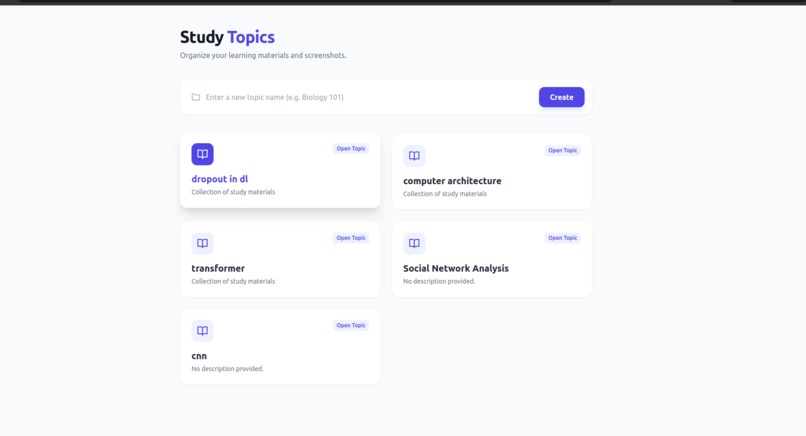
Dashboard-SnapStudy
-
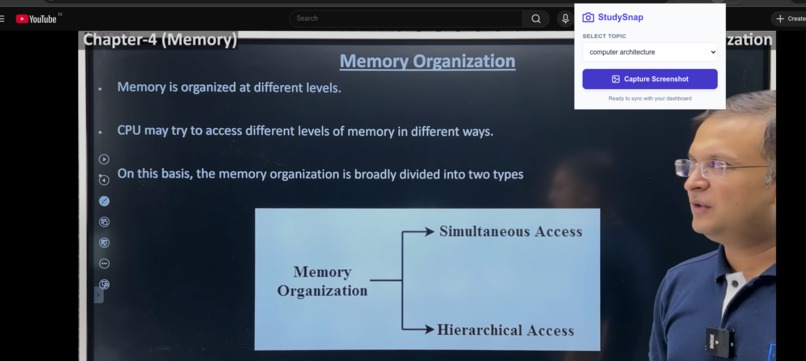
Screenshot taking Extension
-
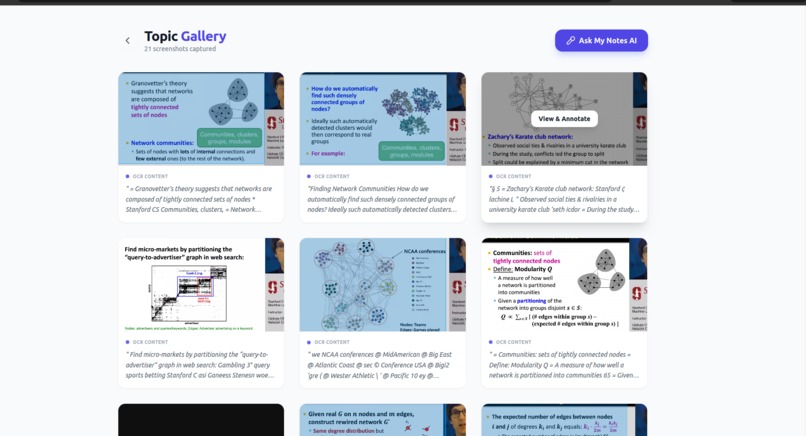
All the Notes
-
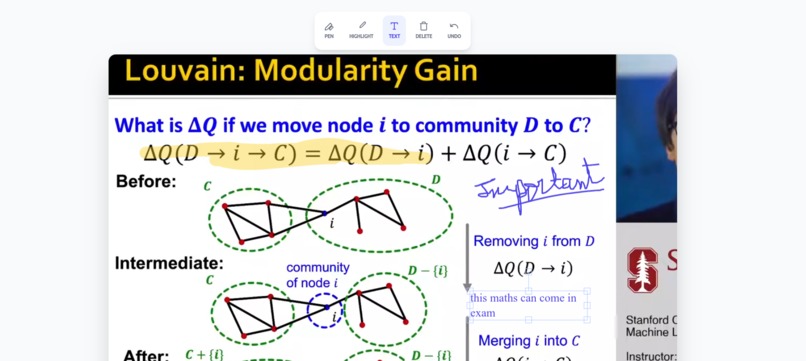
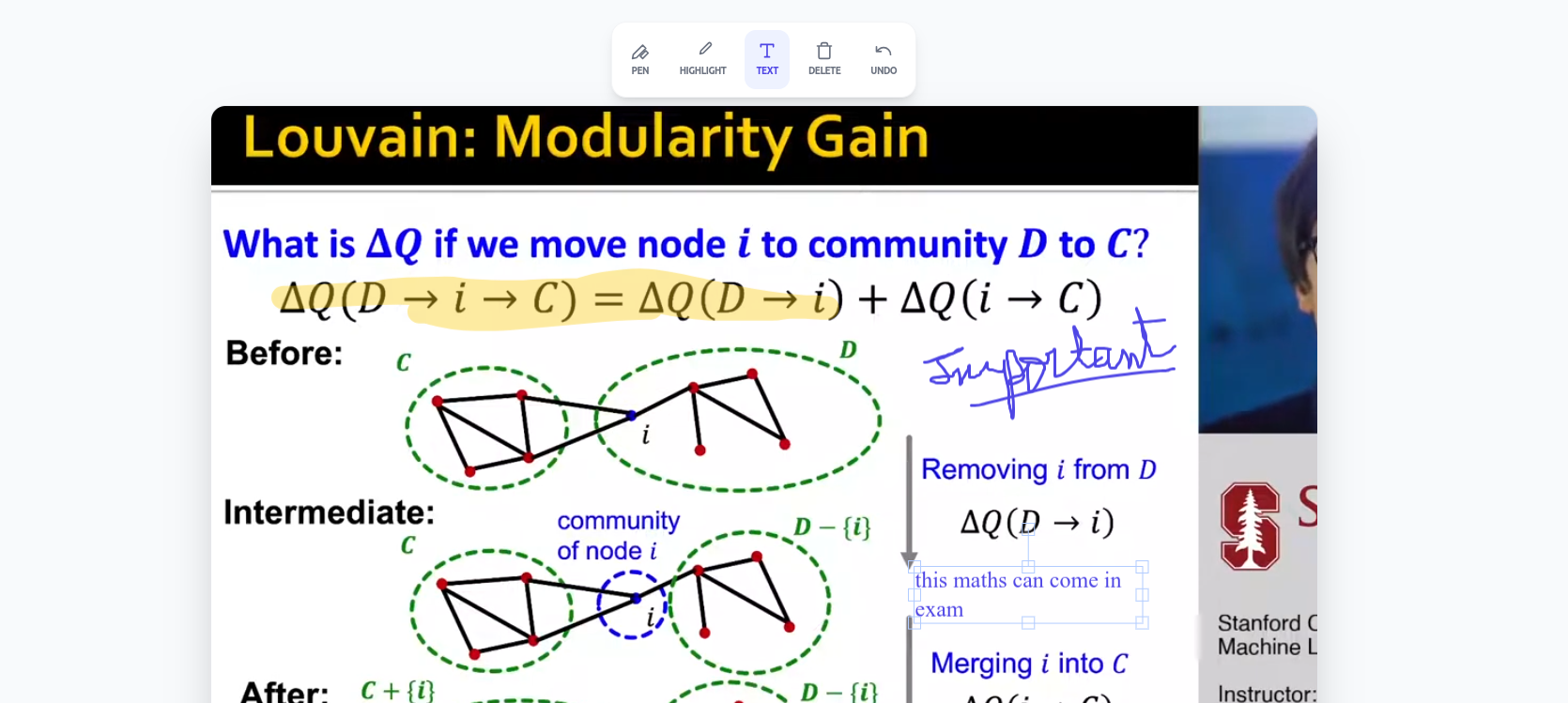
Write with pen, text or highlight!
-
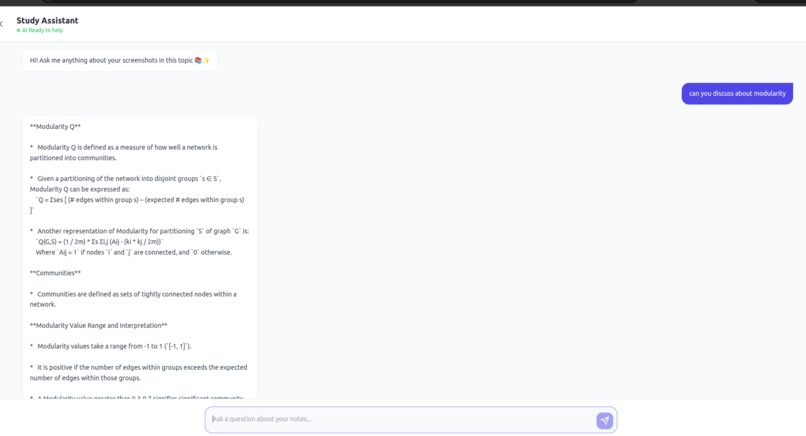
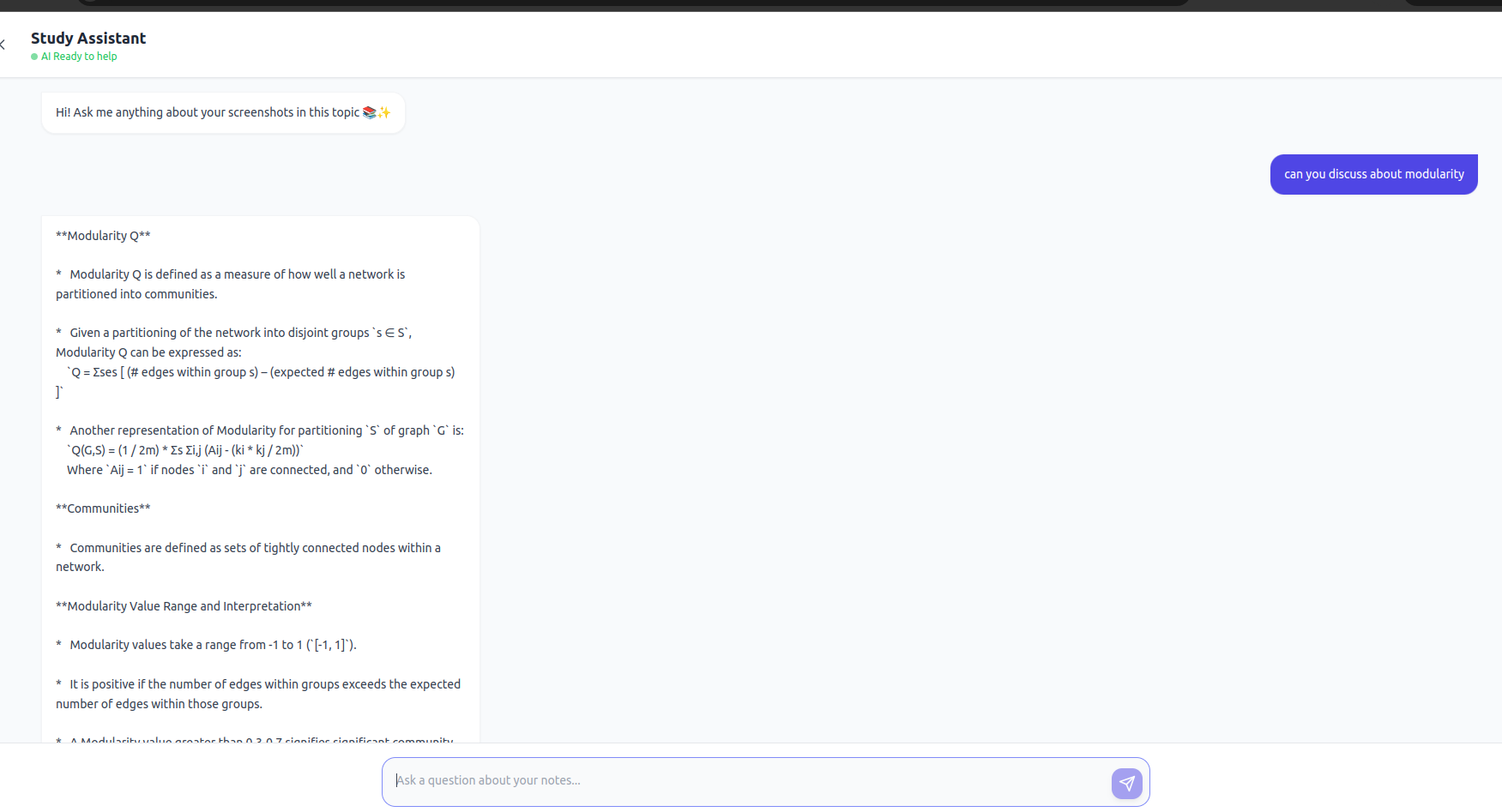
Ask from AI

Inspiration
Managing study material from multiple sources has always been messy — lecture PDFs, slides, online articles, screenshots, and handwritten notes scattered across different apps.
My usual workflow was:
- Take a screenshot
- Send it to myself on WhatsApp
- Hope I remember where it is later
This process was fragmented and time-consuming, especially when I wanted to ask AI questions based on my own notes.
SnapStudy was built to remove this friction by creating one centralized place where all study screenshots can be captured, organized, annotated, and queried using AI.
What it does
SnapStudy is an AI-powered personal study hub built around screenshots.
Key Features
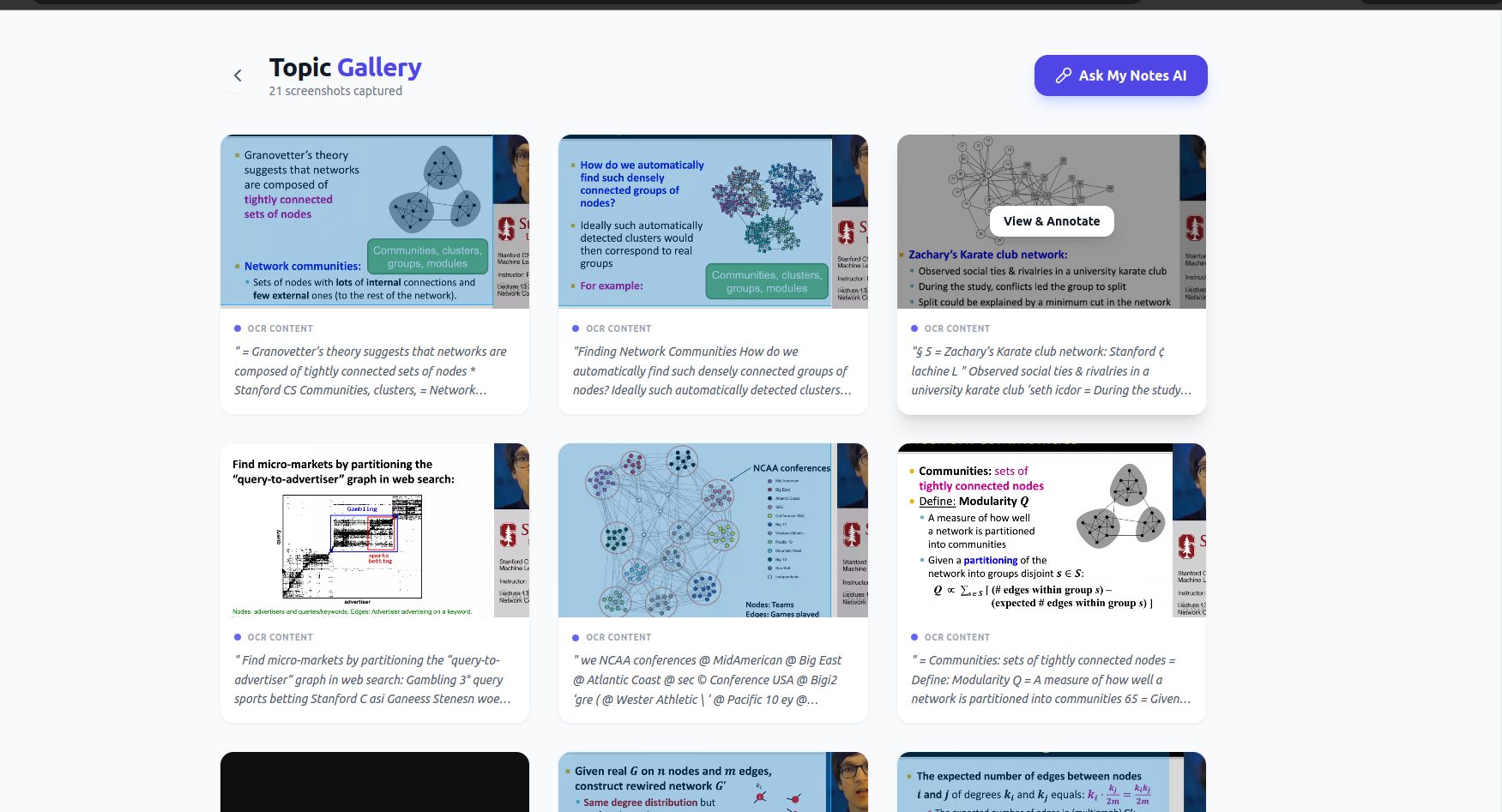
- Browser extension to instantly capture screenshots while browsing
- Automatic OCR to extract text from screenshots
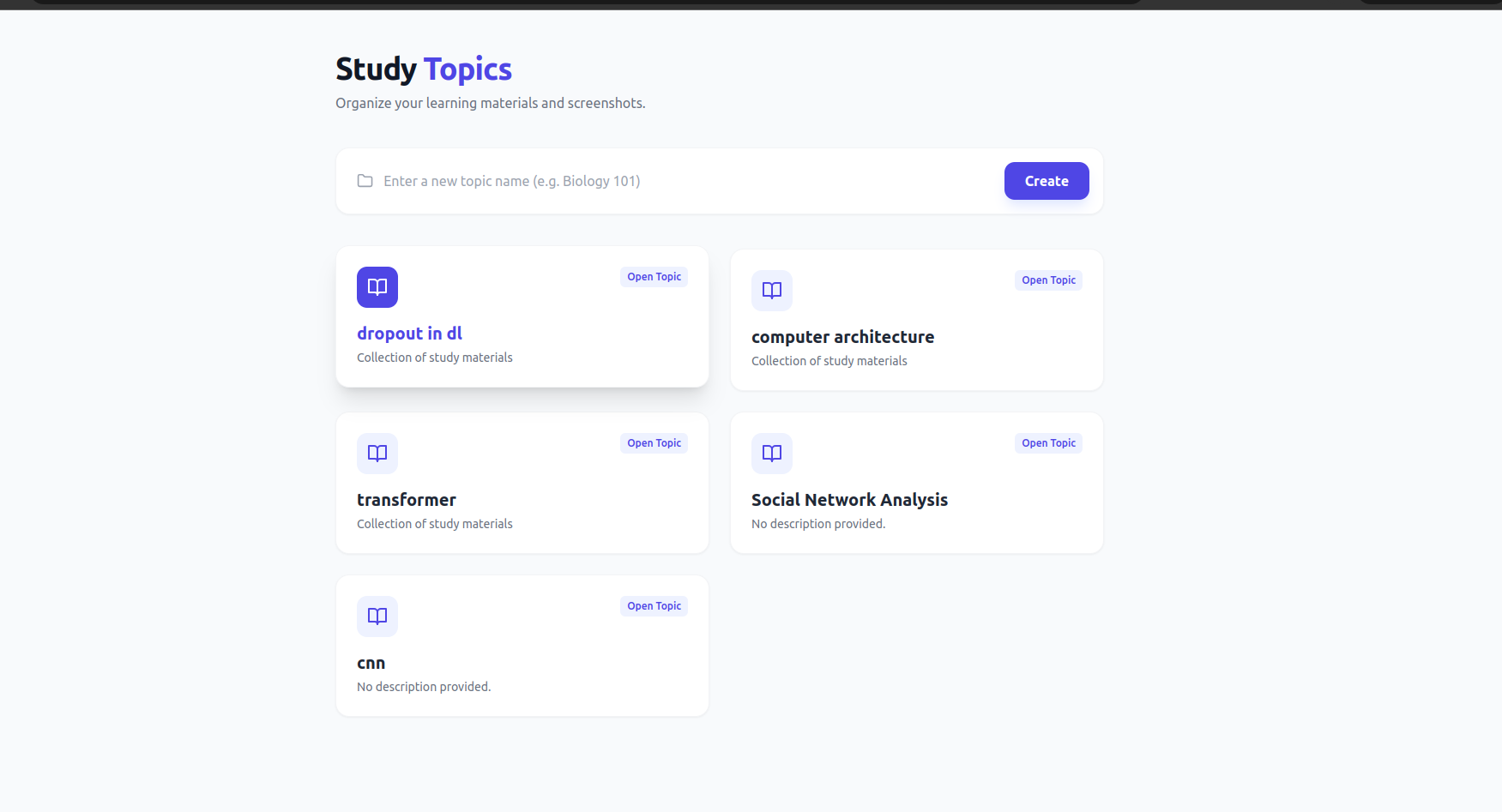
- Topic-wise organization (Math, Networks, ML, etc.)
- Annotation canvas (highlight, draw, add notes)
- RAG-powered Q&A that answers strictly from the user's screenshots
- AI chat assistant SnapBuddy for:
- Answering questions
- Summarizing notes
- Simplifying definitions
- Clarifying formulas
- Generating quizzes
How we built it
Frontend
- React + Vite
- Fabric.js v6 for annotation canvas
- TailwindCSS for UI styling
- Browser extension built with vanilla JavaScript
Backend
- FastAPI with modular routers
- SQLite + SQLAlchemy
- Tesseract OCR
AI & RAG
- SentenceTransformers (
all-MiniLM-L6-v2) - FAISS for vector search
- Metadata mapping for screenshot-topic alignment
- Gemini 2.5 Flash API
- Custom RAG prompt enforcing context-only answers
Challenges we ran into
- Fabric.js v6 breaking changes requiring loader rewrites
- CORS issues when loading annotated images
- Browser extension to backend communication
- FAISS index refresh without breaking metadata alignment
- OCR inaccuracies on blurry screenshots
- Preventing AI hallucinations
- Persisting state for screenshots, topics, annotations, and embeddings
Accomplishments that we're proud of
- Fully working extension → backend → OCR → RAG → chat pipeline
- Clean and usable annotation system for real studying
- Reliable RAG setup with zero outside knowledge leakage
- Modern chat UI with auto-scroll and typing indicators
- Scalable architecture supporting multiple subjects
- Built a tool used daily for personal studying
What we learned
- Deep debugging of modern Fabric.js
- Designing real-world RAG architectures
- Managing FAISS indexes with database metadata
- Importance of UX in productivity tools
- Writing prompts that strictly enforce context usage
- Building browser extensions that feel native
What's next for SnapStudy
- Auto-generated topic summaries
- Smart review mode
- Flashcards and practice questions
- Spaced repetition
- PDF upload support
- Cross-device sync
- More annotation tools (arrows, shapes, colors)
- Mobile app
- Offline vector search

Log in or sign up for Devpost to join the conversation.