-
-
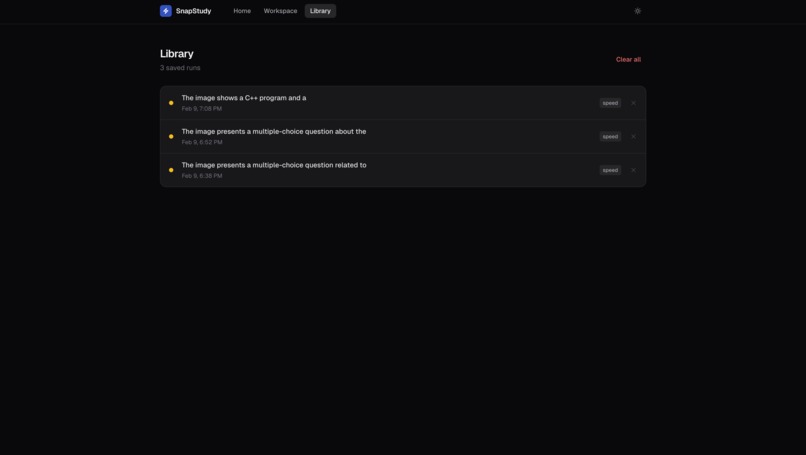
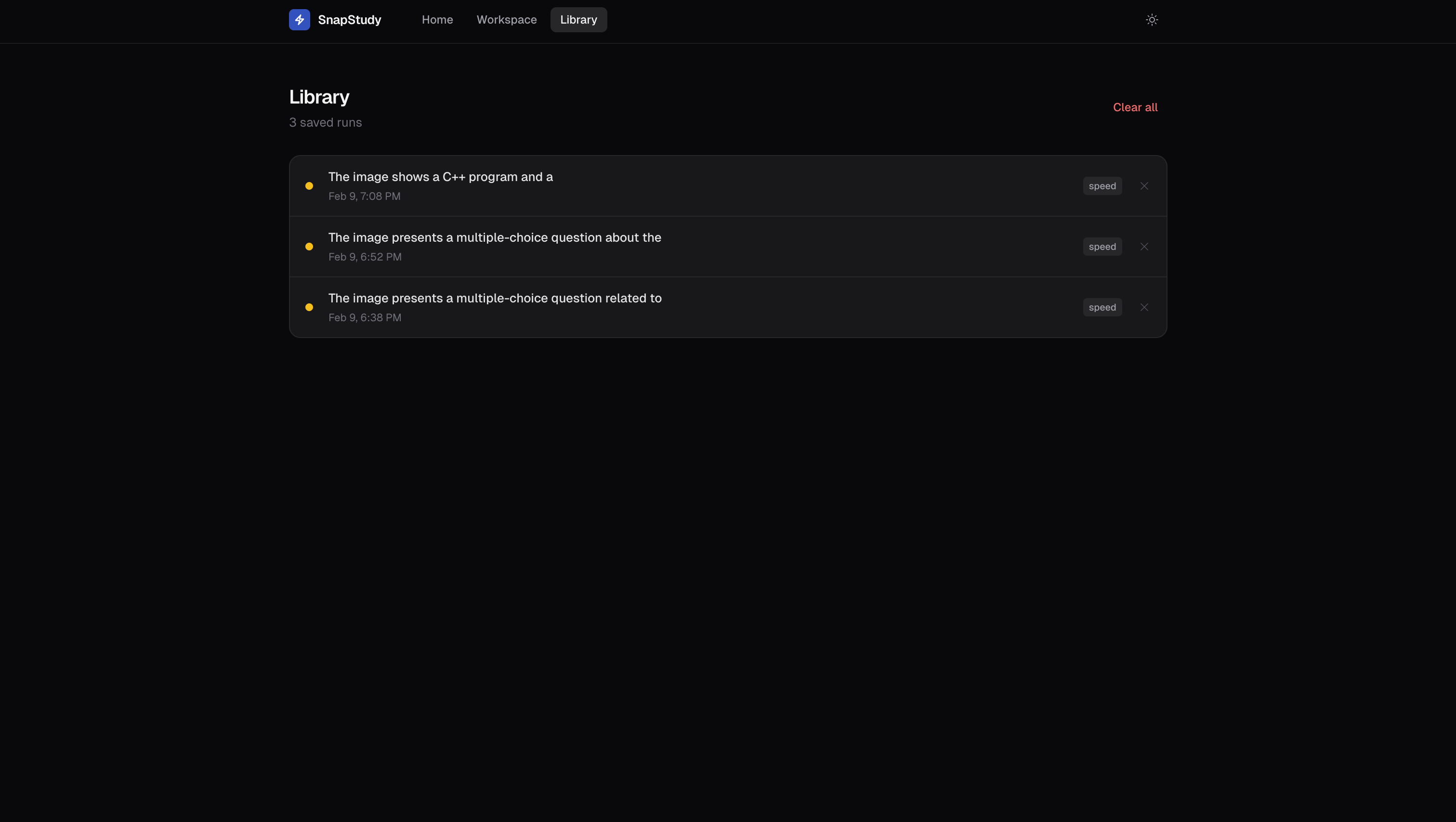
Your library with your full history of questions, so you can easily track and keep up with them
-
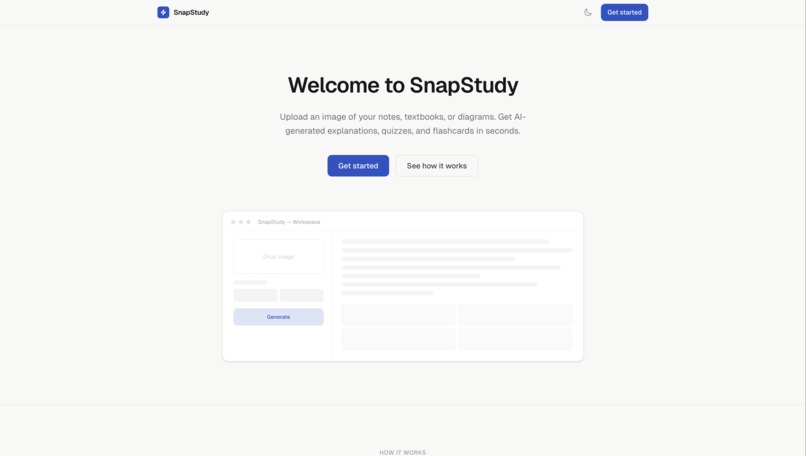
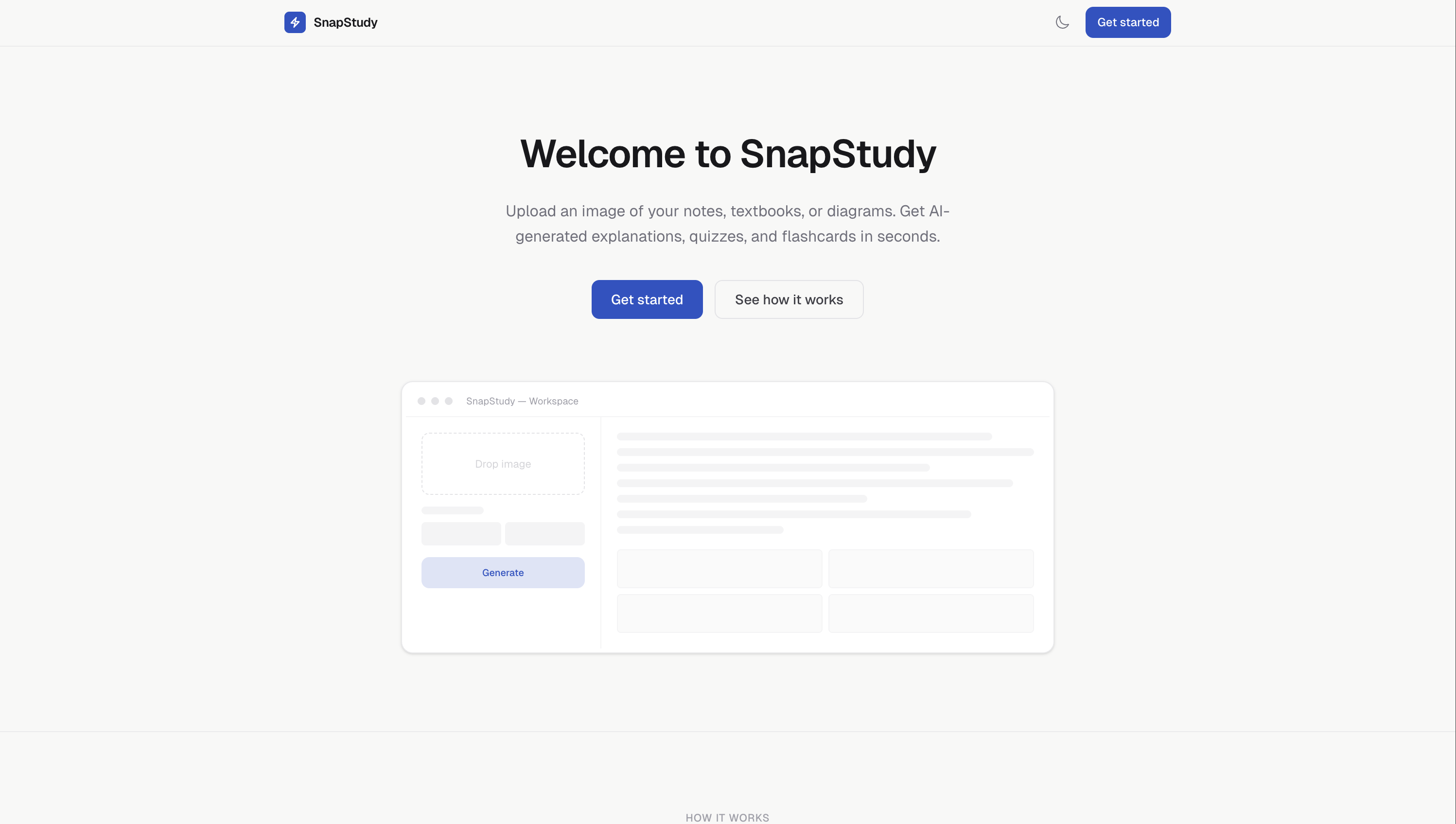
Also in light mode
-
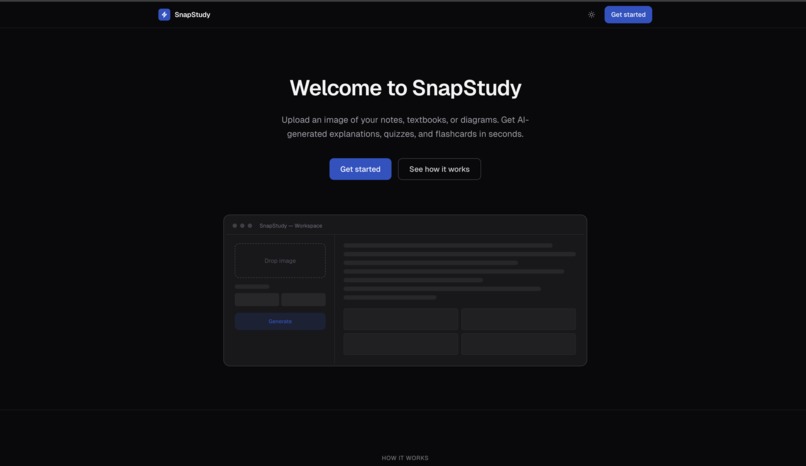
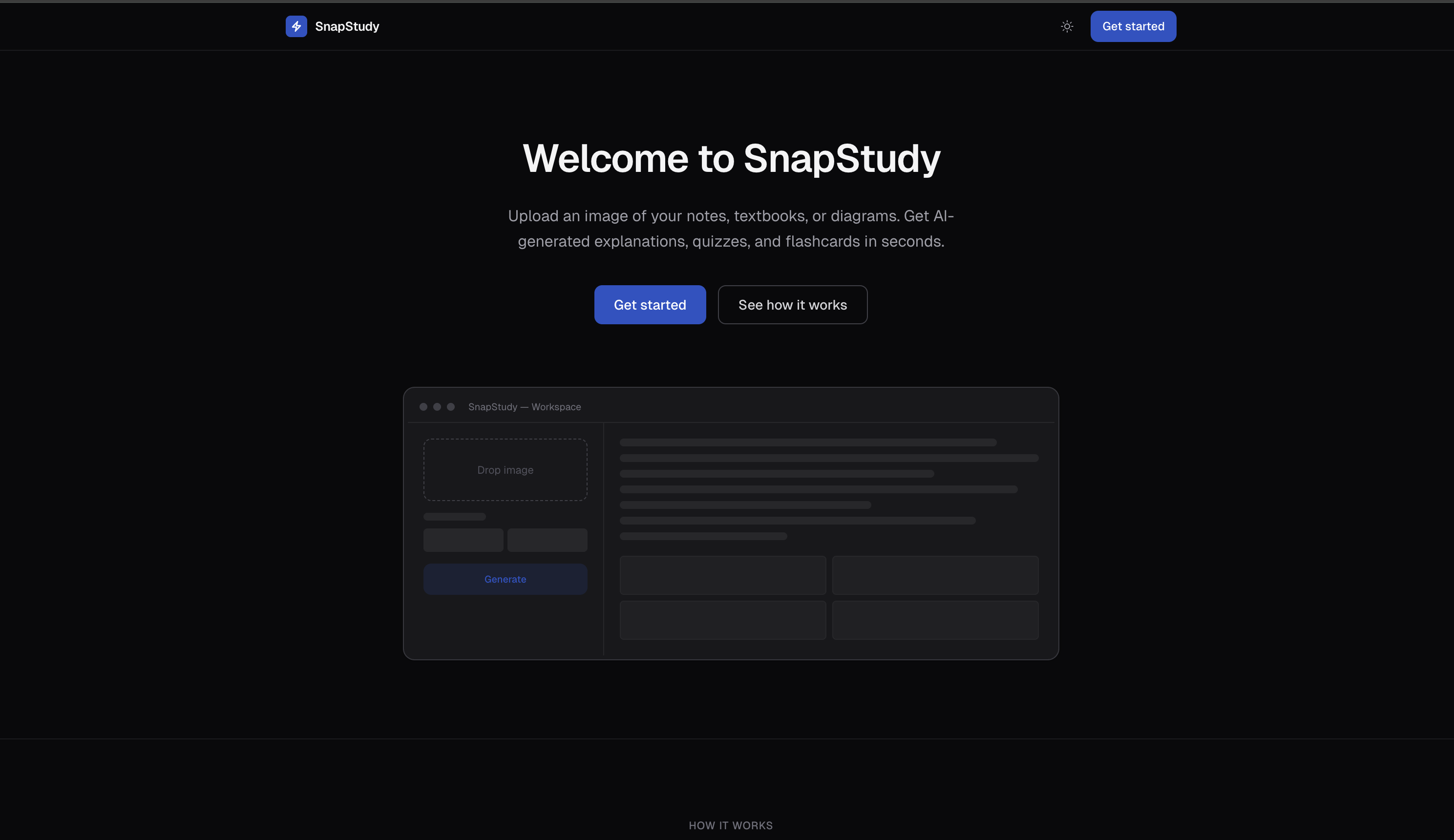
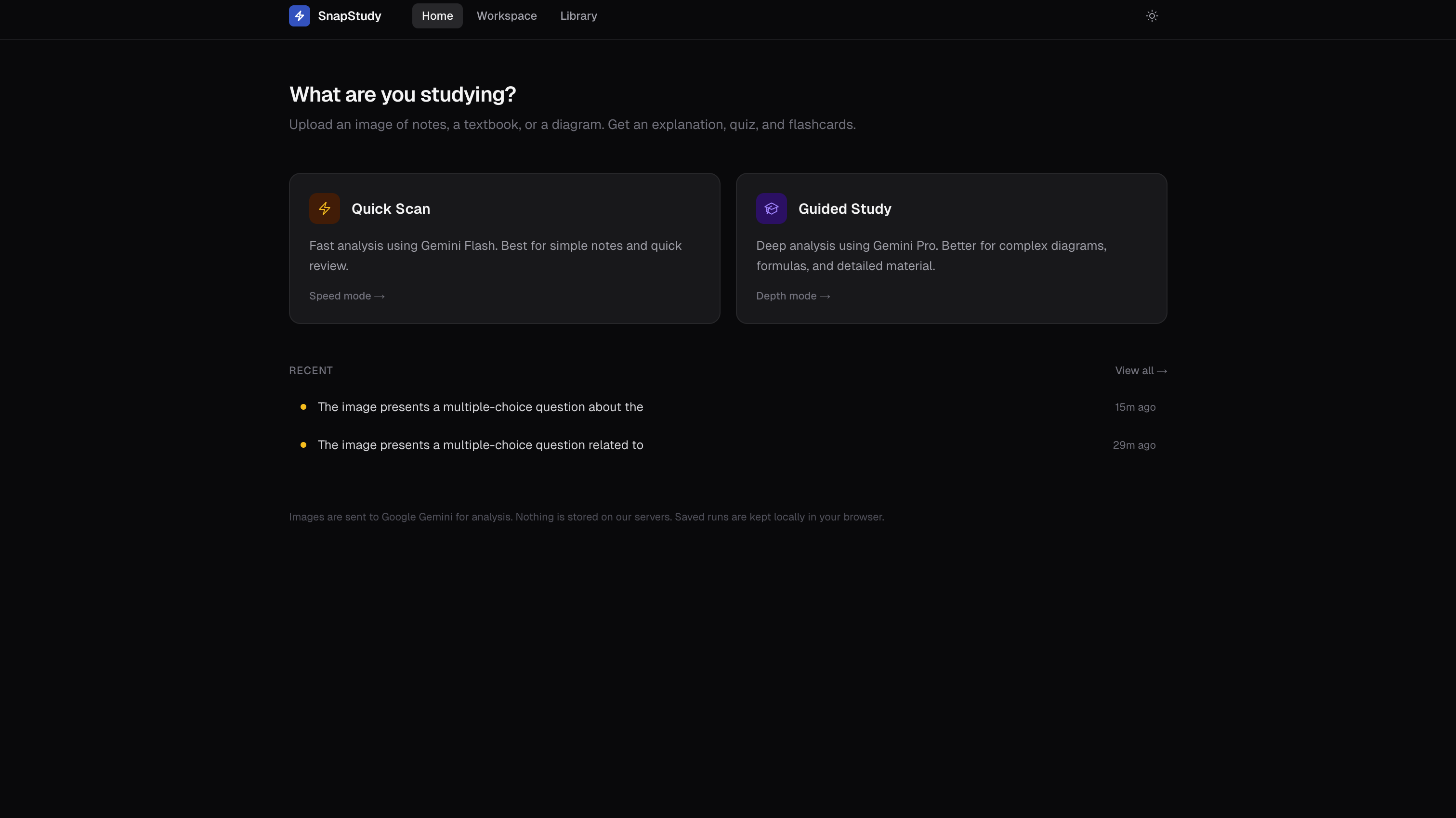
Home/Welcome Page
-
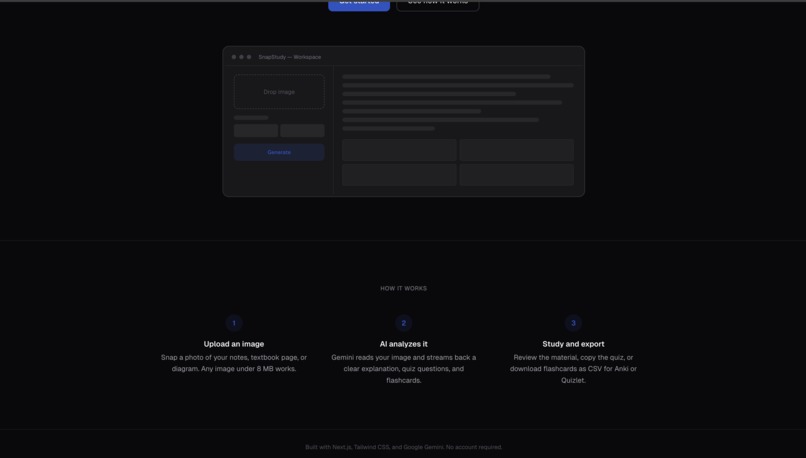
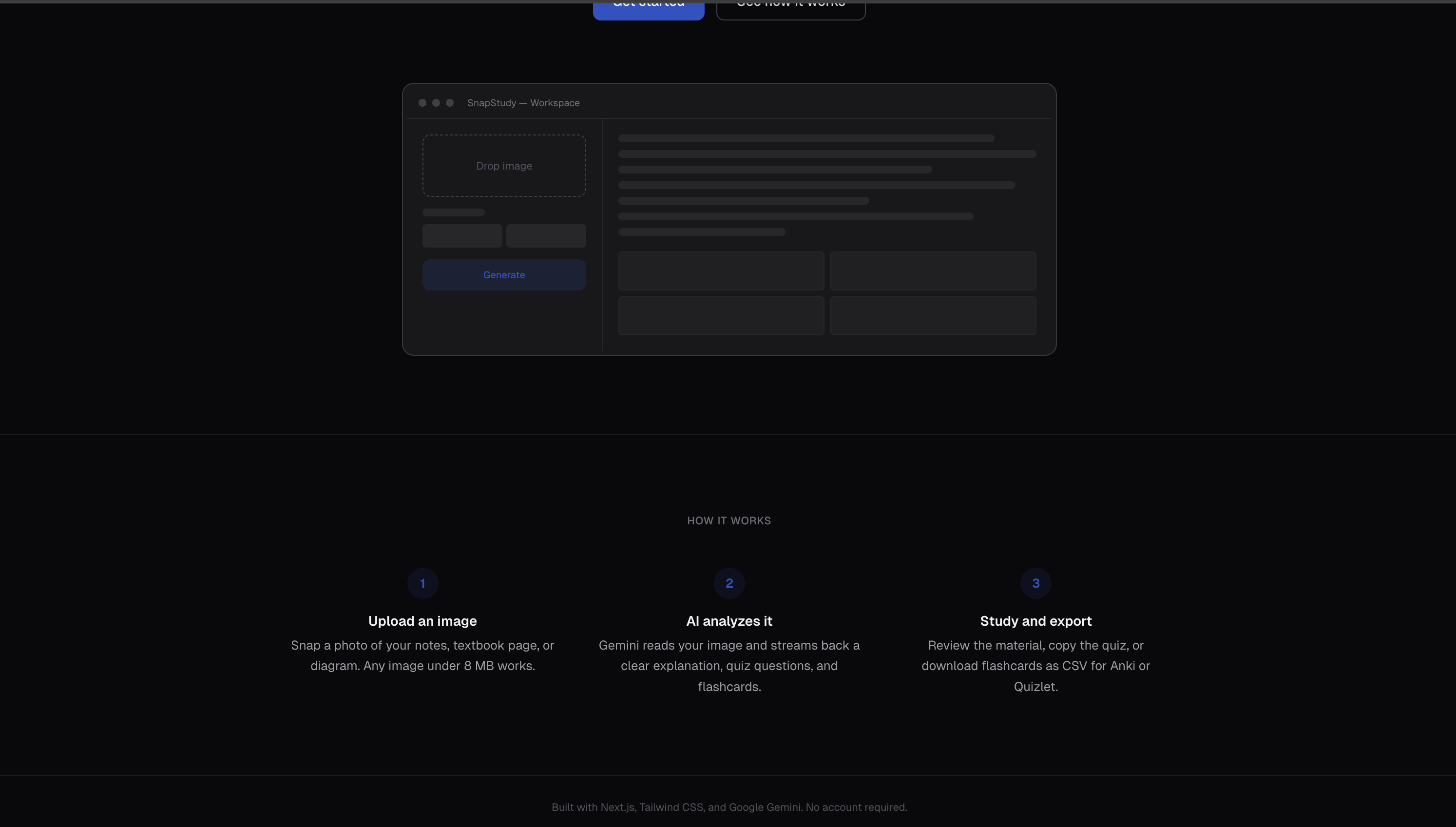
How it works
-
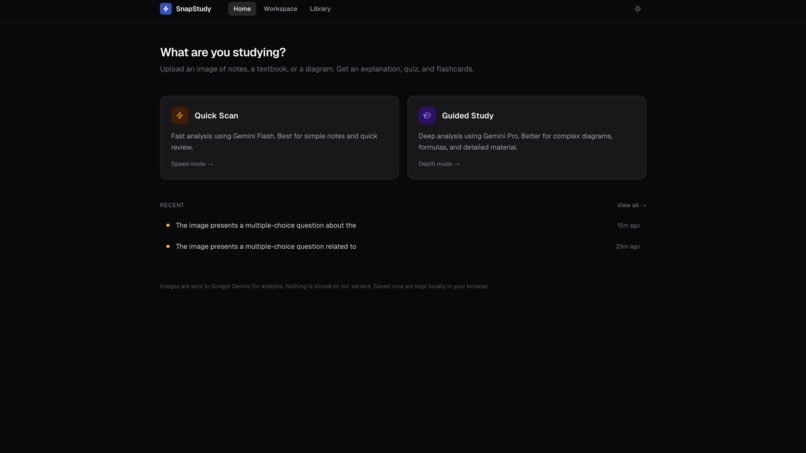
What are you studying?: Choose between a quick scan or a guided study
-
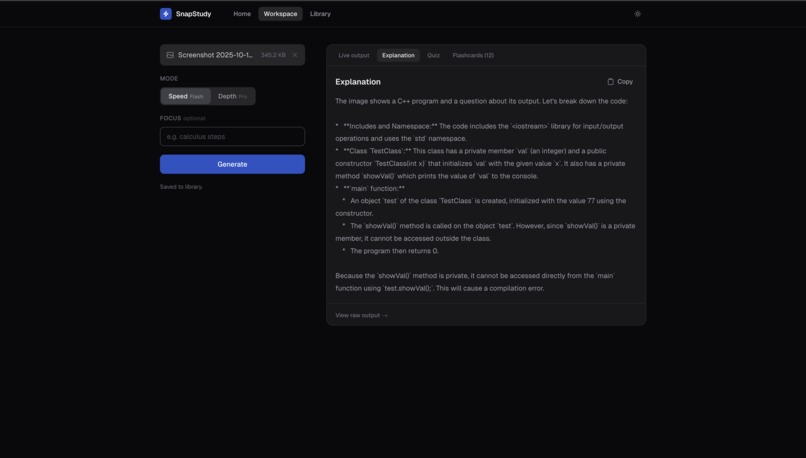
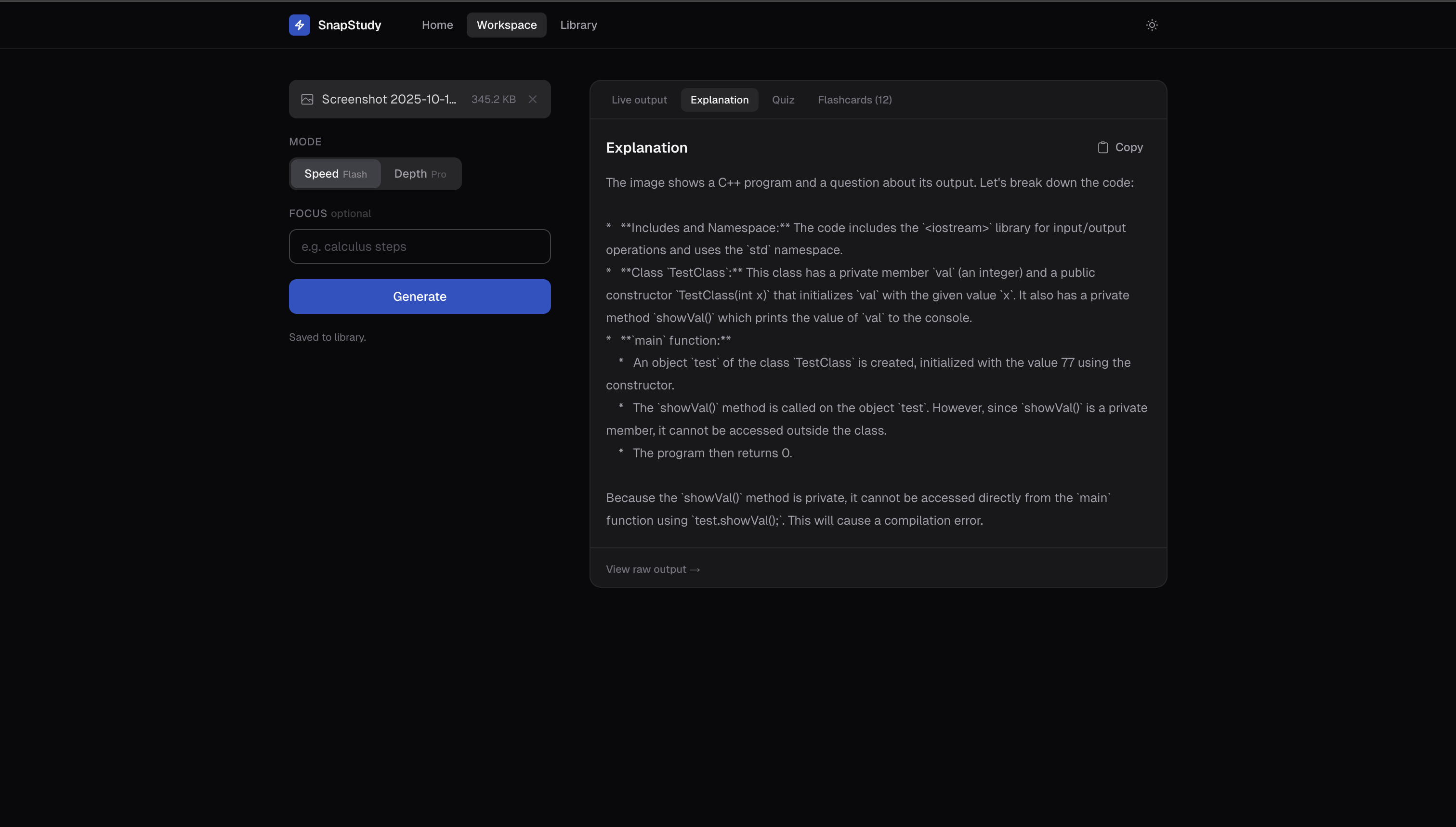
Detailed explanation, not just the answer, of the provided screenshot
-
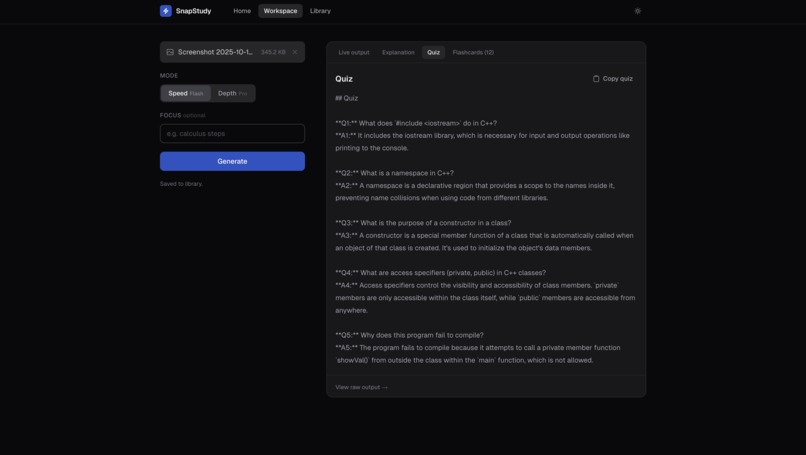
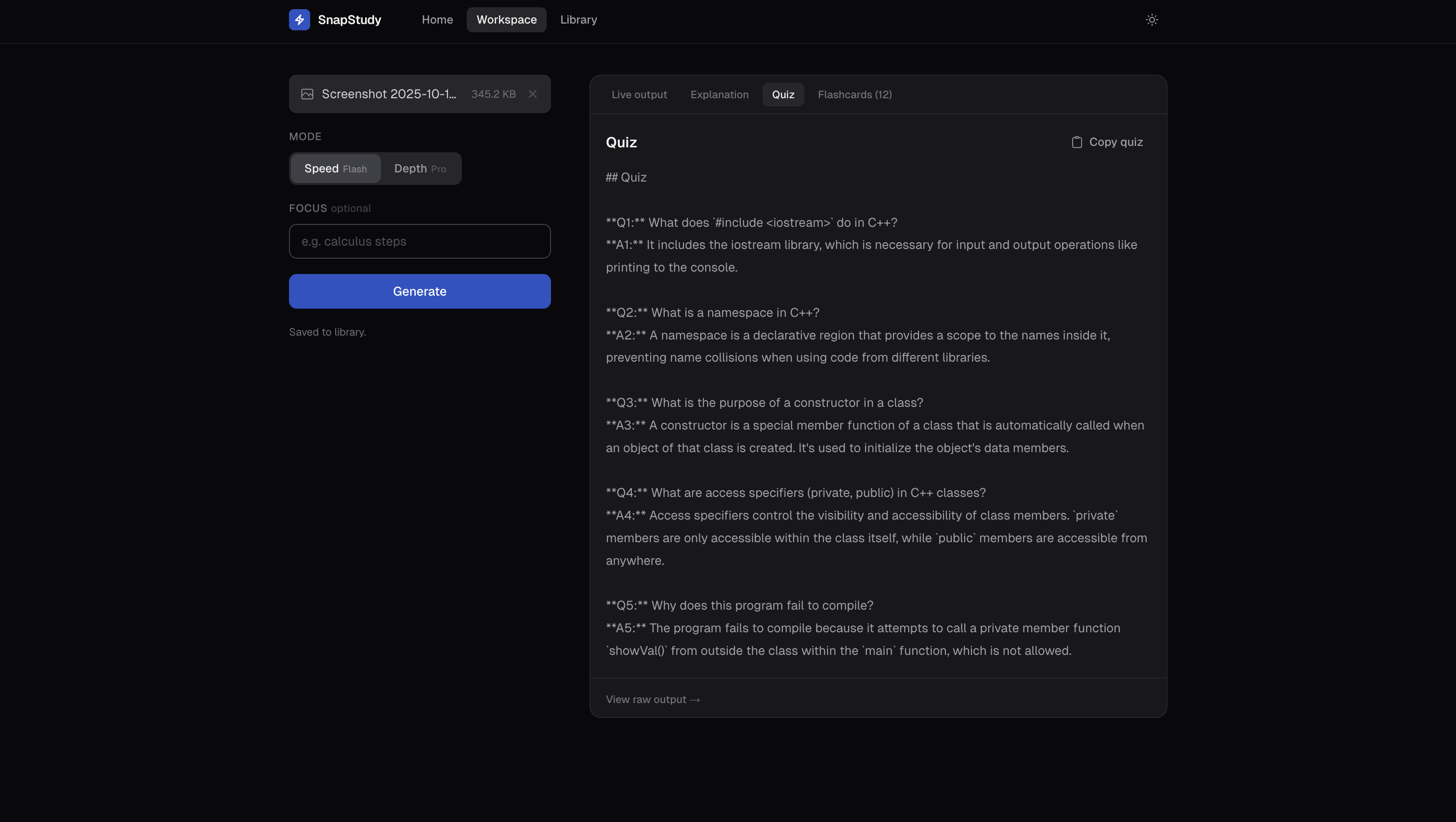
Practice quiz based on the concepts of from the screenshots, so you actually learn
-
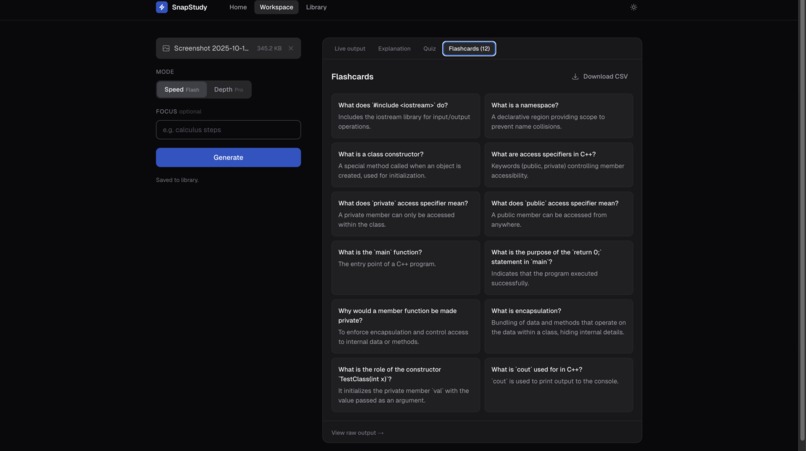
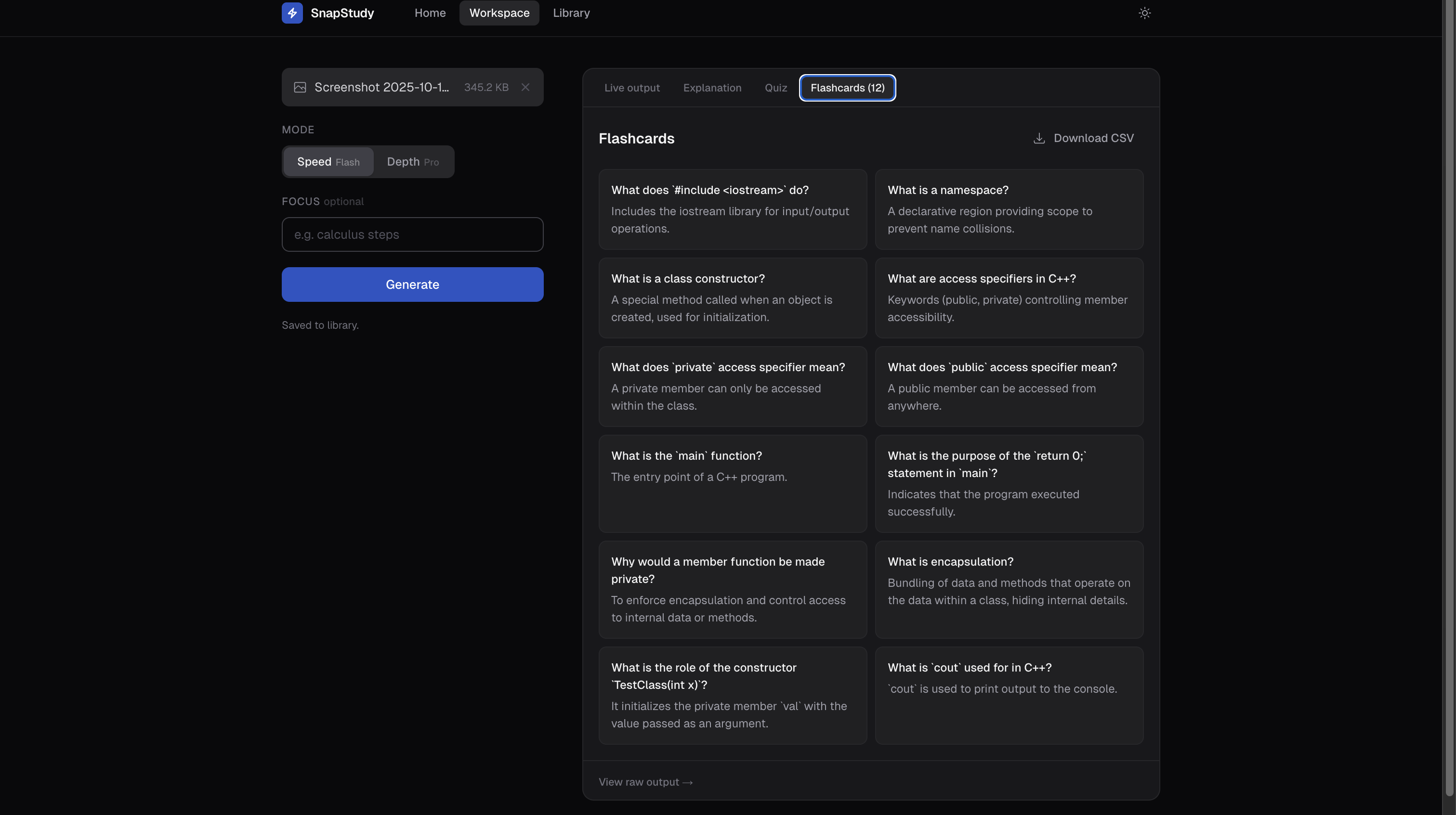
Some flashcards so you can practice your newly learned skills
Inspiration
I kept taking pictures of notes, whiteboards, and textbook pages, but the hard part was always turning that photo into something I could actually study from. I wanted a faster way to go from “I have a screenshot” to “I have a summary, practice questions, and something I can review later.”
⸻
What it does
SnapStudy turns a single image (notes, textbook pages, diagrams, or screenshots) into structured study materials: • Clear explanations of what’s in the image • A concise summary of key points • A short quiz to test understanding • CSV export for saving/sharing • A library to revisit past generations • Light/dark mode for comfortable studying
It includes two modes: • Speed for quicker output • Depth for more detailed output
⸻
How I built it • Next.js (App Router) + TypeScript for a full-stack web app • Tailwind CSS for a consistent UI system • A backend route that accepts image uploads, calls the model, and streams the response back • A workspace UI that shows results live, then lets users download CSV or copy the quiz • Deployed on Vercel, with environment variables set for production
⸻
Challenges I ran into • API key setup: the app wouldn’t work until the .env.local file was in the project root and the dev server was restarted. • Rate limits: testing quickly hit limits, so I improved error handling and encouraged Speed mode when needed. • Streaming UI states: making partial output look clean (loading → streaming → finished) took iteration. • Product flow: turning it from one screen into a real experience (welcome → onboarding → workspace → library) required reorganizing routes and navigation.
⸻
Accomplishments that I'm proud of • A complete end-to-end workflow: welcome page, onboarding, workspace, and library • Streaming output that feels fast and responsive • Export and copy features that make the output immediately useful • Production deployment on Vercel with the API key configured correctly • Clean styling with a working dark mode
⸻
What I learned • The “glue” matters: routing, UI states, and deployment are just as important as the core feature. • Small configuration mistakes can block everything, so setup needs to be simple and documented. • Streaming improves the experience a lot, but it also adds edge cases you have to handle carefully.
⸻
What’s next for SnapStudy • Accounts so users can keep a library across devices • Stronger rate limiting per user/session to prevent spam • Better diagram support and more structured outputs • Study modes like saved quiz sets and spaced repetition • More export formats (PDF, flashcards)
Built With
- api
- app
- built
- css
- gemini
- next.js
- react
- router)
- tailwind
- typescript
- vercel

Log in or sign up for Devpost to join the conversation.