-
-

-
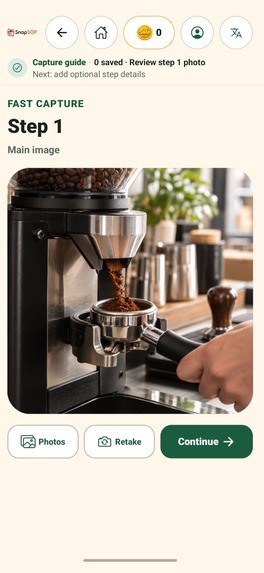
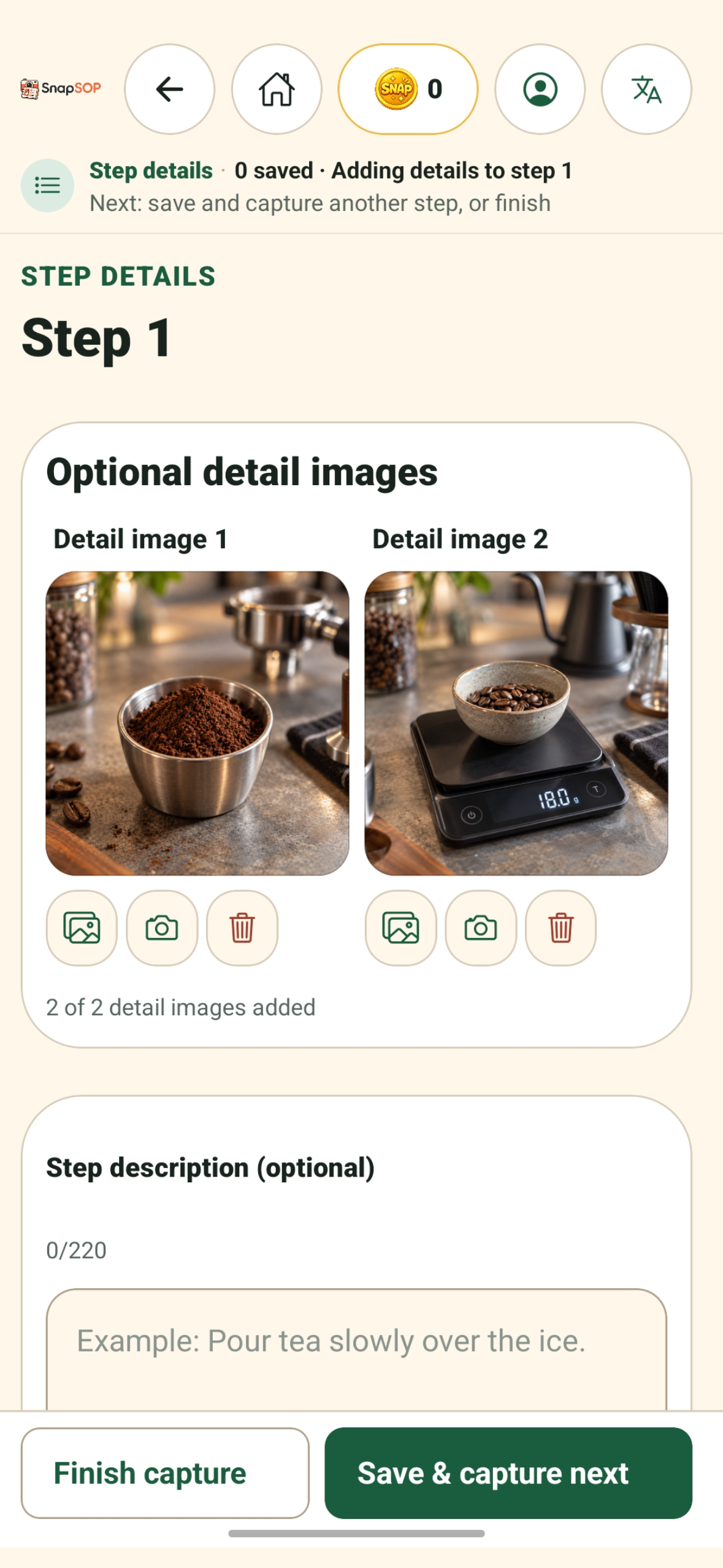
Sample process photos shown in the screenshots were AI-generated and are used only as demonstration content.
-
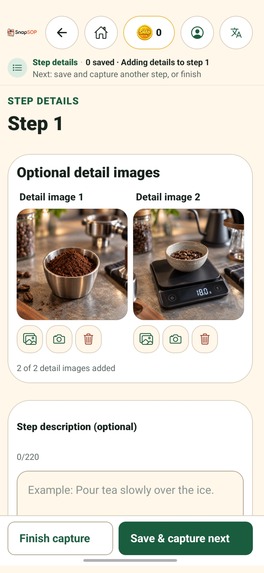
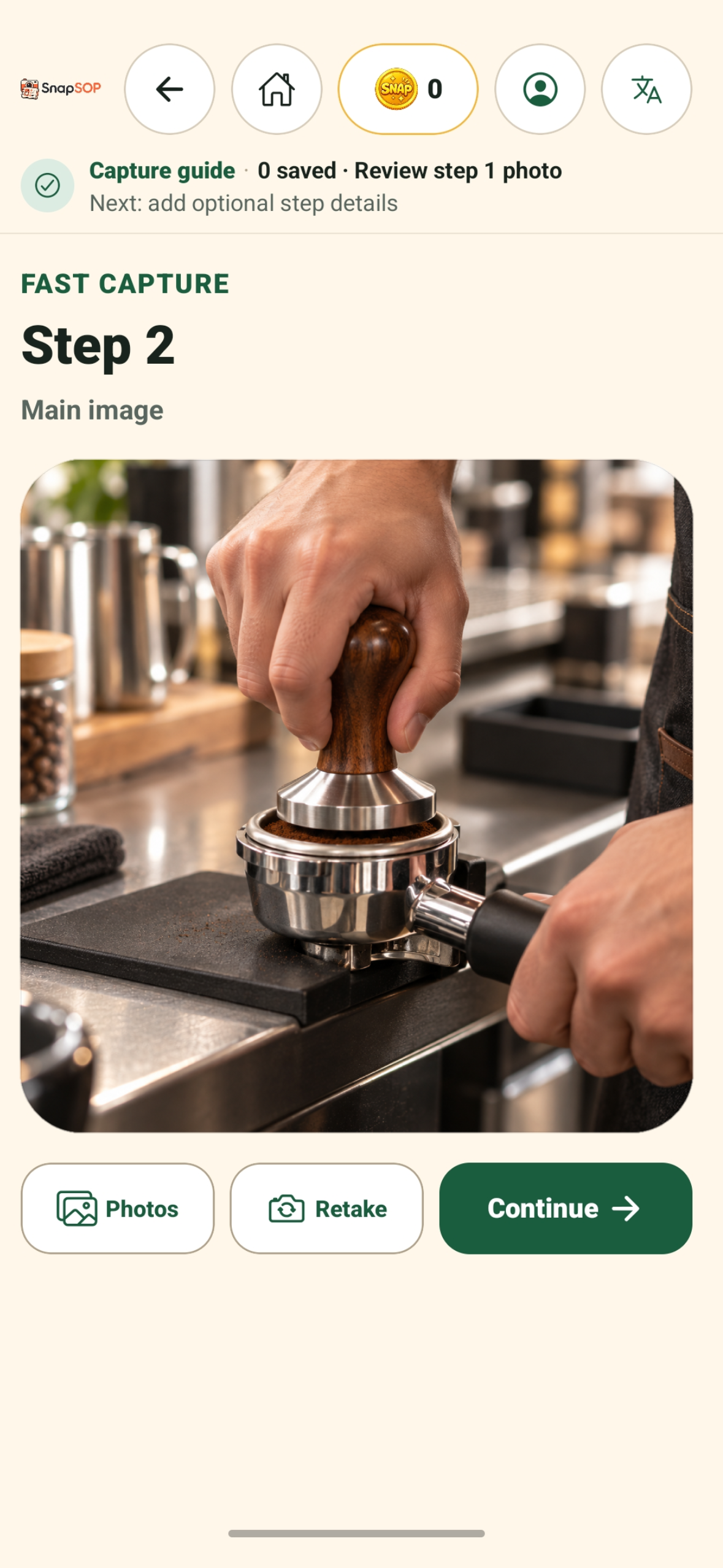
Sample process photos shown in the screenshots were AI-generated and are used only as demonstration content.
-
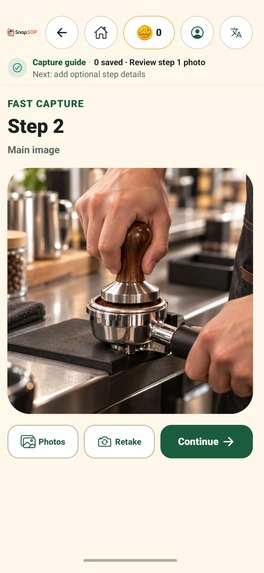
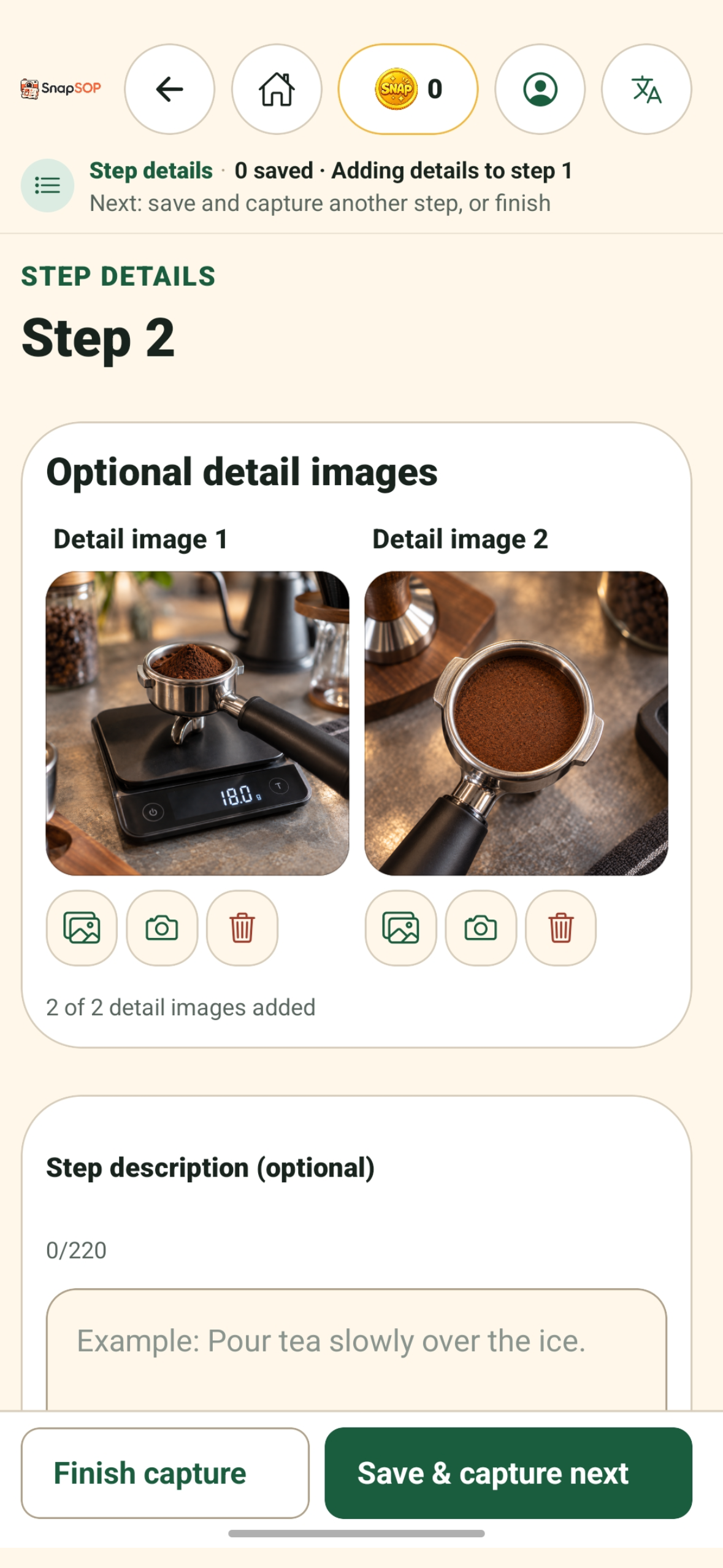
Sample process photos shown in the screenshots were AI-generated and are used only as demonstration content.
-
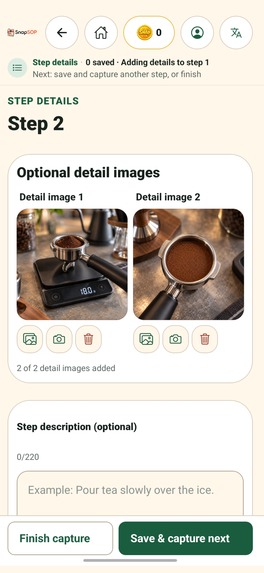
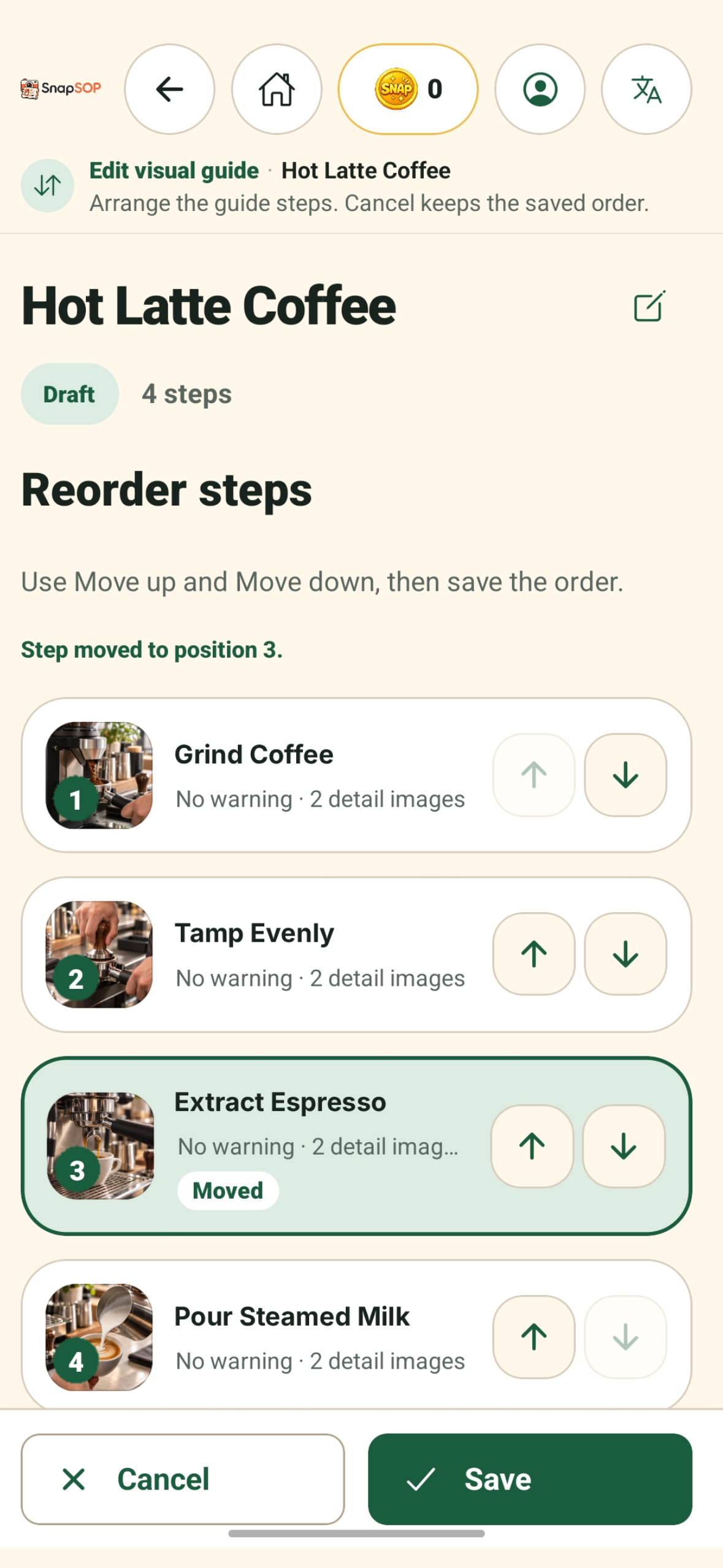
Sample process photos shown in the screenshots were AI-generated and are used only as demonstration content.
-
Sample process photos shown in the screenshots were AI-generated and are used only as demonstration content.
-
Sample process photos shown in the screenshots were AI-generated and are used only as demonstration content.
-
Sample process photos shown in the screenshots were AI-generated and are used only as demonstration content.

Inspiration
Small restaurants, cafés, drink shops, and food stalls often train new team members through live demonstrations, chat messages, or memory. Important details are easiest to capture while the work is actually happening, but documenting them afterward is slow and often incomplete.
For smaller operators, creating a formal standard operating procedure (SOP) can also feel more complicated than it needs to be — something associated with templates, consultants, or document-design work rather than everyday operations.
SnapSOP was inspired by a simple idea: documenting a real process should begin with doing the work, not writing a long document.
What it does
SnapSOP is a camera-first visual guide builder for small food and beverage businesses. It helps users capture a real task step by step and turn it into a clear, image-led guide that a team can follow.
Users can:
- Create a visual guide while performing a real task
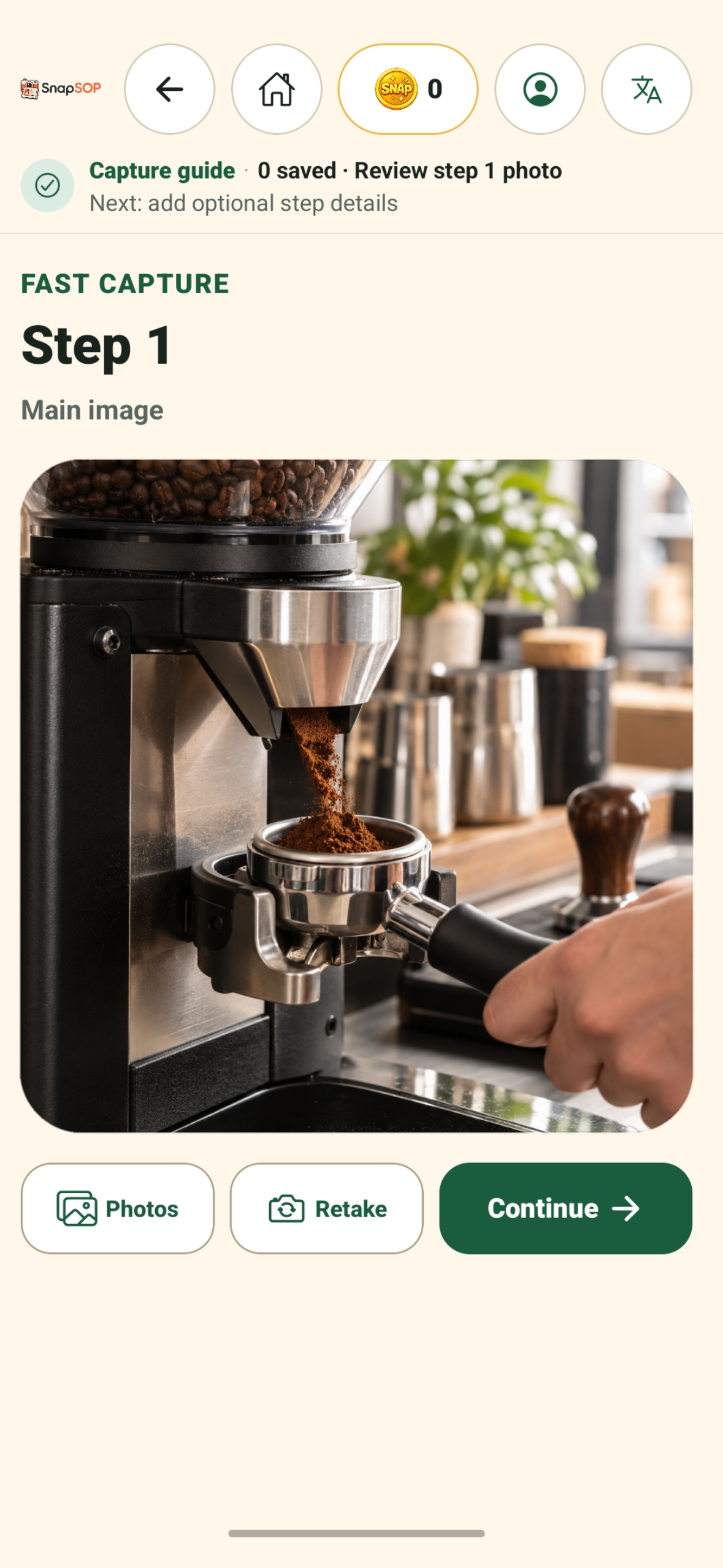
- Capture one main photo for each step
- Import selected images through Android Photo Picker without broad photo-library access
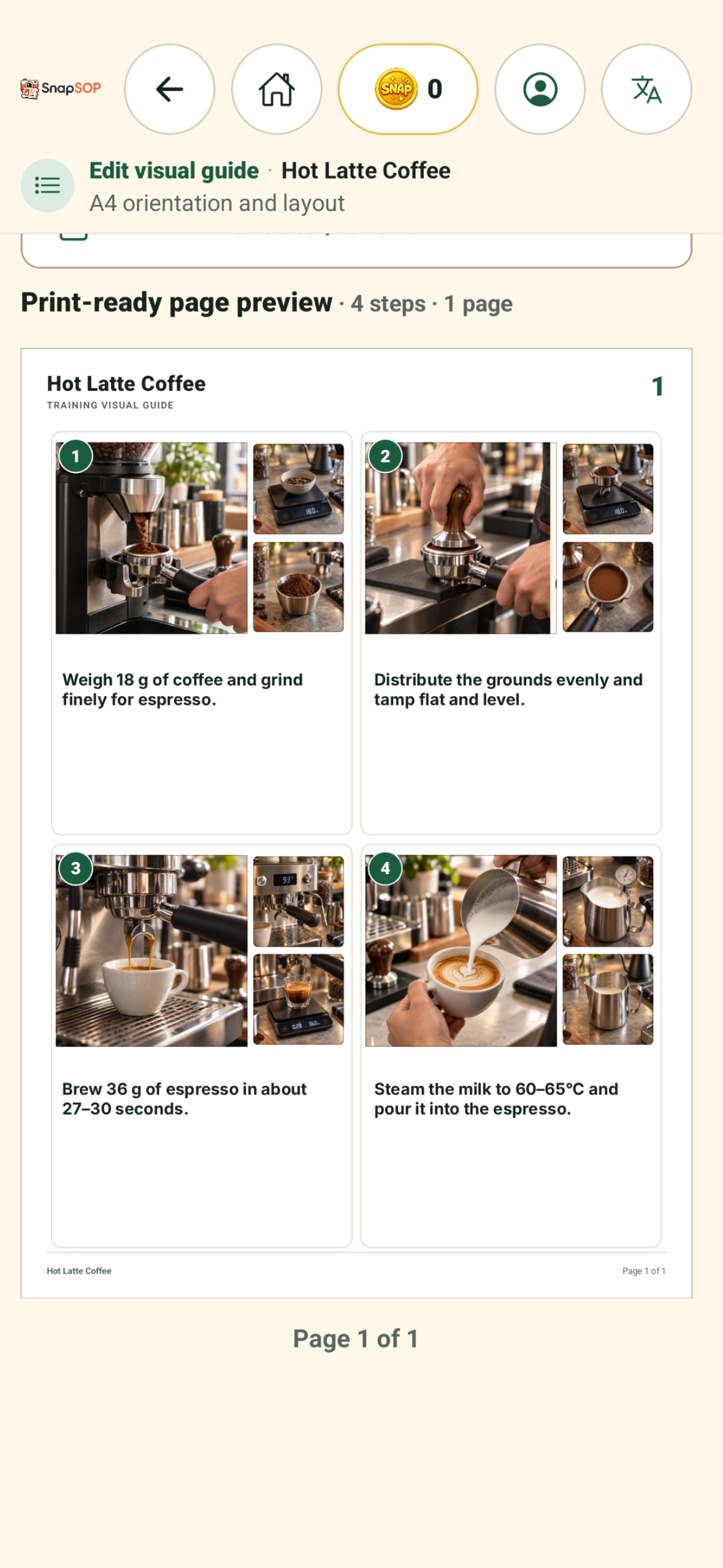
- Add up to two detail photos per step
- Add short instructions and optional warnings
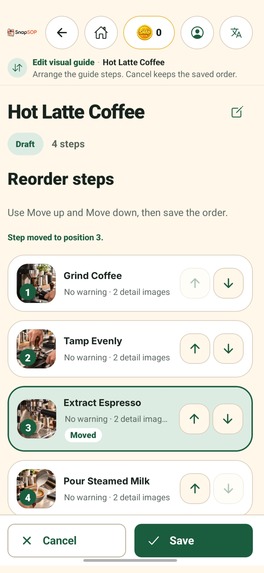
- Edit, delete, insert, and reorder steps
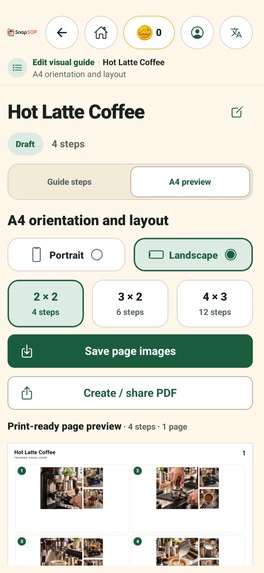
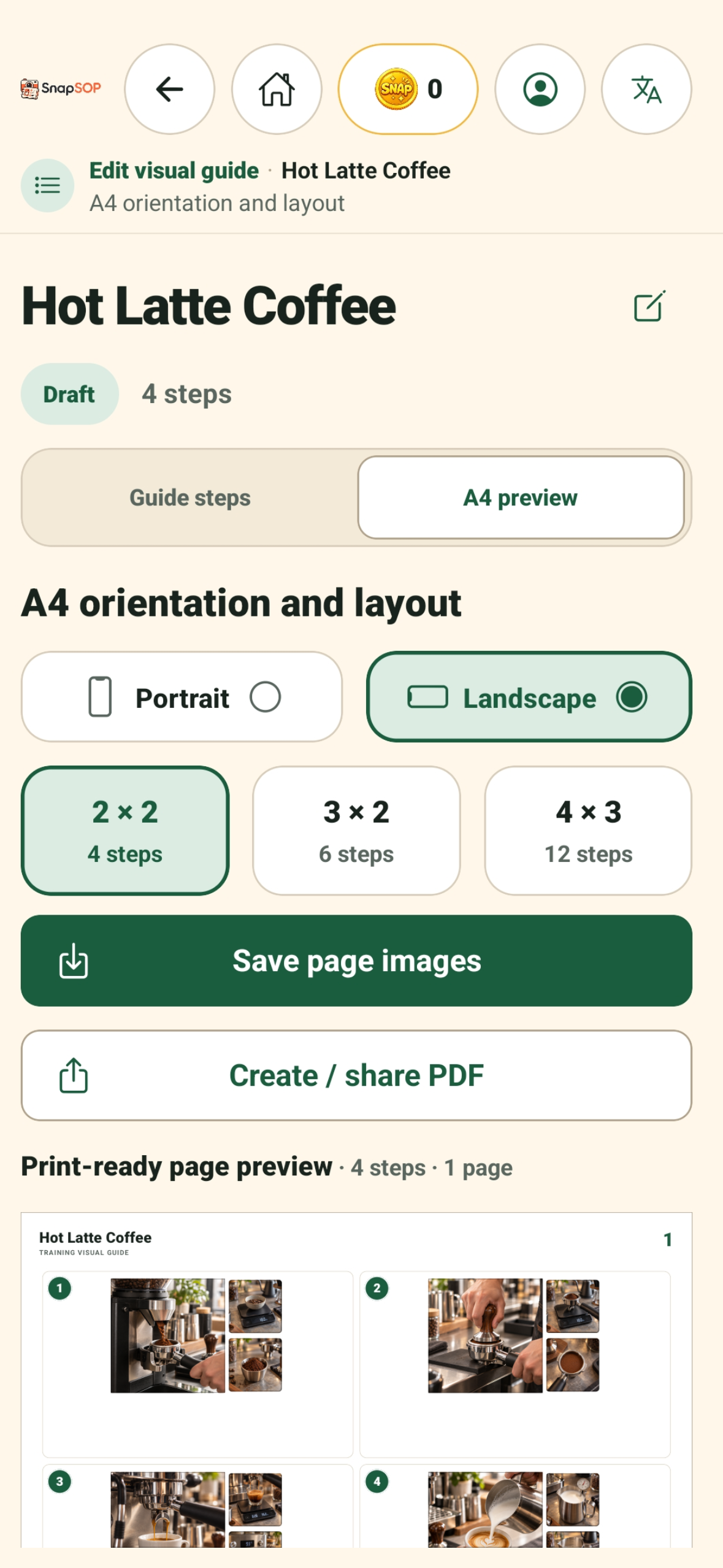
- Choose portrait or landscape A4 layouts
- Select layouts containing 4, 6, or 12 steps per page
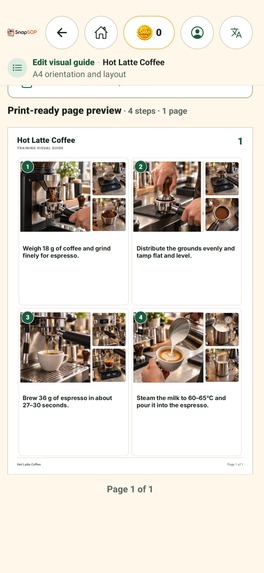
- Export page images or create a shareable PDF
Guides, photos, and exported files remain on the device unless the user explicitly saves or shares them. Optional Google sign-in links the user's SnapCoin balance and export rights to their SnapSOP account; guide content and photos are never uploaded.
Each account can export its first visual guide of up to three A4 pages for free, allowing users to test the complete creation-to-export workflow before purchasing SnapCoins. Later guide exports use consumable SnapCoins purchased through Google Play and managed with RevenueCat.
Once a guide has been unlocked to a given page count, re-exporting it at the same or a lower page count uses no additional SnapCoins. If the guide later grows, the user pays only for the additional export capacity.
Users can delete their SnapSOP account either inside the Android app or through an authenticated web deletion page. Account deletion removes cloud account, wallet, and export-right records while leaving device-only guides and files under the user's control.
How we built it
SnapSOP was built as an Android-first application using Expo, React Native, TypeScript, and Expo Router. Expo Camera powers the camera-first capture workflow, while Android Photo Picker provides privacy-scoped access to existing images.
Guide data and media are stored locally through platform-specific persistence. Supabase manages authentication, SnapCoin wallets, purchase records, and export authorization without receiving guide content or photos.
RevenueCat and Google Play handle consumable SnapCoin purchases. The backend verifies production purchase settlement before adding SnapCoins, so the mobile client cannot grant credits to itself or duplicate a purchase.
We chose consumable credits instead of a subscription because small businesses may create guides only when a process changes, a new menu item is introduced, or a new training need appears. Users pay for additional export capacity when they need it, while previously unlocked exports remain available without another charge.
The application uses stable guide and media models, reusable design tokens, deterministic A4 layout calculations, and separate platform adapters for storage, export, sharing, authentication, and billing.
Challenges we ran into
The first challenge was keeping capture fast while still supporting useful editing. SnapSOP needed to let someone document a task while performing it, so instructions remain optional, touch targets are large, and saving a step leads directly to the next capture.
The second challenge was producing reliable A4 output across portrait and landscape orientations with different step densities. Images need to remain readable, page breaks must be stable, and text must never be silently clipped.
The third challenge was separating private guide content from account-based purchases. We designed the system so guides and photos stay on the device, while only account, wallet, transaction, and export-authorization data are stored in the backend.
We also built account deletion as an end-to-end flow. It removes the cloud account and billing-related records, signs the user out, and preserves local guides unless the user chooses to erase them.
Accomplishments that we're proud of
- Built a camera-first workflow that follows the real order of work
- Created a visual guide editor with step insertion, editing, deletion, and reordering
- Added portrait and landscape A4 layouts for 4, 6, and 12 steps per page
- Added local page-image and PDF export
- Preserved local-first storage for guides and photos
- Integrated Google authentication with server-authoritative SnapCoin wallets
- Integrated consumable purchases through RevenueCat and Google Play
- Implemented privacy-scoped photo import with Android Photo Picker
- Implemented account deletion in both the app and authenticated web flow
- Launched SnapSOP publicly on Google Play after testing the Android release on a physical device
What we learned
We learned that the most useful workflow for small businesses starts with the task itself, not with a blank document. Short instructions supported by clear images can be more practical for everyday training than long procedural documents.
We also learned that local-first content and account-based monetization can coexist when their boundaries are explicit. Users can keep operational photos private on their device while purchases and export rights remain recoverable through their account.
Finally, purchase and deletion flows need the same attention as the main creative workflow. Reliable settlement, idempotent operations, clear retry states, and honest explanations are essential when an app handles paid credits and account data.
What's next for SnapSOP
Our immediate next step is learning from the public Google Play release and feedback from people creating real visual guides. We will use that feedback to refine capture, editing, export, and the first-guide experience.
A major direction for SnapSOP is making documentation even easier while the work is happening. We plan to add voice recording and voice-to-text so users can speak instructions, details, or warnings while performing a task instead of stopping to type them.
We also plan to explore an optional AI Assistant that can help turn those captured notes into a more polished, consistent, professional-quality SOP. The assistant could improve wording, organize instructions, highlight unclear or missing information, and help prepare the final guide for practical use. AI suggestions would always remain reviewable and editable by the user before export.
Another planned area is optional cloud backup and sync. SnapSOP is local-first today, which keeps operational content private and under the user's control, but it also means guides can be lost if a device is lost, replaced, or damaged. A future cloud option could let users securely back up guides, restore them on a new device, and eventually keep selected guides synchronized across devices.
AI assistance and cloud storage may become optional paid services in future releases. Pricing and packaging are not yet defined. The existing camera-first guide creation, local storage, and SnapCoin-based export workflow would remain usable without requiring either service.
Any future voice, AI, or cloud feature will be designed with clear user control over what content leaves the device. SnapSOP will not silently upload locally stored guide content or photos.
Other future improvements may include more visual-guide templates, stronger recovery tools, improved sharing options, refined localization, and additional polish for tablets and larger screens.
SnapSOP will continue to focus on helping small teams capture real work quickly, create highly visual training material, and retain control of their operational content.
Built With
- expo.io
- react-native
- revenuecat
- supabase
- typescript

Log in or sign up for Devpost to join the conversation.