-
-
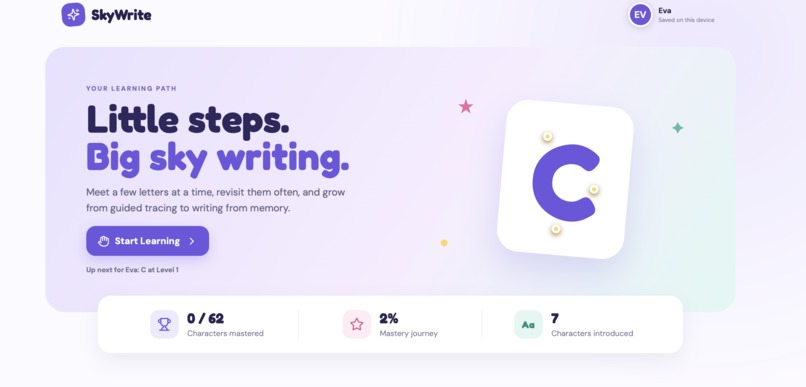
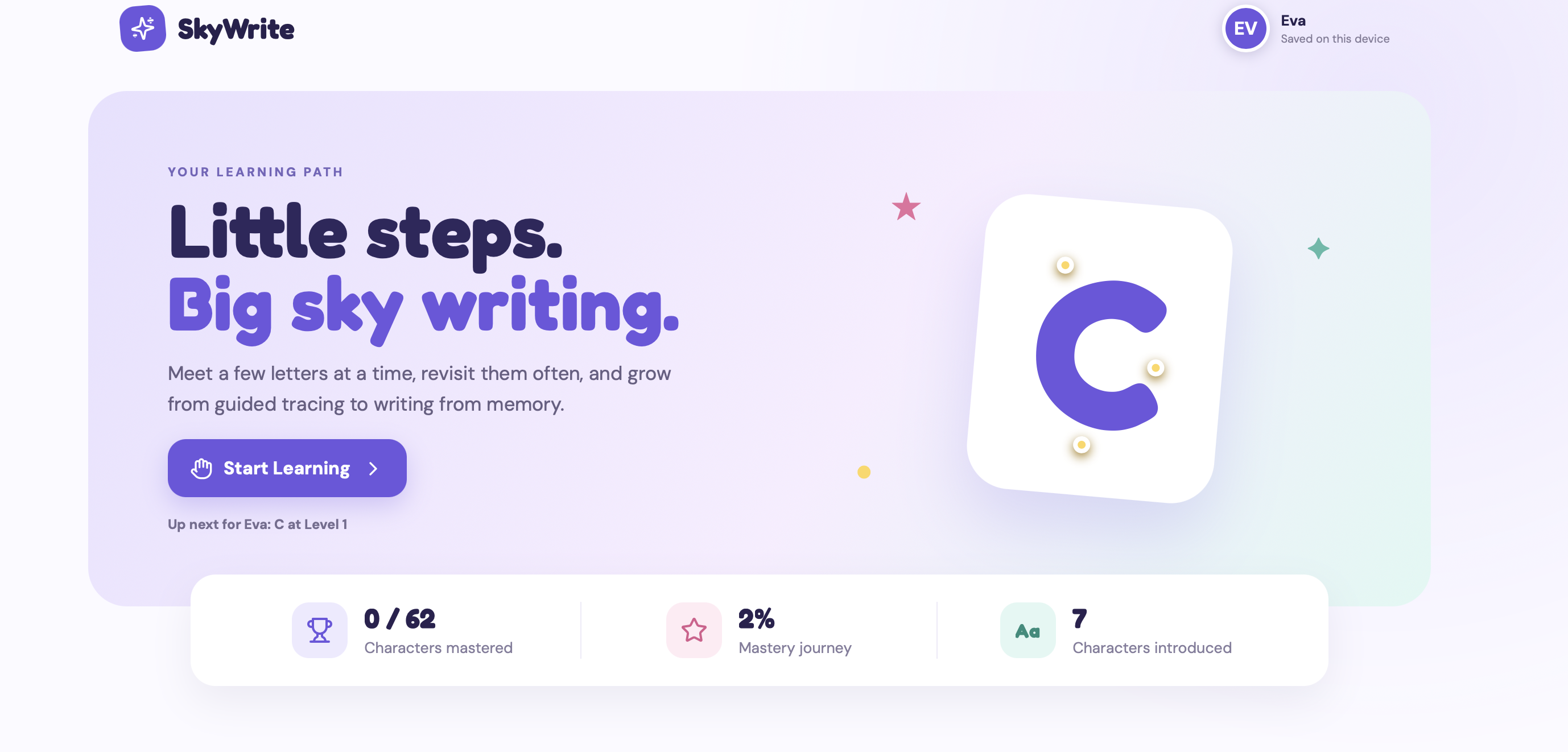
front page
-
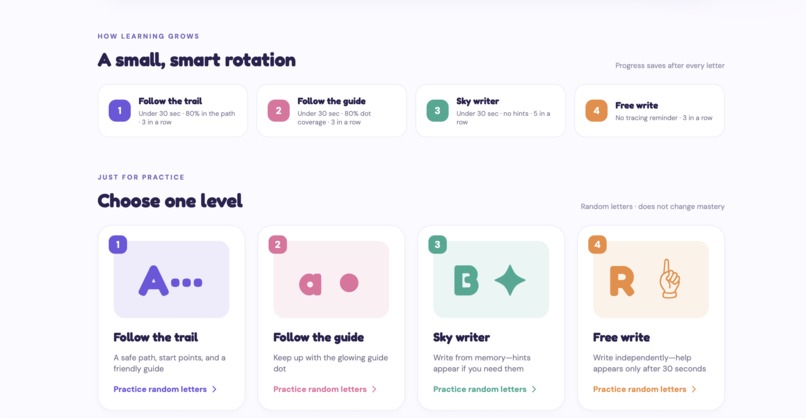
Level outlines
-
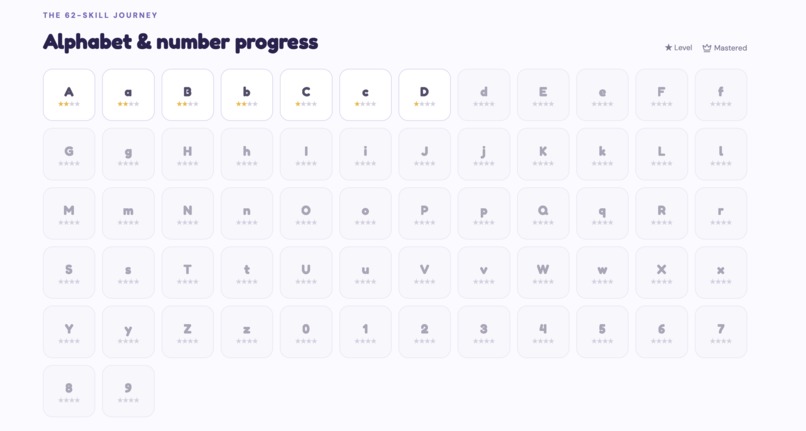
mastery tracker
-
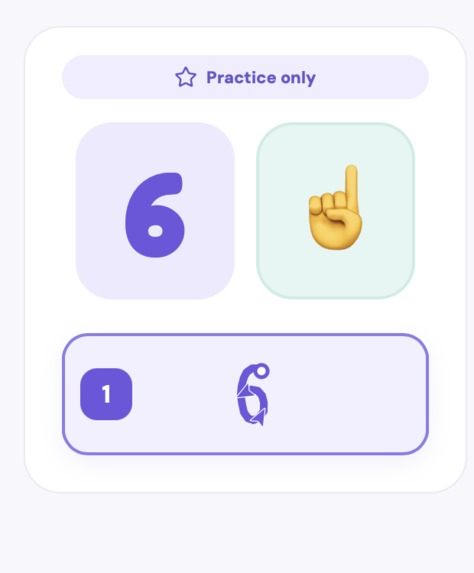
helpful hints
-
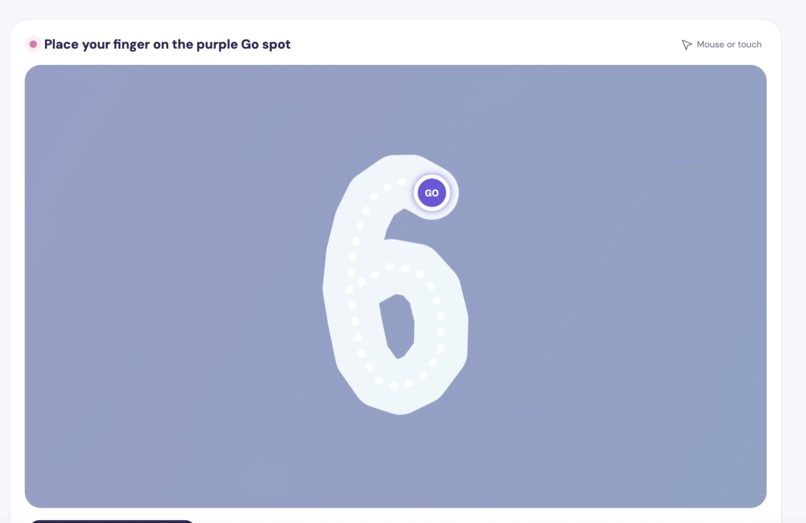
guided learning
-
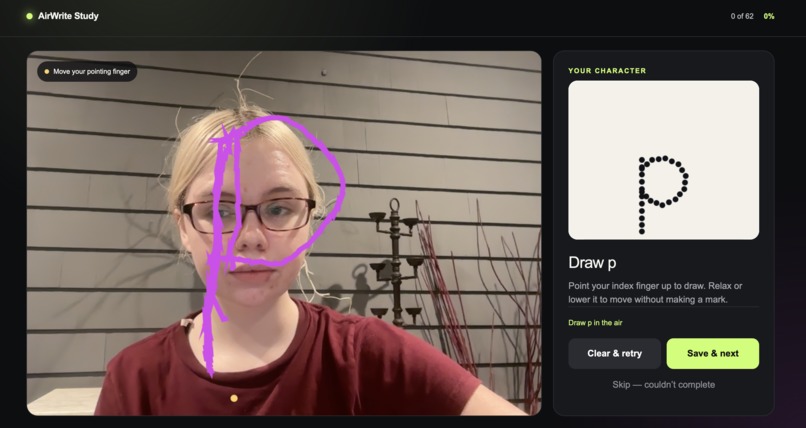
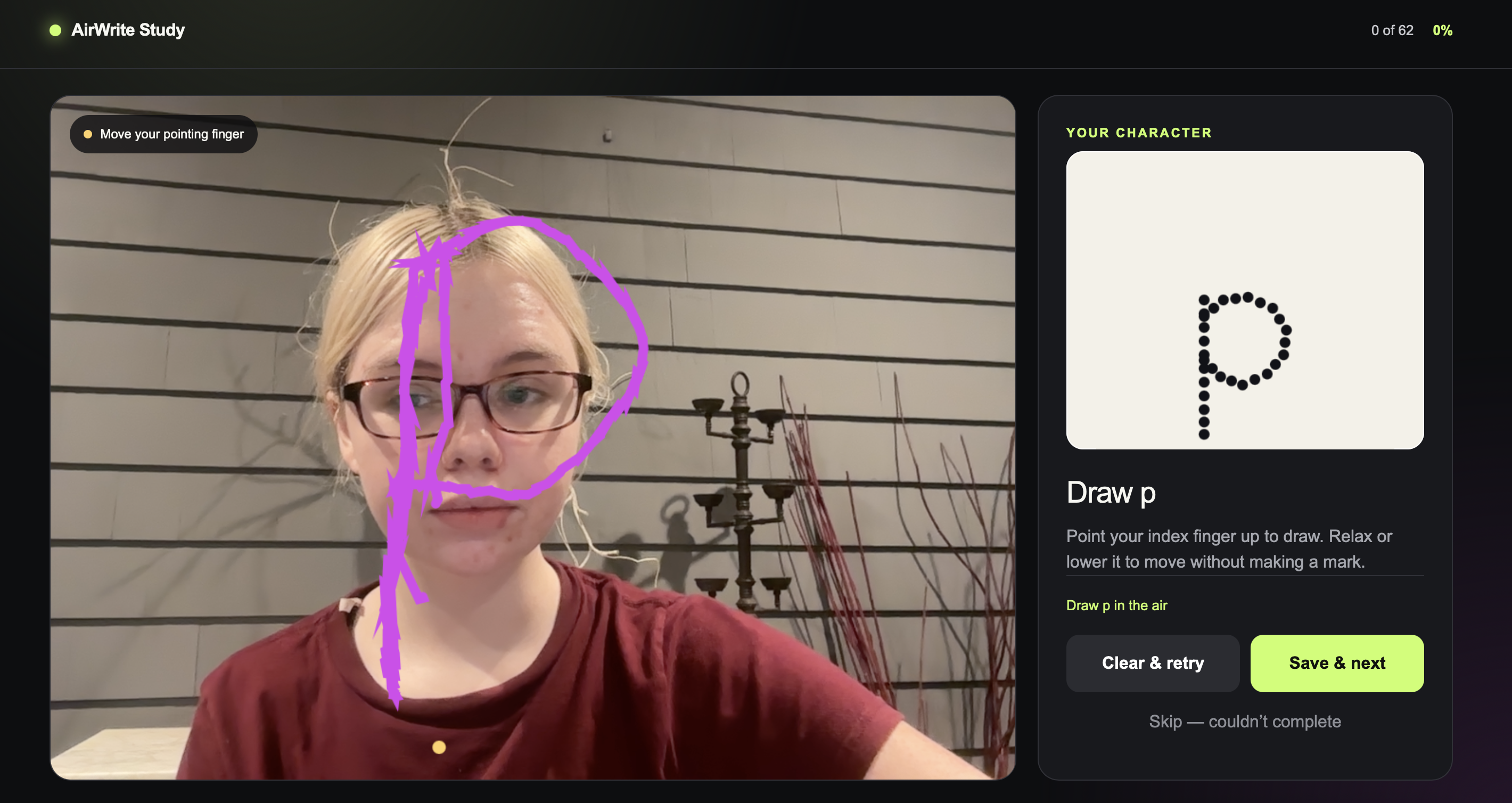
web app used to generate data for model training
-
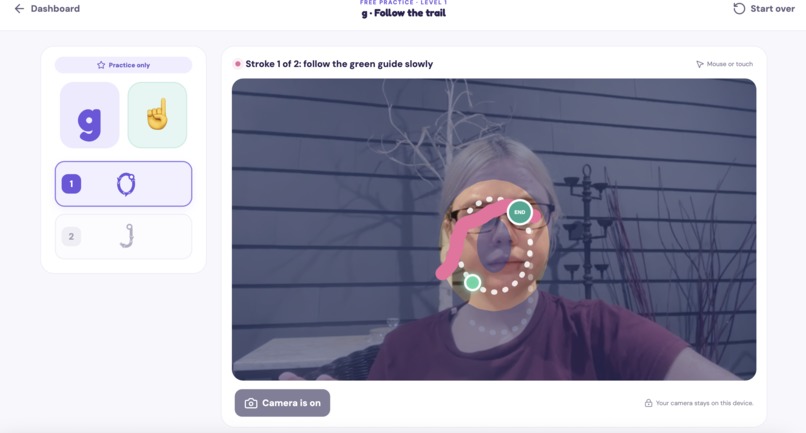
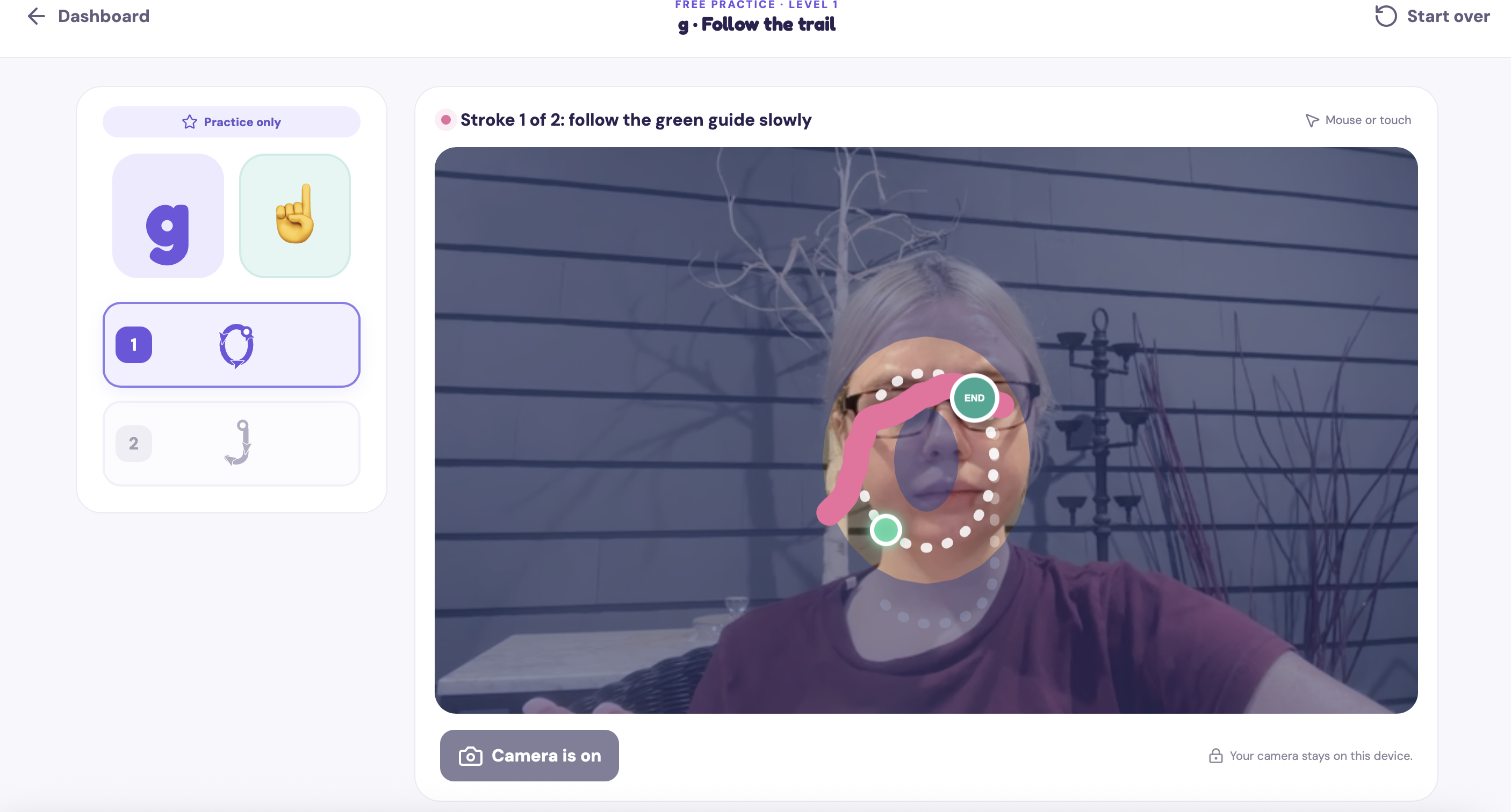
trace letters with guidelines and stroke endpoints
Inspiration
One week before the hackathon deadline, I was working on an entirely different project, and had already built most of it. Then I remembered a computer-vision experiment I had created several months earlier and realized it could become something much more meaningful.
Outside of my full-time job, I spend around 20 hours each week tutoring students of different ages and abilities. Some of my students have autism, ADHD, or dyslexia and can find it especially difficult to connect the letters they see with the physical movements required to write them. Many younger students also experience handwriting practice as repetitive, frustrating, or difficult to remember.
I had previously experimented with MediaPipe to build a local hand-gesture program for two of my students. That project introduced me to the potential of air writing: a multi-sensory technique that connects letter recognition with large physical movements.
The original experiment worked great for my students, but it remained on my computer like many of my machine-learning projects. For this hackathon, I decided to transform it into SkyWrite: an accessible web application that helps children build handwriting skills through movement, visual guidance, computer vision, and adaptive practice.
What it does
SkyWrite lets children practice handwriting by holding up their index finger and writing letters or numbers in the air. MediaPipe detects the child’s hand through the device’s front-facing camera, while SkyWrite compares the movement with structured stroke paths.
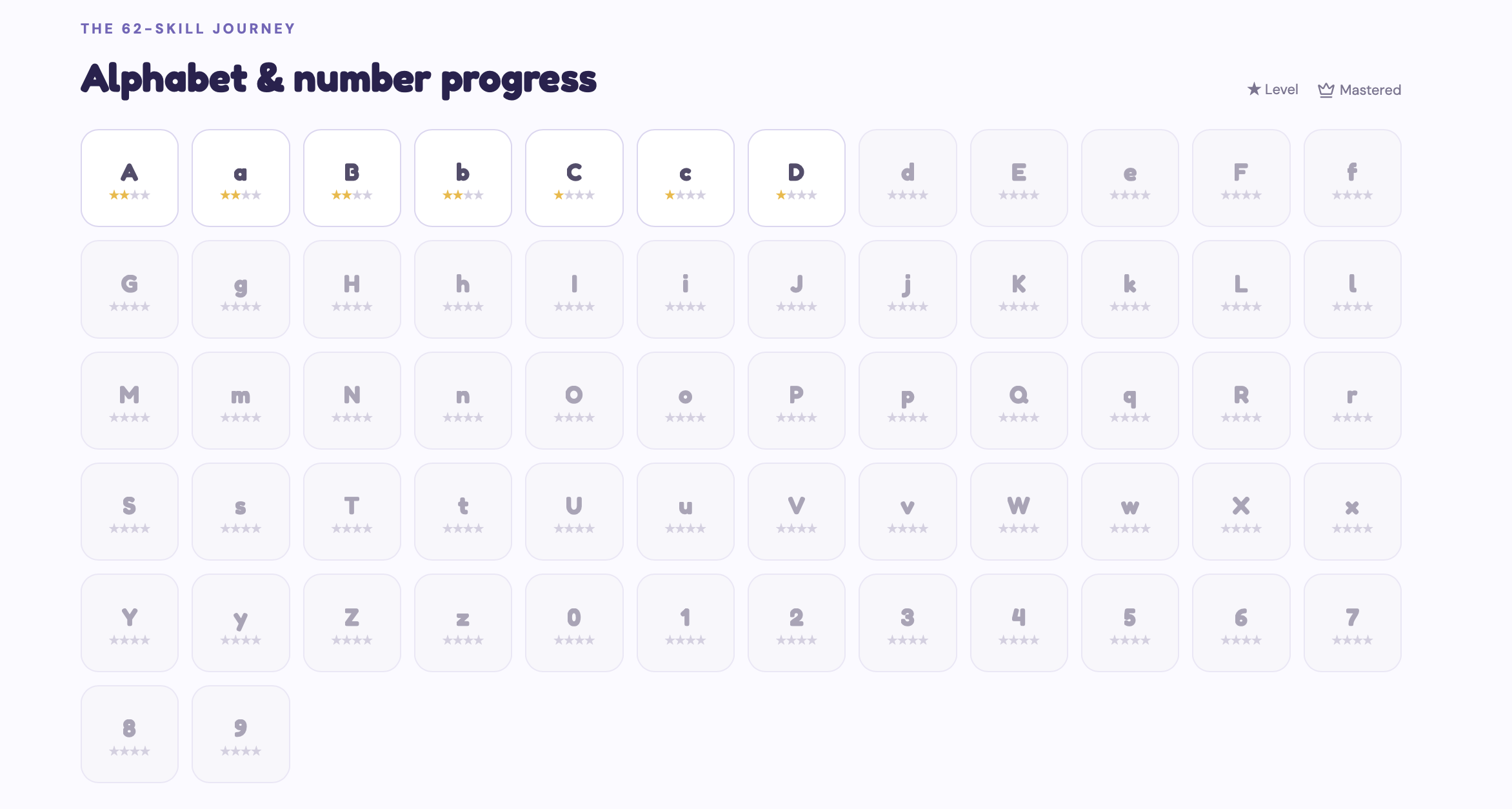
The application includes all 62 uppercase letters, lowercase letters, and digits in the sequence:
A, a, B, b, ... Z, z, 0, 1, ... 9
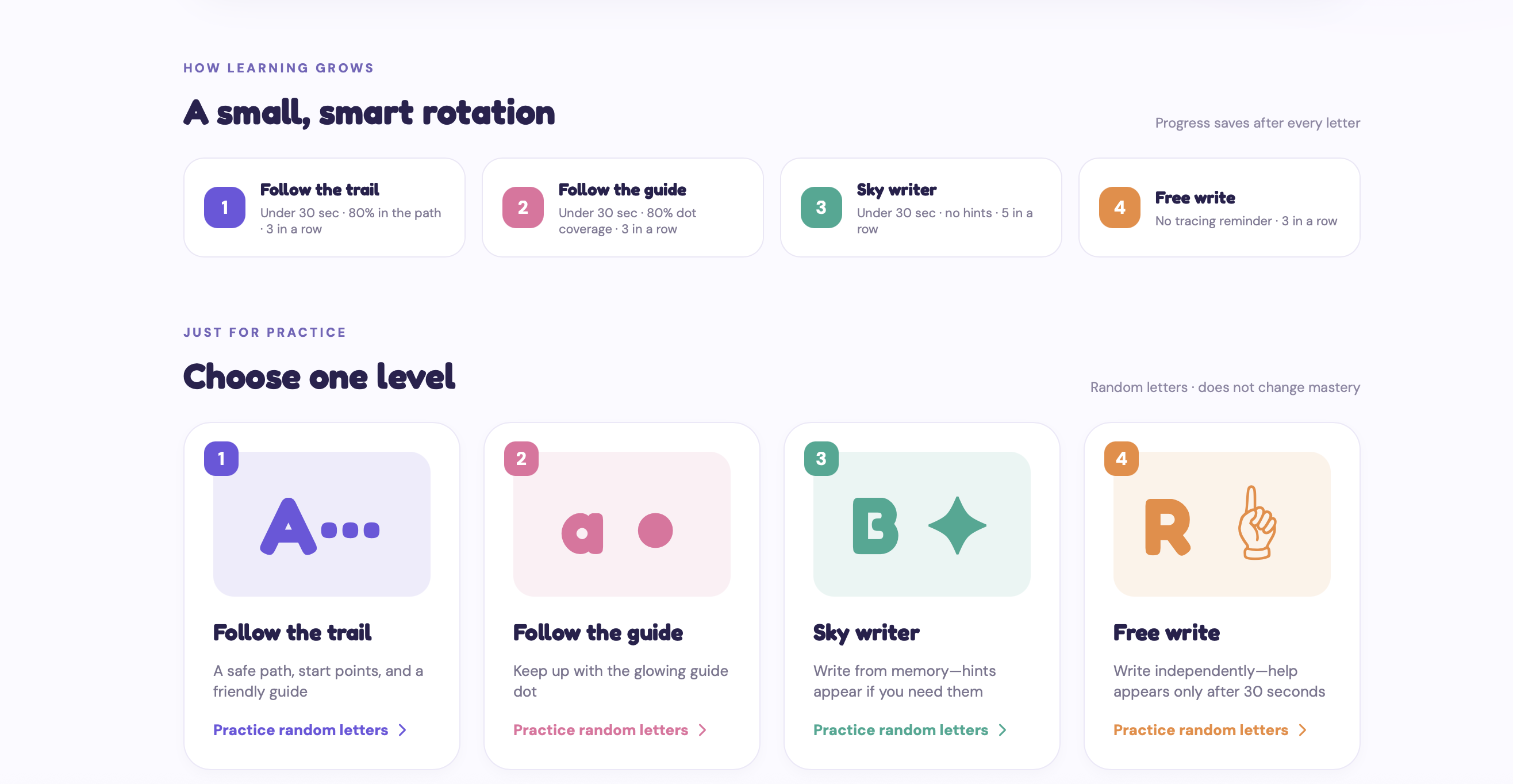
SkyWrite provides three progressively more challenging levels:
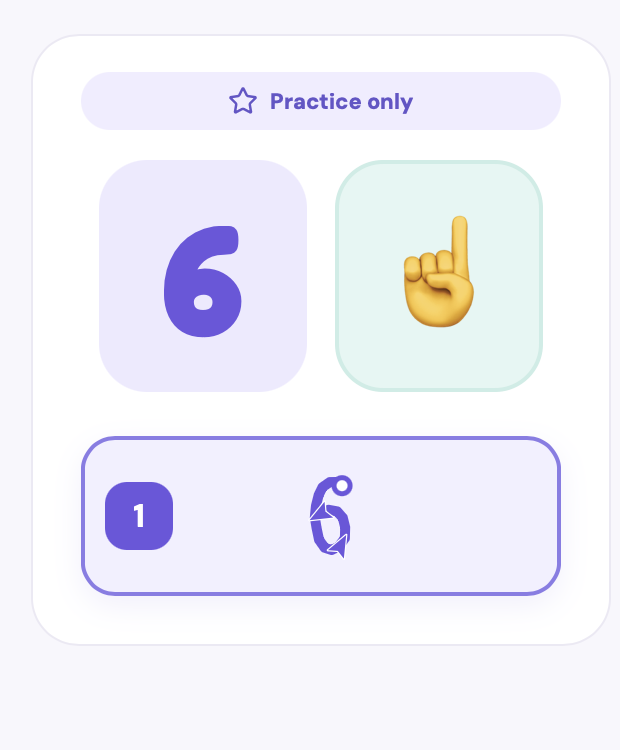
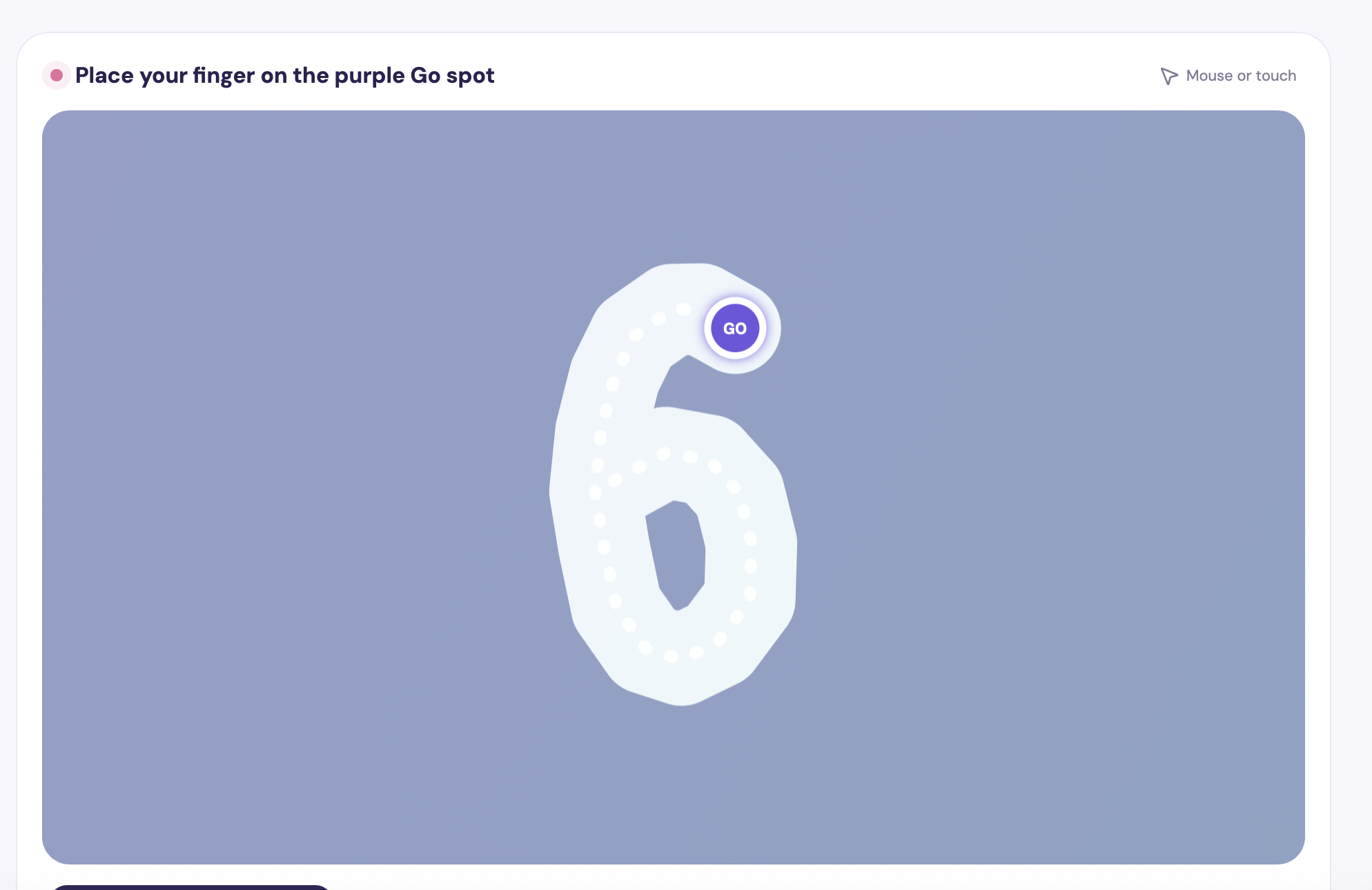
- Level 1 — Follow the Trail: Students receive a shaded tracing corridor, start and end points, and a guide dot that stays slightly ahead of their finger.
- Level 2 — Follow the Guide: The shaded corridor disappears, but the dotted letter, stroke endpoints, and guide remain.
- Level 3 — Sky Writer: Students write from memory. If they struggle, hints gradually appear after ten-second intervals.
- Level 4 — Free Write: Students write from memory and with no guidance. If they struggle, a traceable letter with guidelines appears after thirty seconds.
The Start Learning mode creates a small adaptive rotation rather than asking a child to complete all 62 characters at one level before progressing. It begins with a manageable group such as A, a, B, b, revisits earlier characters, and introduces new ones gradually.
A strong Level 1 or Level 2 performance must be demonstrated three consecutive times before that character advances. Level 3 requires five fast, hint-free performances before moving up, and level four requires 3 independent attempts to achieve mastery.
Students can also select an individual level for unlimited random practice. These sessions do not affect their mastery record, allowing children to explore without pressure.
How I built it
SkyWrite began with local Python prototypes, dotted letter images, and JSON files describing the correct stroke paths for each character. I had already designed the educational structure of the three levels, so preserving their timing, guidance, and progression was extremely important.
The web application was built with:
- React and TypeScript
- Vite
- MediaPipe Tasks Vision and Hand Landmarker
- HTML5 Canvas
- Browser camera and MediaDevices APIs
- Local browser storage
- Vercel and GitHub
- OpenAI Codex as a development collaborator
- PyTorch to train the custom ML model
MediaPipe identifies the index-finger position directly in the browser. SkyWrite smooths those coordinates to reduce camera jitter, maps them onto the tracing canvas, and checks whether the child is moving near the correct path and in the correct direction.
Each letter is divided into its intended strokes. The tracing engine requires the student to begin at the correct starting point, follow the stroke, and fully reach its endpoint before advancing. One-second pauses between strokes give the child time to process what they have completed.
The adaptive learning engine records completion time, tracing accuracy, dot coverage, hint use, current level, and consecutive strong attempts. It then selects the next appropriate challenge by balancing new characters, previously attempted characters, skills close to leveling up, and skills that need additional practice.
Codex helped me translate my original computer-vision prototypes and stroke files into a deployable web experience while preserving the learning structure I had designed.
Challenges we ran into
One of the biggest challenges was translating a local machine-learning prototype into a responsive browser application without losing its educational effectiveness. A technically functional tracing exercise is not automatically a useful learning experience.
Small details mattered enormously. Camera footage initially appeared compressed. Hand tracking was shaky. The guide dot sometimes moved too quickly, especially on downward strokes. Transitions between strokes could feel abrupt and overwhelming. The program also had to distinguish between intentional forward movement and simply coloring or scribbling inside a letter.
Designing for children introduced additional constraints. Many students using SkyWrite cannot yet read instructions, so I replaced written stroke descriptions with visual diagrams, directional arrows, start circles, endpoint circles, and color changes. Completed writing also remains visible so children can see how their individual movements formed the final letter.
Another challenge involved free-form handwriting. Young children naturally create accidental marks, uneven shapes, and incomplete strokes. I wanted to create a level that provided no guidance and was purely based on what a student was drawing, but the tracking technology tends to interpret accidental marks and mid-stroke movements as mistakes. Creating a Level 4 that was accurate to a student's intended strokes but also measuring for correctness would require training a machine learning model to distinguish the difference between extraneous marks and genuine errors. Suitable raw finger-movement datasets were difficult to find, and the issue of categorizing detected strokes emerged as a recurring problem across many projects and studies in which finger movements were tracked like a pen.
To address that problem, I created a separate web-based data-collection experience for all 62 characters and shared it with friends, family, neighbors, and volunteers. Making the project web-accessible transformed data collection from a major obstacle into something I could begin accomplishing within a day. That dataset is now the foundation for an experimental free-writing recognition model. I tuned the model around prioritizing the learned orders of letter strokes and frequently encountered extraneous marks per letter.
If you would like to check out the data collection tool or potentially contribute to the data, please click below! I hope to further expand and improve upon the model's accuracy. The project was first called AirWrite!
Accomplishments that I am proud of
I am especially proud that SkyWrite:
- Supports all 62 uppercase letters, lowercase letters, and numbers.
- Preserves the educational structure of my original tracing exercises.
- Runs computer-vision hand tracking directly in the browser.
- Provides four genuinely distinct levels of scaffolding.
- Uses objective performance measurements instead of advancing students after one completion.
- Introduces new characters gradually while continuing to strengthen earlier skills.
- Keeps the child’s camera processing on the device.
- Gives students unlimited, pressure-free practice outside the mastery system.
- Can be opened through a link instead of requiring a local Python environment.
- Turned one of my previously isolated ML experiments into something students can actually use.
What I learned
This project taught me that deploying machine learning can be just as important as building the model itself. A powerful local prototype has limited impact if students, teachers, or volunteers cannot access it.
I learned how to integrate real-time computer vision into a React application, translate normalized gesture coordinates onto a responsive canvas, smooth noisy movement without introducing excessive lag, and design progression rules around measurable performance.
I also learned how much thoughtful iteration matters when building educational technology. A slightly faster guide dot, an unclear arrow, or an abrupt transition might seem like a small interface issue, but it can completely change how a young learner experiences the exercise.
Most importantly, SkyWrite expanded my idea of what I can build. My previous machine-learning work was often limited to spreadsheet analysis, offline models, and local experiments where data was typically pre-provided and the model was used only for personal exploration. Working with Codex helped me connect those skills to web development, deployment, data collection, and a much larger potential audience.
What's next for SkyWrite
The next major goal is to develop and validate Level 4 even more, where students write more freely and the model predicts their intended character even when the drawing contains accidental marks or imperfect strokes.
I would also like to add:
- More security and personal profiles
- Personalized timing and motor-skill accommodations
- Explore how this technology could help children learn how to spell and read!
My long-term vision is for SkyWrite to become more than a tracing game. I want it to be an accessible learning companion that helps children connect movement, memory, and language.
Built With
- accessibility
- adaptive-learning
- artificial-intelligence
- browser-based-ai
- computer-vision
- css3
- educational-technology
- gesture-recognition
- github
- hand-landmarker
- html5
- javascript
- localstorage
- lucide-react
- machine-learning
- mediadevices-api
- mediapipe
- mediapipe-tasks-vision
- openai-codex
- pytorch
- react
- typescript
- vercel
- vite


Log in or sign up for Devpost to join the conversation.