-
-
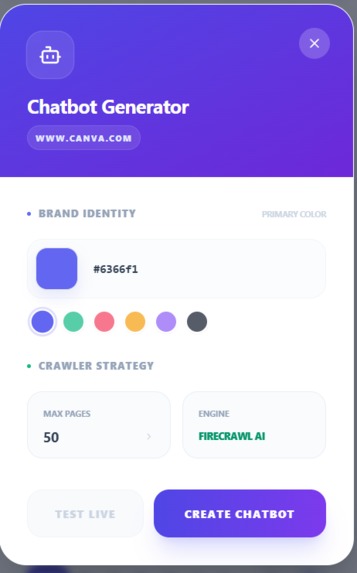
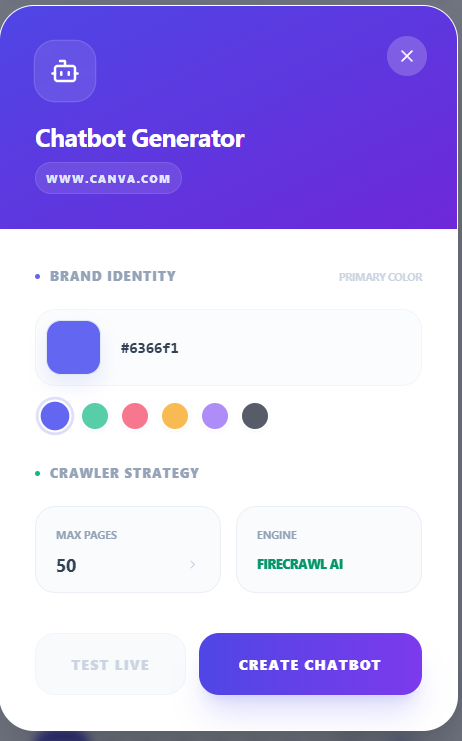
feature for developer to create a rag powered chatbot for their webiste replacing faqs
-
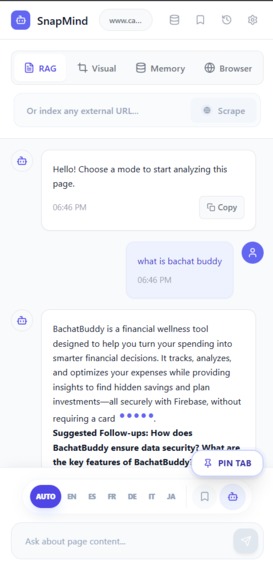
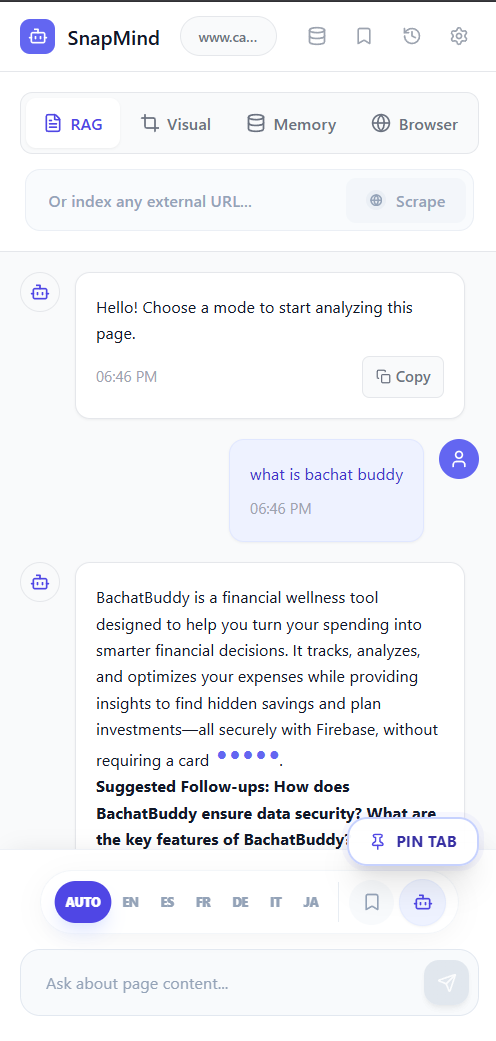
extension
-
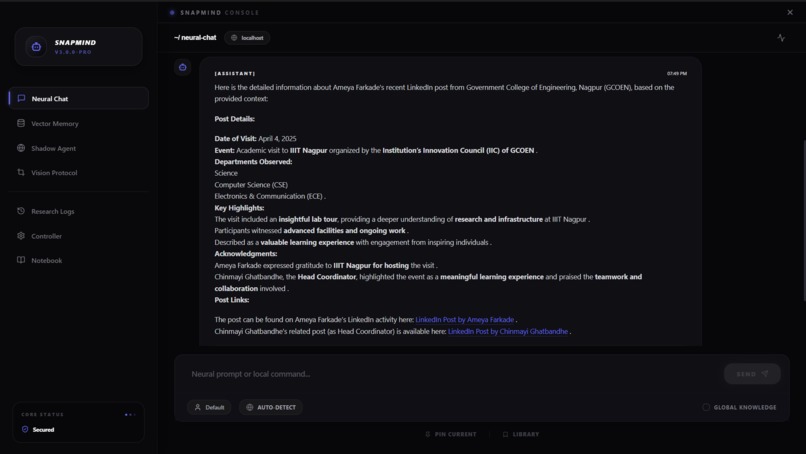
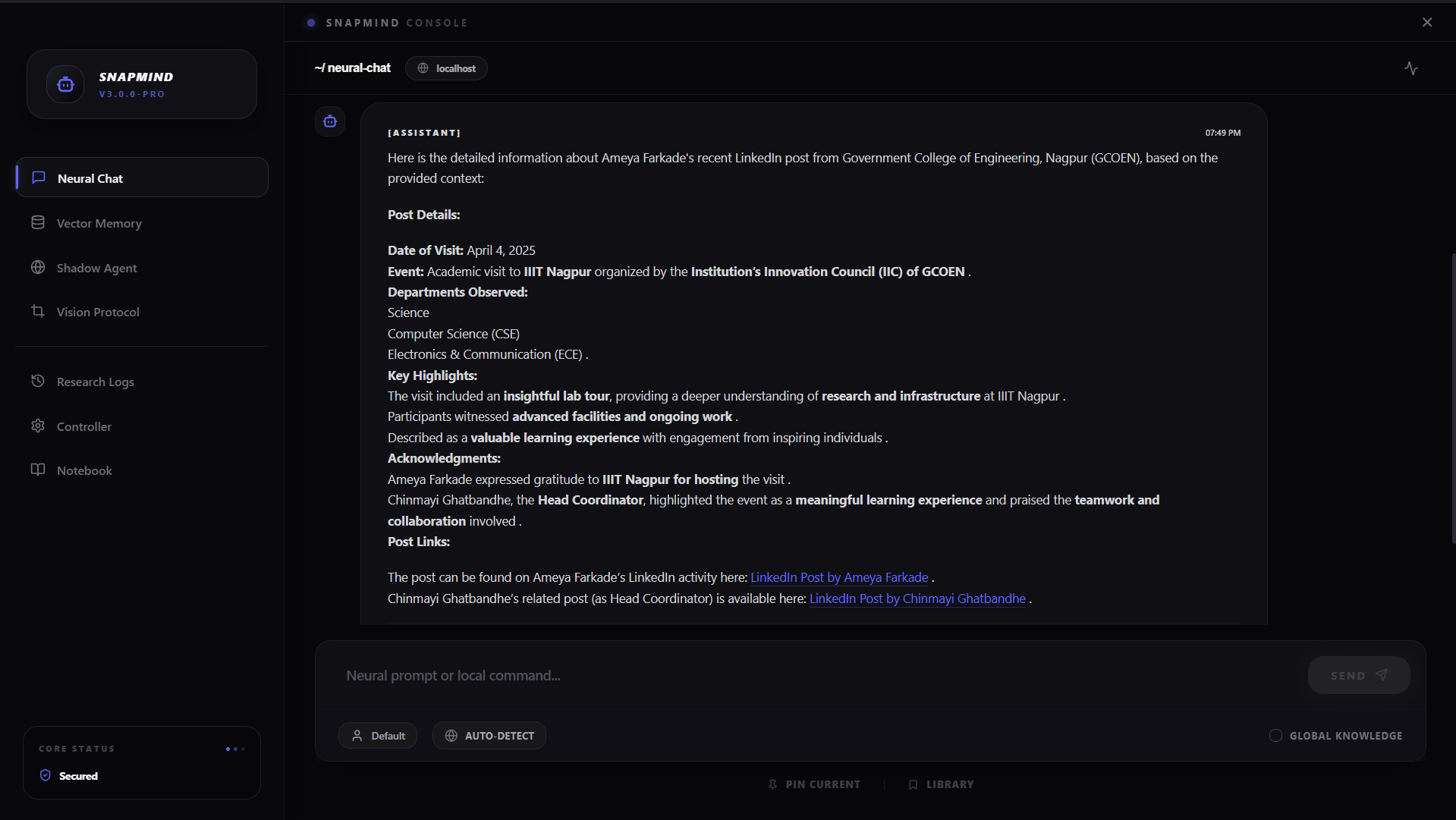
desktop application with local ollama adn database support(no cloud) support for privacy
-
-
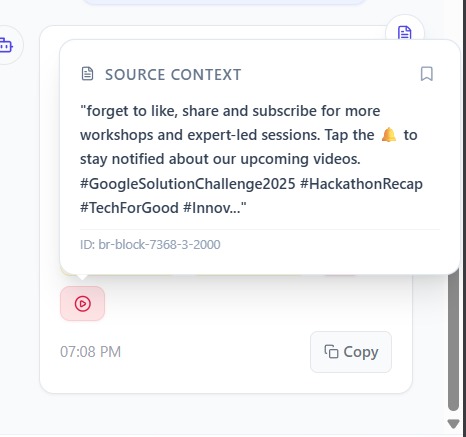
with youtube citations
SnapMind AI — Hackathon Story
Human–AI Collaboration Track
Inspiration
The idea came from a very specific frustration that all three of us had felt independently before we even formed a team.
Every time we opened ChatGPT to help with research, we started from zero. Every session. Every day. We would spend twenty minutes giving the model context about a paper we read last week, a codebase we had been working through, or a concept we had been building on — just to get back to where we left off. Then we would close the tab, and the next day we would have to do it all over again. There was no memory. No accumulation. No continuity.
Meanwhile, our actual research material lived in forty-seven browser tabs, a folder of PDFs with names like final_final_v3.pdf, a YouTube watch history we could never search, and a collection of GitHub repos we had cloned but could not cross-reference. The knowledge was there. It just had no brain connecting it.
We looked at what existed. NotebookLM was close but limited to Google Docs and PDFs, only worked in English, and had no API. RAG frameworks like LangChain were powerful but required weeks of setup to get a working pipeline, and once you had one it only worked from a Python script — not from your browser, not from your terminal, not from an AI agent. Perplexity searched the web but forgot you the moment you closed it.
The question that started SnapMind was: what if you could index anything, from anywhere, and query it from everywhere — and never have to re-explain context to an AI again?
We also noticed something that most AI tools were quietly ignoring: most researchers and students in India, China, Brazil, Japan, and across the global south do not primarily work in English. Over 60% of the web is non-English. Yet every RAG tool we found assumed English as the baseline. The AI knowledge revolution was leaving billions of people out, not because the technology could not handle other languages, but because no one had built the pipeline to handle them properly.
Those two observations — AI has no persistent memory and AI speaks only one language well — became the two North Stars for everything we built.
What We Built
SnapMind AI is a production-grade Retrieval-Augmented Generation ecosystem. One shared intelligence engine, deployed across six product surfaces:
| Surface | Who It's For |
|---|---|
| Chrome Browser Extension | Anyone browsing the web |
| Desktop App (Electron) | Power users and researchers |
CLI Tool (snapmind-ai on npm) |
Developers and data engineers |
| npm SDK Package | Developers building on top of RAG |
| MCP Server | AI agents (Claude Desktop, Cursor, Antigravity) |
| Web Widget | Any website, one script tag |
Every surface shares the same Supabase pgvector knowledge base. Index a PDF on the desktop at 9am. Query it from the browser extension at the library at 2pm. Have an AI agent retrieve the same knowledge via MCP at 10pm. One knowledge base. Every surface. No duplication.
How We Built It
The Core Pipeline
The backbone of SnapMind is an eight-stage RAG pipeline running as a FastAPI backend:
$$ \text{Source} \xrightarrow{\text{scrape}} \text{Raw Text} \xrightarrow{\text{translate}} \text{English Text} \xrightarrow{\text{chunk}} \text{Segments} \xrightarrow{\text{embed}} \vec{v} \in \mathbb{R}^{3072} $$
$$ \vec{v} \xrightarrow{\text{store}} \text{pgvector} \xrightarrow{\text{retrieve}} \text{Candidates} \xrightarrow{\text{rerank}} \text{Top-}k \xrightarrow{\text{generate}} \hat{y} \text{ with citations} $$
Each stage was a deliberate engineering decision, not a default choice.
Ingestion accepts eight source types — URLs, PDFs, DOCX, CSV, YouTube transcripts, Twitter/X threads, GitHub repositories, and raw text. We use Firecrawl for JavaScript-rendered pages and BeautifulSoup4 as a fallback for static HTML. GitHub repos are cloned, traversed, and indexed file-by-file with chunk boundaries placed at function and class boundaries rather than arbitrary token counts.
Chunking was the first place where the naive approach failed us badly (more on this in Challenges). Our adaptive chunker detects structural markers — Markdown headers (##), code fences (`), and table boundaries (|---|) — and only places chunk boundaries at these natural breaks. We also implemented an optional agentic chunking mode where Mistral Large reads each section and decides optimal chunk boundaries based on semantic coherence.
Embedding uses Gemini embedding-001 which produces 3072-dimensional vectors. We parallelize embedding API calls using ThreadPoolExecutor with batches of 32, which reduced large-document ingestion time by roughly 4× compared to sequential calls. Failed chunks retry with exponential backoff.
Storage uses Supabase (PostgreSQL 15 with the pgvector 0.5 extension) for the shared cloud knowledge base, and LanceDB for the CLI's offline-first local mode.
The Retrieval System — Hybrid Search
Pure vector search has a well-known failure mode: it misses exact keyword matches. If a user searches for RFC 7519 or ms-marco-MiniLM-L-6-v2, a semantic embedding might return thematically related results instead of the exact document. Pure BM25 keyword search has the opposite problem: it misses semantic paraphrases.
We built a custom PostgreSQL function that fuses both:
$$ \text{score}(d, q) = \alpha \cdot \cos(\vec{v}_d, \vec{v}_q) + \beta \cdot \text{BM25}(d, q) $$
where $\alpha = 0.7$, $\beta = 0.3$, and the two ranked lists are then merged using Reciprocal Rank Fusion:
$$ \text{RRF}(d) = \sum_{r \in R} \frac{1}{k + r(d)} $$
with $k = 60$ (the standard smoothing constant). This runs entirely inside PostgreSQL as a PL/pgSQL function — no round-trip to Python for score fusion.
The top-20 candidates from hybrid search are then passed to a cross-encoder reranker. We implemented a three-tier fallback: Cohere rerank-english-v3.0 (API-based, highest quality) → local ms-marco-MiniLM-L-6-v2 (on-device, zero API calls) → original BM25 rank order (always available). The system never fails on reranking.
Context Optimisation
Before handing context to the LLM, we run a four-stage optimisation pipeline:
- Jaccard deduplication: chunks with token-level similarity above 0.9 are removed
- Relevance threshold filter: chunks below a minimum score threshold are dropped
- Boilerplate stripping: navigation text, cookie notices, and footer content are removed using pattern matching
- Smart truncation: remaining chunks are truncated to fit within an 8K token budget, prioritising the highest-scoring chunks
Formally, if $C = {c_1, c_2, \ldots, c_n}$ is the set of retrieved candidates and $B$ is the token budget:
$$ C^* = \underset{S \subseteq C,\ \sum_{c \in S} |c| \leq B}{\arg\max} \sum_{c \in S} \text{score}(c, q) $$
This greedy knapsack approximation runs in $O(n \log n)$ after sorting by score.
Multilingual RAG
Making RAG work across 100+ languages required solving a cross-lingual vector space problem. When you embed a Hindi query and compare it against English document vectors, the cosine similarity is near zero — not because the content is unrelated, but because the embedding space treats languages separately.
Our solution is a three-stage translation pipeline:
At ingestion: all non-English content is detected (using a fast regex non-ASCII heuristic: if >20% of characters are non-ASCII, we trigger detection) and translated to English before chunking and embedding. This normalises the entire knowledge base to one vector space.
At retrieval: non-English queries are auto-detected and translated to English before the hybrid search runs.
At generation: the LLM is prompted to respond in the user's original language.
We use Lingo.dev as the primary translation provider with Mistral in JSON-mode as a fallback. An English pre-check skips unnecessary API calls for already-English content.
The MCP Server
One of the most forward-looking parts of SnapMind is the MCP (Model Context Protocol) server. MCP is the standard for how AI agents access external tools — JSON-RPC 2.0 over stdio or HTTP. We implemented a full production MCP server exposing the entire RAG engine as native tools:
snapmind_search— semantic search over the knowledge basesnapmind_chat— RAG-augmented chat with citation metadatasnapmind_ingest_url/snapmind_ingest_file/snapmind_ingest_repo— live ingestionsnapmind_web_research— triggers the full 5-agent autonomous research pipelinesnapmind_get_analytics— usage stats, latency metrics, chunk counts
Any MCP-compatible client — Claude Desktop, Cursor, Antigravity, Continue.dev — can call these tools without writing a single line of custom integration code.
GraphRAG
We were not satisfied with flat chunk-level retrieval. Documents are not flat — they contain entities, concepts, and relationships that span across chunks and across documents. We implemented a GraphRAG layer: during ingestion, Mistral Large extracts named entities and typed relationships from each chunk using JSON-mode structured output. These are stored as node/edge records in Supabase. Cytoscape.js renders the graph interactively in both the browser extension and the desktop app. At query time, graph context is injected alongside chunk context — enabling answers that reason about relationships between concepts, not just individual text segments.
The 5-Agent Research Pipeline
For complex, multi-source research questions, we built an autonomous 5-agent pipeline:
$$ q \xrightarrow{\text{QueryAnalyzer}} {q_1, \ldots, q_k} \xrightarrow{\text{SearchAgent}} \text{URLs} \xrightarrow{\text{RankerAgent}} \text{Ranked URLs} \xrightarrow{\text{ScraperAgent}} \text{Content} \xrightarrow{\text{Synthesizer}} \hat{y} $$
QueryAnalyzer decomposes the original question into sub-queries. SearchAgent queries multiple search APIs in parallel for each sub-query. RankerAgent scores results by domain authority, recency, and relevance. ScraperAgent extracts and cleans full-text content from the top sources. Synthesizer assembles a structured multi-source cited report.
The entire pipeline runs autonomously — no human tab management, no copy-pasting between tools.
Block-Level Citations
Every generated answer includes block-level citations. We maintain three citation namespaces:
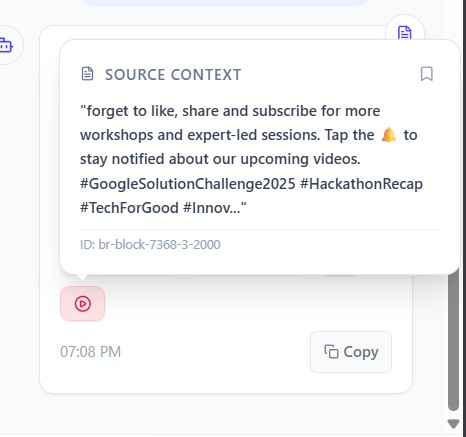
[db-block-N]for chunks from the Supabase knowledge base[nb-block-N]for entries from the research notebook[br-block-N-M]for content indexed by the browser extension
Each citation links to the exact sentence on the source page using URL text-fragment anchors (#:~:text=). Clicking a citation in the browser extension sidepanel jumps directly to that sentence on the original page.
Deployment
The FastAPI backend runs in a Docker container deployed on Hugging Face Spaces. The CLI tool is published to npm as snapmind-ai and installable globally. The entire test suite covers 12+ pytest files including RAG pipeline tests, hybrid search benchmarks, multi-agent integration tests, MCP tool schema validation, and multilingual translation path tests.
Challenges We Faced
Challenge 1: Chunk boundary coherence
The first version of our chunker used fixed-size token windows. We thought 512 tokens was a reasonable default. We were wrong.
The symptom showed up when we indexed a Python codebase. A function that was 520 tokens long got split at token 512, putting the function signature and first half of the body in one chunk, and the second half and return statement in another. When a user asked "what does this function return?", our retrieval found the first chunk (which had the signature and docstring), missed the second chunk (which had the return statement), and the LLM confidently answered based on the docstring description alone — which was wrong.
The fix required rethinking chunking from the ground up. We wrote a structural marker detector that identifies code fences, Markdown headers, and table boundaries in the raw text before any chunking decisions are made. Chunk boundaries are then only placed at these structural markers, never mid-code or mid-table. For documents with no structural markers (dense prose), we fall back to sentence-boundary detection. For the most complex documents, the agentic mode lets an LLM decide.
Challenge 2: The cross-lingual vector space gap
Our second major failure was embarrassing in retrospect but genuinely surprising in the moment. A team member tested the system by indexing an English research paper and then querying it in Hindi. The results were empty. Not bad — empty.
We spent two hours debugging the retrieval pipeline before we realised: Hindi text and English text live in different regions of the 3072-dimensional embedding space. The cosine distance between a Hindi query vector and an English document vector is large regardless of semantic content. We were computing similarity in the right space but with the wrong languages.
The pre-embedding translation approach we settled on feels obvious in hindsight. Translate everything to English before you embed it, and translate every query to English before you retrieve. The vector space becomes language-agnostic because everything in it is English. We just had not thought to build it that way from the start.
The edge case that took longest to solve was the auto-detection trigger. We did not want to call the translation API for English content — that would be slow and wasteful. We tried language detection libraries but they added 80ms of latency per request. We ended up using a simple heuristic: if more than 20% of characters in the input are non-ASCII, trigger translation. It is not perfect but it is fast (microseconds, not milliseconds) and accurate enough for our purposes.
Challenge 3: Single points of failure in production
During a live demo run three days before the submission deadline, our Gemini API key hit its rate limit at the worst possible moment — in the middle of a generation call, halfway through producing an answer. The entire pipeline threw an exception and returned nothing.
We had naively assumed that a single LLM provider would be reliable enough. That evening we redesigned every critical path in the system to have at least two fallbacks:
- Generation: Gemini 2.0 Flash → Mistral Small/Large → Ollama (local)
- Reranking: Cohere
rerank-english-v3.0→ localms-marco-MiniLM-L-6-v2→ original BM25 order - Translation: Lingo.dev → Mistral JSON-mode
The cascading fallback pattern now runs on a simple try/except chain. Each stage logs which fallback fired and why, so we can monitor reliability in production. Since adding this, the system has not had a single total failure even during periods of API instability.
Challenge 4: MCP schema design
Designing the MCP tool schemas was harder than we expected. MCP requires each tool to have a complete JSON Schema specification for its inputs, and AI agents use that schema to decide how to call the tool correctly.
Our first attempt at snapmind_ingest_url had a flat input structure with a dozen optional parameters. Agents were confused about which parameters were required for which use cases. Claude Desktop would sometimes call it with all parameters filled in (including mutually exclusive ones) and sometimes with only the URL (missing required configuration).
We spent a full day refactoring the schemas into atomic, single-purpose tools with opinionated defaults. snapmind_ingest_url now takes just a URL and an optional session ID. Everything else defaults sensibly. Separate tools handle edge cases. The agent behavior became immediately more reliable.
What We Learned
RAG is not a pipeline — it is a system. Every stage interacts with every other stage. A bad chunking decision produces bad embeddings. Bad embeddings produce bad retrieval. Bad retrieval produces bad reranking. Bad reranking produces bad context. Bad context produces hallucinations. We had to hold the entire system in mind simultaneously to make good engineering decisions at each stage.
The vector space is a contract. The single most important constraint in the entire system is this: everything that goes into the vector database must be in the same conceptual space as the queries that will search it. Violating this contract — by mixing languages, by inconsistent chunking, by different embedding models — produces silent failures that are very hard to debug. Making the contract explicit (everything in English, everything with the same model) made the system dramatically more reliable.
Production resilience is not optional, it is design. We initially treated fallbacks as a feature to add later. After the demo failure, we understood that a system with a single LLM provider is not a production system — it is a demo. Every external dependency needs a fallback. This added maybe two days of work and made the system fundamentally more trustworthy.
MCP is genuinely the future of AI tool integration. Watching Claude Desktop call snapmind_search and get back cited chunks from a knowledge base we built was one of the most exciting moments of the entire hackathon. No custom integration code, no API keys to share, no prompt engineering to make the agent understand how to call our system — just the JSON Schema definition and the protocol. As AI agents become the primary interface for knowledge work, the teams that built MCP-compatible infrastructure will be in a very different position from the teams that did not.
Complexity is a tax you pay forever. The early versions of SnapMind tried to do everything in one Python file, one FastAPI app, one namespace. By week two, adding a new feature required understanding fifteen interdependencies. We spent a full weekend refactoring into clean separation between ingestion, retrieval, generation, and citation — and the second half of the build was genuinely faster than the first half despite being more ambitious.
Built With
Backend: FastAPI · Python · Pydantic v2 · uvicorn · Supabase (PostgreSQL 15 + pgvector 0.5) · LanceDB
AI / ML: Gemini 2.0 Flash · Gemini embedding-001 · Mistral Small/Large · Groq Llama 4 Scout · Ollama · Cohere rerank-english-v3.0 · ms-marco-MiniLM-L-6-v2 · Lingo.dev · Firecrawl
Browser Extension: React 19 · Vite · TailwindCSS 4 · Chrome Manifest V3 · Cytoscape.js · Mermaid.js
Desktop App: Electron 41 · React 19 · Vite 8 · Framer Motion · Three.js · react-force-graph-3d · Recharts · Tesseract.js
CLI Tool: Node.js 20 · Commander · LanceDB · LangChain · Inquirer · Chalk · node-keytar
MCP Server: Python MCP SDK · stdio transport · JSON-RPC 2.0
Infrastructure: Docker · Hugging Face Spaces · npm registry · pytest · GitHub Actions
Try It
# Install the CLI globally
npm install -g snapmind-ai

# Index a GitHub repository
snapmind-ai --repo https://github.com/your-org/your-repo

# Query it from the terminal
snapmind-ai search "how does authentication work"

# Or use the npm SDK in your own project
npm install snapmind-ai
from snapmind import SnapMind

rag = SnapMind(gemini_key="...", vector_db="supabase")
await rag.ingest("https://arxiv.org/abs/2312.10997")
result = await rag.query("What is the core method?")
print(result.answer, result.citations)
GitHub: github.com/roshankumar0036singh/SnapMind(currently its private under launching process)
npm: npm install -g snapmind-ai
One engine. Every surface. Every researcher.


Log in or sign up for Devpost to join the conversation.