-
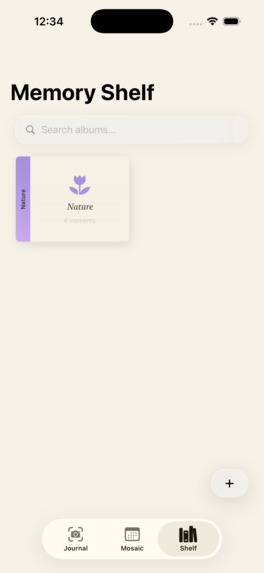
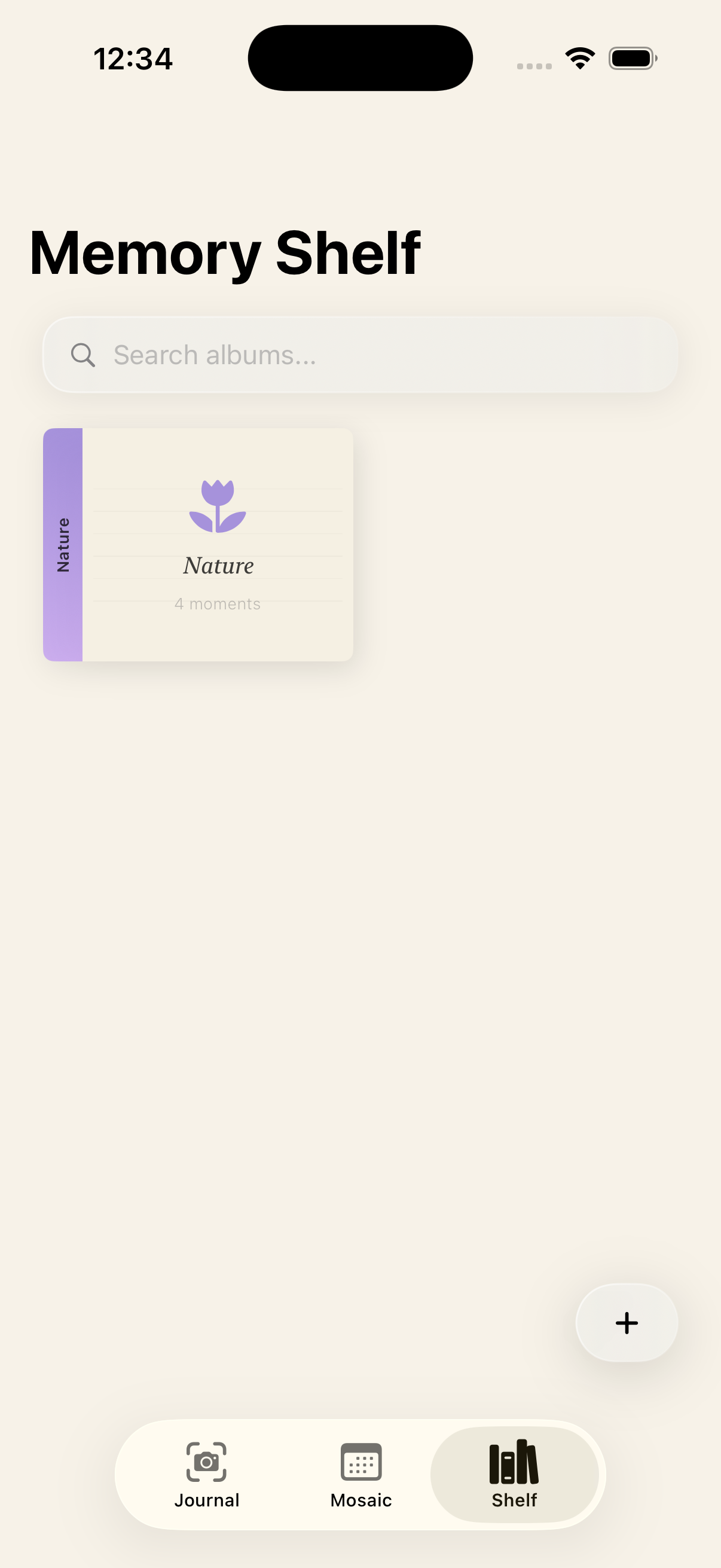
Memory Shelf: A visual shelf of your Polaroid memories, letting you revisit photos, moods, dates, and journal entries in one place.
-
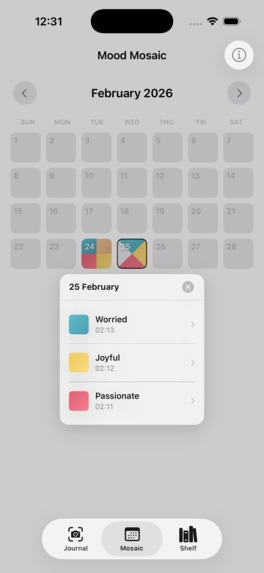
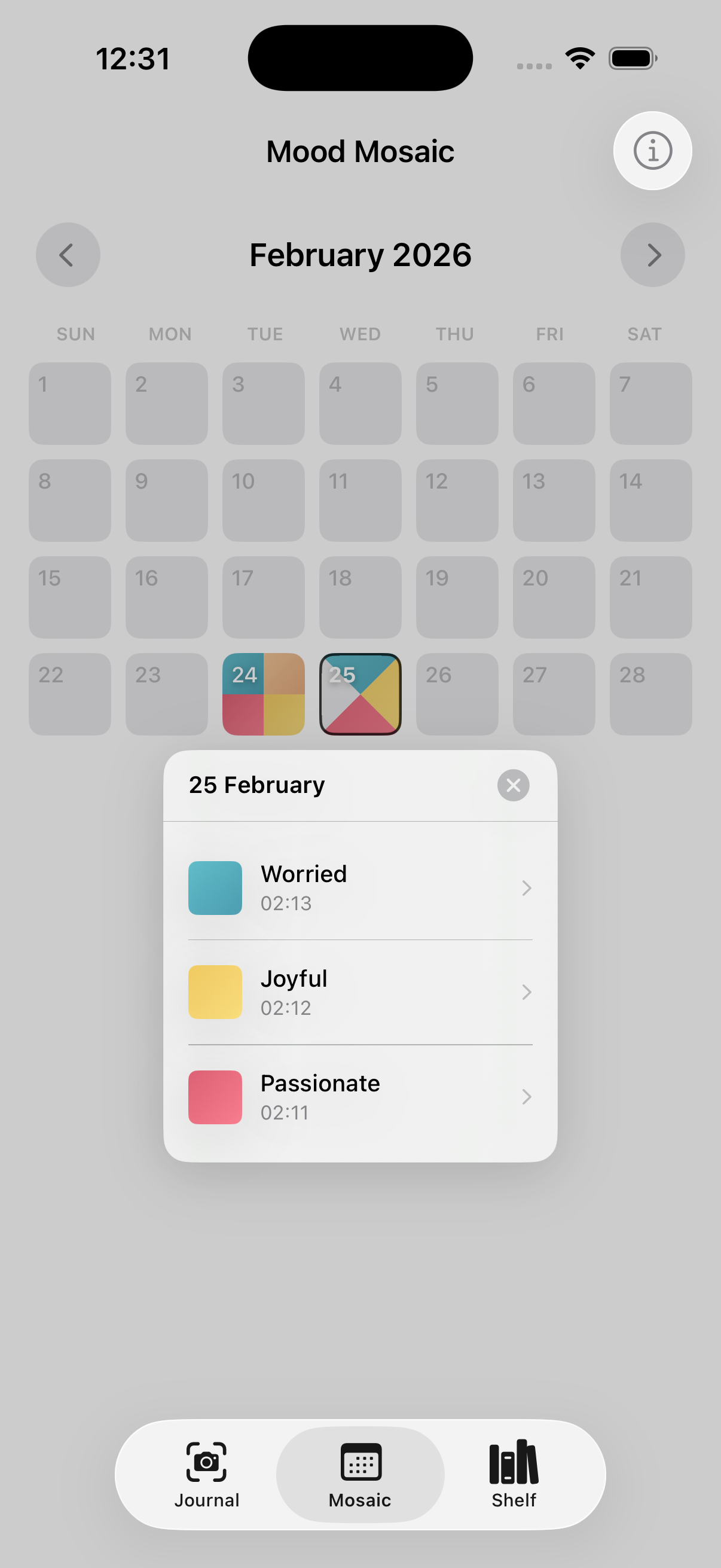
Mood Mosaic: A colorful mosaic of your daily moods that helps you visually spot emotional patterns over time.
-
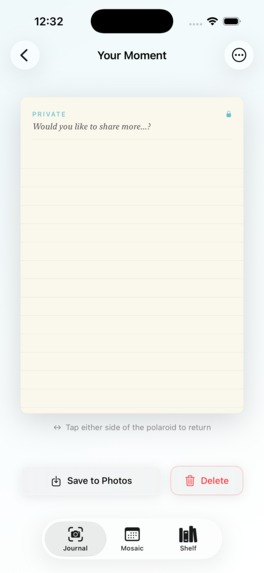
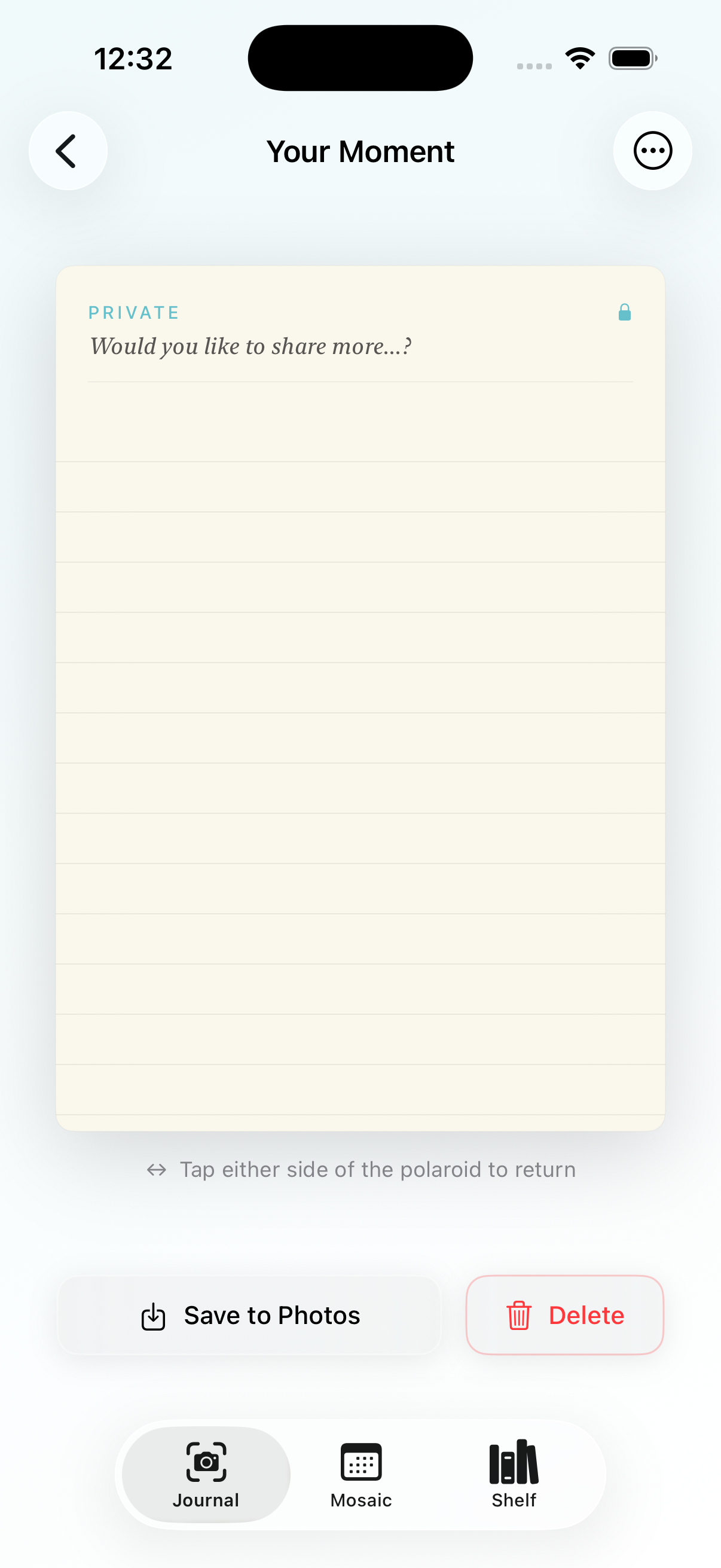
Private Note: A secure space for personal thoughts, protected by Face ID and stored entirely on your device.
📸 SnapJournal
A tactile, private, and offline-first Polaroid journaling app built natively for iOS.





🌟 Overview
SnapJournal re-imagines daily journaling through the tangible nostalgia of Polaroid photography combined with modern iOS design principles. Capture moments, attach emotion-driven color gradients, jot down public reflections, and lock confidential memories on the back of your polaroids using Face ID / Touch ID.
SnapJournal is 100% native, private, and offline-first. All your photos and metadata are stored locally on your device with zero tracking, zero cloud dependencies, and zero accounts.
✨ Key Features
📸 Tactile Polaroid Cards
- Instant Eject Experience: Authentic sound effects (
AVAudioPlayer) and haptic feedback when capturing or creating moments. - Dual-Sided Memory Cards:
- Front Face: High-resolution image framing, emotion-tinted background gradients, and public reflections.
- Back Face: Lined paper aesthetic for private notes and deeper reflections.
- 3D Flip & Interactive Gesture: Tap edges or shake device to trigger smooth 3D rotation card flips (
rotation3DEffect). - Pinch-to-Zoom: Fluid magnification and panning gesture support to inspect photo details.
🔒 Biometric & Device Security
- LocalAuthentication Protection: Private back notes are automatically locked behind Face ID, Touch ID, or device passcode.
- Zero Cloud Exposure: Your private journal entries stay strictly on your device hardware.
🎨 Interactive Mood Mosaic
- Visual Calendar: Color-coded month grid representing your emotional journey day-by-day.
- Adaptive Multi-Moment Clipping: Dynamic geometrical clip shapes (half-split, quadrant split, diagonal slices) when multiple moments occur on the same date.
- Interactive Day Anchors & Popovers: Tap any day to inspect individual moments with smooth hero transition animations.
📚 Memory Shelf & Binder Albums
- Custom Shelving: Organize your polaroids into physical-style photo binders.
- Custom Sticker Icons: Personalize albums with dozens of SF Symbols stickers.
- Dynamic Spine Gradients: Album covers dynamically calculate their dominant emotion and render matching gradients.
- Interactive Pager: Flip through album polaroids seamlessly in a full-screen card viewer.
💾 100% On-Device & Offline Storage
- Local Image Storage: Photos are saved to the app's
DocumentDirectorywith JPEG compression and atomic disk writes. - Fast Metadata Persistence: Metadata and album structures are safely serialized via
CodableintoUserDefaults. - Offline Sentence Starters: Built-in emotion-curated reflection prompts that work offline without internet access (with optional support for iOS 26+
FoundationModelson-device LLM).
📤 High-Res Polaroid Exporting
- Export to Photos: Render polaroid cards into crisp image files using SwiftUI
ImageRendererand save them directly to your device library (PHPhotoLibrary).
🏗 Architecture & Tech Stack
SnapJournal strictly follows the MVVM (Model-View-ViewModel) pattern powered by Apple's modern Observation framework (@Observable).
SnapJournal
├── App/
│   ├── SnapJournalApp.swift         # Main App Entry & Scene Lifecycle
│   └── MainTabView.swift            # Root Tab Bar Navigation & Glassmorphism
├── Core/
│   ├── Models/                      # Data Entities (Codable & Identifiable)
│   │   ├── Moment.swift             # Polaroid Moment schema
│   │   ├── Album.swift              # Shelf Album schema & sticker options
│   │   ├── Emotion.swift            # Emotion gradient palettes & definitions
│   │   └── PhotoSource.swift        # Camera vs. Library photo source enum
│   ├── ViewModels/                  # Reactive @Observable Data Stores
│   │   ├── MomentStore.swift        # Local disk & UserDefaults CRUD for Moments
│   │   └── AlbumStore.swift         # Album creation & collection manager
│   └── Utilities/                   # Helpers & Native Integrations
│       ├── Color+Theme.swift        # Theme system colors & lined paper assets
│       ├── LiquidGlassBackground.swift # Glassmorphic UI utilities
│       ├── PolaroidSoundPlayer.swift# Audio playback for camera eject sound
│       └── ShakeDetector.swift      # Motion shake event notification
└── Features/                        # SwiftUI Views by Feature Modules
    ├── Journal/                     # ContentView, MomentDetailView, ReflectionView
    ├── Mosaic/                      # MoodMosaicView, DayMosaicCell, ClipShapes
    ├── Shelf/                       # BookshelfView, BinderCard, PolaroidPagerView
    └── Common/                      # CameraPickerView, EmotionSheet, SplashView
Frameworks Used
- SwiftUI – Modern declarative UI framework.
- Observation (
@Observable) – Fine-grained reactive state management. - Foundation & UserDefaults –
JSONEncoder/JSONDecoderdata persistence. - FileManager – Efficient local disk storage for high-resolution images.
- LocalAuthentication – Native Face ID / Touch ID security verification.
- PhotosUI & AVFoundation – System image picker and custom camera interface.
- UIKit Integration – Native share sheets, haptic feedback, and window gestures.
🚀 Getting Started
Prerequisites
- macOS: Sonoma 14.0 or later
- Xcode: 15.0 or later
- iOS Deployment Target: iOS 17.0+
Build & Run Instructions
Clone the repository:
git clone https://github.com/your-username/SnapJournal.git
cd SnapJournal/SnapJournal_SSC_Project
Open in Xcode:
open SnapJournal_SSC_Project.xcodeprojSelect Target & Simulator/Device:
- Select the
SnapJournal_SSC_Projectscheme. - Choose an iOS Simulator (e.g., iPhone 15 Pro) or a connected iOS device.
- Select the
Build and Run:
- Press
Cmd + Rto build and launch the application.
- Press
🔒 Privacy & Permissions
SnapJournal places user privacy above all else:
| Permission | Usage Description |
|---|---|
| NSCameraUsageDescription | SnapJournal requires camera access to capture instant polaroid photos directly inside the app. |
| NSPhotoLibraryUsageDescription | SnapJournal accesses your photo library to let you select memories to turn into polaroids. |
| NSPhotoLibraryAddUsageDescription | Required to export rendered polaroid cards back to your Photos library. |
| NSFaceIDUsageDescription | Enables Face ID authentication to unlock private back notes on polaroids. |
📄 License
Distributed under the MIT License. See LICENSE for more information.

Log in or sign up for Devpost to join the conversation.