-
-
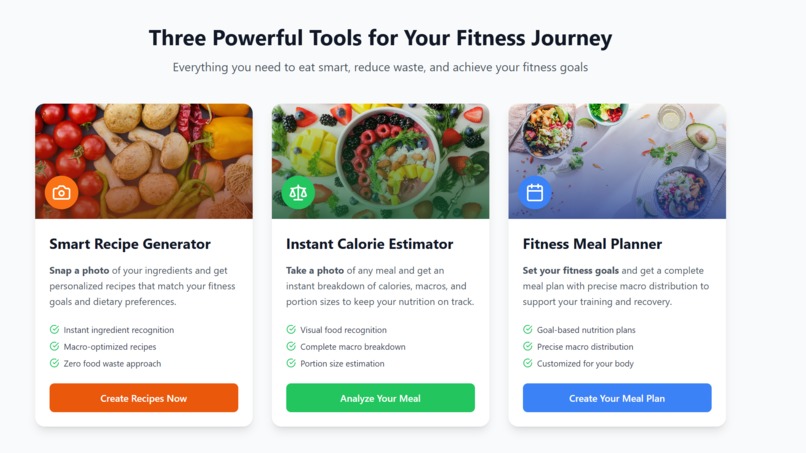
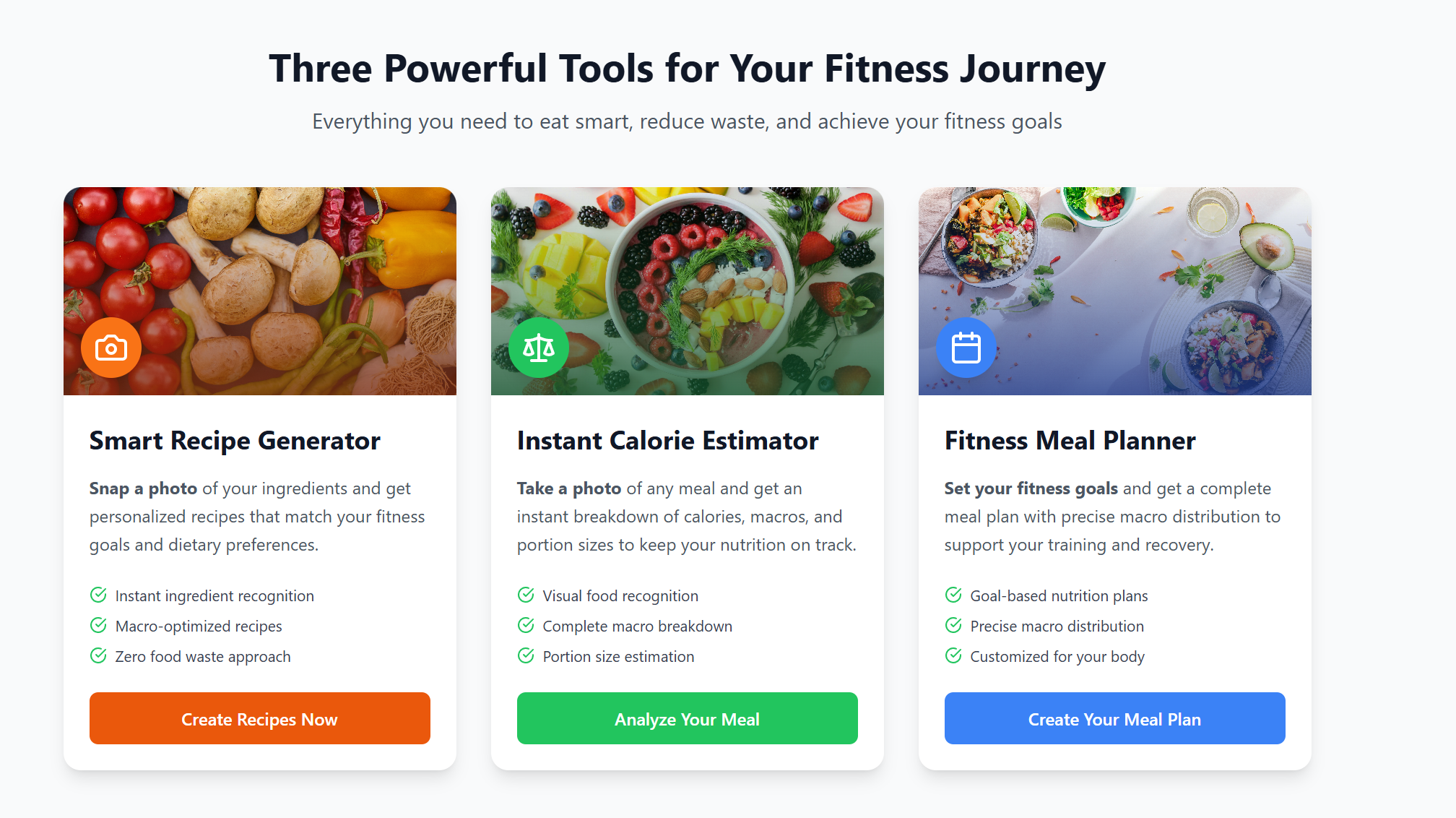
It all starts with a photo. You can generate recipes from your ingredients, estimate calories for a meal or generate a goal-based meal plan
-
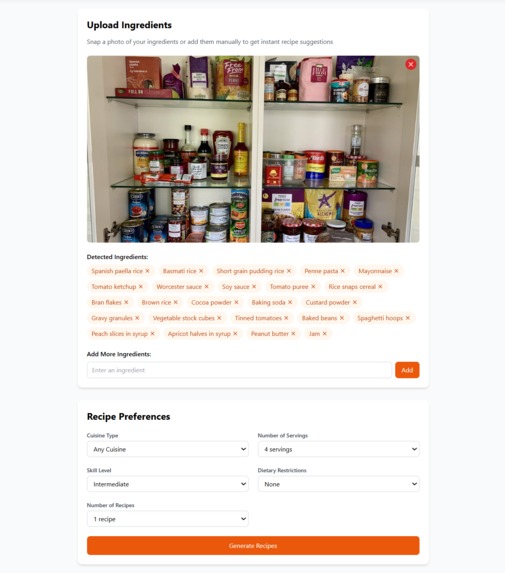
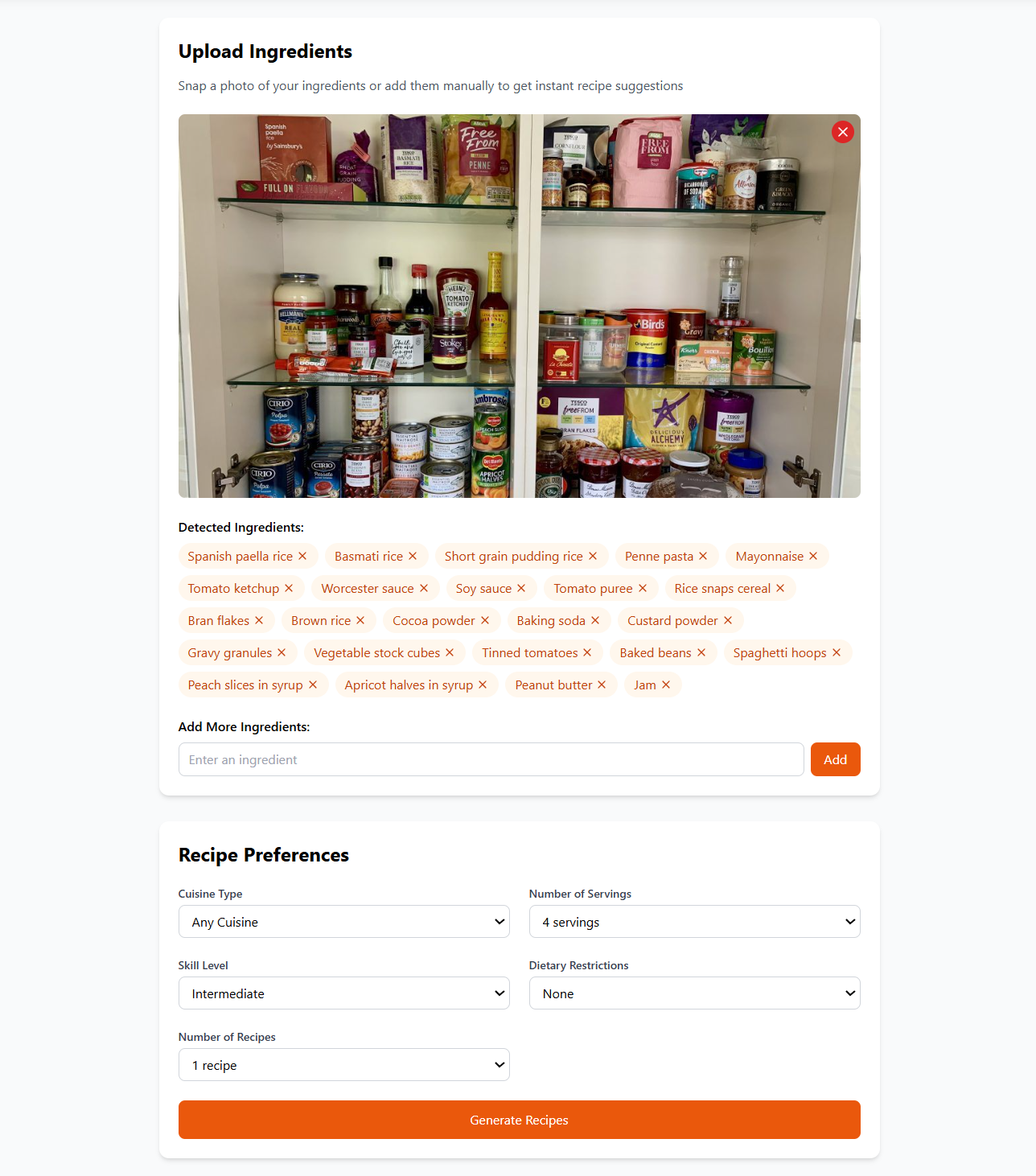
Upload a photo of your food cupboard and the app will detect all of your ingredients. You can then tailour your recipes to your preferences
-
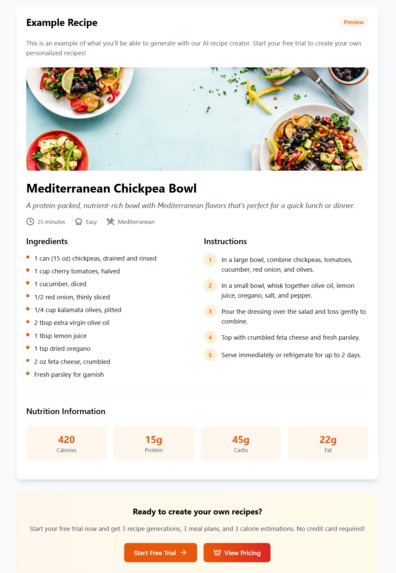
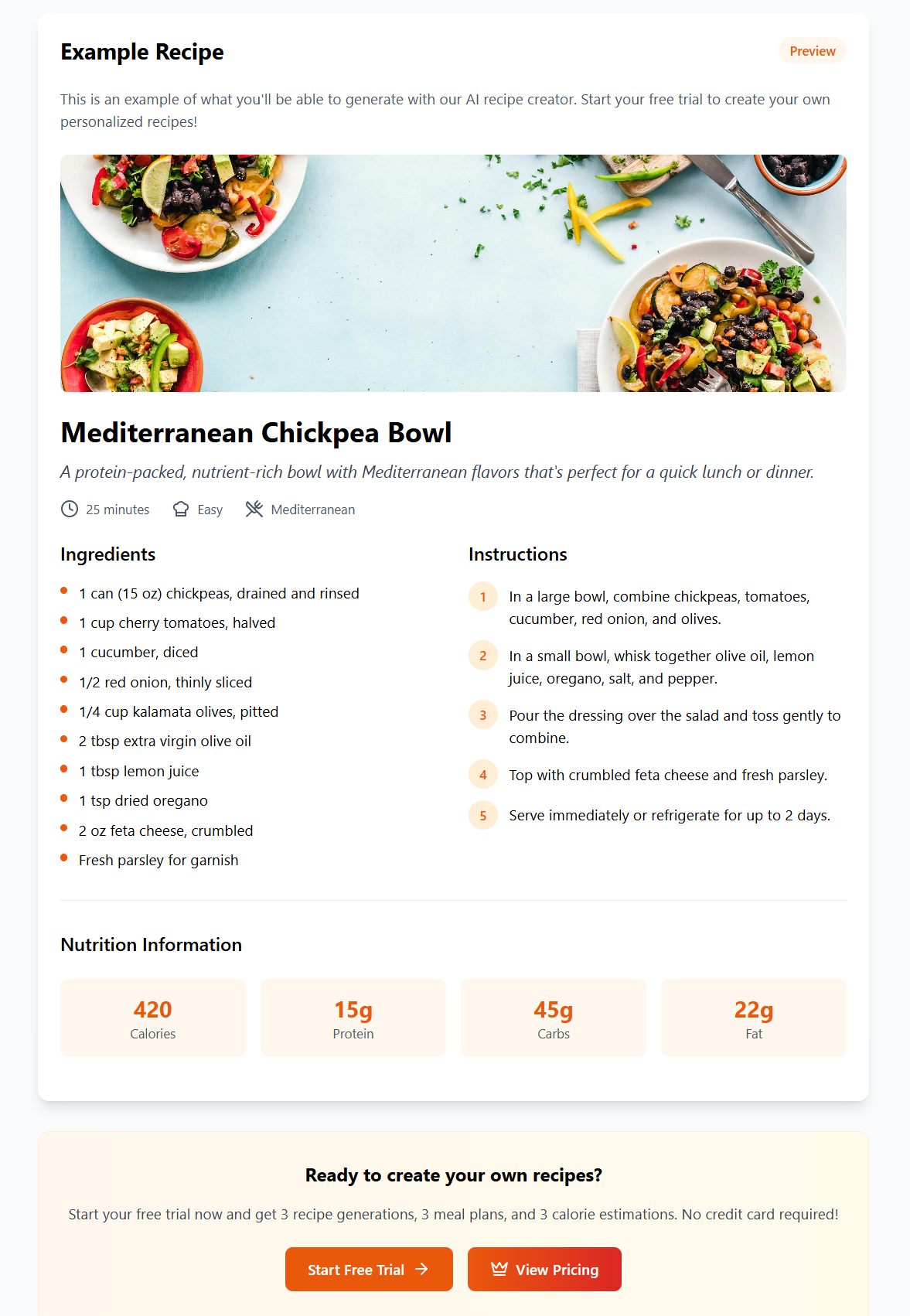
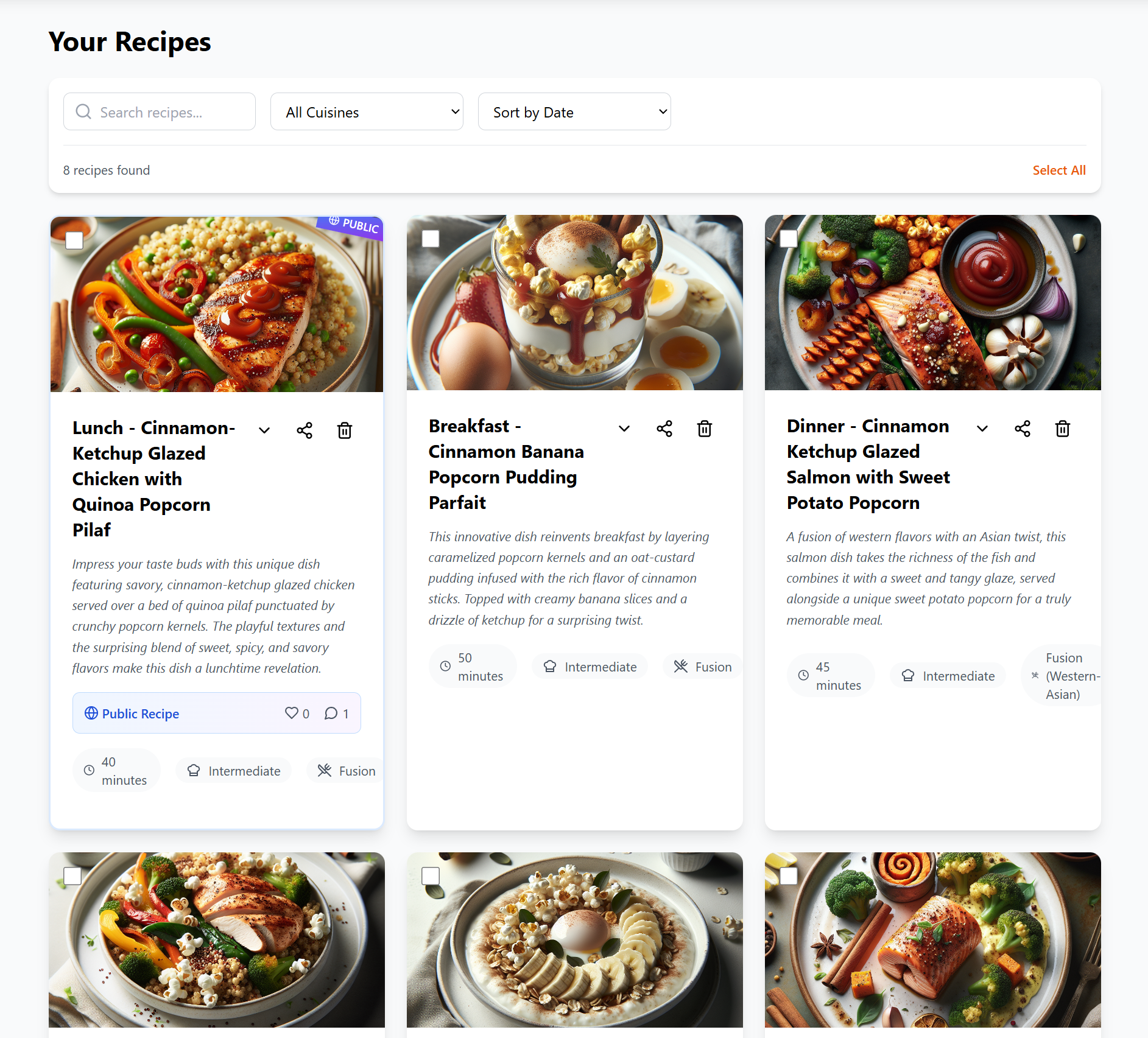
Recipes include ingredients, cooking times, instructions and nutritional information. The app even generates a photo of how it could look.
-
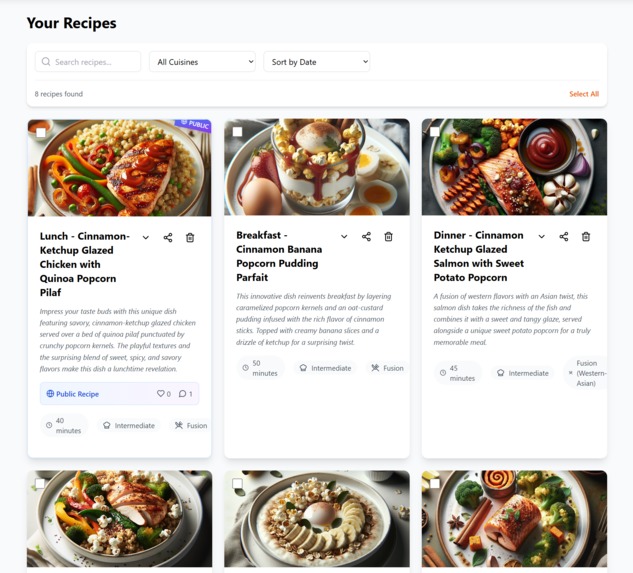
You can save your recipes to your Recipe Book and share them with other cooks in the community.
-
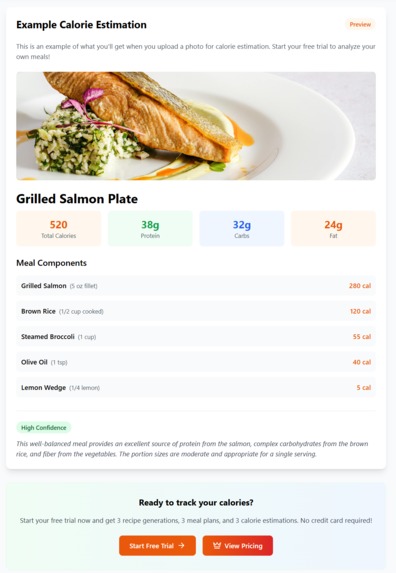
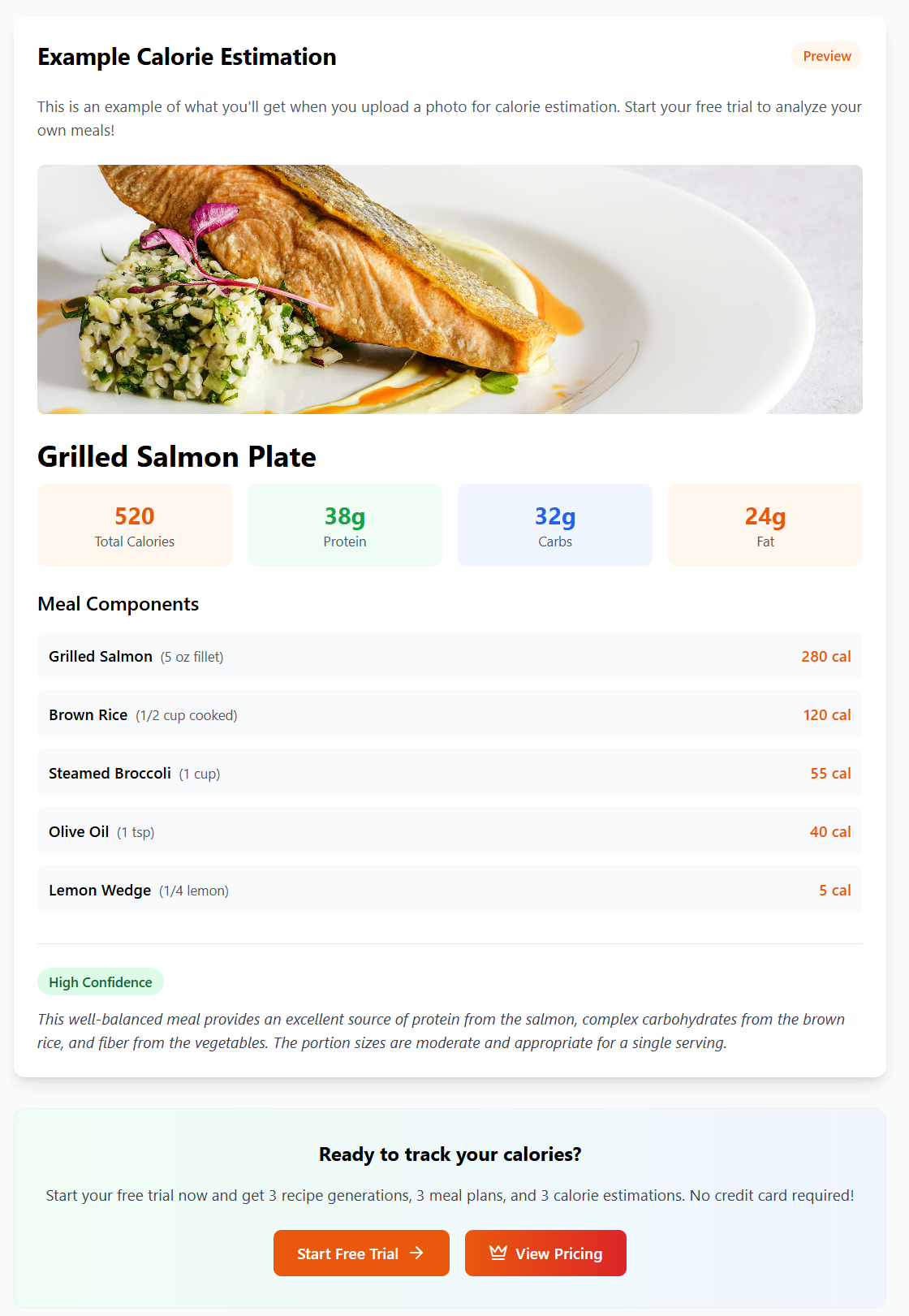
Upload a photo of any meal and get an instant calorie estimation with a macro split. In future you will be able to generate a recipe too.
-
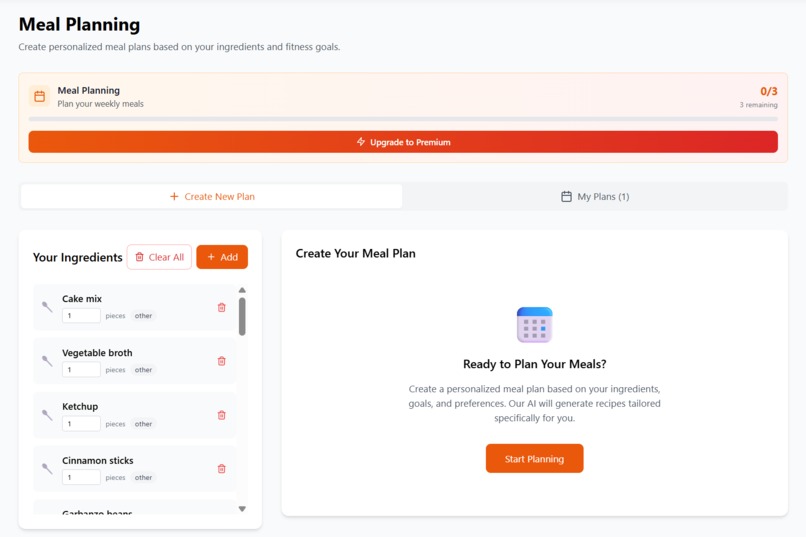
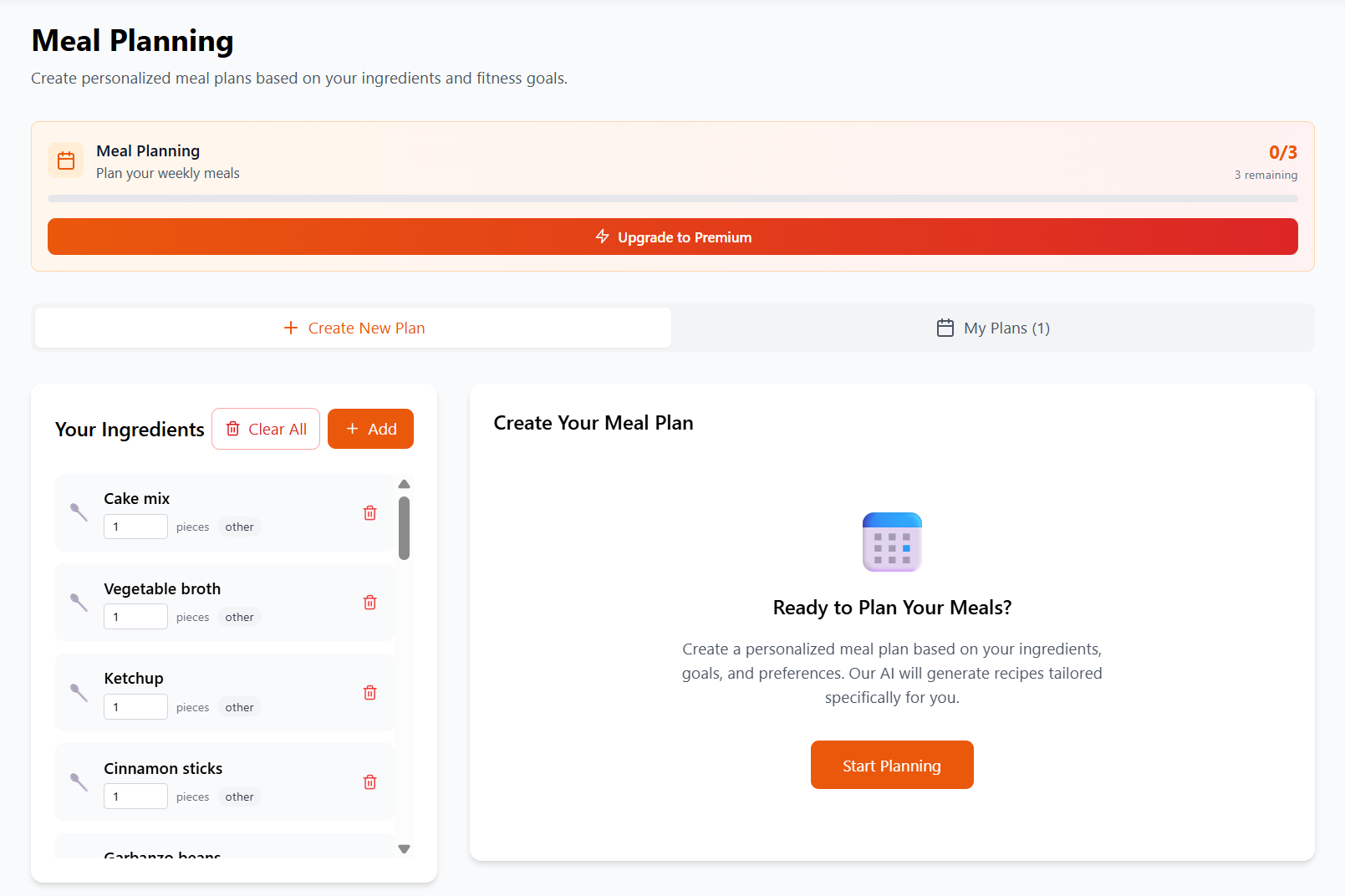
Upload a photo of your ingredients to create a meal plan.
-
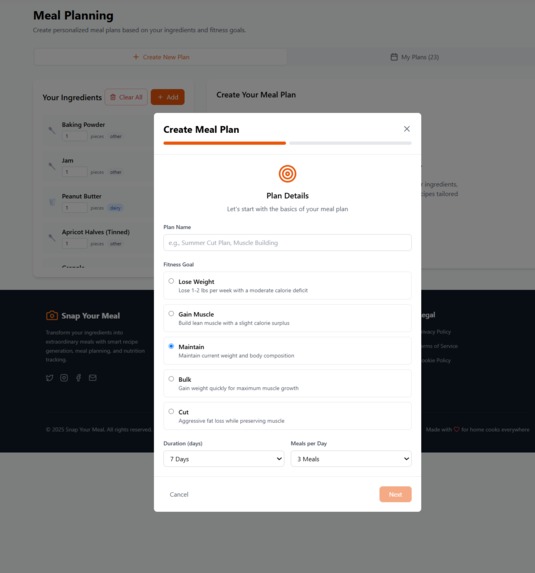
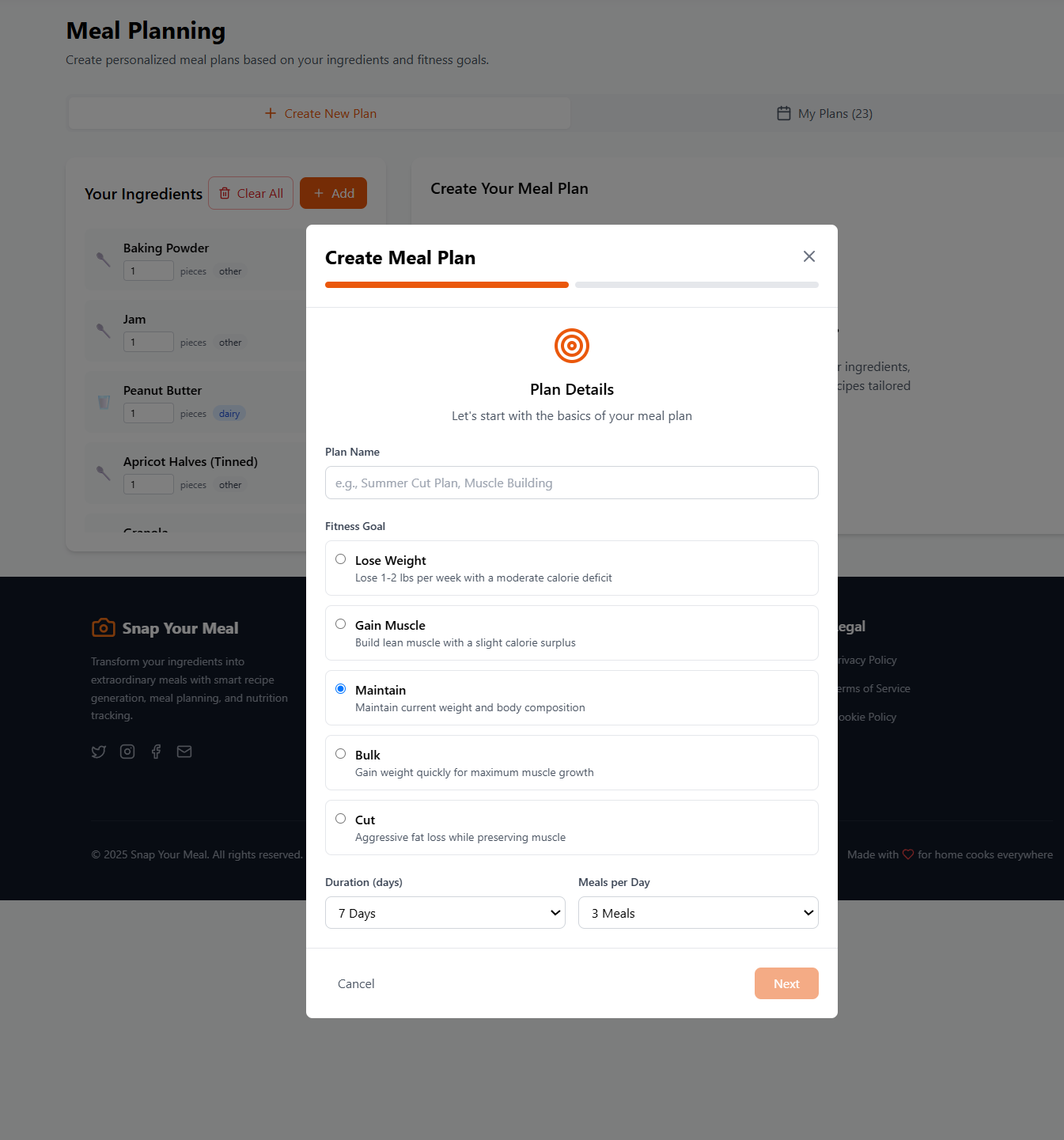
You can then select the goals you have in mind for your meal plan, such as losing weight or gaining muscle.
-
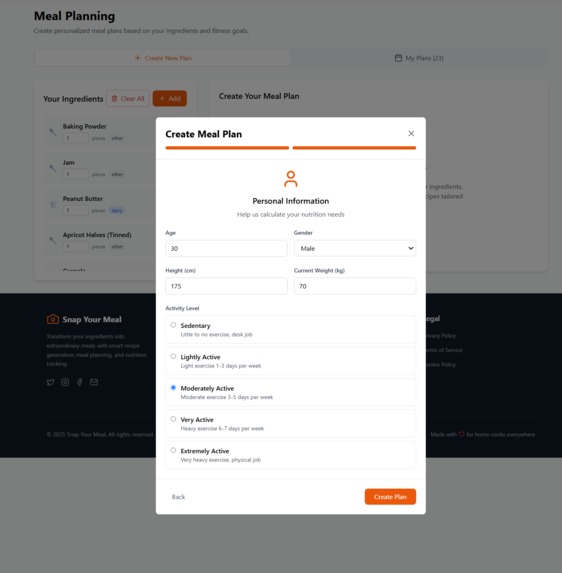
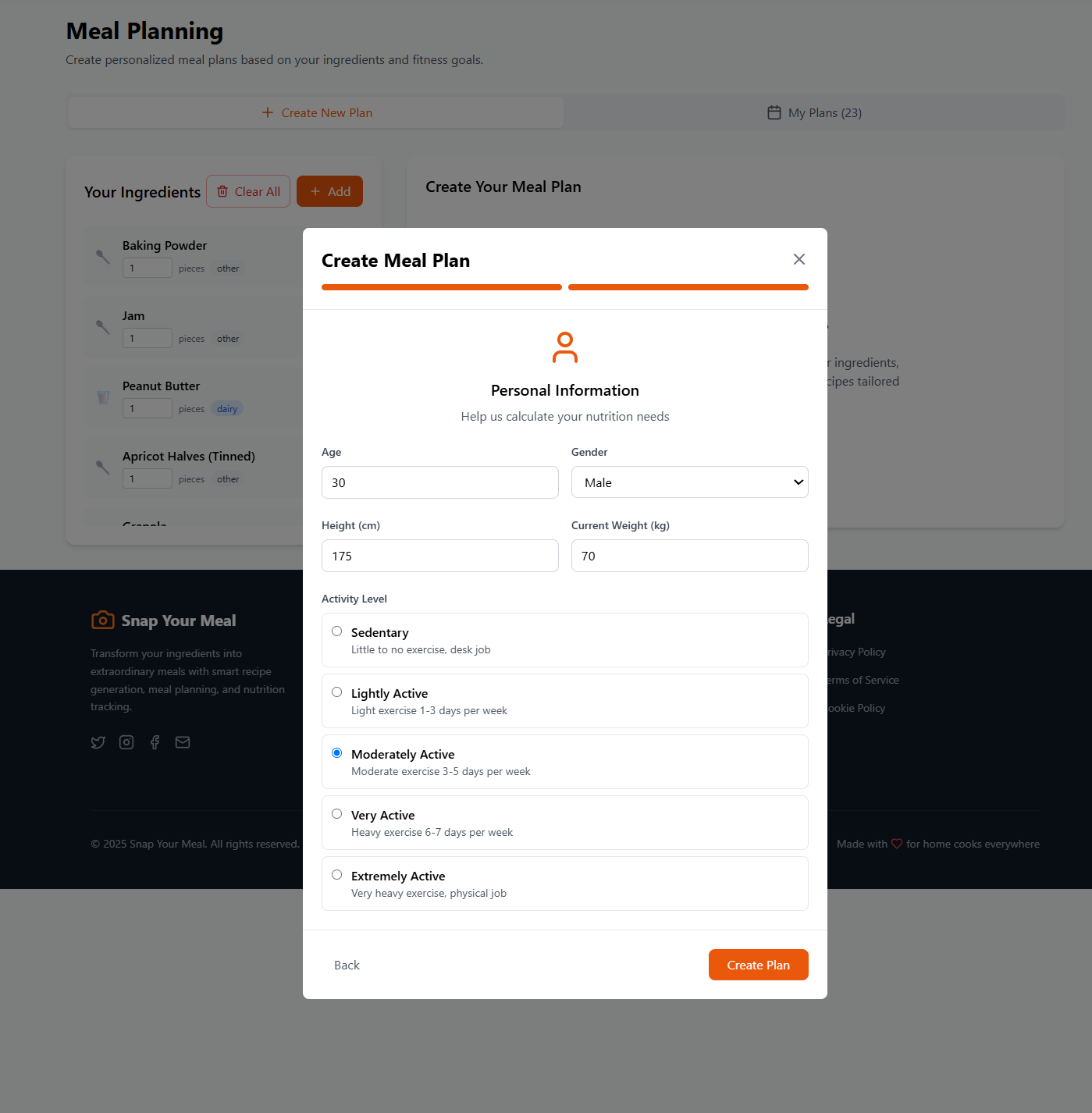
You can also share information about your weight, height, gender and activity level to get a personalised TDEE estimation with your plan.
-
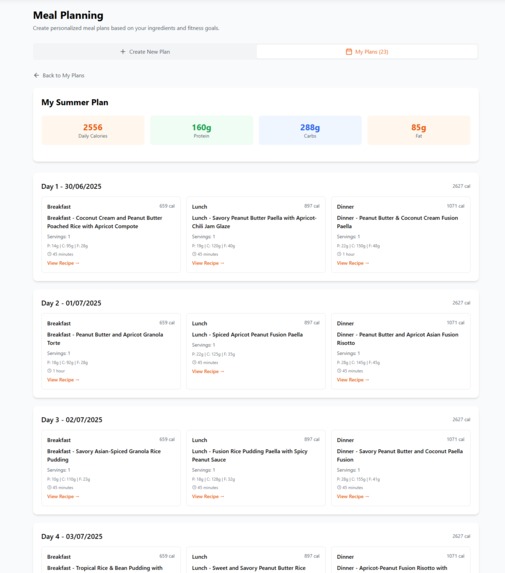
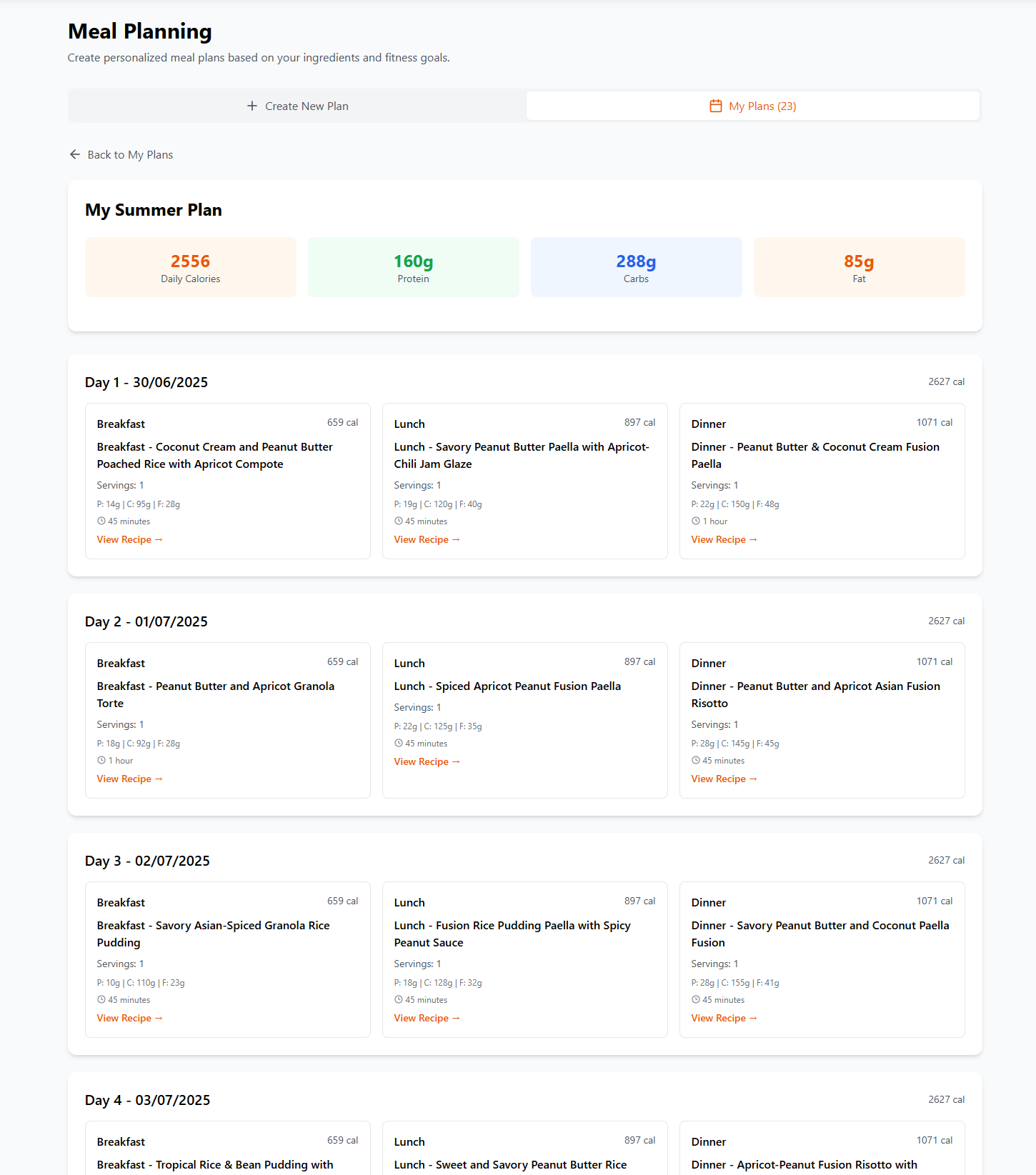
A short while later, you have a complet meal plan, with your TDEE. Each recipe can be clicked to view the full details of how to prepare it.
Inspiration
Snap Your Meal was born from a common moment of frustration: staring at a cupboard full of random ingredients and feeling stuck on what to cook. Add to that the rising cost of living, wasted groceries, and the mental load of meal planning—and I saw an opportunity to solve all of it with a single photo.
I also recognized the inefficiencies of calorie-tracking apps and fitness meal planners, which require manual input and don't account for what users actually have on hand. By combining computer vision and AI-powered text generation, I wanted to create something more intuitive, sustainable, and fun.
What it does
Snap Your Meal helps users:
- Identify ingredients from a photo of their cupboard, fridge, or shelf
- Generate personalized recipes based on fitness goals and dietary preferences
- Estimate calories and macros from a photo of a cooked meal
- Build meal plans that match specific calorie and macro targets
- Reduce food waste by using ingredients that might otherwise be thrown away
- Join a recipe-sharing community of health-conscious home cooks
Everything starts with a single snap.
How I built it
I built Snap Your Meal using:
- Frontend: React with TypeScript and Tailwind CSS
- Authentication: Supabase Auth for secure user sign-up and login
- Database: Supabase PostgreSQL with Row-Level Security
- Image Analysis: Supabase Edge Functions powered by GPT-4 Vision for food and meal recognition
- Recipe Generation: Another Supabase Edge Function that prompts GPT-4 to create recipes in markdown, based on user-selected preferences and AI-detected ingredients
- Calorie Estimation: Custom prompts to extract total calories, macros, and portion estimates from uploaded meal photos
- Image Compression: browser-image-compression library for efficient uploads
- State Management: Zustand
- Routing: React Router
- Image Storage: Supabase Storage
- AI Recipe Image Generation: GPT-based image generation for recipe previews
Challenges I ran into
- Accuracy of vision models: Ingredient recognition can vary based on lighting, image quality, and packaging. I had to craft very specific prompts to improve precision.
- Prompt engineering: Getting the AI to generate detailed, calorie-matched, markdown-formatted recipes required a lot of trial and error.
- AI cost control: Running GPT-4 with vision input is expensive. I had to compress images on the frontend and implement fallback logic to ensure a smooth experience even under rate limits.
- Balancing UX with constraints: I wanted a simple UX (just take a photo), but still needed users to select preferences, goals, and plan types behind the scenes.
Accomplishments that I'm proud of
- Built a fully working app that recognizes ingredients and generates fitness-aligned recipes in under a minute
- Created a smooth UX with zero manual input required to get smart, goal-based suggestions
- Successfully integrated AI image + text models into a scalable frontend using Supabase
- Helped early users reduce food waste, plan their diets, and track nutrition without spreadsheets or calorie math
- Designed a freemium model with clear upgrade incentives and community-driven growth potential
What I learned
- Prompt design is a product feature, not a backend detail. Small wording tweaks make huge differences.
- AI is only as useful as its UX wrapper. Simplicity and clarity in user flow are key.
- It's possible to create a valuable, intuitive experience even when dealing with complex tech like computer vision, macros, and dynamic meal planning.
What's next for Snap Your Meal
- Launching community recipe sharing, where users can post, rate, and remix photo-based recipes. A basic version of this exists currently with a few minor bugs to iron out.
- Building an app!, I'd love to hire a dev and get some help building this out as an Android and Ios app. I think I could reach and help a lot more people via appstores.
- Expanding into language localization for global markets
- Exploring API licensing for gyms, nutrition coaches, and health platforms
- Applying for sustainability grants and partnerships with anti-food waste orgs
Built With
- auth
- css
- gpt-4
- postgresql
- react
- supabase
- tailwind
- typescript
- zustand


Log in or sign up for Devpost to join the conversation.