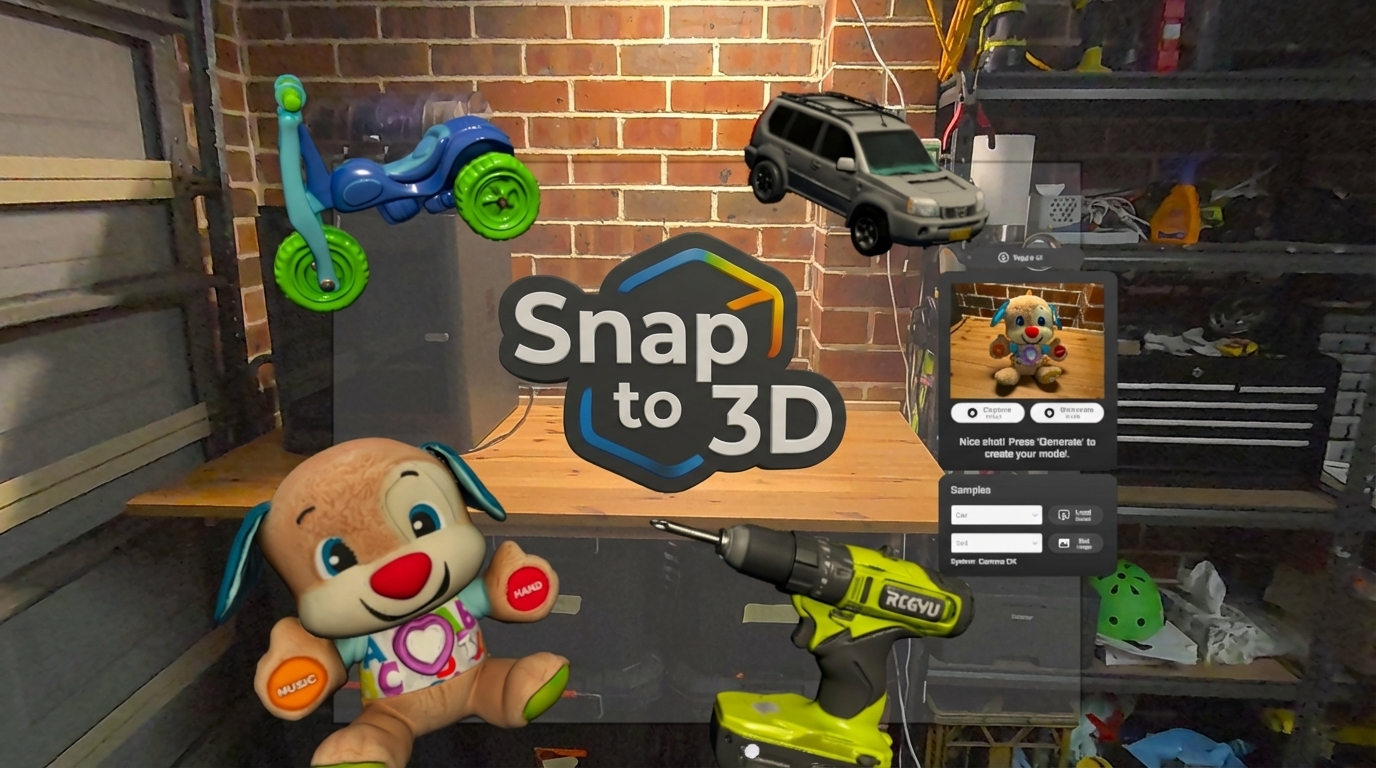
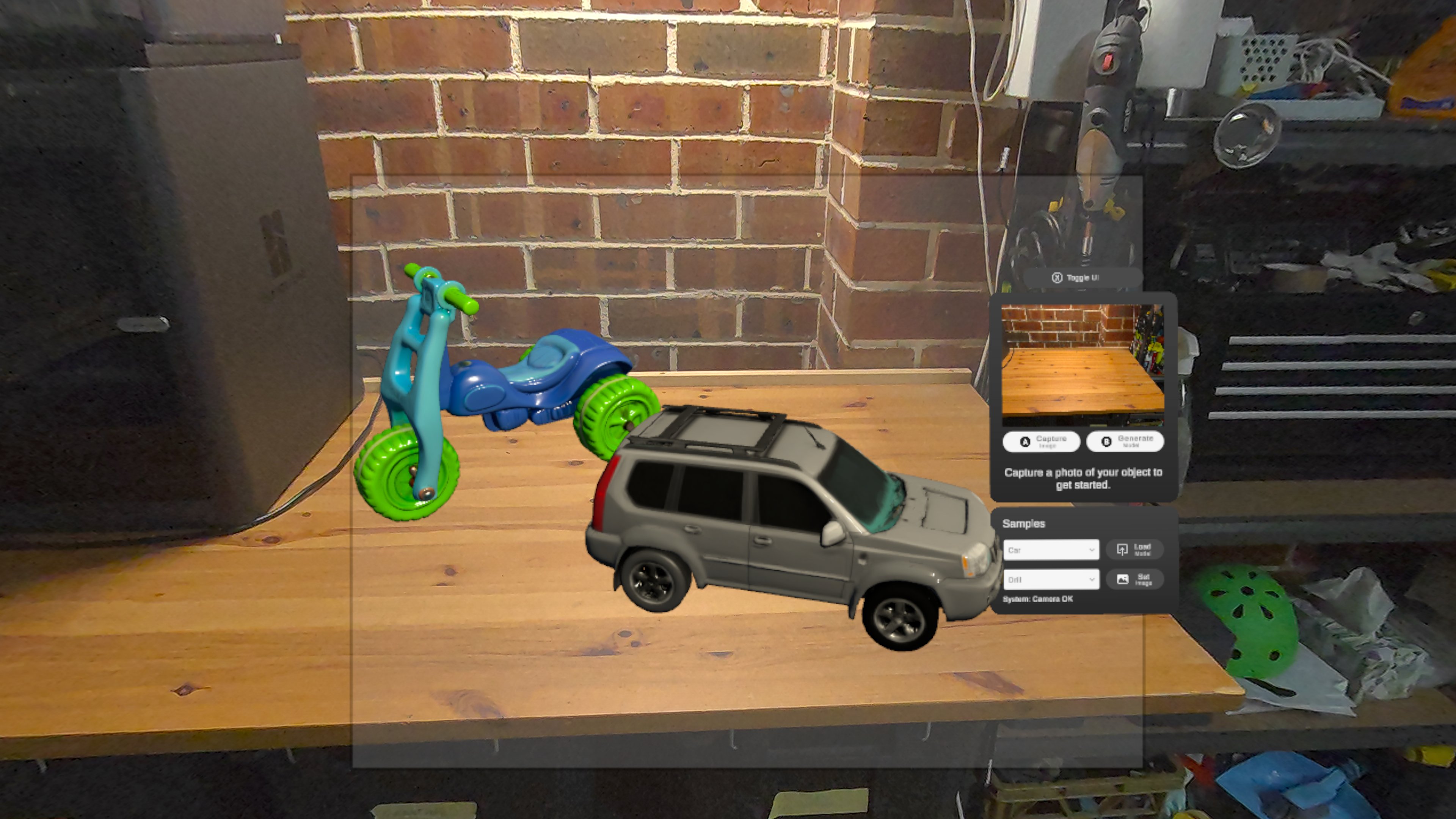
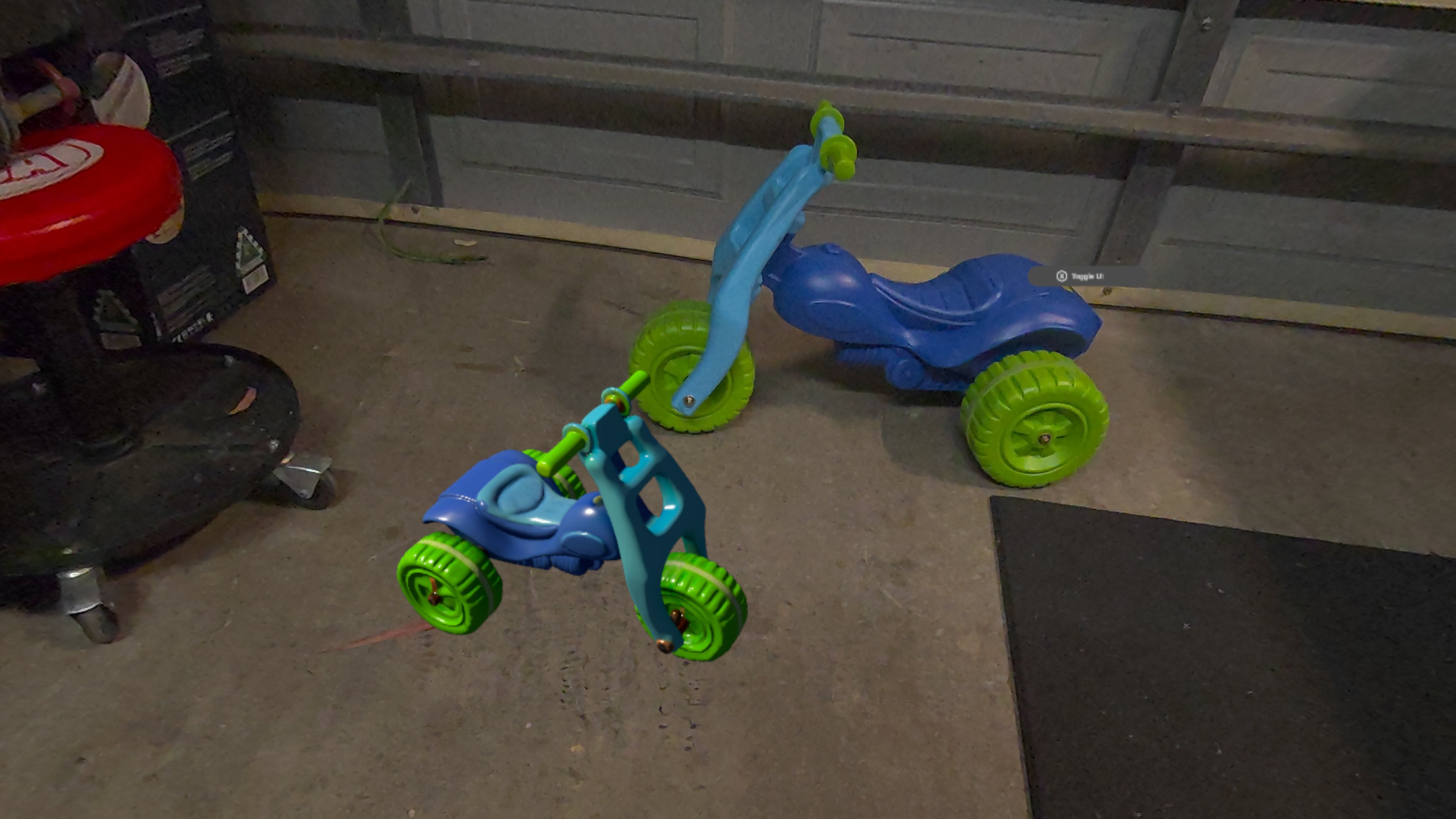
Snap real-world objects in Mixed Reality and watch them appear in VR as fully textured, realistic 3D models you can grab, inspect, and explore
Inspiration
Snap to 3D VR grew out of a simple question: what if you could look at a real object, tap a button, and see it appear inside VR as a realistic, fully textured 3D model? A direct, lightweight bridge between your physical space and your virtual one.
The goal was to explore how VR could support everyday professional tasks - not just entertainment - by making it easier to work with real objects in a virtual environment. Many real-world workflows rely on understanding how objects exist in space: arranging furniture, planning equipment layouts, showing someone how something fits, or reviewing a physical prototype. Traditionally, this means 2D drawings, rough sketches, and a lot of guesswork.
Snap to 3D VR is a proof-of-concept that imagines what those workflows could look like if capturing real objects for VR were quick and simple. No 3D modelling required.
Passthrough camera capture combined with AI-based 3D model generation means no IR/laser scanning rigs, no turntables, no complex pipelines. Just look at an object, capture it, and see it materialise inside VR.
What it does
Snap to 3D VR lets users:
- View their environment in Mixed Reality through the Meta Quest passthrough camera.
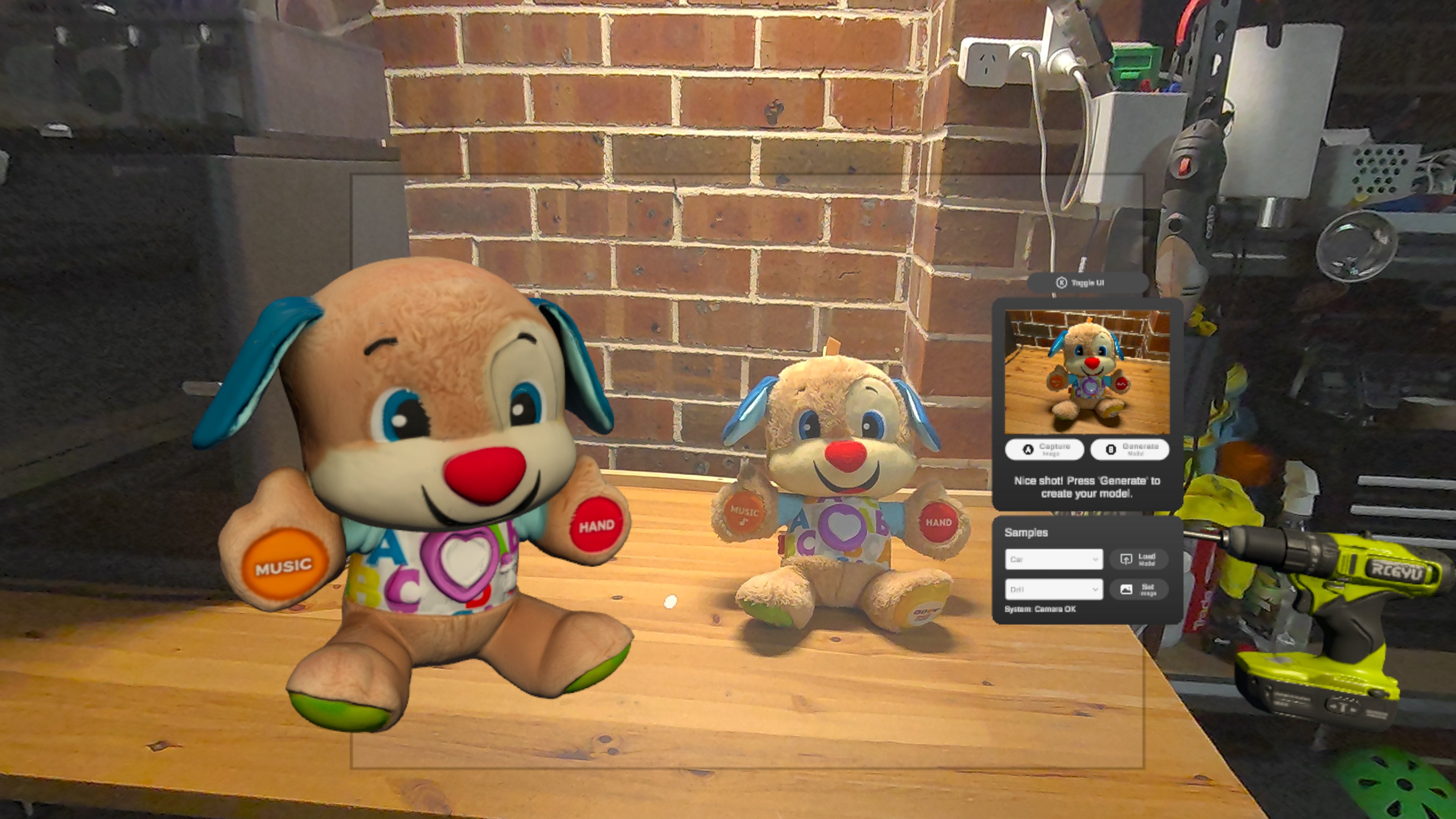
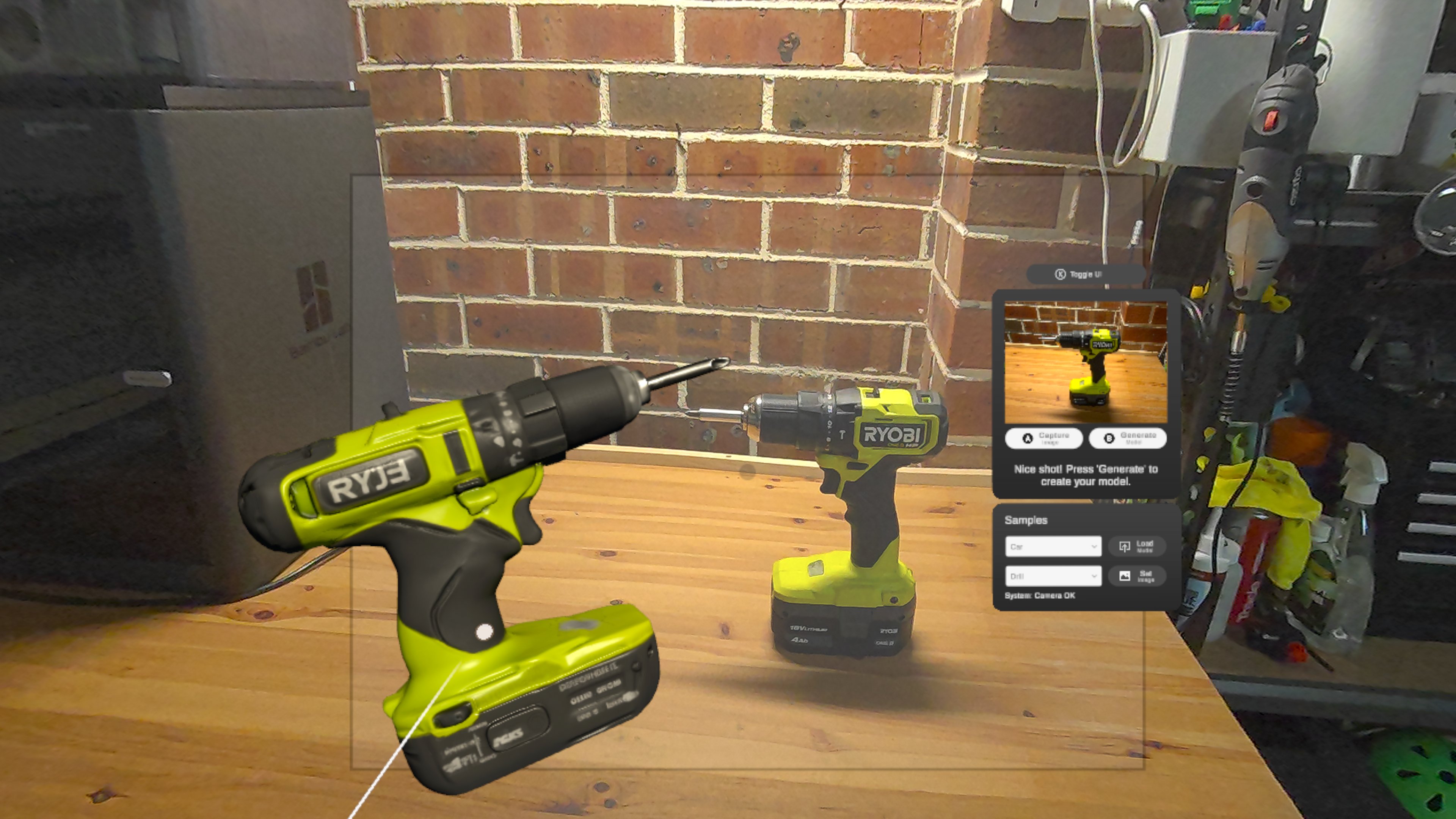
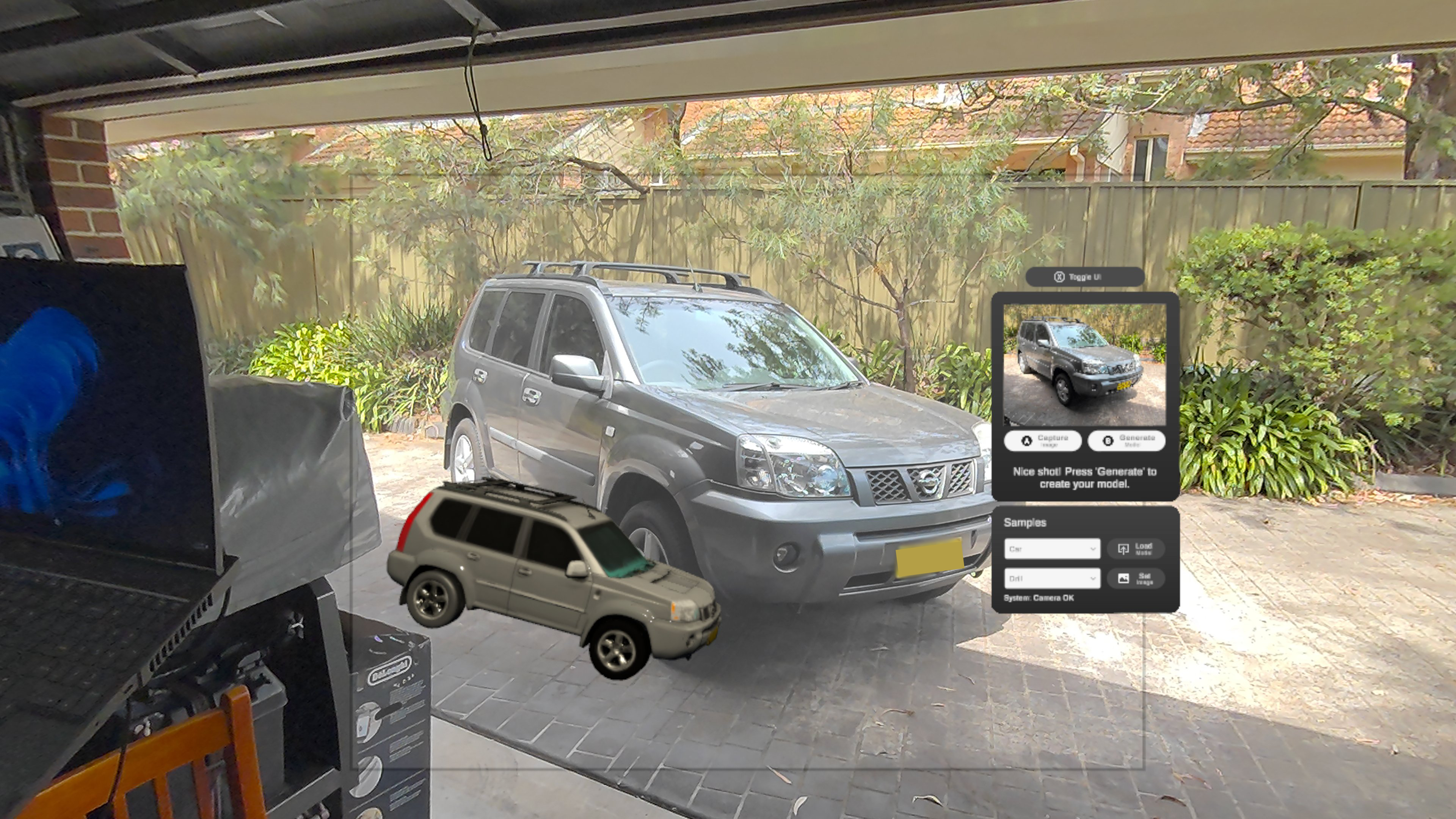
- Capture a photo of any real-world object in the viewfinder frame.
- Send the photo to an AI-based 3D model generation service, which returns a fully textured, realistic 3D model.
- Load that model into their room, then grab, move, rotate, inspect, and arrange it anywhere in virtual space using hand-tracking or controllers.
Users can generate multiple objects back-to-back, creating a library of items in VR. Test tools are included to load sample models, helping judges explore the functionality even without capturing their own objects.
Use cases
The proof-of-concept opens up a range of possibilities:
- Interior design and spatial planning: placing real objects inside a virtual room to test ideas before moving anything.
- Gaming: customise games with models from your home, or even yourself.
- Office and studio layout: visualising tools, furniture, and hardware at full scale.
- Rapid prototyping: pull physical prototypes into VR for quick review.
- Collaborative planning: shared virtual spaces where teams interact with captured objects together.
- Personalised VR experiences: bring real objects into creative or playful VR scenes.
How I built it
- Built in Unity, leveraging the Meta Quest Passthrough Camera API, XR runtime, and hand-tracking.
- The capture-to-render pipeline uses AI-based 3D model generation to convert a photograph into a detailed textured 3D model.
- Unity manages model loading, VR interaction, and spatial placement.
- Focused on creating a clean, self-contained demo that demonstrates the core workflow clearly and reliably.
Challenges & lessons learned
- Learning Unity and the Meta SDK, including the passthrough camera API.
- Designing intuitive 3D UI that informs without distracting.
- Understanding the strengths and limitations of AI-based 3D reconstruction and the overall VR workflow.
Accomplishments I'm proud of
- A fully functional workflow from real-world photo capture to textured 3D model to immersive VR placement and manipulation.
- Realistic, convincing 3D object representations with proper textures and lighting.
What's next for Snap to 3D VR
- Polish the UI/UX and prepare for potential public release via the Meta Horizon Store. ETA Feb 2026.
- Collaborative/multiplayer sessions in shared MR spaces.
- Multi-object capture to assemble full scenes.
- Export, sharing, and cross-application use for 3D printing or collaborative VR tools.
- Real-world scale estimation for accurate sizing.
- Spatial understanding and gravity for natural placement.
- Persistent VR libraries to save captured items for later sessions.
Built With
- meta-passthrough-camera-api
- meta-xr-sdk
- open-xr
- unity


Log in or sign up for Devpost to join the conversation.