-
-
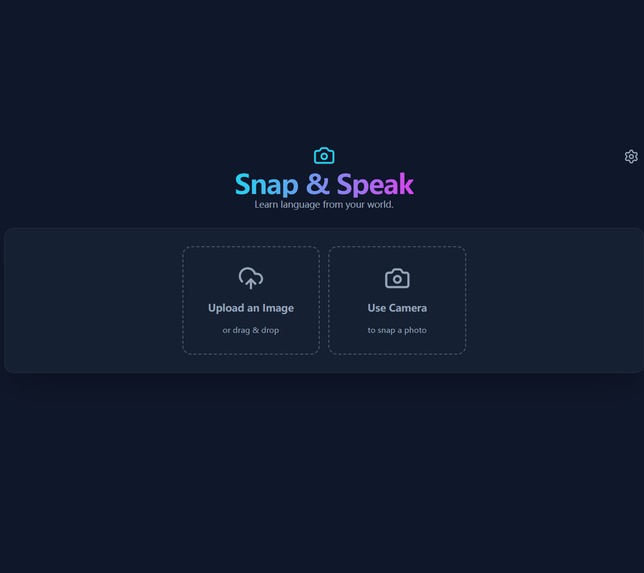
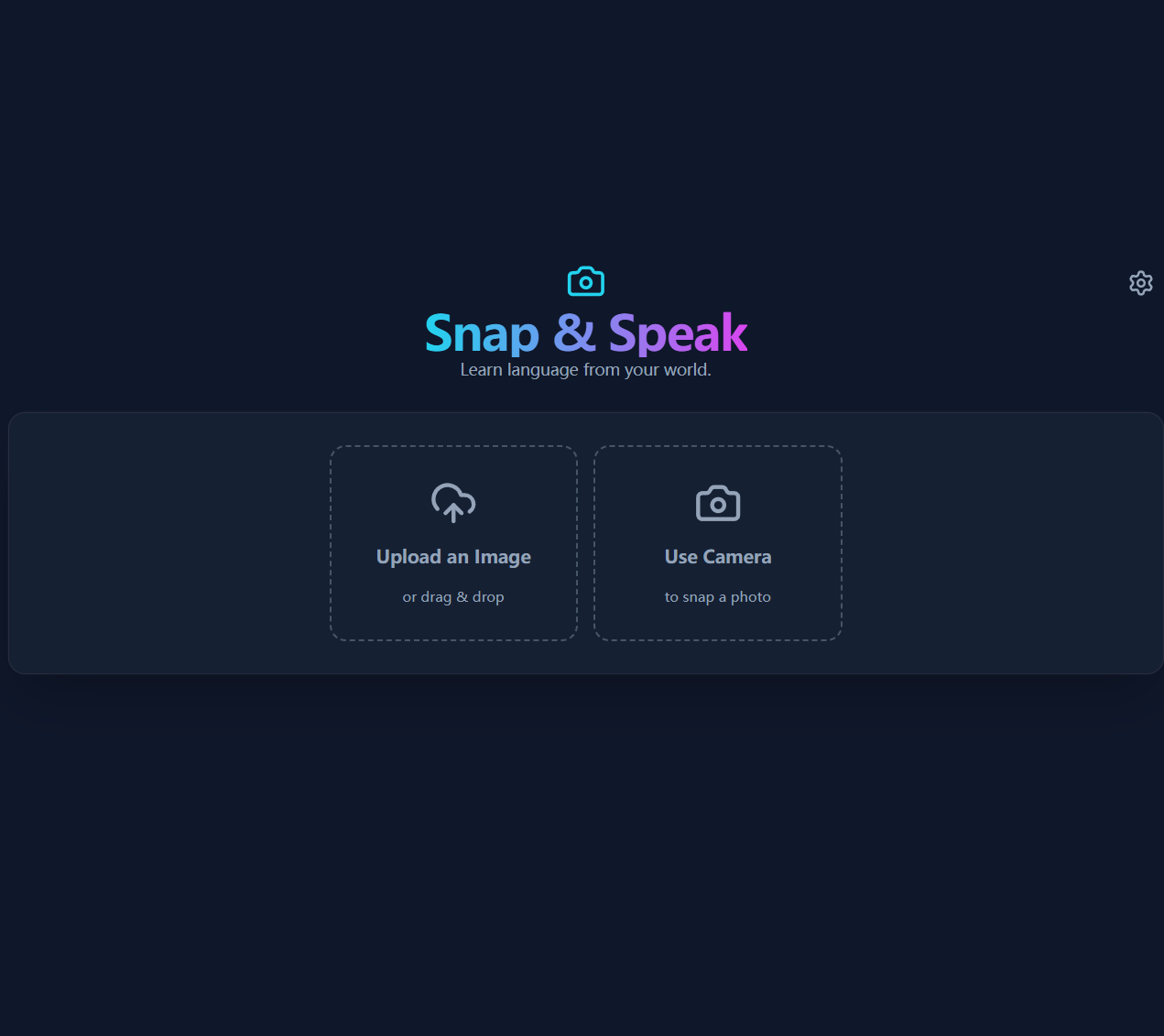
Welcome to Snap & Speak! Start your language journey by uploading a photo or using your camera to capture the world around you.
-
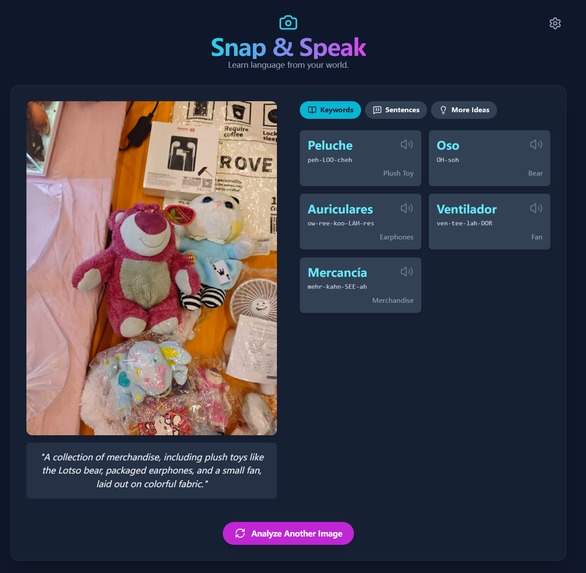
Welcome to Snap & Speak! Start your language journey by uploading a photo or using your camera to capture the world around you.
-
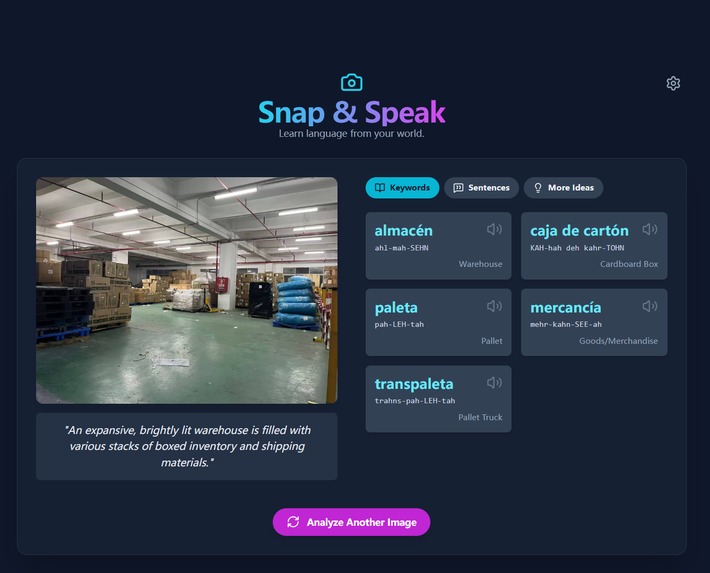
Your world is your classroom. From the supermarket to the warehouse, Snap & Speak turns any real-life scene into a practical language lesson
-
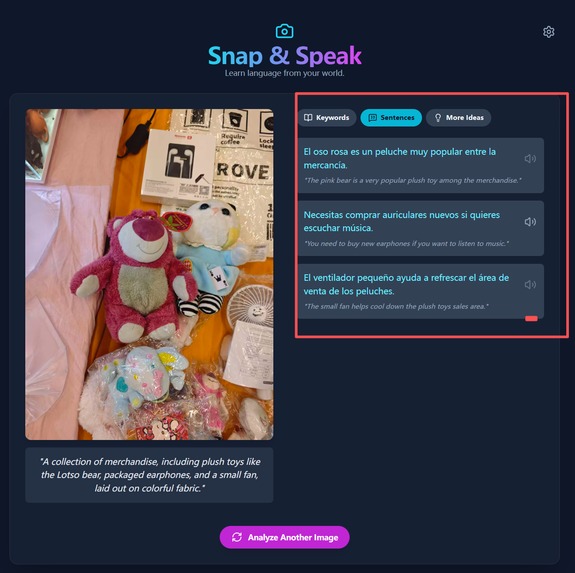
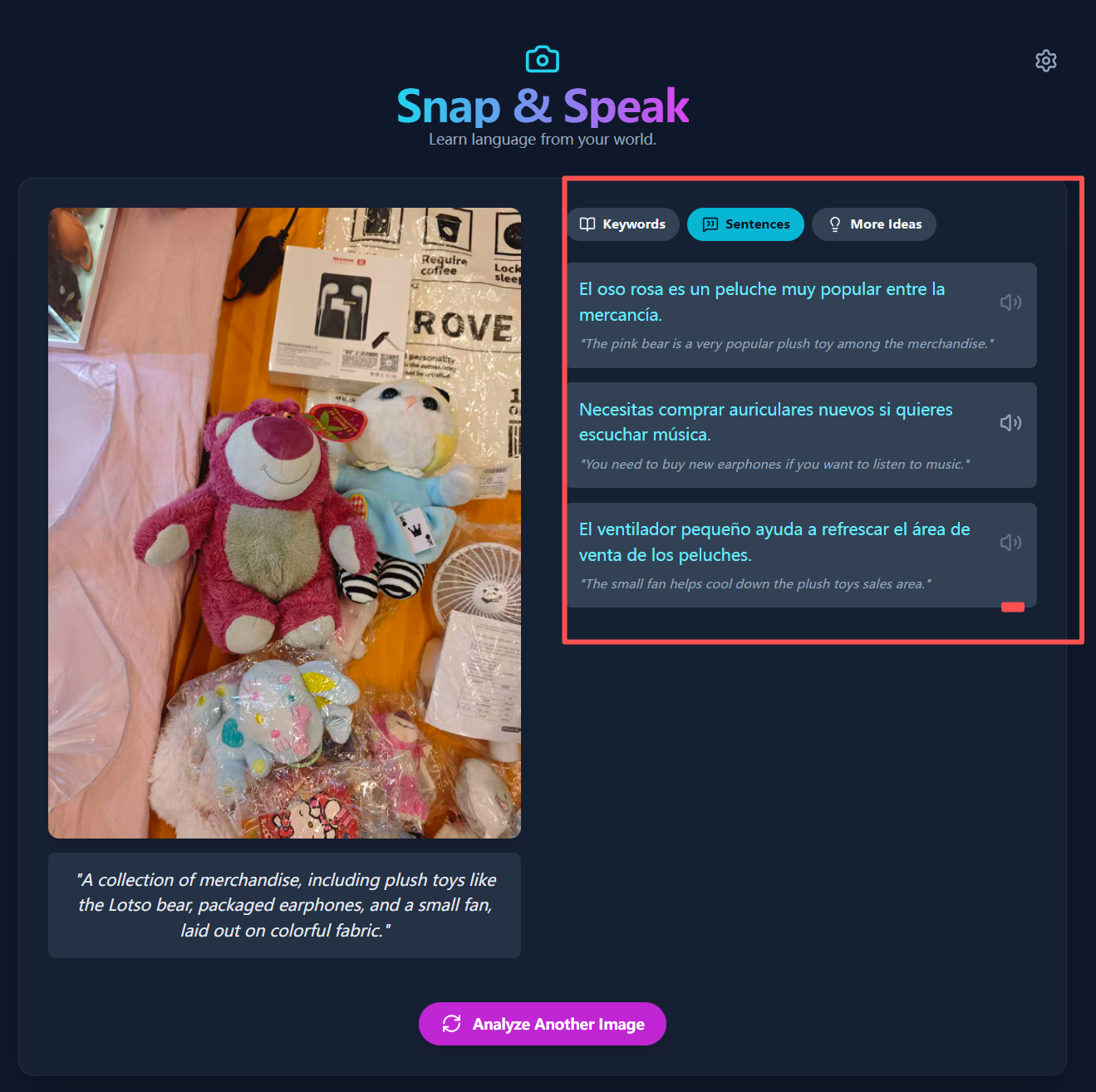
Learn words in context. The 'Sentences' tab gives you practical examples to help you master new vocabulary and speak more naturally.
-
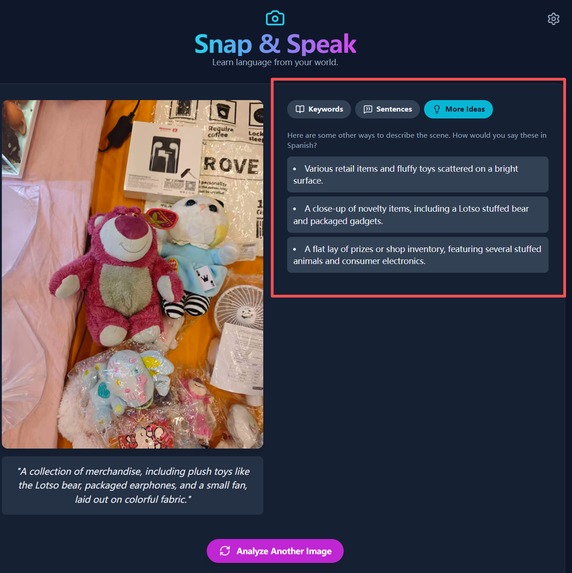
Learn words in context. The 'Sentences' tab gives you practical examples to help you master new vocabulary and speak more naturally.
-
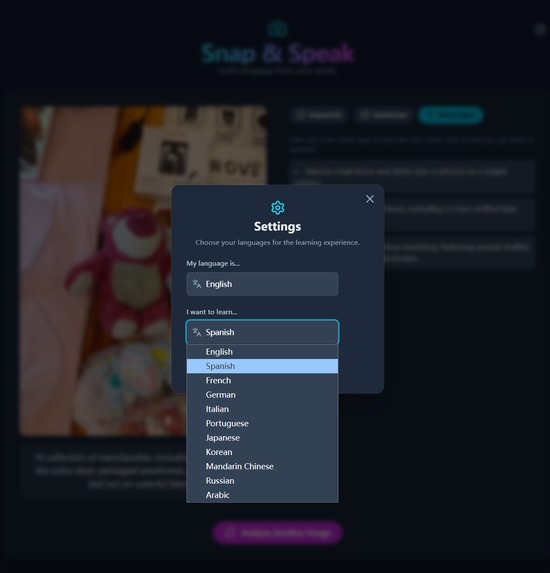
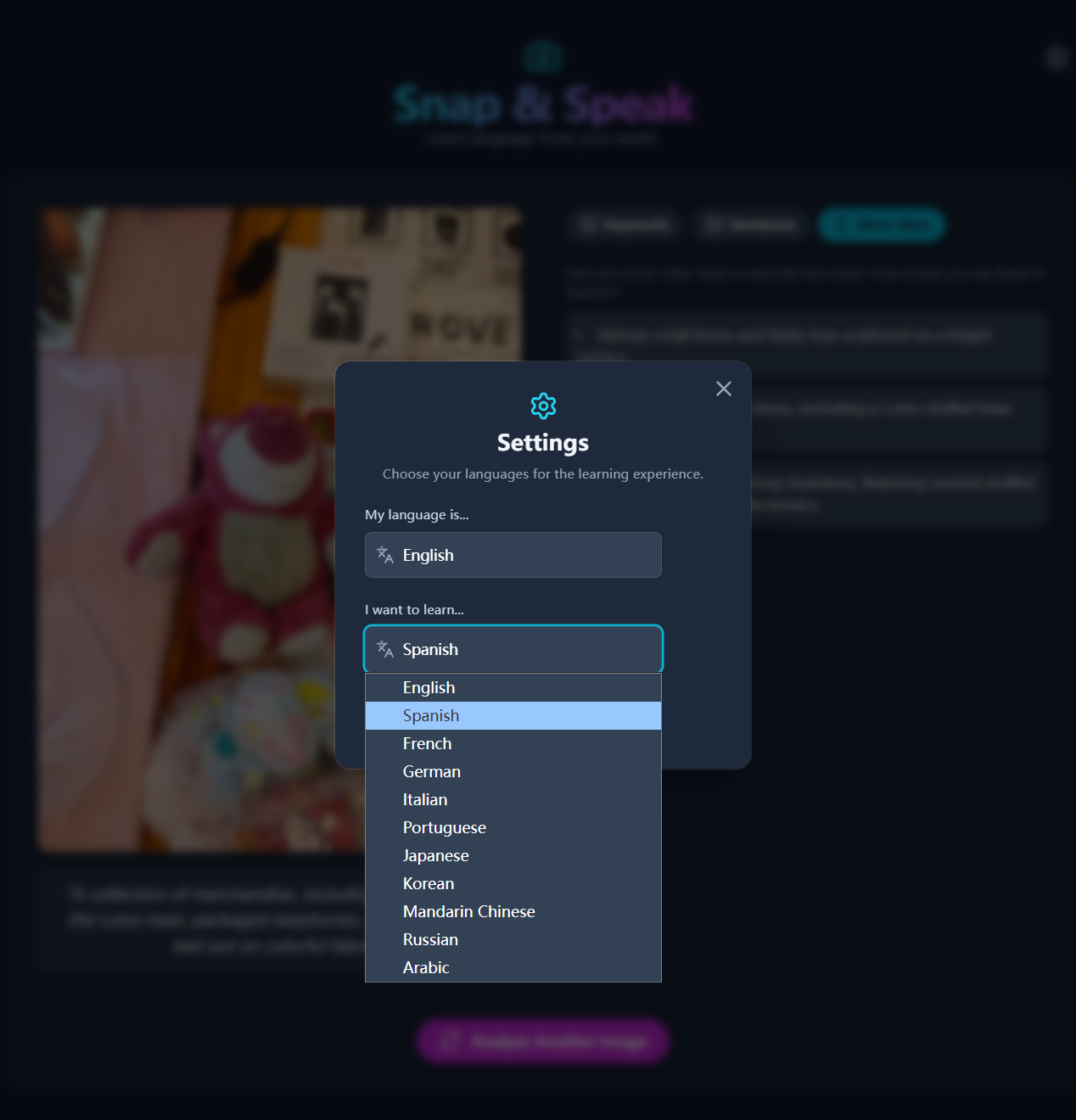
Customize your lesson. The settings modal lets you instantly change your native and target languages for a truly personalized experience.
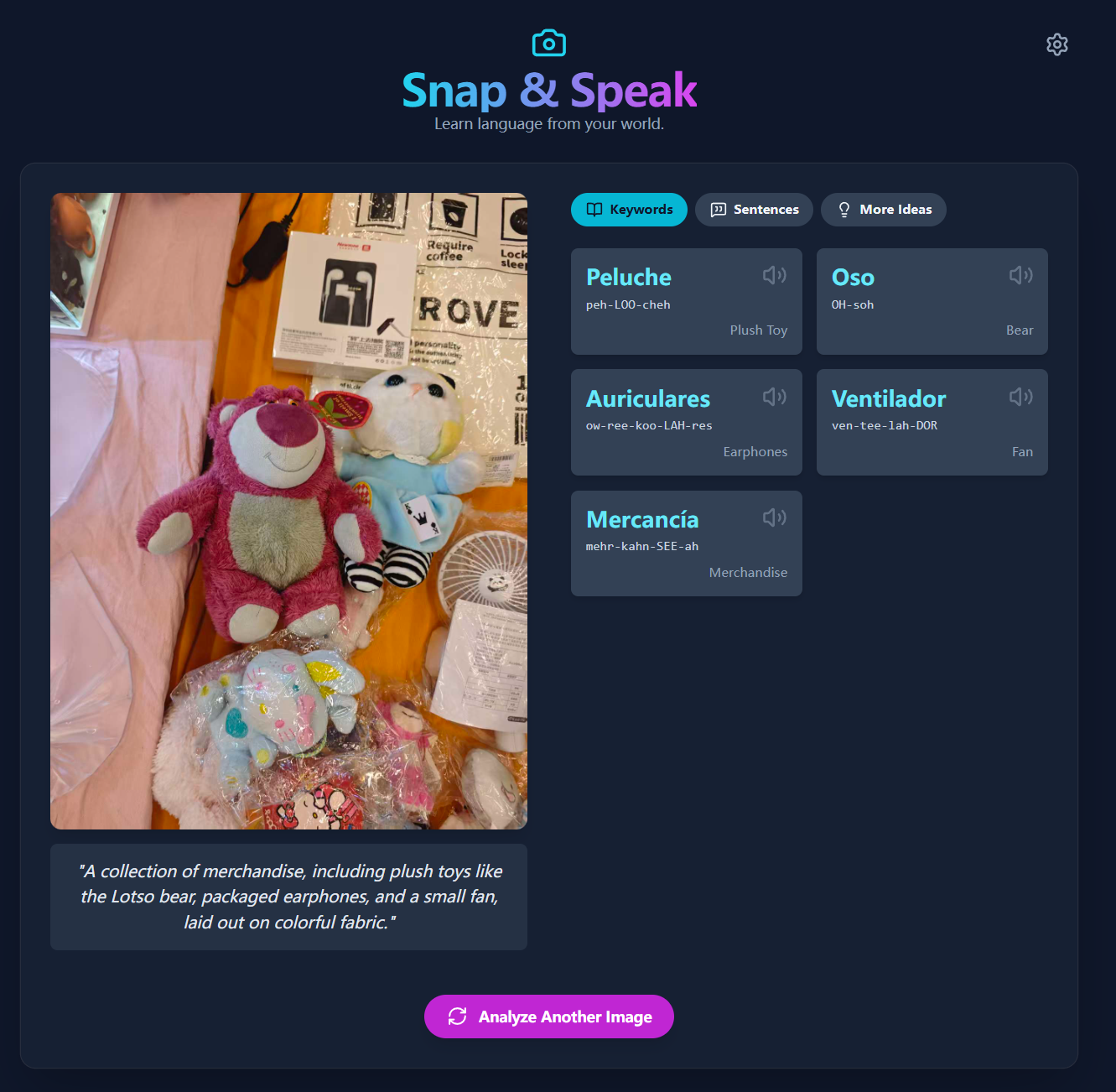
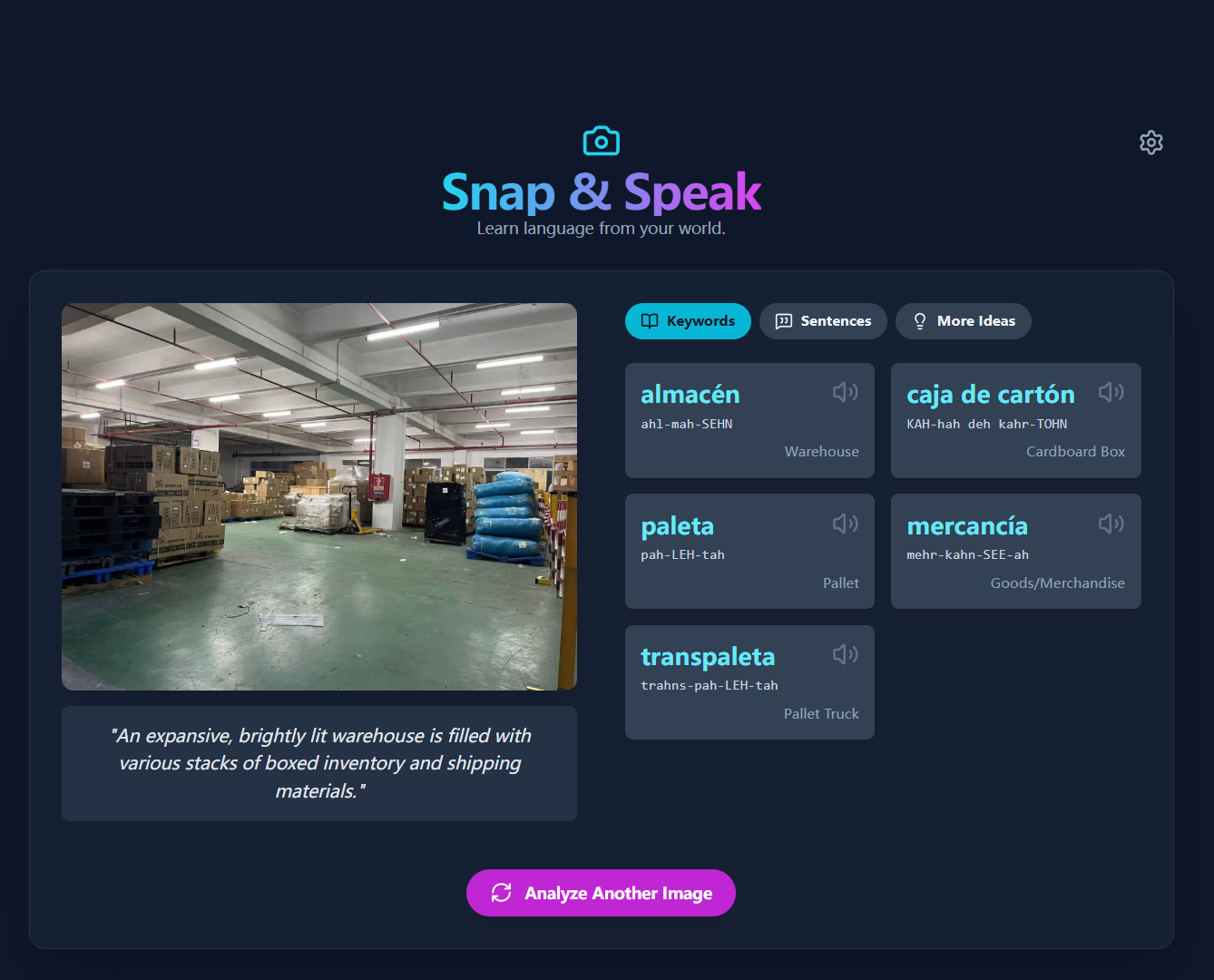
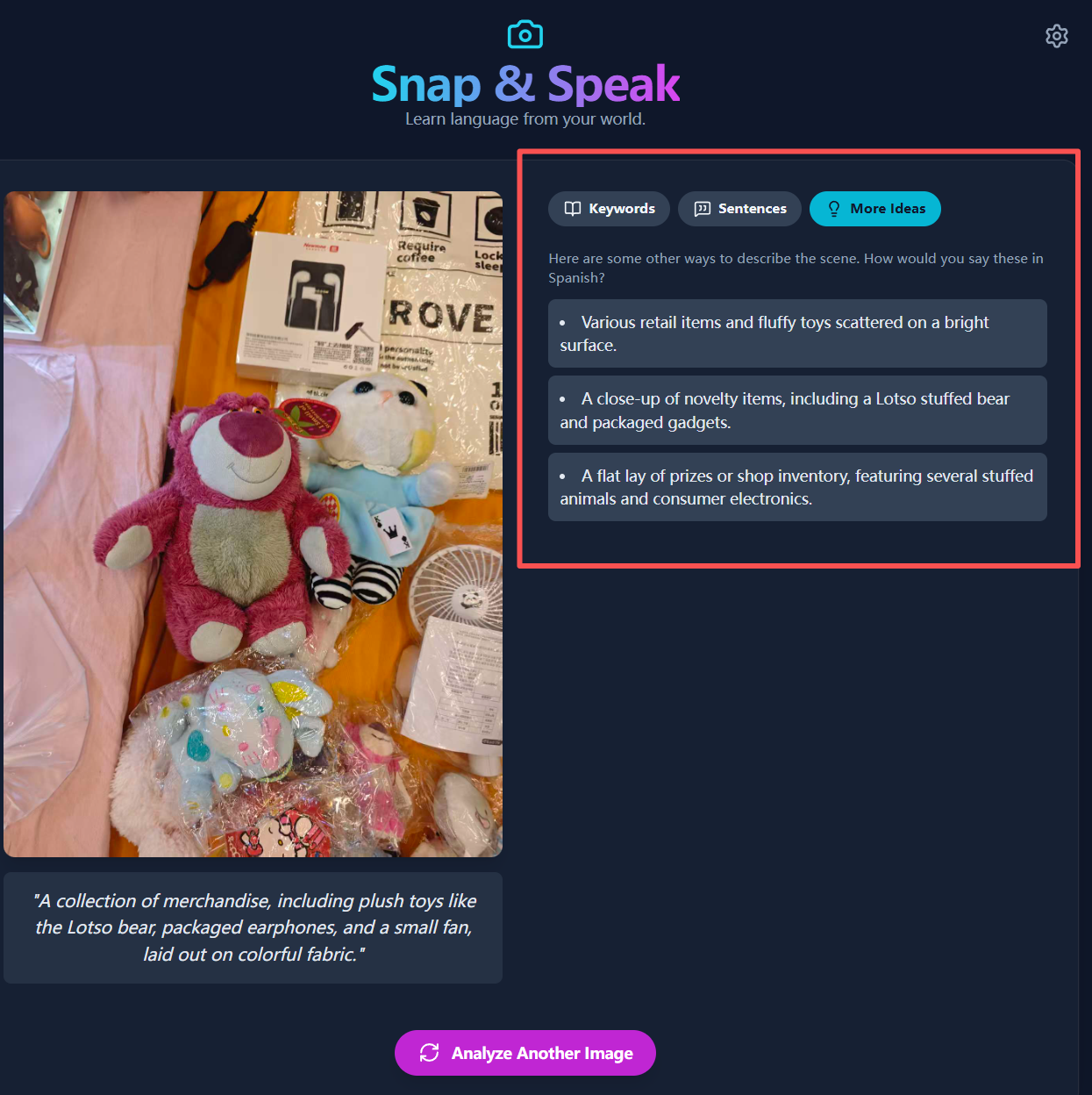
nap & Speak is an innovative, AI-powered language learning tool that turns the user's world into an interactive classroom. By simply taking a photo or uploading an image, users can unlock a rich, contextual learning experience. The application leverages the Google Gemini API to analyze the image and instantly generate: A clear description of the scene. A list of key vocabulary words with translations and phonetic pronunciation guides. Practical example sentences that use the new vocabulary in context. Text-to-speech functionality to hear the correct pronunciation of words and sentences. Alternative descriptions of the image to encourage creative thinking. This approach moves beyond traditional flashcards, connecting language to the user's immediate environment and making learning more personal, memorable, and effective. How It's Built Snap & Speak is a modern web application built with: Frontend: React and TypeScript for a robust and interactive user interface. AI Engine: The Google Gemini API (gemini-flash-latest model) provides the core multimodal intelligence, analyzing images and generating structured JSON for the learning content. Styling: Tailwind CSS is used for a clean, responsive, and mobile-first design. Web APIs: It utilizes the browser's Camera API (getUserMedia) for direct photo capture and the Web Speech API for text-to-speech pronunciation. The architecture is designed to be efficient and scalable, providing a seamless experience from capturing an image to learning from the AI-powered analysis. Inspiration & Journey My journey with Snap & Speak began with a personal struggle: learning a new language. Traditional methods felt disconnected from the real world. I wanted to learn the words for the things I see every day, not just words from a textbook. The idea was born: what if I could just point my camera at something and instantly get a language lesson about it? As someone who isn't a professional programmer, bringing this vision to life was a challenge. After trying a few approaches that didn't quite work, I realized my priority was to make the core feature functional and reliable. This is where the Google Gemini API became a game-changer. I decided to use the API directly, which allowed me to bypass complexities and focus on what truly mattered: the user's learning experience. The power and flexibility of the Gemini API made it possible to quickly build the intelligent analysis engine that is the heart of Snap & Speak. This project is a testament to how modern AI can empower anyone to build powerful applications that solve real-world problems. AI is providing incredible new ways for us to learn, and I'm deeply grateful to Google for making these transformative tools so accessible.
Built With
- camera-api
- css3
- google-gemini-api
- google/genai
- html5
- javascript
- lucide
- react
- tailwind-css
- typescript
- web-speech-api

Log in or sign up for Devpost to join the conversation.