-
-
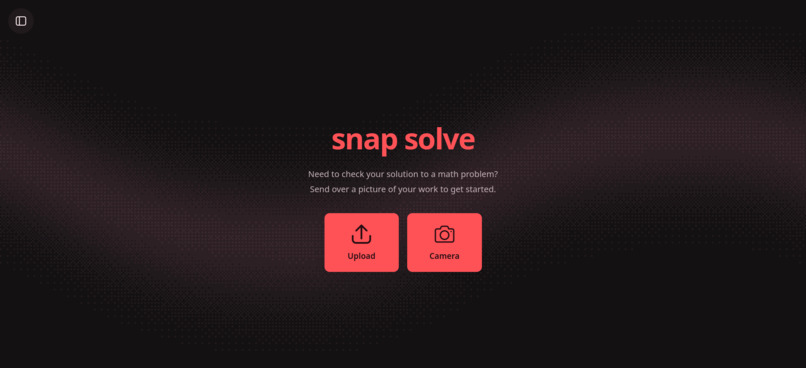
Home Page
-
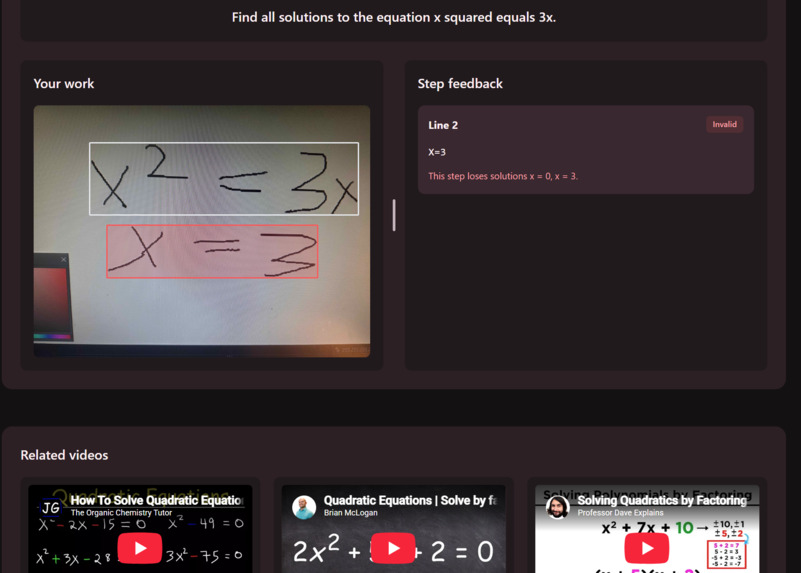
problem identified, recommended videos given
Inspiration
We've used other technologies like Photomath and Chatgpt, but those just give you the answer. Real learning comes from trying the problem yourself. It can be confusing when you don't get the answer you expected though, or you don't even know what is correct. As such, we wanted to make a project where you can try a problem, then take a picture of your work and have a computer check for any mistakes.
What it does
Snap Solve lets you upload an image, or access your camera directly (including your phone) to scan your work. Behind the scenes a model will interpret your handwriting and convert it to Latex code to be stored in a JSON. Then, it is parsed line by line to see if each step is valid and if the final result is correct. This is done with python library Sympy. Afterwards, the website recommends additional Youtube videos based on the topic, which is inferred by Google Gemini.
How we built it
Three teammates, three major components. The AI image recognition, the pipeline from image to solution checking, and the website.
The image detection was done with open source model "TexTeller". TexTeller was trained off images of typed lines, so the model struggled initially with handwritten data. We used two datasets to test and train the model; the "MathWriting" dataset taken online (a large sample of handwritten symbols), and our own sample of 192 hand written lines. We had CSVs for both where the image was paired with a correct corresponding Latex string. Initial testing gave 61% and 53% exact match scores respectively. After training on another subset of both data sets, the model improved to 82% and 72%.
After being run through the TexTeller model, the predicted LaTeX gets parsed into line by line statements. Each line is run through SymPy to check for internal validity (whether the line is mathematically correct), continuation validity with the prior line (whether the line agrees with the prior line), and final validity with the problem (whether the final output solves the problem). All together this allowed us to finely pinpoint where an error occurred and how. To obtain the problem statement we initially interface with the Gemini API, passing it the full predicted LaTeX and receiving a theoretical problem that could have led to the statements, and then allow the user to manually adjust the problem if needed.
Finally all of this is compiled together and rendered on the website. We use the line by line splits to render bounding boxes across individual lines, with outline color representing if an error was spotted or not. A user can click on each individual line, and if an error exists, we explain how the error occurred. Then, through use of the Youtube API and predicted context by the Gemini API, helpful study videos relating to the problem are provided at the bottom of the page.
Challenges we ran into
We attempted multiple different open source models before settling on TexTeller. For example, we tried "pix2tex", but the model was unable to recognize any of our testing data, consistently reporting 0% scores. We didn't want to use a model that performed that poorly, as our training would practically be from scratch and there could have been some other error we were unaware of.
From there the biggest problem was just the time sink of training image recognition models. We couldn't start training as early as we would have liked, due to time wasted trying different models and handwriting data to be used for testing and training.
Accomplishments that we're proud of
We are proud of the model, it was really cool to see significant improvements in a model that had immediate effects on a real world product. We're quite happy with how the front end turned out as well, and the ability to use it directly from a phone.
What we learned
An interesting challenge was extracting what you need from an image. Since our project checks line by line, we needed to learn how to have an image detection model "chunk" the appropriate information in order to have it be fed into the Latex interpreter. We also learned a lot about scripting; we of course wrote scripts to train the model, but also to make various other tasks more efficient such as changing image types, generate random Latex strings, and then pair provided images with their corresponding Latex string to save time writing the verification CSVs for the model.
What's next for Snap Solve
Further improvements on the model, more training and time would be beneficial. We would also like to make the image detection more flexible; right now it is reliant on being "line by line". Additionally, we would like to expand to more areas of math such as proofs and graphing, potentially using software like Lean.
Built With
- camera
- computervision
- education
- imageprocessing
- math
- phone

Log in or sign up for Devpost to join the conversation.