-
-
Splash screen screenshot (for apple store display)
-
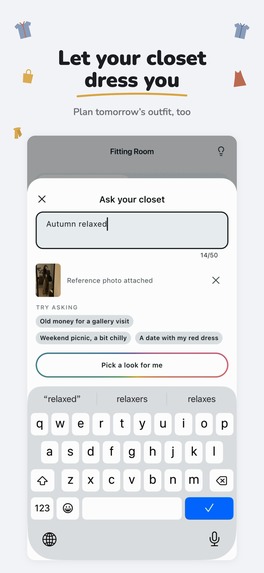
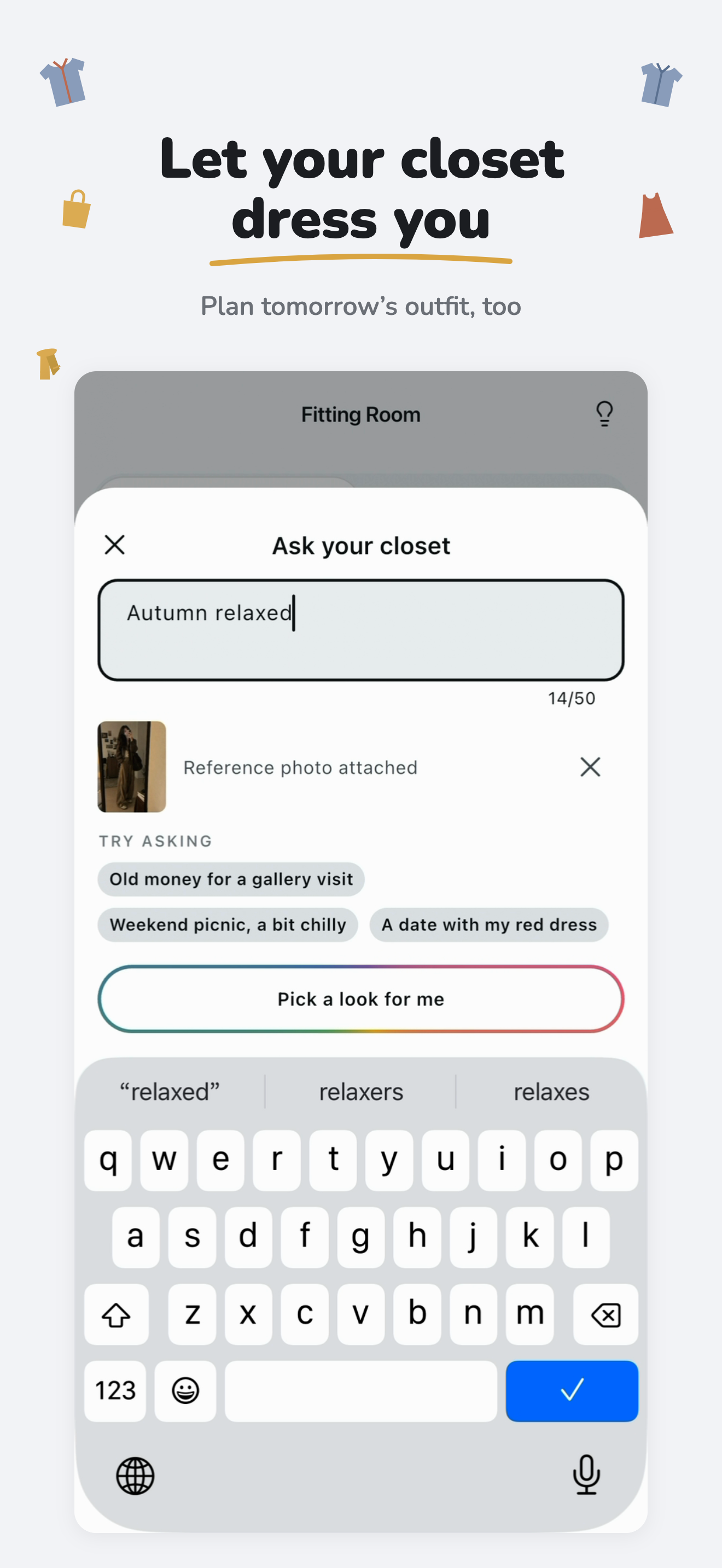
Ask closet to get outfit recommendations
-
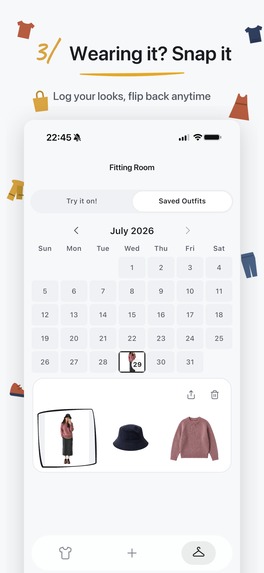
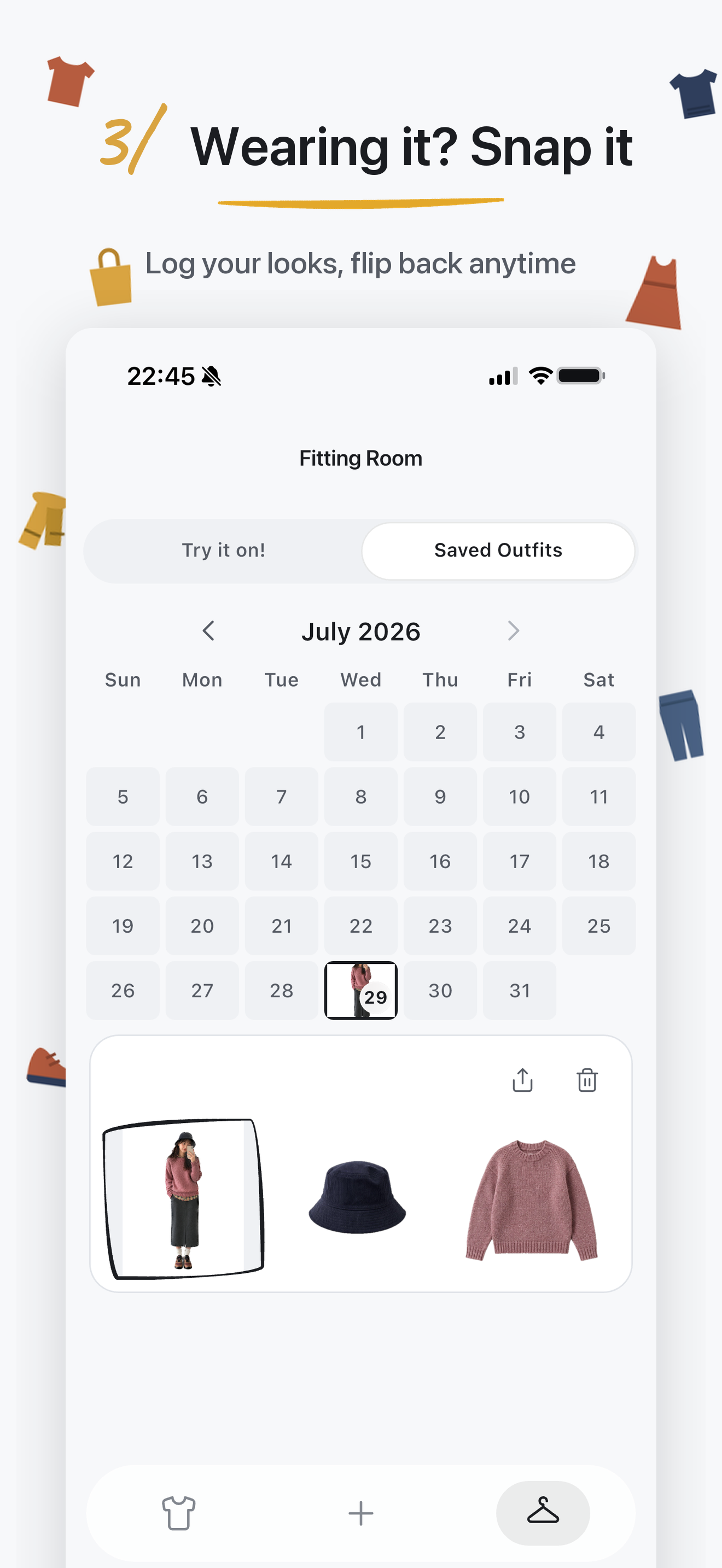
Outfit calendar
-
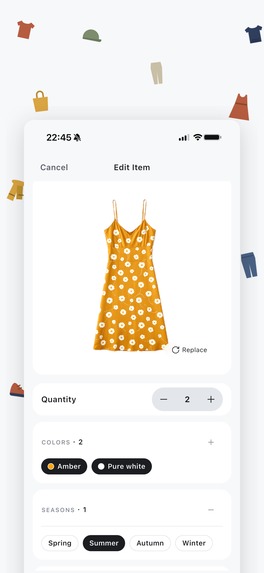
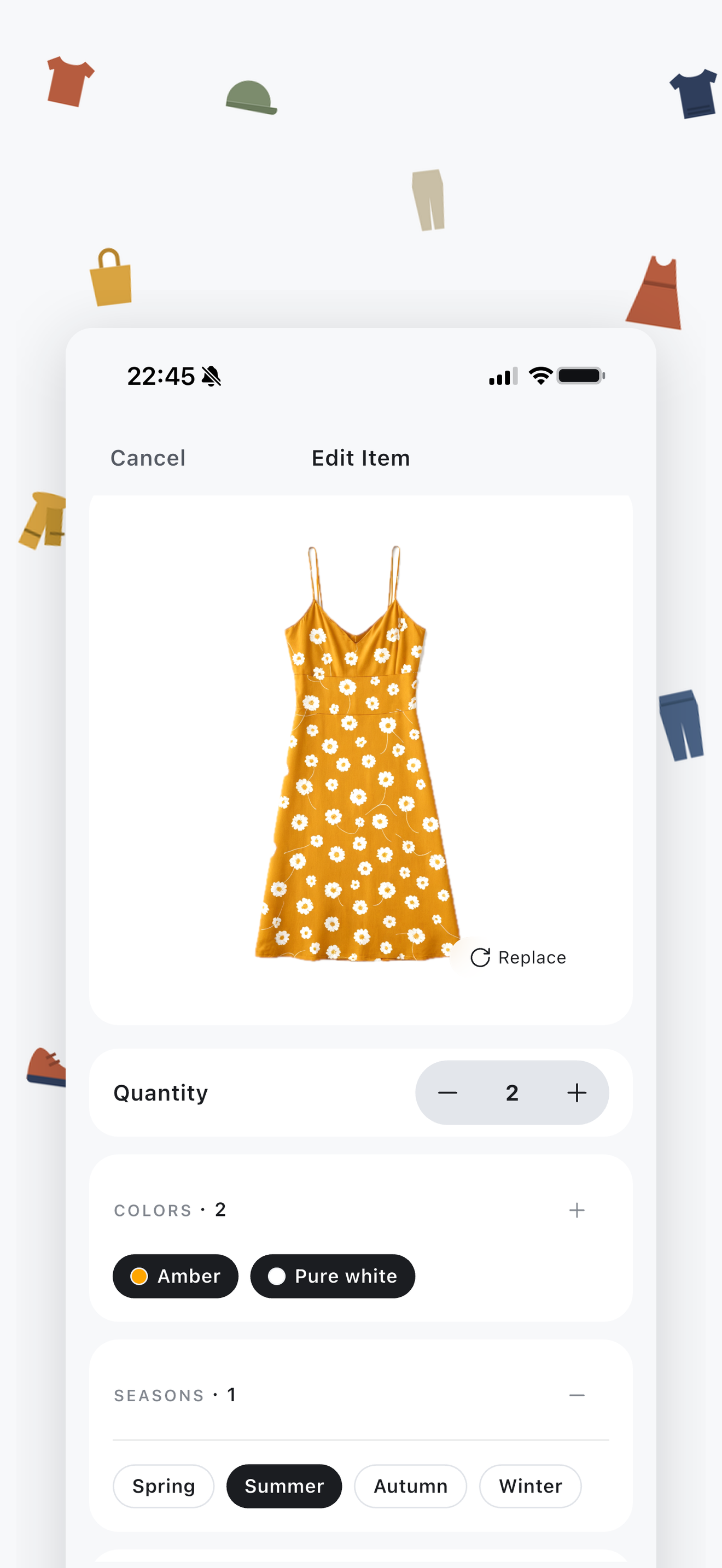
Item details screen
-
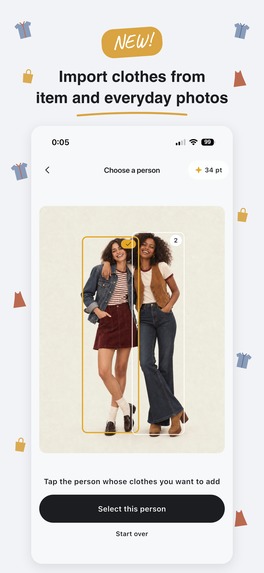
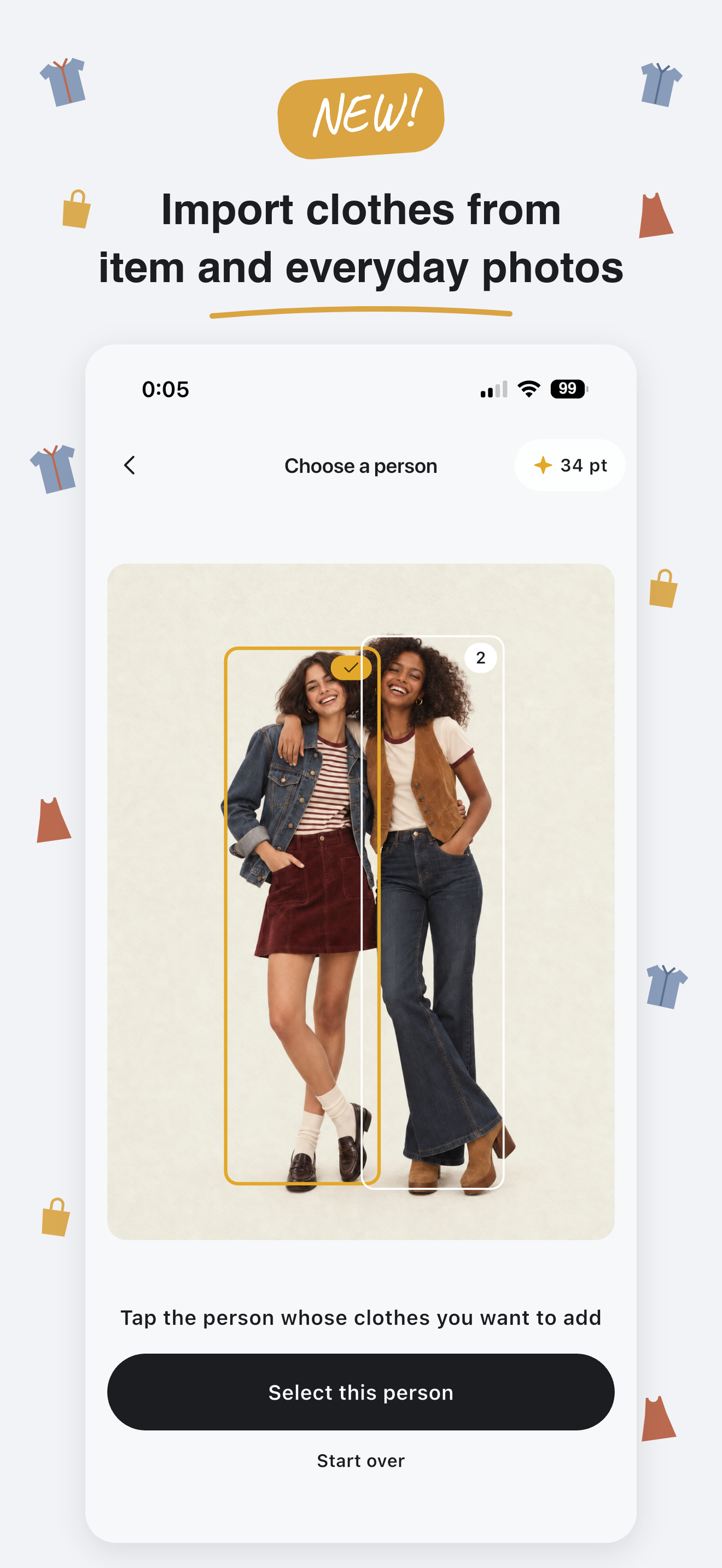
Import clothes from item and everyday photos
-
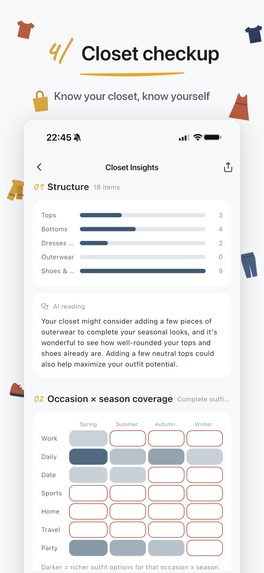
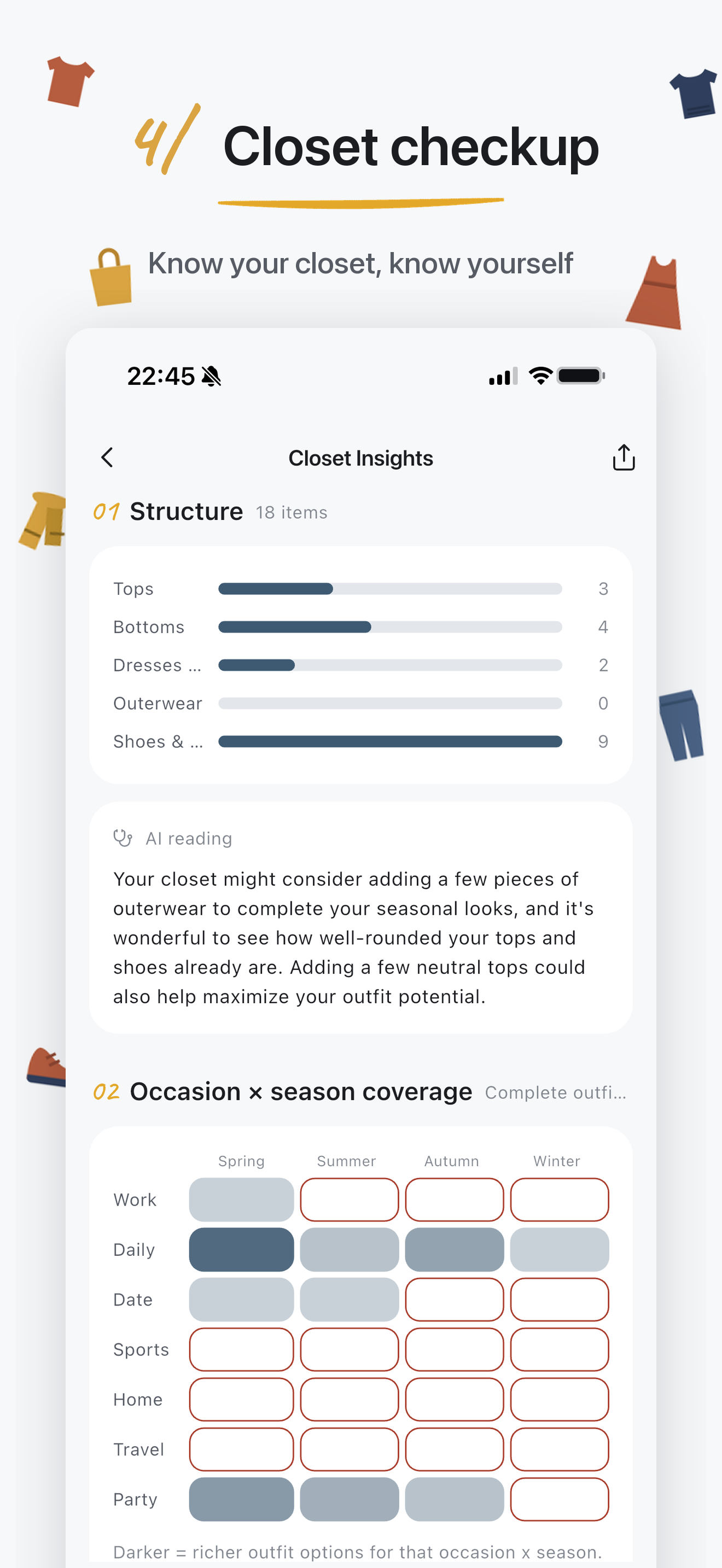
Closet checkups
-
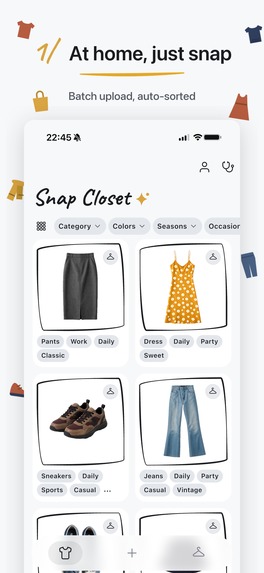
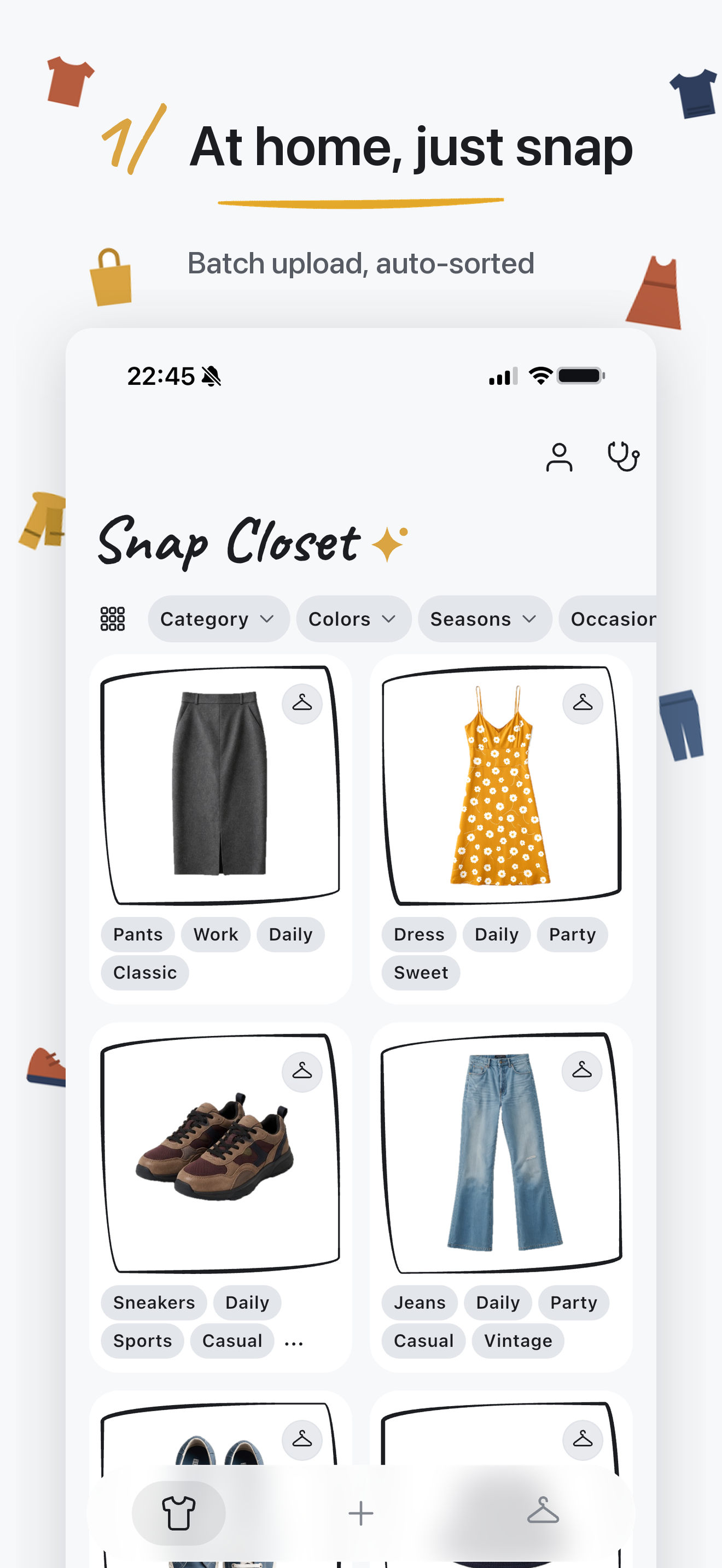
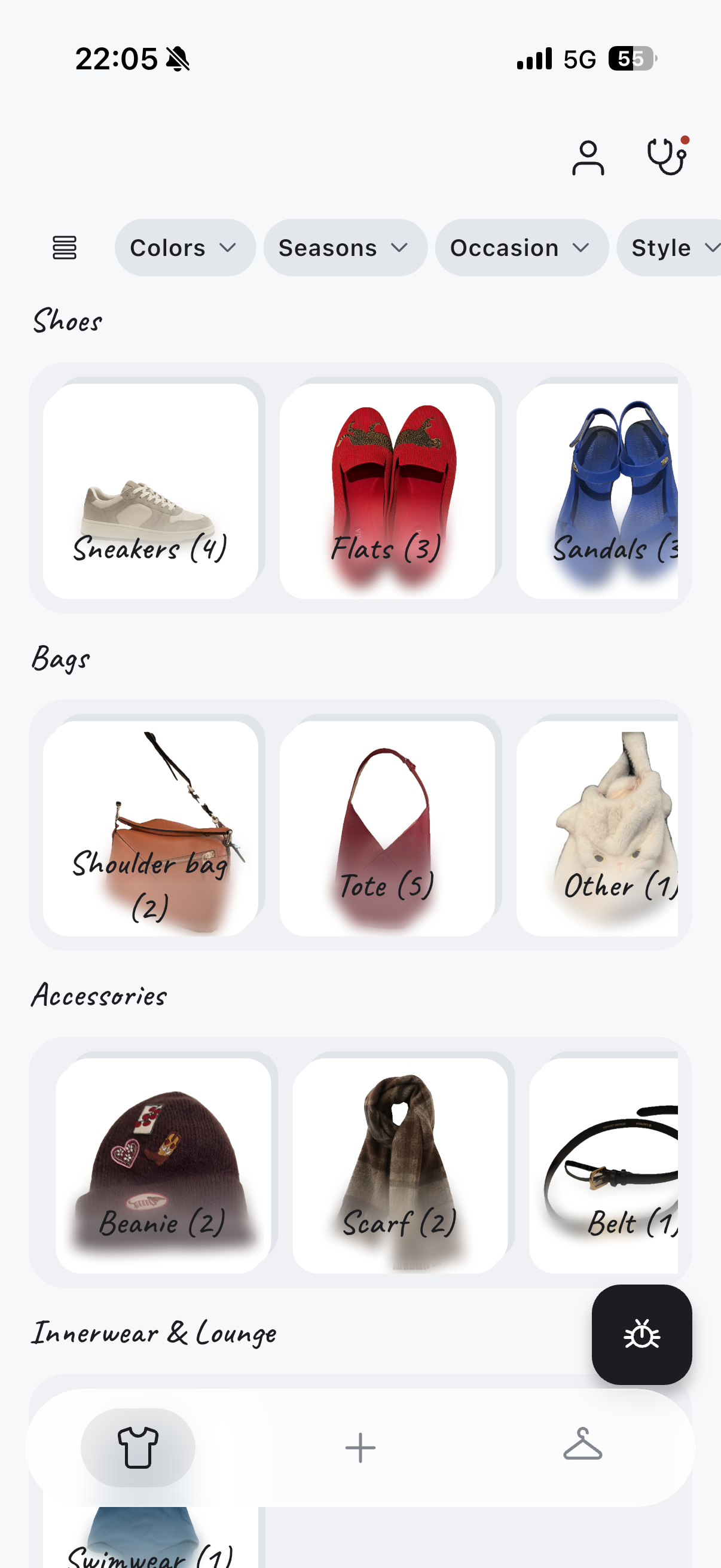
First view in 2 columns layout
-
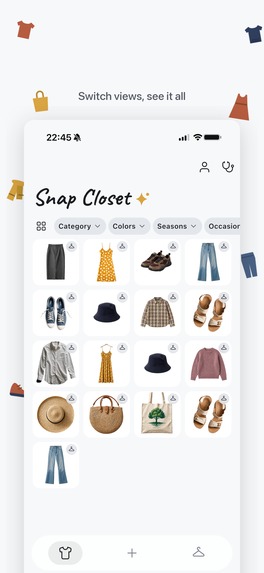
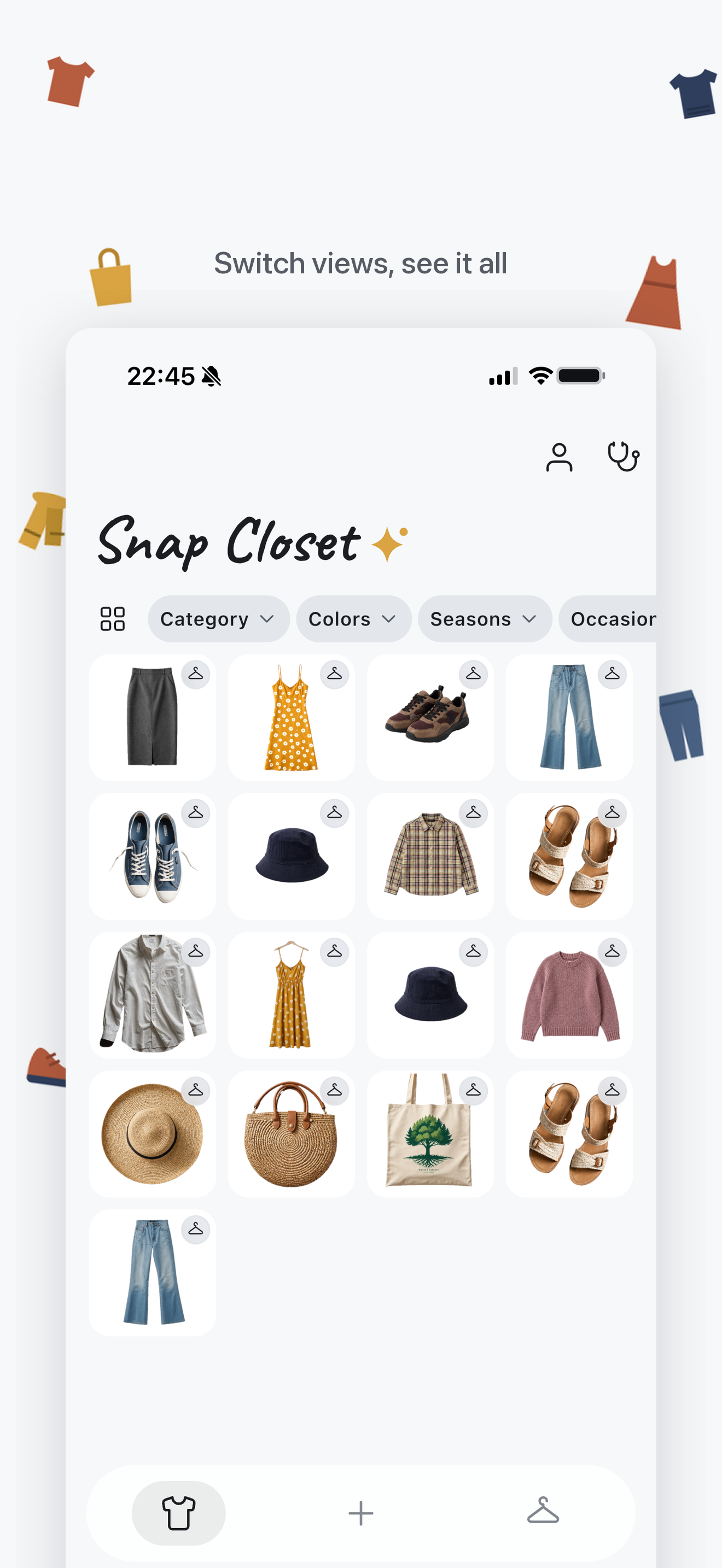
First view in 4 columns layout
-
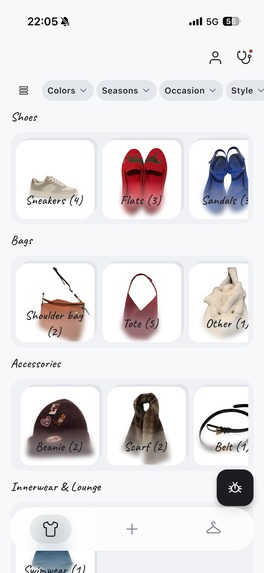
First view in categories layout (coming soon in v2.0.0)
-
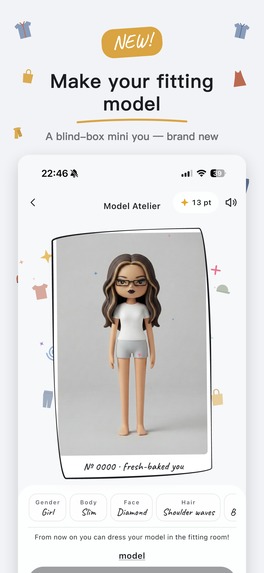
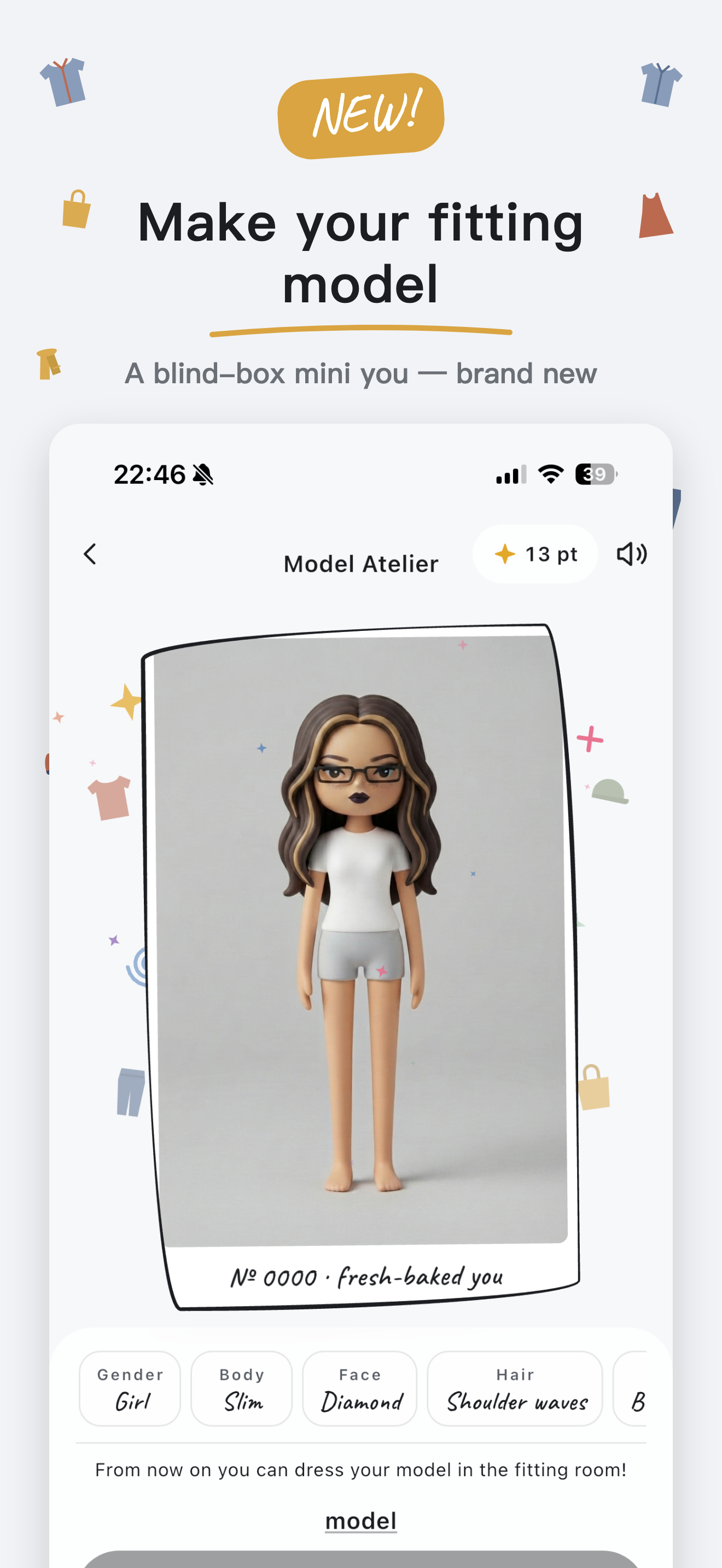
Fitting Model Atelier
-
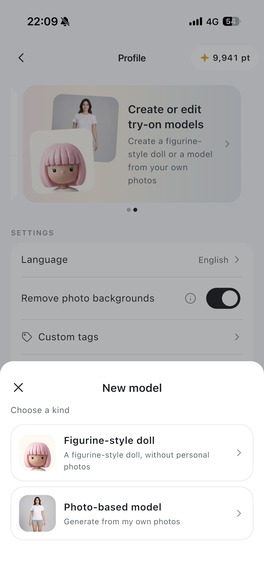
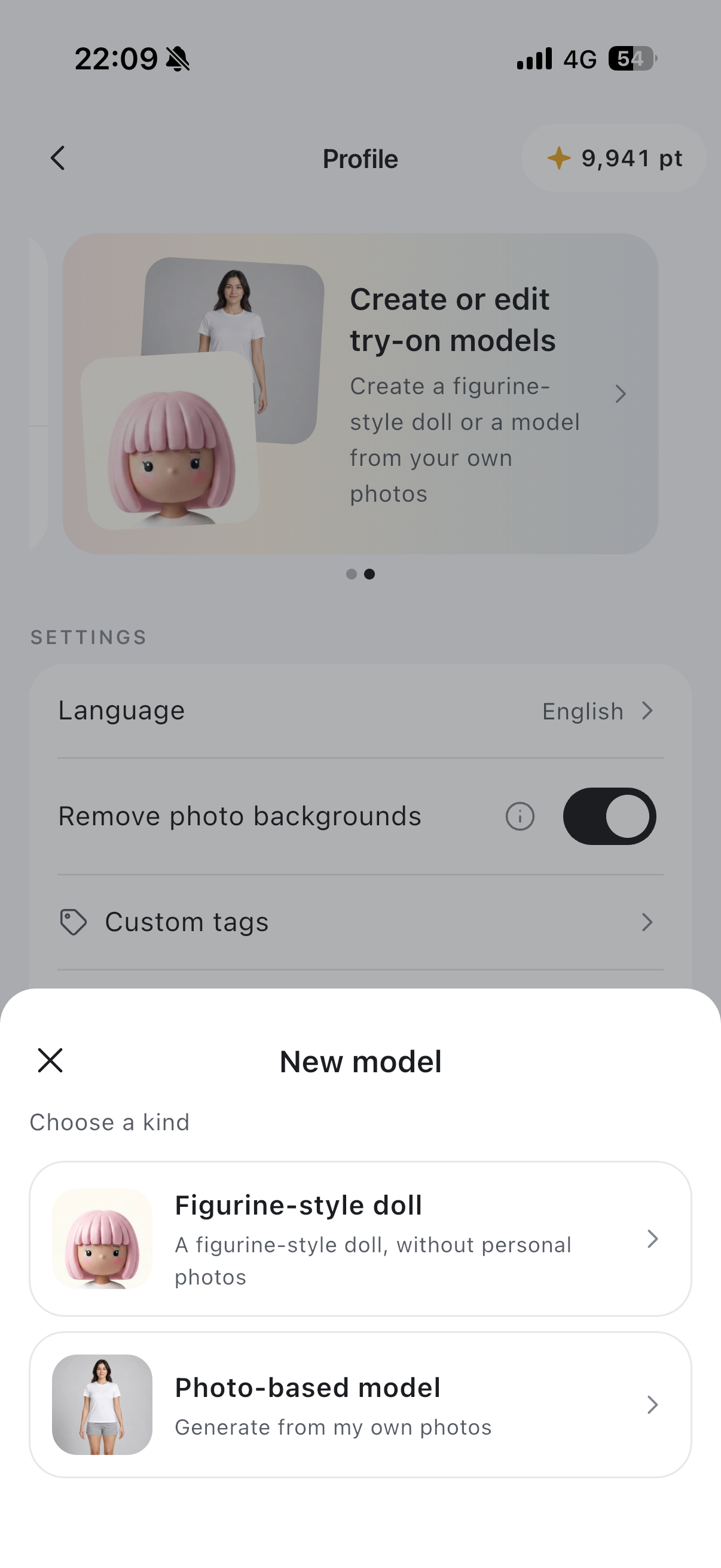
Fitting Model Selection (coming soon in v2.0.0)
-
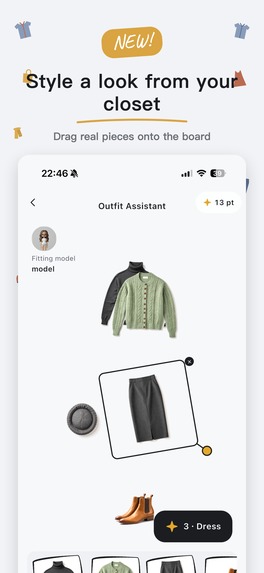
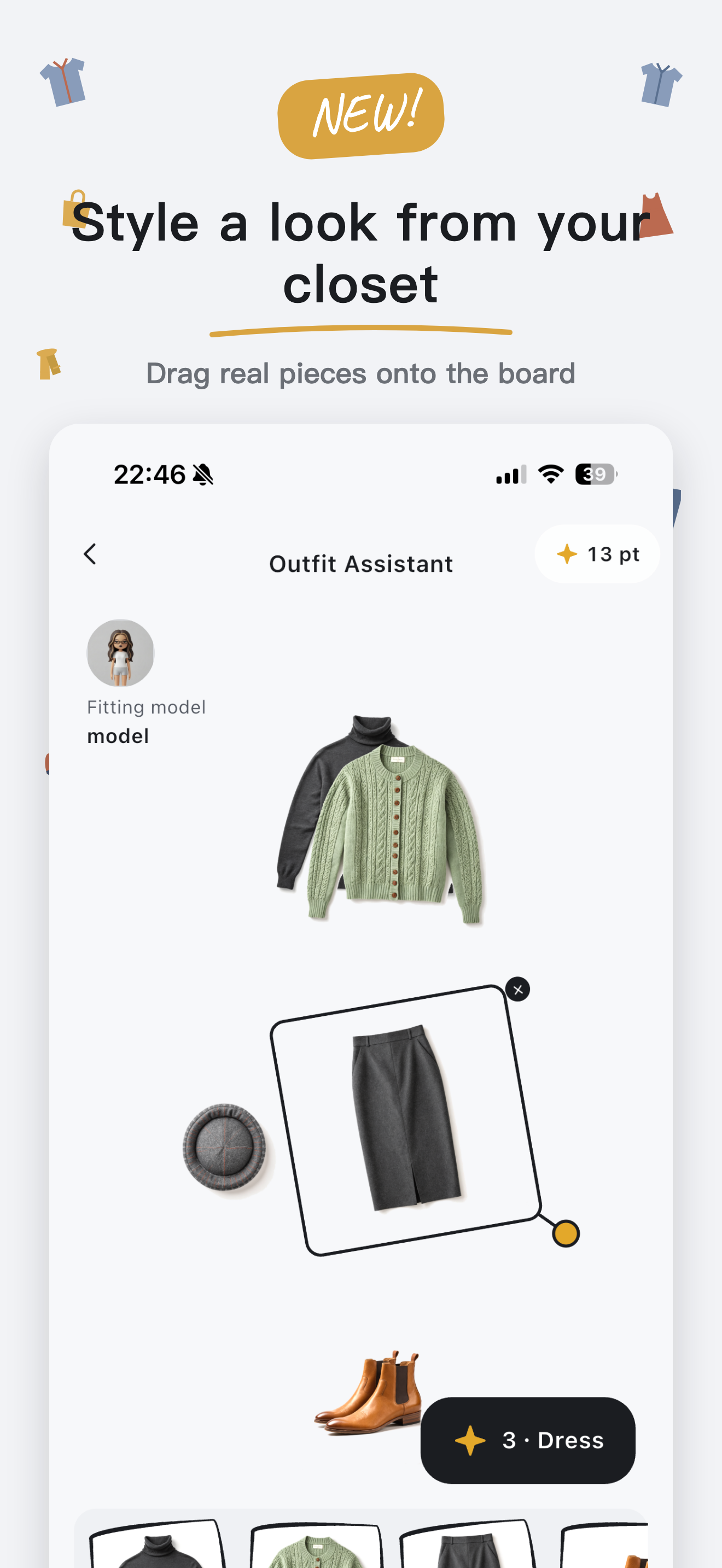
Coordinate Assistant
-

1024 x 1024 app icon

Snap Closet: Outfit & Wardrobe
Inspiration
I started Snap Closet two years ago because I had plenty of clothes but kept wearing the same few pieces, then buying more of the same. I wanted my closet on my phone: easy to add to, quick to filter, and clear at a glance. Seeing what I already owned felt like the first step toward wearing more of it.
The first attempt stalled. After six months of working on it after hours, I hadn't reached 40%, and I wasn't happy with how it looked. I put it aside for a year. Better AI tools gave me a reason to try again, and this time I rebuilt and shipped it in under three months.
“Snap” comes from “snapshot.” That's how I want the app to feel: take a photo, make a few choices, and let it handle the tedious parts. Clothing is personal and creative, so I also wanted browsing my wardrobe to feel inviting and playful. Making the app enjoyable to return to became part of the work from the beginning.
What it does
Build your wardrobe with less effort. Add photos of individual clothes, shoes, bags, and accessories, or select a person in an everyday photo and import multiple garments they are wearing. AI extracts and tags the items, with processing running in the background so you can keep adding clothes.
See what you own and find what you need. Browse a visual wardrobe and filter your clothes to narrow down your choices. A closet checkup helps surface overlooked pieces, new combinations, possible gaps, and suggestions for what you might let go of. Similar-item search can help you notice when you already own something like a piece you are considering.
Find more ways to wear it. Describe an occasion, choose a piece to build around, or upload a reference photo in Ask your closet. It suggests looks using clothes you already own. Bring one into the Fitting Room, adjust it, and save it to your calendar. In the Model Atelier, you can create a personal avatar and preview your clothes on it. Each avatar has a little blind-box surprise. You can also record an outfit with a photo of yourself wearing it.
How we built it
I built Snap Closet in Flutter for iOS and Android. At first, I copied the workflow from my day job. Even after work, I was creating tickets to guilt myself into doing more work.
This time, I kept the process lighter. I used coding agents throughout development, turned repeated tasks into reusable tools, and kept project decisions in a few Markdown files. My design-system Skill helped me redo the app's design and update the existing screens in a day. The structure I'd worked out by hand still helped; I just didn't need to maintain all the same intermediate work.
Challenges we ran into
- Making setup worth the effort. Photographing an entire closet is already a chore. Everyday-photo import helps people start with photos they already have, and background processing lets them keep going. The broader challenge is making the whole path from adding clothes to finding something useful feel manageable.
- Getting useful AI results. Early tagging applied too many custom labels. Evaluating them separately helped. For try-on, I tried several approaches before finding results I was happy with at a workable cost.
- Knowing when to change course. Building avatars from layers of artwork took more and more effort without looking much better. Switching to generation gave me better results, and the surprise became part of the fun.
Accomplishments that we're proud of
- The app is live on both iOS and Android, in four languages. I use it myself.
- In under three months, I rebuilt the app, redesigned it, and launched it with a website. Virtual try-on followed in a week.
- The design-system Skill became something I could reuse beyond this app.
What we learned
Seeing something work quickly kept me going. For a solo project, that mattered more than having a polished development process. I needed to spend less time getting ready and more time finishing things.
The same concern for effort applies to the app. I don't want people to learn how to prompt a model just to get dressed. A photo or a simple choice often does the job. AI should fit into the things people already do and make them easier.
I expect better models to keep improving recognition and styling assistance. The product still has to make those capabilities useful: how quickly can someone add clothes, find a particular item, or understand what is in their wardrobe? Those are the interactions I want to get right. Visual clarity and small moments of delight help make the experience feel approachable, although it is still early and I need to learn which details bring people back.
I wrote more about this on my blog: Snap Closet Is Live on iOS and Android! Reflections on Indie Development.
What's next for Snap Closet
My next priority is to make the everyday workflows smoother: adding clothes, filtering them, and seeing the whole wardrobe clearly. I want to learn where new users hesitate, which steps feel tedious, and what helps them find something they actually want to wear.
As an indie developer, I can give a small interaction close attention and keep refining it. I want to earn a place in someone's routine by making those interactions especially useful and enjoyable.
Snap Closet's direction is to help people make more use of what they already own. Shopping integrations are outside my current focus. I want someone to open the app, rediscover a forgotten piece, and leave with an outfit they are excited to wear.


Log in or sign up for Devpost to join the conversation.