
Inspiration
Parents read food labels in the aisle with a toddler on one hip. The ingredient lists are long, full of E-numbers and dye names, and nobody has time to look each one up. SnackProof turns a photo of an ingredients panel into a plain-English verdict you can trust, and shows its working.
What it does
SnackProof is a Flutter app for parents who want to know what is really in a packaged snack. It is live on Google Play.
- Scan an ingredients panel with the camera, or pick a photo from the gallery. A vision model (called only through a Supabase edge function, so no AI key ships in the app) transcribes the label. It never judges safety.
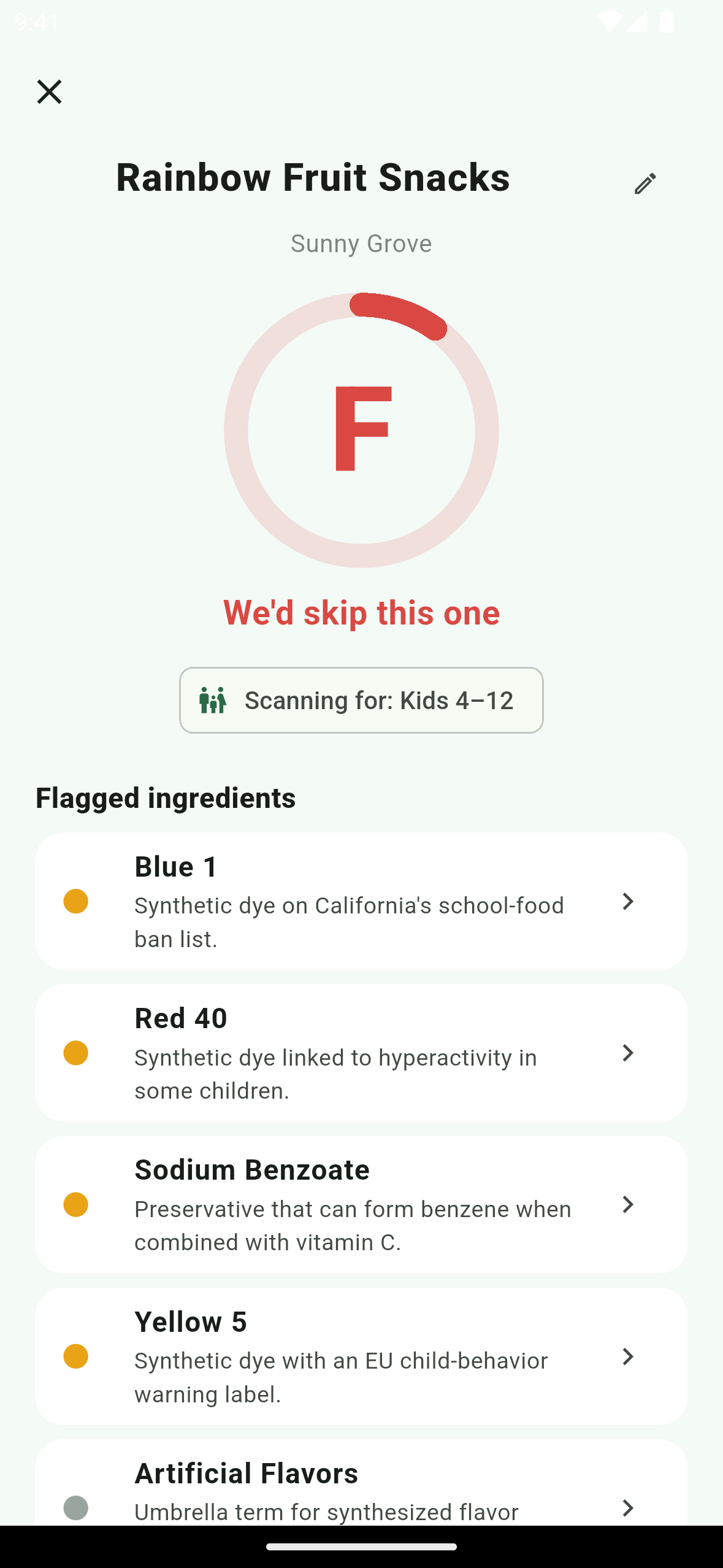
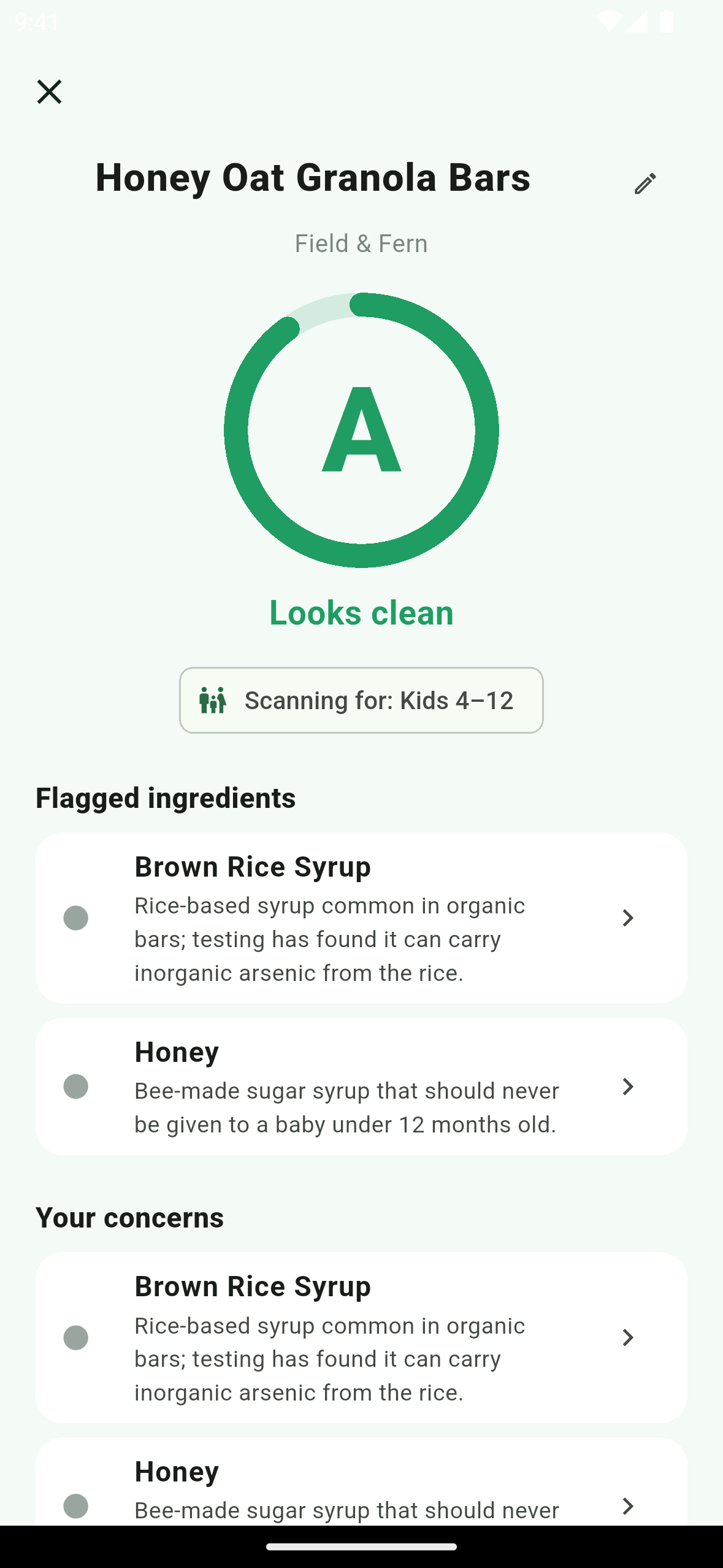
- Deterministic grade, on-device. A rules engine scores the ingredient list from 100 using a bundled, human-reviewed database of 168 additive rules and returns a letter grade A to F plus a green / yellow / red headline ("Looks clean", "Some caution flags", "We'd skip this one"). The same ingredient list and settings always give the same grade.
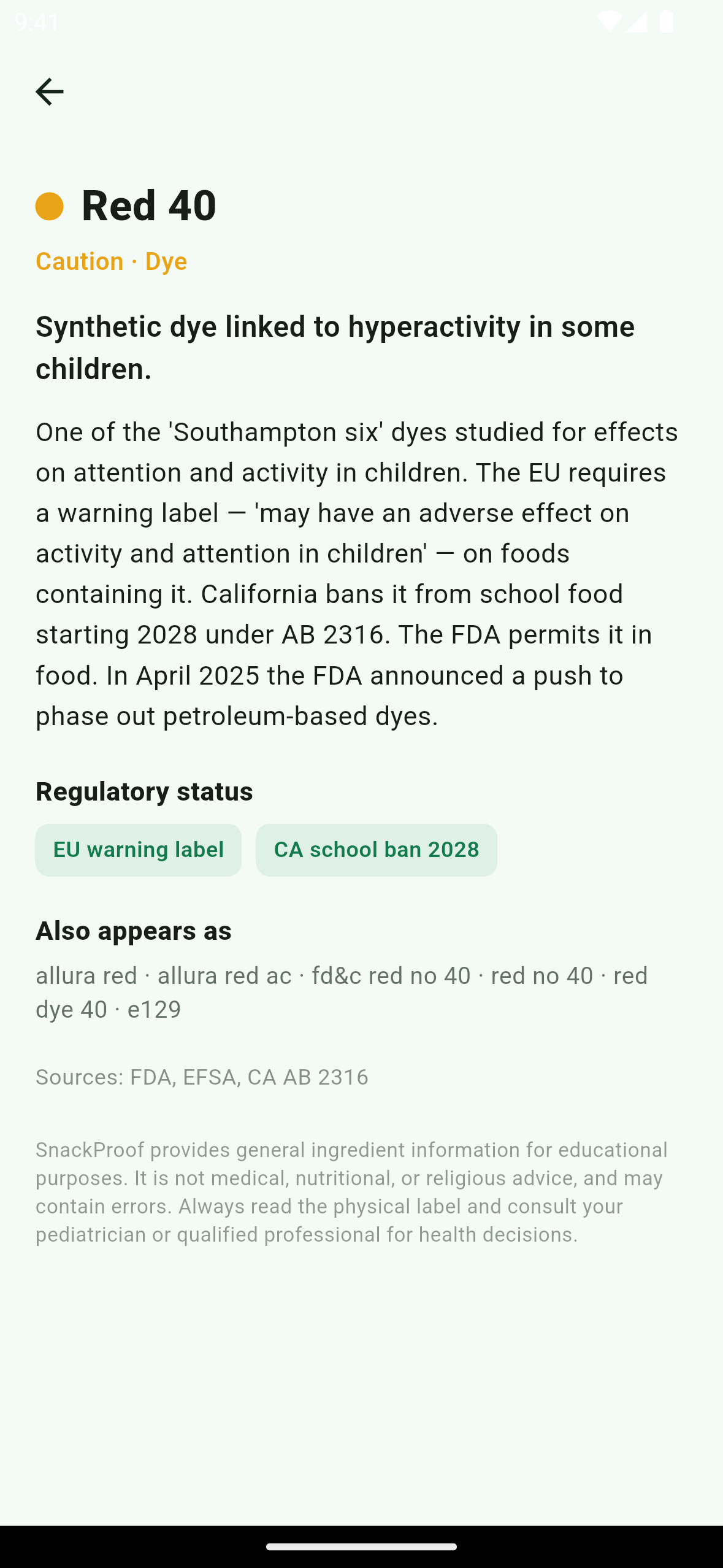
- Explains every flag. Tap an ingredient for a plain-English summary, regulatory status (for example the EU warning label, or California's school-food ban) and sources.
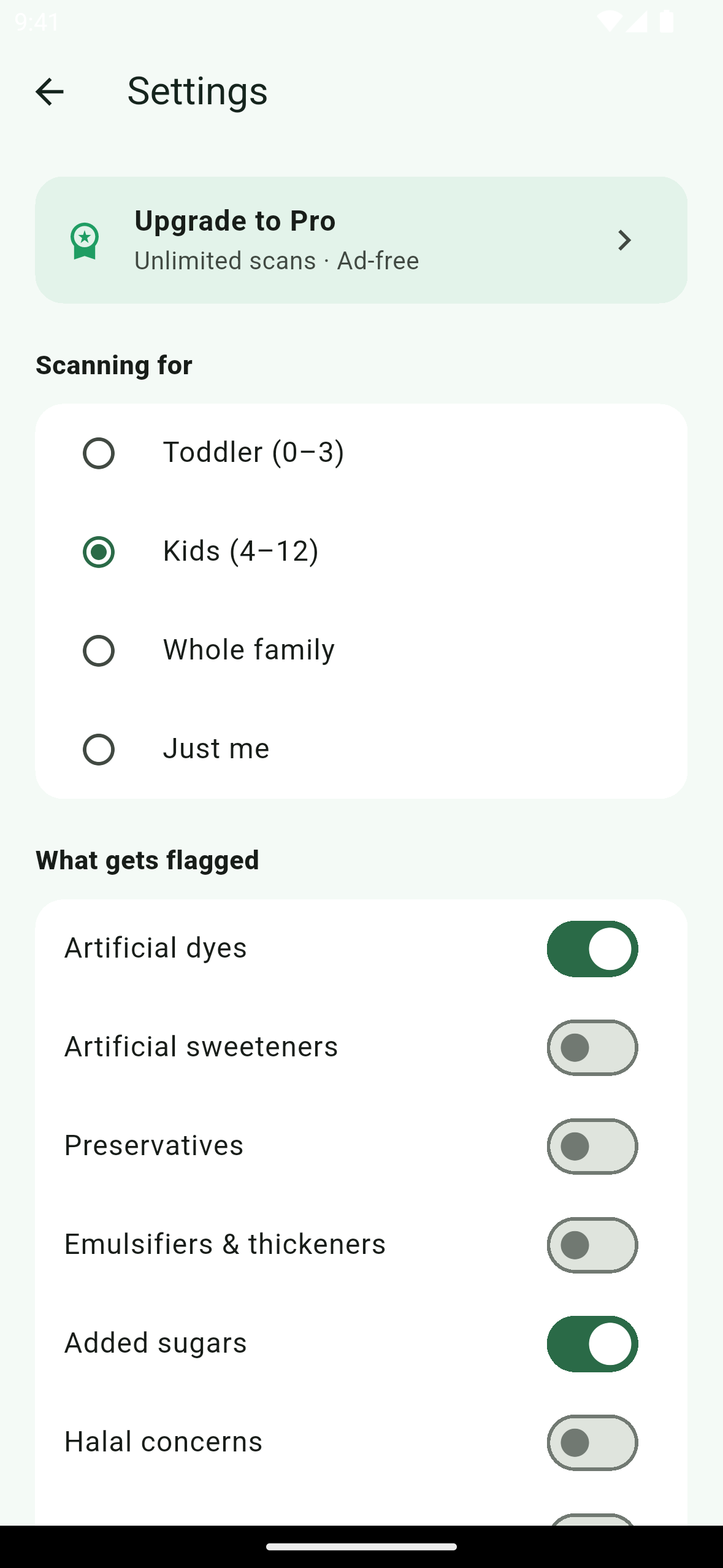
- Personalized. Choose who you scan for (toddler, kids, whole family, just me) and what to flag (dyes, sweeteners, preservatives, emulsifiers and thickeners, added sugars, halal, kosher, vegan). Changing a setting re-grades a saved scan as soon as you open it, with no new AI call.
- Barcode mode looks the product up in Open Food Facts first; when it is found, no AI call is needed.
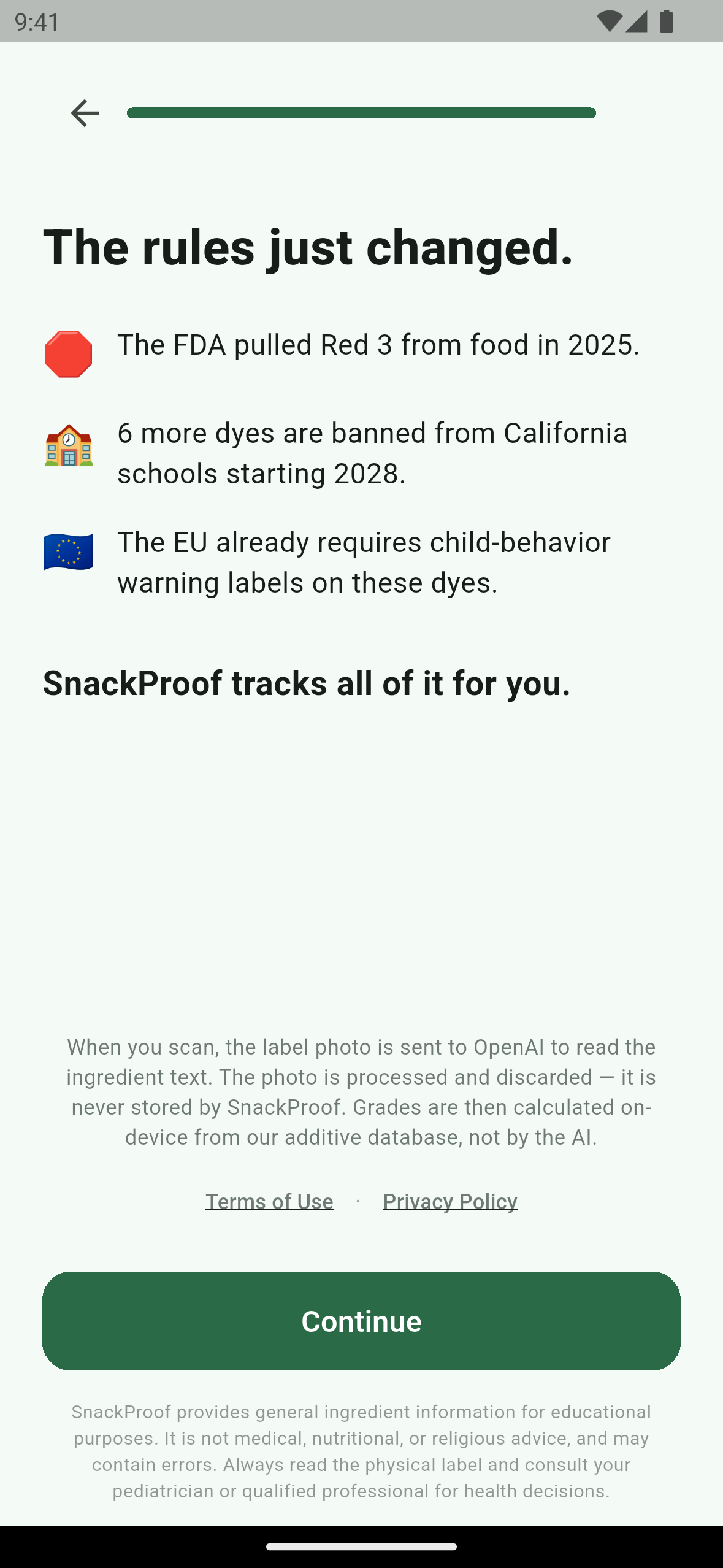
- Trust features: an AI disclosure before the first scan, scan history, a shareable result card, "report an incorrect result", and an in-app delete-my-data action. No sign-up: users get an anonymous guest session.
- Free vs Pro: the free tier has 3 lifetime scans and banner ads. Pro is unlimited scans and ad-free in the app (see the server-side limitation under "How RevenueCat powers it").
How RevenueCat powers it
- SDK:
purchases_flutter. The app configures RevenueCat at startup with the platform public SDK key and uses the Supabase anonymous user id as the RevenueCat app user id, so the client, the webhook and the server-side scan cap all refer to the same user. After a reinstall the app gets a new guest id, and Restore purchases brings Pro back from the store receipt. - Entitlement: a single
proentitlement is the source of truth for the client. Pro is true whencustomerInfo.entitlements.activecontainspro. - Offering and packages: the
defaultoffering has$rc_annualand$rc_monthly, both backed by the Google Play subscriptionsnackproof_pro(base plansannualandmonthly) and both mapped topro. On iOS the same packages map tosnackproof_pro_annualandsnackproof_pro_monthly. - Paywall: plan names and prices come only from the store product via RevenueCat, never hard-coded. The annual tile shows a free-trial line only when the store reports an introductory offer for that user, so ineligible users are never promised a trial. Purchase uses
Purchases.purchase(PurchaseParams.package(...)), "Restore purchases" usesPurchases.restorePurchases(), and the store-required auto-renew disclosure and Terms/Privacy links are on the paywall itself. It appears after onboarding, when the free scans run out, and from Settings → Upgrade to Pro. - Live entitlement state: the Pro status is seeded from
getCustomerInfo()and kept current byaddCustomerInfoUpdateListener, so an upgrade takes effect mid-session with no restart. - Where Pro gates features: the free-scan gate on Home and on the barcode path, the Settings Pro card, and ads (a Pro user never has an ad banner created at all).
- Server side: the
analyze-scanedge function enforces the 3-scan lifetime cap using aprofiles.is_proflag, and arevenuecat-webhookedge function is written to keep that flag in sync with RevenueCat purchase, renewal and expiration events. Known limitation at submission time: the webhook is deployed but not yet switched on in production (its auth secret is not set), so a subscriber'sis_proflag is not set server-side yet and label scans past the third can still be refused by the server. Barcode lookups found in Open Food Facts never call the server scan function and are unaffected. The purchase flow, restore and ad removal are handled in the app through RevenueCat and do not depend on the webhook.
How we built it
Flutter and Dart, Riverpod, go_router, Supabase (anonymous auth, Postgres with row-level security, Edge Functions), OpenAI vision to read the label text, RevenueCat for subscriptions, Open Food Facts for barcode lookups, and Google AdMob for the free tier.
Testing instructions for judges
- Install SnackProof from Google Play: https://play.google.com/store/apps/details?id=com.snackproof.snackproof. No account or login is needed; a guest session is created automatically.
- The free tier includes 3 lifetime scans. Scan any ingredients panel with the camera, choose Gallery to scan a photo of one, or use Barcode.
- Open the paywall after onboarding, by trying a 4th scan, or via Settings → Upgrade to Pro.
- To unlock Pro, subscribe on the paywall through Google Play. The annual plan is set up with a free-trial offer for eligible accounts. Either plan can be cancelled from Settings → Manage subscription. Note: at submission time the server-side Pro sync is not switched on (see the Server side bullet above), so after subscribing, label scans past the third may still be refused by the server.
- Label photos are sent to the vision model only to read the ingredient text and are not stored.
Built With
- admob
- dart
- flutter
- google-play
- openai
- revenuecat
- riverpod
- supabase

Log in or sign up for Devpost to join the conversation.