Inspiration
You can change a password, but you cannot change your fingerprint. That thought got us thinking about the details we share without noticing. A clear photo of your hand can reveal fingerprint patterns, even when you were just trying to capture a moment. We built Smudge to explore a simple idea: help people reduce that detail before sharing a photo.
What it does
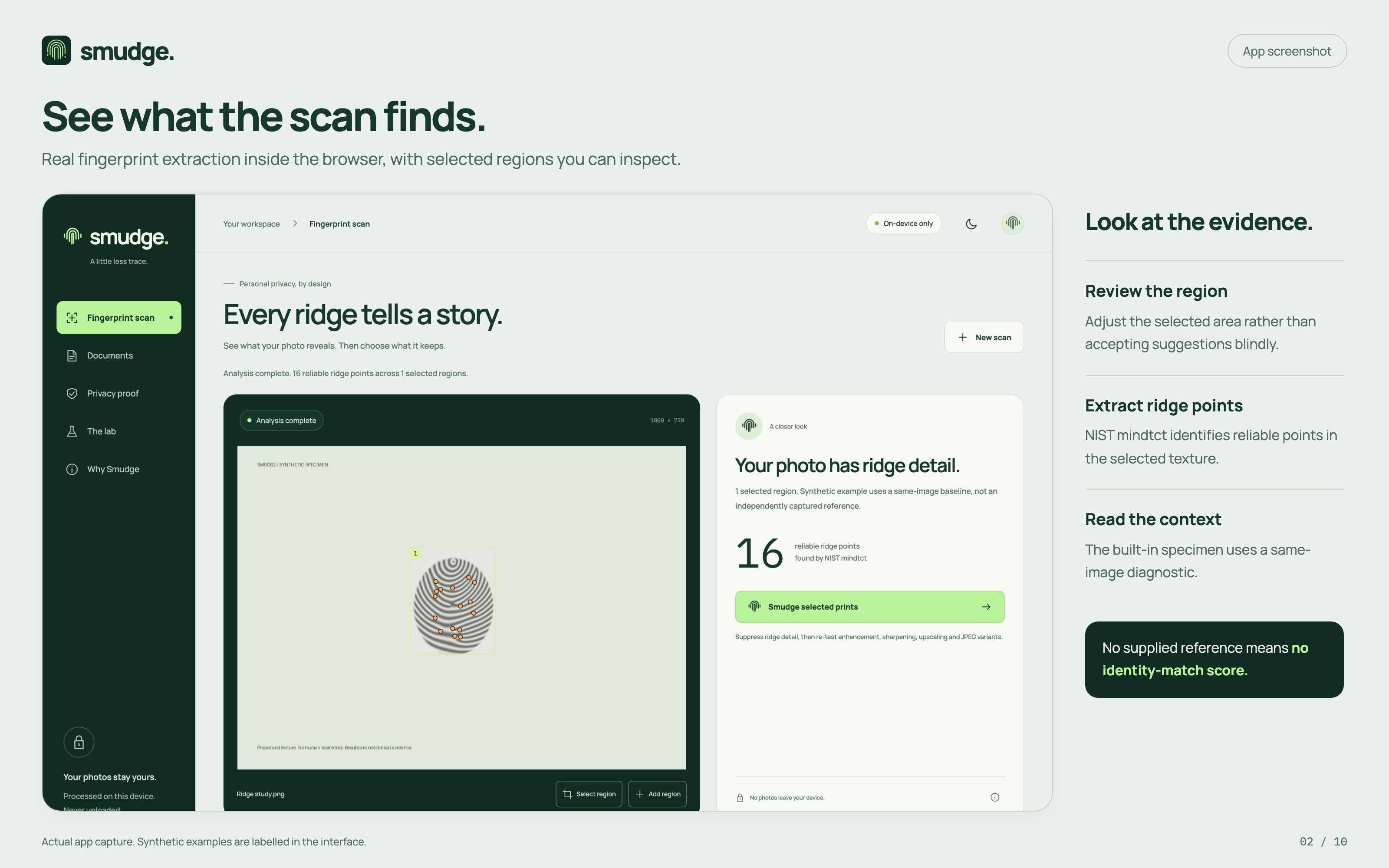
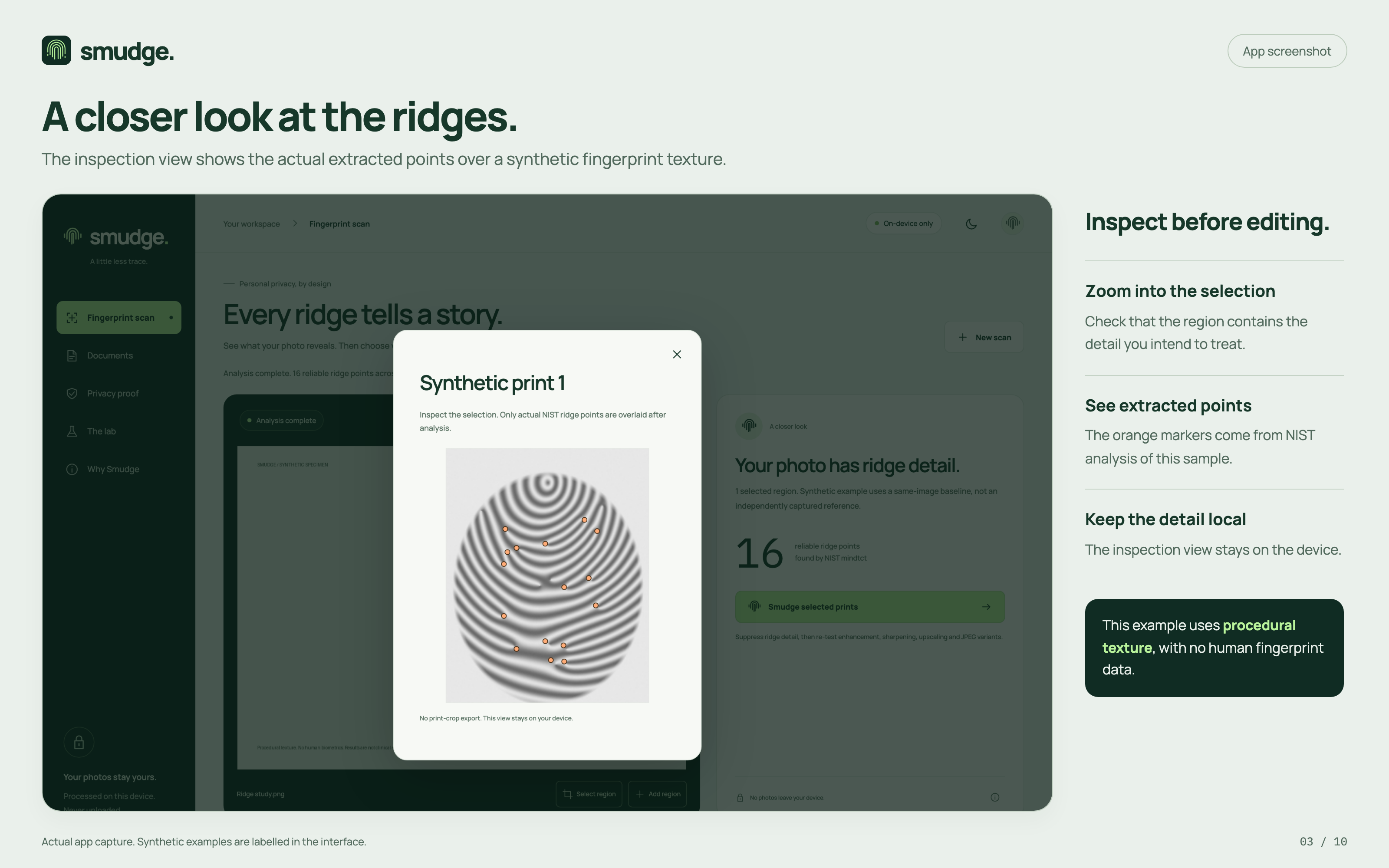
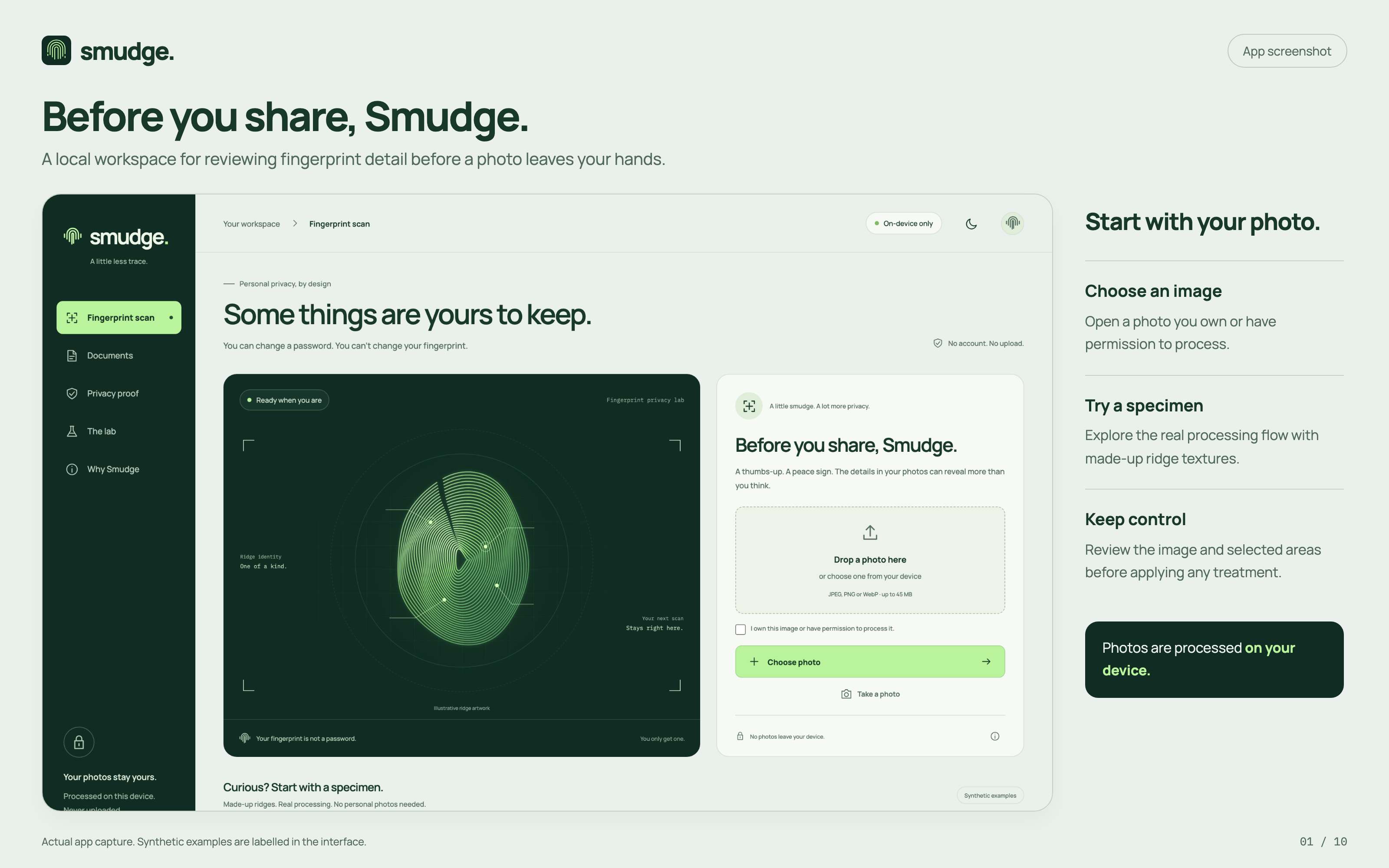
Smudge lets you choose a photo, find visible fingerprint areas, and reduce the ridge detail in those areas. It suggests fingertip regions, and you can adjust them yourself.
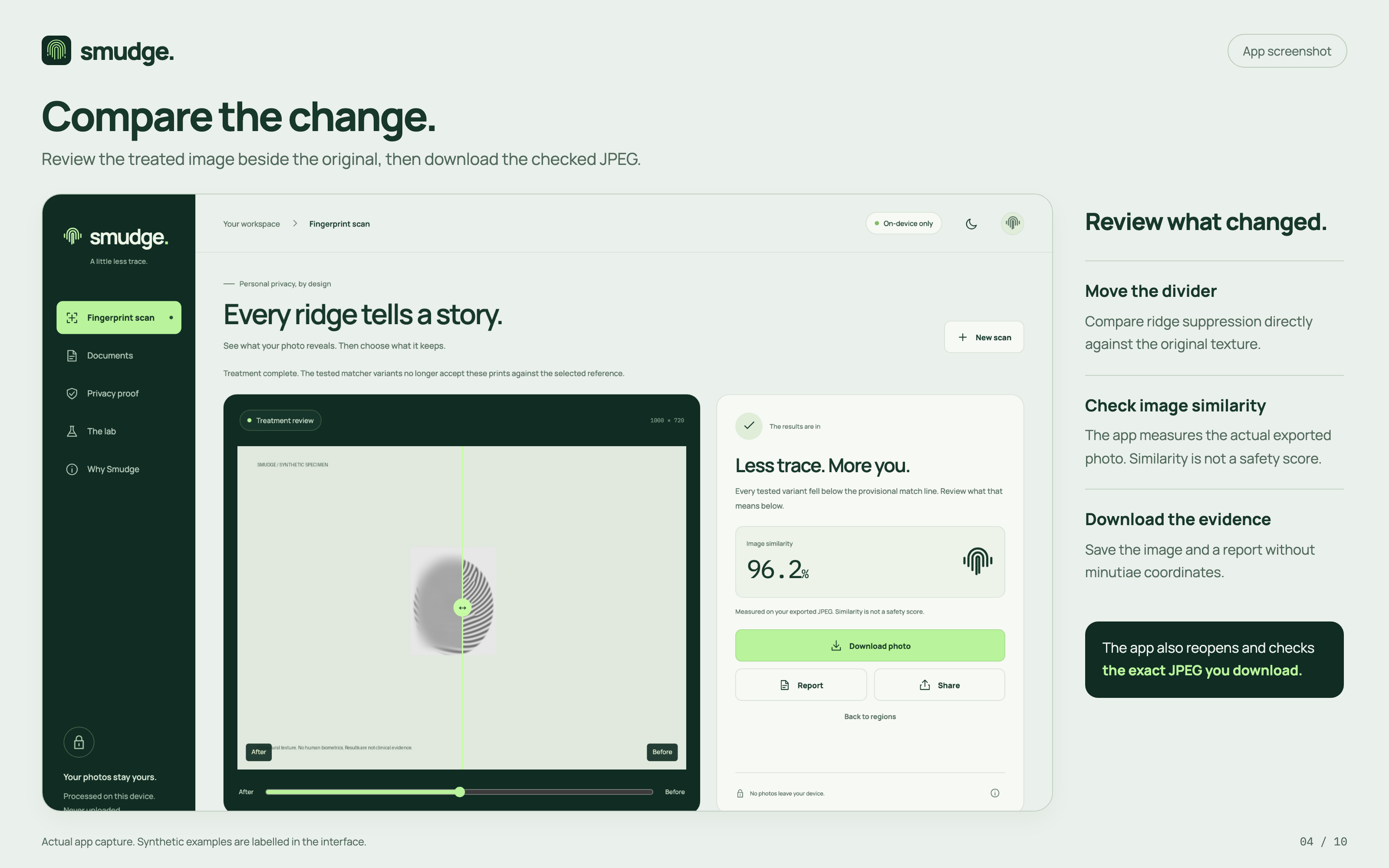
You can compare the original and edited photo, review the test results, and download the finished image. If you provide a close-up of the same finger as a reference, Smudge can also check how the edited fingerprint compares against it.
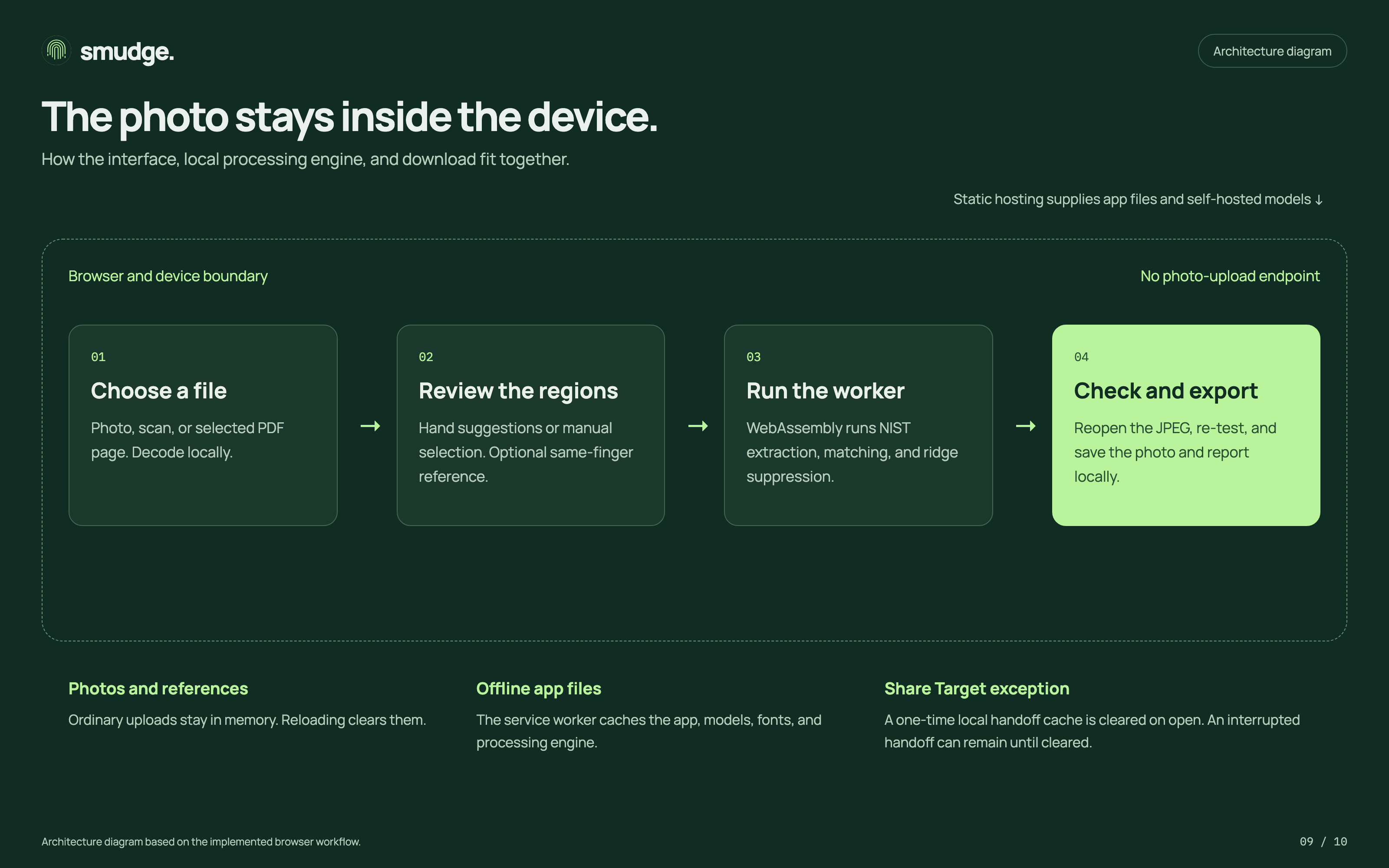
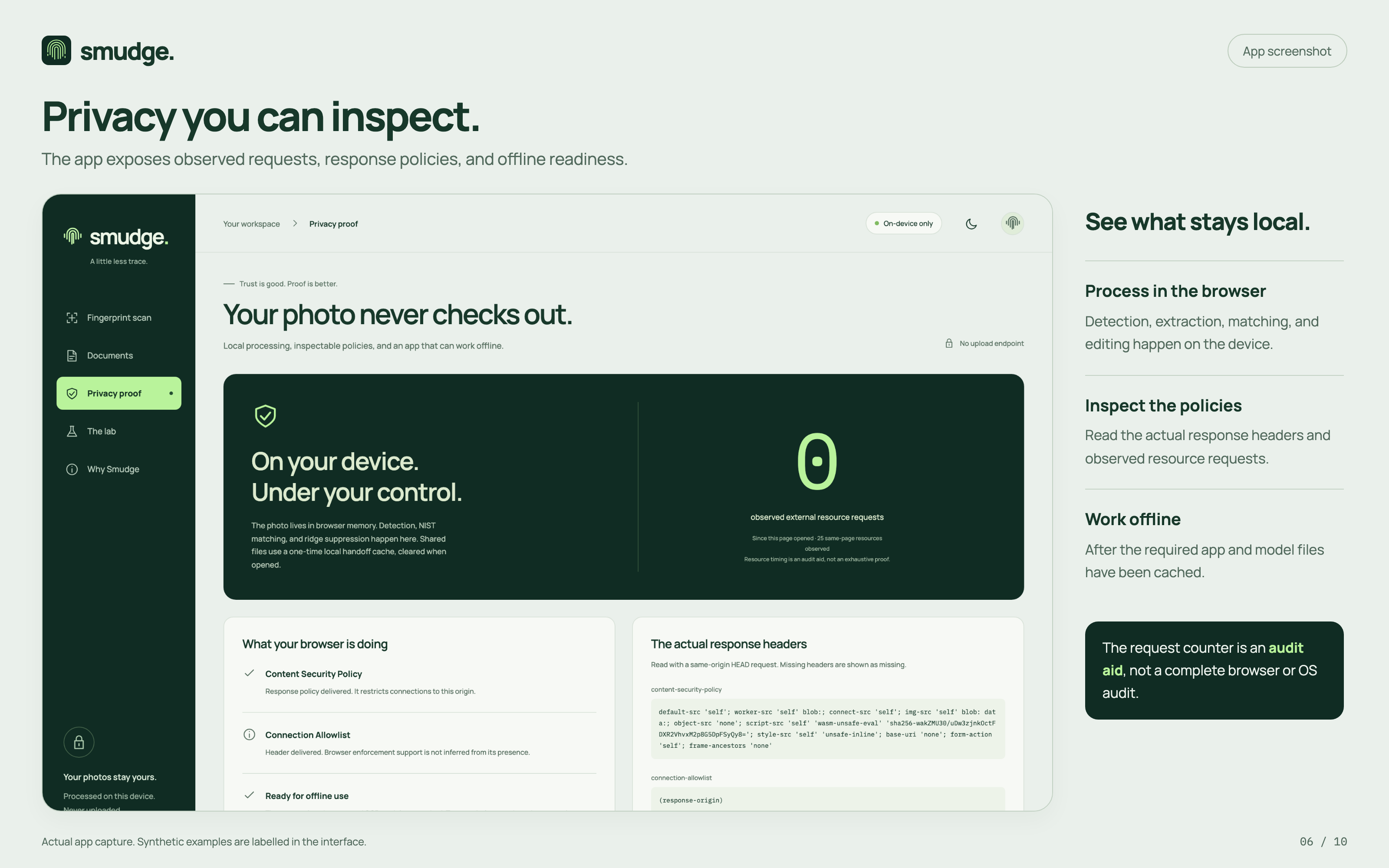
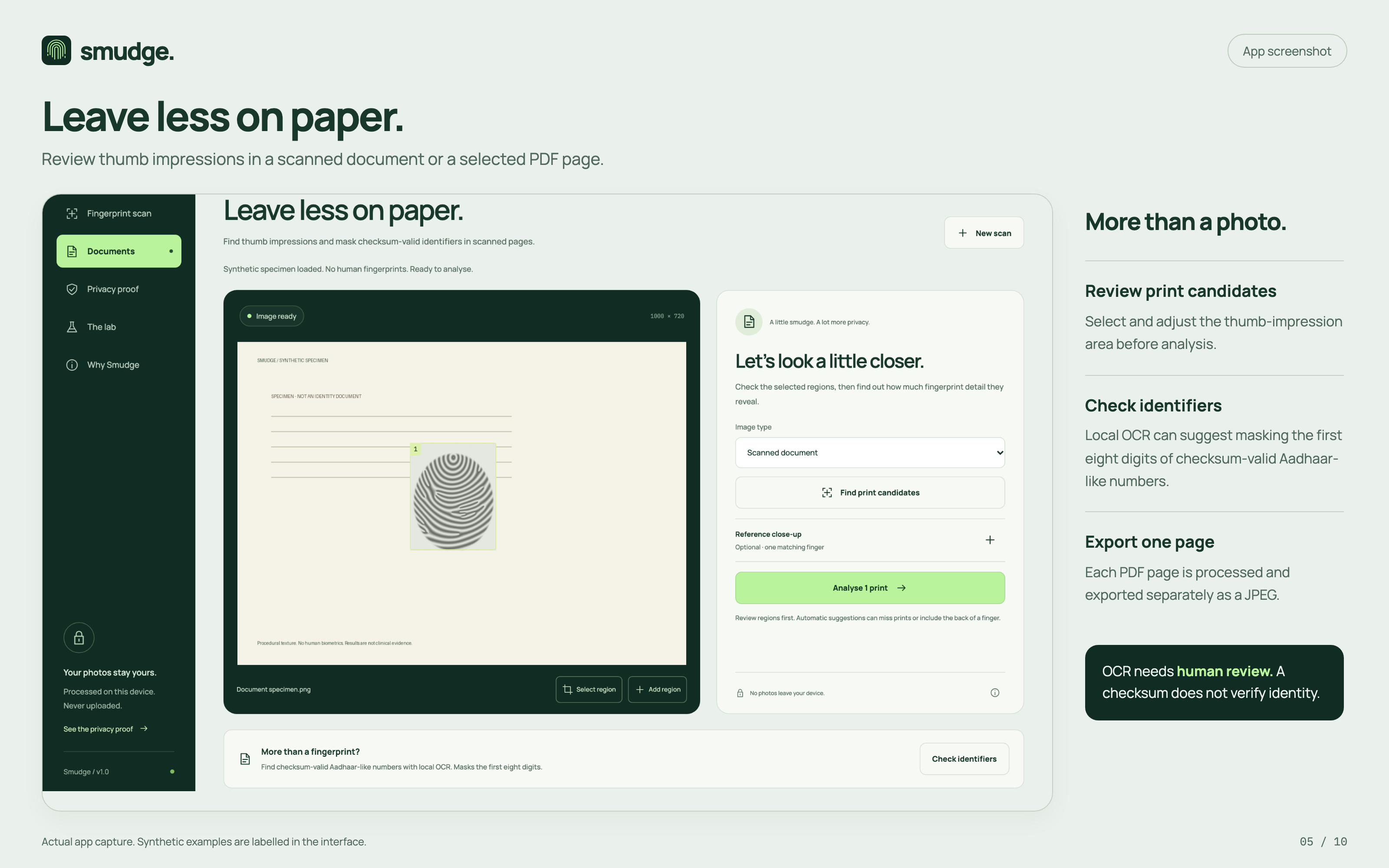
Everything is processed on your device. Your photos do not need to be uploaded to a server. Smudge also supports selected PDF pages and scanned documents, with tools to suggest masking sensitive number patterns for your review.
How we built it
We built the interface with SvelteKit and TypeScript. We used MediaPipe to suggest fingertip locations and brought NIST fingerprint extraction and matching tools into the browser using WebAssembly.
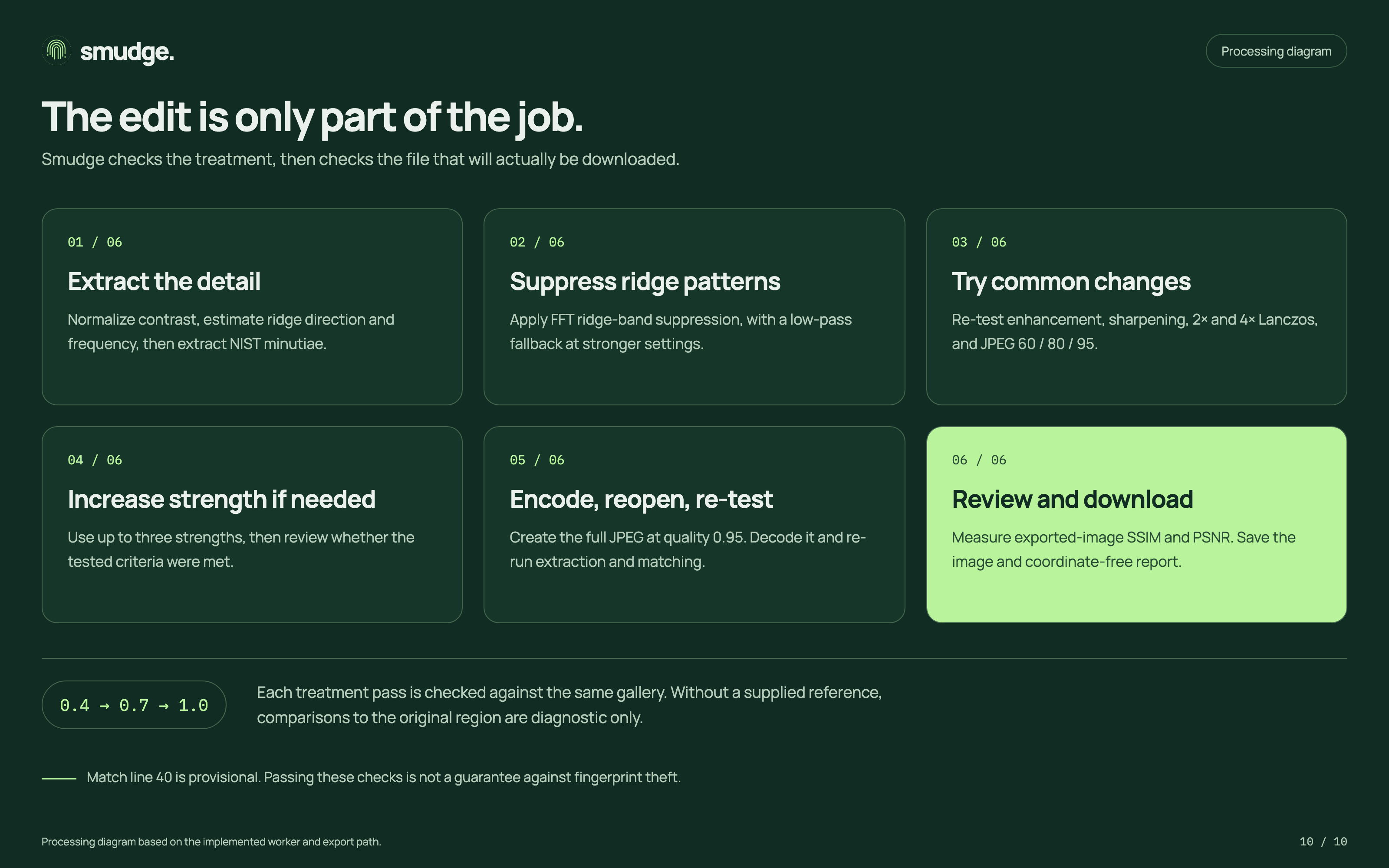
The editing process targets fingerprint ridge patterns inside the selected area. Smudge then tests the result after changes such as sharpening, resizing, and JPEG compression. It also checks the exact JPEG you download, because saving an image can change its details.
We used AI coding assistance throughout development. The app and its processing tools are self-hosted, and it can work offline once the required files have been cached.
Challenges we ran into
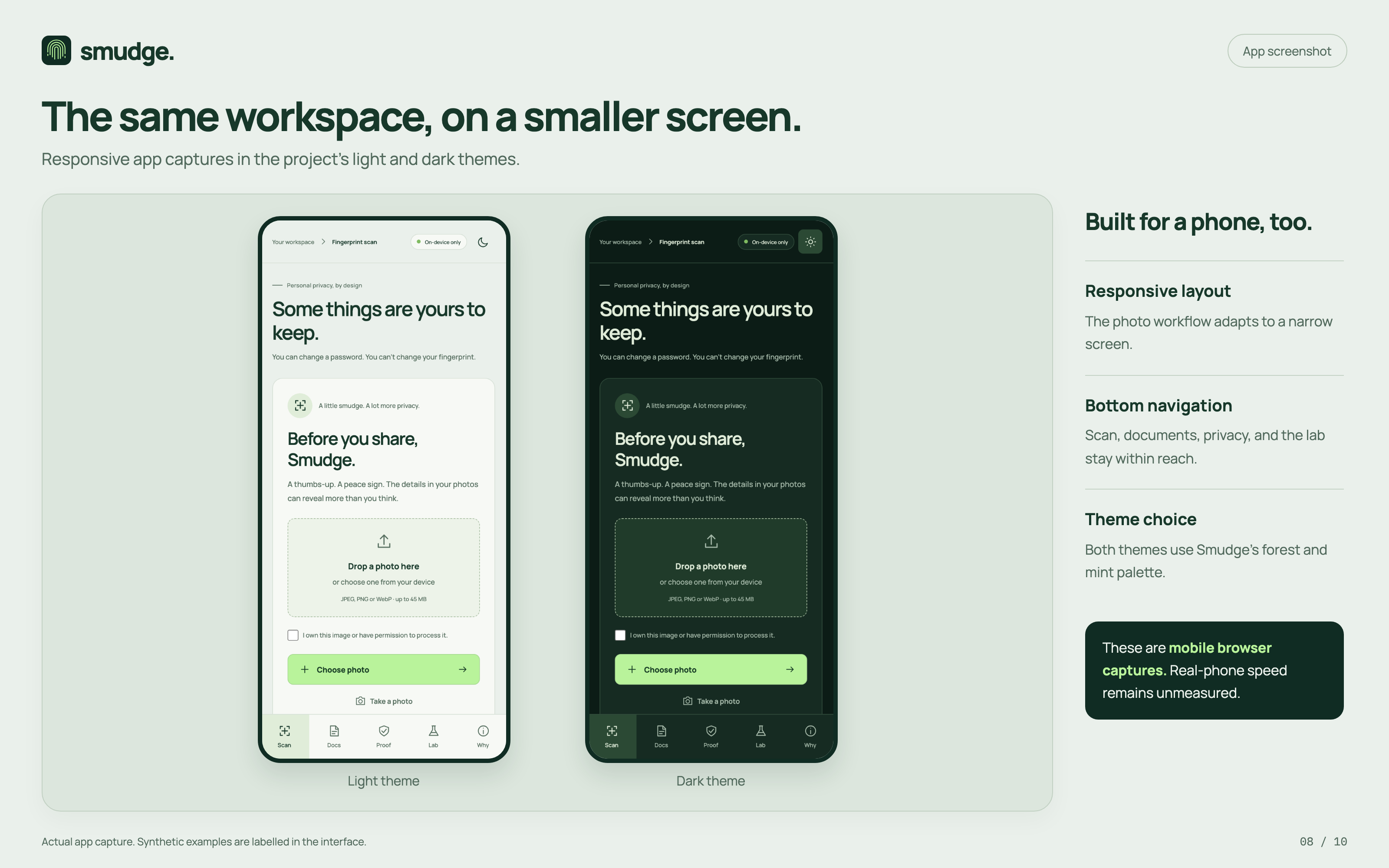
The biggest challenge was balancing fingerprint detail reduction with how the photo looks. Stronger editing can reduce matching, but it can also make a close-up visibly blurry.
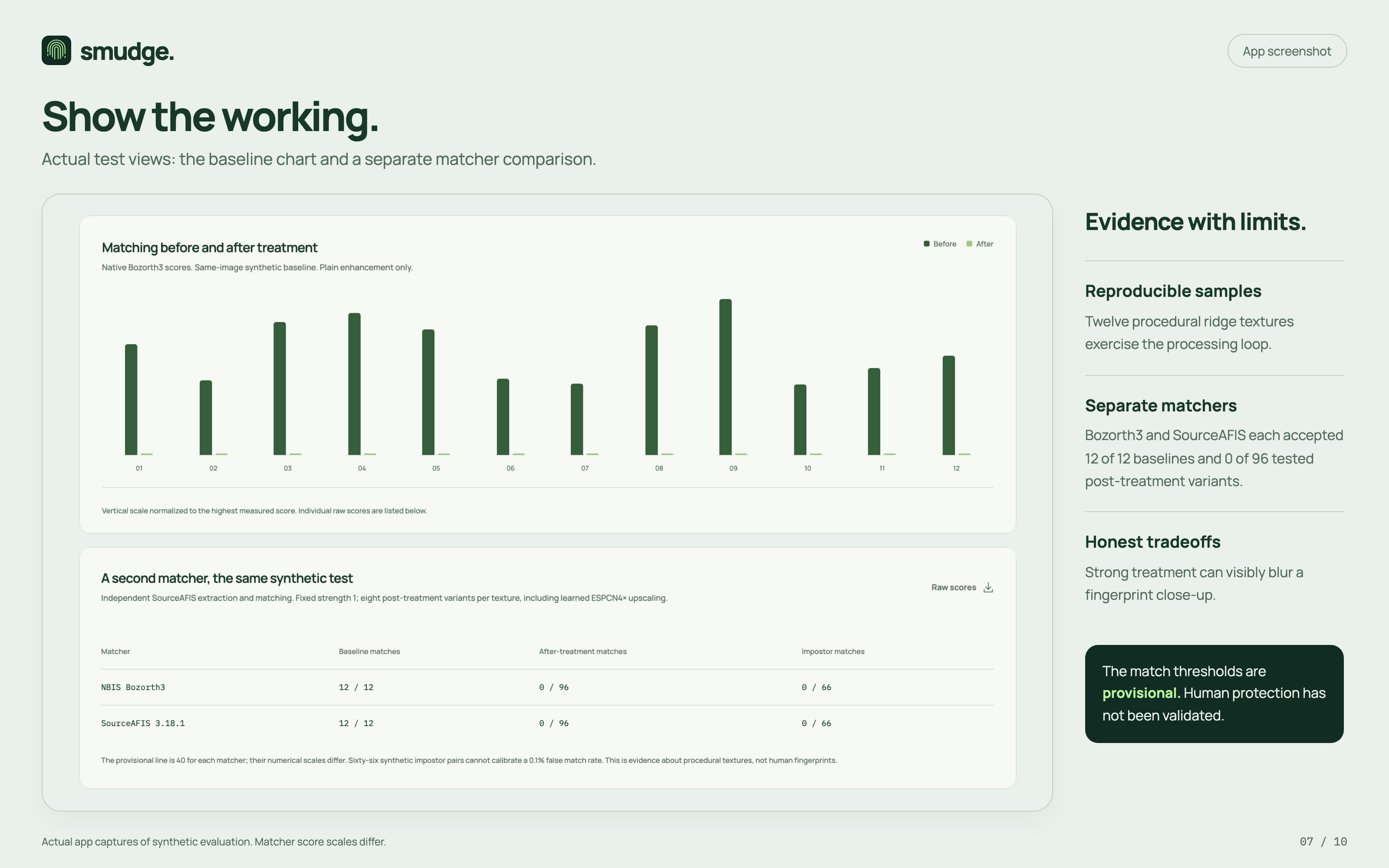
Another challenge was deciding what the results could honestly tell us. A failed match in one test does not prove that a fingerprint is safe from every method. We had to make that limit clear and avoid showing an identity-match score when no reference image was provided.
Accomplishments that we're proud of
We brought fingerprint analysis, editing, and verification into one working browser app while keeping photo processing on the device.
We also tested our edited synthetic samples with two separate fingerprint matchers. Both accepted the original samples and rejected the tested edited versions at our provisional thresholds. These are encouraging prototype results, although they do not establish protection for real human fingerprints.
What we learned
We learned that privacy depends on both the processing and the explanation. People need to understand what a tool checked, what changed, and what remains uncertain.
We also learned to test the actual downloaded file. A result inside the editor only tells part of the story.
What's next for Smudge
We want to test Smudge with real fingerprint photos collected with informed consent, establish better matching thresholds, and check stronger image enhancement methods.
We also want to reduce visible blur, improve fingertip suggestions, and measure performance on everyday phones. The next step is building stronger evidence for when Smudge helps and where it still falls short.
Built With
- c
- mediapipe
- nist-nbis
- pdf.js
- svelte
- sveltekit
- tesseract.js
- typescript
- vite
- webassembly

Log in or sign up for Devpost to join the conversation.