-
-
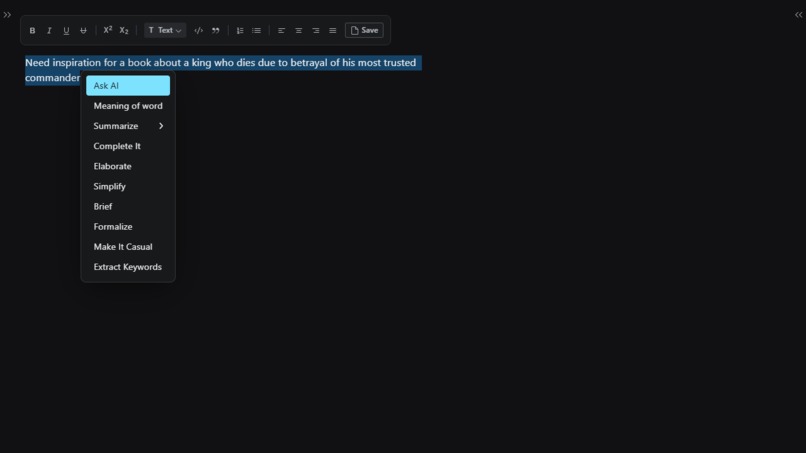
Image showing how to take inspiration
-
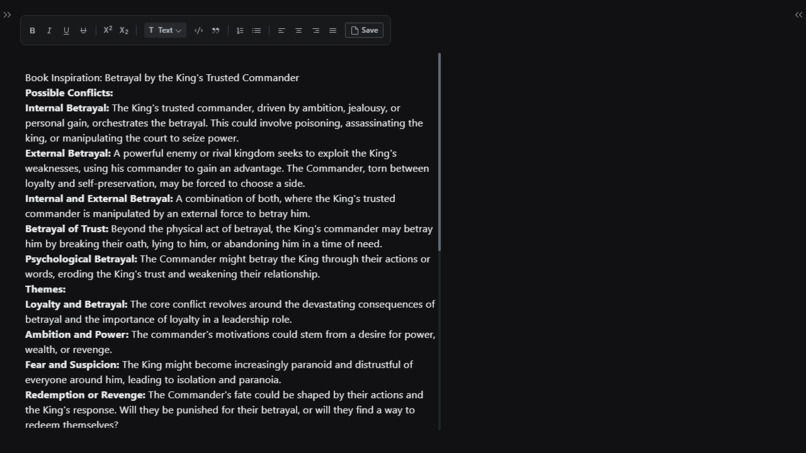
Image showing the input of the precious quesion
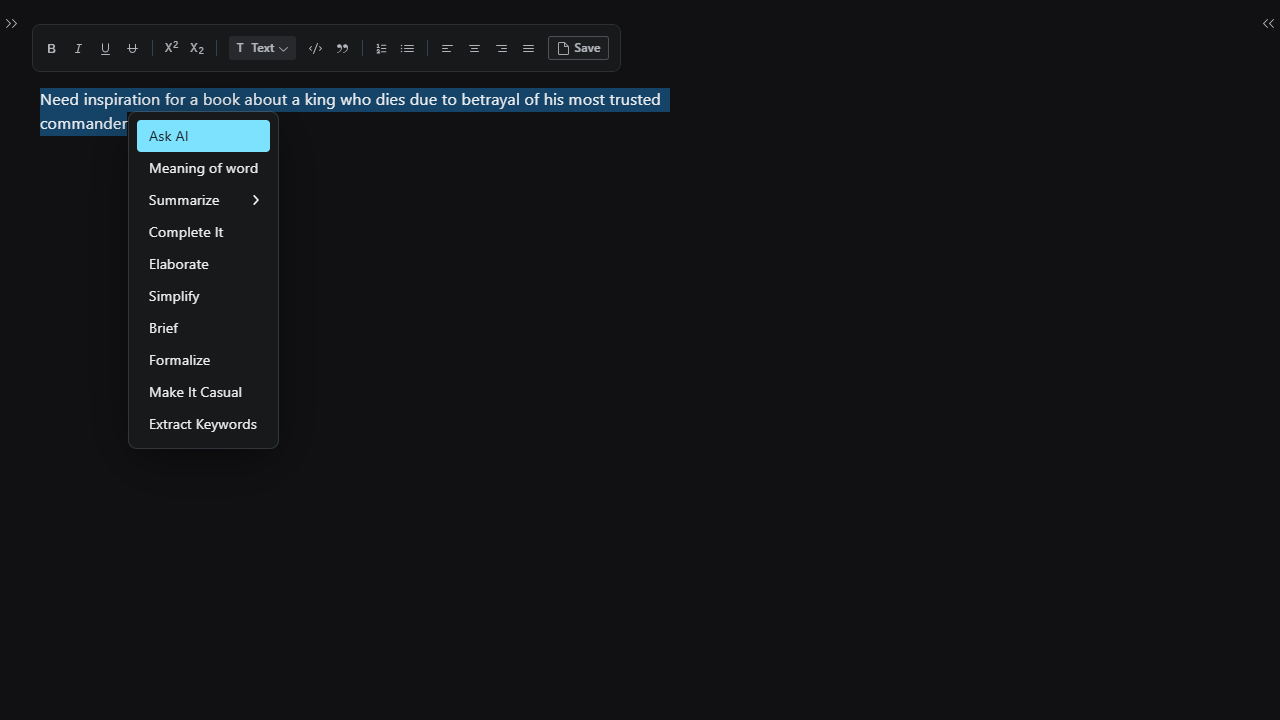
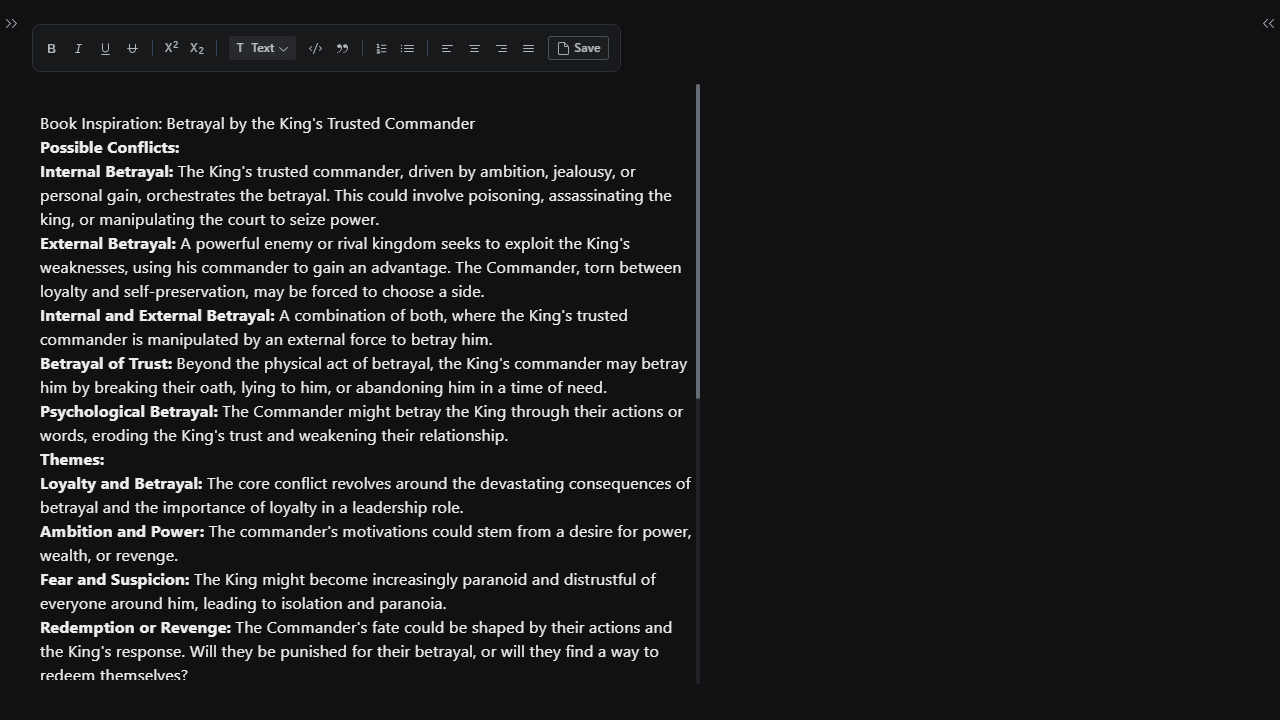
Inspiration
I always hated the way i need to change/ switch between tabs while researching, querying or learning new things most of the time it is frustrating you have to manage multiple tabs juggle with them which obviously takes time but the most important things it affect our focus. In this era of technology one can get easily distracted which is not the right thing I too suffer from this, I am a learner, developer and a writer i spend good amount of my time learning things and writing them down, most of the time this constant juggling of tabs distracts me. As i need to know the meaning of words, summarize topics, write on new subjects and get a hint of the direction i need to write something. Thus the idea to create a app that can allow me to do all the writing stuff in one place.
I'd say :
Do more by doing less
What it does
I'd say a lot things, it does lot of things, things like
- Writing some book needing some Inspiration just write needing some inspiration creating a book about a king who dies due to betrayal by his most trusted commander
then click on ask ai and boom a Dialog window will open with the response of the prompt - similarly if you wanted to have a quick look of everything you just learned, use the summarization API to get a quick overview before your exam or before going to bed
Smty if packed with features we provided a quick access to most of the common use cases and what it makes more powerful is the chat window provided it can act as way to use the model without cluttering the editor
How we built it
We built it using love, time and a great amount of enthusiasm. In terms of technical specs i use following technologies :
- React : for building user interface
- React Router DOM : for managing client side routing and navigation
- Tailwind : for styling
- Radix UI : for components
- Slate : as rich text editor
- MongoDB : Database
- Built In Gemini Nano : for generating quality text, used to answer user queries.
- Node : Backend server
- Express : to ease backend development
Some libraries that we used :
- Mongoose : to integrate with mongodb
- Axios : for sending requests and getting response
- Unified, Remark-Slate, Remark-Parse : to convert markdown output from model to slate objects
- Copy-to-clipboard
Challenges we ran into
I did face some challenges initially due to constant updates in the built in model API's but once the API's got stable it was a smooth ride Apart from this I did face some minor challenges in building the text editor, although the documentation was good but in certain area it lacks more clarity
Accomplishments that we're proud of
- To be honest the thing that really made me happy was getting the editor to work properly, this is the first time i use slate, The library itself is amazing and a lot of though is poured into it while building but there were not many resources to know how to build a editor with it, to build something without a good resources is something that i am proud of.
- Another thing that made me really happy was seeing the models working smoothly. The very moment i saw a response in the console, i felt amazing
What we learned
I'd learned a lot of things like
- How to use Radix ( awesome component library )
- Improved my knowledge of tailwind
- Learned how to use react router dom more efficiently, previously i used to write useEffects to load data to the page but by using react router dom we did by using loaders, even the need of using useState got reduced as we started using actions, What is did is allow me to use break a very big component into smaller components
- Also learned how to effectively integrate language models like Gemini Nano to enhance user experiences.
- Also learned how to create rich text editors with the help of slate
What's next for Smty
- Adding more features in the editor like adding images, videos, whiteboard
- Adding the ability to create notes together
- Allowing user to create their own prompt chaining so that they can fully utilize the model
- Ability to share notes
Built With
- express.js
- mongodb
- node.js
- radix
- react
- react-slate
- slate
- tailwind

Log in or sign up for Devpost to join the conversation.