-
-
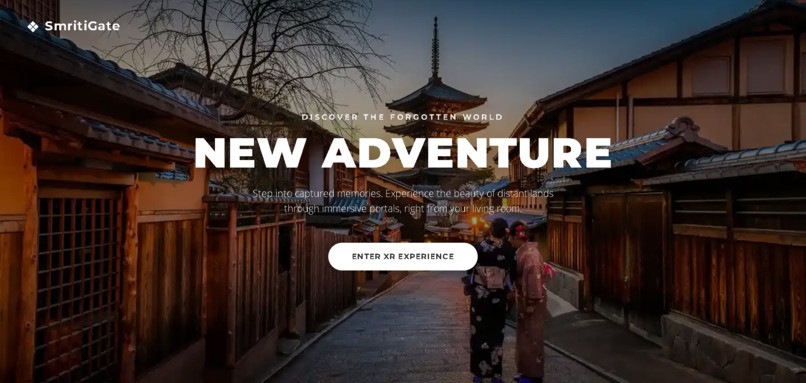
SmritiGate WebXR Landing Page
-
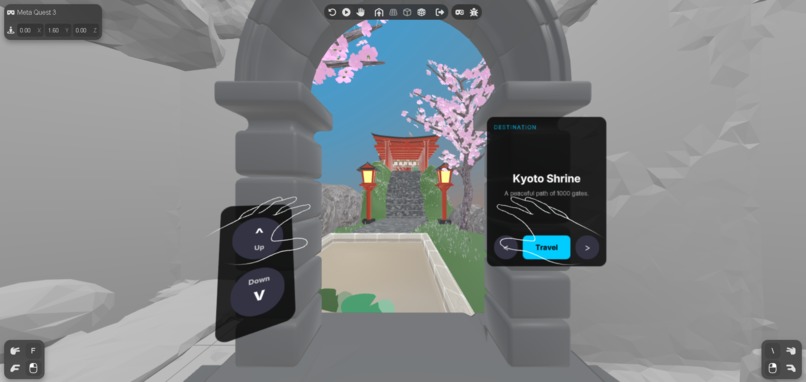
Outside the Portal looking in
-
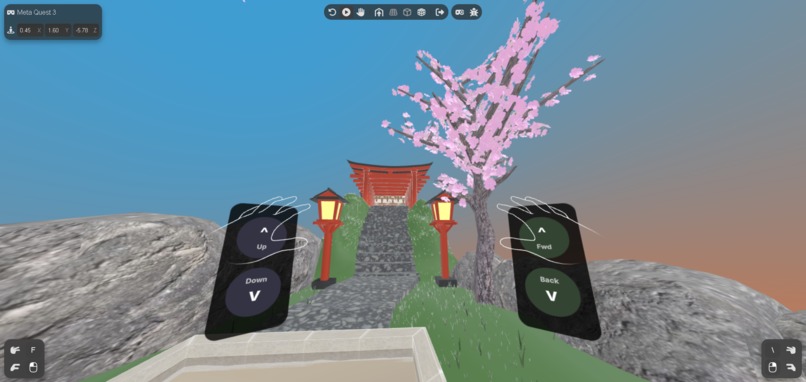
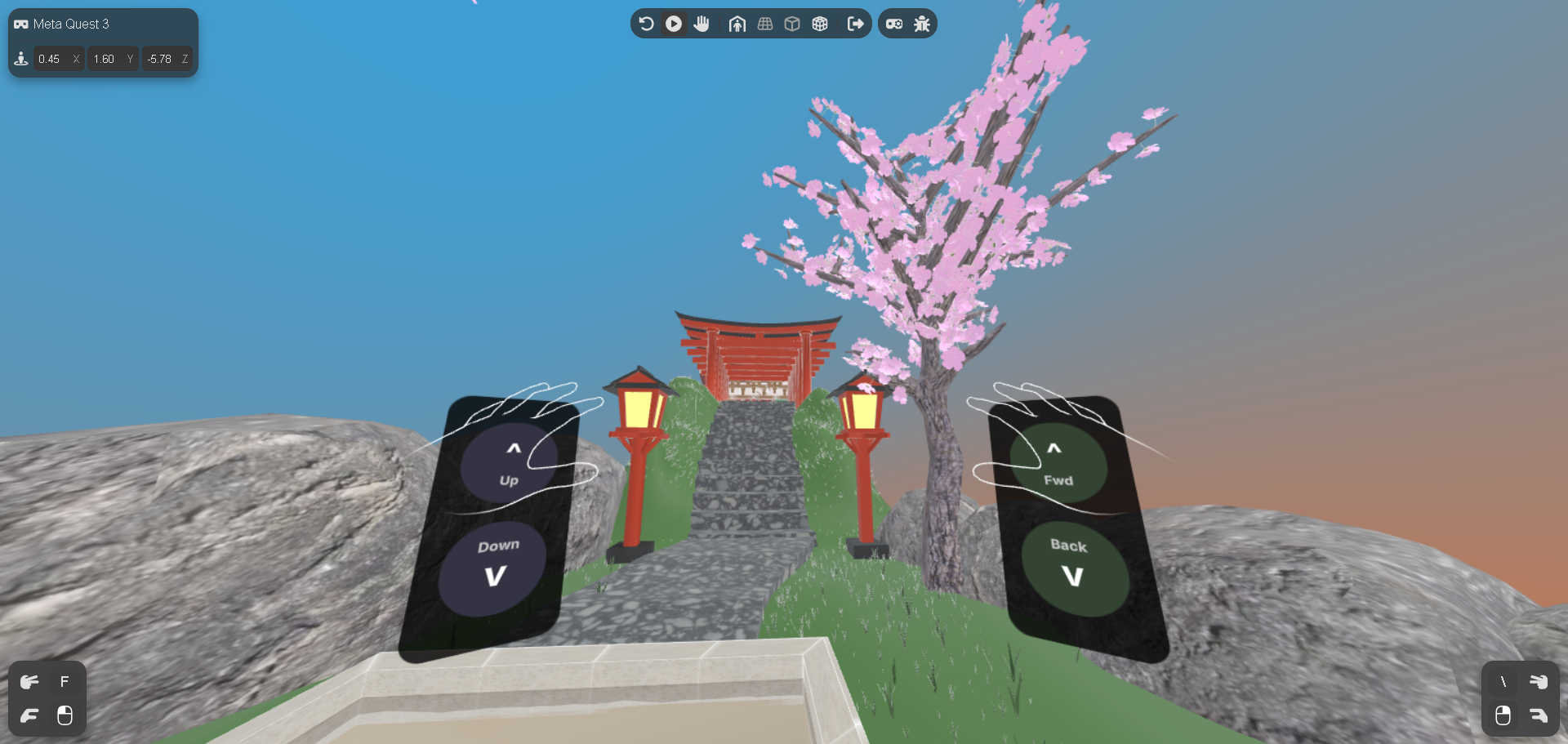
Kyoto Shrine with Gradient Sky and Accessibility UI
-
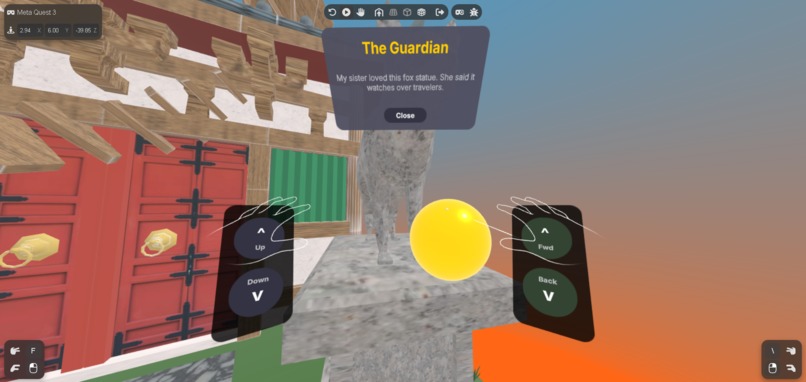
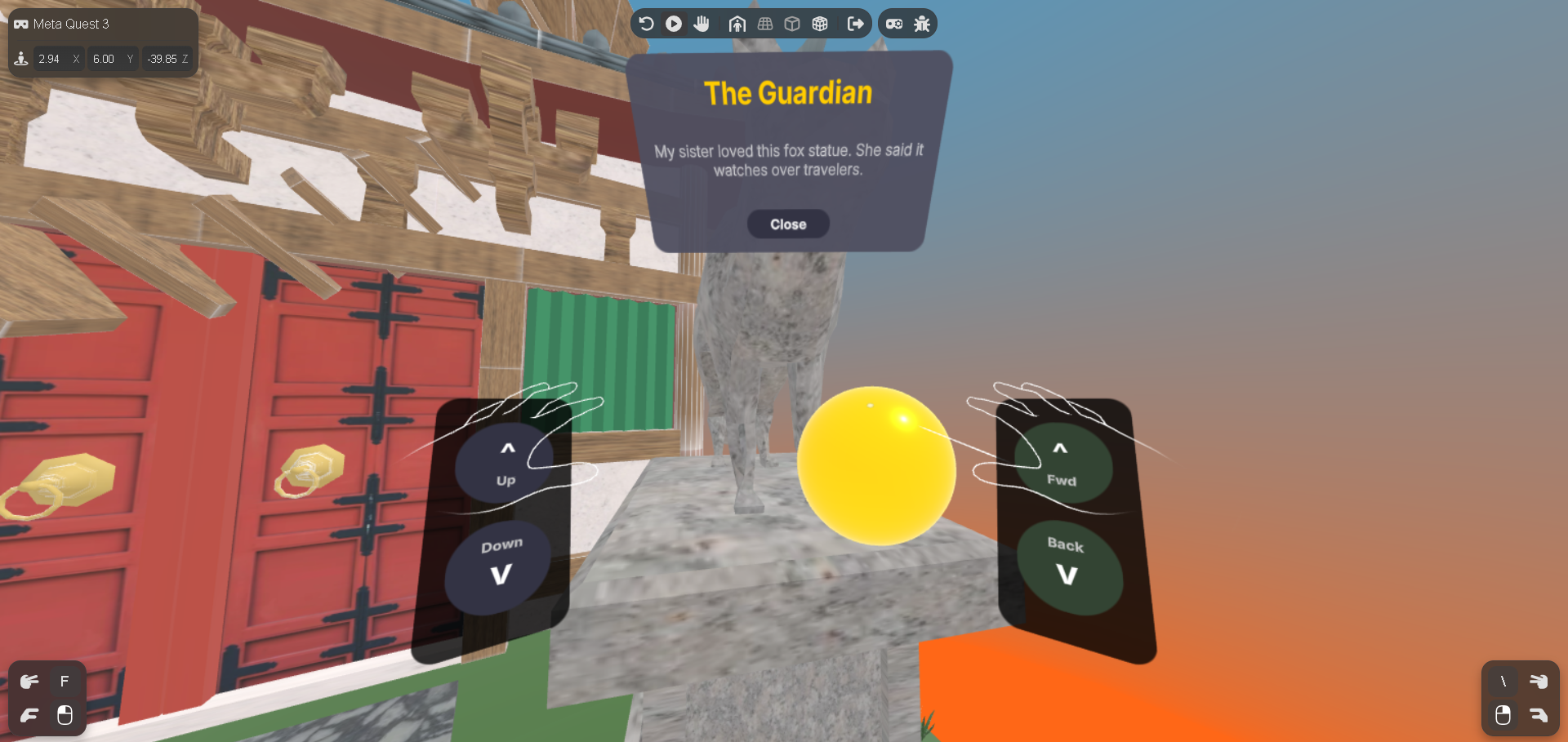
Memory Card UI revealing a story
-
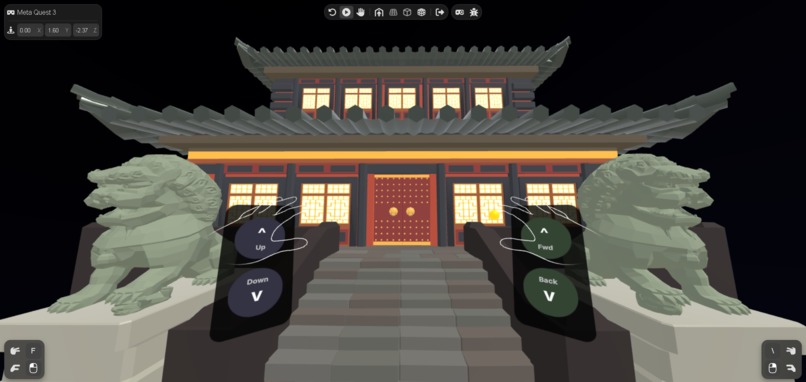
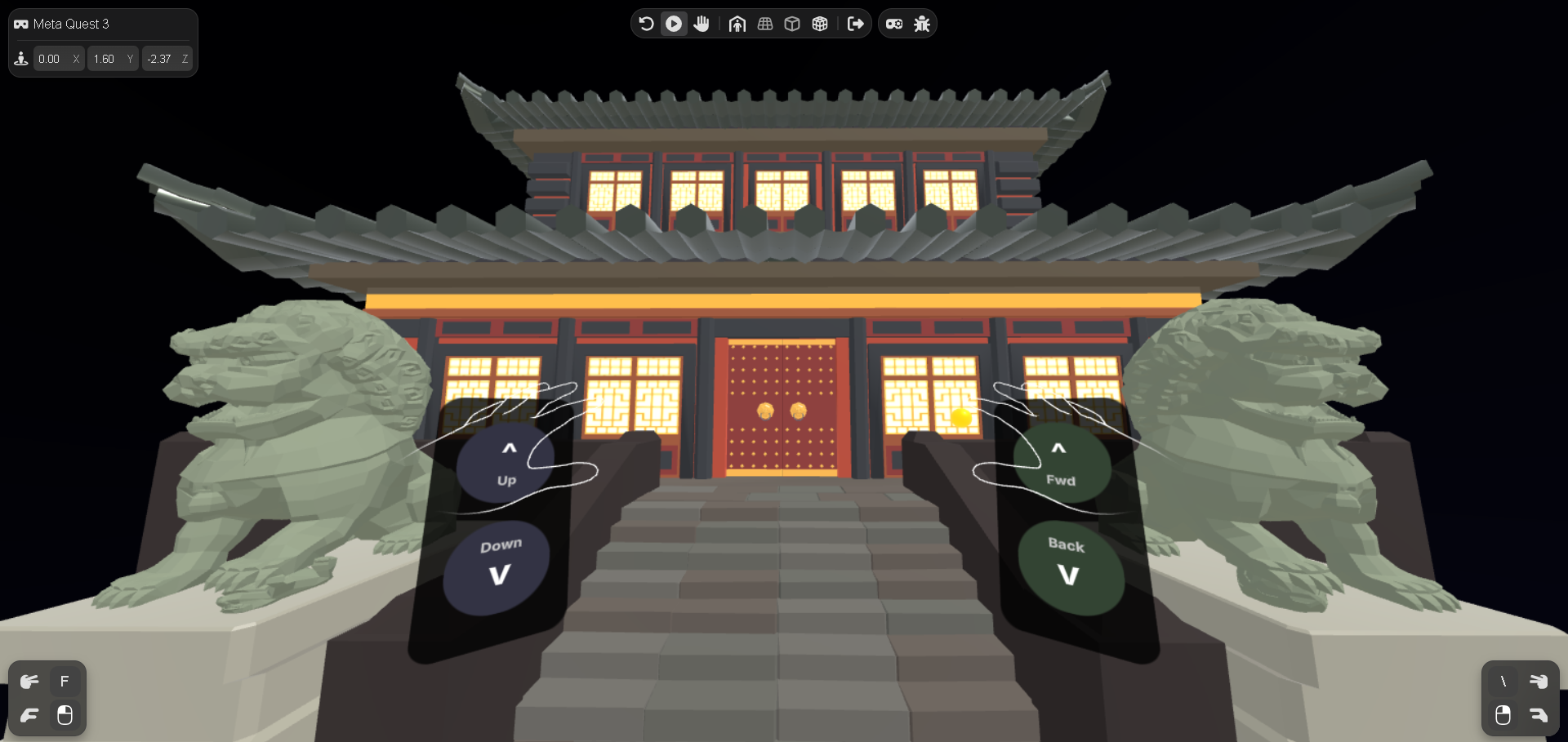
Moonlight Temple Night Scene
-
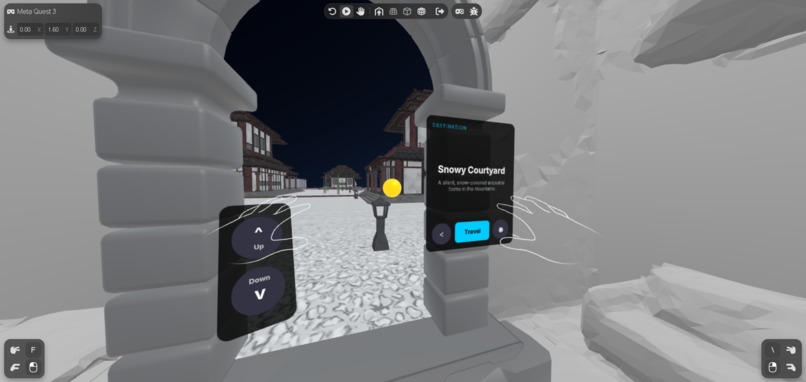
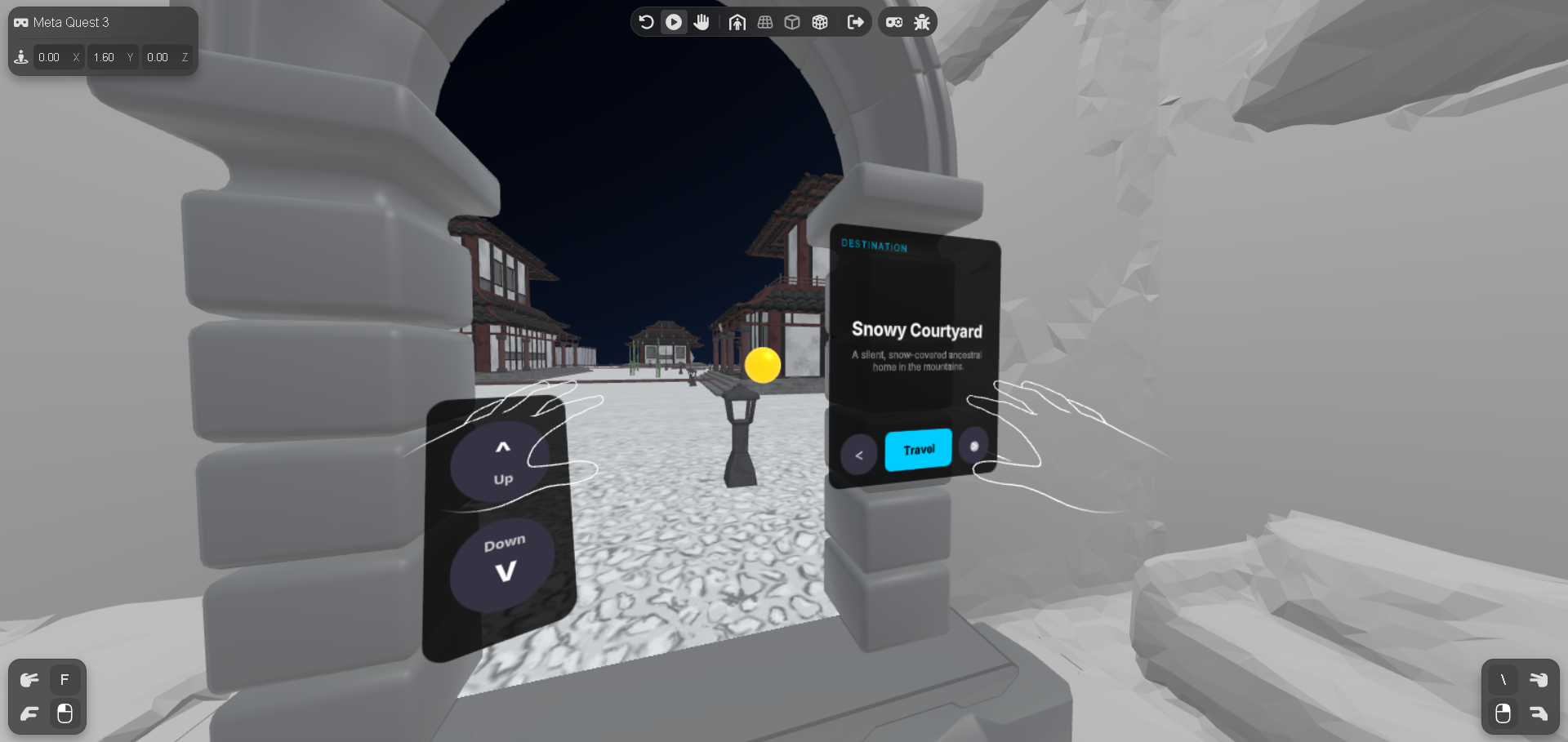
Portal showing Snowy Courtyard destination
-
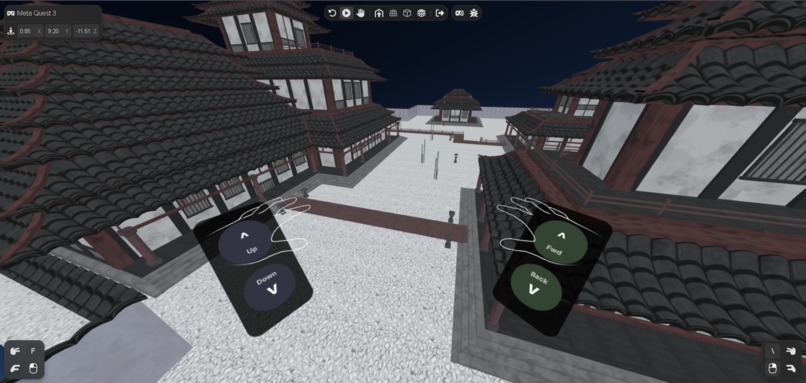
Elevated View using Accessibility UI



Inspiration
The seed for SmritiGate was planted by my sister. She has a deep soul for traveling, but like so many others, she was often held back by tight budgets. Watching her long for places she couldn't afford to visit sparked a realization: Time fades, and places change, but memories should be accessible to everyone.
In Sanskrit, "Smriti" means "that which is remembered." We realized that while tools like Google Earth let you see a place, they don't let you feel the stories embedded there. We wanted to build something that wasn't just a 3D viewer, but a Lifestyle Platform for cultural preservation.
We were driven to solve this accessibility gap. Whether due to financial constraints (like my sister's), physical mobility issues, or limited living space, millions cannot travel to see the world's wonders. We asked: How can we bring the world to them, not just as a video, but as a place they can step inside?
What it does
SmritiGate is a Mixed Reality web application that transforms your physical living room into a gateway to high-fidelity, photorealistic worlds.
- Seamless Mixed Reality: Using the Meta Immersive Web SDK, users start in Passthrough mode (seeing their real room) and open a dimensional portal. Stepping through it transitions them seamlessly into fully immersive VR.
- Cultural Time Travel: Users can visit distinct locations—a sunlit Kyoto Shrine, a mystic Moonlight Temple, and a silent Snowy Courtyard—each with its own dynamic lighting and audio atmosphere.
- Memory Hotspots: The world isn't empty. Users discover floating "Memory Orbs" that, when clicked, reveal personal stories and history attached to that specific spot (e.g., a grandfather's oath in the snowy courtyard).
- Accessibility First: We built a custom Locomotion & Elevator UI. If a user has a small physical room, they can use the UI to "walk" virtual miles. If they cannot physically squat or climb, the "Elevator" lets them fly up to inspect roof details effortlessly.
How we built it
We built SmritiGate as a pure WebXR experience to ensure maximum accessibility—no app store downloads required.
- Core Framework: We used the Meta Immersive Web SDK to handle the complex Passthrough, anchoring, and Controller logic.
- Rendering Engine: Three.js was used for all 3D rendering. We wrote custom systems to handle the "Portal Stencil" effect, which renders the virtual world only inside the door frame while keeping the rest of the room transparent.
- Optimization: We used
gltf-transformand Draco compression to shrink massive photogrammetry scans (hundreds of MBs) down to web-friendly sizes without losing texture quality. - Language: Written entirely in TypeScript via Vite for type safety and fast development.
- Deployment: Hosted on GitHub Pages for instant updates.
Challenges we ran into
- The "Small Room" Problem: Real-world rooms are small, but our virtual shrines are massive. Initially, users would hit their physical walls and get stuck.
- Solution: We developed a custom Locomotion System that allows users to "move the world" around them using UI buttons (or keyboard inputs), essentially creating an infinite treadmill effect.
- Lighting Transitions: Moving from a bright day scene to a dark night temple broke the immersion because the lighting didn't adapt.
- Solution: We built a
WorldManagerthat dynamically swaps skyboxes (e.g., shifting hex values from0x87CEEBto0x000000) and adjusts ambient light intensity the moment a new destination loads.
- Solution: We built a
- The "Floating Floor" Issue: Photogrammetry models often have uneven terrain.
- Solution: We wrote an
autoFitModelalgorithm that calculates the bounding box of any loaded model and snaps its "floor" perfectly to the WebXR reference plane (y = -1.6), ensuring users never feel like they are floating in mid-air.
- Solution: We wrote an
Accomplishments that we're proud of
- Optimized Performance: Achieving a stable 60+ FPS in the Meta Quest browser while rendering high-poly photogrammetry models with dynamic lighting.
- The "Elevator" Tool: It sounds simple, but giving users the ability to vertically "fly" to inspect architecture opened up a completely new way to experience heritage sites that isn't possible in real life.
What we learned
- Content is King: A great XR app isn't just about the code; it's about the assets. Learning how to optimize textures and audio (combining ambient loops) was just as important as the TypeScript logic.
- Accessibility is a Lifestyle: We learned that "Lifestyle" apps must fit into the user's daily life. By adding the keyboard/mouse controls for non-headset users and the locomotion UI for small-room users, we made the app usable by 100% of our audience, not just the 1% with huge play spaces.
What's next for SmritiGate
Our vision extends far beyond this hackathon. We plan to build:
- UGC Economy (Upload Your World): Empower users to capture local treasures using Luma AI/Polycam and upload them. We plan to implement a revenue-sharing model where creators earn a commission when users visit their scanned memories.
- Multimedia Storytelling: Upgrading Memory Cards to support embedded 2D Video (imagine watching a loved one stand in that exact spot years ago) and Spatial Audio Notes (whispers anchored to specific trees or benches).
- Multiplayer "Co-Travel": A shared presence system where friends can step through the portal together, see each other's avatars, and locals can host live, guided virtual tours.
- The Souvenir Shelf (MR Anchors): Using Mixed Reality Anchors, users will be able to "grab" small 3D objects (like a fox mask) from the virtual world and place them on their real-world desk as persistent decorations.
Built With
- css3
- html5
- iwsdk
- meta-immersive-web-sdk
- three.js
- typescript
- vite


Log in or sign up for Devpost to join the conversation.