Inspiration
Often when trying to read research papers or articles for school or related projects, I found myself switching back and forth between the website and a dictionary for words or sentences I could not understand. I thought it was natural to come up an extension within Chrome itself that would save time and effort.
What it does
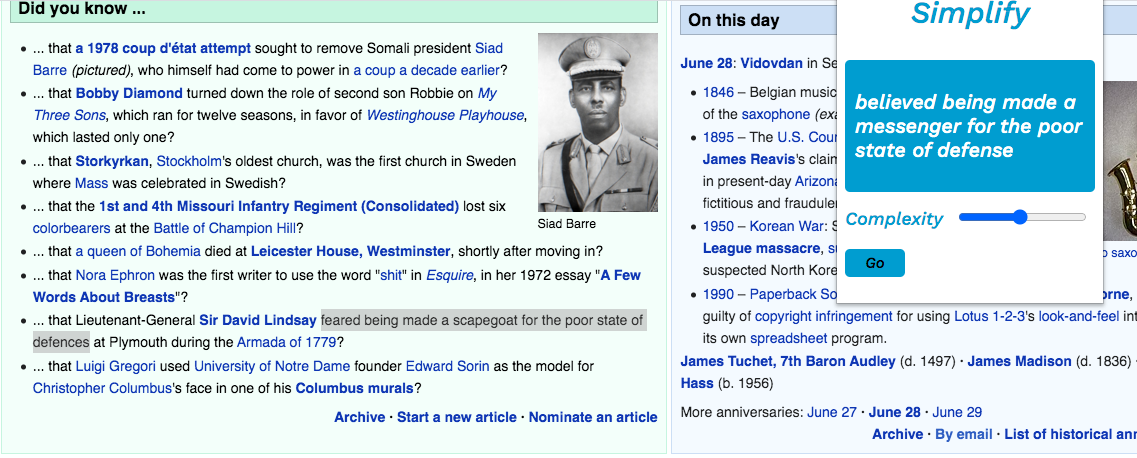
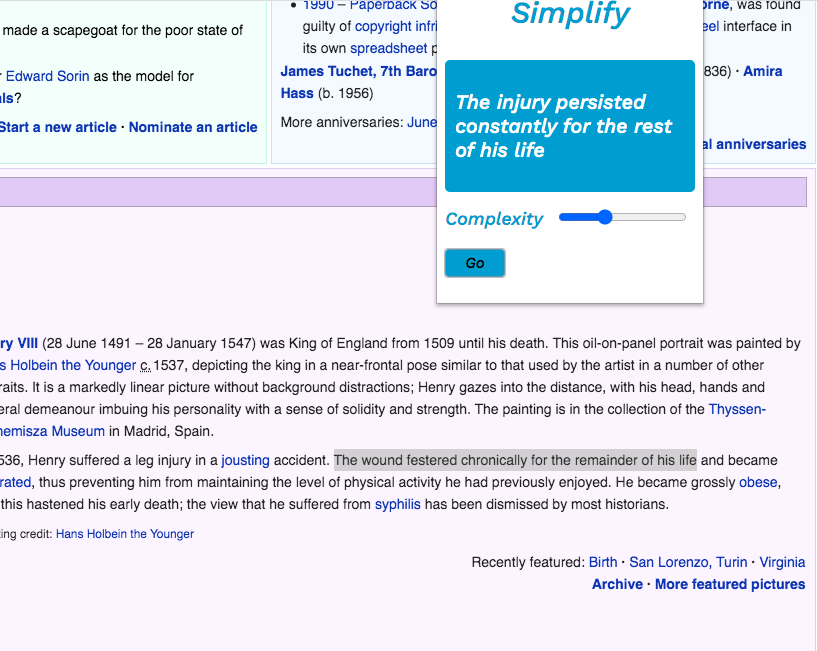
Smplfy is a chrome extension that takes what you have highlighted on a page and substitutes words or phrases that may potentially be difficult for the reader to understand with those that are much more, simple.
How I built it
Smplfy, being a Chrome extension, is like a mini-website built upon HTML and JavaScript. It reads what the user has highlighted and then sends API requests to the Datamuse API and database in order to get word-related information.
Challenges I ran into
The foundation of the extension was relatively easy to code; I spent most of my time fixing small bugs and fine-tuning the reliability and accuracy of the program.
Accomplishments that I'm proud of
I am really happy to have found a resource like the Datamuse API/database; I wish I had used it for projects in the past that required word-related API and I definitely will use it again in the future. I am also really excited to have made a functional Chrome Extension for the first time.
What I learned
I learned a lot about building Chrome Extensions and about APIs in general, specifically Datamuse.
What's next for Smplfy
Smplfy still is not 100% perfect, and I hope to tackle common errors and potential bugs in the near future! I am also considering certain peripheral features such as a dictionary.
Built With
- datamuse
- html
- javascript
- jquery

Log in or sign up for Devpost to join the conversation.