-
-
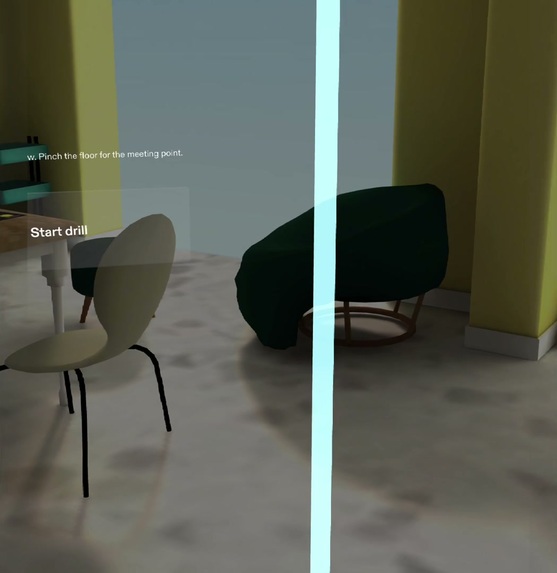
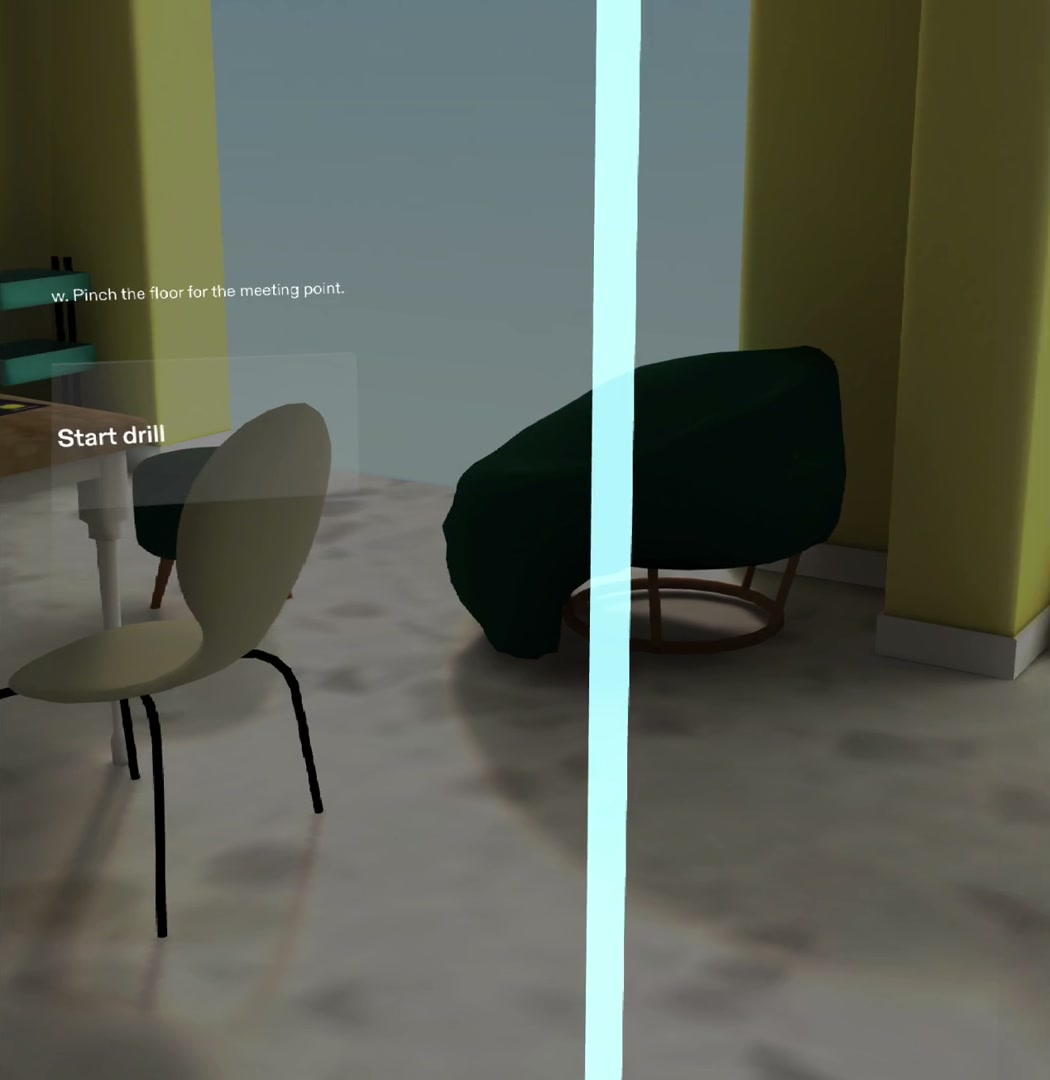
Mark the exits: pinch a door, a window, then the floor for the meeting point.
-
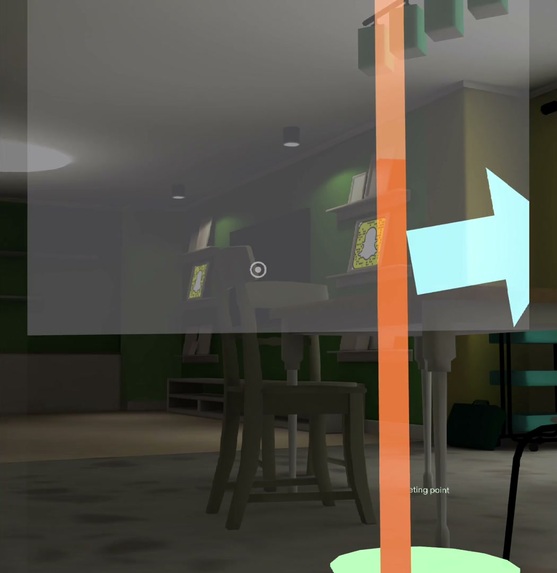
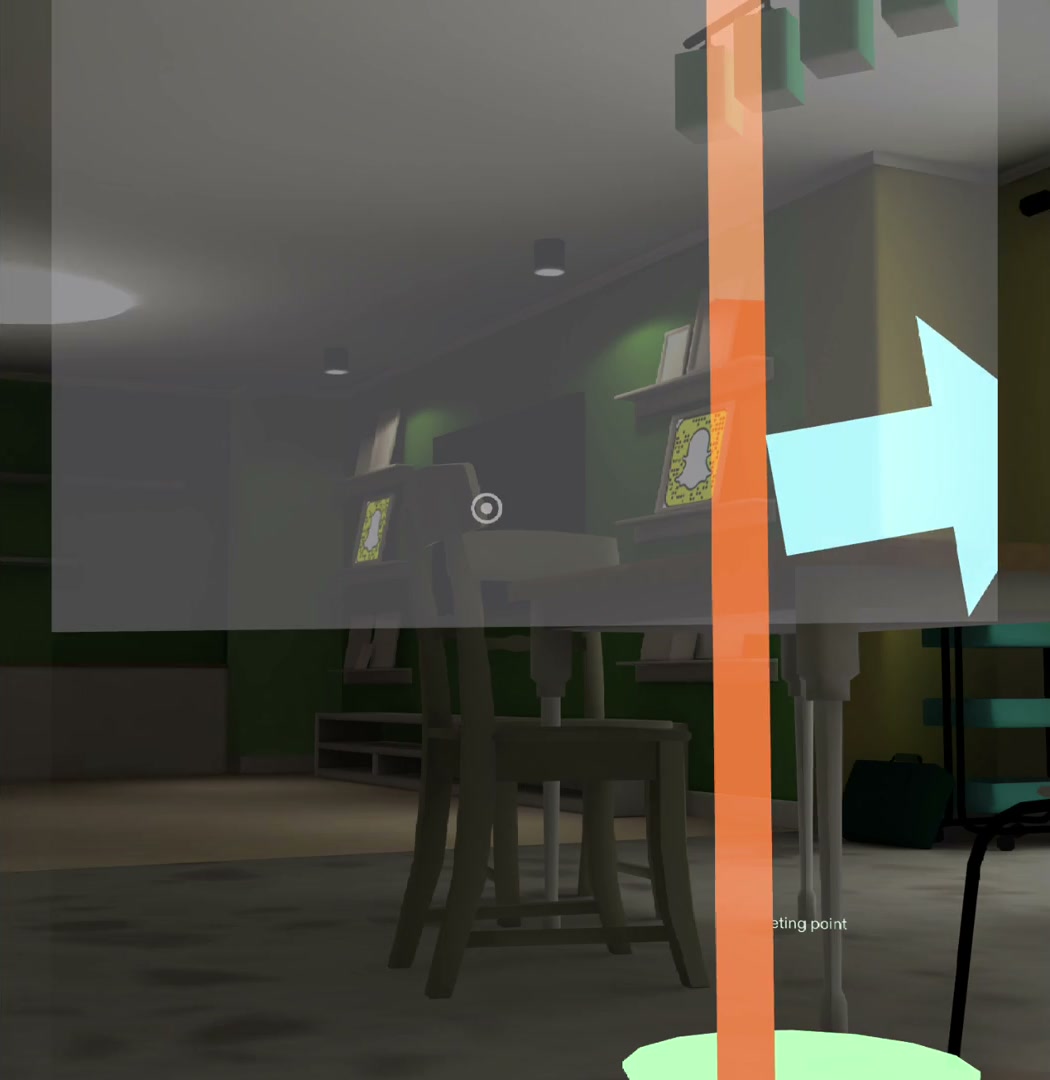
Door A is hot: the frame glows orange and the arrows reroute to the window.
-
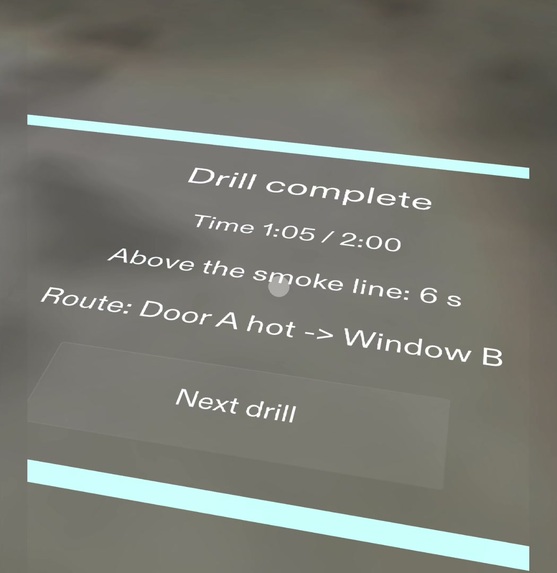
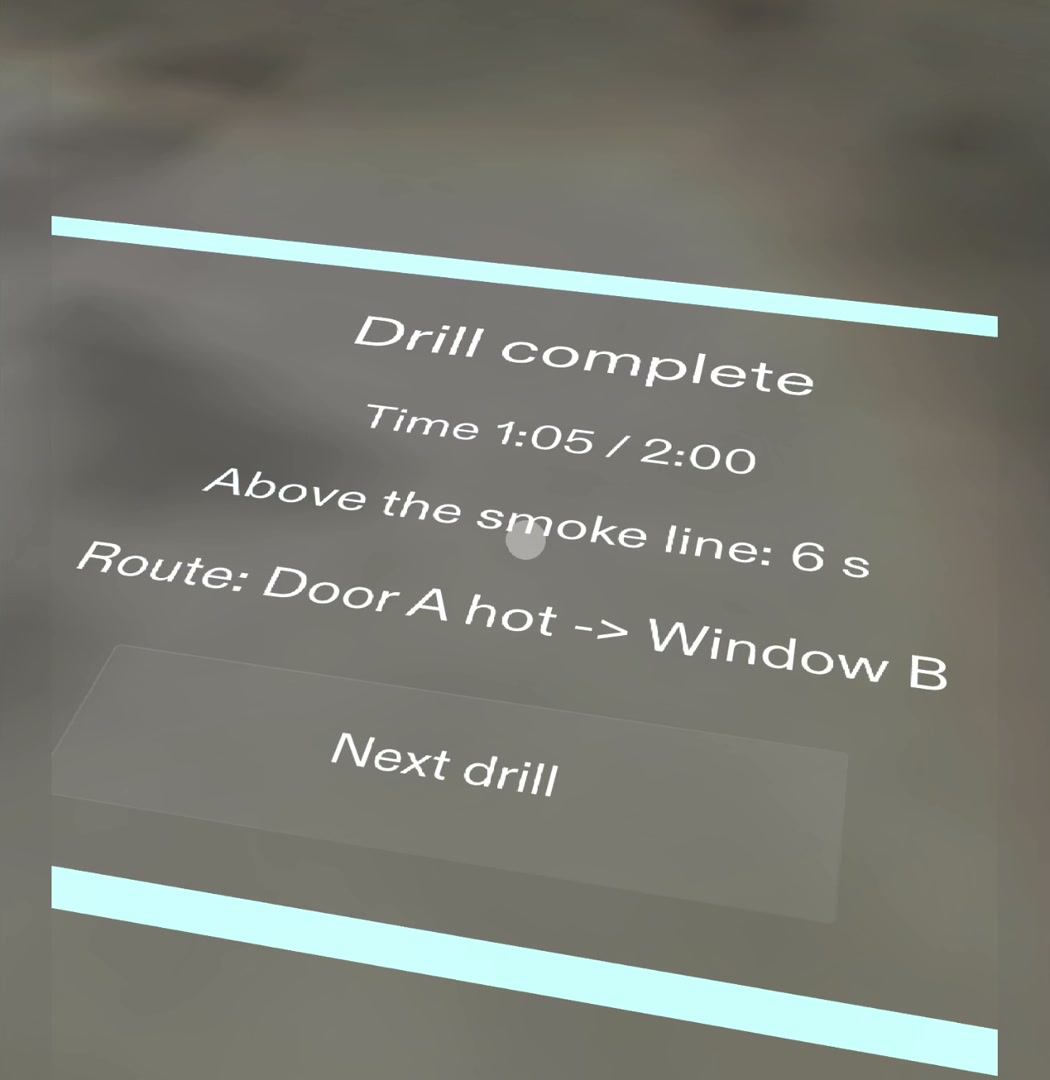
The debrief lies on the floor: time against 2:00, seconds above the smoke line, and the route.
-
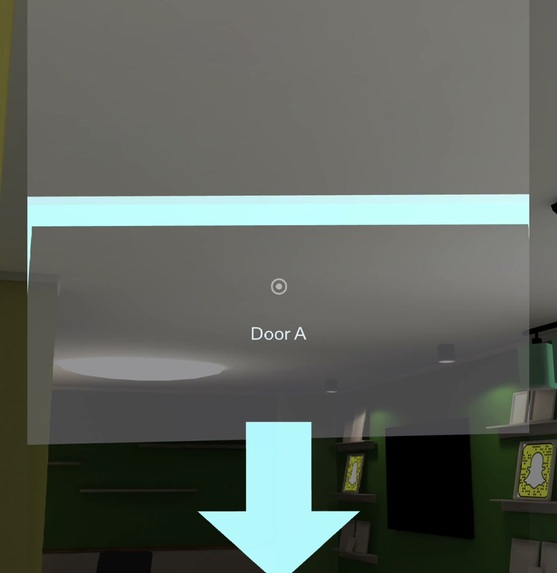
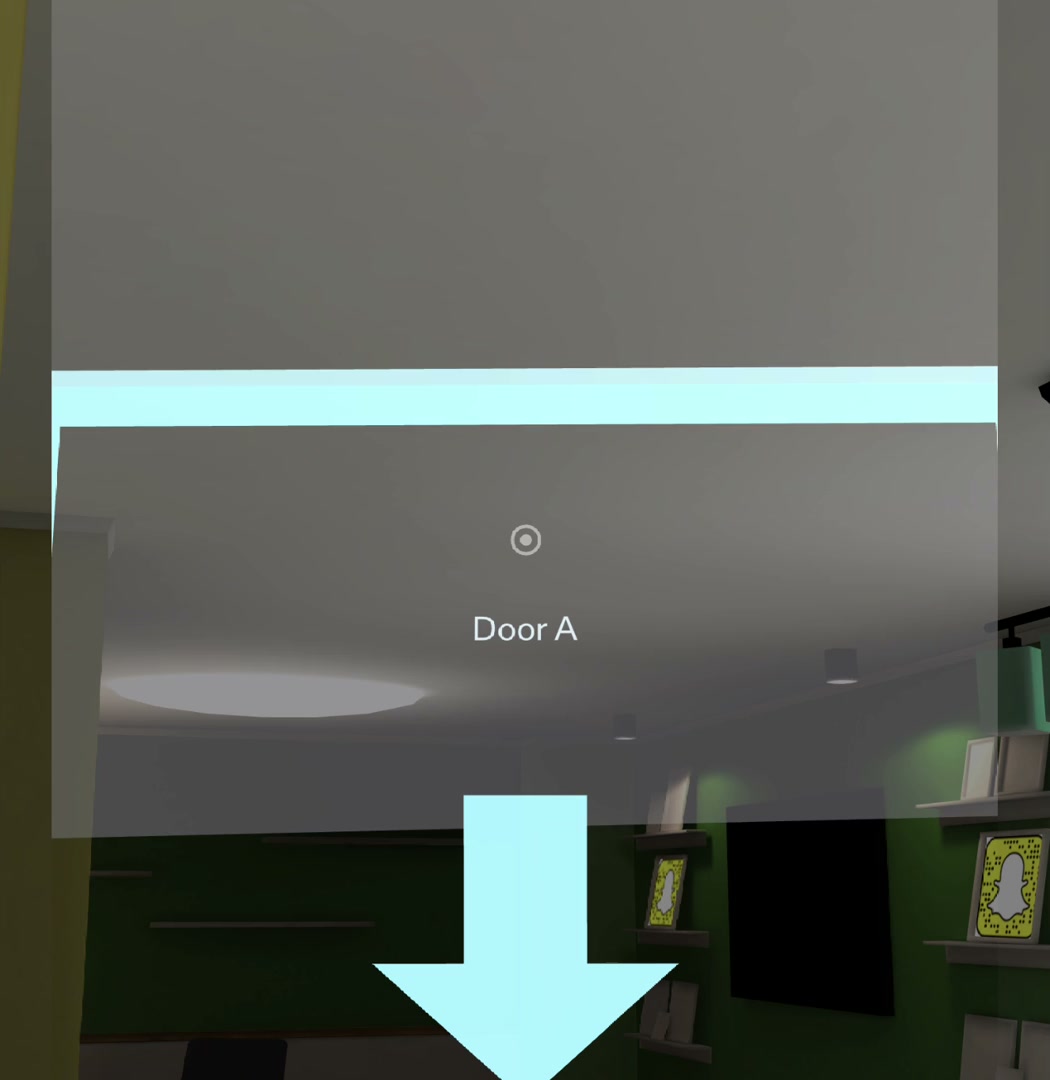
The smoke line drops toward eye level as you head for Door A.
Inspiration
Fire safety advice says every home should have an escape plan with two ways out of each room, and that you should practise it. Almost nobody does, because a drill at home feels silly: there is no alarm, no smoke, and nothing to tell you whether you did it right. A drill only works if your body does it: you get low, you feel the door, you walk out. A phone in your hand is the opposite of that. Glasses can put the drill into the rooms you actually live in while your hands and eyes stay free.
What it does
- Mark your exits. Aim at your front door and pinch, then a window, then pinch the floor for the family meeting point. Glowing frames mark Door A and Window B.
- Start. A 3-beep alarm sounds and a light grey smoke layer starts dropping from the ceiling. There is no timer and no panel: the falling smoke is the pace cue.
- Get low. When the smoke reaches your eyes, a voice says "Get low. Stay under the smoke." It keeps saying it until you crouch below the line.
- Check the door. Pinch Door A: it glows orange because it's hot. A voice from the window's direction says "Second way out", and arrows on the floor swing toward the window.
- Get out. Follow the arrows. When you're within a metre of the window the alarm stops, and a debrief lies flat on the floor in front of you: your time against two minutes, seconds spent above the smoke line, and your route. Next drill keeps your exits and swaps which one is blocked.
It's practice only: no surprise alarms, and the Lens uses only the camera's position and height, on the device. Nothing is recorded or sent.
Who it's for
Families, especially with kids, who know they should practise an escape plan and never have. It turns "we should do a fire drill" into two minutes in your own living room.
How we built it
- Planned with the Devpost Learn skill pack. The plan-lens interview turned the idea into a design brief (
devpost/design-brief.md): one spatial moment, where every element lives in centimetres, what shows when, five done criteria, and the stand-ins the preview needs. - Built by Snap's CLAD agent in Lens Studio, from that brief, in two runs: criteria 1 to 3 (marking, alarm and smoke, get low), then 4 and 5 (hot door and reroute, reach and debrief, the 2:00 limit). All the drill logic is plain TypeScript, with no AI in the Lens, using Spectacles Interaction Kit for pinches and Spectacles UI Kit for the Start button.
- Tested with LEAF through the Lens Studio MCP. Every done criterion has a LEAF scenario, plus two regression tests: seven in all, all passing. The MCP ran the scenarios, recompiled TypeScript, injected pinches and moved the preview camera, so the get-low and reach checks run without a person walking the room.
- Judged in the preview, then fixed with design notes. Walking the drill showed the debrief was wider than the view and the exit frames cut through it, so the debrief shrank to 90 × 60 cm, the frames hide at the end, and the Start button grew and got a one-line hint.
- Sound. The alarm is a generated 3-beep pattern. The two voice lines are my own voice. "Second way out" plays as spatial audio from the open exit.
Challenges we ran into
- Signing in. CLAD wouldn't authorize on the newest Lens Studio. The SPECS team's workaround was Lens Studio 5.23.2, so the project was rebuilt from the SPECS Base Template on that version.
- No walls to hit in the preview. Scripts can't hit the preview room's walls, so an exit is a virtual frame placed 2 m along your pinch ray. On glasses it would snap to the wall found by World Query. The brief says so, and the scene keeps the stand-in obvious.
- Pinching through a frame. A 1 × 2 m exit frame blocked pinching the floor behind it, so before Start a pinch now passes through frames. A second exit placed on top of Door A is ignored. Both are covered by a test.
- Testing movement. The get-low and reach criteria need the camera to move. The LEAF scenarios log where to go and wait, and the MCP moves the preview camera there.
Accomplishments that we're proud of
The whole drill runs end to end in the preview in about a minute, and every done criterion is checked by an automated test. The moment the brief was written around works: the grey line comes down toward your eyes, you crouch, the door is hot, a voice comes from the window, and the arrows turn.
What we learned
Most of the work was deciding where things live and when they show, not code. "A 90 × 60 cm panel lying flat on the floor, 60 to 160 cm ahead" builds and tests cleanly. "A debrief screen" doesn't. Holding back the UI was the hardest design call: no timer and no HUD during the drill, only the smoke.
What's next for Smokeline
- Run it on Spectacles: exits snapped to real walls with World Query, a real crouch, and real hand tracking. All of this is still unproven on glasses.
- An optional exit Scout that proposes doors and windows from a camera frame, confirmed with a pinch.
- Drills through more than one room, and a kid-friendly mode.
Built With
- clad
- leaf-testing
- lens-studio
- lens-studio-mcp
- spectacles
- spectacles-interaction-kit
- spectacles-ui-kit
- typescript
