-
-
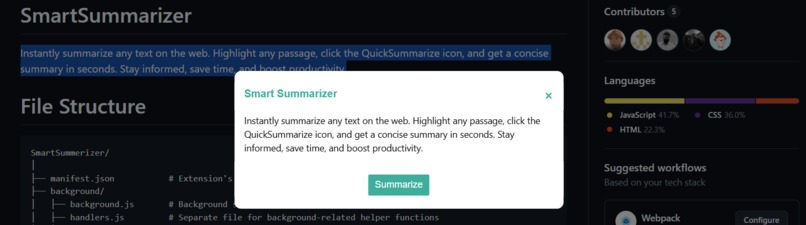
How SmartSummarizer looks like
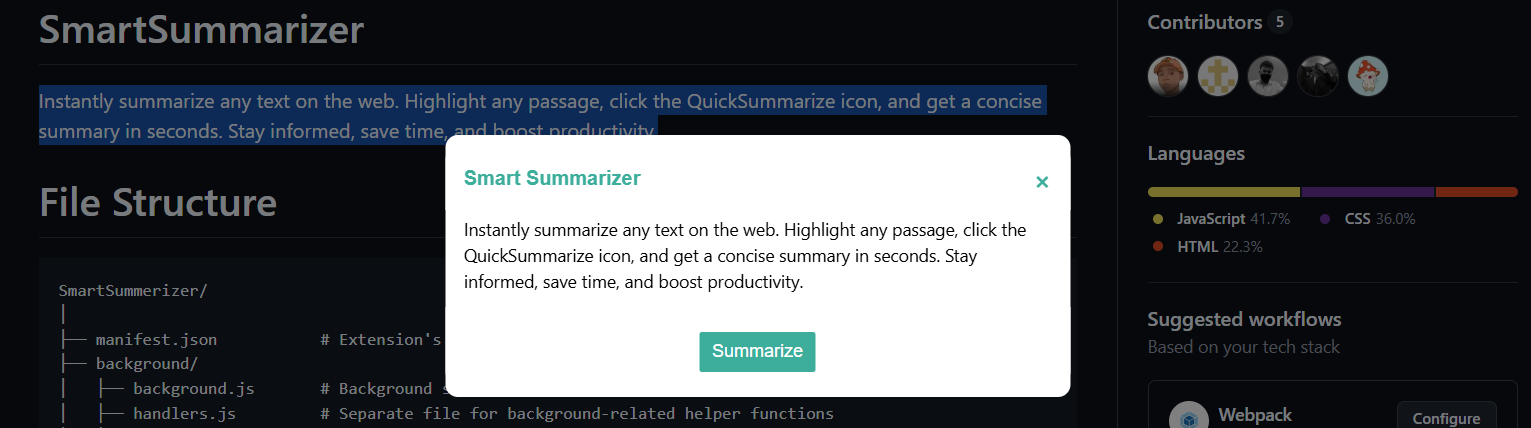
Please install the extension onto your system and then use " ctrl+Shift+S " on your keyboard to get the summary of the selected text .
Inspiration
While browsing through journals and articles , I often needed to just get a overview of that information. So for that I had to copy the whole text and paste it in a AI chatbot to generate a summary . It is an inconvenience which we are trying to solve here !!!
What it does
It generates a summary of selected text using AI models through their API's
How we built it
- We designed the project structure first with the guidance of docs for chrome extension
- Defined a manifest.json file and added all scripts and targets for our extension
- Divided the work as frontend and backend and starting working and collaborating
- With help of tools like git and Github , we were able to collaborate while working on features independently
- Once a basic prototype was done , we tested it thoroughly to make it as efficient as possible.
- It involved HTML , CSS and vanilla JS with a few external libraries like axios etc locally installed to support API calls
Challenges we ran into
- Our main challenge was our different time zones . Each of our team belonged to a distinct timezone with no common time to have a proper conversation . Everything happened just through chats while wokring at different time zones
- We were not very succesful in procuring an API key due to budget constraints
Accomplishments that we're proud of
- We learnt how browser extensions work and how to make them !
- This is first online international hackathon , so we accomplished well collaboration , communication and team building ## What we learned
- We learnt a lot about how browsers work , what are the core concepts involved in a browser extension and many more things .
What's next for SmartSummarizer
- There are a lot of improvements that can be made to this project
- We have a thought to make it open source enabling a greater reach to a lot of people.
Built With
- api
- axios
- css
- html
- javascript
- json


Log in or sign up for Devpost to join the conversation.