-
-
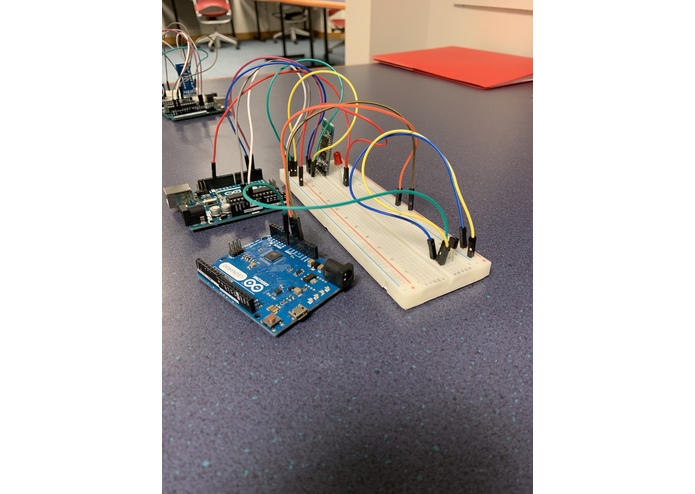
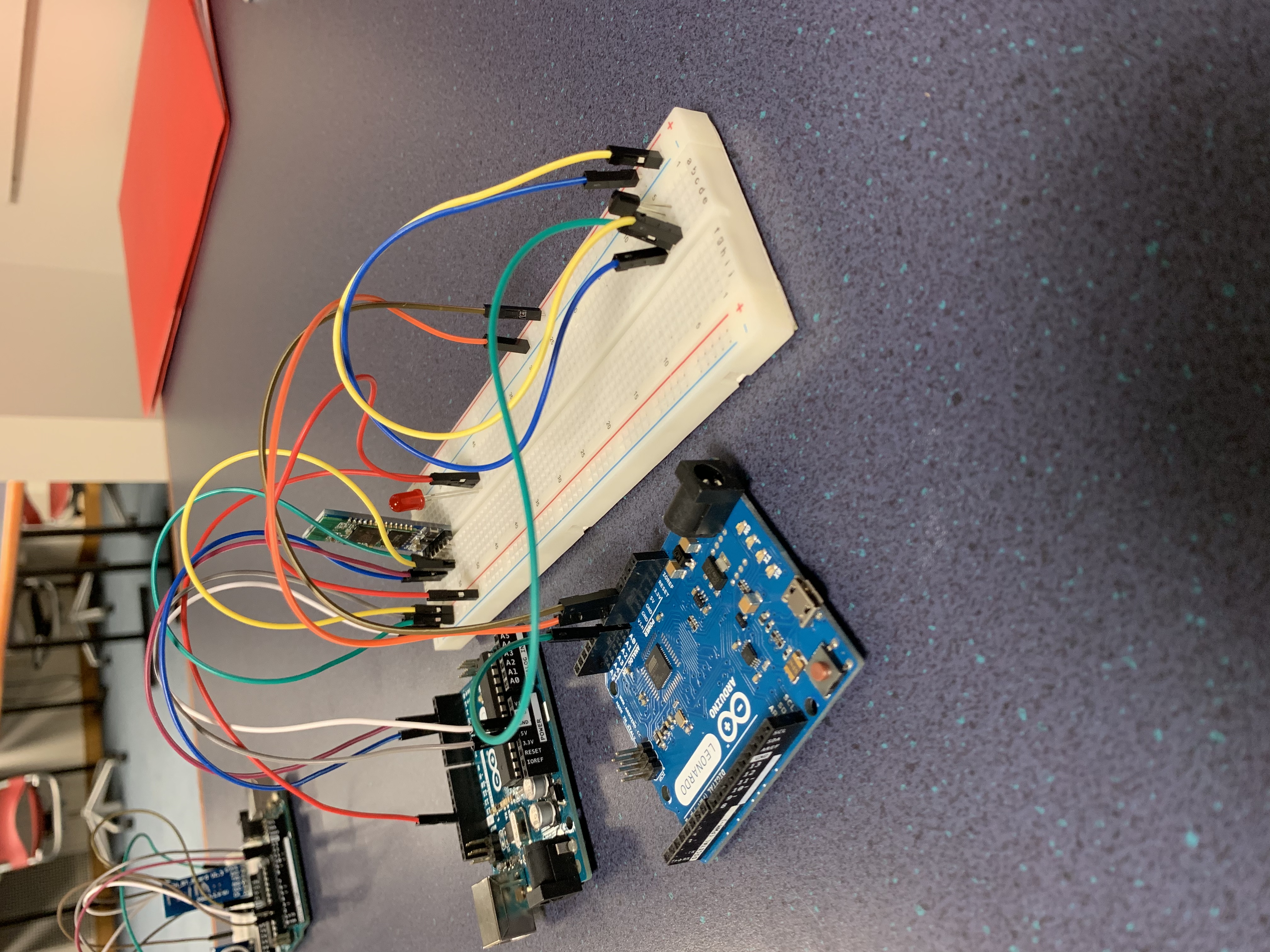
Circuit of the Slave Bluetooth, LED, and the Leonardo
-
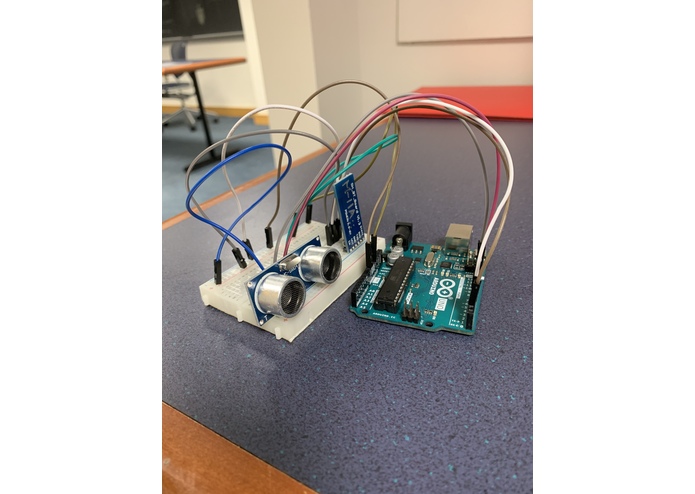
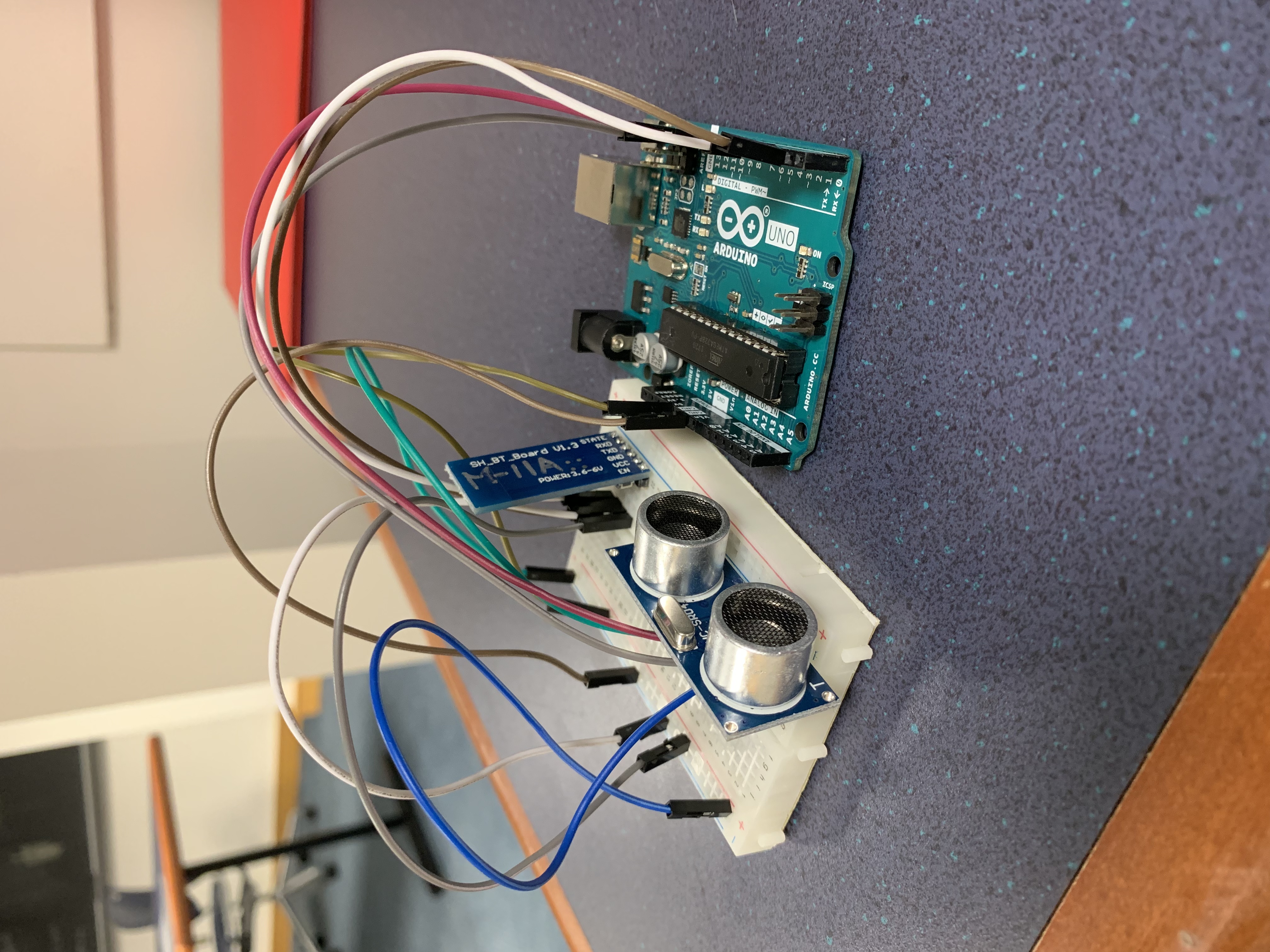
Circuit of the Master Bluetooth and Ping Sensor
-
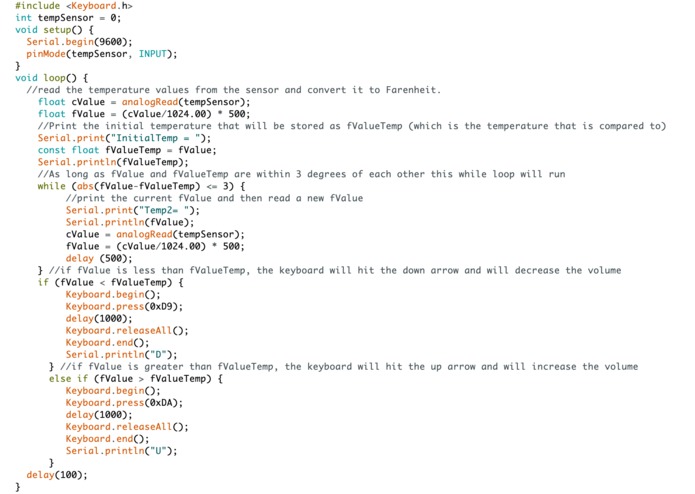
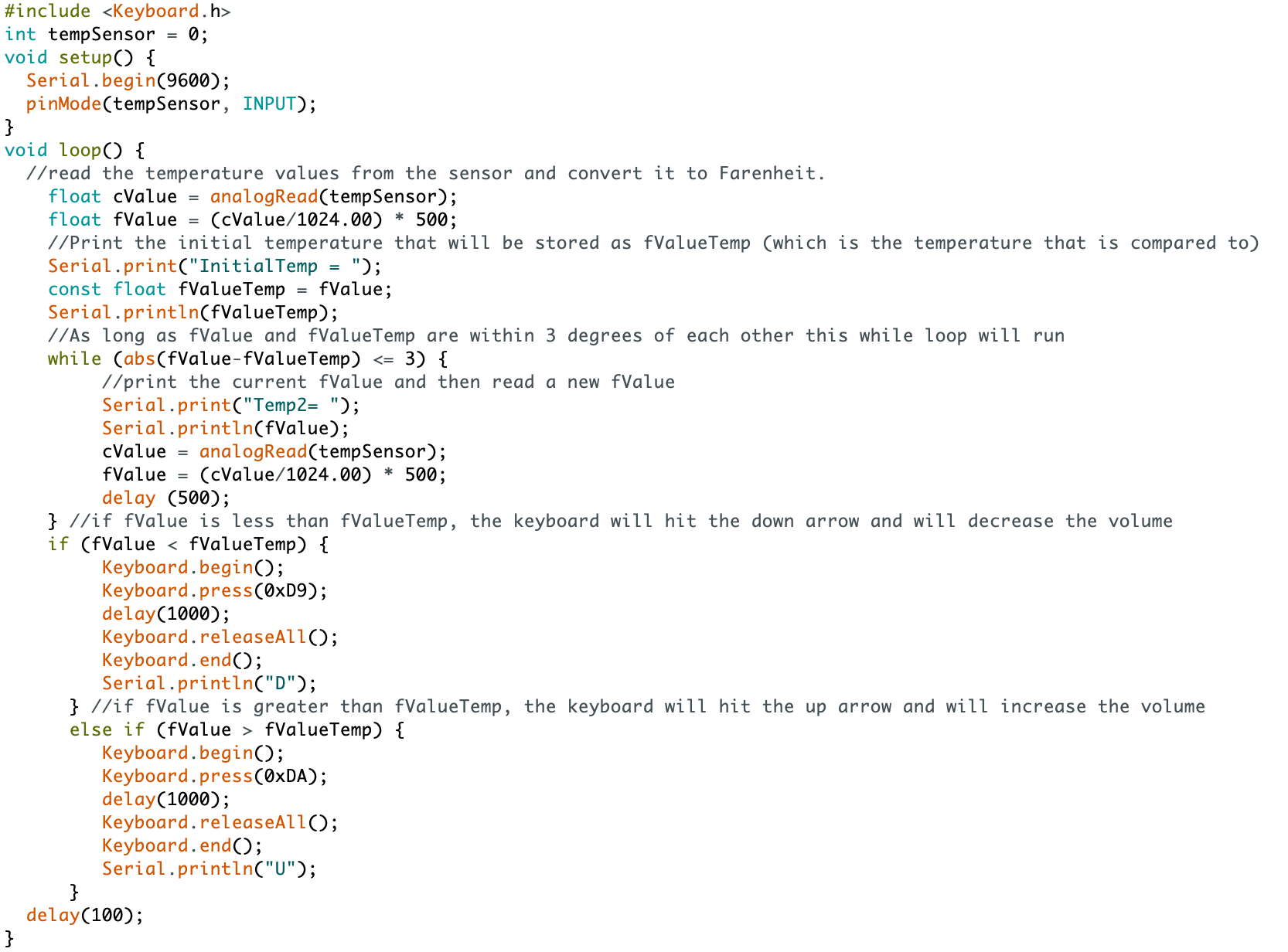
Code that connects the Leonardo to the computer
-
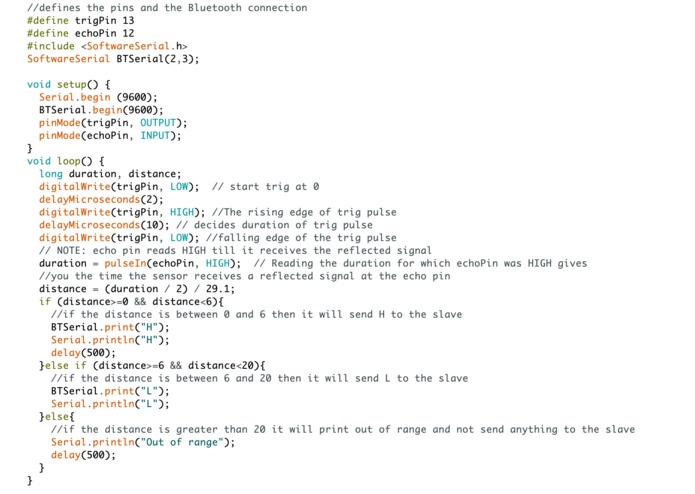
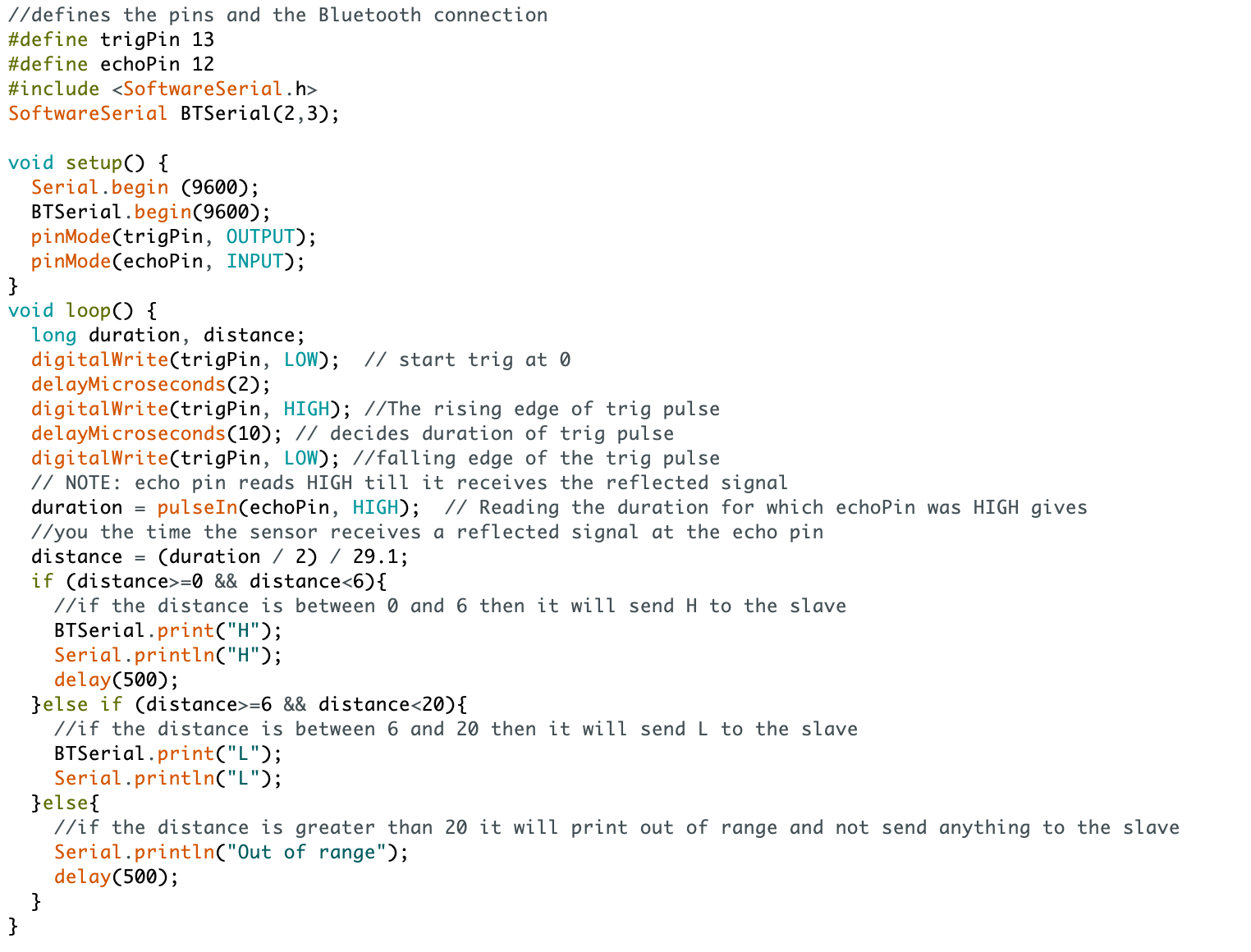
Code that connects the Master Bluetooth to the Ping Sensor
-
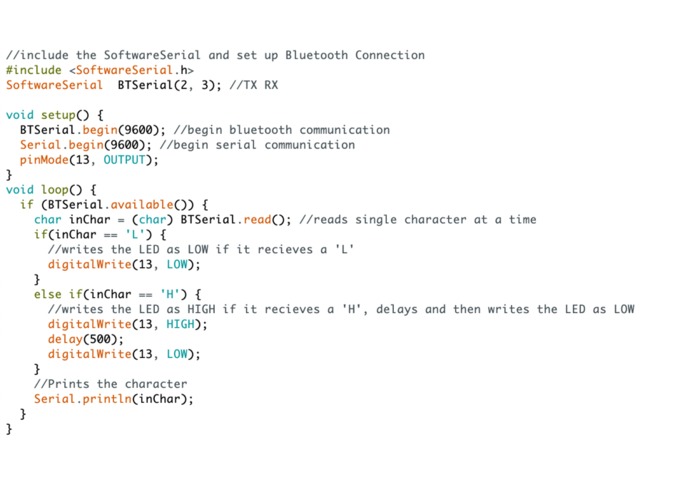
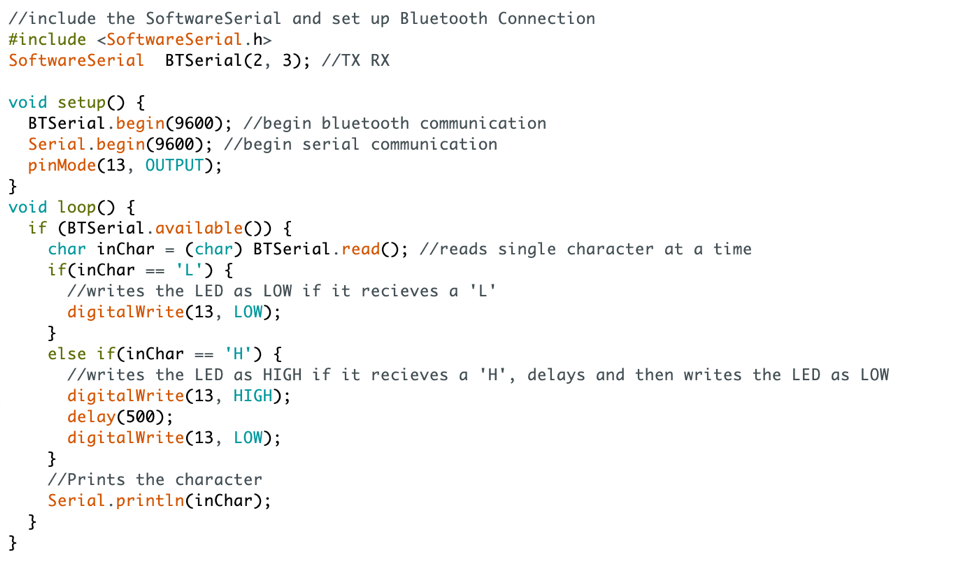
Code that connects the Slave Bluetooth to the LED
What SmartSpeaker Does
SmartSpeaker is an automatic speaker that will adjust the volume of the music playing based on the temperature of the room. It will light up if someone is too close to the speaker to tell them to back away and will increase the volume if the temperature goes up (because there is a correlation between an increase in temperature and the number of people in a room).
Our Design Process, Iterations, and Challenges We Faced
We originally wanted to control a speaker’s volume through our phones based on heat and motion. After we realized it may be hard to do this with a wireless speaker, we decided to try and control the volume on our phone, with our phone connected with an aux cord to one of the speakers in the lab. When we tried to implement this idea, we realized the Bluetooth HC-06 could not connect easily to our phones. Next we brainstormed how we could best do our product. We thought of using a MP3 Shield, but by this point it was too late to order one. Then we decided to use an Arduino Leonardo to control computer keys. Originally we wanted to control the volume keys directly, but we quickly learned that on the PCs the volume keys do not have specific key values (like F11 or F12, for example). Eventually we thought of playing the music off of youtube, and then using the Leonardo to control the up and down keys, that would turn the volume up or down. We planned to put the temperature sensor on one board, and then use bluetooth to connect it to the Leonardo, but this led us to many problems. Finally, after trouble shooting for many hours, we realized that the Leonardo cannot connect to bluetooth or wifi. An additional problem we had while working on our project was that the PIR sensor always detected motion, and was not capable of reading different values of motion (it only could detect HIGH which meant motion, or LOW which meant no motion). In our final iteration, we decided to abandon the PIR sensor and instead use a Ping sensor that connected to bluetooth to a light near the speaker that would turn off if someone got too close to the speaker (this could be a potential safety issue because of wires and loud volume). We also had the Leonardo controlling the volume on youtube, as mentioned above.
Technology behind SmartSpeaker
We used 2 Arduino Uno and an Arduino Leonardo. One Arduino Uno was connected to the Ping Sensor and the Master of an HC-06 Bluetooth module and the other Arduino Uno was connected to an LED and the Slave HC-06 Bluetooth module. When someone is too close to the ping sensor, the LED will light up, signaling to that person that they should back away. The Arduino Leonardo was connected to the TMP36 temperature sensor and a laptop that was playing the music. When the temperature increased by 3˚F the volume would increase and when the temperature decreased by 3˚F the volume would decrease.
What We Learned
The main thing we learned was that it is very important to be flexible when working on a long term project like this. In the end, our project did not do exactly what we had originally set out for it to do, but in the end we managed to work with what we were given to create a final project similar to what we had originally intended to do. Another important thing we learned is that when working with something new (the Leonardo in our case), it is very important to do a lot of research to find out how the part works. If we had taken more time to learn about the Leonardo, we would have saved a lot of hours we spent trying to debug and figure out why the bluetooth would not connect to the Leonardo.
What’s next for the project
The immediate next step would be try and control the volume of other music streaming apps, like Spotify, with our device. We also could try and use the Leonardo to perform other functions like fast forward and play/pause. A more long term goal is to be able to control the volume on our phones based on motion and room temperature.
Code and Pictures of hardware are above in the gallery

Log in or sign up for Devpost to join the conversation.