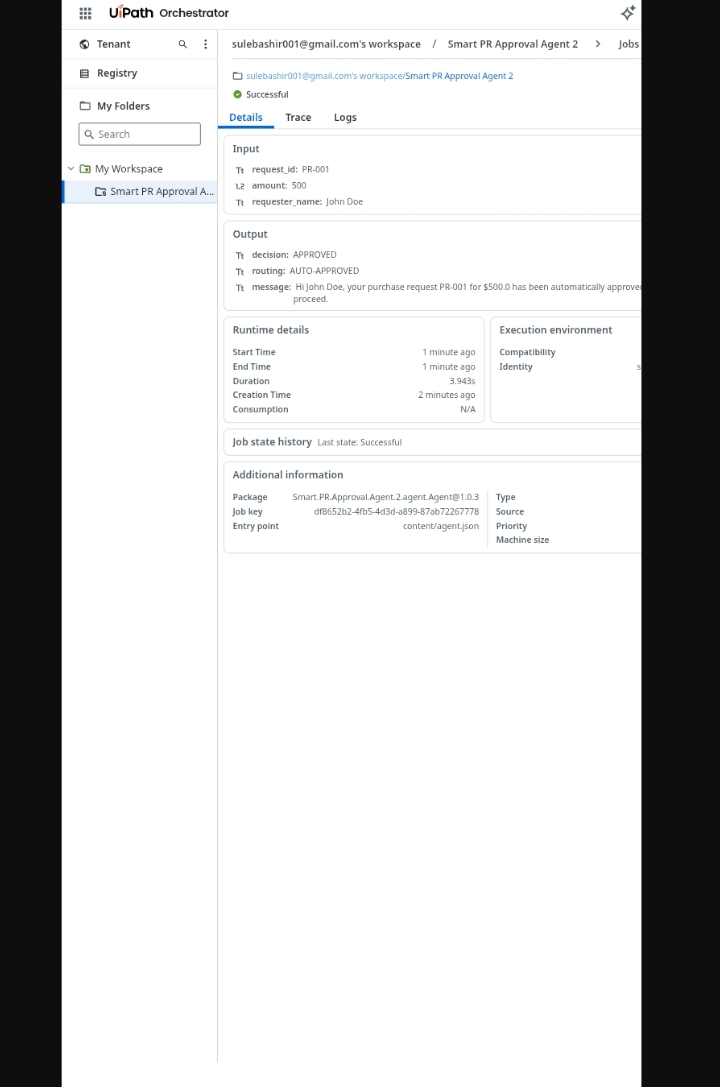
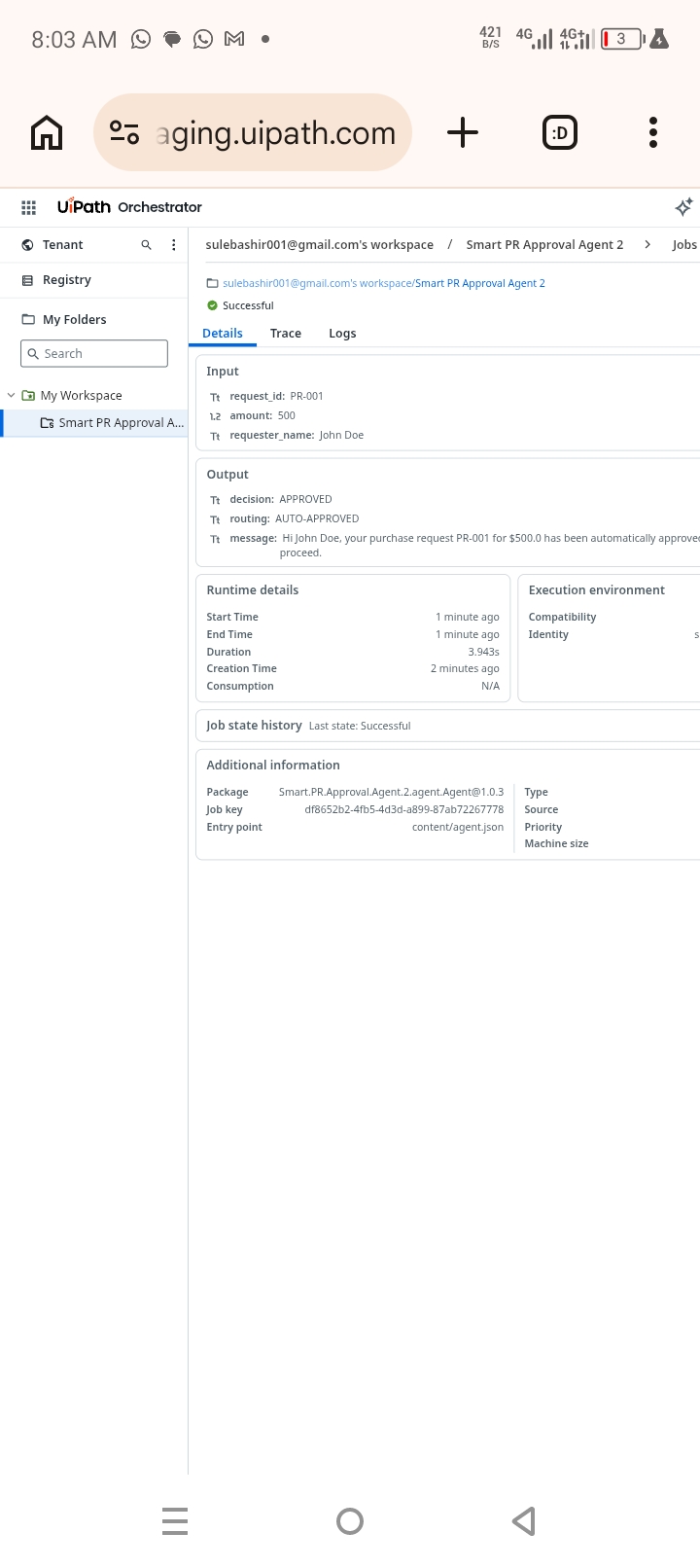
nspiration Finance teams at mid-sized companies struggle with a common problem: purchase requests sit in email inboxes for 3-5 days waiting for approvals. Low-value requests ($50 for office supplies) take as long as high-value requests ($50,000 for equipment). There's no audit trail, no consistent rules, and managers are constantly interrupted for approvals that could be automated. I wanted to build an agent that would automatically approve routine purchases while intelligently escalating only the requests that truly need human judgment. This would free finance teams to focus on strategic work instead of chasing signatures. What it does Smart PR Approval Agent is an AI-powered purchase request automation system that: ✅ Automatically approves purchase requests under $1,000 ✅ Routes $1,000-$5,000 requests to department managers for review ✅ Escalates requests over $5,000 to the finance team ✅ Provides complete audit trail in UiPath Orchestrator ✅ Returns clear JSON responses with decision, routing, and message A manager submits a request with request_id, amount, and requester_name. The agent evaluates the amount, applies business rules, and returns an instant decision. High-value requests automatically create tasks in Action Center for human review. How we built it This agent was built entirely on UiPath Automation Cloud: 🛠️ Agent Builder (Autopilot): Used natural language prompts to generate the complete agent configuration including input schema, output schema, system prompt, and user prompt. 🛠️ Orchestrator: Deployed the agent as a process and ran successful test jobs with different amount values. 🛠️ Maestro BPMN: Designed a BPMN 2.0 workflow showing the complete approval process flow. The agent accepts three inputs:
- request_id (String): Unique identifier
- amount (Number): Purchase amount in USD
- requester_name (String): Name of requester Business rules are encoded in the System Prompt with strict JSON output formatting. Challenges we ran into This was my first time building an agent on UiPath, and I faced several challenges: 🔴 License Issues: Initially got "No license detected" errors. Had to navigate to Administration → Licenses and assign myself Pro, Plus, and Basic User licenses. 🔴 Publishing Errors: Received 400 errors when trying to publish. The fix was using Autopilot to create the agent fresh rather than manual configuration. 🔴 Input Schema Problems: Agent wasn't recognizing inputs. Fixed by ensuring three separate flat inputs (request_id, amount, requester_name) instead of nested objects. 🔴 Maestro BPMN Error: Got "Cannot read properties of undefined" error in Maestro. Worked around by drawing BPMN diagram on paper and photographing it for submission. 🔴 Variable Syntax: Learned that UiPath uses single braces { } not double {{ }} for variable references in prompts. Accomplishments that we're proud of 🏆 Successfully deployed a working agent to UiPath Automation Cloud 🏆 Agent runs successfully with correct outputs (APPROVED, SEND TO MANAGER, SEND TO FINANCE) 🏆 Completed Track 2 (Maestro BPMN) with hand-drawn BPMN diagram 🏆 Overcame license, publishing, and schema challenges to get agent working 🏆 Built a solution that solves a real business problem companies face daily The moment I saw "State: Successful" and "decision: APPROVED" in Orchestrator, I knew all the troubleshooting was worth it. What we learned 📚 UiPath Agent Builder: Learned to create agents using Autopilot with natural language prompts instead of manual configuration. 📚 Input/Output Schema: Understood the importance of flat input structure vs nested objects for agent recognition. 📚 License Management: Discovered that licenses must be manually assigned to users even when available in the tenant. 📚 BPMN 2.0: Designed my first BPMN workflow with exclusive gateway for amount-based decision branching. 📚 Orchestrator Jobs: Learned to start jobs, monitor execution, and view outputs in the Orchestrator interface. 📚 Troubleshooting: Developed persistence - from Python errors on Termux to license issues to publishing errors, I kept going. What's next for SmartPR Approval Agent 🚀 Next enhancements for the agent:
- Action Center Integration: Connect to real Action Center tasks so managers can approve/reject directly from the task UI
- Email Notifications: Send email alerts to managers when approval tasks are created
- ERP Integration: Connect to SAP/Oracle to automatically create purchase orders upon approval
- Department-Specific Rules: Add different thresholds for different departments (IT vs Marketing vs Operations)
- Urgency Override: Allow "rush" requests to bypass normal routing rules
- Mobile Approvals: Enable managers to approve requests from mobile devices
- Analytics Dashboard: Build Insights dashboard showing approval times, bottlenecks, and trends
- Multi-language Support: Support for global teams
Built With
- 2.0
- 5.4
- agent
- ai
- approach
- automation
- autopilot
- bpmn
- builder
- business
- cloud
- code
- development
- engineering
- feature
- for
- formats
- gpt
- input
- integration
- json
- language
- languages
- low
- maestro
- modeling
- models
- natural
- no
- orchestrator
- output
- platform
- process
- prompt
- prompts
- schema
- uipath
- via

Log in or sign up for Devpost to join the conversation.