-
-
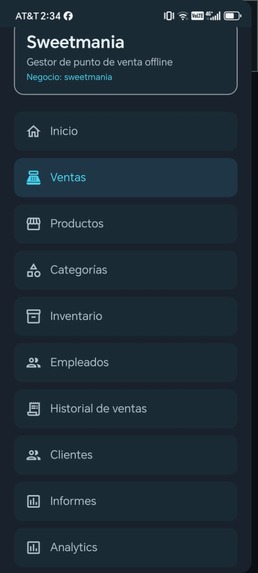
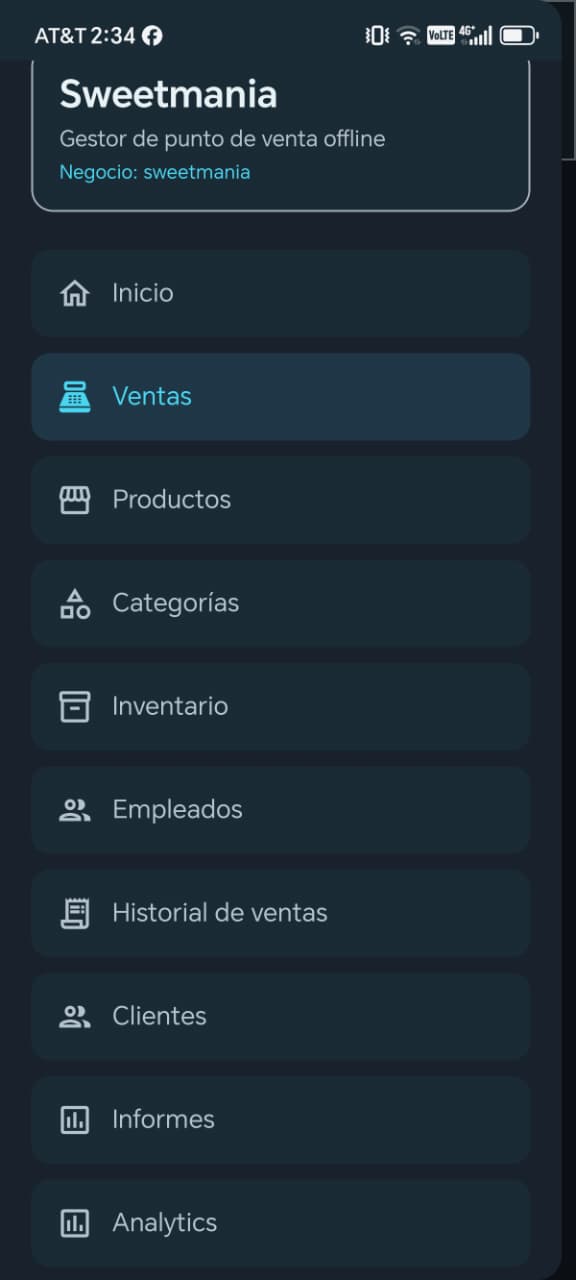
Main navigation menu providing quick access to sales, inventory, products, customers, reports, and settings.
-

Detailed sales history with transaction records, payment methods, and date range filtering.
-
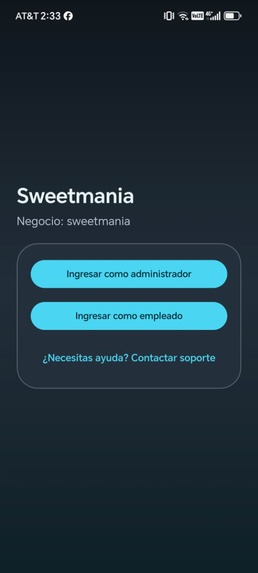
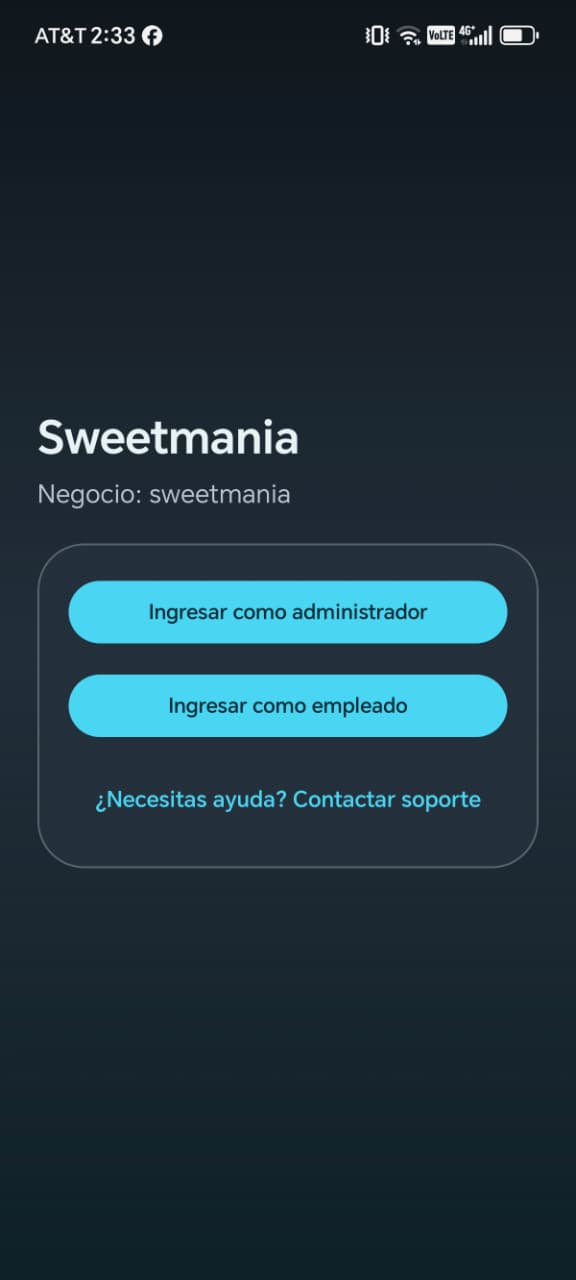
Secure login with separate administrator and employee access, designed for businesses with multiple staff members.
-
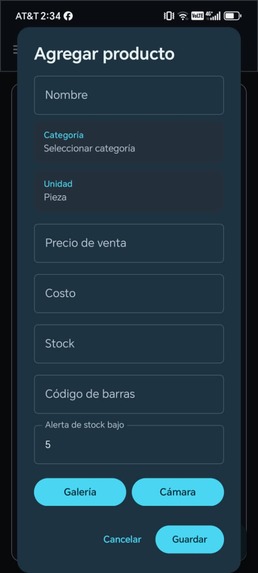
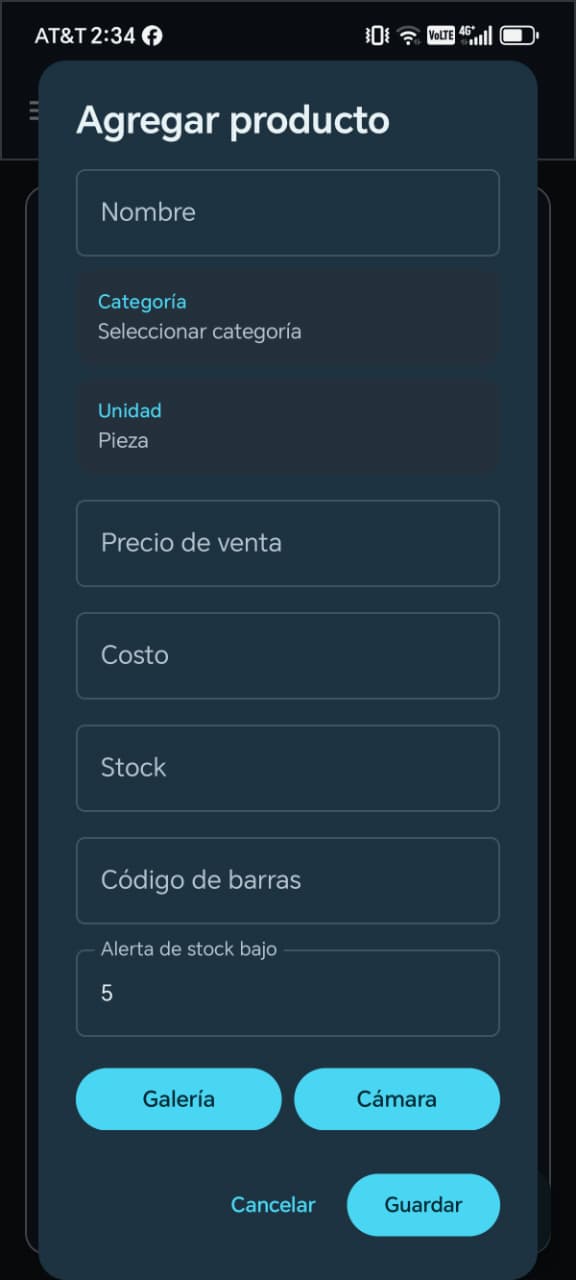
Create and manage products with pricing, categories, stock, and images.
-
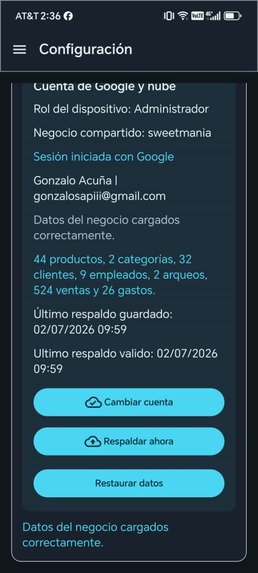
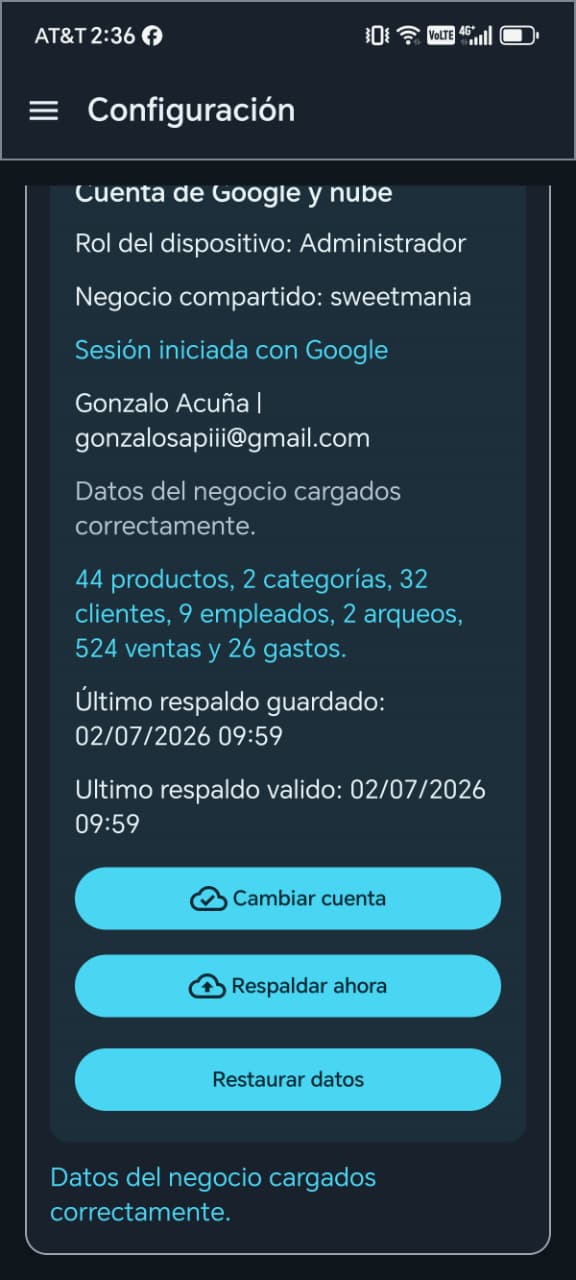
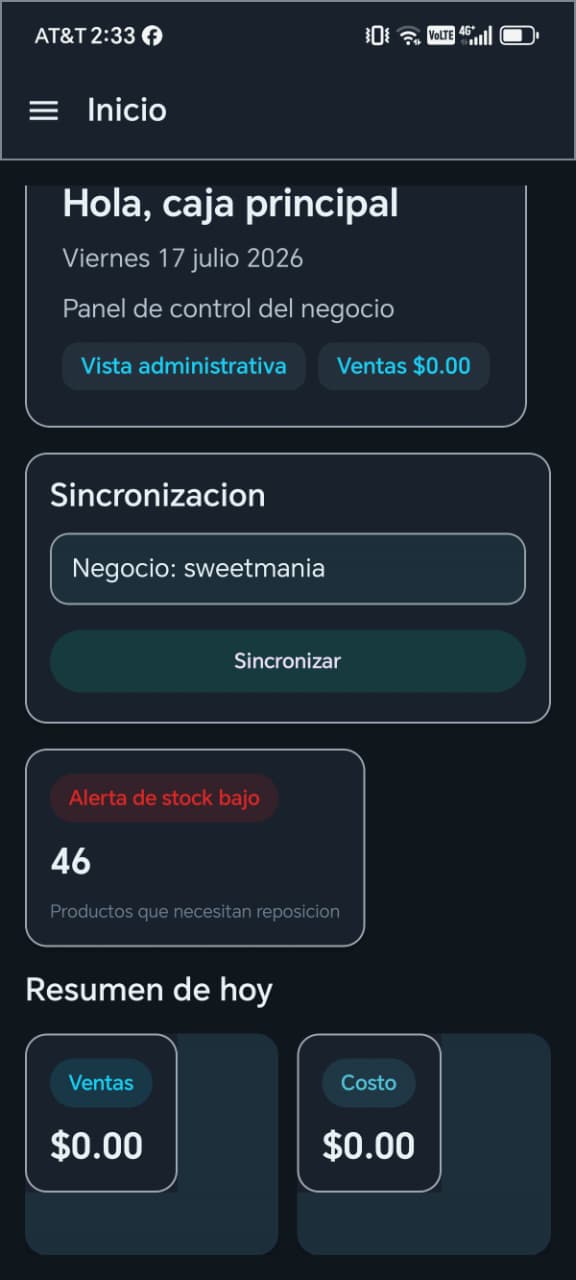
Cloud synchronization with Google Sign-In, secure backups, data restoration, and business information management across devices.
-
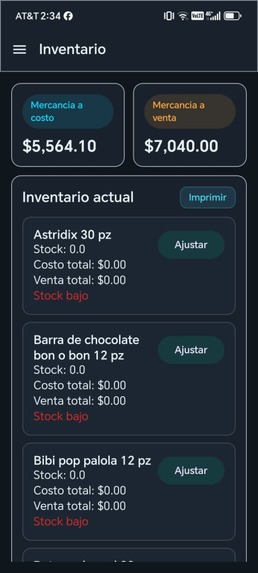
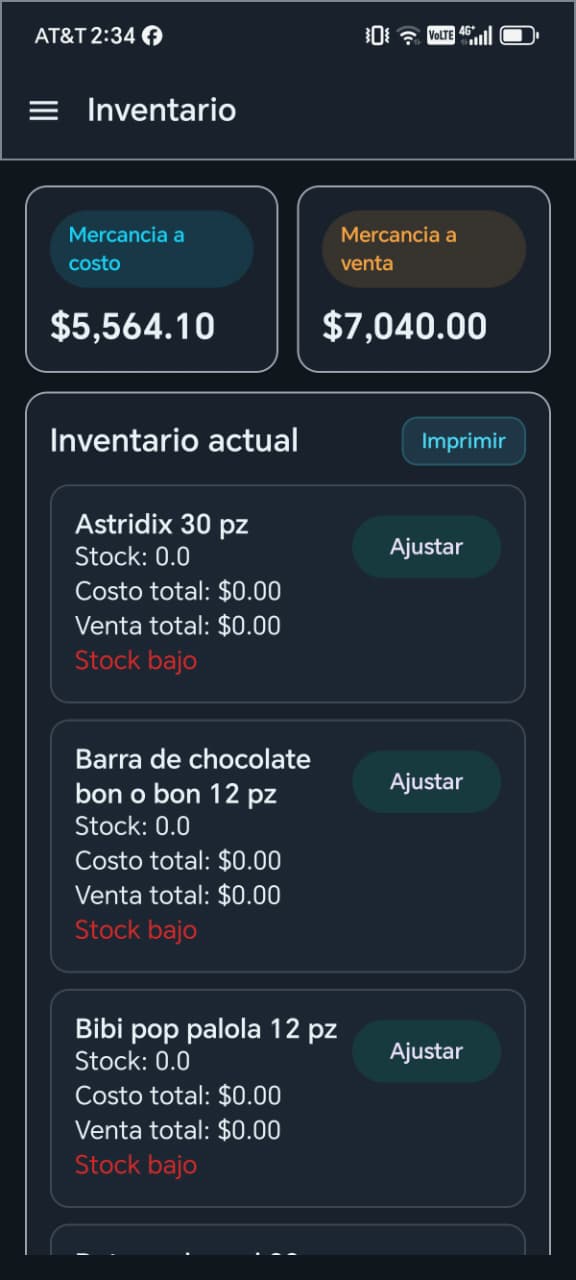
Real-time inventory management with stock levels, inventory value, low-stock alerts, and quantity adjustments.
-
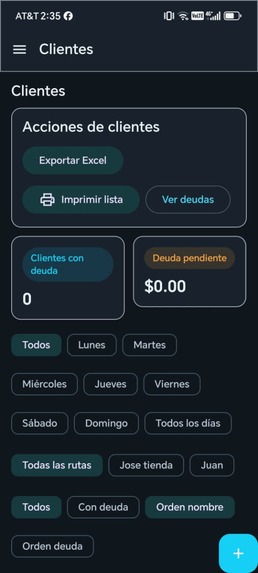
Customer management with debt tracking, delivery routes, Excel export, printing, and advanced filtering options.
-
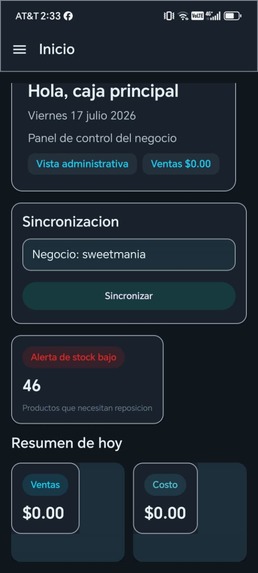
Real-time business dashboard showing daily sales, inventory alerts, cloud synchronization, and key performance metrics.
-
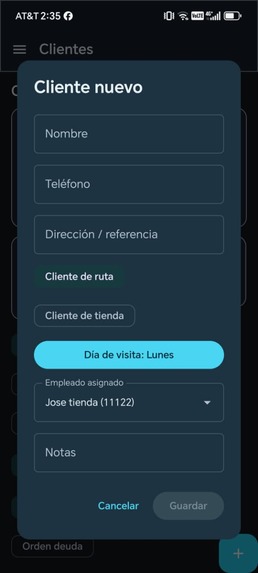
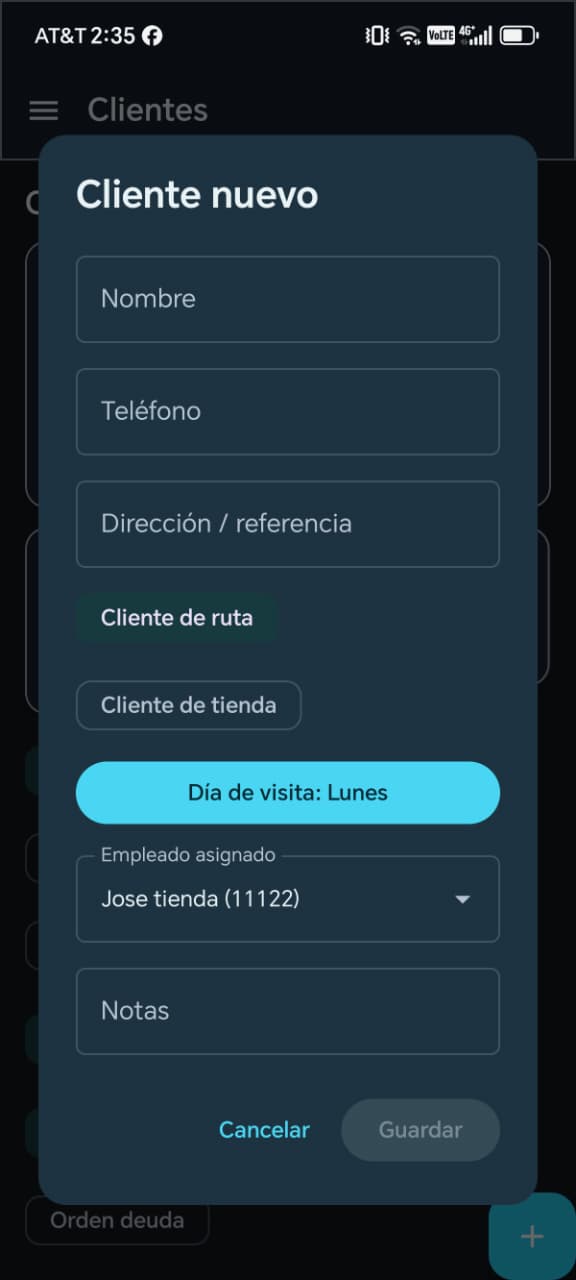
Create customers with assigned sales routes, visit schedules, employee assignment, and contact information.
-
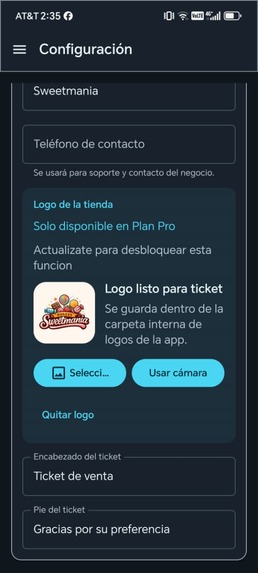
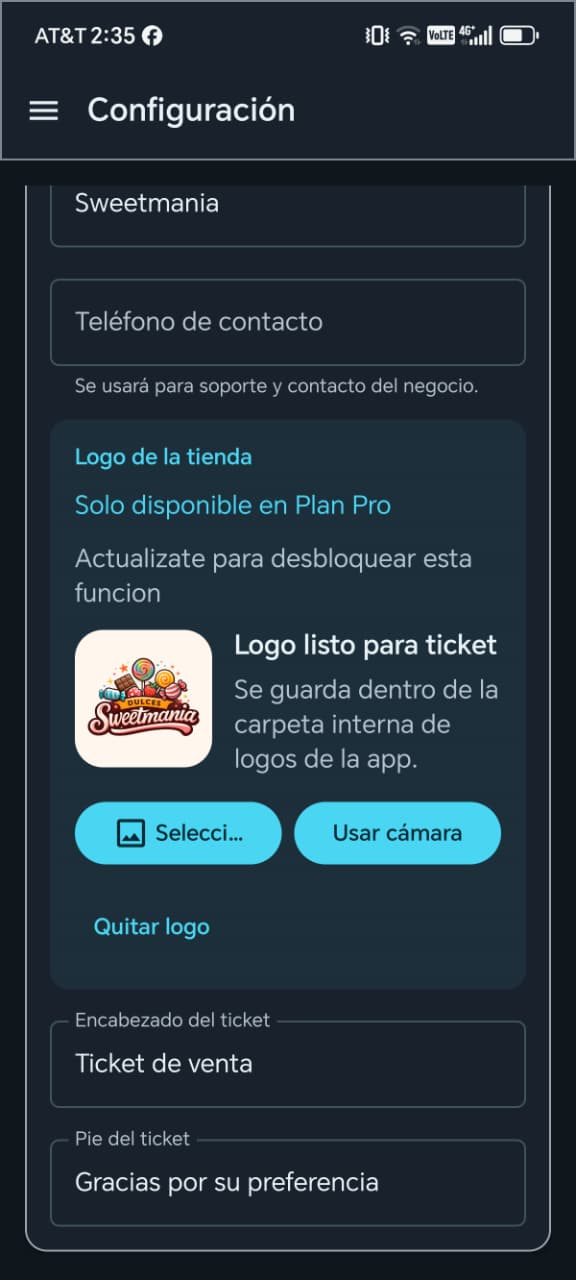
Professional receipt customization with business branding, custom logo, contact details, and personalized ticket headers and footers.
-
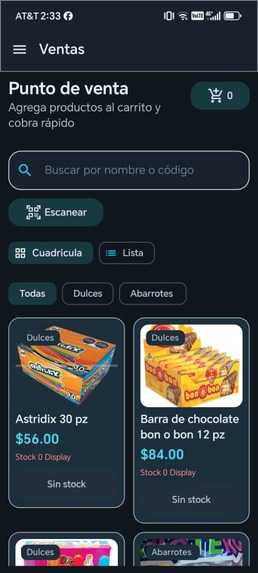
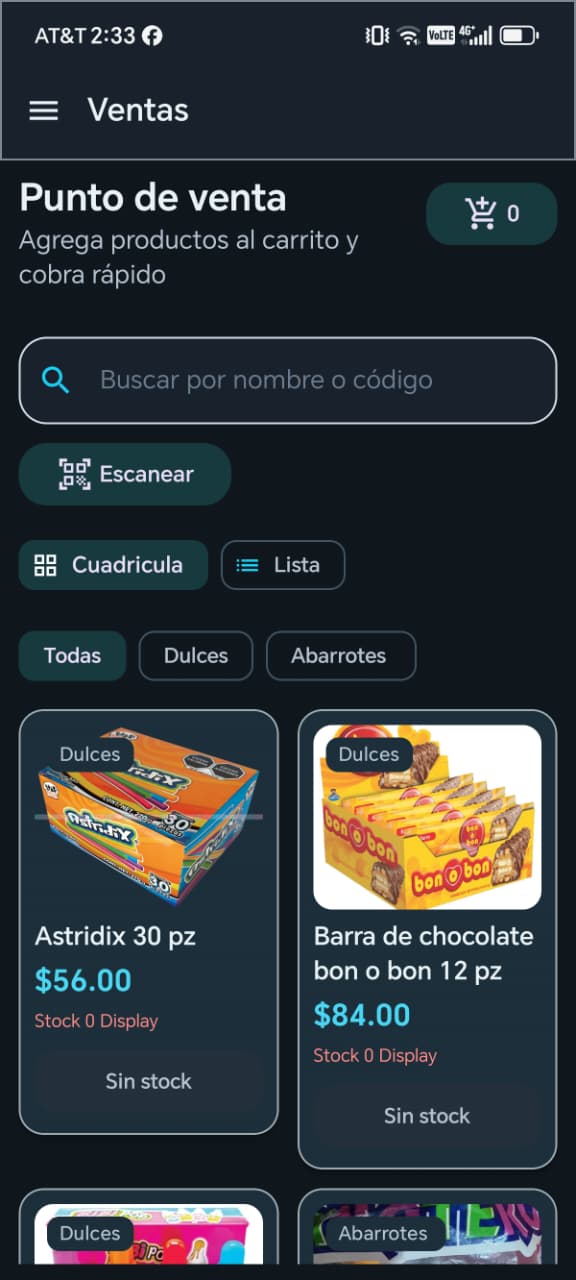
Fast and intuitive POS interface featuring barcode scanning, smart product search, category filters, shopping cart, and optimized product.
-
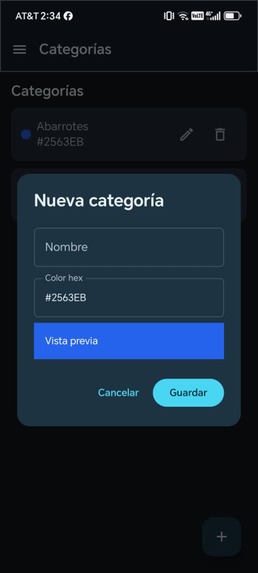
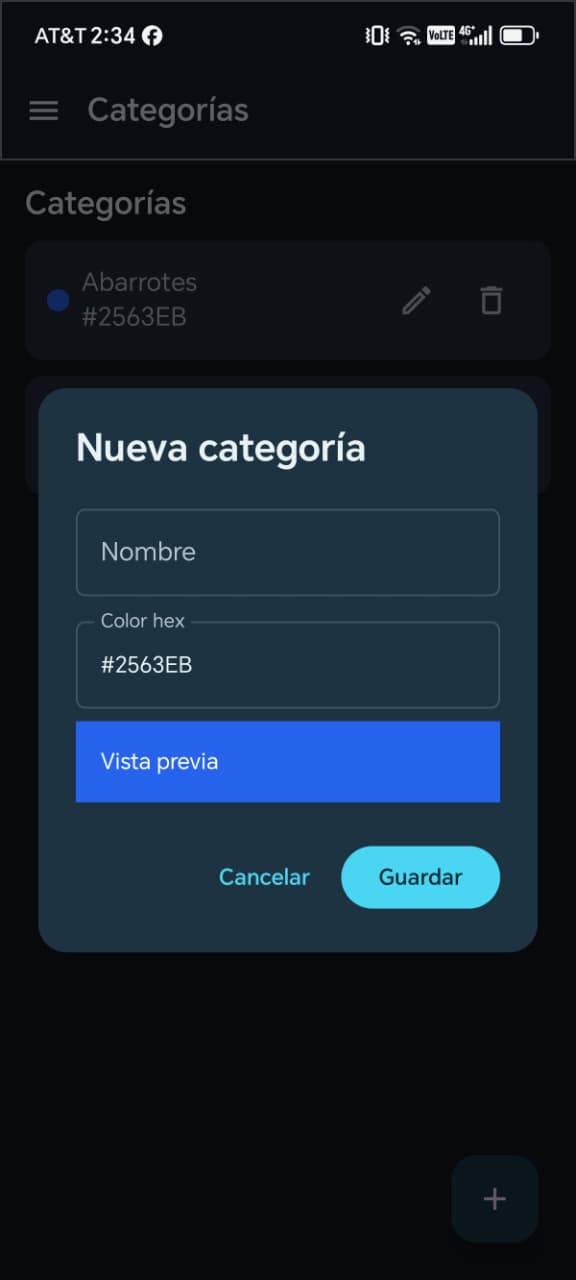
Custom product categories with color coding for better organization and faster management.
-
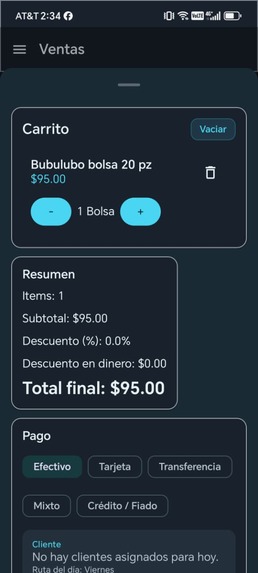
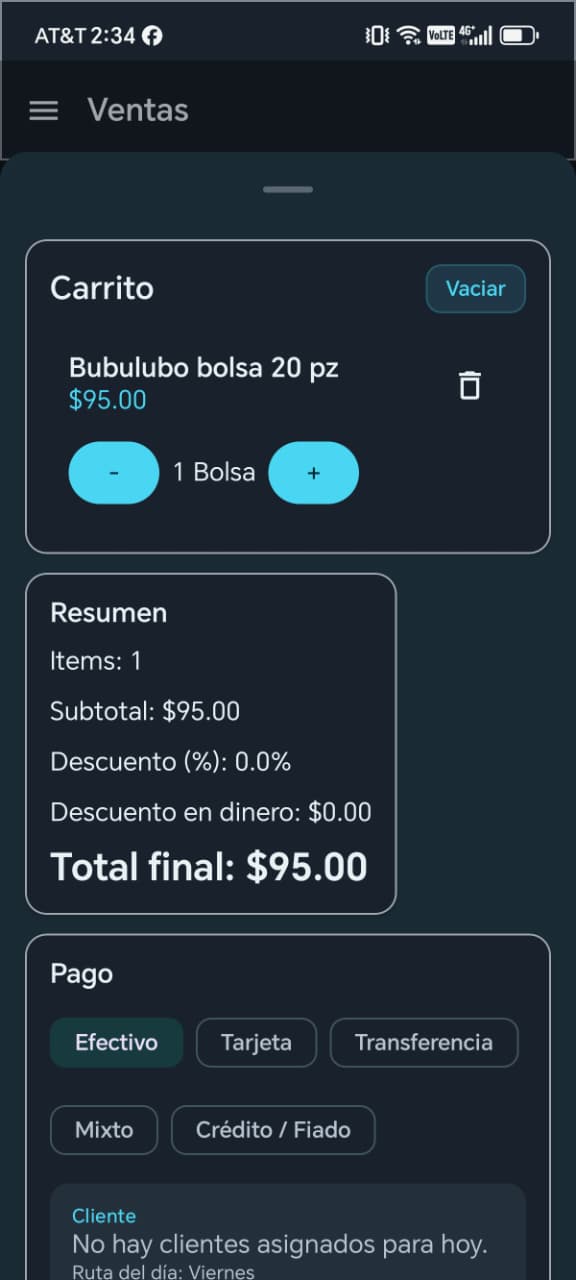
Fast checkout process supporting cash, card, bank transfer, mixed payments, customer credit, discounts, and quick payment entry.
-
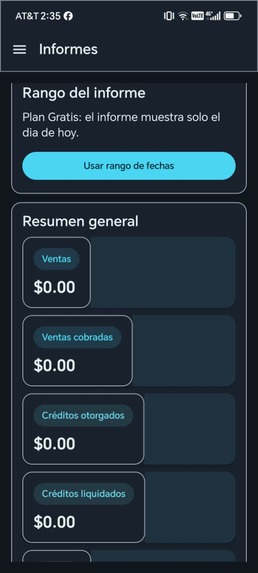
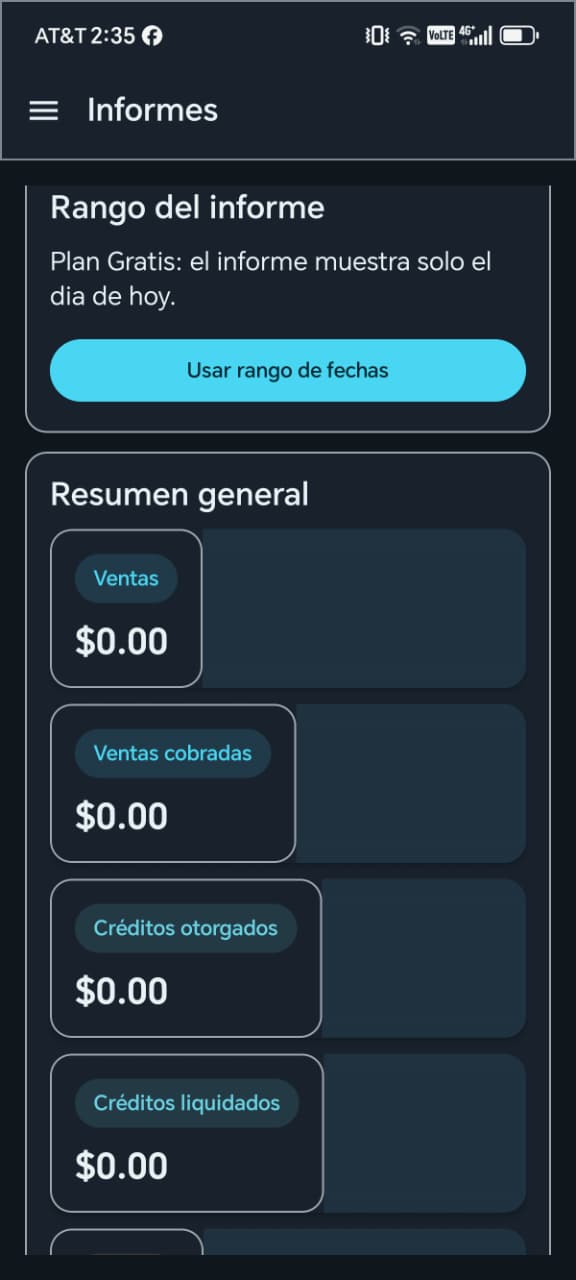
Generate detailed business reports with flexible date ranges, sales summaries, credit management, and key financial insights for better.
-
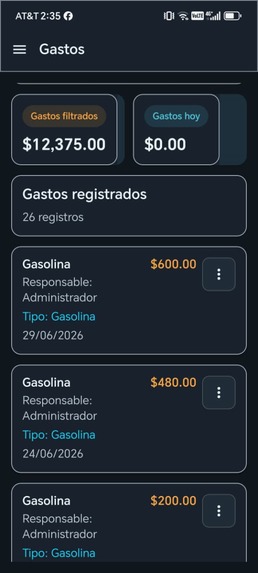
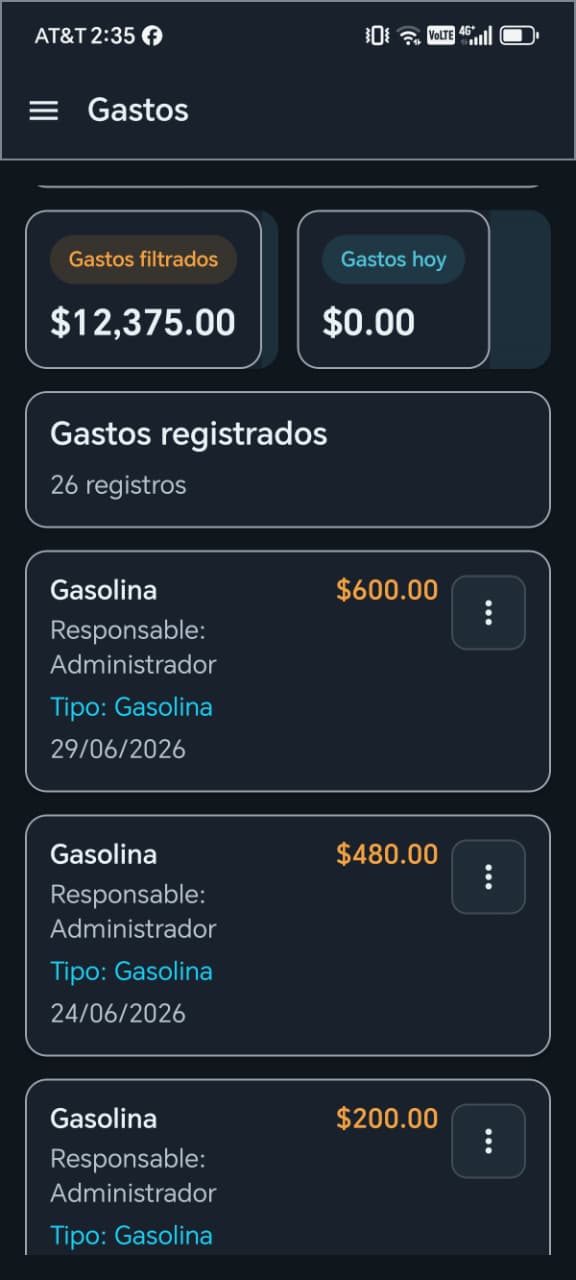
Track business expenses by employee and category with advanced filtering, expense reporting, and financial oversight
-
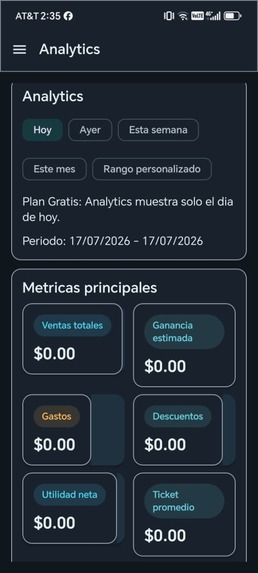
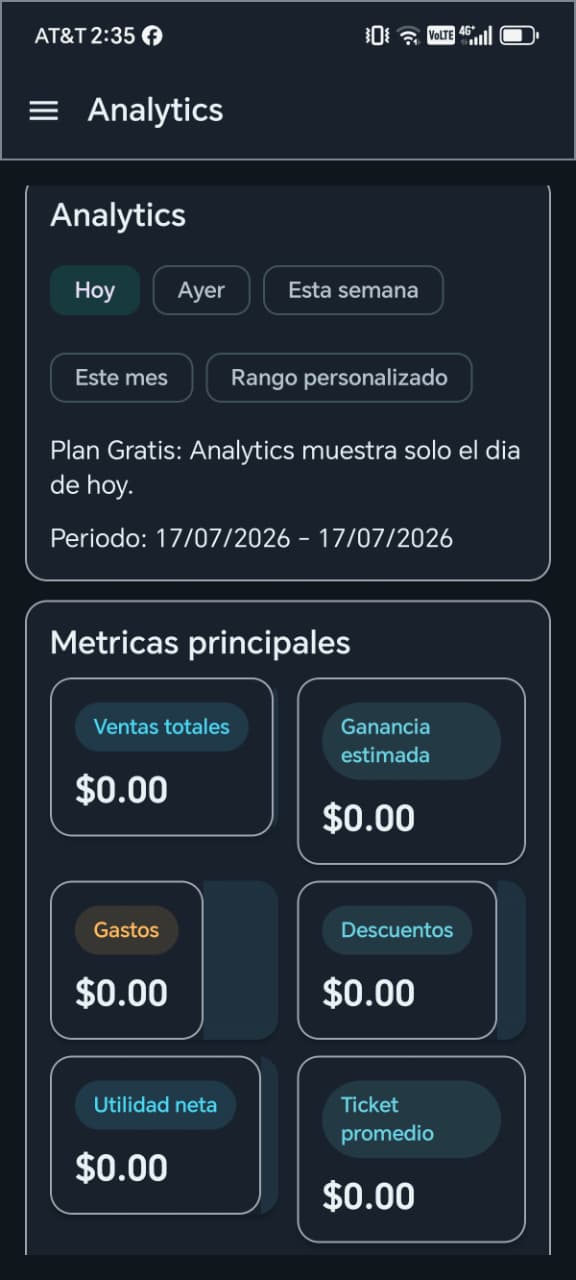
Powerful analytics dashboard providing real-time business insights, including sales, profit, expenses, discounts, average ticket,


Inspiration
Small businesses often struggle with complicated or expensive point-of-sale systems. I wanted to build a modern Android application that is simple, fast, works offline when needed, and helps business owners manage their daily operations more efficiently.
What it does
SmartPOS AI is an Android point-of-sale application designed for small and medium-sized businesses. It allows users to manage products, inventory, sales, customers, expenses, reports, Bluetooth receipt printing, and cloud synchronization. The project is evolving to include AI-powered assistance using OpenAI models to help business owners analyze sales, answer questions about their business, and improve decision making.
How we built it
The application was developed with Kotlin and Android Studio. It uses Room for local storage, Firebase for cloud synchronization and authentication, and follows Material Design principles. GitHub was used for version control and Codex assisted during development by helping improve code quality, architecture, debugging, and implementation.
Challenges we ran into
The biggest challenges were building an offline-first architecture, synchronizing local and cloud data, managing multiple business roles, and creating a scalable codebase that remains easy to maintain while adding AI features.
Accomplishments that we're proud of
- Complete Android POS application.
- Inventory, customer and sales management.
- Business analytics and reporting.
- Bluetooth receipt printing.
- Cloud synchronization.
- AI integration roadmap with OpenAI.
What we learned
This project taught me how to design scalable Android applications, improve software architecture, integrate AI into real business workflows, and use Codex to accelerate development while maintaining code quality.
What's next for SmartPOS AI
The next version will include deeper OpenAI integration, natural-language business analytics, intelligent inventory recommendations, sales forecasting, automated customer insights, and AI assistants for business management.

Log in or sign up for Devpost to join the conversation.