-
-
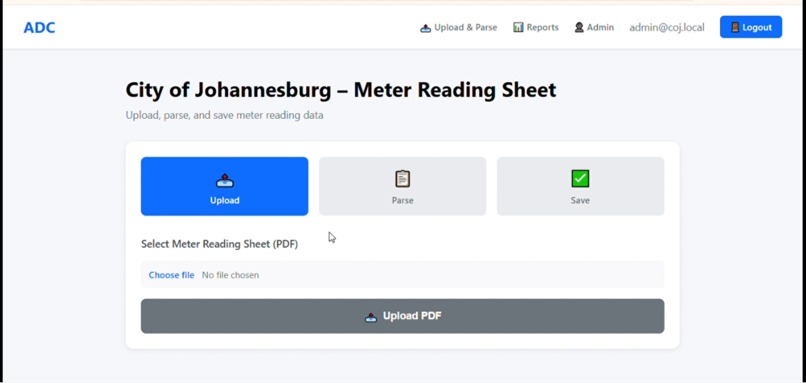
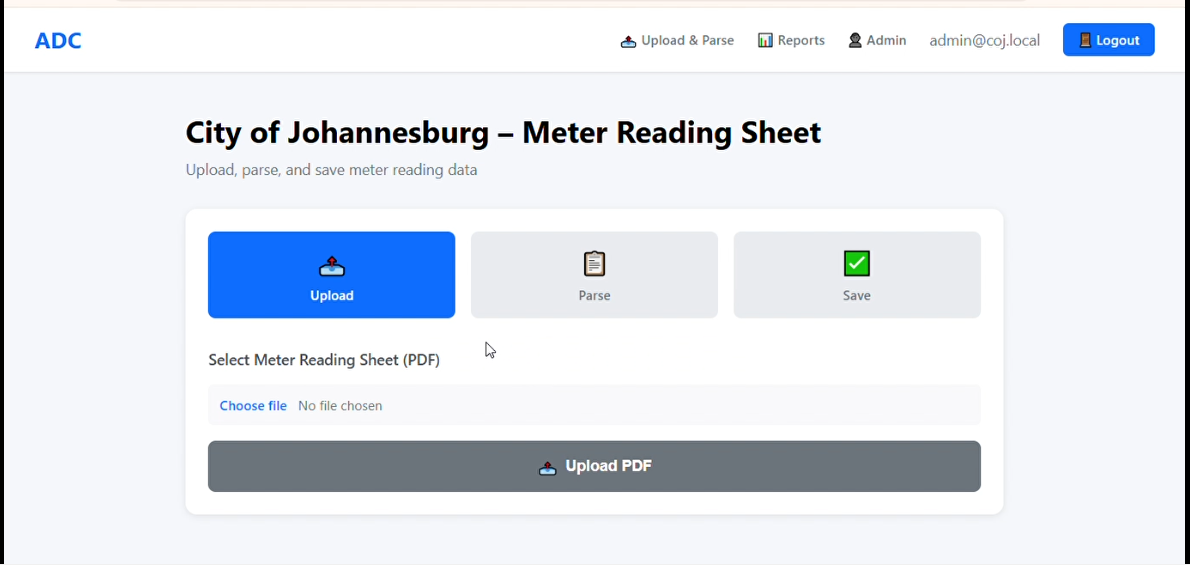
Drop your PDF files here or click to upload
-
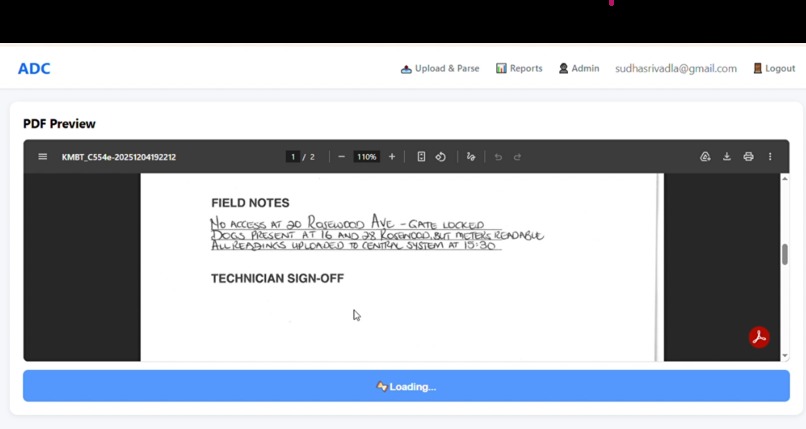
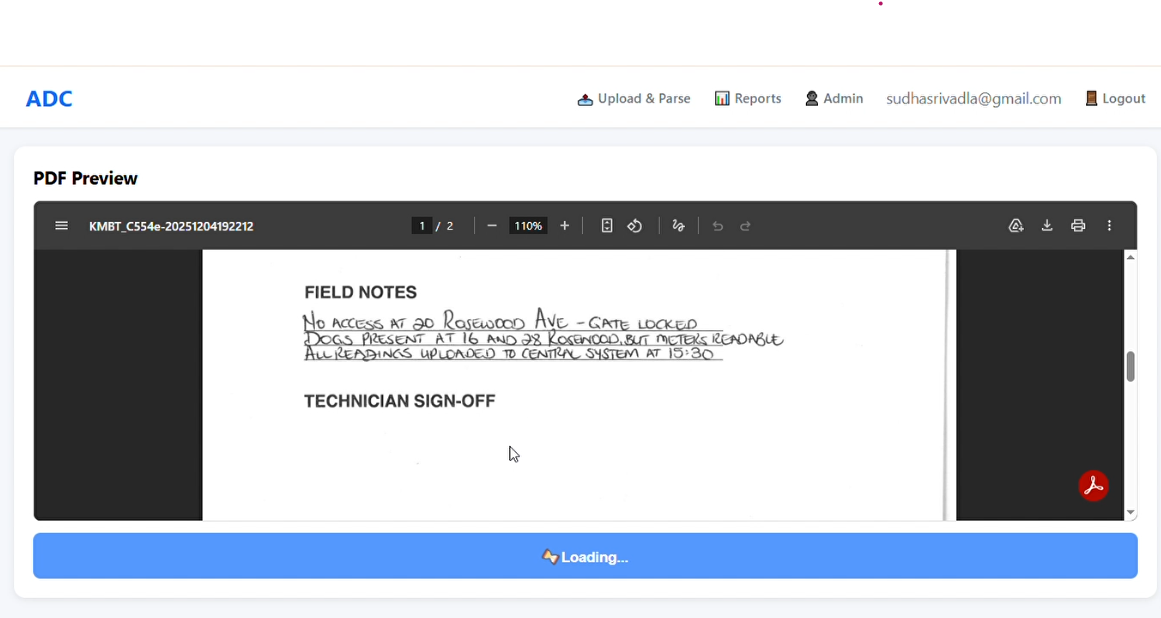
Upon successful upload, select 'Parse Sheet' to initiate data extraction
-
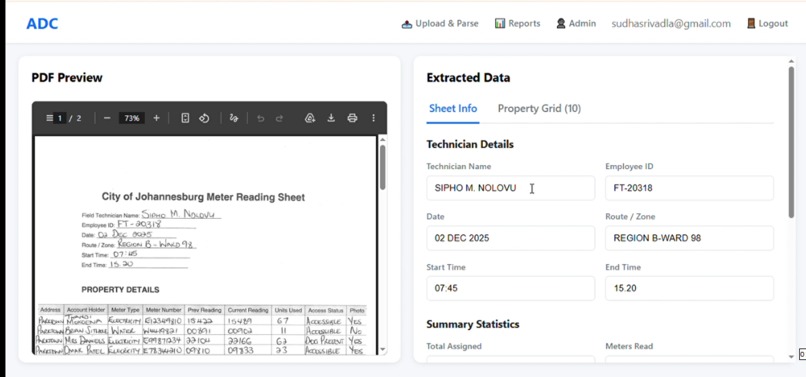
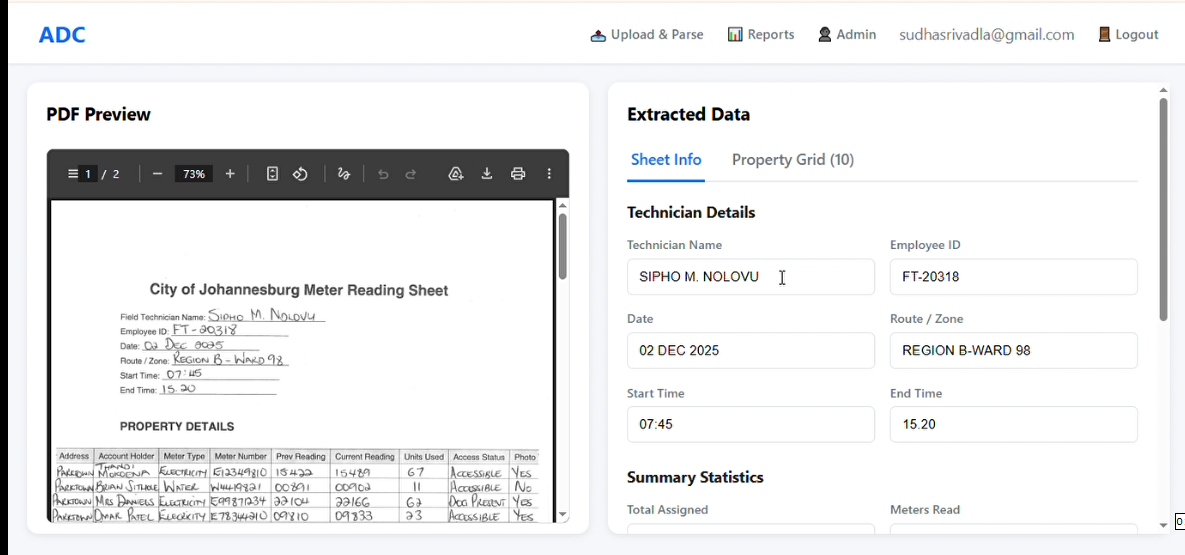
Extracted data will appear alongside the PDF in editable text and table format
-
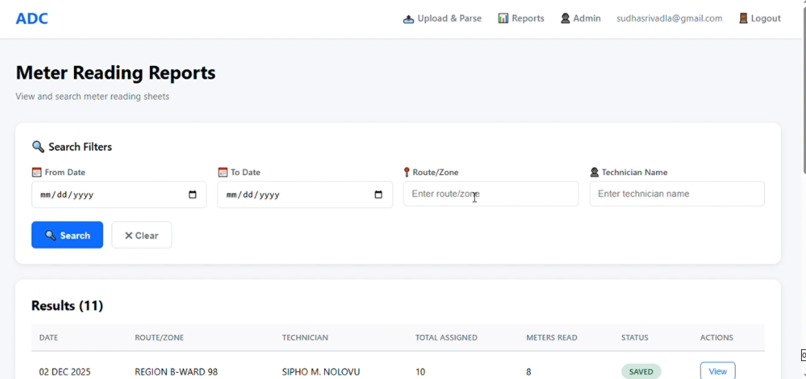
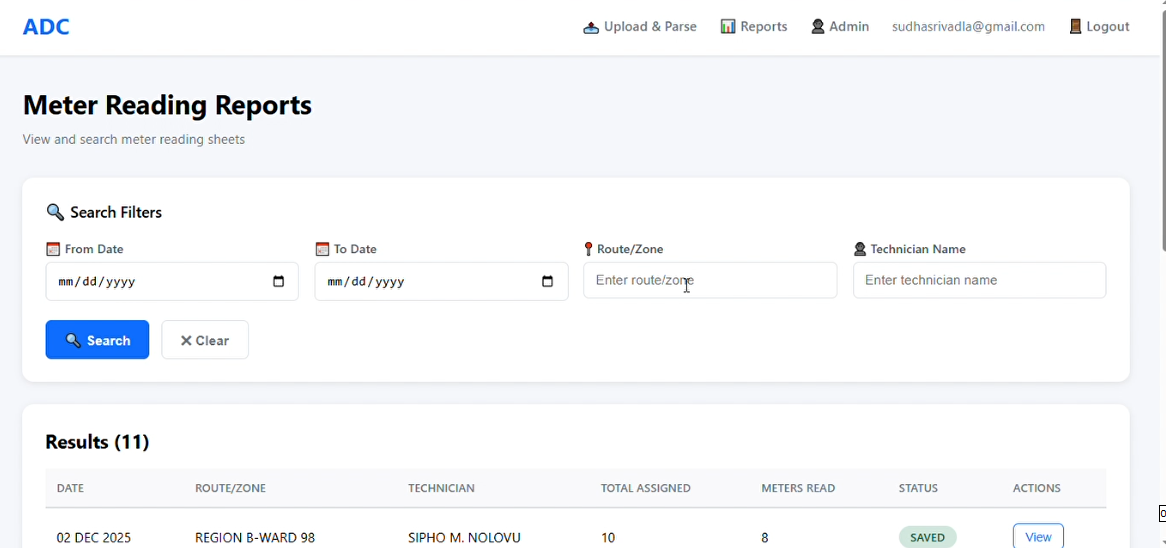
Reports are displayed with corresponding date, zone, and technician name
Inspiration
Manual data entry from scanned meter reading sheets is time-consuming and error-prone. Field technicians at the City of Johannesburg collect readings on paper forms that then require hours of manual transcription. I wanted to build a solution that could automatically extract structured data from these scanned documents, eliminating the tedious work and reducing errors.
What it does
SmartOCR is a document processing system that automates meter reading data extraction. Users upload scanned PDF sheets, and the system:
Extracts technician details (name, employee ID, schedule) Pulls summary statistics (meters assigned, read, no-access cases) Processes complete property grids with 9 fields per row (address, account holder, meter type/number, readings, consumption, access status, photos) Stores data in a searchable database Maintains audit trails with original PDF downloads The entire process takes under 10 seconds per document.
How we built it
Backend: FastAPI (Python) handles API endpoints, session management, and database operations AI/OCR Engine: Google Gemini Vision API (gemini-2.5-flash model) reads scanned PDFs and extracts structured data through carefully designed prompts Database: SQLite stores metadata and property grids (as JSON) with full-text search capabilities Frontend: Vanilla JavaScript creates a responsive multi-step workflow (Upload → Parse → Review → Save) with real-time feedback Data Flow: PDF → Base64 encoding → Gemini Vision API → JSON extraction → SQLite storage → Web interface display
Challenges we ran into OCR Library Failures - Tesseract extracted zero text from scanned images; had to pivot to AI-based vision models API Compatibility - Spent hours debugging 404 errors from deprecated Gemini model versions before finding the working endpoint Nested JSON Parsing - Gemini's response structure required flattening before the frontend could display it Session Management - Handling file uploads and persistence across multiple API calls in FastAPI Browser Limitations - Hit storage constraints when initially trying to cache data client-side API Rate Limits - Had to implement proper error handling for quota exhaustion during testing
Accomplishments that we're proud of
✅ Successfully replaced manual data entry with automated extraction ✅ Achieved reliable extraction of complex tabular data (9 columns × 10+ rows) ✅ Built an intuitive UX that non-technical users can operate ✅ Maintained 100% audit capability with original PDF storage ✅ Processed real-world documents with varying quality and formats
What we learned
Vision-based AI models outperform traditional OCR on scanned documents Prompt engineering is critical for consistent structured data extraction API version compatibility matters—always verify endpoints in documentation User feedback during long operations significantly improves perceived performance Database schema design impacts future feature expansion
What's next for SmartOCR
Batch processing for multiple PDFs simultaneously Export functionality to Excel/CSV for reporting User authentication and role-based access control Advanced analytics dashboard with zone/technician performance metrics Mobile app for field technicians to verify extracted data Integration with existing municipal billing systems


Log in or sign up for Devpost to join the conversation.