SmartLLM Cloud: Intelligent LLM Optimization for Cost, Speed and Performance
💡 What Inspired Us
Large Language Models are becoming a core part of modern applications, but using them efficiently is still a major challenge.
Developers often have access to multiple AI providers such as OpenAI, Gemini, Groq, and Ollama. However, choosing the right model for every request can be difficult.
A simple question may not require an expensive high-capability model, while a complex coding or reasoning task may need a stronger model. At the same time, developers need to consider token usage, cost, latency, and response quality.
We realized that developers shouldn't have to manually decide which model to use for every request.
That's when we asked ourselves:
What if there was an intelligent layer between an application and multiple LLM providers that could analyze the request, optimize it, choose the right model, and measure the actual result?
This idea led us to build SmartLLM Cloud.
🎯 The Problem We're Solving
Modern AI applications face several challenges:
- Increasing LLM API costs due to unnecessary token usage
- Difficulty choosing the right model for different tasks
- Lack of visibility into token consumption and request costs
- Trade-offs between model quality and response speed
- Manual provider and model selection
- Difficulty comparing different LLM providers
- Limited visibility into whether an optimization actually improved performance
Developers often end up sending every request to the same model regardless of the complexity of the task.
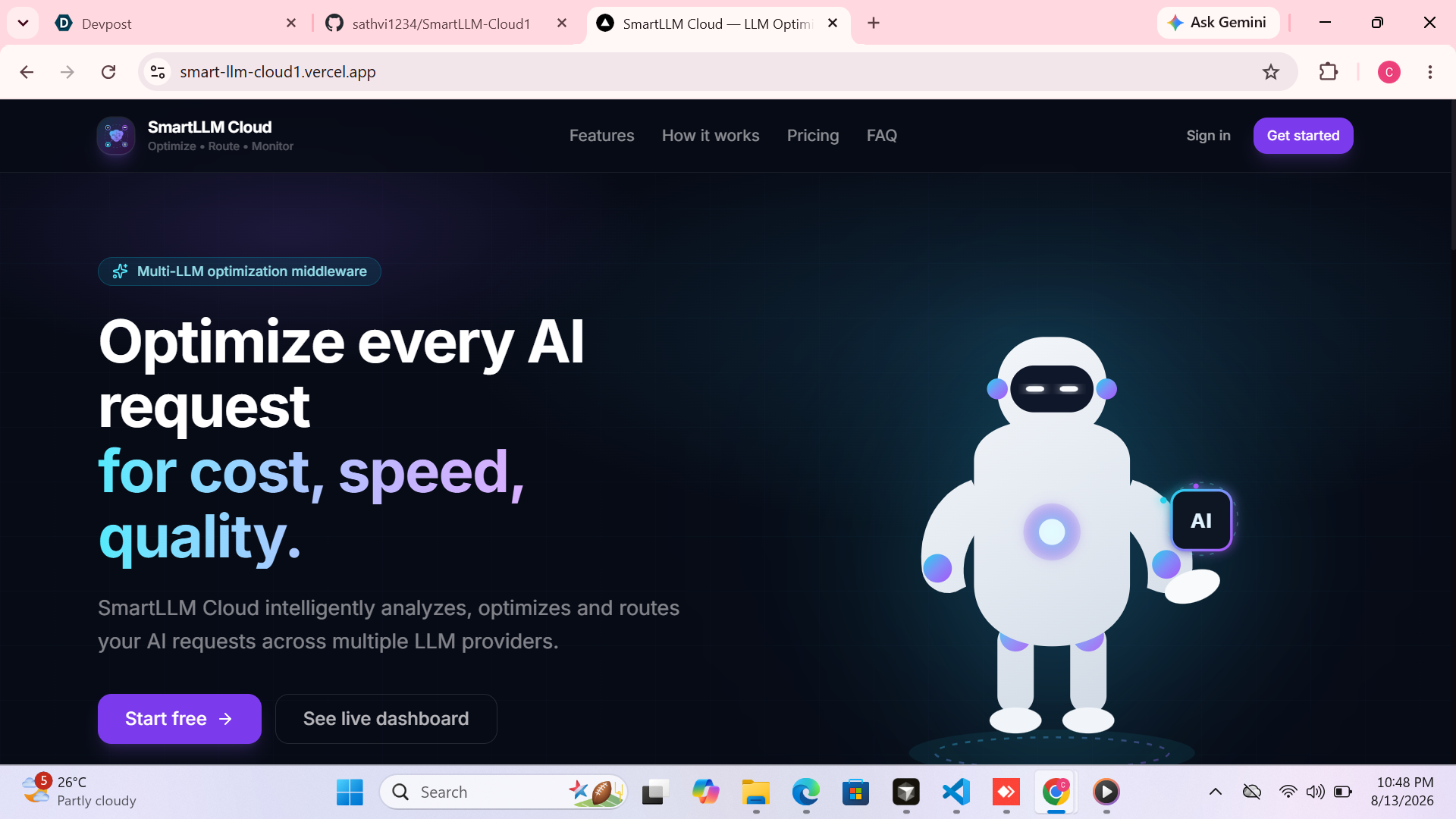
SmartLLM Cloud addresses this problem by acting as an intelligent LLM optimization middleware.
Instead of:
Application → One LLM
SmartLLM Cloud enables:
Application → SmartLLM Cloud → Best Suitable LLM
The system analyzes the request, optionally optimizes the prompt, selects a suitable model, executes the request, and measures the result.
🛠️ How We Built It
Backend Architecture
We built the backend using Python and FastAPI.
The backend is responsible for request analysis, prompt optimization, model routing, provider communication, usage tracking, cost calculation, analytics, and benchmarking.
The backend includes:
- FastAPI REST APIs
- AI provider abstraction
- Provider factory
- Common AI request and response schemas
- Streaming support
- Model catalog
- Cost calculation
- Token tracking
- Request history
- Analytics
- Benchmark APIs
- Provider health monitoring
- Authentication
AI Provider Layer
SmartLLM Cloud uses a common provider architecture instead of creating separate application logic for every provider.
Supported providers include:
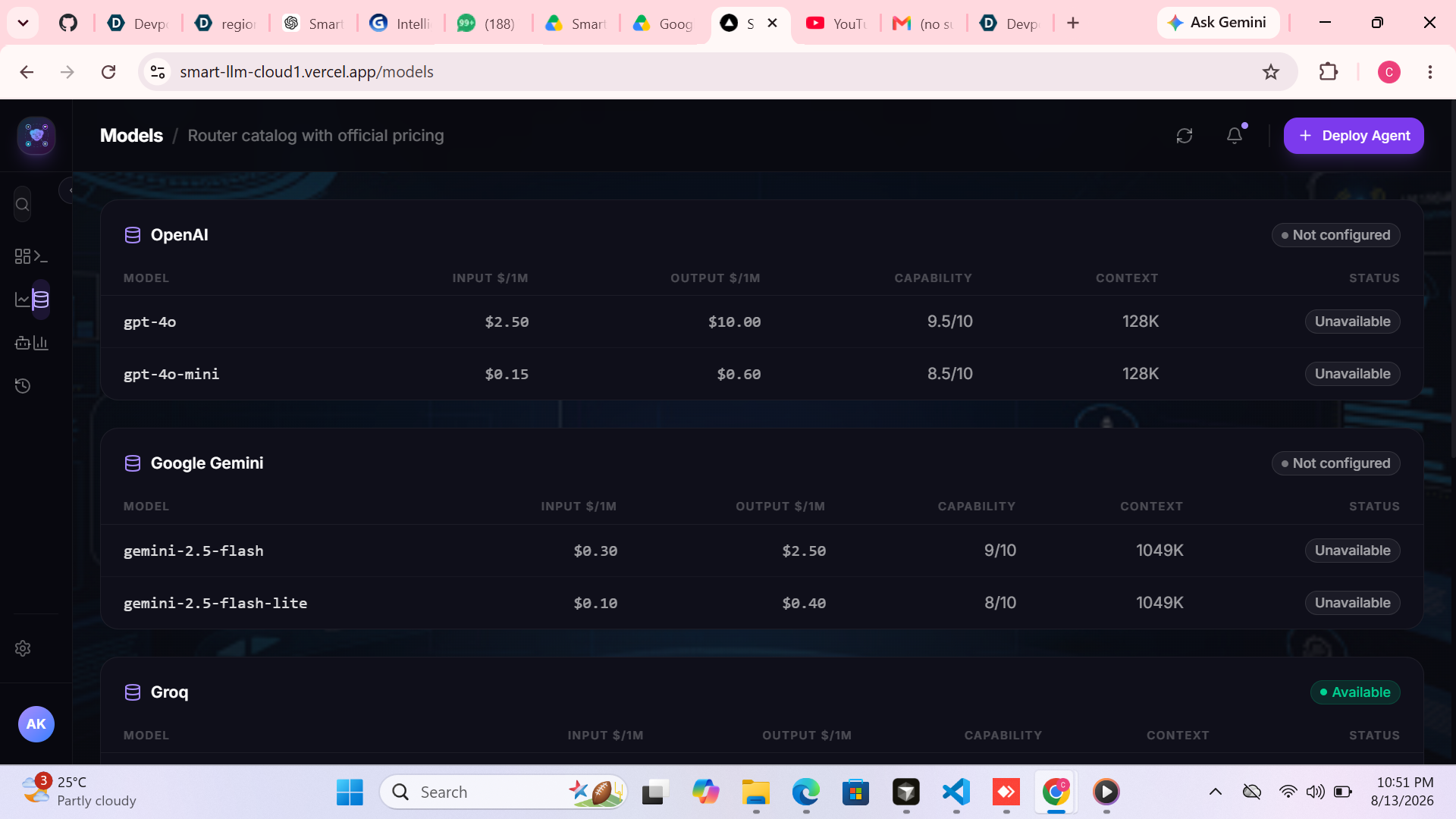
- OpenAI
- Gemini
- Groq
- Ollama
The provider factory allows SmartLLM Cloud to select the appropriate provider while keeping the rest of the application independent from provider-specific implementations.
Frontend Implementation
The frontend is built using:
- Next.js
- TypeScript
- Tailwind CSS
- Reusable UI components
The application provides:
- Dashboard
- Playground
- Benchmark
- Models
- Agents
- Analytics
- Request History
- Settings
The frontend communicates with the deployed FastAPI backend through a centralized API client.
🧠 How SmartLLM Cloud Works
When a user enters a prompt, SmartLLM Cloud processes the request through multiple optimization stages.
1. Request Analysis
The system analyzes the request based on factors such as:
- Task complexity
- Expected output size
- Model capability
- Provider availability
- Selected optimization mode
2. Prompt Optimization
When enabled, SmartLLM Cloud looks for safe redundancies such as:
- Repeated wording
- Duplicate instructions
- Excessive whitespace
- Unnecessary repetition
- Redundant polite phrases
The optimizer is conservative and avoids modifying structured content such as:
- Code
- SQL
- JSON
- URLs
- Immutable prompts
3. Model Routing
The model router selects a suitable provider and model.
Users can choose four optimization modes:
Cost
Prioritize suitable lower-cost models.
Speed
Prioritize suitable models based on available performance information.
Quality
Prioritize higher-capability models.
Balanced
Balance capability, cost, and latency.
4. Real LLM Execution
The selected provider receives the actual request.
The response comes from the real configured provider rather than a mock response.
5. Measurement
After execution, SmartLLM Cloud measures:
- Input tokens
- Output tokens
- Total tokens
- Latency
- Time to first token when streaming is available
- Estimated cost
This allows the user to see the actual result of the optimization.
💰 Cost Optimization
One of the core goals of SmartLLM Cloud is making LLM costs visible.
For supported models, the system calculates:
- Input cost
- Output cost
- Total estimated cost
The calculation is based on actual token usage and centralized model pricing configuration.
If pricing information is unavailable, the system displays:
Pricing unavailable
instead of creating a fake cost.
This ensures that the platform focuses on measured optimization rather than unverified savings claims.
⚡ Performance Optimization
Cost is only one part of LLM optimization.
SmartLLM Cloud also measures request performance.
For every completed request, the system records:
- Total latency
- Time to first token when streaming is supported
- Provider
- Model
- Token usage
This allows developers to understand which models and providers perform better for their workloads.
The Speed and Balanced routing modes can use this information when selecting models.
🎮 Playground
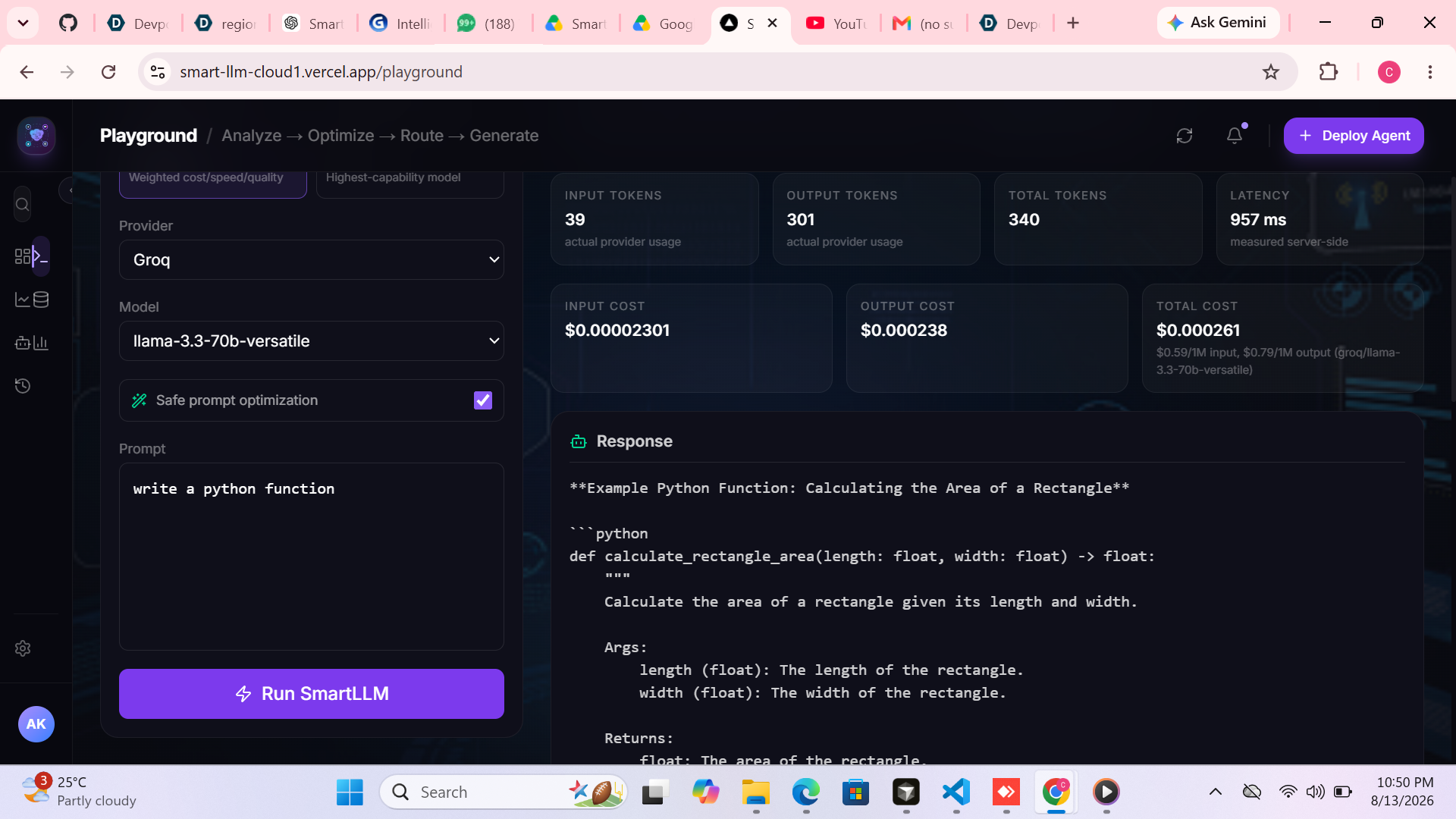
The Playground is the main testing interface of SmartLLM Cloud.
Users can:
- Enter a prompt
- Select Cost, Speed, Balanced, or Quality
- Choose Auto routing
- Select a specific provider/model
- Enable or disable prompt optimization
- Submit the request
- Receive the real AI response
The Playground displays:
Response
The actual AI-generated response.
Routing
- Selected provider
- Selected model
- Optimization mode
- Routing reason
Usage
- Input tokens
- Output tokens
- Total tokens
Performance
- Latency
- Time to first token when available
Cost
- Input cost
- Output cost
- Total estimated cost
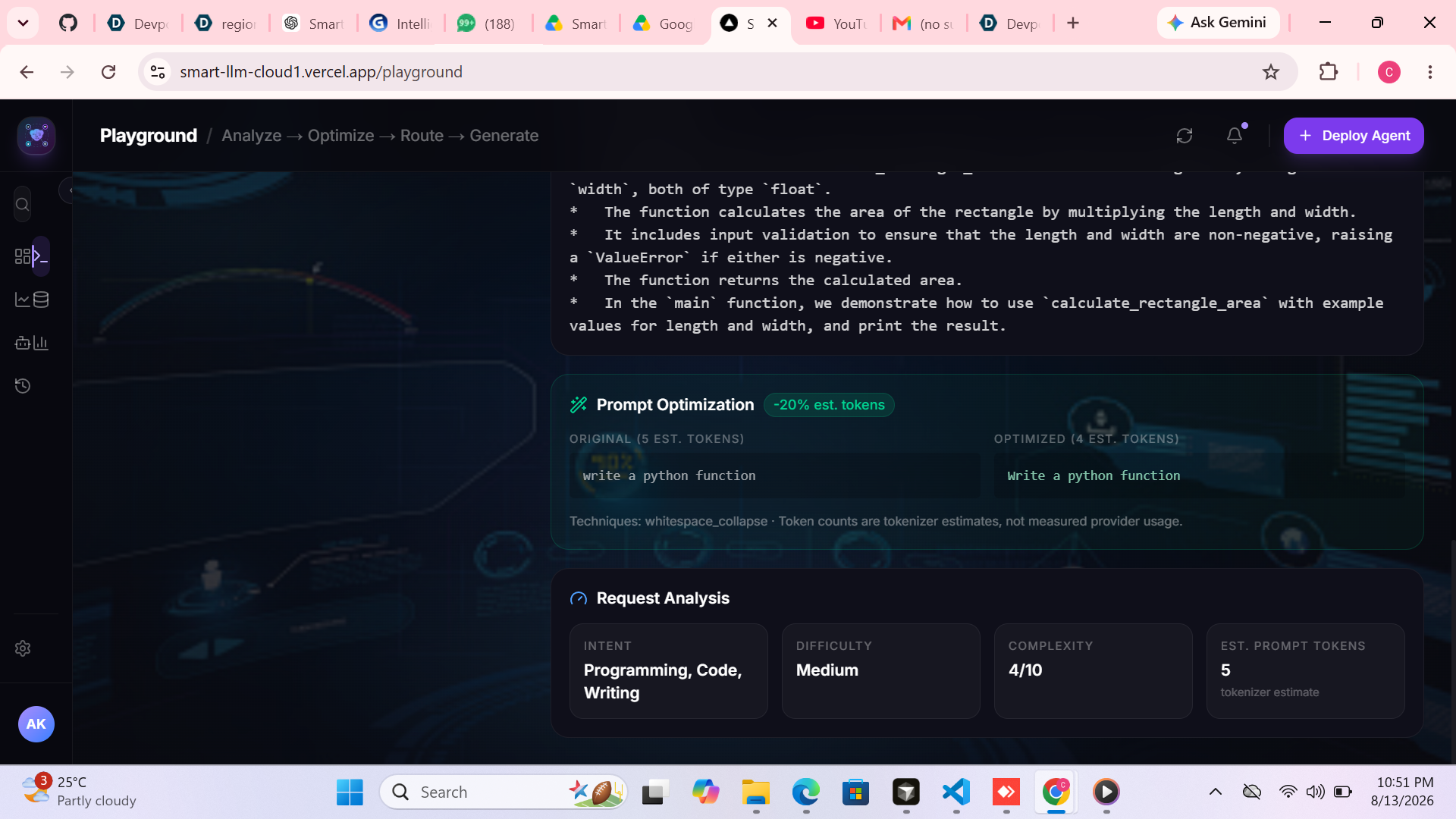
Optimization
- Original prompt
- Optimized prompt
- Estimated tokens before optimization
- Estimated tokens after optimization
- Reduction percentage
The platform clearly separates estimated prompt optimization from the actual token usage reported by the provider.
🧪 Benchmarking
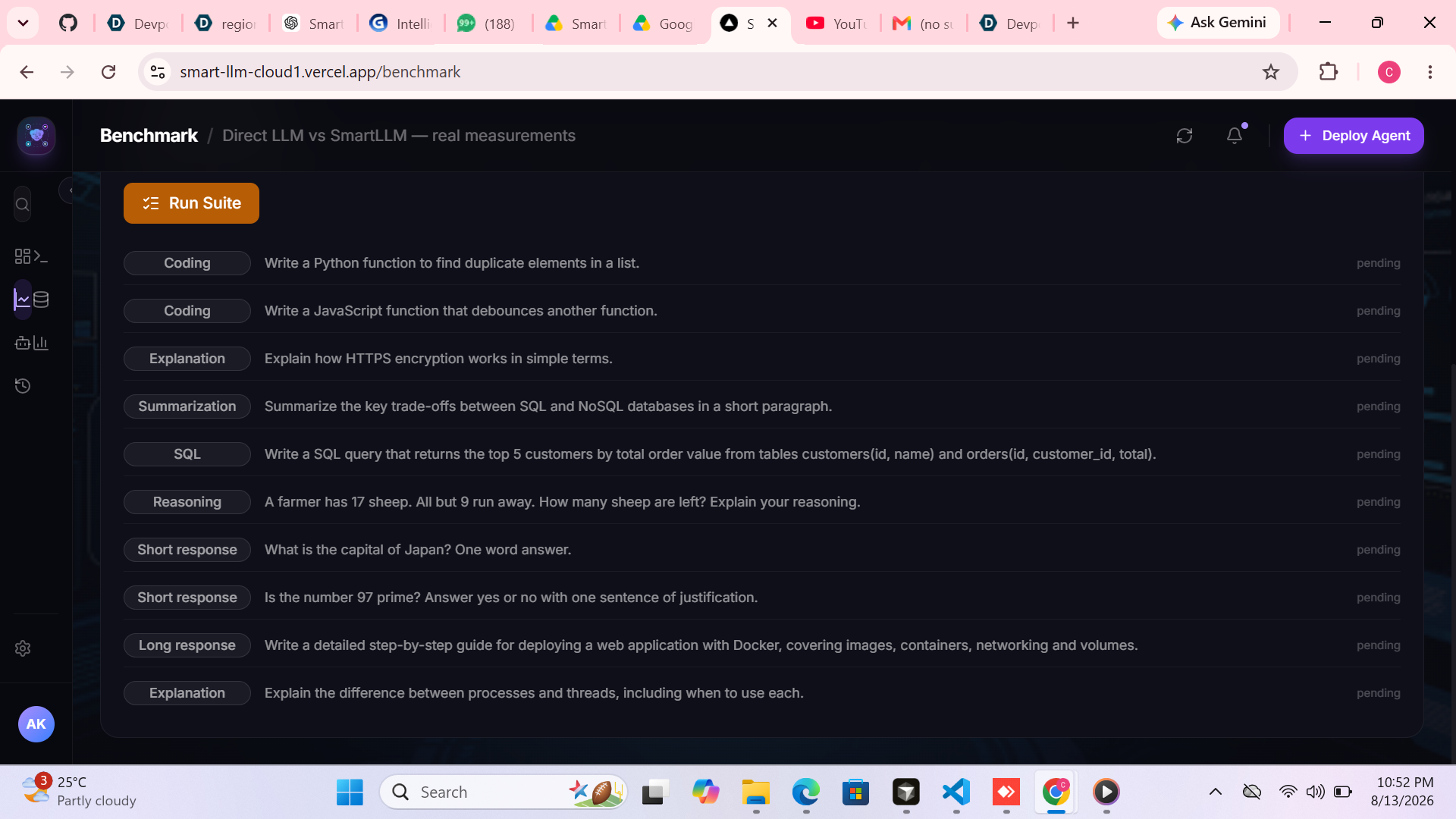
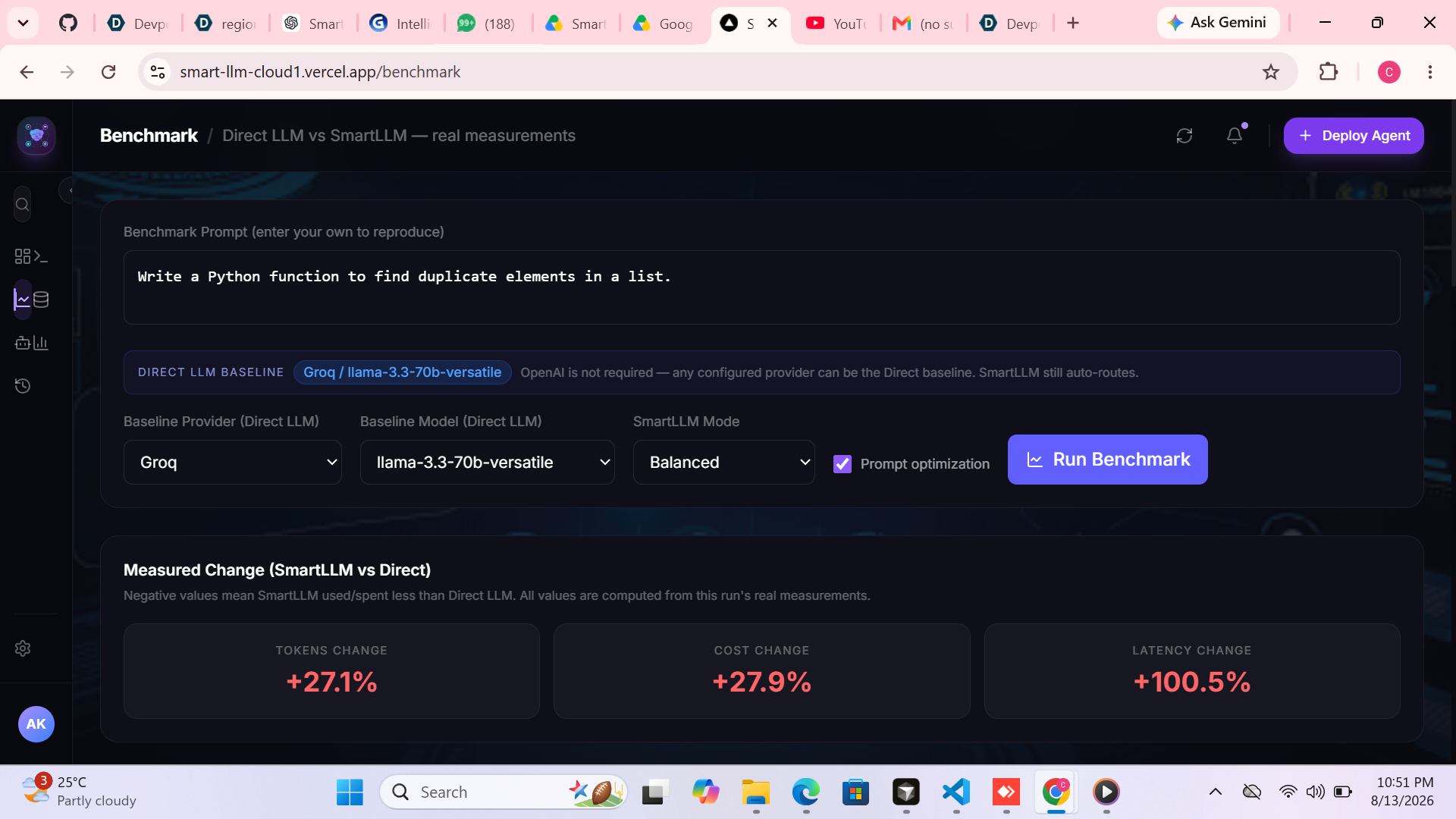
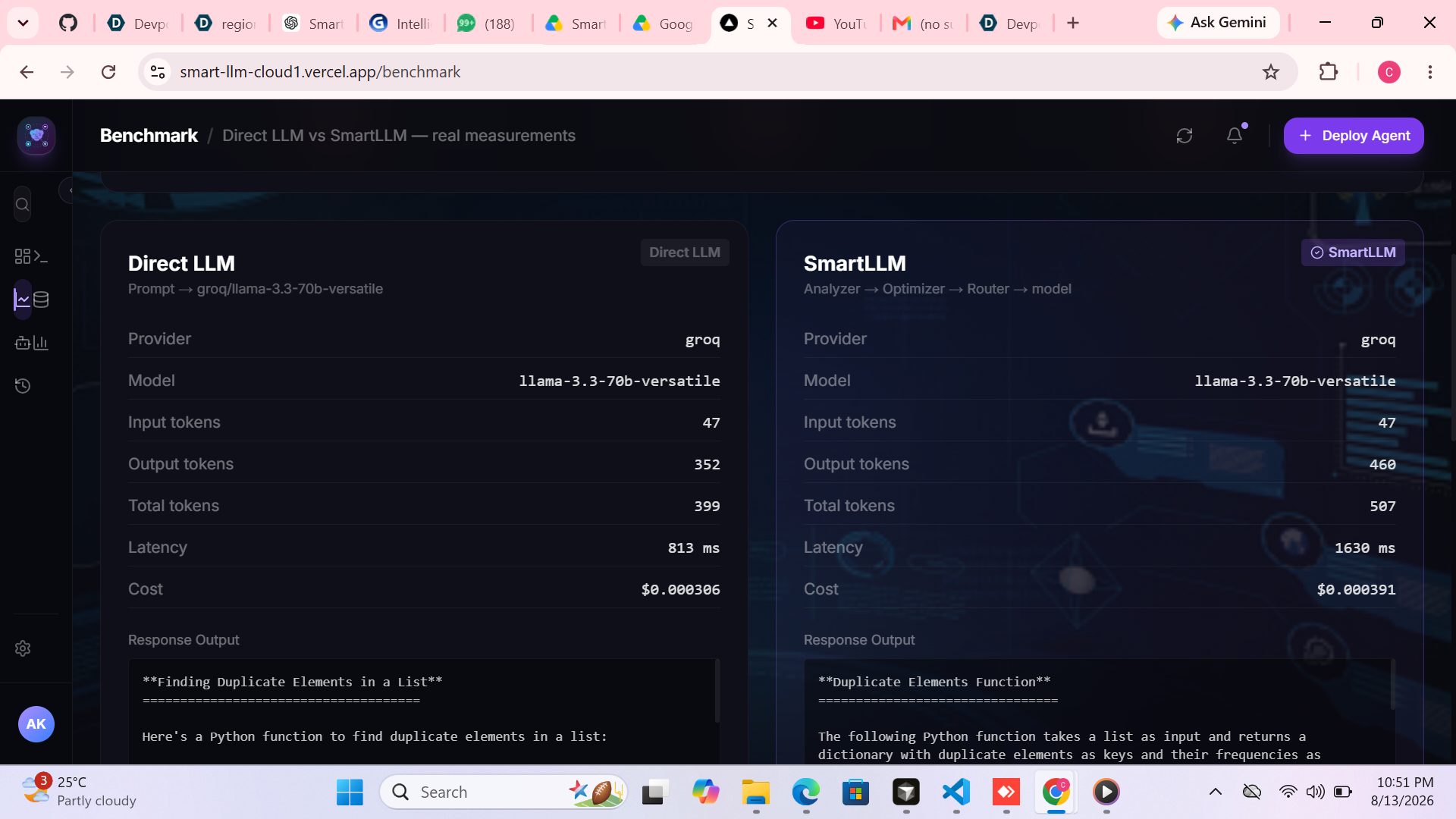
One of the key features of SmartLLM Cloud is our Benchmark system.
Instead of simply claiming that SmartLLM is better, the user can test it.
The same prompt can be executed in two ways.
DIRECT LLM
The prompt is sent directly to a baseline provider/model.
SMARTLLM
The prompt goes through:
Request Analysis → Prompt Optimization → Model Routing → Selected LLM → Response
Both executions measure real:
- Provider
- Model
- Input tokens
- Output tokens
- Total tokens
- Latency
- Estimated cost
The results are displayed side-by-side.
The system then calculates the actual change in:
- Token usage
- Cost
- Latency
The important part is that the judge can enter their own prompt and reproduce the benchmark.
We don't hardcode claims such as "50% cheaper" or "30% faster."
The displayed results come from the actual executions.
📊 Analytics
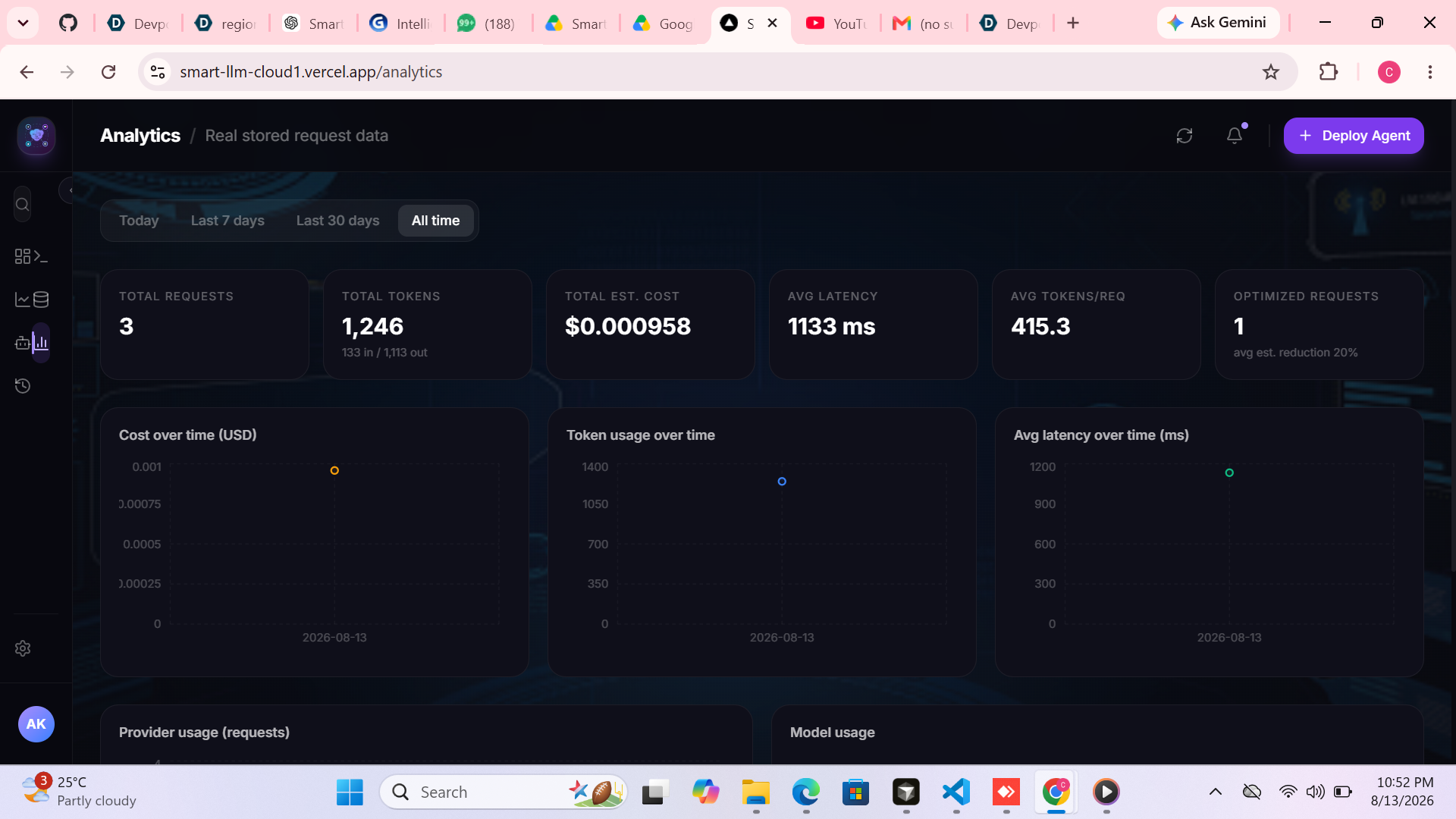
SmartLLM Cloud provides analytics based on stored request data.
The dashboard can show:
- Total requests
- Total tokens
- Total estimated cost
- Average latency
- Average tokens per request
- Provider usage
- Model usage
- Cost over time
- Token usage over time
- Latency over time
- Optimization statistics
Users can filter the information by:
- Today
- Last 7 days
- Last 30 days
- All time
If there are no requests, SmartLLM Cloud displays an empty state instead of generating fake analytics.
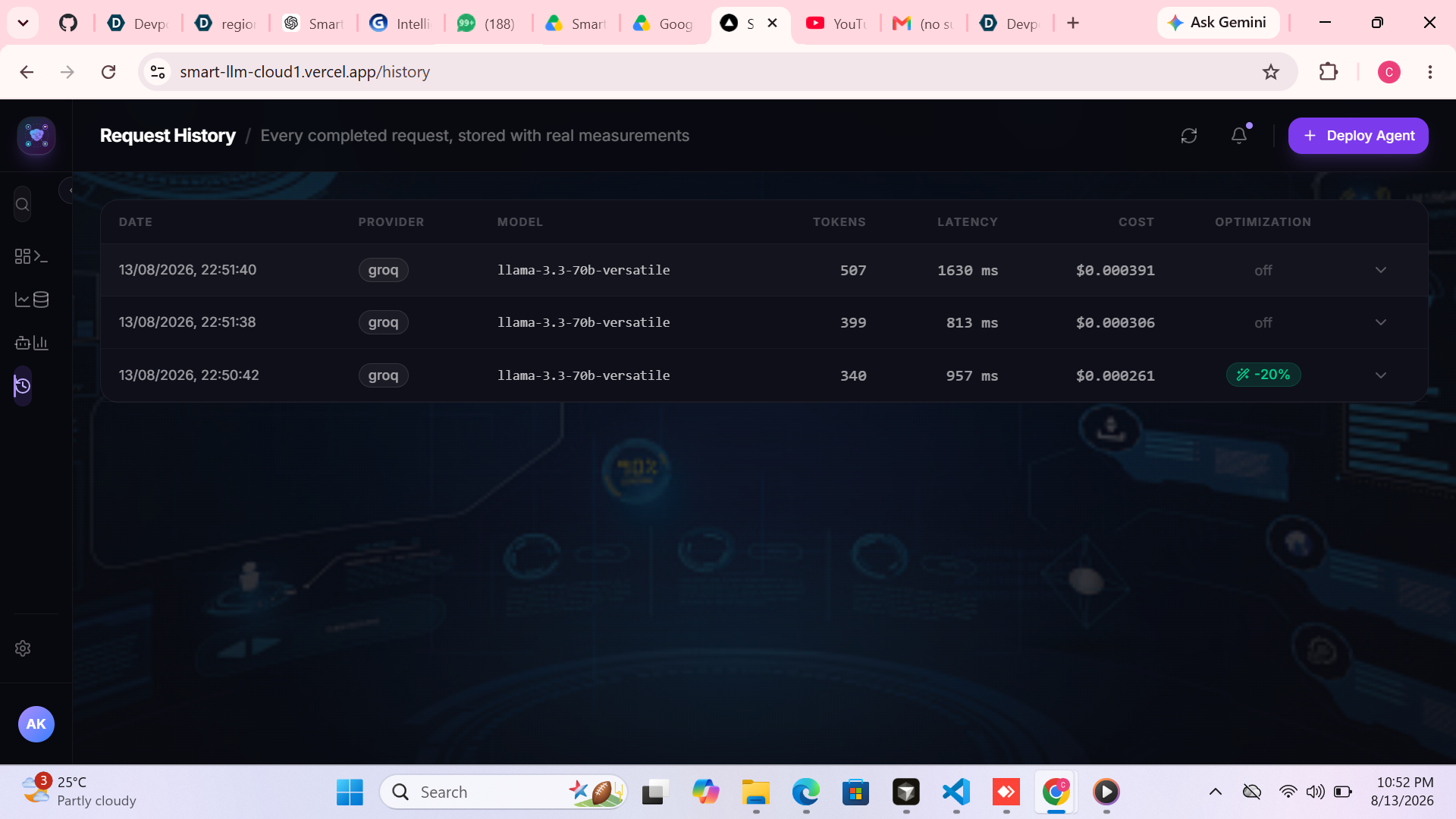
📋 Request History
Every completed request can be recorded with:
- Request ID
- Timestamp
- Provider
- Model
- Input tokens
- Output tokens
- Total tokens
- Latency
- Cost
- Optimization status
- Optimization reduction
- Routing mode
The user can view previous requests and inspect their details.
This gives developers a clear understanding of how their application is consuming LLM resources.
🔌 Provider Monitoring
SmartLLM Cloud also monitors the configured AI providers.
The platform supports:
- OpenAI
- Gemini
- Groq
- Ollama
It can distinguish between configured and unavailable providers.
This prevents the application from presenting a provider as available when the required configuration is missing.
Provider API keys remain securely on the backend and are never exposed to the browser.
🚧 Challenges We Overcame
1. Supporting Multiple LLM Providers
Each provider has different APIs, models, response formats, and capabilities.
Solution: We reused a common provider abstraction and factory architecture so the application can communicate with different providers through a consistent interface.
2. Building Deterministic Model Routing
Simply selecting a random model would not provide meaningful optimization.
Solution: We designed routing around task complexity, capability, cost, latency, availability, and the selected optimization mode.
3. Measuring Real Performance
It is easy to claim that an optimization system saves money or tokens.
The challenge is proving it.
Solution: SmartLLM Cloud records actual request measurements and calculates differences from real executions.
4. Safe Prompt Optimization
Aggressive prompt rewriting could change the user's intended meaning.
Solution: We designed a conservative optimizer that focuses on safe redundancies while protecting code, SQL, JSON, URLs, and structured content.
5. Production Deployment
The frontend and backend originally ran independently during development.
We needed them to communicate correctly in production.
Solution: The frontend uses a production API environment variable to communicate with the deployed FastAPI backend.
The production setup uses:
Frontend: Vercel
Backend: Render
This allows the application to be accessed from different devices and browsers.
🏆 Accomplishments We're Proud Of
We are proud that SmartLLM Cloud demonstrates a complete LLM optimization workflow.
Highlights include:
- Multi-provider LLM architecture
- OpenAI integration
- Gemini integration
- Groq integration
- Ollama integration
- Deterministic model routing
- Cost optimization
- Speed optimization
- Quality optimization
- Balanced optimization
- Safe prompt optimization
- Real token tracking
- Latency measurement
- Streaming support
- Cost calculation
- Request history
- Analytics
- Provider monitoring
- Real benchmark comparison
- Production frontend/backend deployment
- Mobile-accessible web application
Most importantly, we transformed the traditional approach of manually selecting LLM models into a measurable optimization workflow.
📚 What We Learned
Throughout this project we gained hands-on experience with:
- Multi-provider LLM architecture
- FastAPI development
- Next.js development
- AI provider abstraction
- Model routing
- Prompt optimization
- Token tracking
- Cost calculation
- Latency measurement
- Streaming responses
- API security
- CORS
- Database-backed analytics
- Cloud deployment
We also learned that LLM optimization is not simply about choosing the cheapest model.
The real challenge is finding the right balance between:
Cost + Speed + Quality + Task Requirements
🎨 Design Philosophy
We wanted SmartLLM Cloud to make the complex process of LLM optimization understandable.
Instead of hiding the decision-making process, the application shows users:
- Which provider was selected
- Which model was selected
- Why it was selected
- How many tokens were used
- How much the request cost
- How long it took
- Whether optimization was applied
This gives developers visibility into every LLM request.
💡 Innovation Highlights
Intelligent Model Routing
SmartLLM Cloud dynamically selects a suitable model based on the user's optimization objective and request characteristics.
Safe Prompt Optimization
The system identifies unnecessary repetition while attempting to preserve the original meaning.
Real Measurement
The platform measures actual token usage, latency and estimated cost instead of relying on hardcoded optimization claims.
Multi-provider Architecture
Developers can work with multiple LLM providers through one unified interface.
Reproducible Benchmarking
Anyone testing the application can enter their own prompt and compare Direct LLM against SmartLLM.
Single Application Interface
Developers don't need to manually switch between multiple provider dashboards to test different models.
🌍 Impact Potential
SmartLLM Cloud can help developers and organizations:
- Reduce unnecessary LLM usage
- Control AI infrastructure costs
- Improve response performance
- Select appropriate models automatically
- Compare LLM providers
- Monitor token consumption
- Understand model usage
- Identify optimization opportunities
As more applications adopt LLMs, intelligent model selection and measurement can become an important part of AI infrastructure.
🔮 Future Vision
Phase 1
Expand the model catalog and improve routing using accumulated performance data.
Phase 2
Use historical request data to build more accurate performance intelligence around:
- Cost
- Latency
- Token usage
- Model performance
Phase 3
Introduce more advanced task classification for:
- Coding
- Reasoning
- SQL
- Summarization
- Explanation
- Short responses
- Long responses
Phase 4
Add advanced enterprise features such as:
- Budget management
- Usage limits
- Team analytics
- API management
- Audit history
- Advanced provider policies
Long-Term Vision
Our long-term vision is to make SmartLLM Cloud an intelligent optimization layer between applications and the growing LLM ecosystem.
Instead of developers asking:
"Which model should I use?"
SmartLLM Cloud should help answer:
"Which model is best for this request, why, and what did we actually gain?"
Built With
- ai
- ai-optimization
- ai-routing
- docker
- fastapi
- generative-ai
- google-gemini
- groq
- llm
- next.js
- ollama
- openai
- postgresql
- prompt-optimization
- python
- react
- redis
- render
- rest-api
- tailwind-css
- typescript
- uvicorn
- vercel


Log in or sign up for Devpost to join the conversation.