-
-
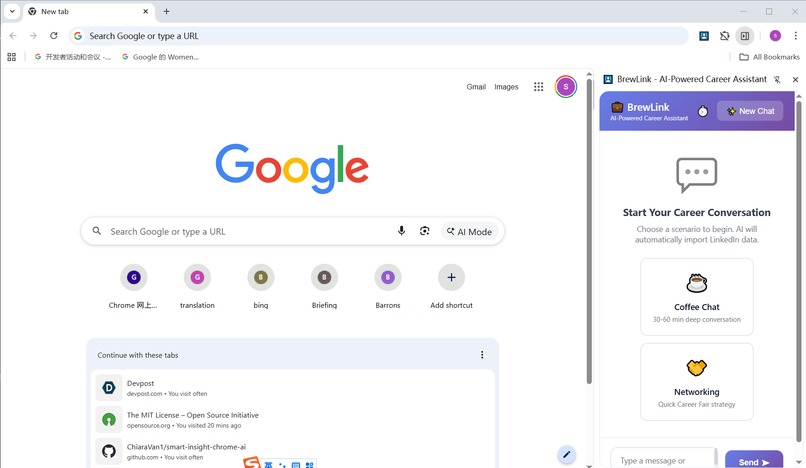
Overview: BrewLink Side Panel Interface
-
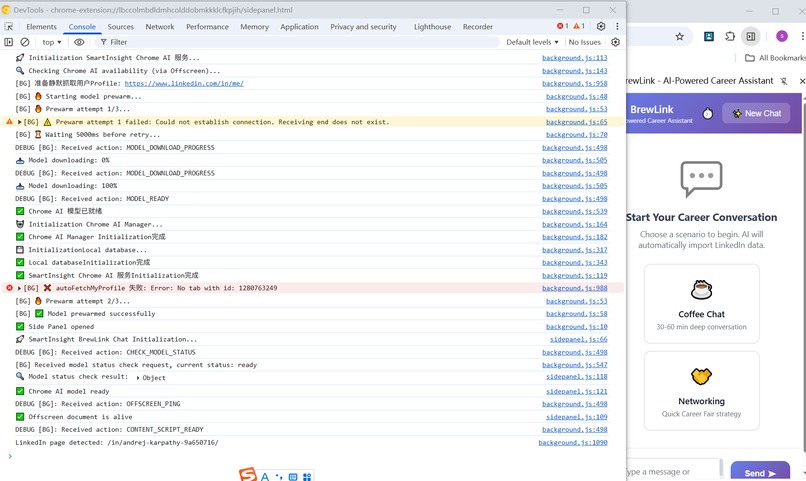
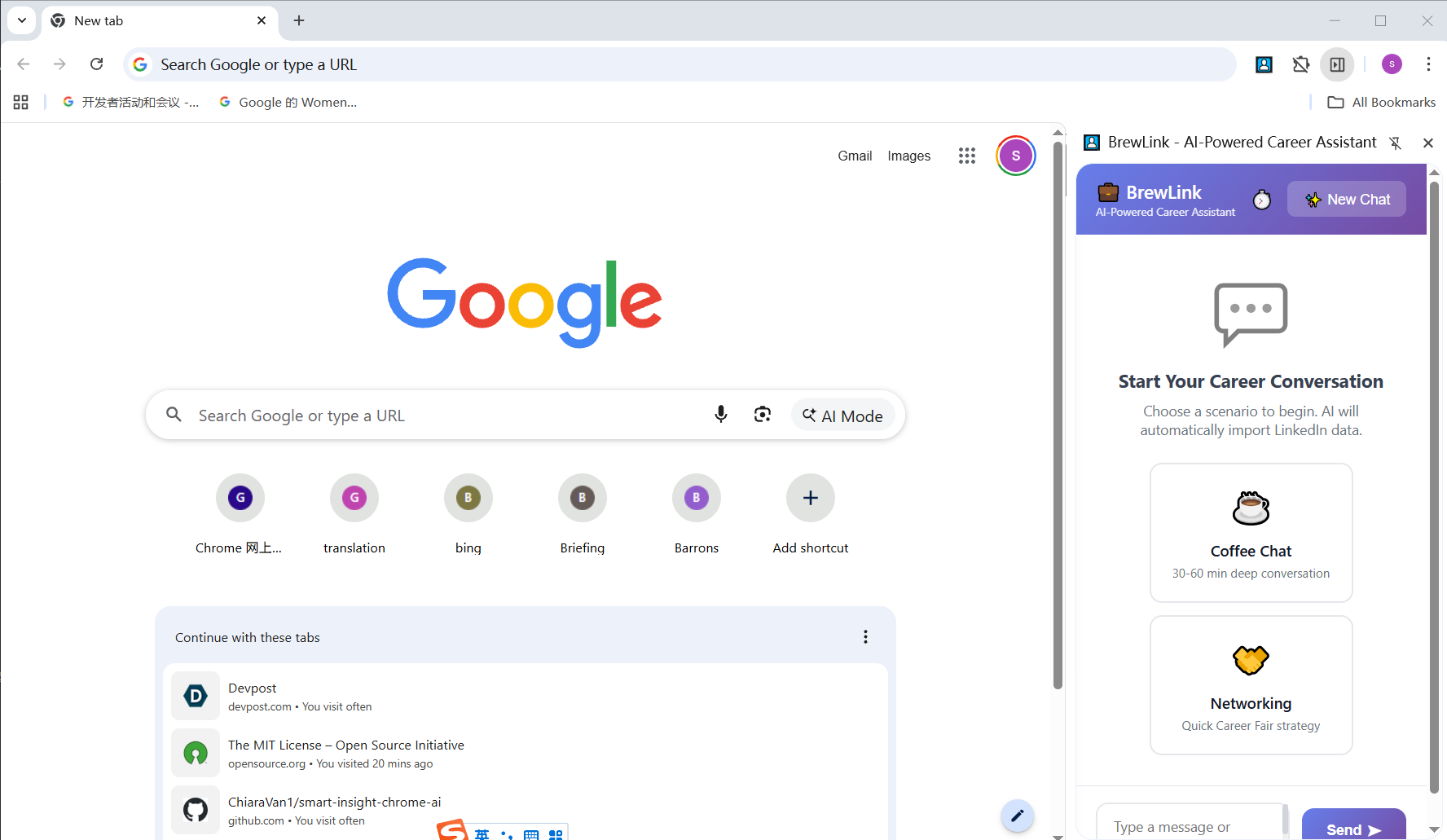
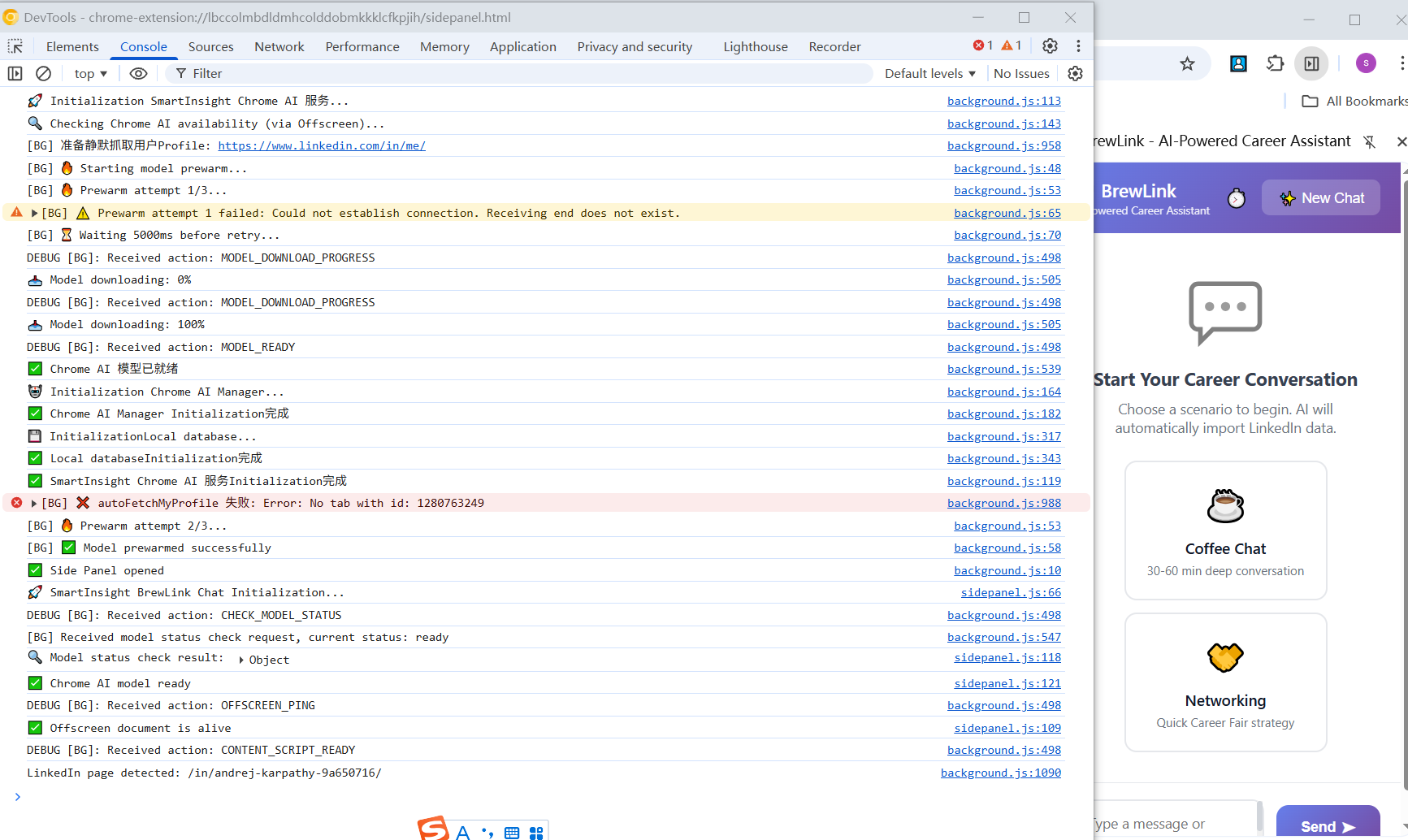
Initialization: Gemini Nano model downloaded, verified, and pre-warmed fully offline for instant local inference.
-
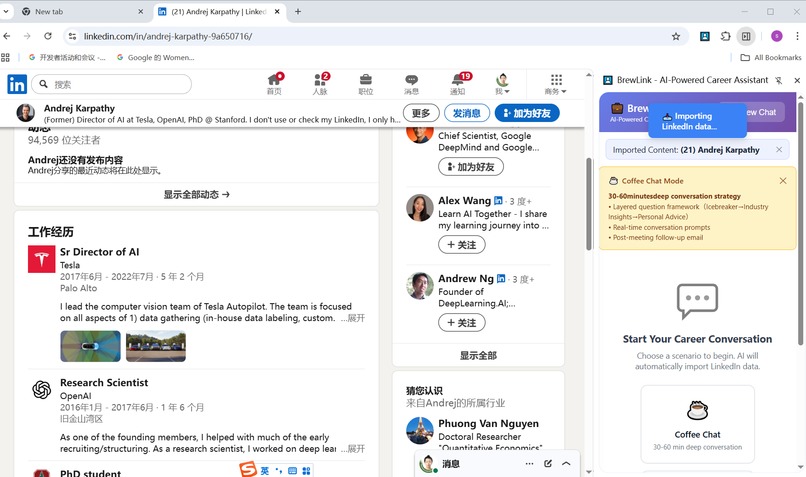
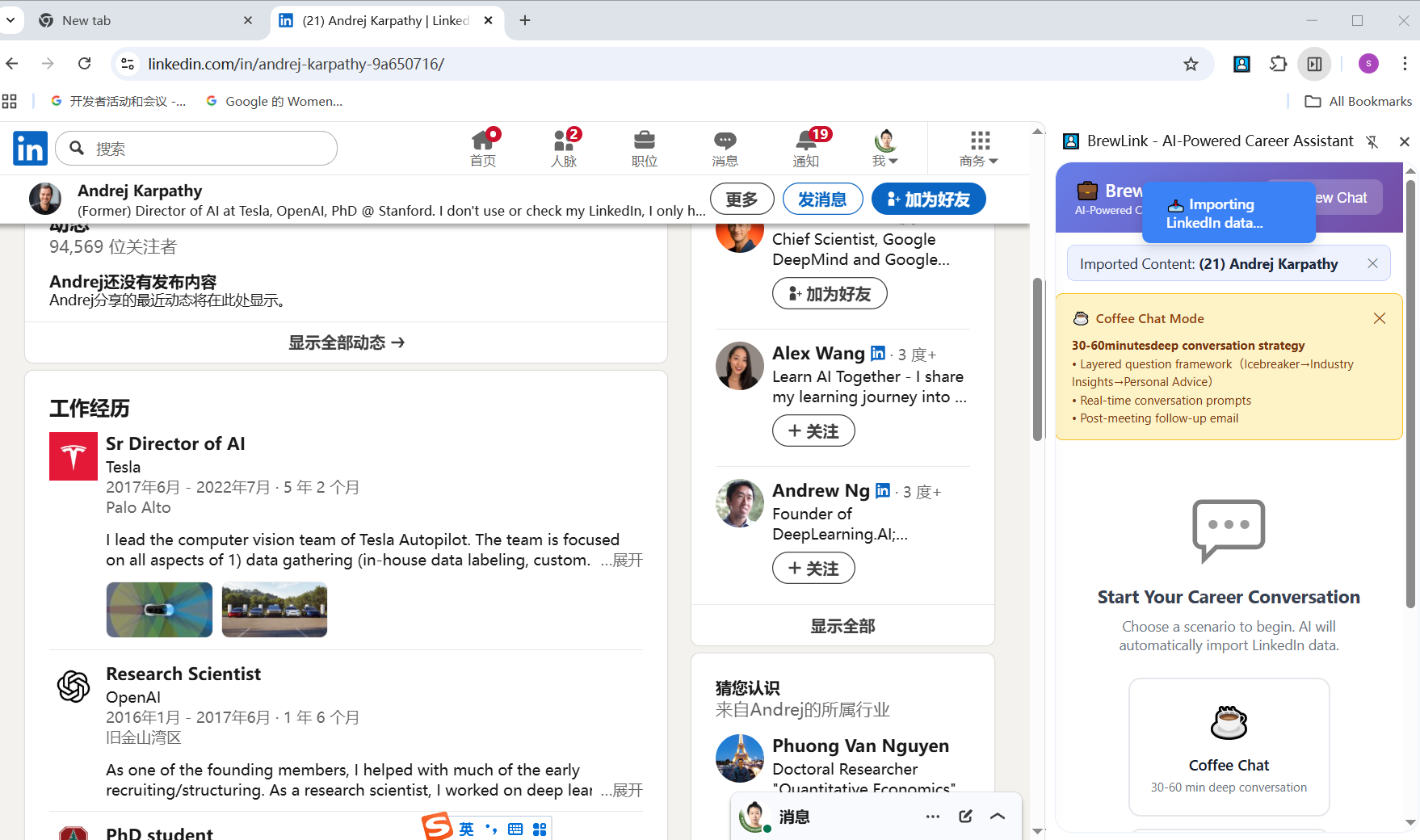
BrewLink automatically fetches both the user’s own and the target person’s LinkedIn profiles in the background when a mode starts.
-
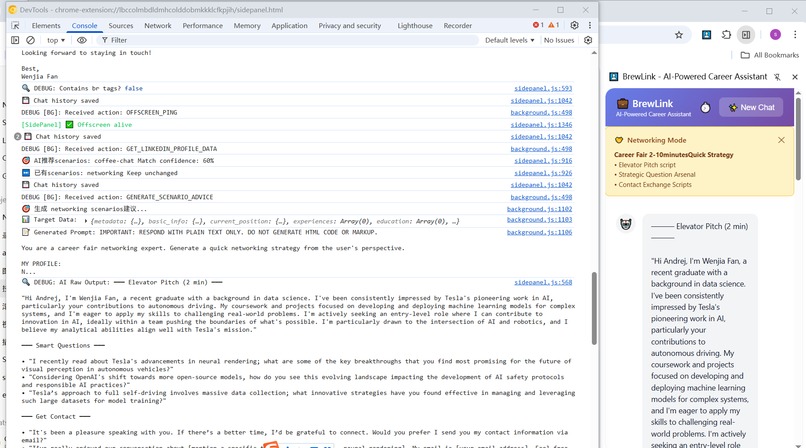
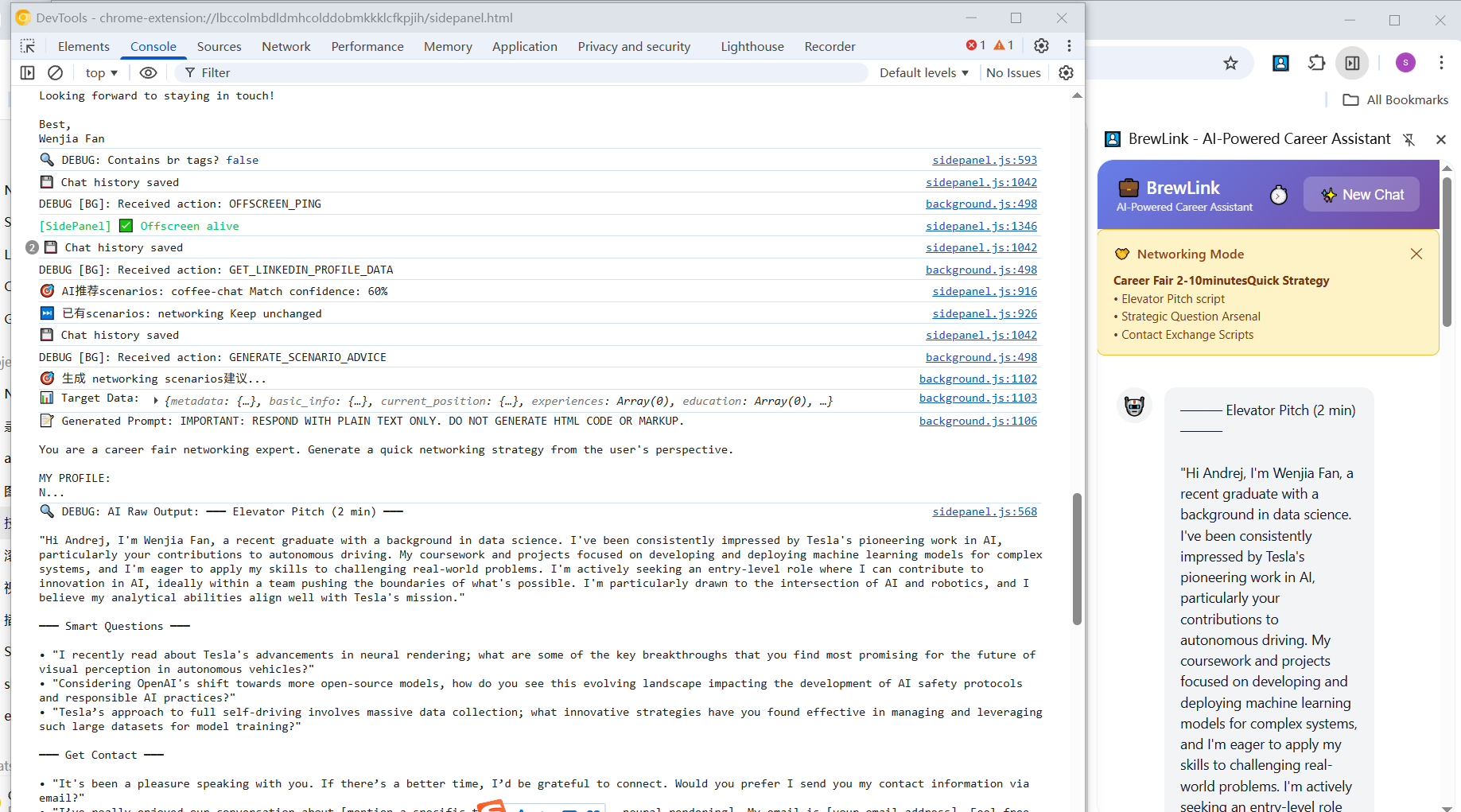
Networking mode demonstration: Console logs reveal Gemini Nano prompts and real-time output.
-
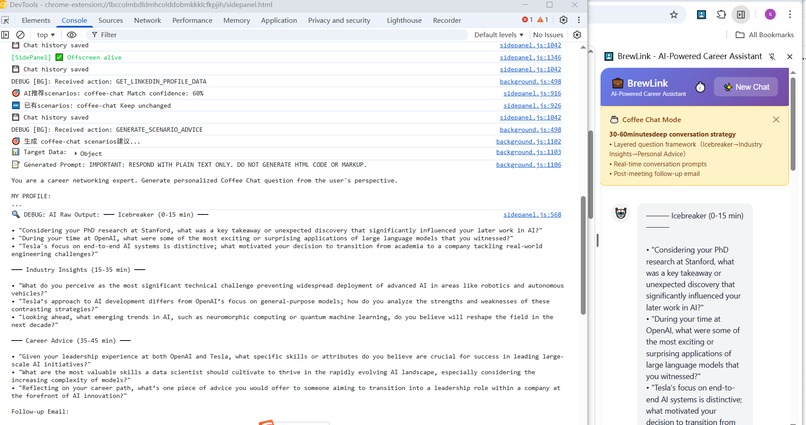
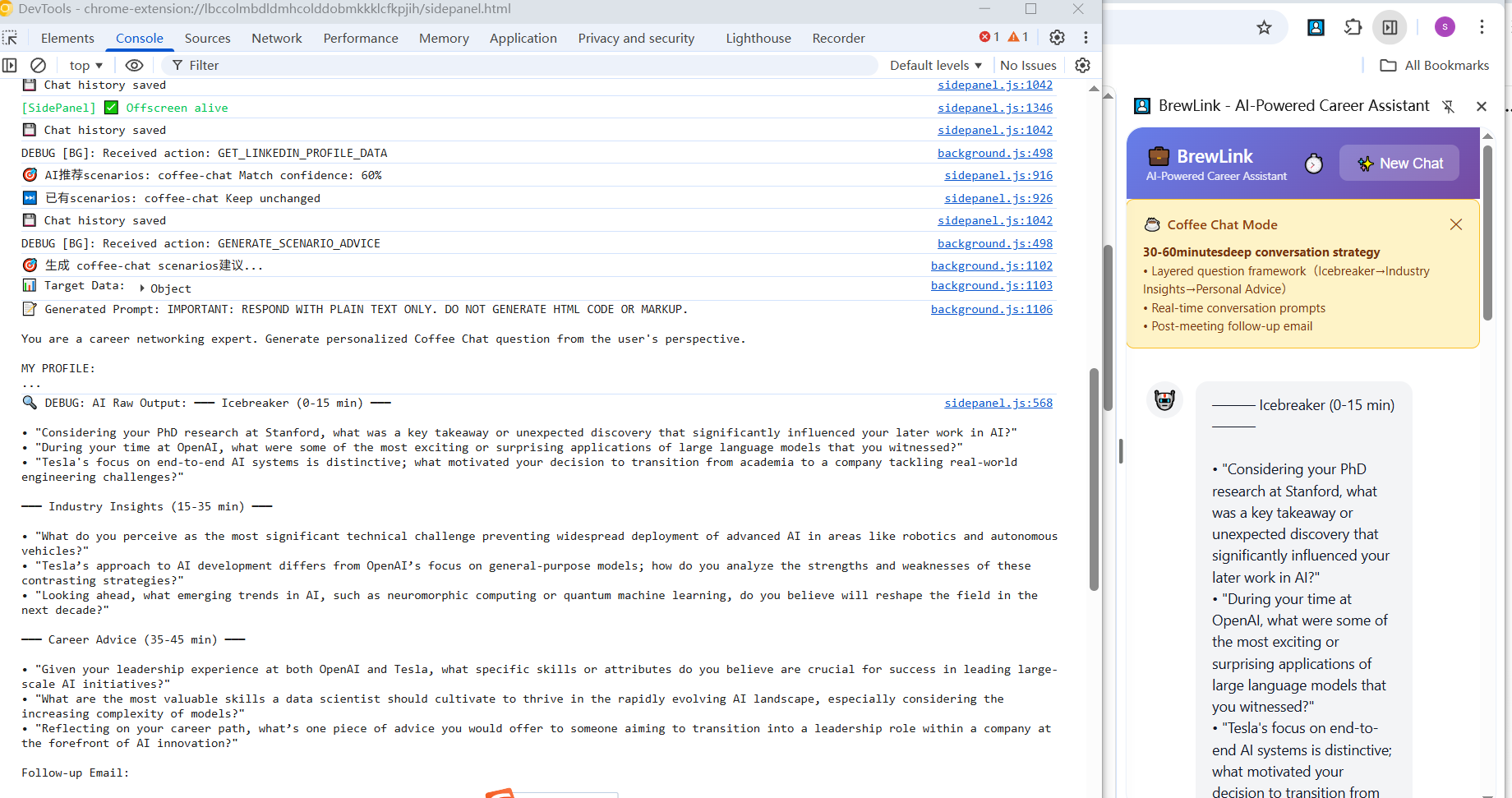
Coffee Chat mode demonstration: BrewLink stores chat history locally to maintain continuous context within Chrome’s Gemini Nano session.
Inspiration
Many professionals struggle to prepare for meaningful networking or coffee chat conversations on LinkedIn. Relying on cloud AI creates privacy risks and frustrating delays.
So we said: what if your networking wingman lived in your browser, ran locally, and didn’t bill you per token? Enter BrewLink.
Our goal was to prove that Chrome’s Gemini Nano model can handle complex career preparation entirely on-device, delivering instant, private, and free assistance.
What It Does
BrewLink is a Chrome extension offering 100% private, zero-latency career guidance for two key scenarios:
☕ Coffee Chat Mode – for 30–60 minute deep conversations.
🤝 Networking Mode – for quick career fair introductions.
In either mode, users simply open a LinkedIn profile and activate BrewLink to receive an instant, personalized AI conversation guide — no setup, no API keys, no cloud calls.
The extension automatically fetches both the user’s and the target person’s LinkedIn profiles, summarizes them locally, and generates tailored questions, insights, and follow-up messages — all powered by Chrome’s on-device Gemini Nano.
Data never leaves the device.
How We Built It
To deliver instant, private AI responses inside the browser, we designed BrewLink around Chrome’s on-device AI framework.
BrewLink is built on a clean, Manifest V3 architecture prioritizing user privacy and speed.
Core Architecture & Data Flow
- Gemini Nano Execution & API Bridge: The Background Service Worker (C) is the scheduler. All LLM tasks are executed by the Offscreen Document (E). This mechanism, implemented via
callOffscreen()in the background script, acts as a bridge to securely call the Chrome-native Language Model API, ensuring $100\%$ on-device execution. - Instant Context Management: We ensure personalized advice via a two-step data flow:
- Acquisition (B): The Content Script (B) extracts real-time LinkedIn data from the DOM.
- Context (C): The SW (C) combines this target data with the user's cached
myProfile(Flow I), creating a rich, relevant prompt.
- Privacy & Performance: The entire pipeline—from data scraping (B) to AI inference (F)—happens within the user’s device. This guarantees zero cloud calls, zero API costs, and sub-second latency for career advice. Chat history is stored securely in
chrome.storage.local.
This structured approach delivers powerful, private AI that performs reliably even offline. All AI generation (Summarizer / Prompt / Writer) runs entirely on-device via Gemini Nano within Chrome’s Offscreen Document API.
Challenges We Ran Into
- Cross-platform installer quirks: macOS and Windows behave differently when it comes to where Chrome stores Offscreen/OptimizationGuide artifacts and how background processes are restarted. That meant platform-specific handling for model files, cache paths, and graceful restarts.
- Multi-context synchronization: Managing asynchronous communication between the Background Service Worker, Offscreen AI Document, and Side Panel UI — resolved with a lightweight message routing system and unified timeout handling.
- Chrome AI stability: Early versions of Chrome AI flags caused the Offscreen context to unload unexpectedly. We solved this by automatically recreating offscreen documents and adding retry logic.
- Prompt optimization: Keeping prompts concise enough for Gemini Nano’s local context limit while maintaining personalization — refined through structured templates and iterative testing.
- Model download reliability: Model download was sometimes unreliably triggered, leaving users stuck. We implemented active initialization on offscreen page load, added retry logic (three attempts with delay), and real-time progress monitoring to ensure smooth startup.
- User feedback during long operations: During initial model downloads, users couldn’t tell if the extension was working. We added toast notifications with download percentage, status updates, and automatic retry messages to improve transparency.
- LinkedIn integration & DOM variance: Dynamic page layouts and manual import requirements created friction. We introduced auto-detection with toast prompts, one-click import, and fallback selectors for more robust scraping.
- Context-aware AI responses: Early outputs were generic and missed LinkedIn details. We enhanced prompt engineering to include real names, titles, companies, and experiences for richer, more relevant answers.
- Performance tuning: Local-only AI execution required careful memory management; we optimized task scheduling and caching for sub-second response times.
- Multi-language support: Early builds defaulted to Chinese output. We enforced explicit English instruction in prompts and unified all context labels for consistency.
Accomplishments That We're Proud Of
- Achieved parallel profile analysis (user + target) in real-time through LinkedIn integration, enabling automatic detection and personalized insights across different page layouts.
- Practical tooling for real users: People tested it and said it “actually made the networking conversation less awkward.” That’s the win.
- Enhanced model download reliability and transparency — added progress tracking, retry logic, and real-time UI notifications for clear feedback during initialization.
- Built a multi-conversation side panel interface with persistent history, allowing users to manage and revisit different chats seamlessly.
- Demonstrated engineering robustness through resilient LinkedIn integration, stable offscreen AI execution, and sub-second response times across devices.
What We Learned
- How to orchestrate complex, multi-context Chrome APIs (Service Worker + Offscreen + Side Panel).
- Deep understanding of the Gemini Nano runtime, its event monitoring, and download lifecycle.
- Designing user flows where AI insights feel personal yet remain completely private.
- The importance of User Experience Design — clear progress feedback, error handling, streamlined workflows, and persistent chat history.
- Techniques for Data Extraction at Scale — handling dynamic DOMs, incomplete data, and multiple LinkedIn profile types with graceful fallbacks.
- Emphasizing Privacy-First Development — creating powerful AI features entirely on-device, without external APIs or data sharing.
What's Next for SmartInsight BrewLink Career Assistant
We plan to:
- Continue optimizing prompt templates for faster, more natural Gemini Nano responses.
- Expand into interview preparation and follow-up email generation features.
- Add team collaboration and shared conversation guides for group career coaching.
- Explore advanced analytics to measure conversation effectiveness and user improvement.
- Develop a mobile-friendly version to make BrewLink accessible across devices.
- Support other professional networks such as GitHub and Twitter to broaden use cases beyond LinkedIn.
Built With
- builtinllm
- chrome-built-in-ai-(gemini-nano)
- chrome.offscreen
- chrome.storage.local
- chrome.tabs
- chrome127+
- gemininano
- html5
- javascript
- localstroage
- manifestv3
- offscreen-documents
- side-panel-ui
- sidepanelui


Log in or sign up for Devpost to join the conversation.