
Inspiration
As a parent, I wanted to create a study tool that would help my children, aged 10 and 13, explore subjects beyond the classroom in a way that feels personal, accessible, and fun.
Children do not always want to sit at a desk or open another textbook. However, they often have small pockets of time while walking, travelling on the bus, or waiting for an activity to begin. I wanted to explore whether AI and smart glasses could turn those moments into opportunities for convenient, hands-free learning.
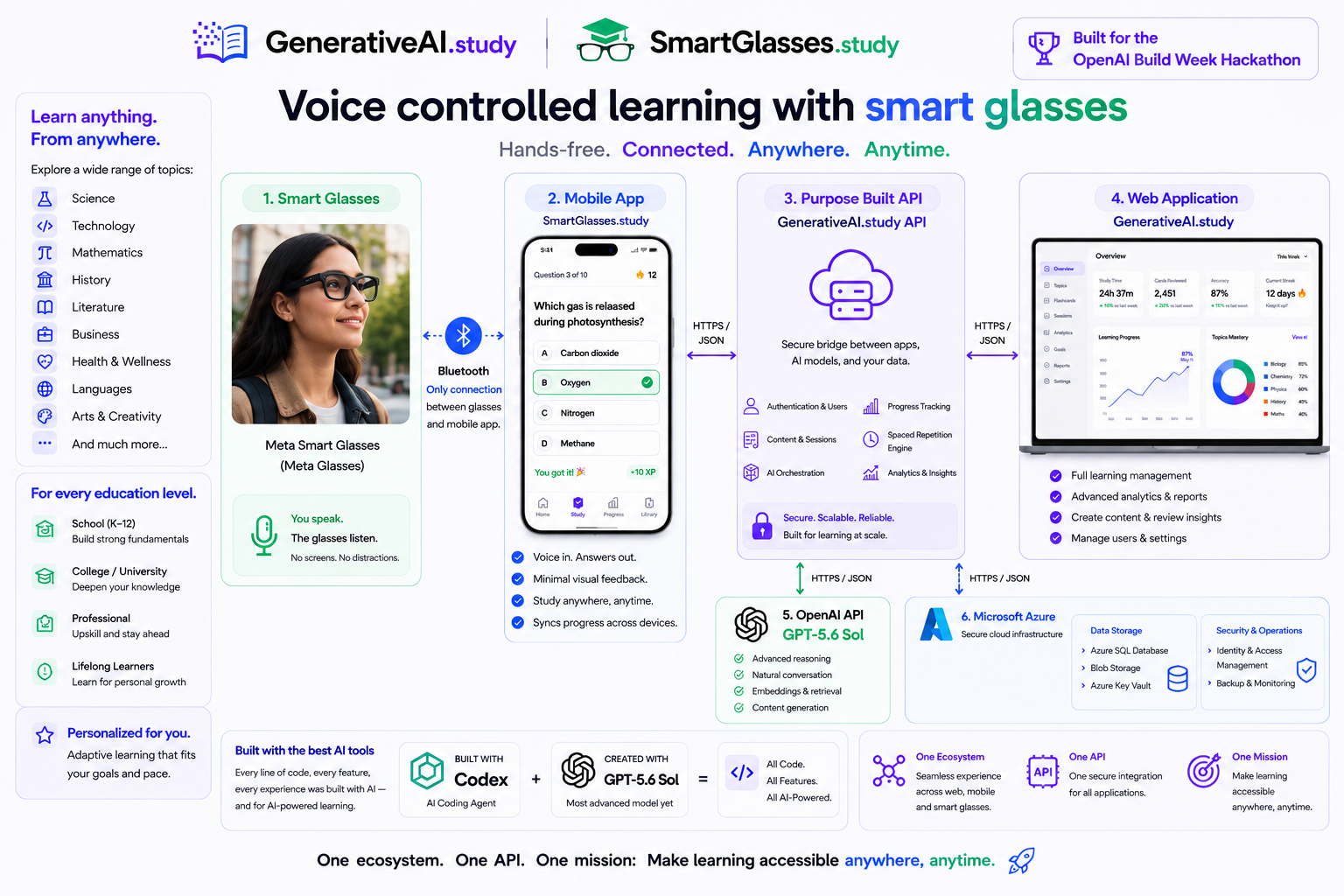
That idea became GenerativeAI.study and SmartGlasses.study: a connected learning platform that lets children create age-appropriate study material on the web and then practise it through interactive quizzes on a phone or using Meta smart glasses.
What it does
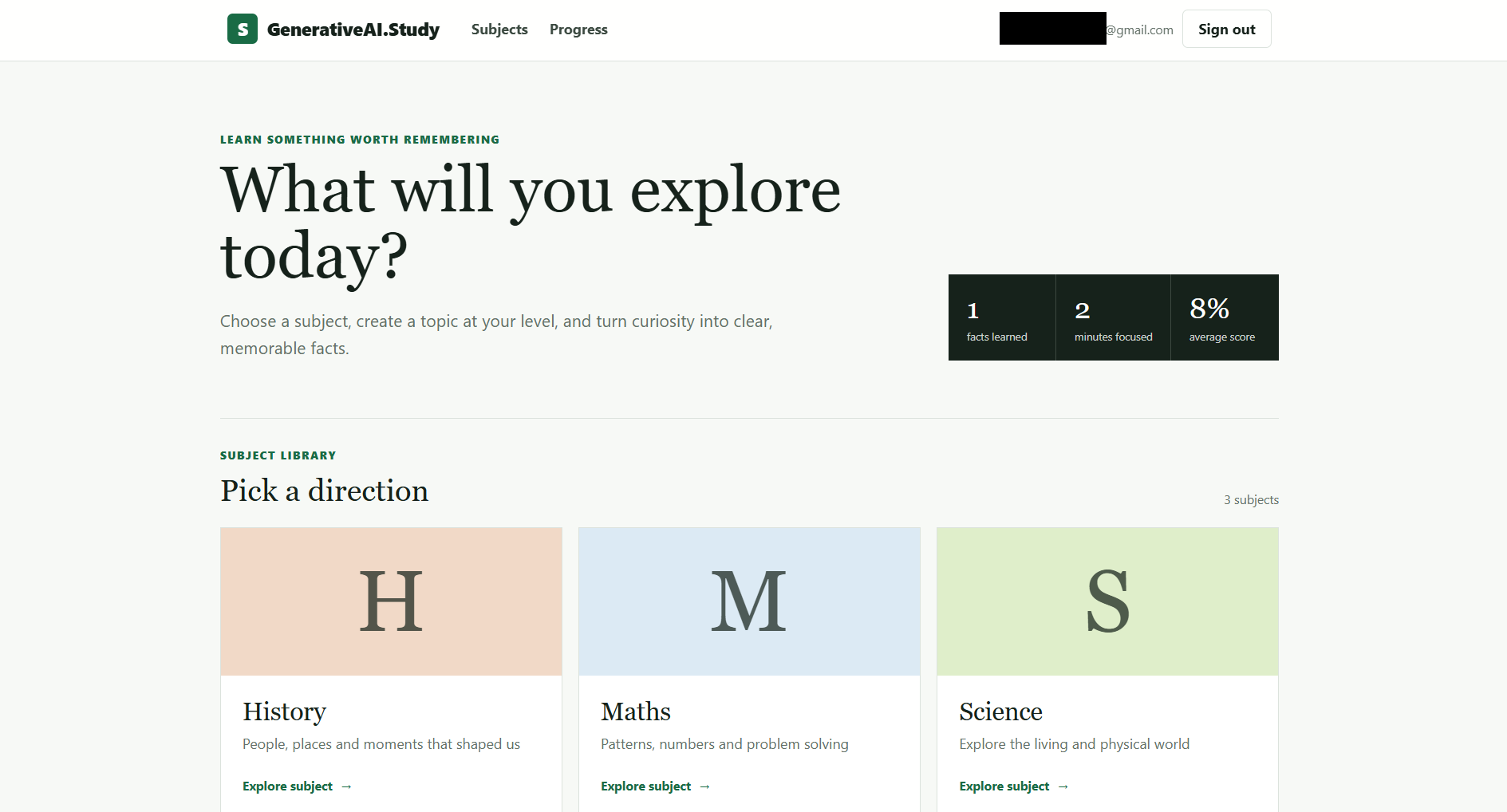
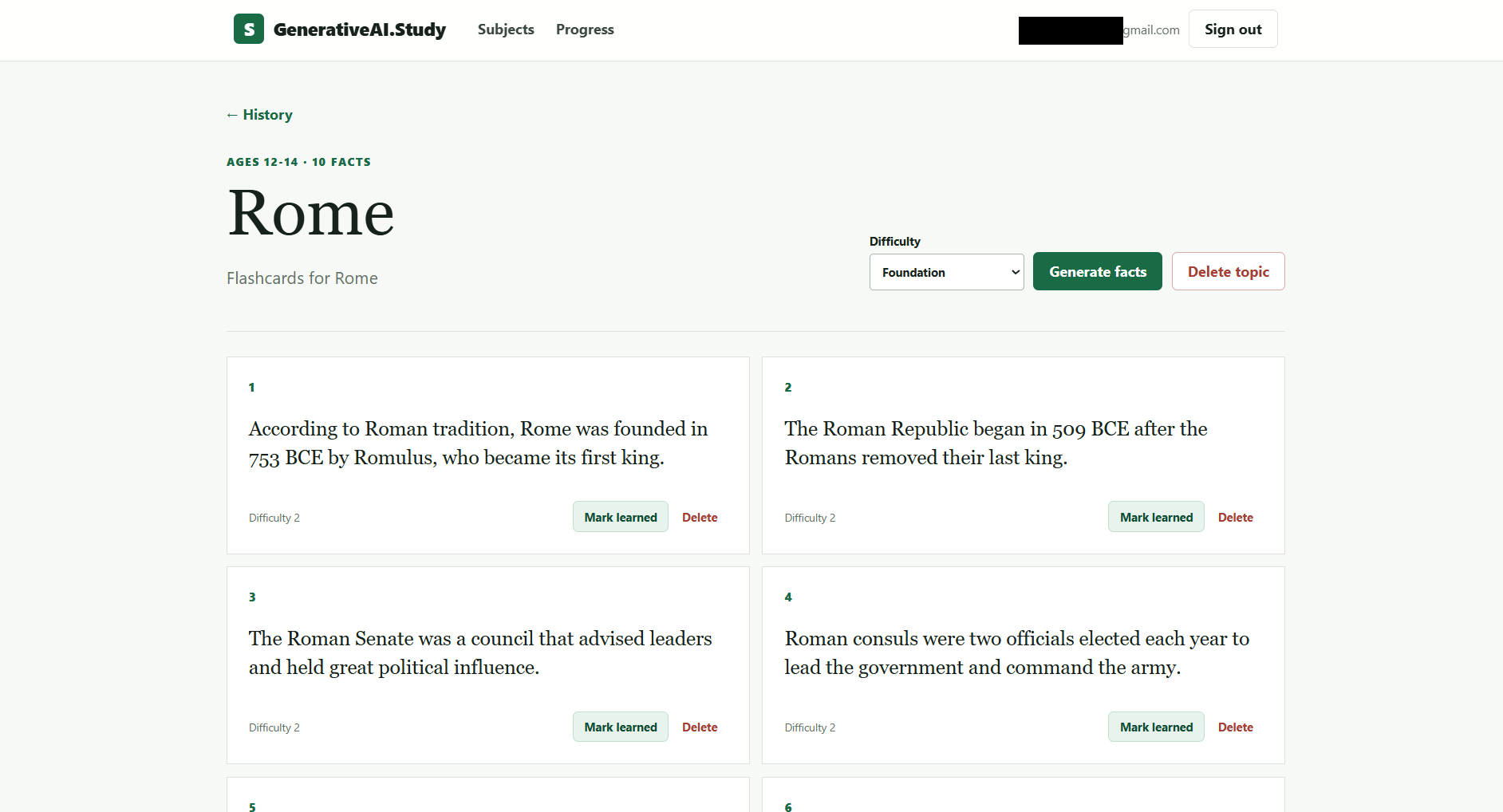
GenerativeAI.study is a web application where learners can:
- Sign in and select a subject.
- Enter a topic they are currently studying or interested in.
- Generate age-appropriate facts and learning material.
- Create question-and-answer flashcards.
- Test their knowledge through multiple-choice quizzes.
- Save their learning content for future study sessions.
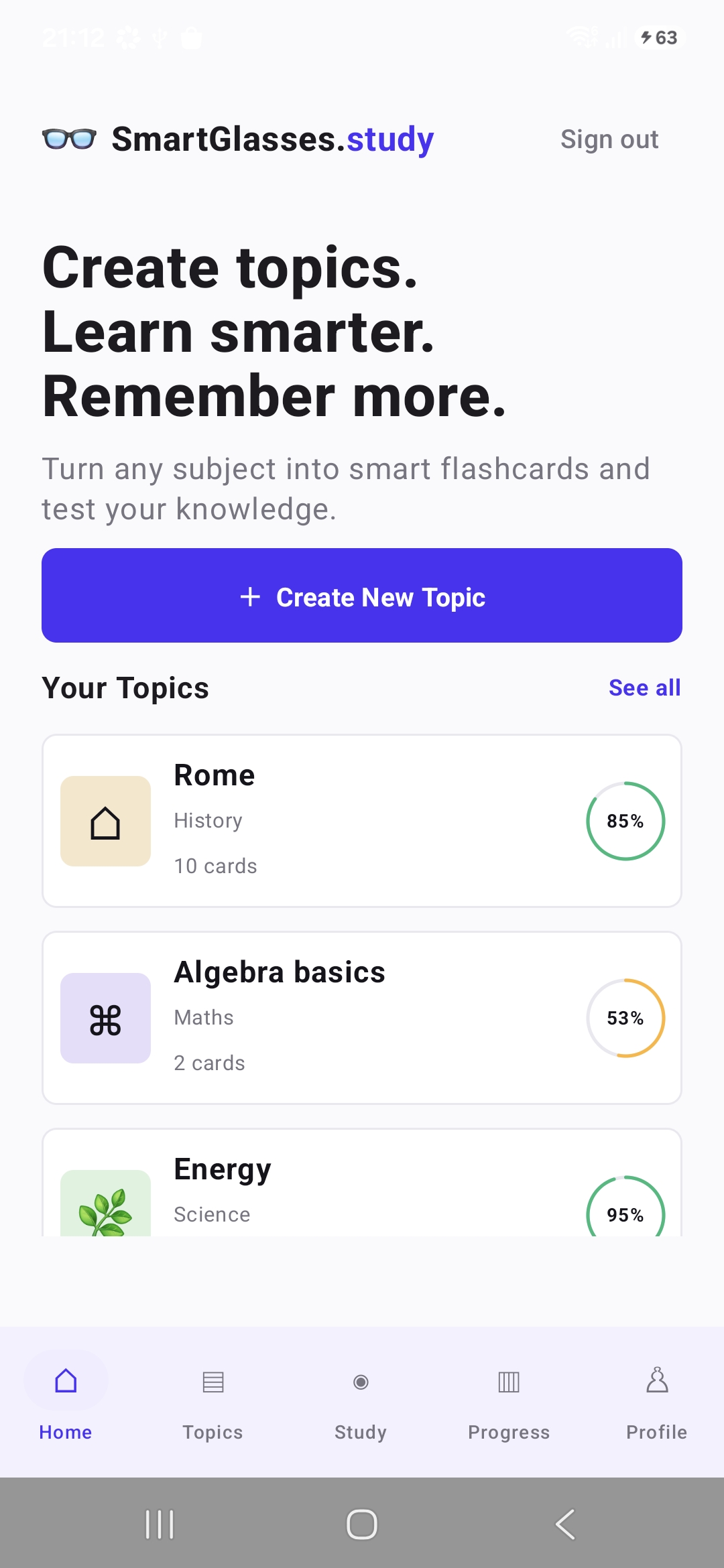
The same learning material can then be accessed through the SmartGlasses.study Android application.
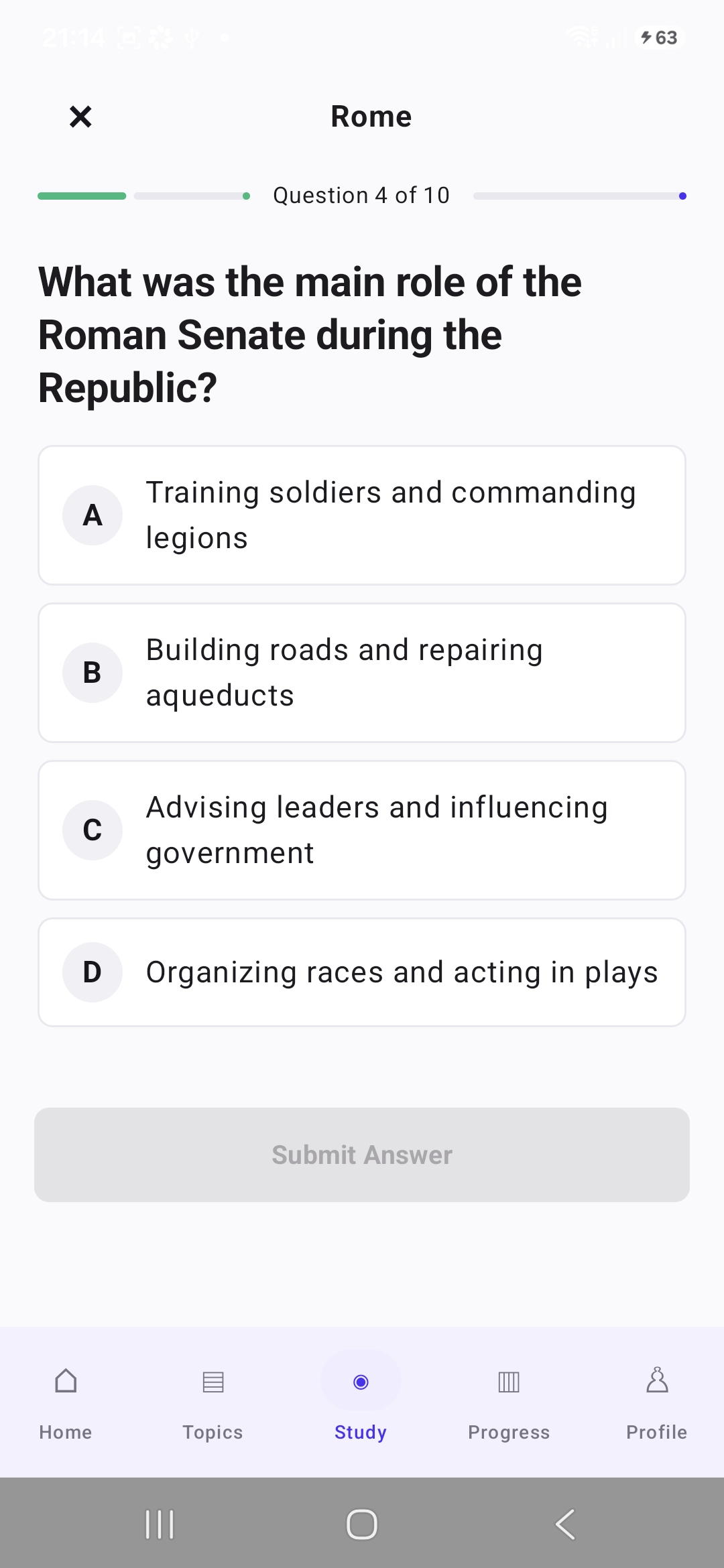
The mobile app connects to Meta smart glasses and delivers an audio-based, hands-free learning experience. A learner hears a question and several plausible answers through the glasses, then responds using their voice. The application evaluates the answer, provides feedback, and continues the quiz.
This means learners can revise without looking at a screen, for example, while walking, travelling on the bus, or during other times when traditional study materials would be inconvenient.
The project combines AI-generated learning content with voice interaction and wearable technology to make studying more flexible, engaging, and integrated into everyday life.
How I built it
I built the complete solution as a solo project using Codex with GPT-5.6. I used Codex to take a description of the project, build out the requirements for it, and create a specification in different .md files before tasking it with building the solution based on the spec.
The platform consists of several connected components:
- GenerativeAI.study, an ASP.NET MVC web application.
- A purpose-built API shared by the web and mobile applications.
- An Android application written in Kotlin using Android Studio.
- Meta Wearables Device Access Toolkit integration for communication with Meta smart glasses.
- Azure Table Storage for structured application data.
- Azure Blob Storage for additional stored content and application assets.
- OpenAI-powered generation of age-appropriate facts, flashcards, questions, and multiple-choice answers.
The web application and Android application both communicate through the same API. This allows learning material created in GenerativeAI.study to become immediately available within SmartGlasses.study.
Codex and GPT-5.6 were used throughout the project to:
- Design the application architecture.
- Build the ASP.NET MVC web application.
- Create the shared API.
- Implement Azure storage integration.
- Develop the Kotlin Android application.
- Work through unfamiliar SDK integration.
- Diagnose errors and connectivity issues.
- Refine the user experience and question-and-answer interaction loop.
- Generate and improve documentation.
Rather than using Codex for isolated code snippets, I used it as a development partner across the complete product - from the initial architecture to the working web, API, cloud, mobile, and wearable components.
Challenges I ran into
One of the biggest challenges was learning how to build interactions for Meta smart glasses. I had limited previous experience with the Meta Wearables Device Access Toolkit and had not done much Kotlin or native Android development.
Creating a reliable conversational quiz loop also required careful thought. The system needs to:
- Retrieve the learner’s saved material.
- Present a question through the glasses.
- Read several plausible answers aloud.
- Capture the learner’s spoken response.
- Determine which answer was selected.
- Provide useful feedback.
- Continue naturally to the next question.
Bluetooth connectivity introduced additional considerations, including device state, connection handling, audio input and output, permissions, and communication between the glasses and the mobile application.
The project was also completed by one person within a short hackathon timeframe. This required balancing web development, API design, cloud storage, Android development, AI integration, testing, and wearable-device experimentation.
Codex was particularly valuable in helping me move between these unfamiliar technologies and make progress across the entire stack.
What I learned
This project gave me practical experience with:
- The Meta Wearables Device Access Toolkit.
- Kotlin and native Android application development.
- Bluetooth and wearable-device connectivity.
- Designing voice-first user experiences.
- Building conversational question-and-answer loops.
- Sharing data between web and mobile applications through a common API.
- Using Azure Table Storage and Blob Storage as part of a connected learning platform.
- Using Codex with GPT-5.6 to build across multiple languages, platforms, and technologies.
I also learned that designing for smart glasses is not simply a matter of moving a mobile interface onto another device. A hands-free experience needs short instructions, clear answer options, useful audio feedback, and interactions that do not require the learner to look at a screen.
What’s next for SmartGlasses.study and GenerativeAI.study
My immediate goal is to continue improving the platform until my children can independently create learning material and use the glasses to enjoy practising subjects outside of school.
Future development could include:
- Personalised difficulty based on previous answers.
- Spaced-repetition study sessions.
- Progress tracking for learners and parents.
- Support for different learning levels and curricula.
- Teacher-created topic collections.
- Improved voice recognition and conversational feedback.
- Explanations for incorrect answers.
- Achievement systems and learning streaks.
- More flexible revision sessions based on the learner’s available time.
- Additional wearable and audio-device support.
- Using more natural sounding TTS rather than the built in Android TTS.
GenerativeAI.study creates the learning experience. SmartGlasses.study lets learners take it with them.
Note: Both domain names GenerativeAI.study and SmartGlasses.study domain names have been registered. But ran out of time to put sites at those locations so have redirected them to the Git repository.
Built With
- .net
- android-studio
- asp.net
- azure
- c#
- chatgpt
- codex
- visual-studio

Log in or sign up for Devpost to join the conversation.