-
-
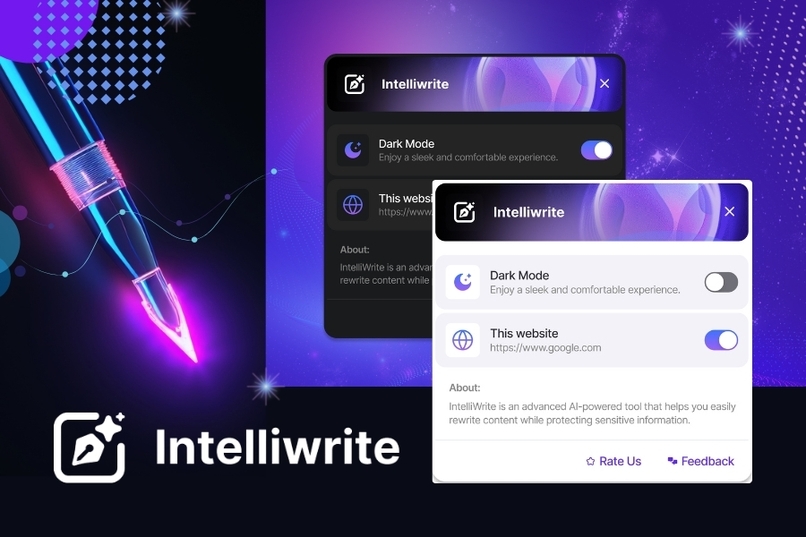
Intelliwrite - Revolutionizing Your AI Experience
-
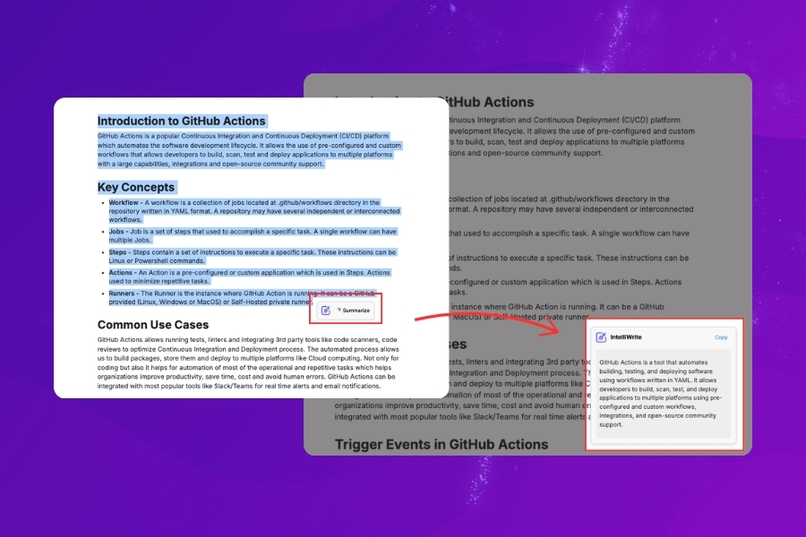
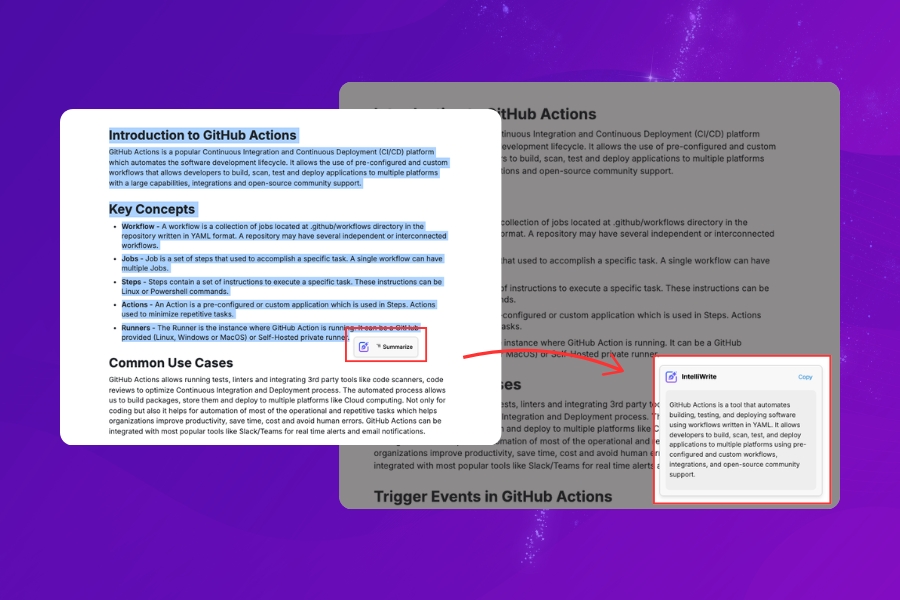
Summarize with Intelliwrite - Say Goodbye to Information Overload
-
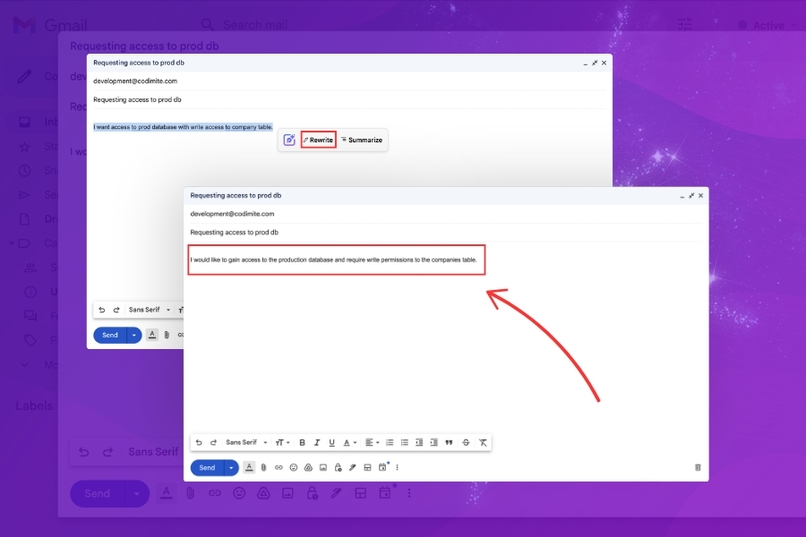
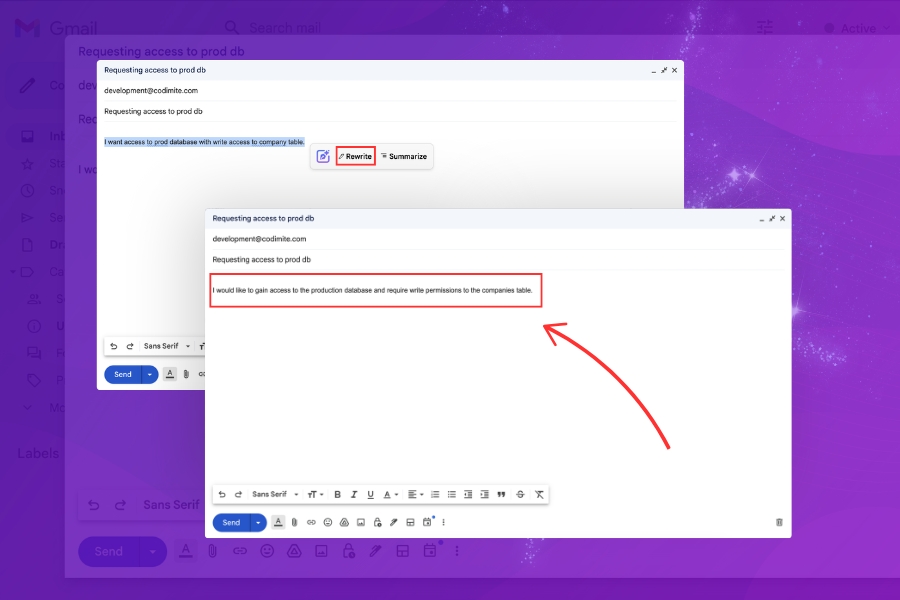
Rewrite with Intelliwrite - Craft Text Like a Pro
Inspiration
We set out to address two common challenges people face with AI: making sense of information quickly and keeping sensitive data secure. Many users worry about sharing private details, especially under NDAs, while others struggle with simplifying long texts or understanding new concepts. Intelliwrite was designed to tackle both problems, making AI smarter, safer, and easier for everyone to use.
What It Does
Our app offers three main features:
- Summarize/Explain
- Redact
- Rewrite
Summarize/Explain
- Summarize: Condenses content from websites, articles, or any text input into a concise, clear summary, helping users quickly grasp the key points. This feature only activates when more than 3 words are selected.
- Explain: Select three or fewer words to get a simple, understandable explanation of the selected term or phrase.
- This "two-in-one" feature adapts to the context, offering a seamless way to learn, understand, and summarize information effortlessly.
Redact
- This feature is specifically designed for AI chatbots. When users input sensitive information, they can select the text and click the Redact button, which appears after selection.
- The app automatically detects and replaces sensitive data such as phone numbers, email addresses, API keys, and more, ensuring private information isn’t shared with the AI.
Rewrite
- Automatically corrects grammar and common errors in selected text.
- Especially beneficial for users who are not fluent in English, allowing them to write their thoughts as best they can, while the app refines the sentences.
How We Built It
We started with a small research project to identify the challenges users face when using Chrome (as we planned to build a Chrome extension) and AI models. Based on our findings, we brainstormed solutions and finalized the current idea. To validate the concept, we developed simple proof-of-concepts (POCs) and, after refining the idea, created the UI designs for the final product.
Challenges We Ran Into
- API Initialization: The Rewriter API wasn’t working before (Issue).
- DOM Interaction: Ensuring extensions properly interact with the DOM.
- Model Execution: Making the model perform as expected.
- Initialization Time: Minimizing the model's initialization time.
- Background Execution: Moving the model to the background (service worker) to improve performance.
- Parallel Requests: Handling requests across different tabs when the model processes one at a time.
- Invalid Output: Dealing with issues when the model produces invalid output.
- Popup Placement: Ensuring popup windows appear at the correct location.
Accomplishments That We're Proud Of
- Few-Shot Learning (FSL): Successfully implemented FSL for model calls.
- Queue Mechanism: Developed a queue system to handle parallel requests to the model.
- Model Initialization: Kept the model initialized in the background for faster performance.
- Token Calculation: Calculated user input tokens to optimize model session updates.
- Service Worker Design: Structured the service worker code using the Command and Strategy design patterns.
What We Learned
- System Prompt Examples: Always provide examples in the model system prompt; explanations alone aren’t enough.
- Shadow DOM: Gained insights into using shadow DOM for maintaining encapsulation in custom elements.
- Chrome Extensions: Learned how Chrome extensions work, including communication and security protocols.
- Small AI Models: Discovered the potential of creating multiple small, specialized AI models that collaborate to complete complex tasks.
What's Next for Intelliwrite
- Google Docs Integration
- Voice-to-Text Feature: A voice-to-text functionality that automatically corrects grammatical errors, especially designed to assist people with disabilities.
- Customizable Options: Introducing an "Options" feature to allow users to adjust the model’s tone, from formal to casual or professional.
- Gemini API Integration: For more complex tasks, such as rewriting with enhanced professionalism.
Built With
- mantine
- react
- typescript


Log in or sign up for Devpost to join the conversation.