-
-
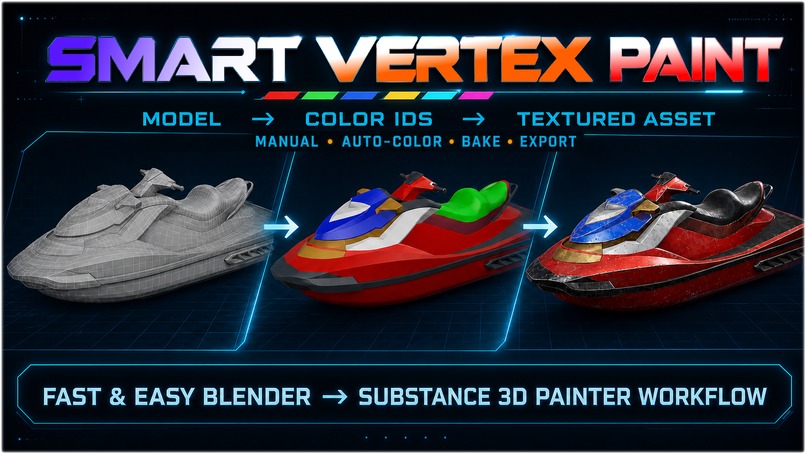
SVP workflow: Model → Color IDs → Textured Asset
-
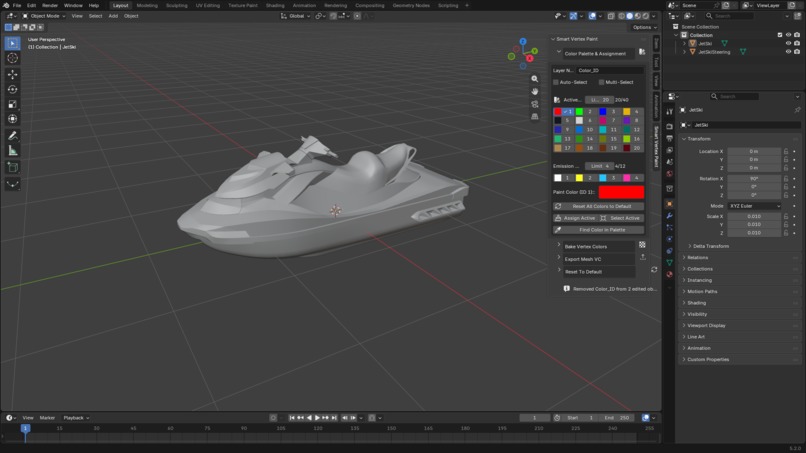
Starting point: untextured jet ski model in Blender
-
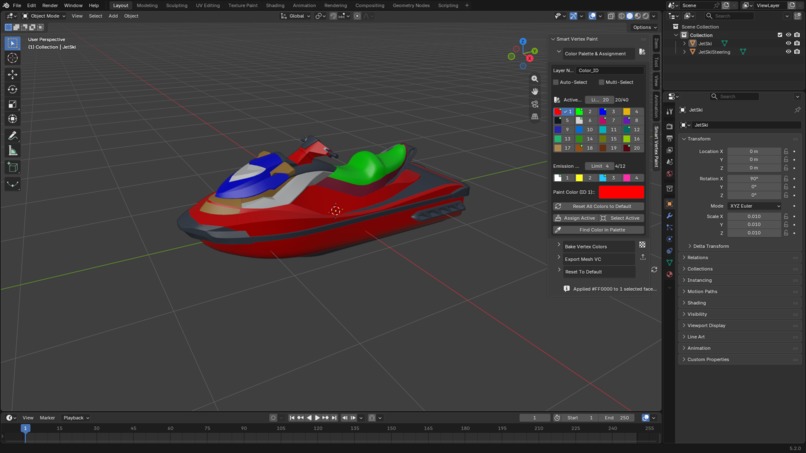
Smart Vertex Paint: organized Color IDs assigned directly in Blender
-
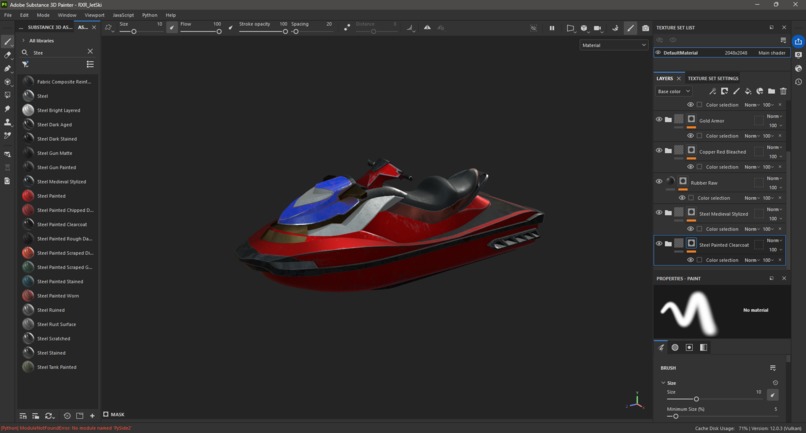
Substance 3D Painter: Color IDs enable fast material selection and texturing
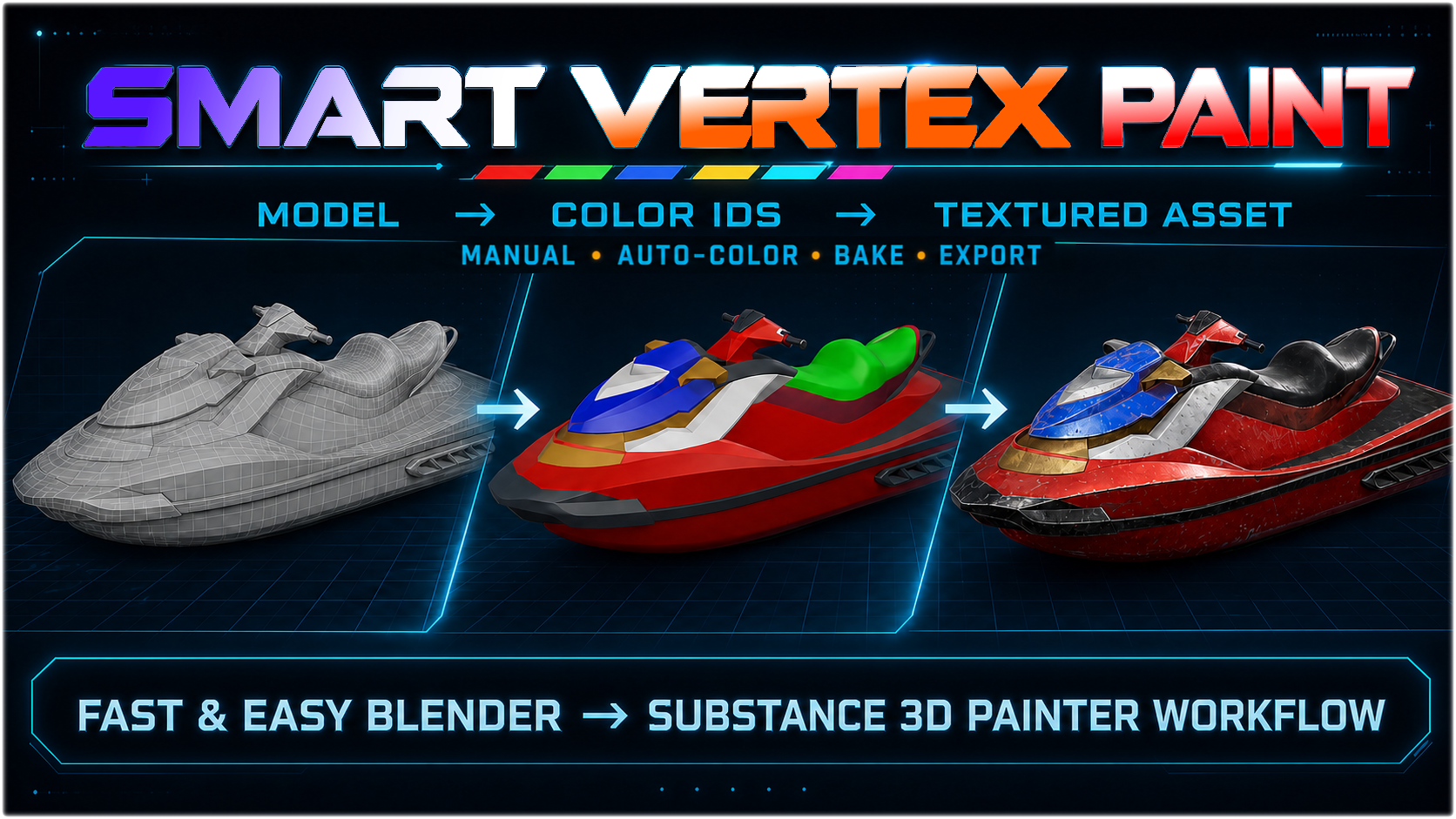
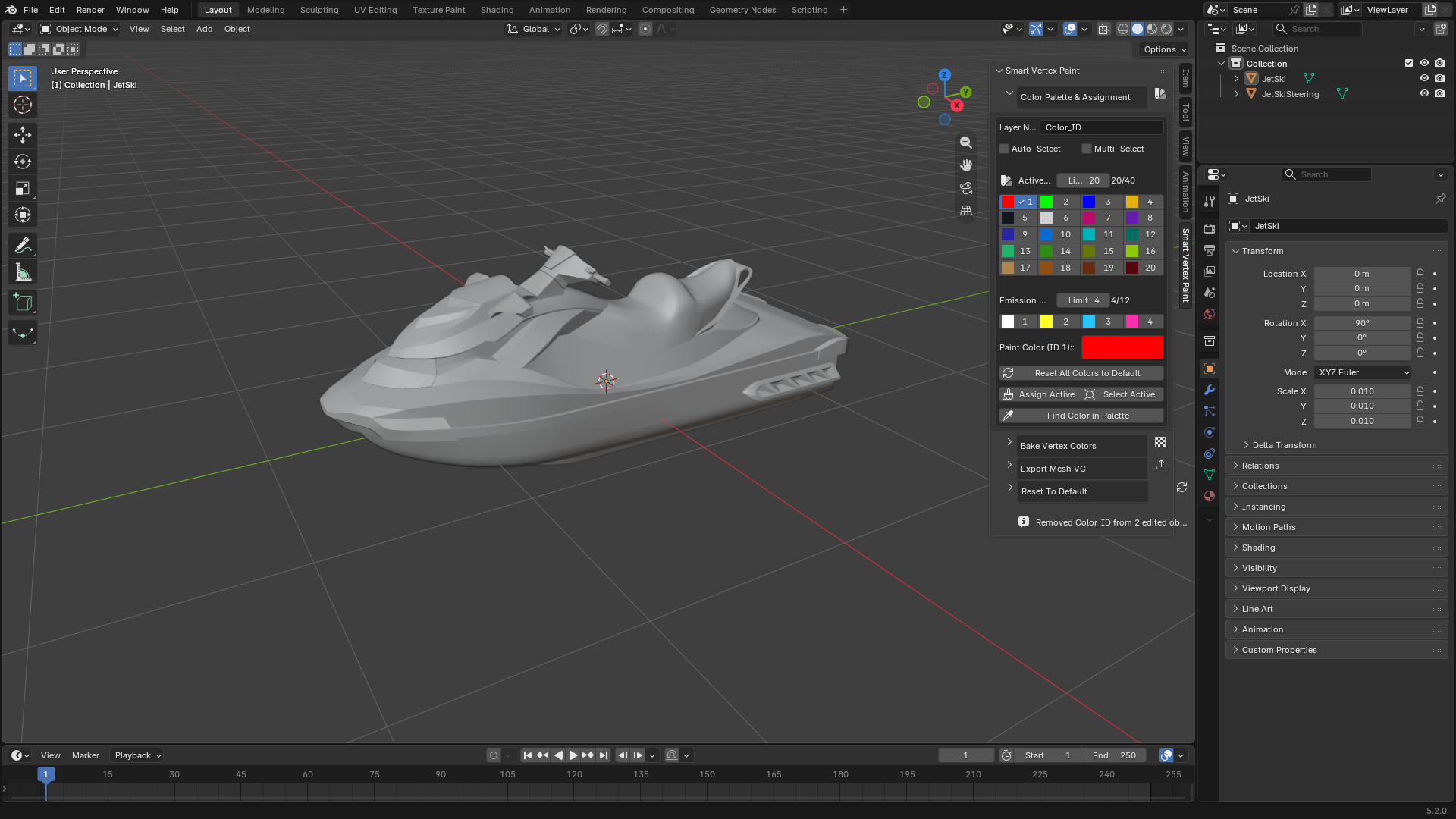
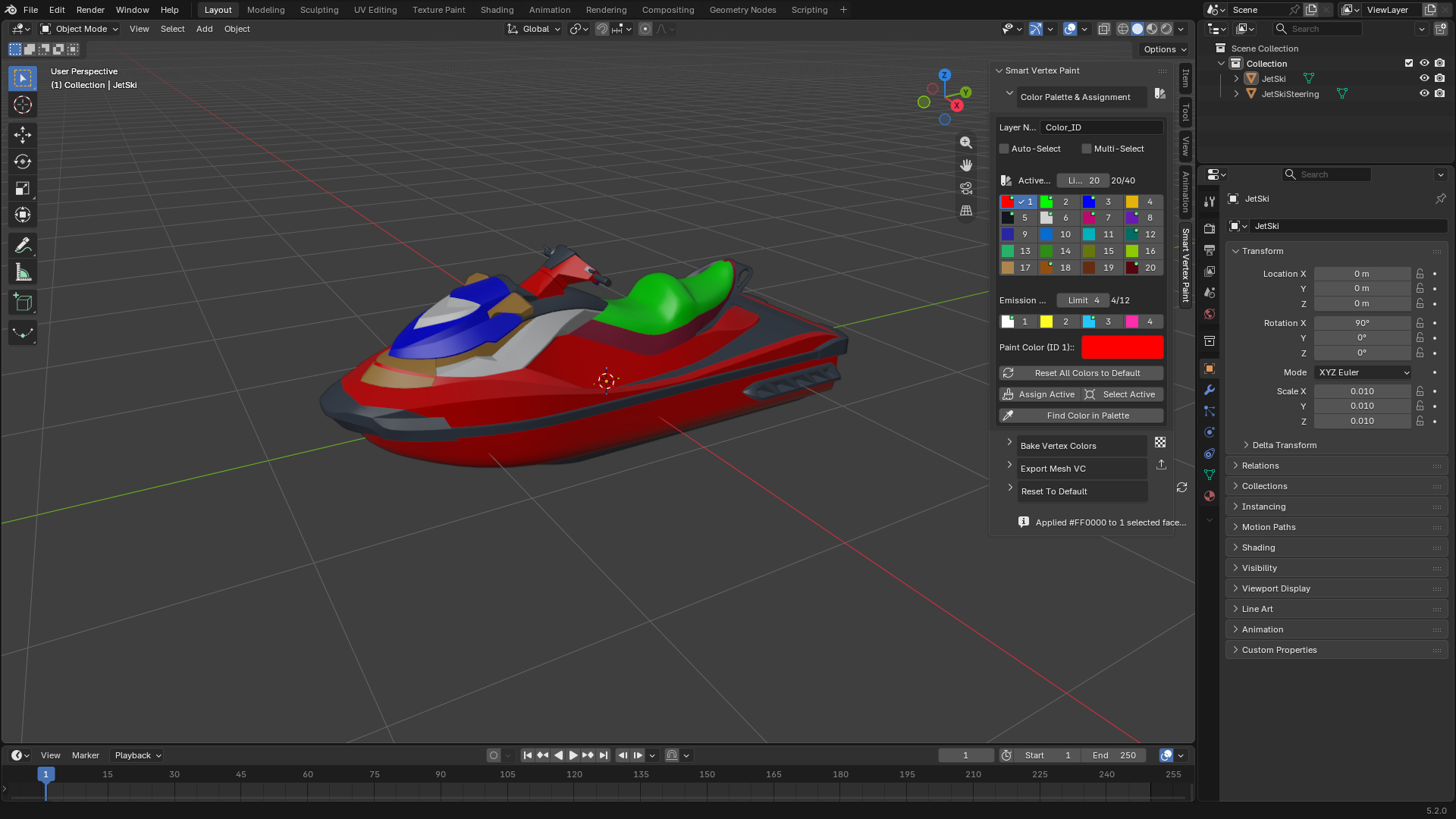
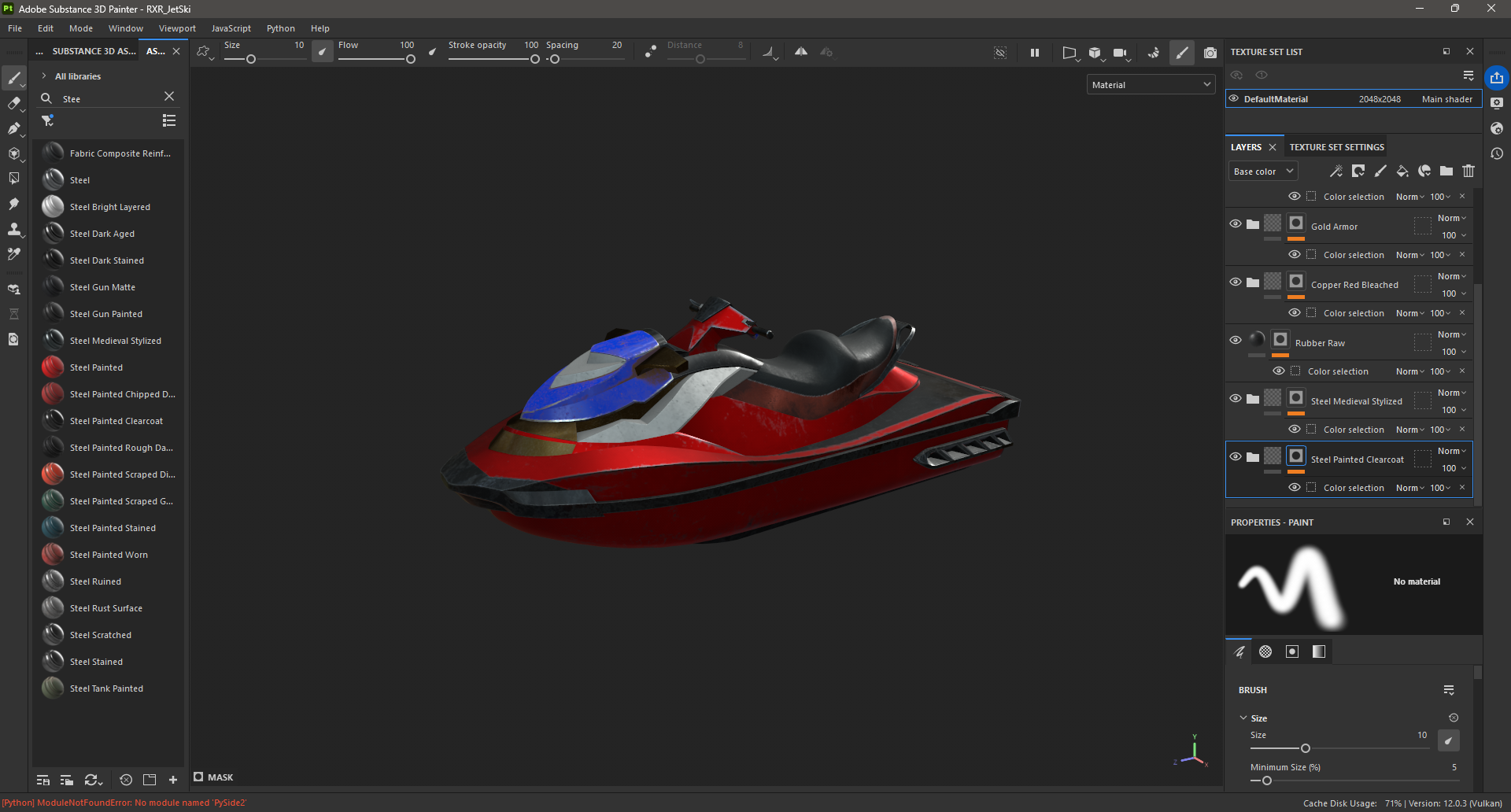
Inspiration
I created Smart Vertex Paint after repeatedly running into the same problem while preparing 3D assets for my XR game projects.
Complex models often contain many separate elements—bolts, panels, cables, glass, trims, and mechanical parts. Creating Color IDs for all of them can require a lot of repetitive selection, temporary materials, masks, and manual organization. That work takes time away from the creative part of making a game.
I wanted a workflow that begins in Blender and continues naturally into Substance 3D Painter and game engines such as Unity, Unreal Engine, and Godot.
The goal was not to automate artistic decisions. It was to remove the repetitive technical work around them.
That idea became Smart Vertex Paint (SVP): a Blender extension that combines precise manual Color ID assignment with fast automatic coloring tools.
What it does
Smart Vertex Paint uses Blender's native Color Attributes system to assign numbered colors to different parts of a model.
Artists can manually select faces, choose a numbered color, and assign it instantly. Colors already used on the model are clearly marked in the palette, making larger Color ID setups easier to manage.
The main time-saving feature is the set of automatic Color ID generators:
- By Geometry (3D) colors separate model parts.
- By UV Map (2D) colors separate UV islands.
- By Geometry Size (3D) groups similarly sized parts, such as bolts, screws, panels, or rivets.
- By UV Size (2D) groups UV islands with a similar size.
This allows complex models and repeated elements to be prepared in seconds instead of being colored one part at a time.
Once the Color IDs are created, artists can immediately select, isolate, hide, recolor, or inspect matching parts directly inside Blender.
SVP can also:
- bake the Color IDs into a PNG image for texture-based workflows,
- export selected meshes to FBX while preserving their vertex colors,
- continue the workflow in Substance 3D Painter,
- use the resulting masks in Unity, Unreal Engine, Godot, and other tools.
The same Color IDs can later drive material masks, emissive areas, material blending, dirt, damage, snow, moss, or color variation.
How it was built
Smart Vertex Paint was built through a human-led, iterative collaboration with OpenAI Codex and GPT-5.6.
I defined the original product idea, the artist workflow, visual direction, feature priorities, and acceptance criteria. I also tested every feature directly inside Blender using real production assets.
Codex and GPT-5.6 helped me turn those requirements into a working extension. They accelerated implementation, debugging, testing, and refinement across areas such as Blender Color Attributes, mesh editing, multi-object workflows, automatic generators, baking, FBX export, interface behavior, packaging, and documentation.
The process was continuous:
- I described a real workflow problem or desired feature.
- Codex helped implement or improve it.
- I tested it inside Blender.
- I identified edge cases and usability problems.
- We refined the implementation and tested it again.
I remained responsible for the product concept, workflow design, feature decisions, hands-on testing, and final approval of every part of the extension.
Challenges I faced
The biggest challenge was translating a visual and hands-on 3D art workflow into precise technical requirements.
Some ideas felt obvious while working inside Blender, but they needed clear rules before they could become reliable features. This was especially important for automatic grouping, multi-object Edit Mode, UV islands, repeated geometry, visibility controls, and export behavior.
Another challenge was balancing three goals:
- keeping the interface simple,
- providing fast automation,
- preserving precise artistic control.
The extension also needed to remain practical across different Blender versions and work reliably on complex production models.
What I learned
I learned that the most useful creative tools do not need to automate every decision.
Their greatest value can come from removing repetitive work while leaving the artist fully in control of the final result.
I also learned that AI-assisted development works best as an iterative collaboration, not as a single prompt. Codex was most effective when I provided clear goals, concrete examples, acceptance criteria, and immediate feedback from real Blender testing.
The artist brings workflow knowledge, creative direction, and an understanding of the real problem. AI helps transform that knowledge into a practical tool faster and makes experimentation and refinement easier.
Building Smart Vertex Paint showed me how powerful that combination can be: a repetitive problem from my own game-development workflow became a complete Blender extension that can now save time for other artists as well.

Log in or sign up for Devpost to join the conversation.