-
-
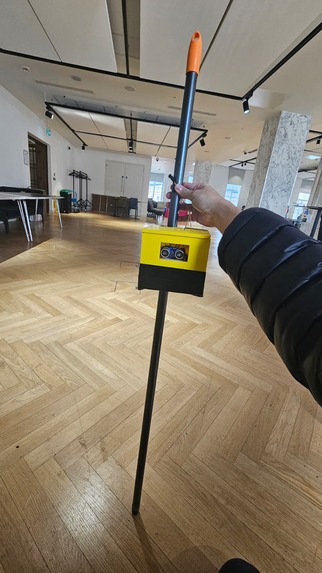
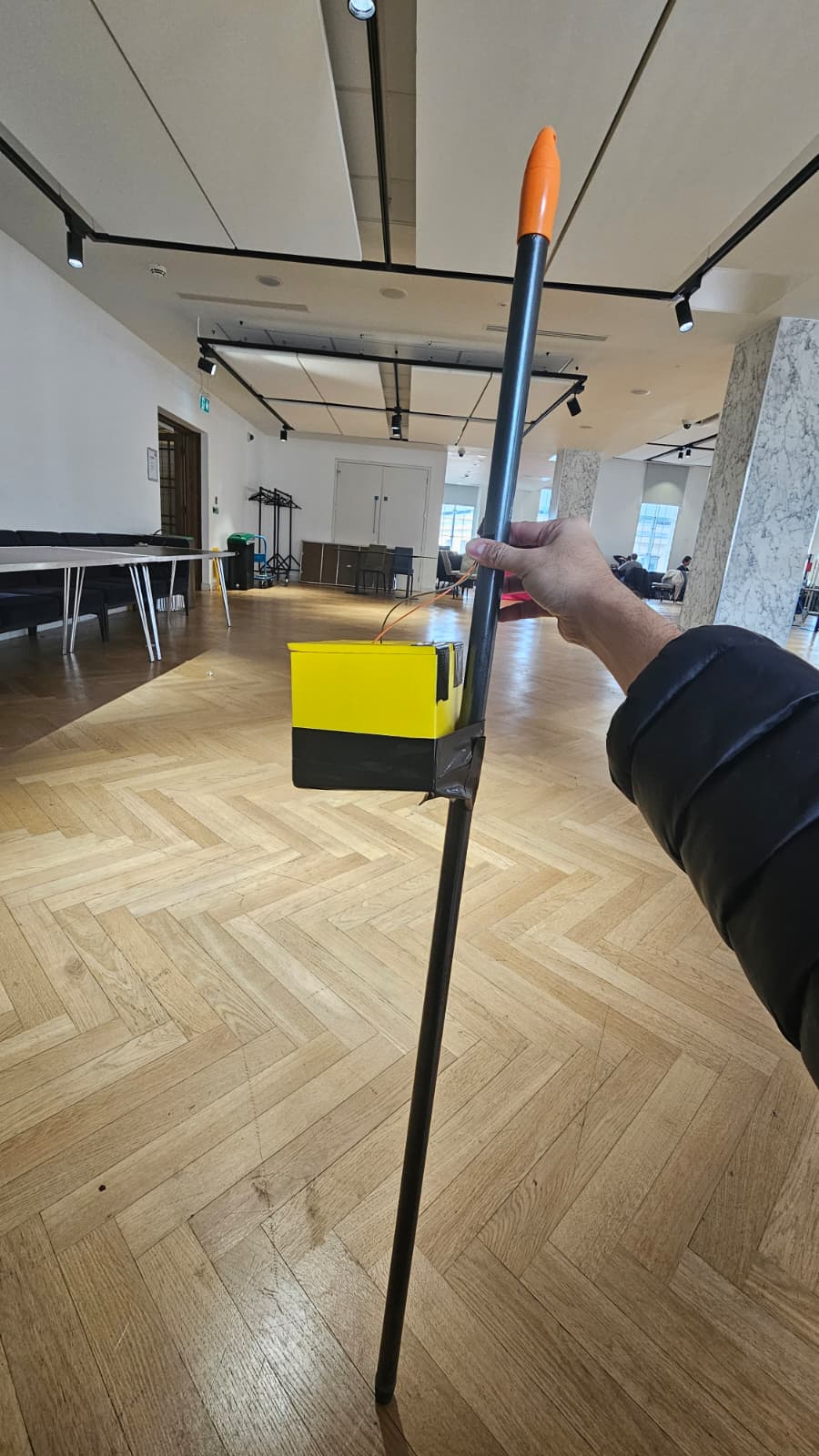
Front View
-
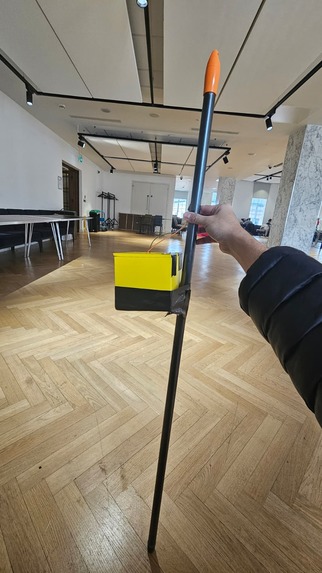
Side View
-
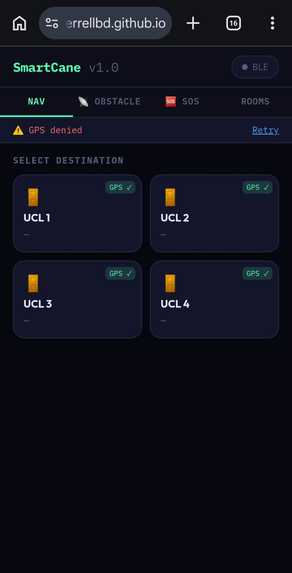
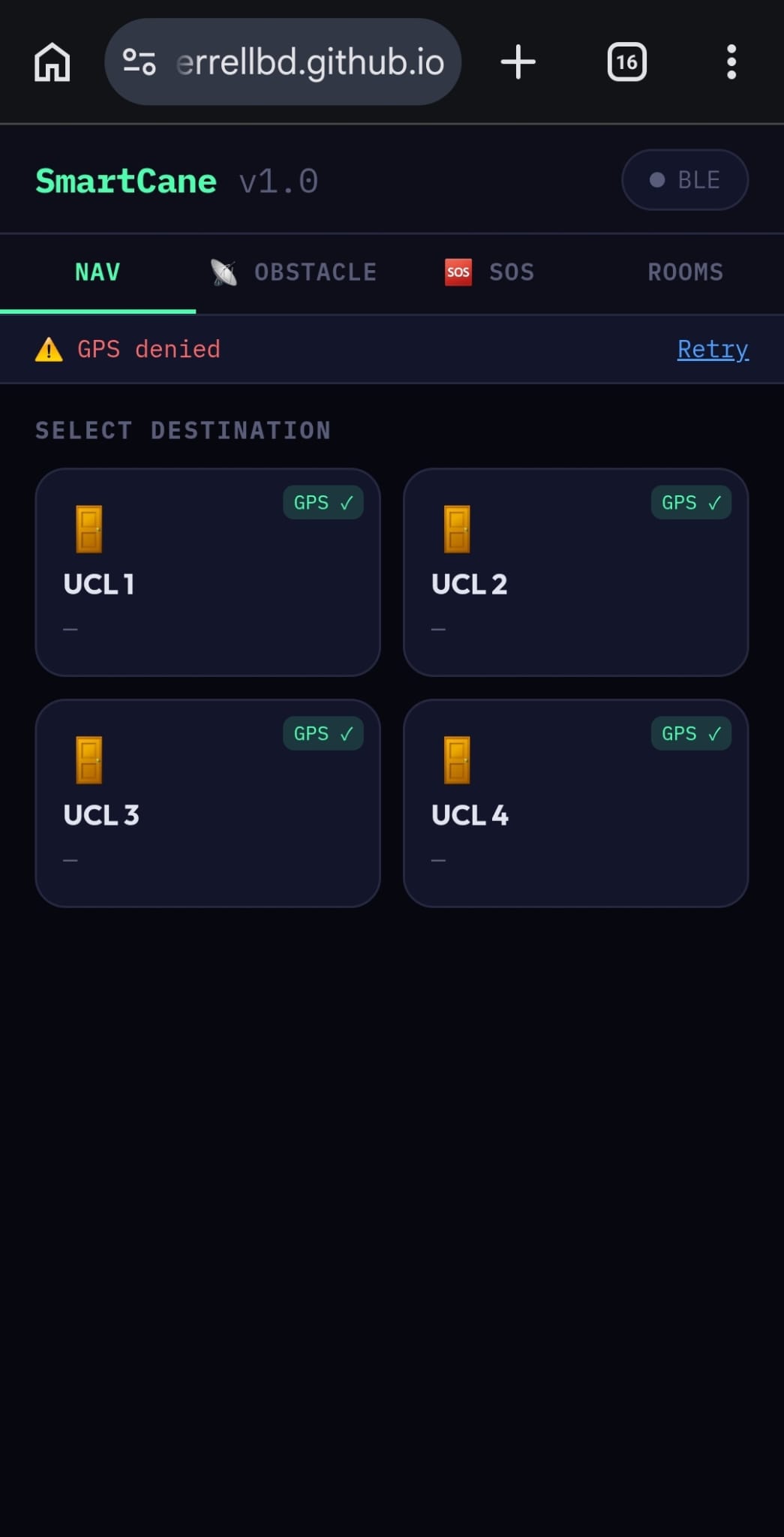
Smart Cane Application
Inspiration
Over 2 million people in the UK are living with sight loss. For visually impaired university students, navigating a busy campus is a daily challenge that standard white canes simply weren't designed for. A traditional cane detects ground-level obstacles but gives no warning about chest-height hazards, no navigation guidance between buildings, and no way to call for help in an emergency.
We asked ourselves: what if a walking cane could be as smart as a smartphone?
What it does
SmartStick is a smart walking cane with three core features:
1. 🗺️ Indoor Campus Navigation The companion web app lets a carer or user map any room by walking to its door and capturing GPS coordinates. During navigation, the phone's compass and GPS automatically track the user's direction every second and send buzzer commands to the cane — a high-pitched beep for right, low-pitched for left, and a double beep to go straight. When the user arrives, a rising melody plays. No internet connection is required during navigation.
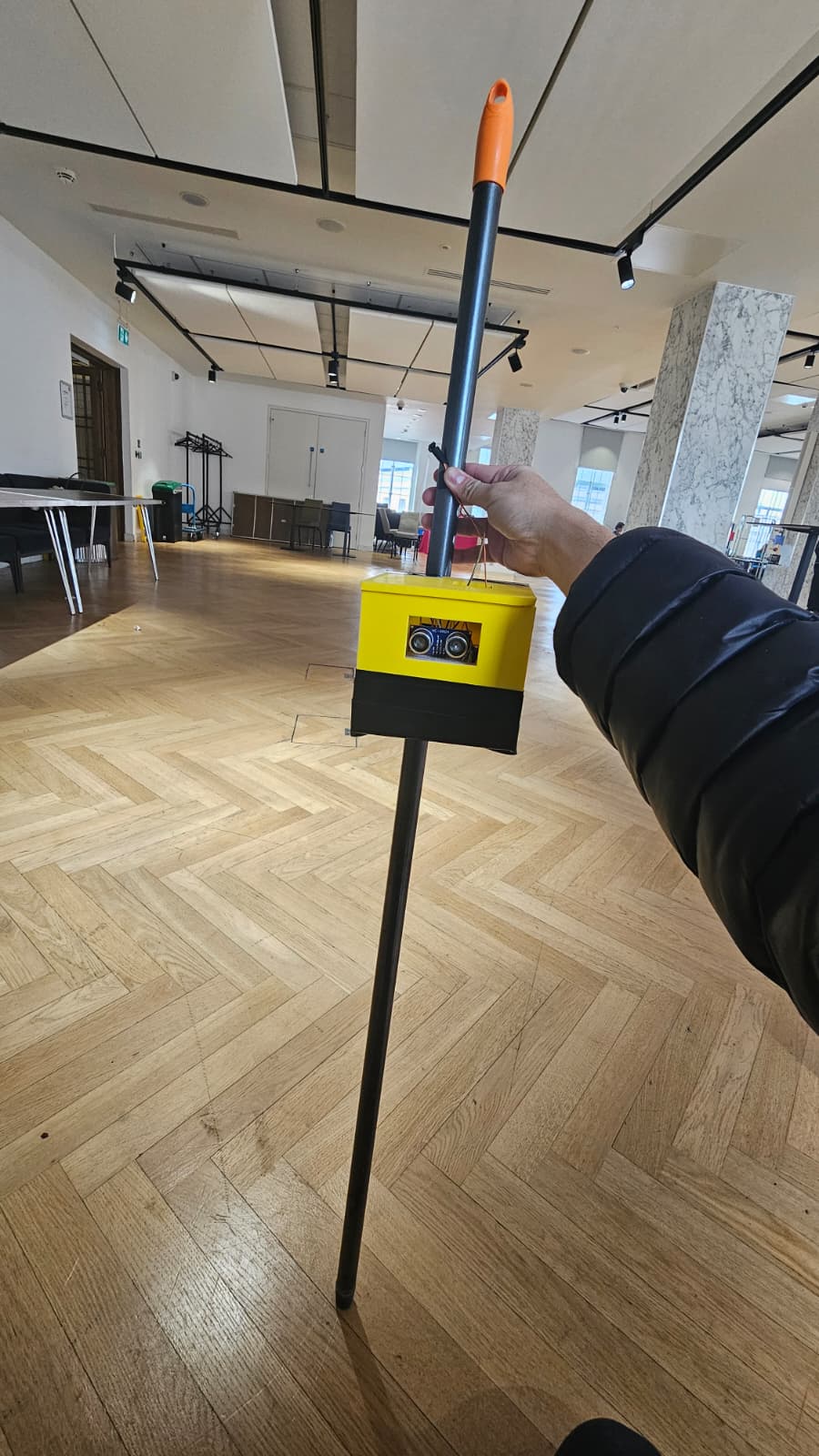
2. 📡 Ultrasonic Obstacle Detection An HC-SR04 ultrasonic sensor mounted on the cane continuously detects obstacles at chest and head height — the blind spot of a standard cane. It operates at three levels:
- 🟡 NOTICE (< 150cm): 1 soft beep + phone vibrates once
- 🟠 WARNING (< 80cm): 2 medium beeps + phone vibrates twice
- 🔴 DANGER (< 30cm): 5 rapid beeps + phone vibrates 5 times rapidly
Navigation automatically pauses during danger alerts so the user isn't overwhelmed with competing sounds.
3. 🆘 One-Press SOS A physical button on the cane sends an emergency signal via Bluetooth to the companion phone app. The app immediately opens WhatsApp with the user's live GPS location pre-filled and ready to send to a saved emergency contact — no typing, no scrolling, just one press.
How we built it
The cane is powered by an ESP32 microcontroller running a custom Arduino firmware that handles BLE communication, ultrasonic sensor readings, buzzer patterns, and button detection — all simultaneously.
The companion app is a single-file Progressive Web App (HTML/CSS/JS) that uses the Web Bluetooth API to talk to the ESP32, the Geolocation API for GPS, and the DeviceOrientation API for compass heading. No app store installation required — it runs in Android Chrome over HTTPS.
The navigation algorithm computes the bearing from the user's current GPS position to the destination, compares it with the phone compass heading, and sends directional commands every second with smoothing and hysteresis to prevent rapid direction flipping.
Total hardware cost: under £15
- ESP32 Dev Module
- HC-SR04 Ultrasonic Sensor
- Passive Buzzer
- Push Button
Challenges we ran into
Browser security restrictions: The Web Bluetooth API, Geolocation API, and vibration API all require HTTPS and specific user interaction triggers. We had to carefully design the UX to unlock each permission at the right moment without interrupting the user flow.
GPS accuracy indoors: Standard smartphone GPS has ±3–10m accuracy indoors, which made arrival detection unreliable. We tuned the arrival threshold and added a compass-based heading system to compensate for GPS drift.
Buzzer volume: The ESP32's GPIO pins output only 3.3V at 12mA — barely enough to drive a passive buzzer loudly. We chose frequencies in the buzzer's resonant range (2000–3000 Hz) to maximise audibility within the hardware limits.
Navigation smoothing: Early versions of the direction algorithm were too reactive, causing the cane to rapidly switch between left/right/straight beeps. We implemented a 3-tick confirmation filter and hysteresis dead zone to make guidance feel natural and calm.
Accomplishments that we're proud of
- Built a fully functional assistive device in 24 hours with £15 of hardware
- Zero backend infrastructure — everything runs on the ESP32 and a static HTML file
- The system works without an internet connection once rooms are mapped
- Designed for real users — we thought carefully about every sound, vibration pattern, and interaction from the perspective of someone who cannot see the screen
What we learned
- The Web Bluetooth API is surprisingly powerful for building IoT companion apps without native app development
- Assistive technology design requires thinking beyond code — sound frequency, vibration rhythm, and button placement matter as much as the algorithm
- Cheap hardware constraints force creative solutions that often lead to more robust designs
What's next for SmartStick
- SIM module integration: Replace phone-dependent SOS with a SIM800L module so the cane can send emergency messages independently
- Machine learning obstacle classification: Distinguish between stairs, doors, and people using ultrasonic signature patterns
- OLED display: Add a small screen for carers to see navigation status at a glance
- Native Android app: Enable background BLE monitoring so the phone screen doesn't need to stay on
- Campus-wide deployment: Partner with a university disability office to map an entire campus and test with real visually impaired students

Log in or sign up for Devpost to join the conversation.