-
-
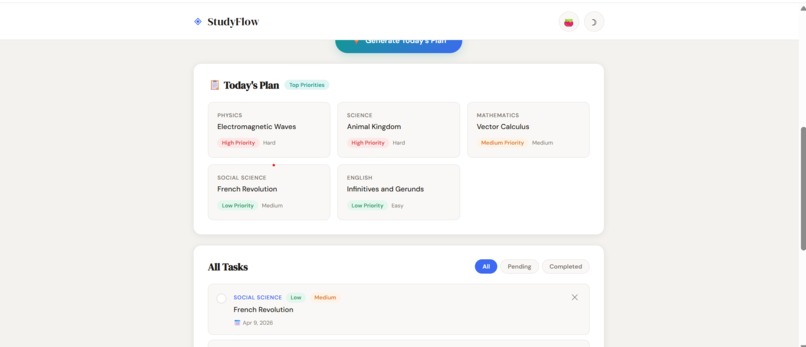
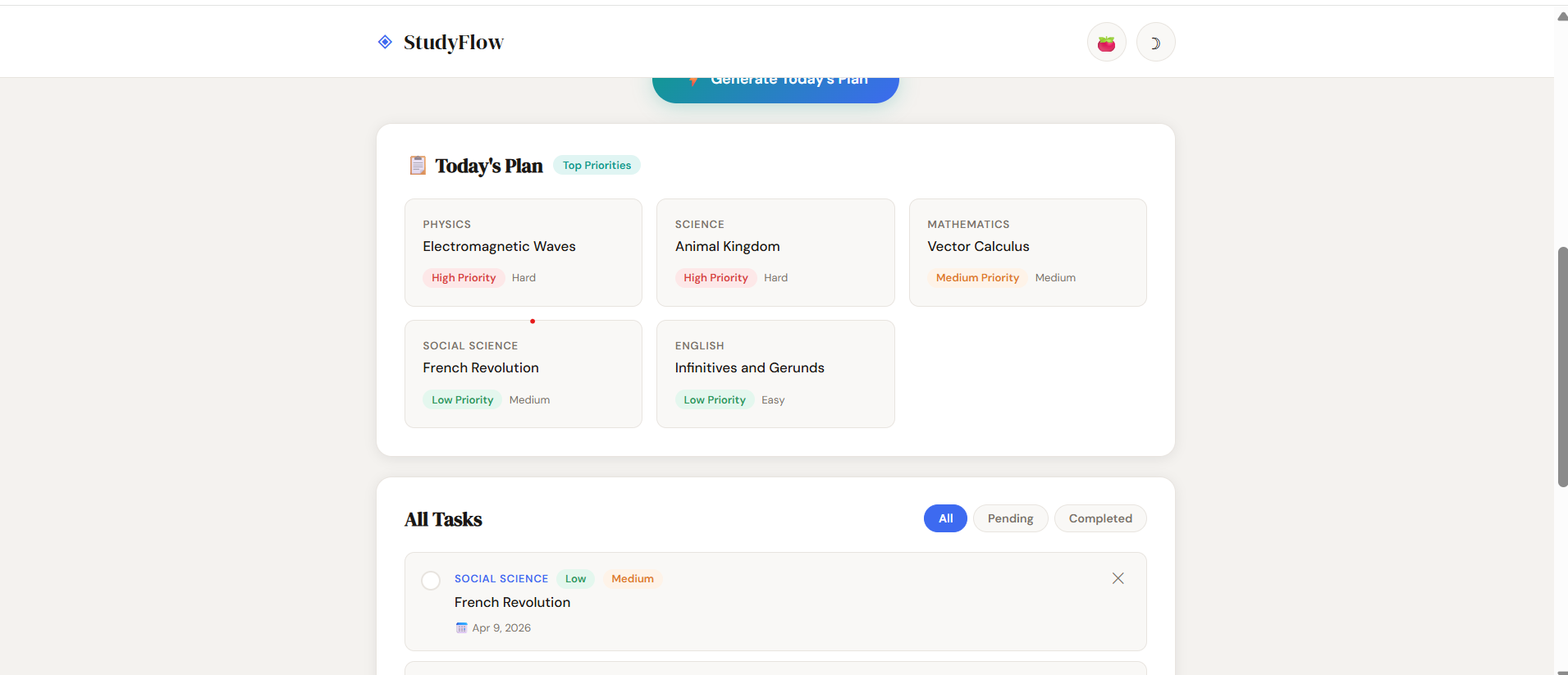
AI-powered priority generation highlighting the most urgent and important study tasks for today.
-
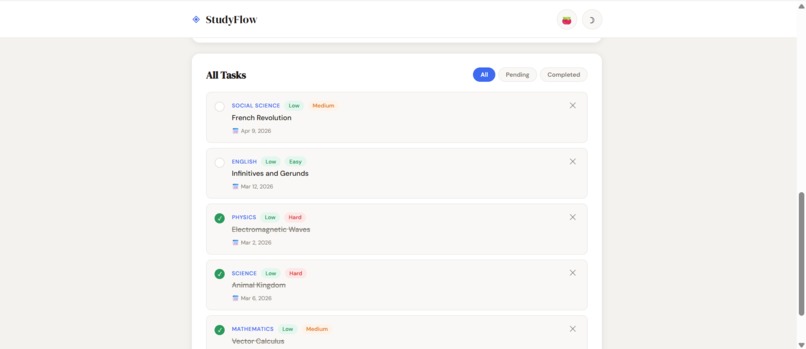
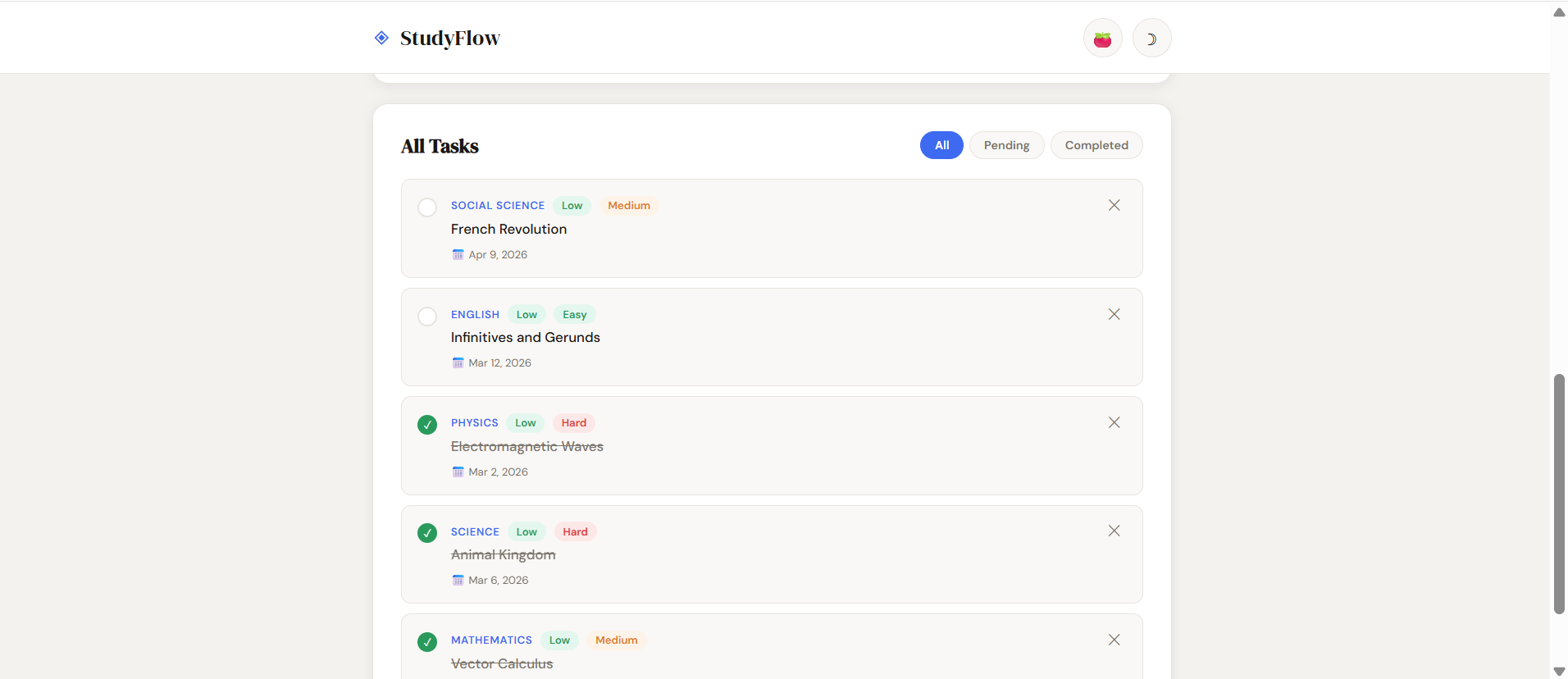
Smart task management with automatic priority scoring based on exam dates and difficulty levels.
-
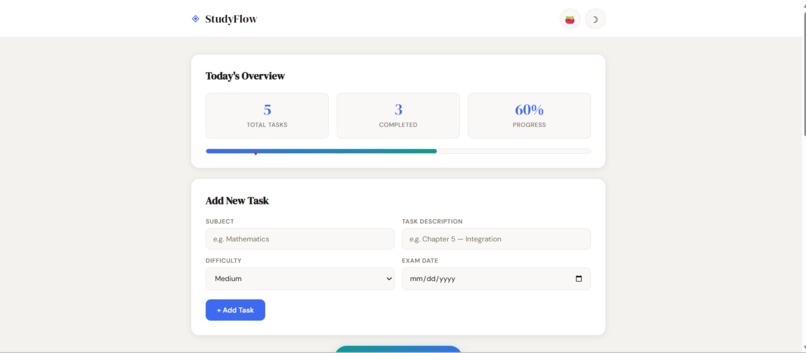
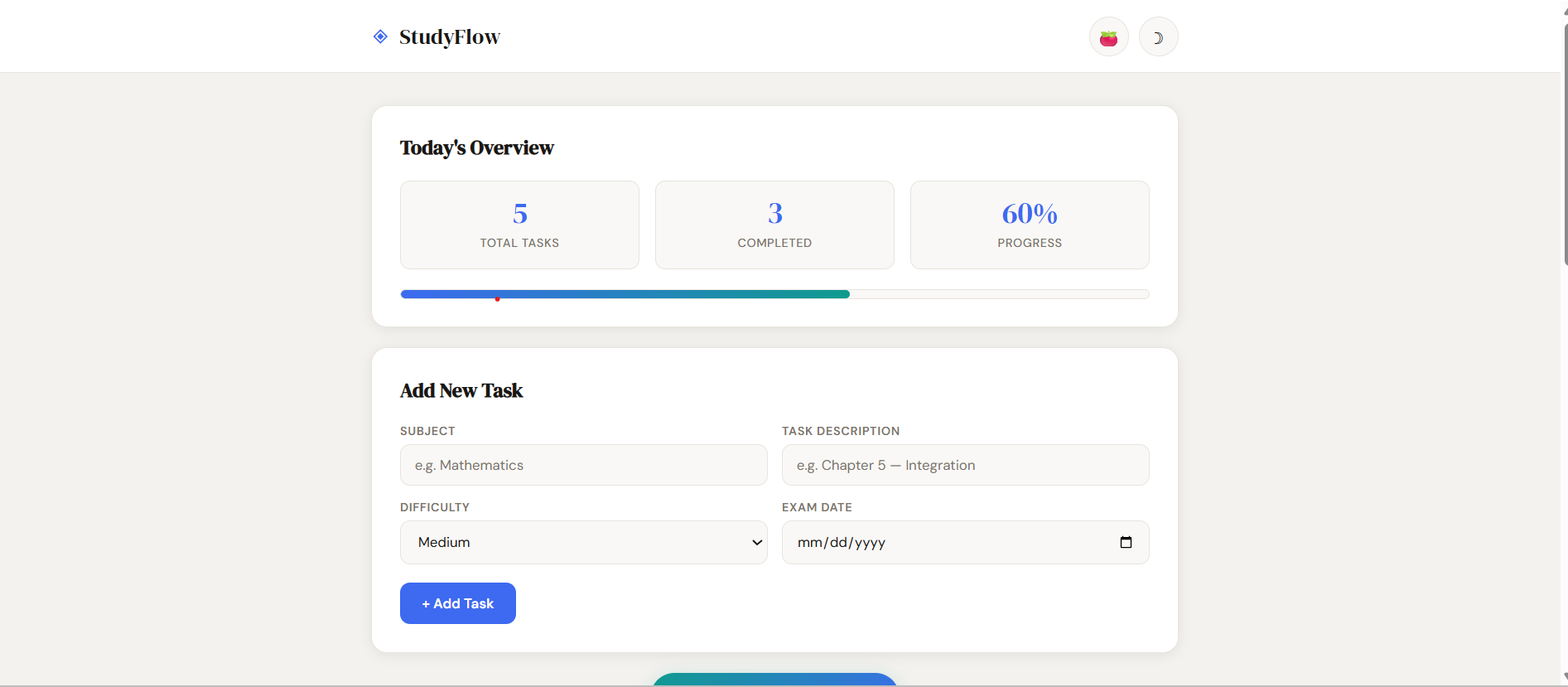
Real-time productivity tracking with dynamic progress updates as tasks are completed.
-
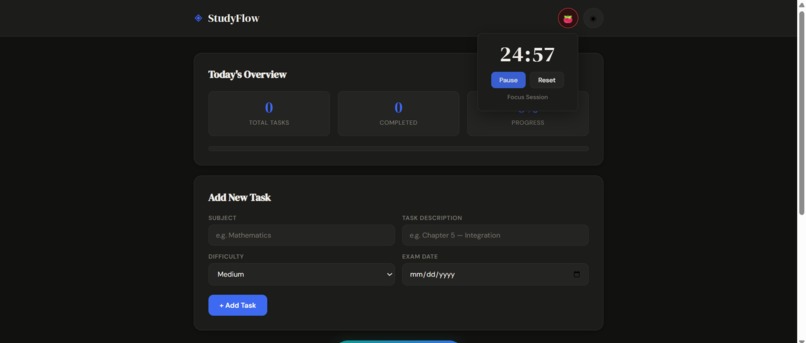
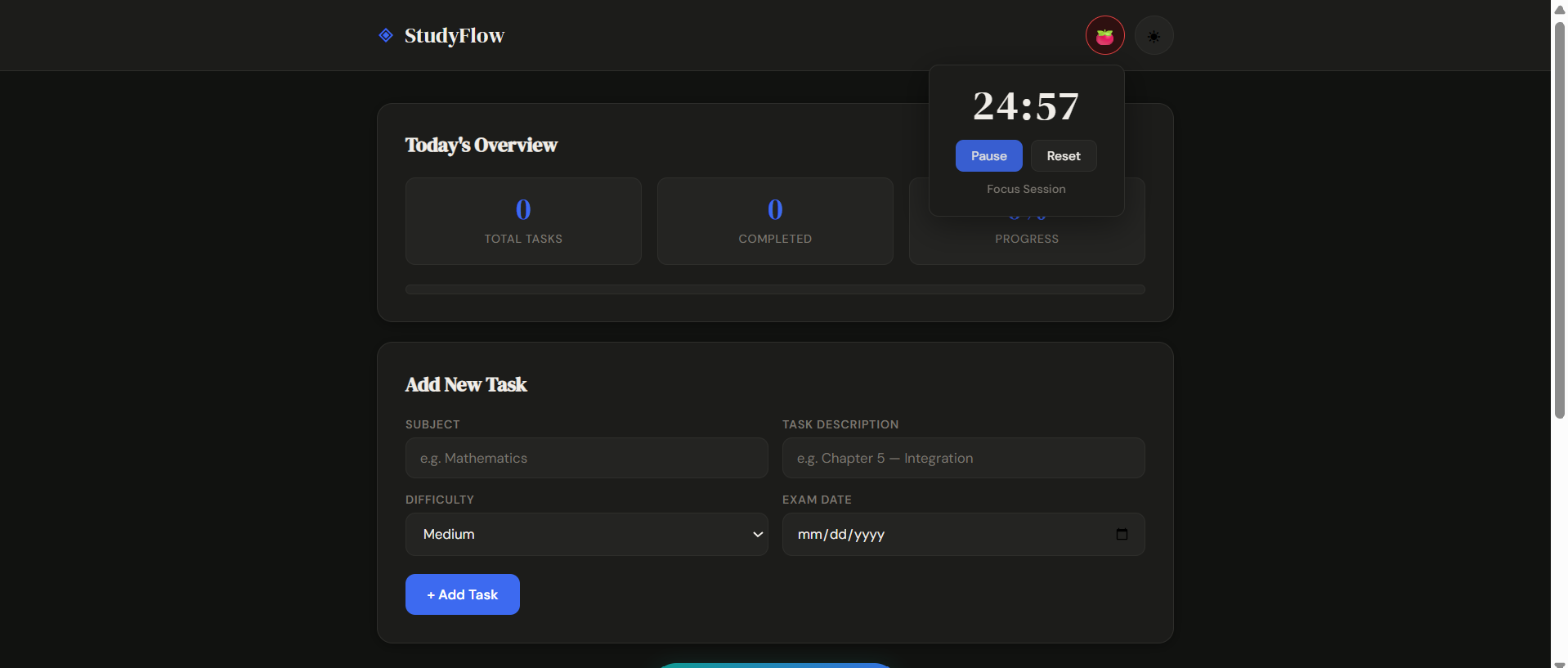
Built-in Pomodoro timer and dark mode for focused, distraction-free study sessions.
Inspiration
I frequently felt overburdened as a student by the numerous subjects, homework, and impending tests. Choosing what to study first was more difficult than actually studying. Stress and procrastination resulted from that daily decision fatigue. I wanted to create a straightforward tool that clears up any confusion and provides students with a clear place to start each day.
What it does
Smart Study Planner is a productivity web app that helps students:
- Add subjects and study tasks
- Assign difficulty levels and exam dates
- Automatically prioritize tasks using urgency and difficulty scoring
- Generate a focused “Today’s Plan”
- Track progress with real-time statistics
- Stay focused using an integrated Pomodoro timer
Instead of manually deciding what to do next, the app intelligently sorts tasks and highlights the most important ones.
How I built it
The entire project was built using:
- HTML for structure
- CSS for a clean, modern, responsive UI
- Vanilla JavaScript for all logic and interactivity
- LocalStorage to persist tasks across sessions
The priority system uses rule-based scoring:
- Tasks closer to exam dates receive higher scores
- Harder subjects increase the priority score
- Completed tasks are deprioritized
- Tasks are sorted dynamically to generate the top 5 most important items
The Pomodoro timer was built using JavaScript intervals and supports focus/break cycles.
Challenges I ran into
One of the main challenges was designing a priority algorithm that feels smart but remains simple and explainable. Another challenge was ensuring that tasks persist correctly using LocalStorage while keeping the UI responsive and clean.
I also focused heavily on user experience — building smooth animations, dark mode support, and a distraction-free layout.
Accomplishments that I am proud of
- Building a fully functional productivity system using only frontend technologies
- Designing a clean, modern interface suitable for real-world use
- Implementing task prioritization logic without relying on external libraries
- Creating a complete product within a short hackathon timeframe ## What I learned Through this project, I strengthened my understanding of DOM manipulation, state management, local storage handling, and UI/UX design principles. I also learned how to structure a project clearly and focus on solving a real user problem. ## What's next for Smart Study Planner
In the future, I would like to add:
- User accounts and cloud sync
- Adaptive scheduling based on study patterns
- Analytics to track long-term progress
- Smart reminders and notifications
The goal is to evolve this into a complete academic productivity ecosystem.


Log in or sign up for Devpost to join the conversation.