Inspiration
Now a days, every company has a product they are trying to sell you online. You search for one product and end up with hundreds of results. Which one do you pick?
Well, we know it's frustrating to look at all the different products and compare them. That's where the idea for Smart Shopper came to life.
What it does
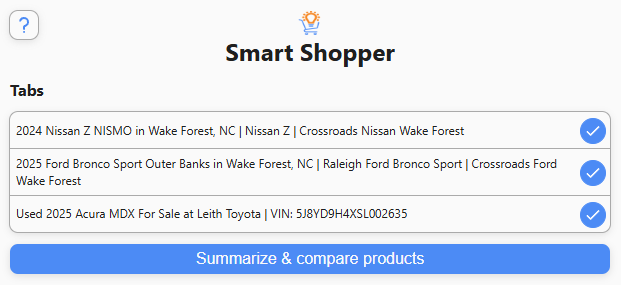
Smart Shopper alleviates decision fatigue and makes the online shopping experience easier by summarizing and comparing products so that you, the consumer, get the most for your money!
Want to save the output? After the products are compared, explore various ways to export your summaries and comparisons via text, JSON, email/messenger and webpage.
How we built it
We built it using the Summarizer and Prompt APIs that allow us to leverage Gemini Nano right in the user's browser. Using HTML and JavaScript, we've streamlined the online shopping experience.
Challenges we ran into
Working with Chrome's built-in LLM was a breeze but it did take some time to fine tune the output.
Accomplishments that we're proud of
We're proud to have built a Chrome extension using the bleeding edge of technology.
What we learned
We learned about working with LLMs, how great it is to use LLM APIs that are standardized and how to fine-tune responses from LLMs.
What's next for Smart Shopper
Smart Shopper has potential to become the number one tool in a shopper's toolbox. With further testing and development, we will become more effective in gathering, summarizing and comparing product data. Our next goal is to continue to tweak the data we pass to the Summarizer API so we can extract as much information as possible.
How to get started
- Navigate to the GitHub repository for Smart Shopper.
- Clone repo.
- Open chrome (Make sure you have the latest update!).
- Manage Extensions.
- Enable "Developer mode".
- Click "Load unpacked".
- Select the cloned repo.
- (Optional) Pin extension.


Log in or sign up for Devpost to join the conversation.