-
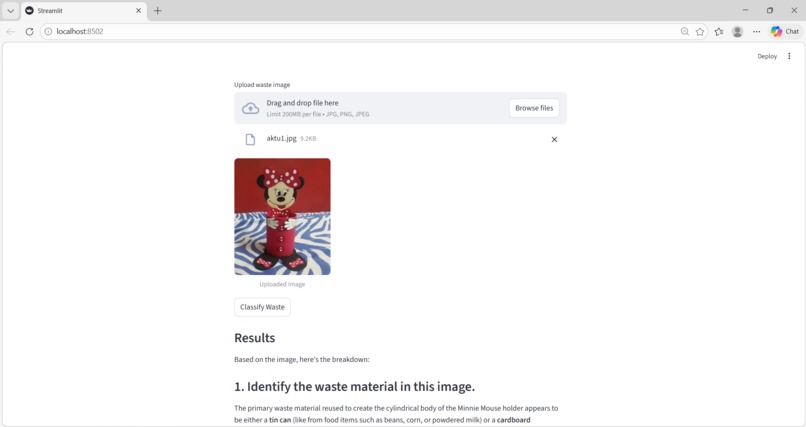
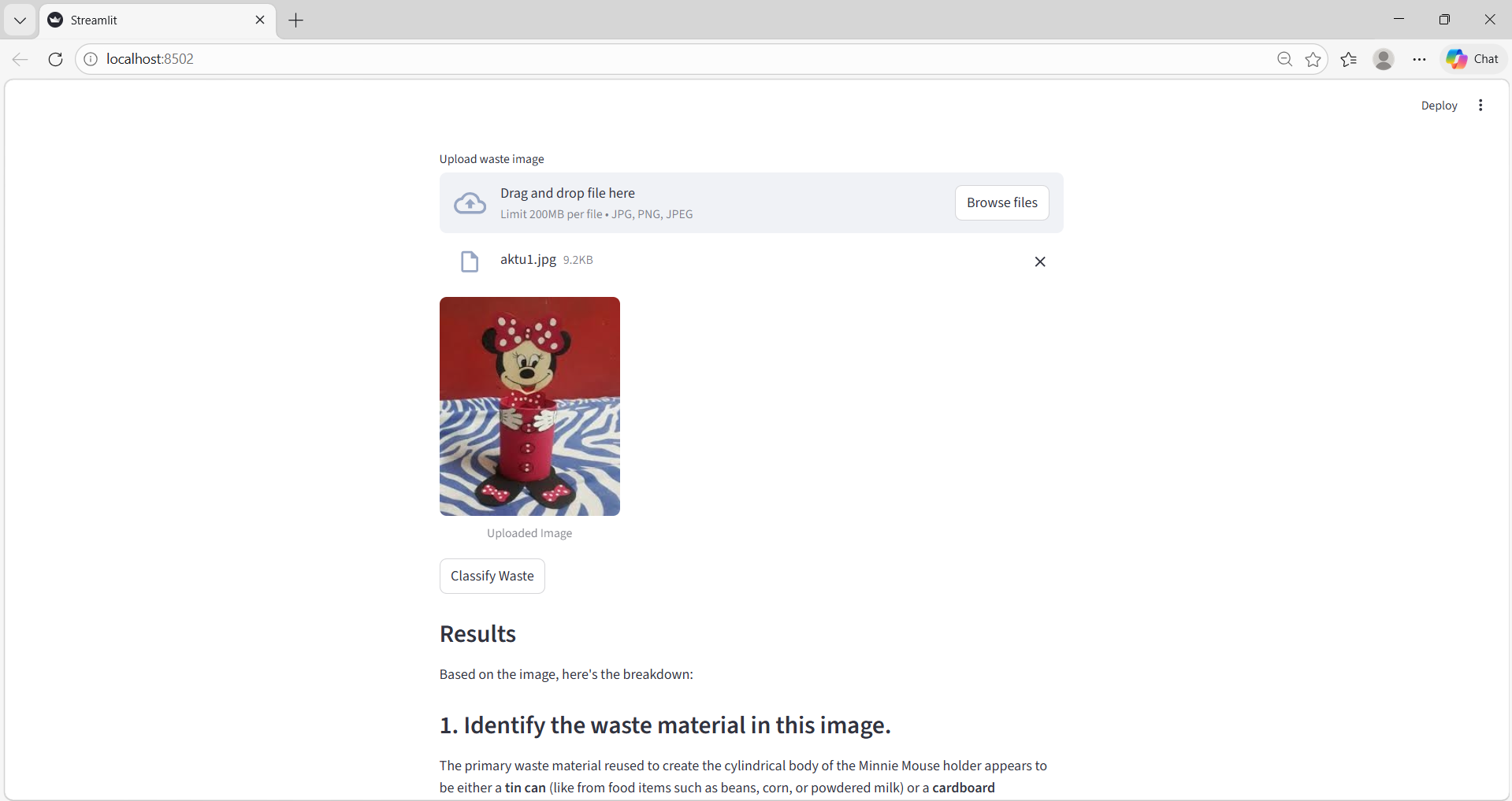
output
This is the "heart" of my project documentation.
Here is a structured "Project Journey" for Smart-Recycle AI:
💡 What Inspired me Living in or near an urban hub like Ghaziabad, the challenge of waste management is visible every day. I noticed two major problems:
The Confusion of Segregation: Most people want to recycle but don't know if a specific snack wrapper or bottle is "dry" or "wet" waste.
The "Throw-away" Culture: We often discard items that could easily be repurposed. I wanted to build a tool that makes the "right" environmental choice the "easiest" choice by putting an expert's knowledge into everyone's pocket.
🧠 What I Learned
Building this project was a deep dive into the modern AI ecosystem:
Multimodal AI: I learned how Large Language Models (LLMs) like Gemini can "see" and interpret pixels, not just text.
The Power of Streamlit: I discovered how to turn a Python script into a fully functional web app in hours rather than days.
API Management: I learned the technicalities of rate limits, quotas, and how to handle server-side errors effectively.
Prompt Engineering: I realized that how i ask the AI (the prompt) is just as important as the model itself—specifically for getting local results like "Ghaziabad recycling methods."
🛠️ How You Built It
I followed a modular development approach:
Interface Design: Used Streamlit to create a simple file uploader and image previewer.
API Integration: Connected the google-genai SDK to the backend to send image data to Google’s Flash models.
Prompt Logic: Crafted a system prompt that forces the AI to provide a structured response (Material ID → DIY Ideas → Local Tips).
Security: Integrated API key management (and started moving toward environment variables) to keep the application secure.
⚠️ Challenges I Faced
No project is built without hurdles! My main challenges were:
The "429" Quota Wall: Early on, the app would crash because I was sending too many requests during testing. I solved this by adding Trigger Buttons so the API only runs when specifically requested.
Model Versioning: I faced 404 Not Found errors when older model names were retired. This taught me to stay updated with documentation and use stable model versions like gemini-1.5-flash or 2.0-flash.
Edge Case Images: Sometimes the AI would struggle with crushed or dirty items. I had to refine the instructions to ensure it gave the "most likely" material identification even if the image wasn't perfect.
Built With
- googleaistudio

Log in or sign up for Devpost to join the conversation.