-
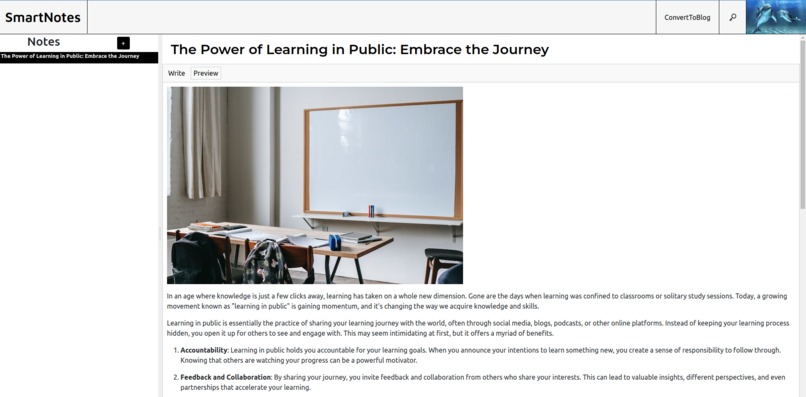
this is the homepage, it is a single page app

Inspiration
Recently, I started blogging, and experienced that I had to go to variousblogging platforms like medium, then hashnode, then dev to. I observed and felt that some of my friend had to it more. Even if some of them had built some kind of automations for them, it was not still pleasant at all.
Another issue was, converting notes into a blog. My friends who do learning in public, had to convert their notes into blogs, which many a times, consumes a lot of time.
What it does
So, to solve all of these problems, I created SmartNotes. This is a web app as well as chrome extension. In it, you can write notes in github style markdown and convert them to blogs using openai's chat gpt. And then, you can publish your blogs to major blogging platforms like medium, dev.to, all in a single app, without leaving it. Also, due to it being uisng firestore database, someone can just login to the site and get back his notes.
How we built it
I built it using React, Firebase, NodeJS, and using OpenAI's chatgpt api. I used react mde library & showdown to create the markdown text editor. To store the api keys and access token securely, I used Crypto JS and encrypted it using AES hashing algorithm. I used firebase for authentication, it's firestore database to store notes, keys & user info. and Firebase's storage to store the images.
Challenges we ran into
The biggest challenge I faced was implementing the github like image pasting functionality. I think this was the most challenging part in the application. Although, react mde had already made the job easier for me, but still, I found out that it's documentation was not that good. So, I spend a lot of time, doing it. Then, integrating the api was easy, but still hashnode api took a lot of time, it is a graphql api, i had never worked before with a graphql api, so it was a learning experience
Moreover, changing it into a chrome extension was a challenge and part of challenge is still remaining
Accomplishments that we're proud of
- Creatign my first chrome extension
What we learned
- GraphQl
- How to plan a project
- How to manipulate clipboard in an application
- Reading Documentations
What's next for Smart Notes
- Completing the context menu feature for extension mode and mobile site
- Blog Scheduling and a place where you can see a list of all of your scheduled blogs and you can stop it being published
- Adding support for more blog platforms and creating a way where you can add your own custom script so that you can publish your blogs on personal site as well
- Moving Beyond blogs - adding an option to post twitter threads or a tweet from the notes
Built With
- api
- express.js
- firebase
- node.js
- openai
- react

Log in or sign up for Devpost to join the conversation.