-
-
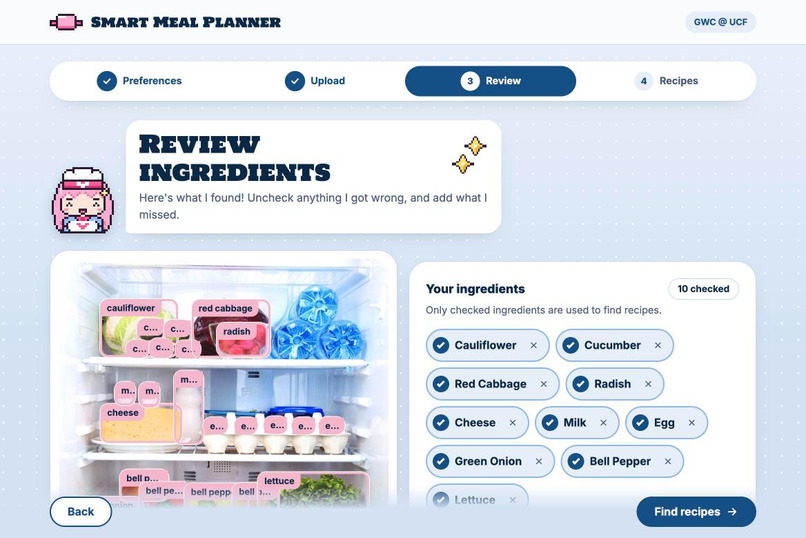
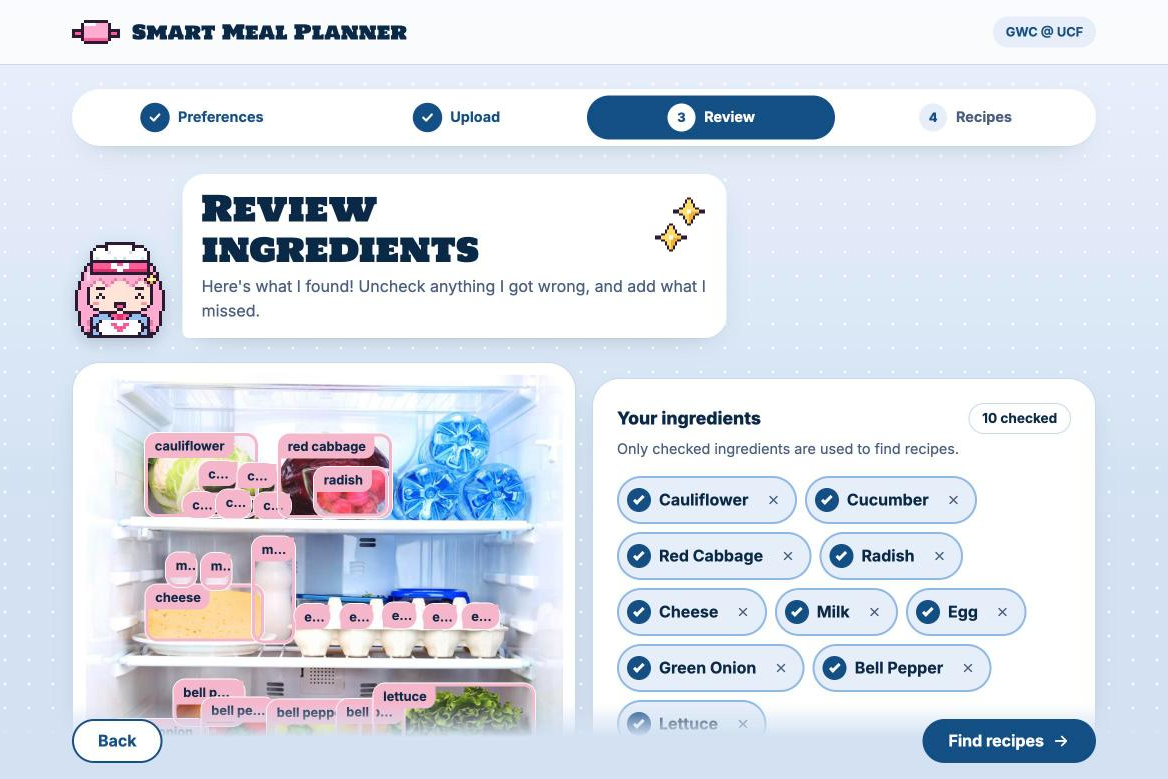
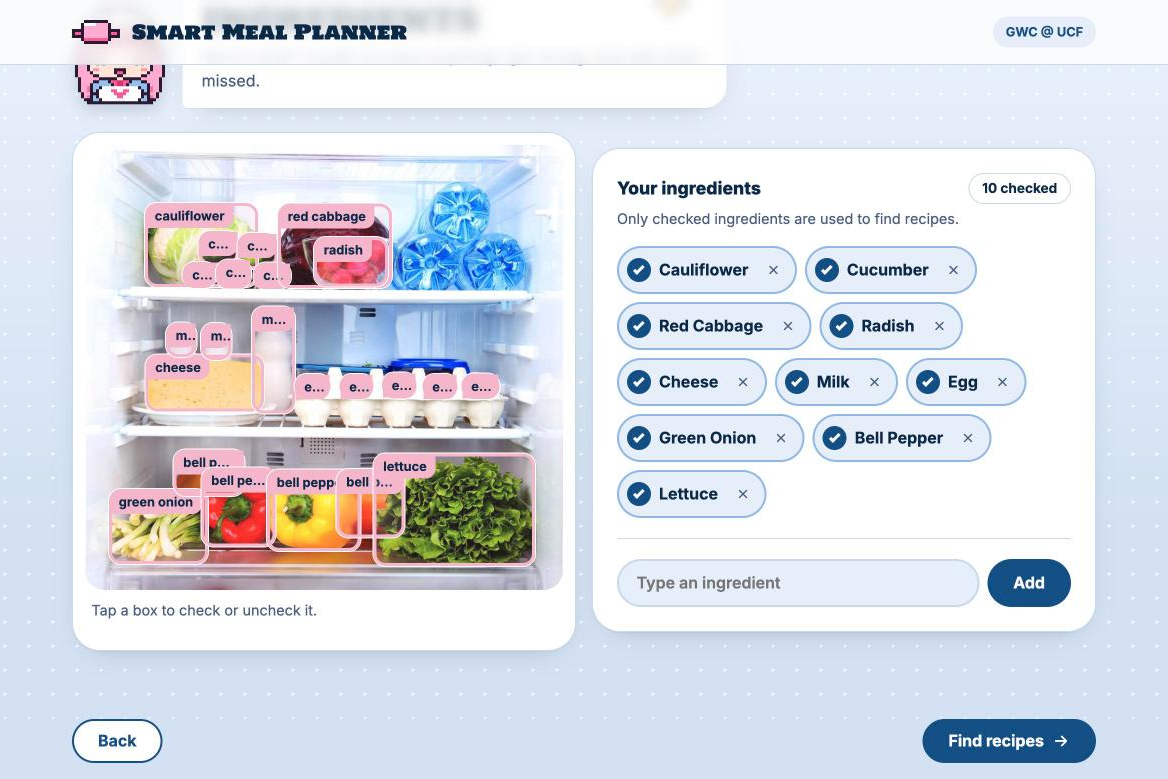
AI photo detection: every food found and boxed right on your photo.
-
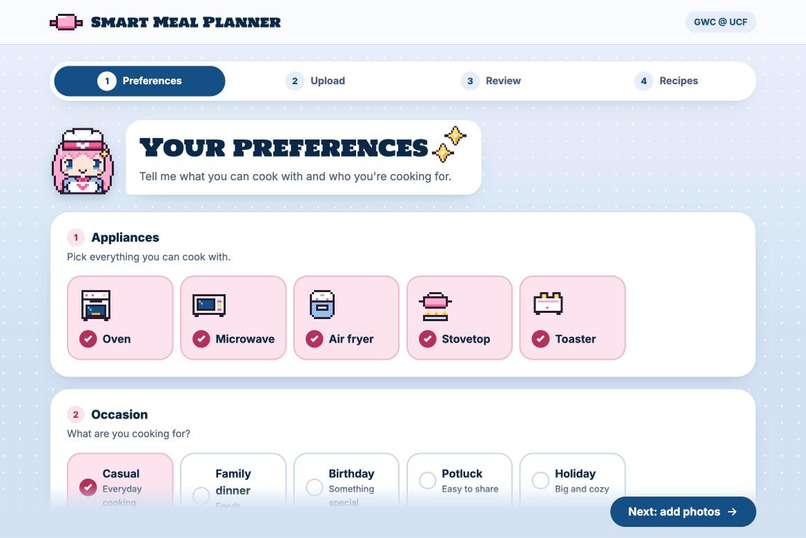
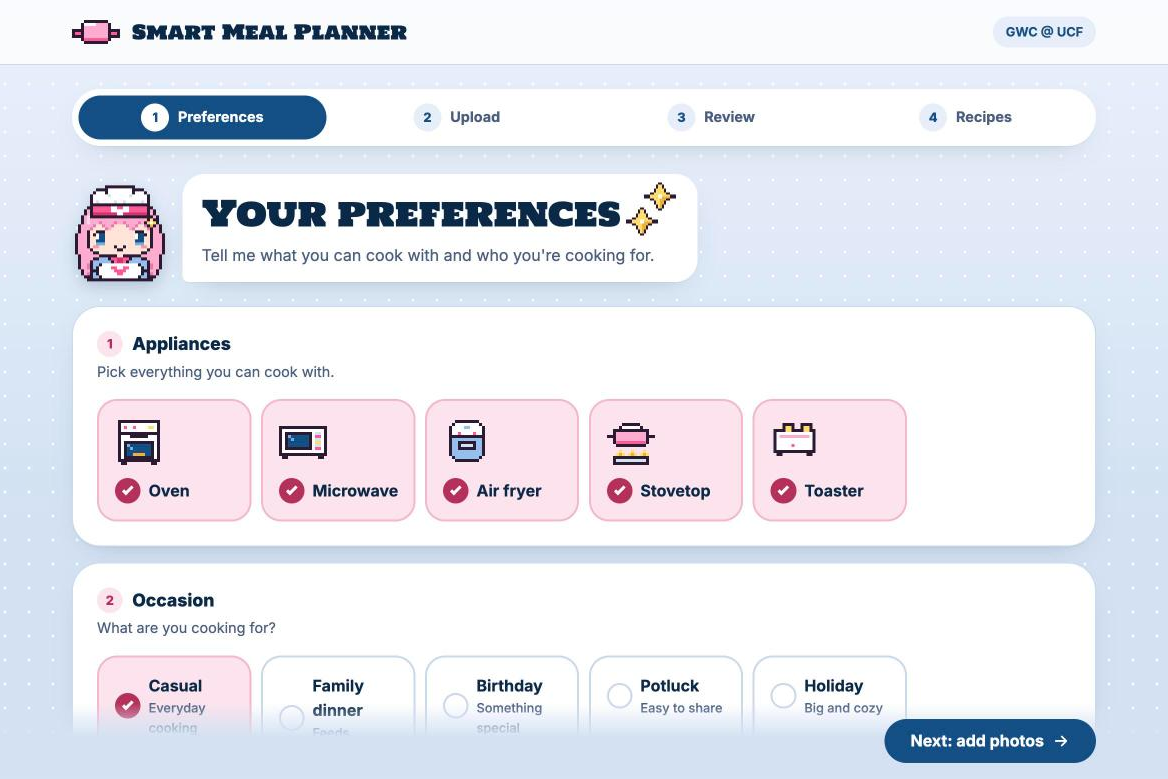
Tell us your kitchen: pick the appliances you have and what you’re cooking for.
-
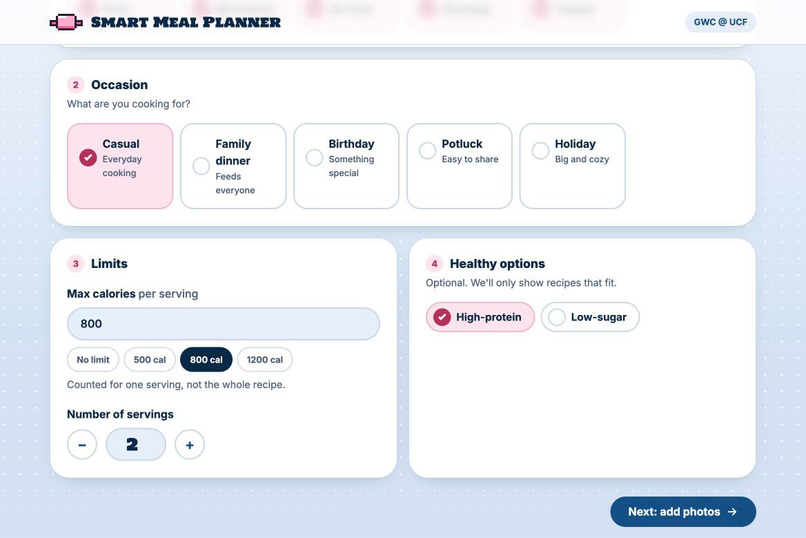
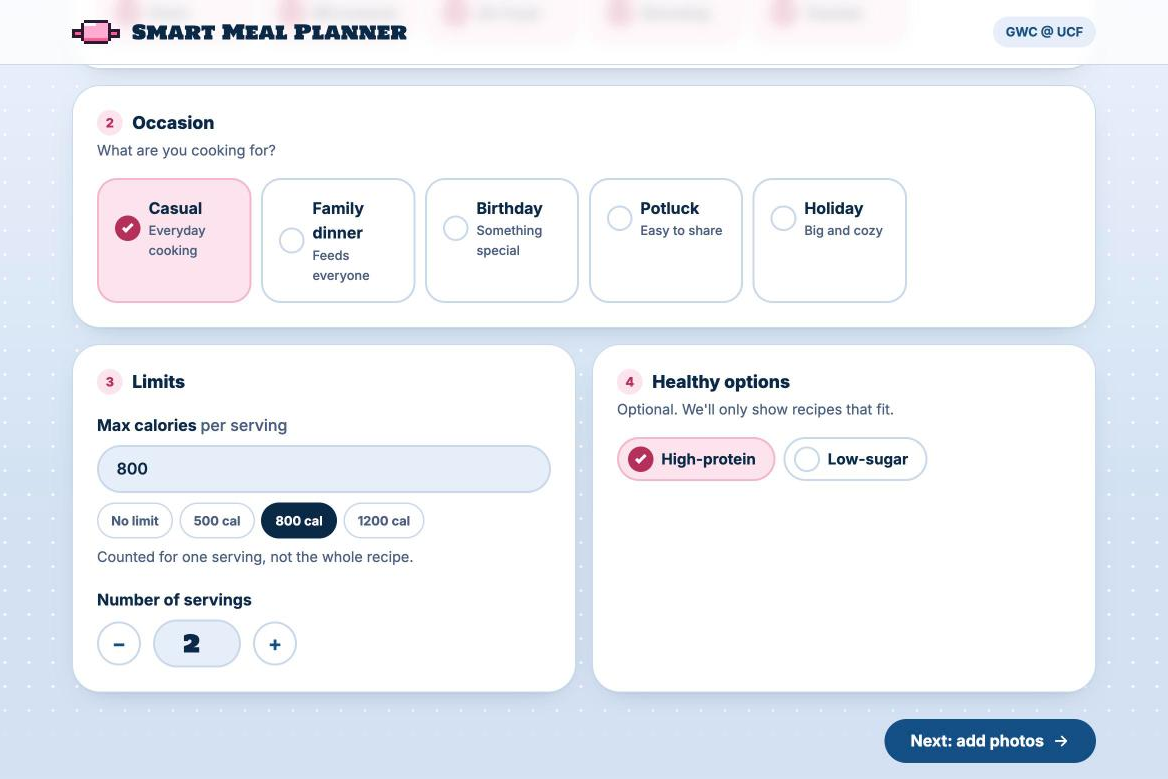
Set your goals: max calories per serving, number of servings, and high-protein or low-sugar.
-
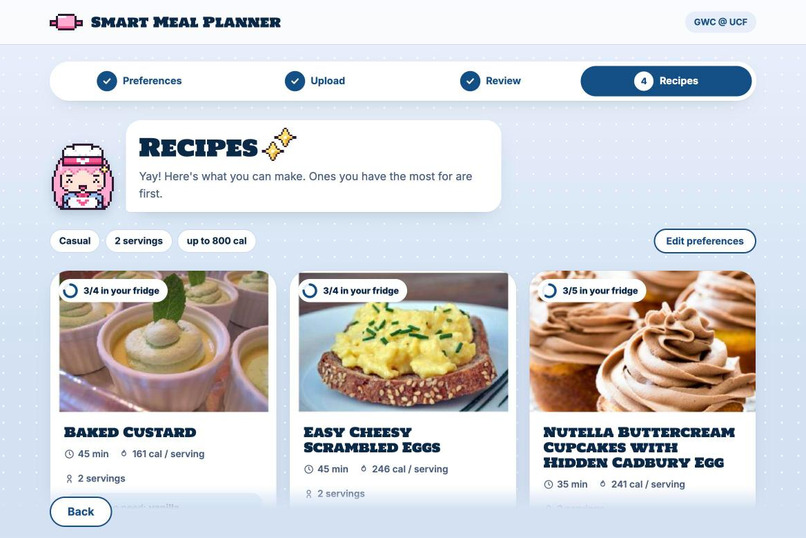
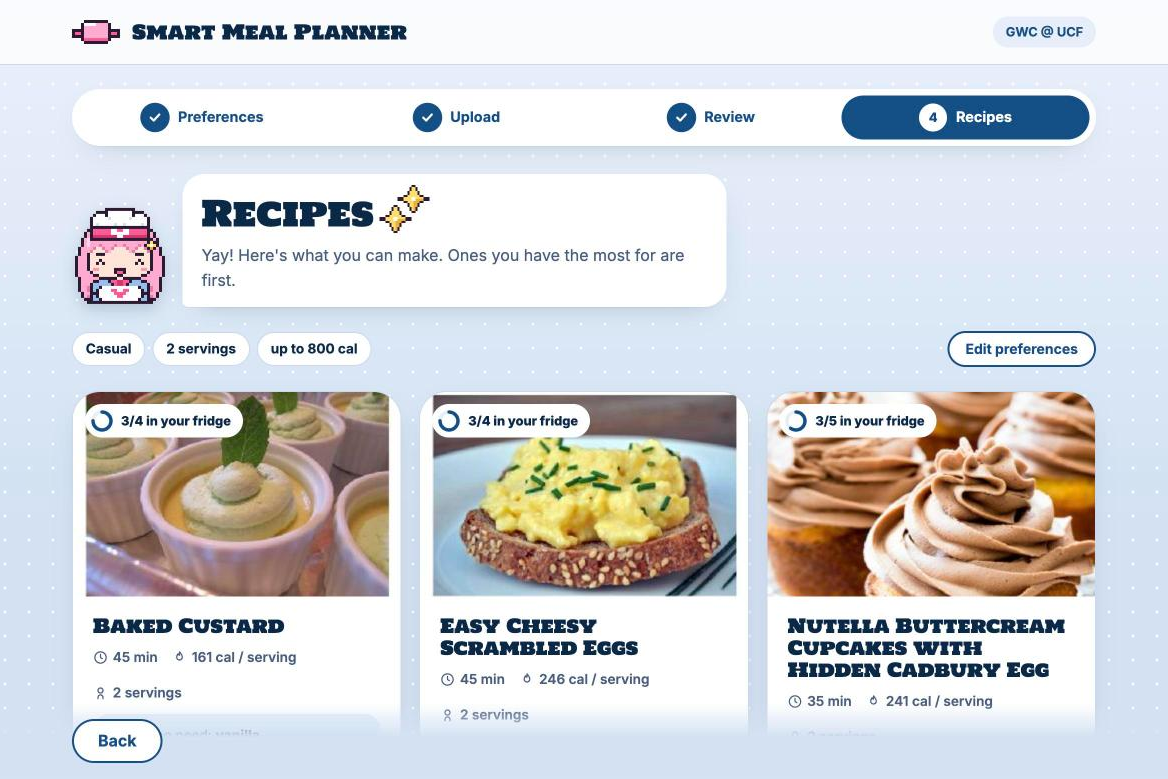
Recipes you can make now, ranked by how little you’d need to buy.
-
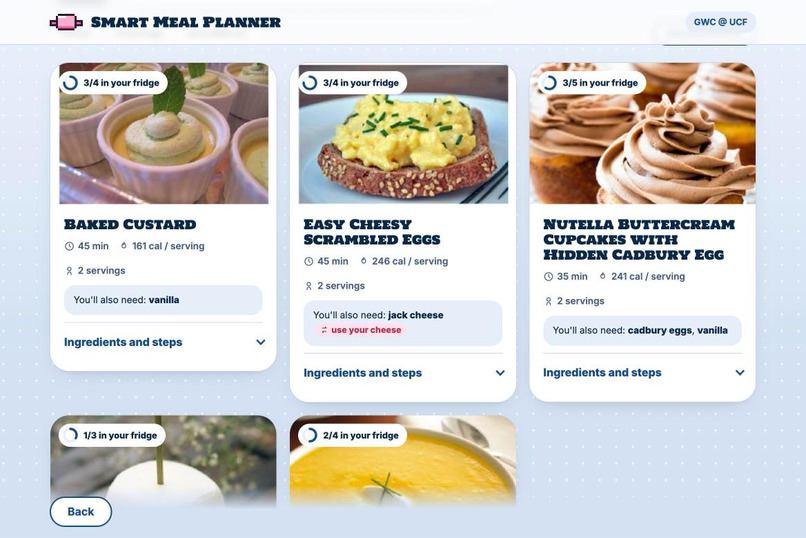
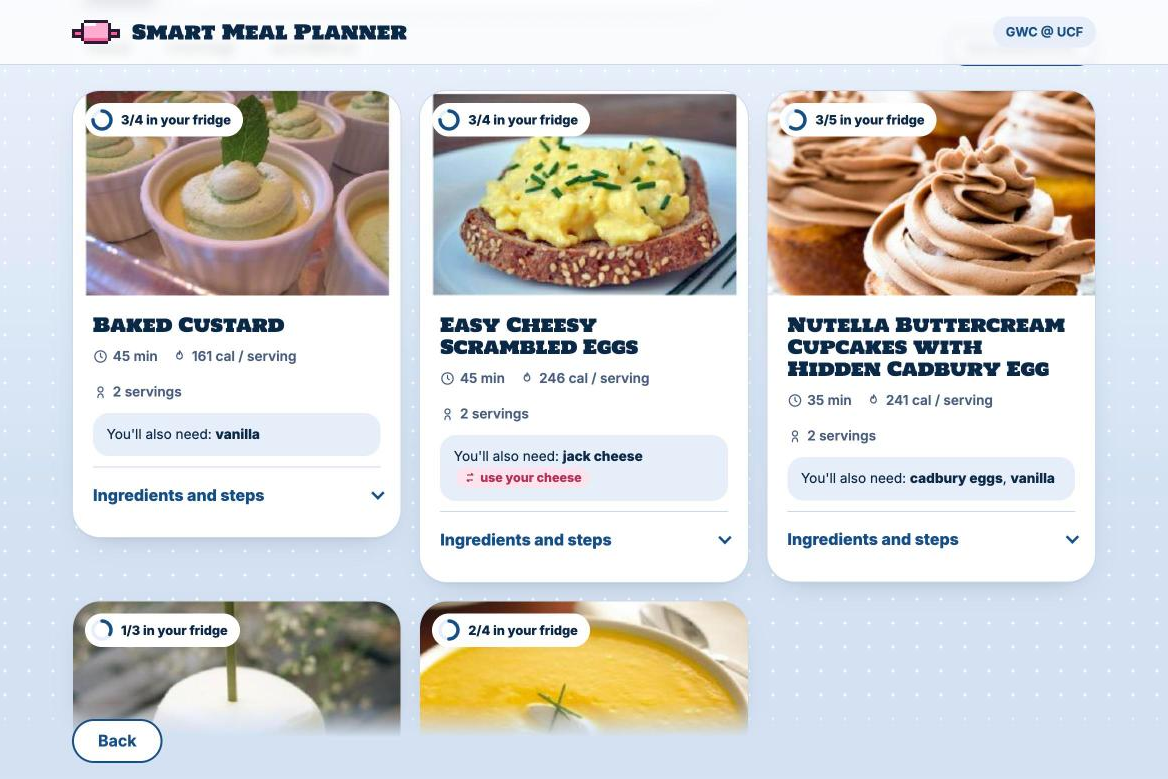
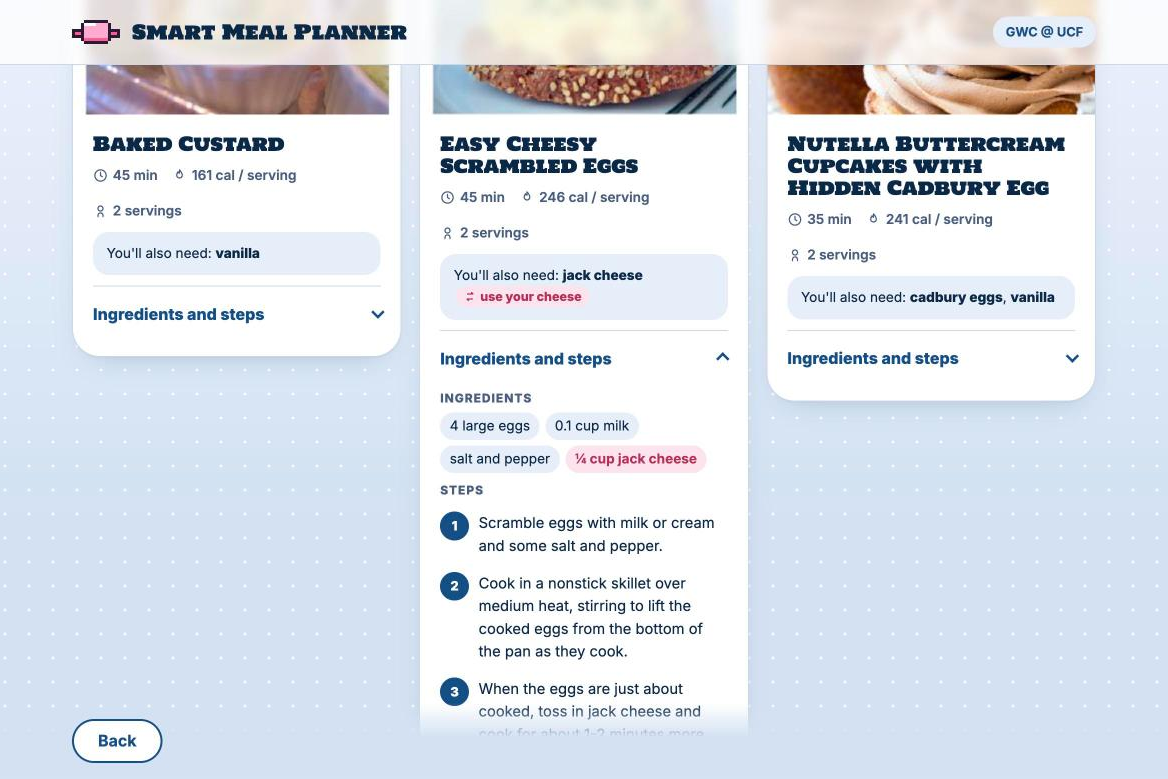
AI smart swaps: missing jack cheese? Use the cheese you already have.
-
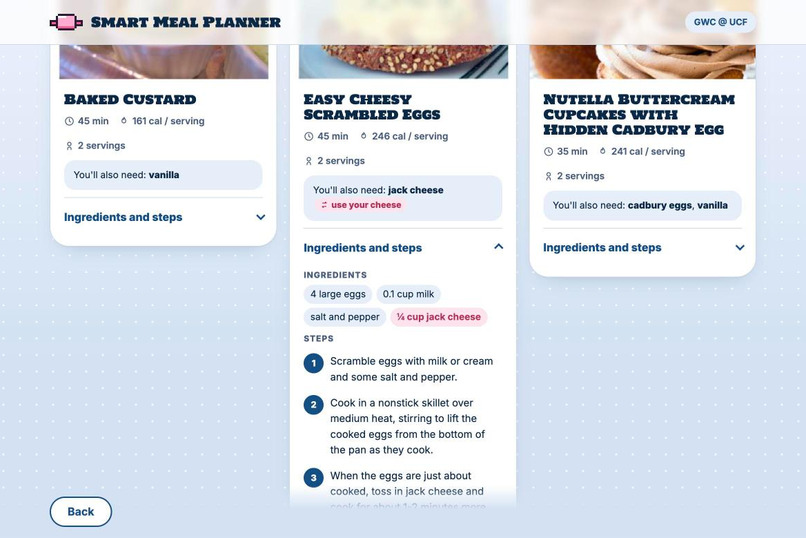
Open any recipe for ingredients scaled to your servings and step-by-step instructions.
-
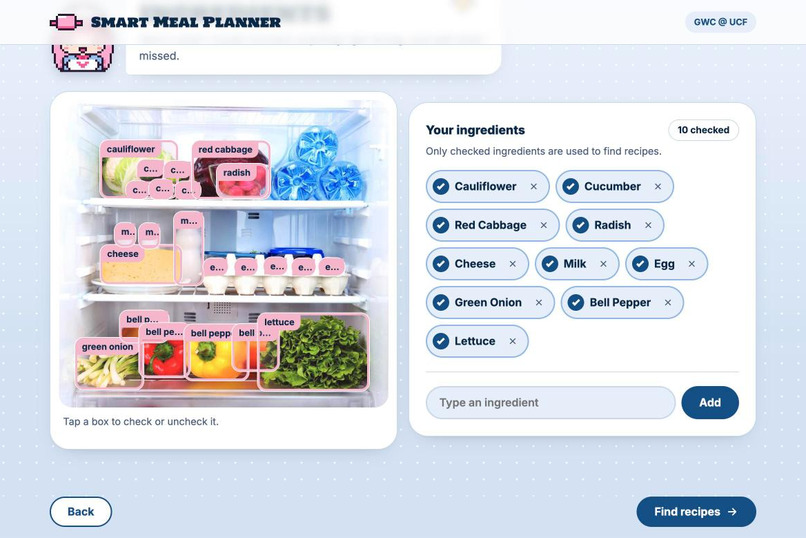
You stay in control: uncheck wrong guesses or add anything the camera missed.
Inspiration
Every week, food goes bad in our fridges while we order takeout. Not because there's nothing to eat, but because it's hard to see a meal in a few eggs, half a bag of spinach and some cheese. As college students, a lot of us cook in dorms with only a microwave, get asked to bring something to a potluck, or are trying to eat better on a budget. Recipe sites don't help: they start from a shopping list, not from what you already own.
We wanted the opposite: take one photo of your fridge, and get meals you can make tonight.
What it does
Smart Meal Planner turns a fridge photo into recipes that fit your kitchen and your goals.
- Tell it your kitchen: your appliances (oven, microwave, air fryer, stovetop, toaster), the occasion (casual, family dinner, birthday, potluck, holiday), servings, a calorie cap per serving, and high-protein or low-sugar goals.
- Snap your fridge: upload up to 5 photos. Gemini identifies every food and draws a labeled box around each one, right on your photo.
- Check the list: tap a box to drop a wrong guess, or type in anything the camera missed.
- Get recipes: our matching engine finds recipes you can actually make, ranked by how little you'd need to buy, with every amount scaled to your servings.
- Swap the rest: missing one ingredient? Gemini suggests a substitute from the foods you already have ("No sour cream? Use your Greek yogurt").
How we built it
- Frontend: HTML, CSS and JavaScript with Vite, built as a four-step app (Preferences → Upload → Review → Recipes).
- Backend: Python and FastAPI, deployed on Vercel.
- AI photo detection: photos are compressed in the browser, then sent to Gemini with a strict JSON schema, so it returns each food's name and a bounding box on a 0–1000 grid, which we draw over the photo. If the main model is overloaded, the backend falls back to a second model automatically.
- Recipe data: one Spoonacular search returns 20 candidates with ingredients, nutrition, equipment and steps in a single call.
- Our matching engine: Spoonacular's idea of "missing" isn't good enough, so we wrote our own:
- it cleans up names ("Baby Scallions" → "green onion", "head of broccoli" → "broccoli")
- "cherry tomatoes" count as tomato, and your "chicken breast" covers a recipe's "chicken", but "chicken broth" doesn't
- basics like salt, oil and flour are assumed
- recipes that need equipment you don't have are dropped, using both the equipment list and words like "bake" or "preheat" in the steps
- then every recipe is ranked by fewest missing ingredients, then most of your foods used, then shortest cook time, and we show the top 5
- Smart swaps: a second, non-blocking call asks Gemini for substitutes for each missing ingredient. The backend only accepts swaps that point at a food the user actually has.
- Testing: 51 automated checks cover the matching rules, and built-in sample data lets anyone run the whole app with no API keys.
Challenges we ran into
- Matching food names is harder than it sounds. "Chicken" should match "chicken breast" but not "chicken broth"; "green onion" and "scallions" are the same thing; "eggs", "egg" and "large eggs" all need to line up. We went through many rounds of rules and test cases to get it right without making it too loose.
- Real recipe data is messy. Some recipes had blog posts pasted into their instructions, ingredients like "2 servings salt and pepper", or no photo at all. We added cleanup so the cards still read naturally.
- Staying inside API limits. Spoonacular charges points per search, so we designed around one call per search, cached repeat searches, added daily caps, and stop before the daily quota runs out instead of showing errors.
- A sneaky deployment bug. Smart swaps silently stopped working because our request deadline (8 seconds) was below Gemini's new 10-second minimum. Tracking it down taught us to always log failures, even when the app recovers gracefully.
- Coordinating a team of beginners. We split the work into tickets with clear "done when" checklists, worked on our own branches, and reviewed pull requests, which kept everyone moving without breaking each other's code.
Accomplishments that we're proud of
- The moment the boxes pop onto your own fridge photo never gets old.
- A matching engine that actually understands food, backed by real tests.
- It's never a dead end: if detection fails, you can keep going by adding foods by hand.
- An app that feels like ours, with an original mascot, pixel-art icons and a design built from our team's Figma.
What we learned
- How to get reliable, structured output from a vision model, and how to design for when it's slow or wrong.
- How to work with a paid API on a budget: caching, quotas and graceful limits.
- That the "boring" logic (cleaning names, ranking, edge cases) is what makes AI features actually useful.
- How to ship as a team: tickets, branches, code review, and deploying a full-stack app.
What's next
- Checking quantities, not just whether you have an ingredient
- Saving favorite recipes and a "use it up" mode for food about to expire
- Snapping your receipt after shopping to keep your pantry list up to date


