-
-
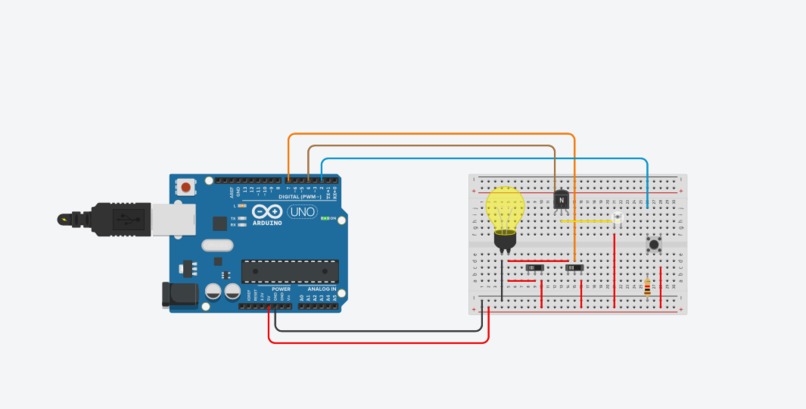
Screenshot of circuit
-
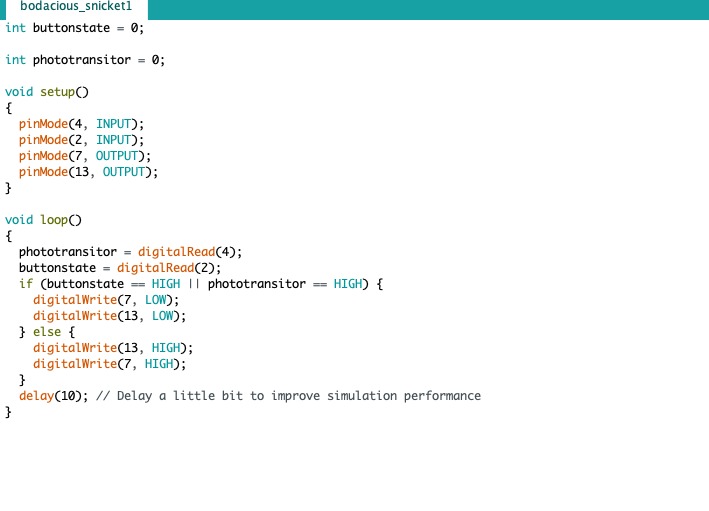
Screenshot of code
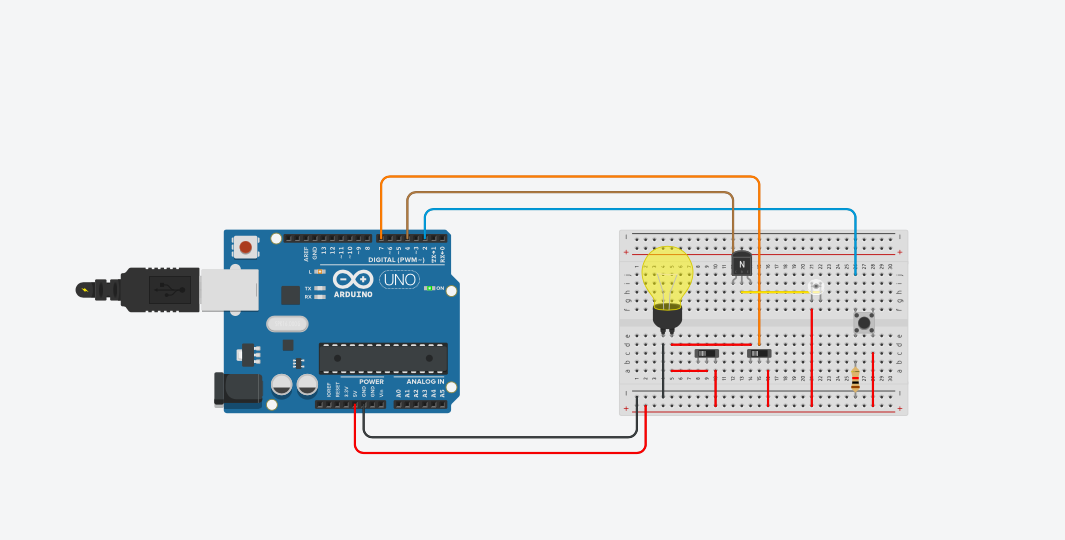
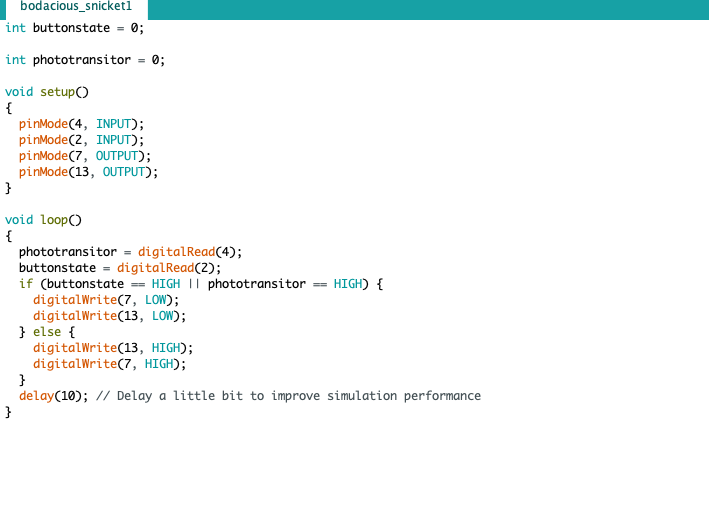
Inspiration
One day, Sebastian and I were talking about how much energy a building wastes. A company can operate more efficiently if there is a minimal waste of electricity throughout their facilities. After we came back home, we noticed that we could construct an arduino system that helps people save electricity.
What it does
Our system detects two things: when a door is closed, and when it's daytime outside. A button that is installed in a door will let the system know whether the door is closed or open. Whenever, the door is closed the lights within a room will remain off. A photoresistor sensor is used to detect whether its day time or night time. During the day, all lights within a building will be turned off. There is a switch in the arduino system that overrides the sensors, so you can still turn on the lights in a closed room or during the day time.
How we built it
It was not easy to build a system that efficiently accomplished all our goals, but through the use of the TinkerCad system we were able to do just that. The system allowed us to use a combination of slides-witches, a button , and an ambient light sensor to achieve our goal. The major difficulty that we encountered when setting up the system was figuring out exactly what code to use and what sensors to use. After some trial and error we were successfully able to create and debug our code so that it integrated all our sensors into the system. While we initially wanted to include the ping sensor, we found new ways to replace it.
Challenges we ran into
We initially wanted to use a Ping sensor that would let us know when a door was closed. The ping sensor would basically measure the distance from the door to the lock, which would help it know whether the door was closed or open. As we began constructing our arduino system, we noticed that the code was going to be more complicated. In addition we thought about the real life application and noticed that a ping sensor wouldn't be the more reliable sensor to fulfill the job. For this reason we decided to use a button. A button was much easier to implement into our code and into the real life application of the door. This also lead us to choose what code to use.
Accomplishments that we're proud of
We were pretty worried that our system could not be overruled by the actions of a person. By this we mean that if we wanted to have the lights on in a closed room, we couldn't. Fortunately, we began searching online how to override a sensor and we found the solution. After installing this into our arduino, we could efficiently choose when to have our lights on and off.
What we learned
The most important thing we learned was how to create an applicable and technological solution through arduino. We learned a lot about the design process for creating a product. This process allowed us to understand that there are many trial and error parts of the process. In addition, you will always find ways to improve upon your system. As we began to incorporate sensors, we learned how they could function together and they could be overruled by a switch. You can apply certain conditions on your system that will let you choose when it will function.
What's next for Smart Lights
Smart Lights must be introduced to interior designers for them to buy the product and incorporate it into their designs. I believe this will be very attractive for customers who care about their energy consumption. Saving energy will also make people's carbon footprint smaller, not only save them money.

Log in or sign up for Devpost to join the conversation.