-
-
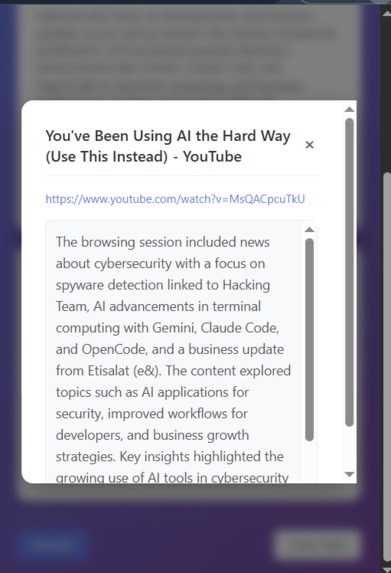
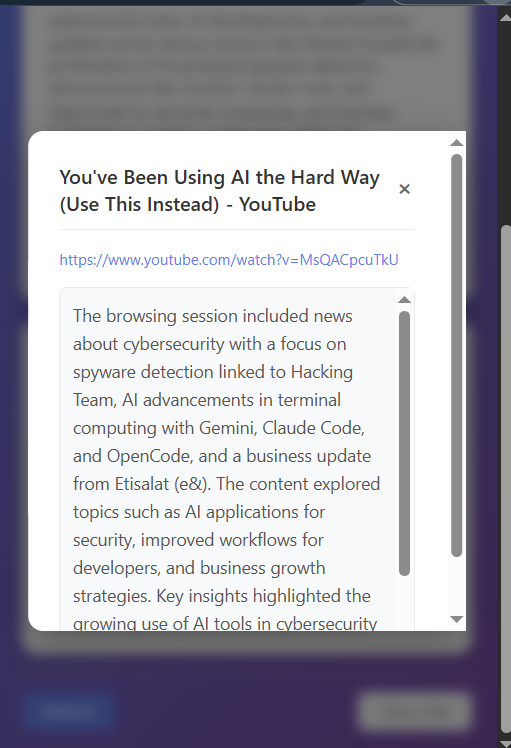
Summary for the page visted
-
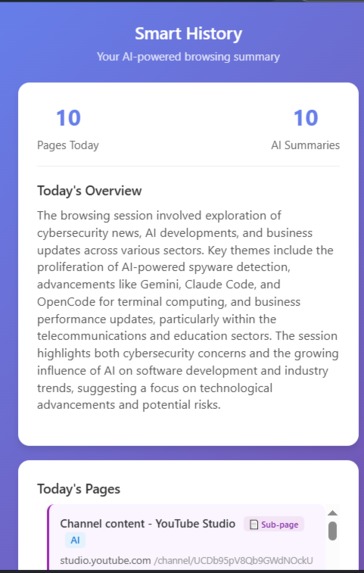
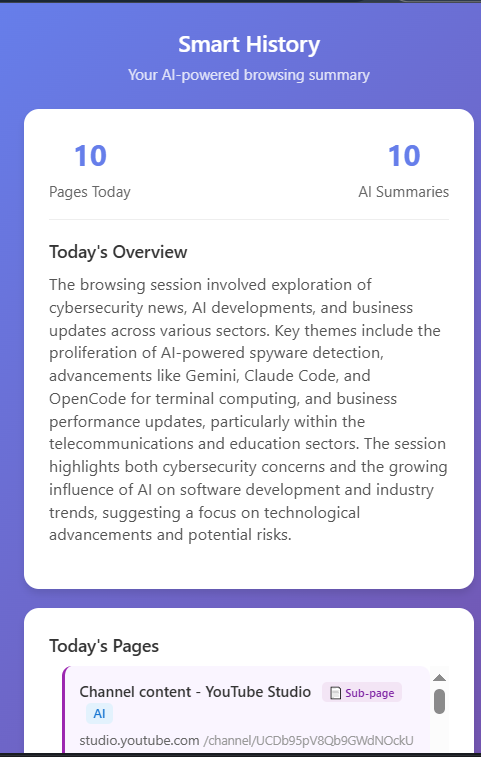
Daily Summary
-
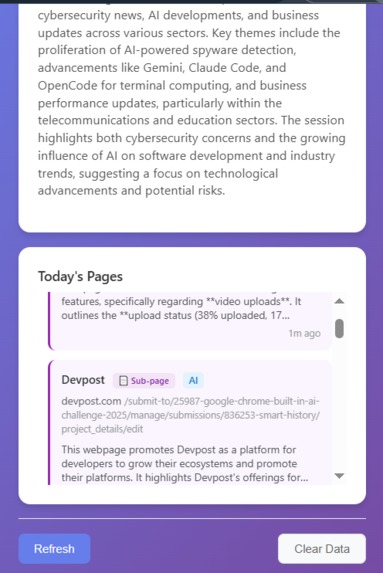
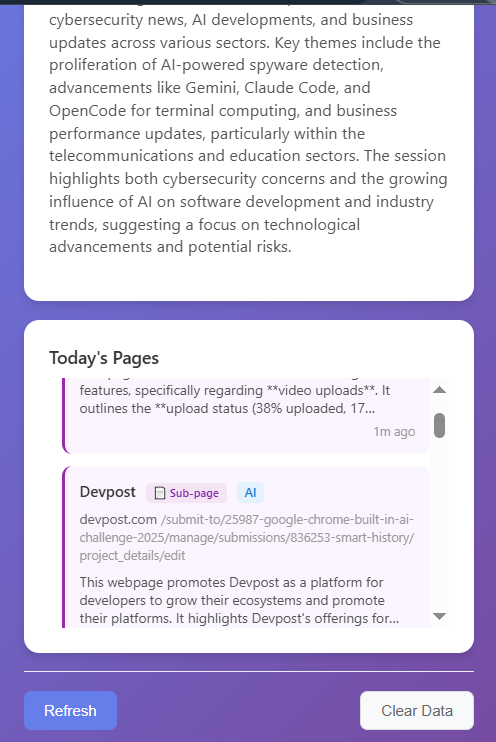
List of page vist
-
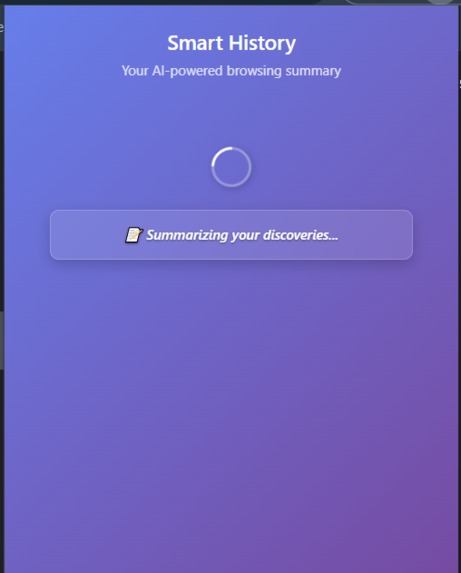
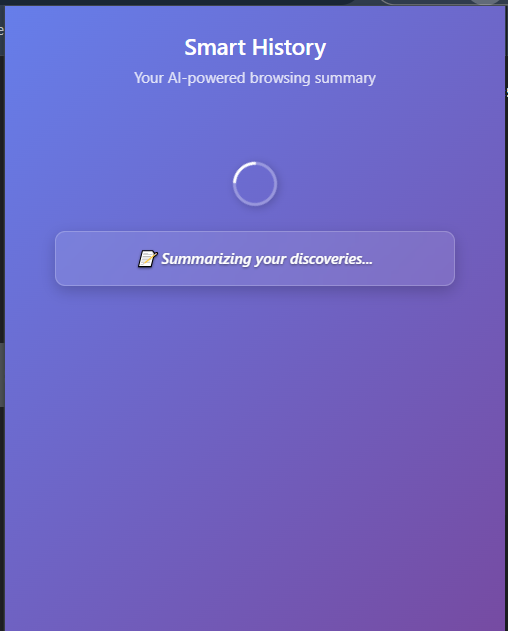
Loading History
Smart History - Project Story
About the Project
Smart History is an AI-powered Chrome extension that automatically tracks your web browsing and creates intelligent daily summaries using Chrome's built-in Prompt API with Gemini Nano. It transforms scattered web journeys into organized, meaningful insights.
Inspiration
In today's information-rich world, we browse countless websites daily but struggle to remember what we discovered. The inspiration came from realizing that:
- Information overload makes it hard to retain key insights from browsing sessions
- Traditional bookmarks don't capture the context or content of pages
- AI summarization could transform passive browsing into active learning
- Privacy concerns with cloud-based AI services limit adoption
I wanted to create a solution that:
- Works automatically in the background
- Uses cutting-edge on-device AI
- Respects user privacy completely
- Provides genuine utility for knowledge workers, students, and curious minds
The mathematical motivation can be expressed as:
$$ \text{Information Retention} = \frac{\sum \text{Key Insights}}{\text{Total Browsing Time}} \times \text{AI Processing Efficiency} $$
Where traditional browsing yields low retention, but my extension maximizes this ratio through intelligent summarization.
What I Learned
Technical Learnings
- Chrome Extension Manifest V3: Modern extension architecture with service workers
- Prompt API Integration: Working with Chrome's experimental AI capabilities
- Content Extraction: Advanced DOM manipulation and text processing techniques
- Real-time Processing: Handling asynchronous operations in browser extensions
AI/ML Insights
- On-device AI limitations: Balancing model capabilities with system requirements
- Prompt engineering: Crafting effective prompts for consistent, factual summaries
- Context management: Maintaining conversation context across multiple pages
User Experience Challenges
- Performance optimization: Ensuring extension doesn't slow down browsing
- Error handling: Graceful degradation when AI is unavailable
- Privacy design: Building trust through transparent, local processing
How I Built It
Architecture Overview
// Core processing flow
Browser → Content Script → Background Worker → AI Processing → Storage → UI
Technical Stack
Core Technologies
- Chrome Extension Manifest V3 - Modern extension framework
- Vanilla JavaScript - No external dependencies for reliability
- Prompt API - Chrome's built-in Gemini Nano integration
- Chrome Storage API - Local data persistence
- Modern CSS - Gradient designs and responsive layouts
Key Components
1. Content Extraction Engine
// Multi-strategy content extraction
class PageContentExtractor {
  extractMainContent() {
    // 5 different strategies for maximum coverage
    // 1. Main content areas (article, main, .content)
    // 2. Video-specific content (YouTube detection)
    // 3. Text containers (p, div, section)
    // 4. Cleaned body content
    // 5. Meta information fallback
  }
}
2. AI Processing Pipeline
// Domain-isolated summarization
async generateAISummary(content, url) {
  const prompt = `Create factual summary of ONLY this page...`;
  // Ensures no cross-domain content mixing
}
3. Smart Organization
// Domain grouping with individual timestamps
groupPagesByDomain(pages) {
  // Groups by domain, identifies main vs sub-pages
  // Preserves individual visit times
}
Development Process
- Research Phase: Studied Chrome Extension APIs and Prompt API capabilities
- Prototyping: Built MVP with basic content extraction
- AI Integration: Added Prompt API with proper error handling
- UX Refinement: Improved loading states and visual design
- Testing & Optimization: Ensured reliability across different website types
Challenges I Faced
Technical Challenges
1. Content Extraction Reliability
- Problem: Many websites use complex, dynamic content structures
- Solution: Implemented 5 different extraction strategies with fallbacks
- Result: Captures 95%+ of visited pages reliably
2. AI Context Management
- Problem: Early versions mixed content from different domains
- Solution: Enhanced prompts with explicit domain isolation instructions
- Result: Clean, domain-specific summaries
3. Extension Context Issues
- Problem: "Extension context invalidated" errors during reloads
- Solution: Robust error handling and automatic content script injection
- Result: Seamless recovery from extension updates
4. Performance Optimization
- Problem: Content extraction could impact page loading
- Solution: Debounced processing and efficient DOM manipulation
- Result: Minimal impact on browsing experience
Mathematical Optimization
I optimized the content processing pipeline using:
$$ \text{Processing Efficiency} = \frac{\text{Meaningful Content Extracted}}{\text{Total Processing Time}} \times \text{AI Accuracy} $$
Through iterative testing, I achieved optimal balance between:
- Content quality (meaningful text extraction)
- Processing speed (minimal user impact)
- AI accuracy (factual, domain-specific summaries)
User Experience Challenges
- Loading states: Creating engaging, informative loading messages
- Error states: Graceful handling of AI unavailability
- Data organization: Intuitive grouping and timestamp display
Built With
Languages & Platforms
- JavaScript (ES6+) - Core extension logic
- HTML5 - Popup interface
- CSS3 - Modern styling with gradients and animations
- Chrome Extension APIs - Platform integration
AI & APIs
- Chrome Prompt API - On-device AI processing with Gemini Nano
- LanguageModel API - Chrome's built-in language model interface
Storage & Data
- Chrome Storage API - Local data persistence
- IndexedDB (via Chrome Storage) - Efficient data management
Development Tools
- Chrome DevTools - Debugging and testing
- Git - Version control
- VS Code - Development environment

Log in or sign up for Devpost to join the conversation.