-
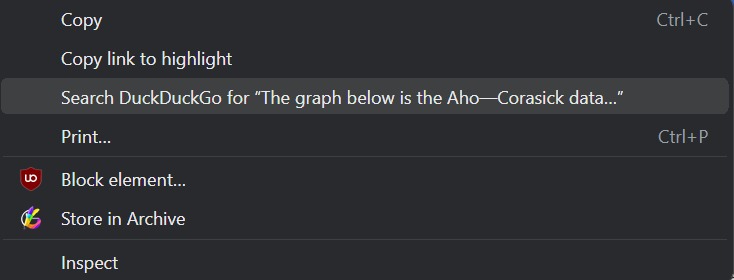
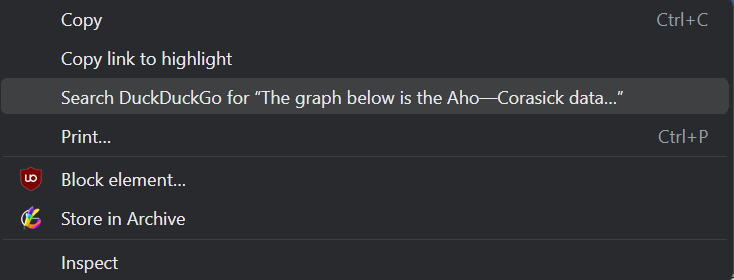
Right clicking and selecting our "Store in Archive" option in the dropdown menu for each of your notes
-
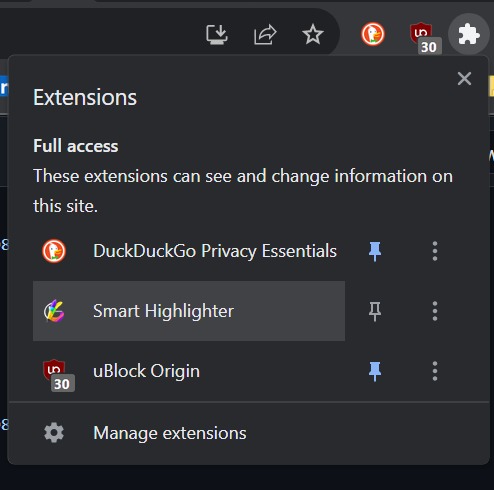
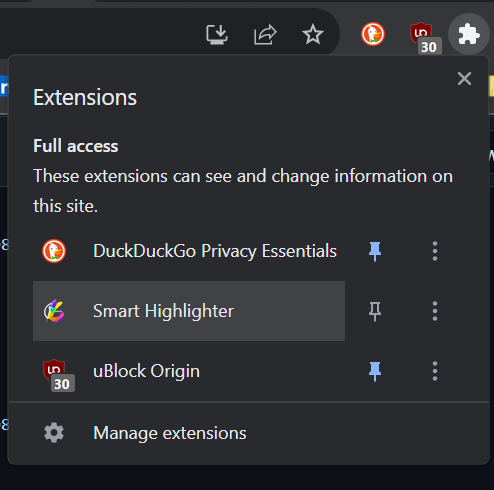
Clicking on our extension icon via the Chrome Extensions tab
-
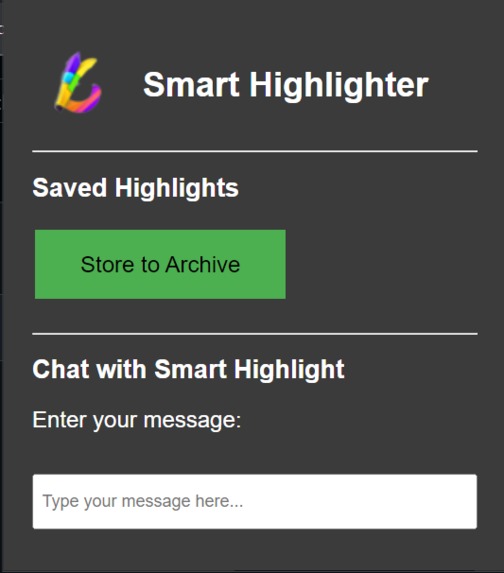
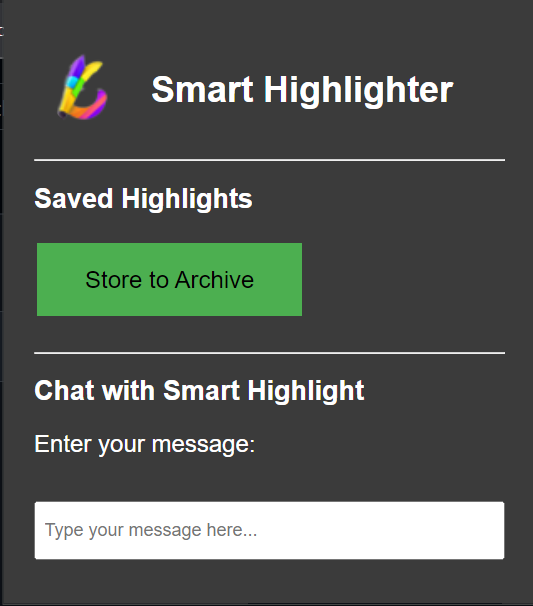
Chat with your notes
-
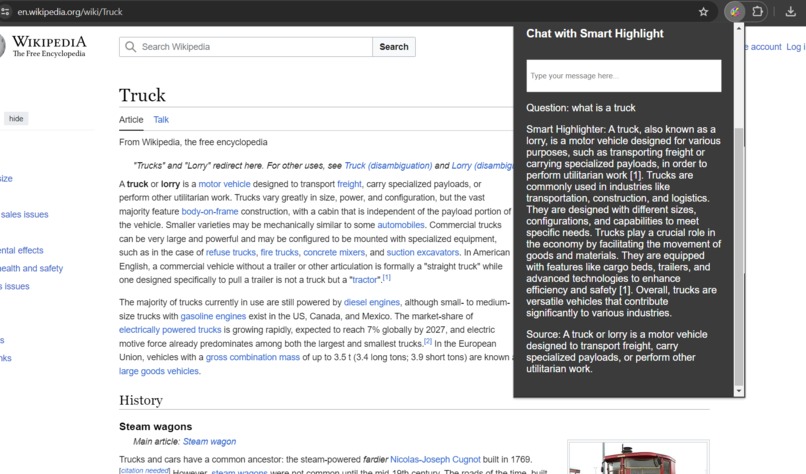
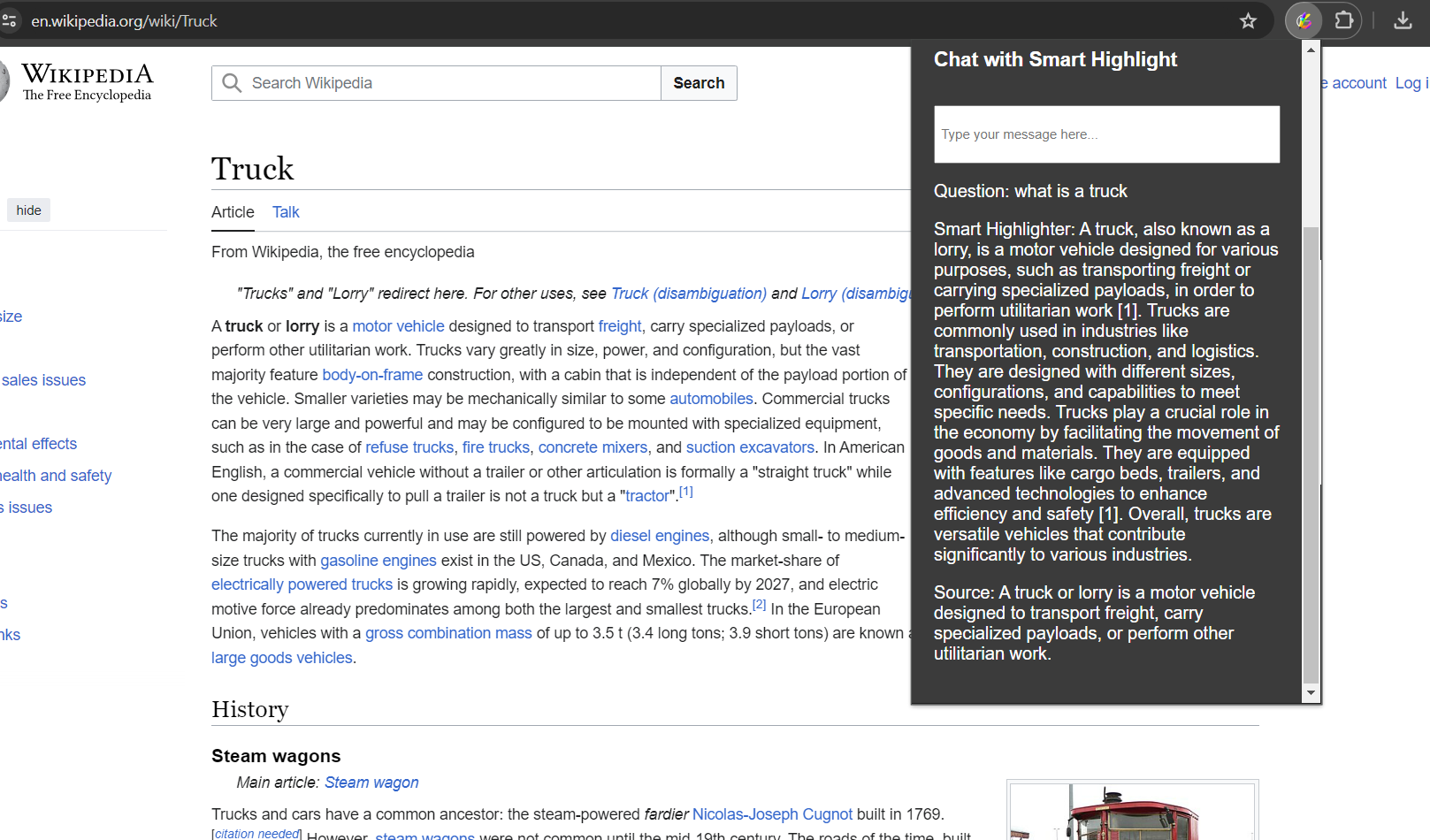
Smart Highlighter interacting with user
Inspiration
We created Smart Highlighter because we wanted to enhance the productivity of reading and taking notes. When we are highlighting multi-page papers we may sometimes feel overwhelmed or confused by our notes. Smart Highlighter will allow us to interact with an AI that can provide us answers to the notes that we took. This can allow us to highlight notes as we read. We can later use this extension to gain a deeper understanding of the notes with AI.
What it does
The product allows users to easily save highlighted text in an archive. Through the chat feature in the extension, users can interact with an AI to get answers related to their notes. This helps users quickly grasp the key points of their notes and enhances collaboration using AI for an improved learning experience.
How we built it
To build our product, we decided to build a Chrome extension. This Chrome extension was built using JavaScript. The Chrome extension would allow users to utilize the extension whenever they were reading online material. To integrate artificial intelligence that would answer user questions related to the notes, we used Vectara. We created a backend application using Python, FAST API, and Vectara. We deployed our backend system using Heroku. We used our backend system link and fetched APIs from our Chrome Extension application to our backend Python program. The APIs would transfer questions and notes to the backend program. The Python program would put the data into the Vectara Model. The output of the AI model would then be transmitted back to our Chrome extension program where we displayed the output in a clean format through HTML, CSS, and JavaScript.
Challenges we ran into
One of the biggest challenges we had to face was developing a connection between the backend side of the code that was programmed primarily in Python to the front end side that incorporated a mixture of HTML/CSS and JavaScript. One specific challenge was that we struggled to find a way to pack our data into a JSON file in our Python and unpack that file when we fetch the data from our JavaScript program. Our data would often be lost and we would receive undefined or null variables. However, we overcame this challenge by using debugging practices like console.log which helped us identify if our code was working accordingly and helped link our program. Furthermore, developing a Chrome extension was a new and difficult experience for us. To get familiar with the process and technology we looked at online tutorials and documentation to master it and ensure its functionality.
Accomplishments that we're proud of
Working as a collective team and integrating a relationship between backend and frontend engineering to eventually develop a working product is an accomplishment we are extremely proud of. Coming into CruzHacks as a full team of first-time hackers, we were unsure about our expectations and simply hoping to have a good time with people within an innovative space, but being able to bring something to the table was the icing on the cake of our hackathon experience.
What we learned
The most valuable lesson we gained from our experience was collaborating as a team to develop a technology. Unlike our university courses that focus on individual programming projects, we had the opportunity to work together as a group to create something. Furthermore, we learned a lot and acquired new skills from working with new technologies like Vectara and Chrome extensions.
What's next for Smart Highlighter
We look to create a database for storage of notes to allow more users to use our product at once. By adding this feature, we can also allow people to separate their notes into several categories for recall. We also hope to implement a conversational model as a middle-man between Vectara and our users, making the chat experience much more comprehensive. Finally, we want to be able to organize your notes for you, which would also be built via a conversational model.
Built With
- css
- fastapis.
- heroku
- html
- javascript
- python
- vectara

Log in or sign up for Devpost to join the conversation.