-
-
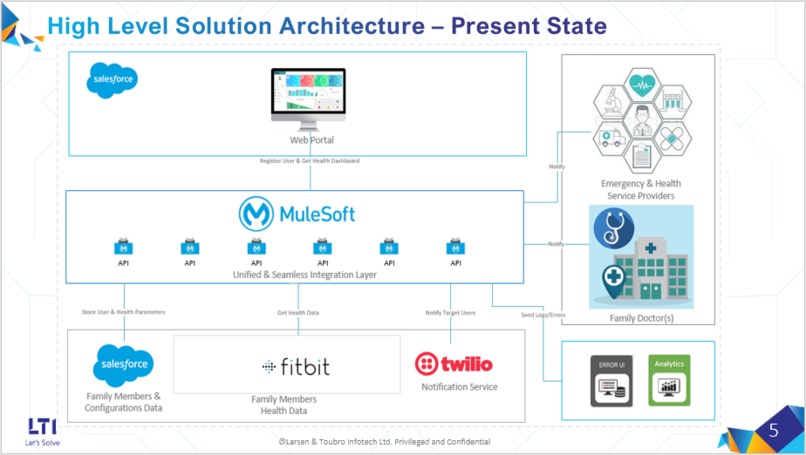
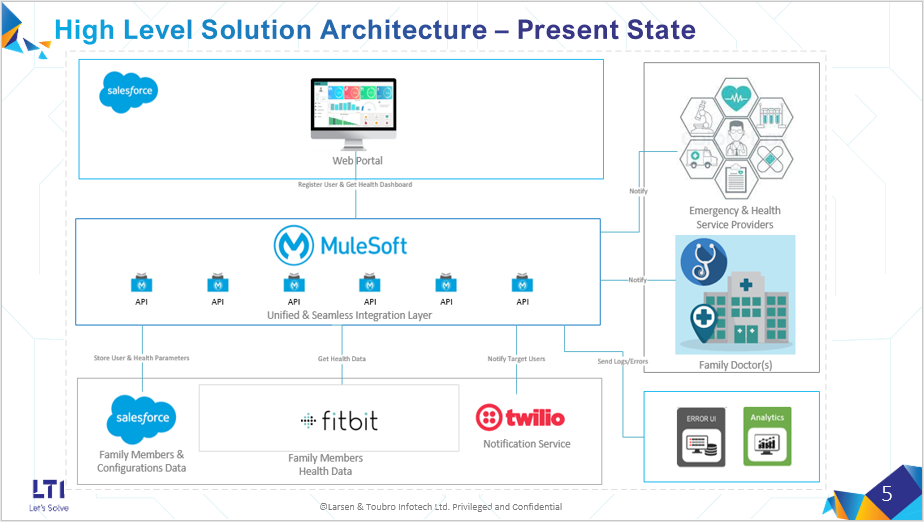
SolutionArchitecture - Present State.
-
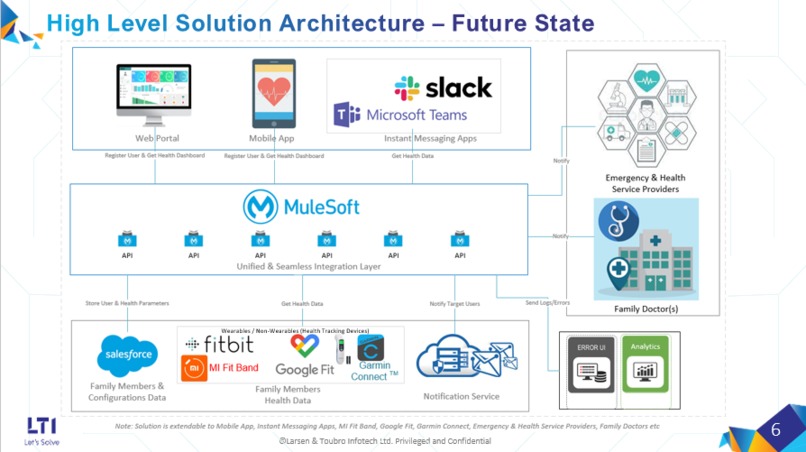
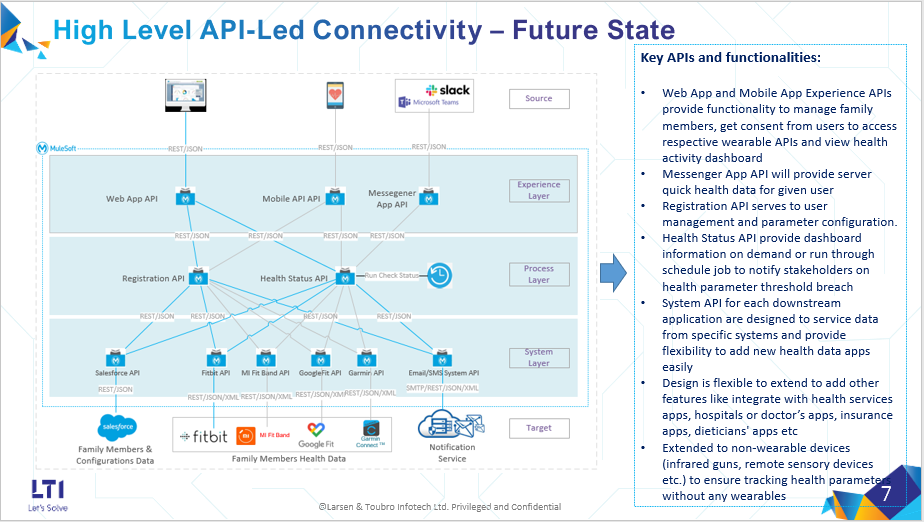
SolutionArchitecture - Future State.
-
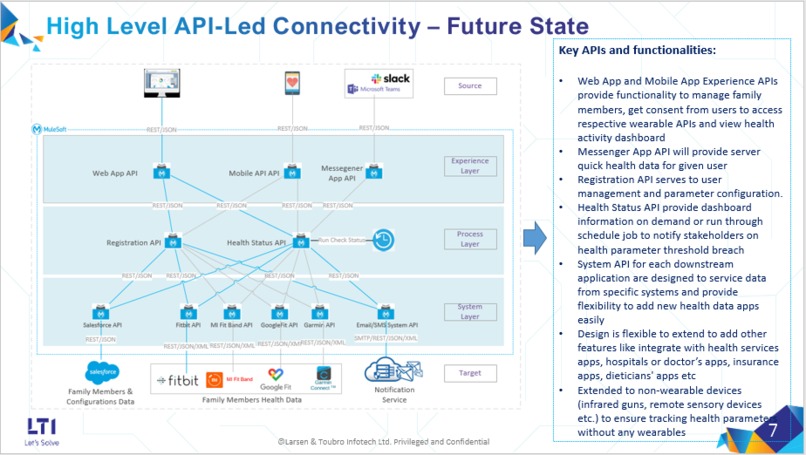
API-Led-Design - Future State.
-
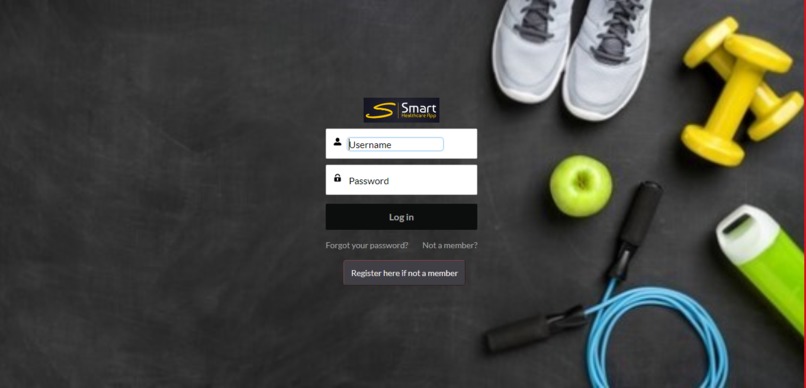
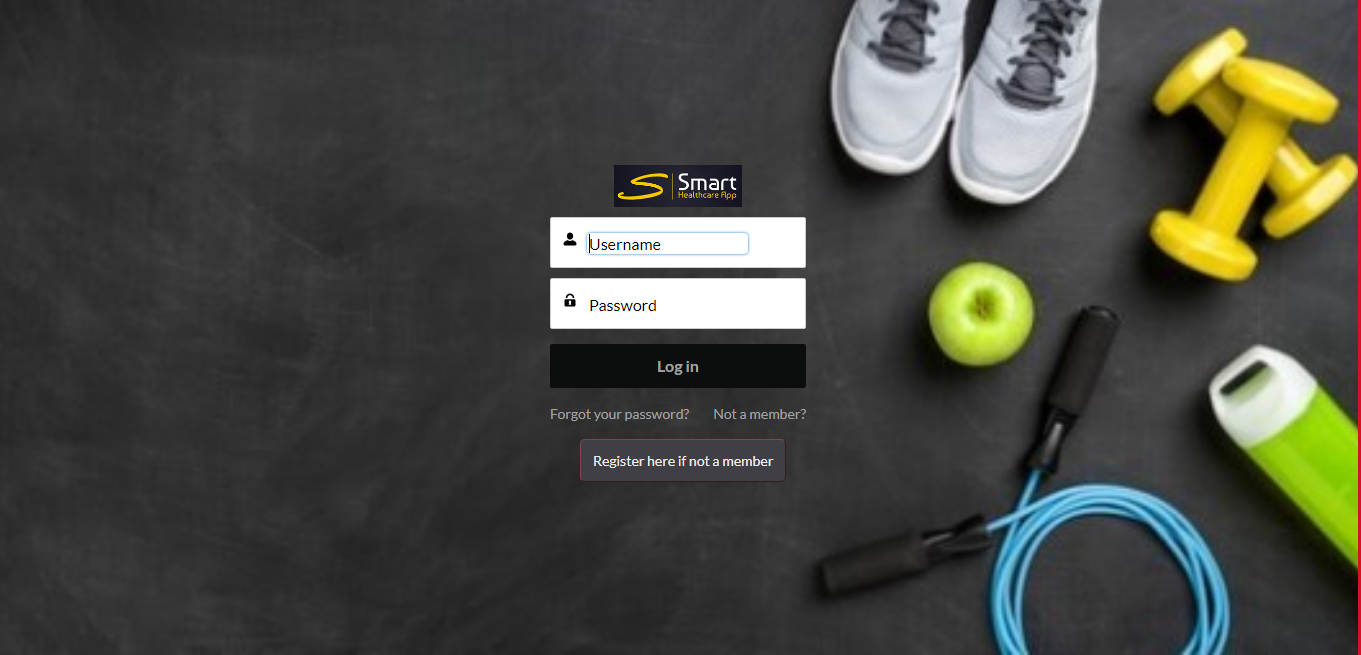
Smart HealthCare App Login Page
-
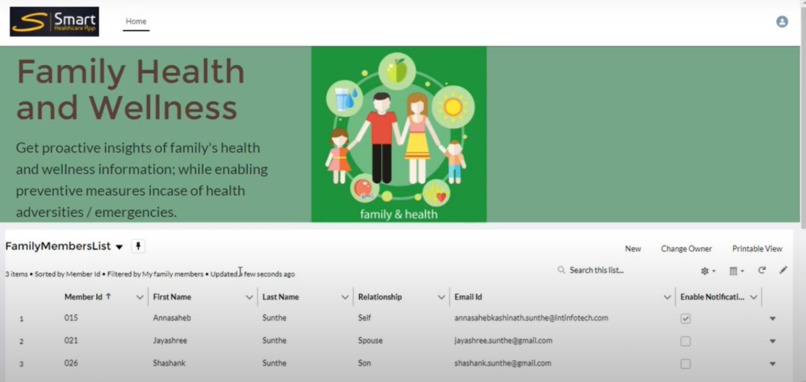
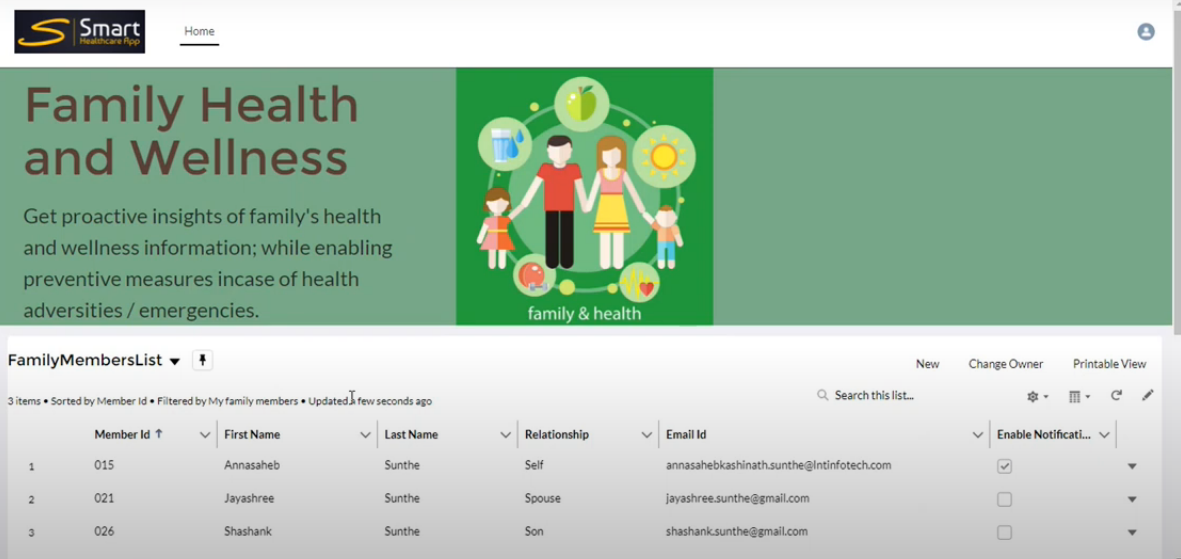
Home Page - Smart Health Care Web App Home Page with List of Configured Family Members
-
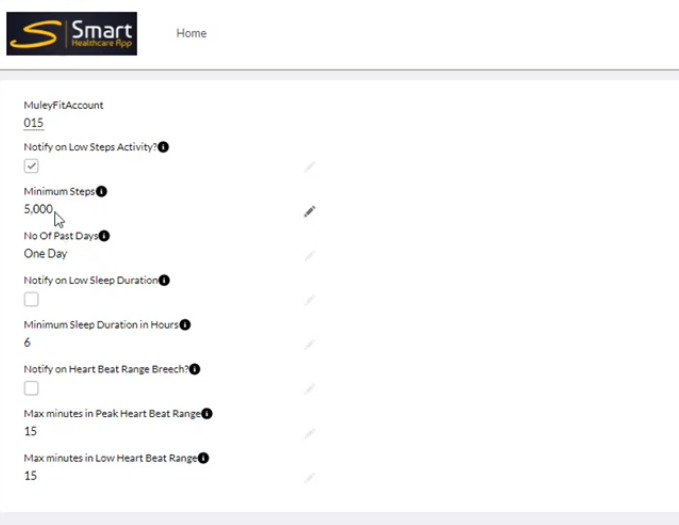
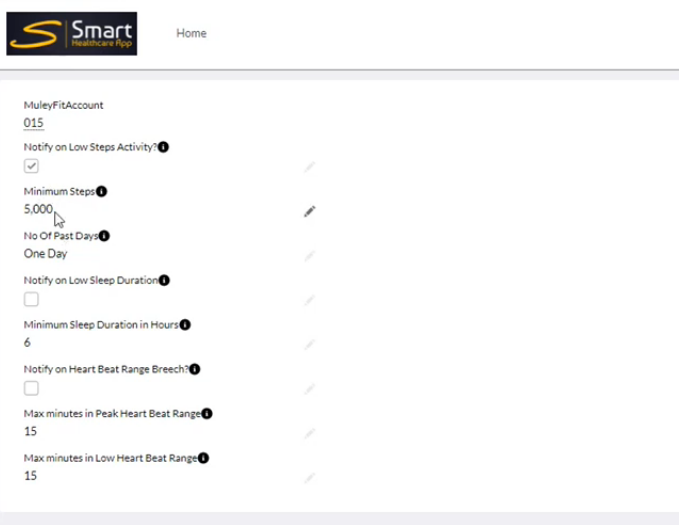
Notification Settings - Health Parameters threshold can be set for triggering SMS Alerts.
-
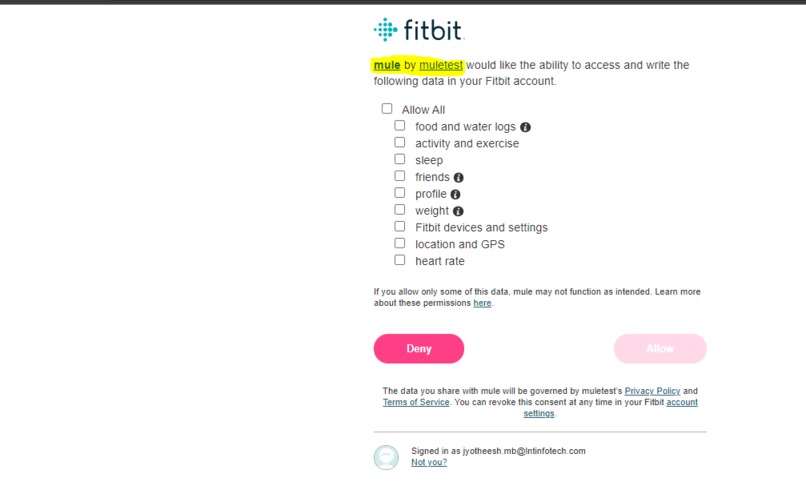
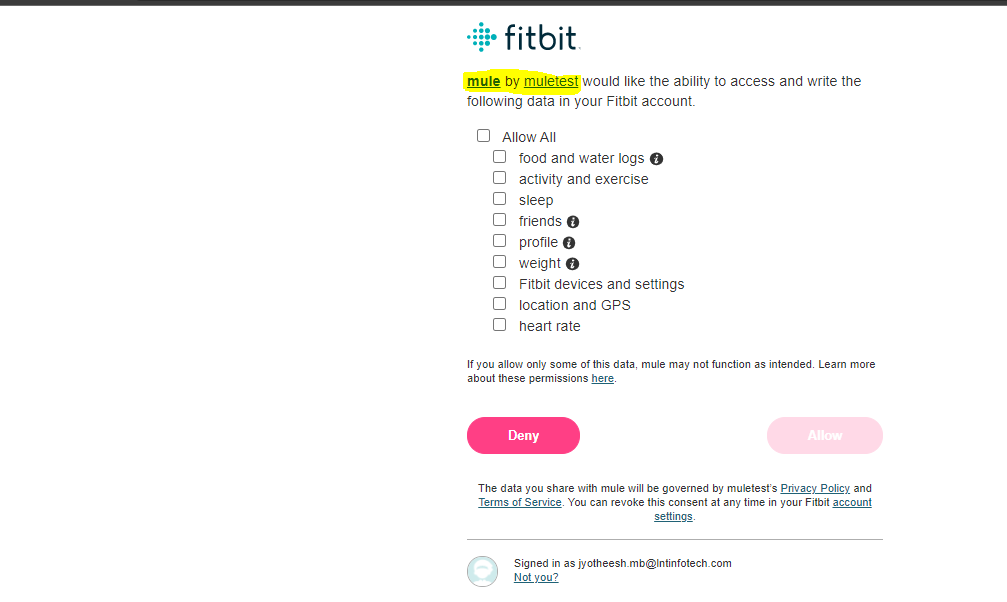
Fitbit Authorization and Consent Page (OAuth Authorization Code Flow) - Family member' consent is mandate to track his/her health data.
-
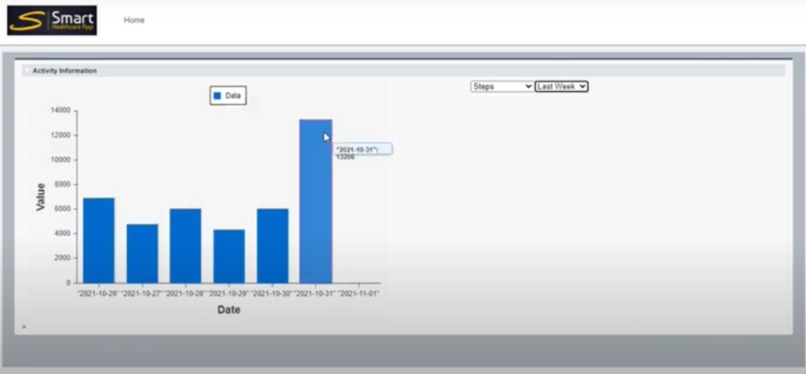
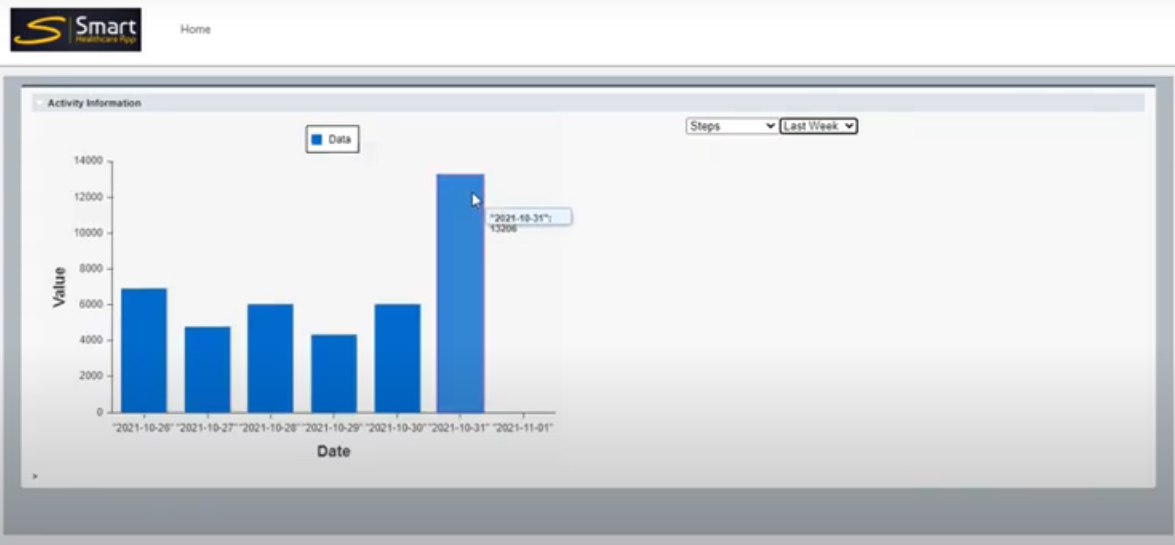
Activity Dashboard for a family member - Data retrieved via MuleSoft from Fitbit API.
-
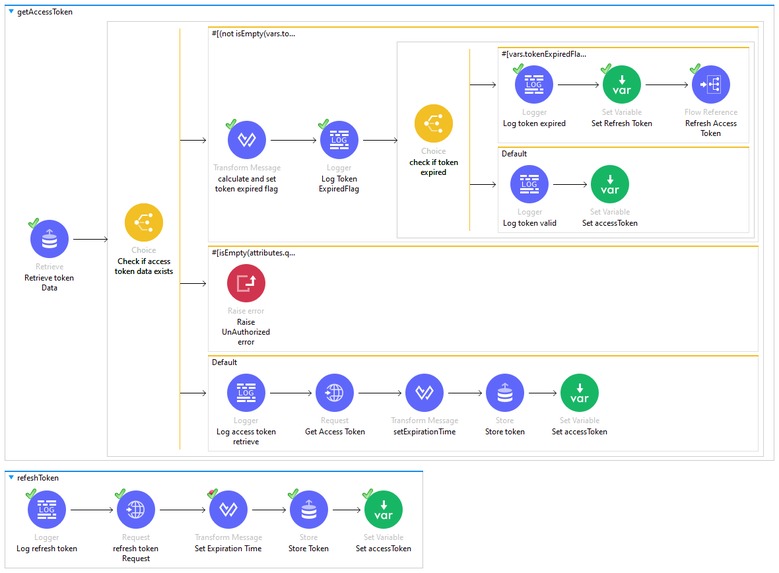
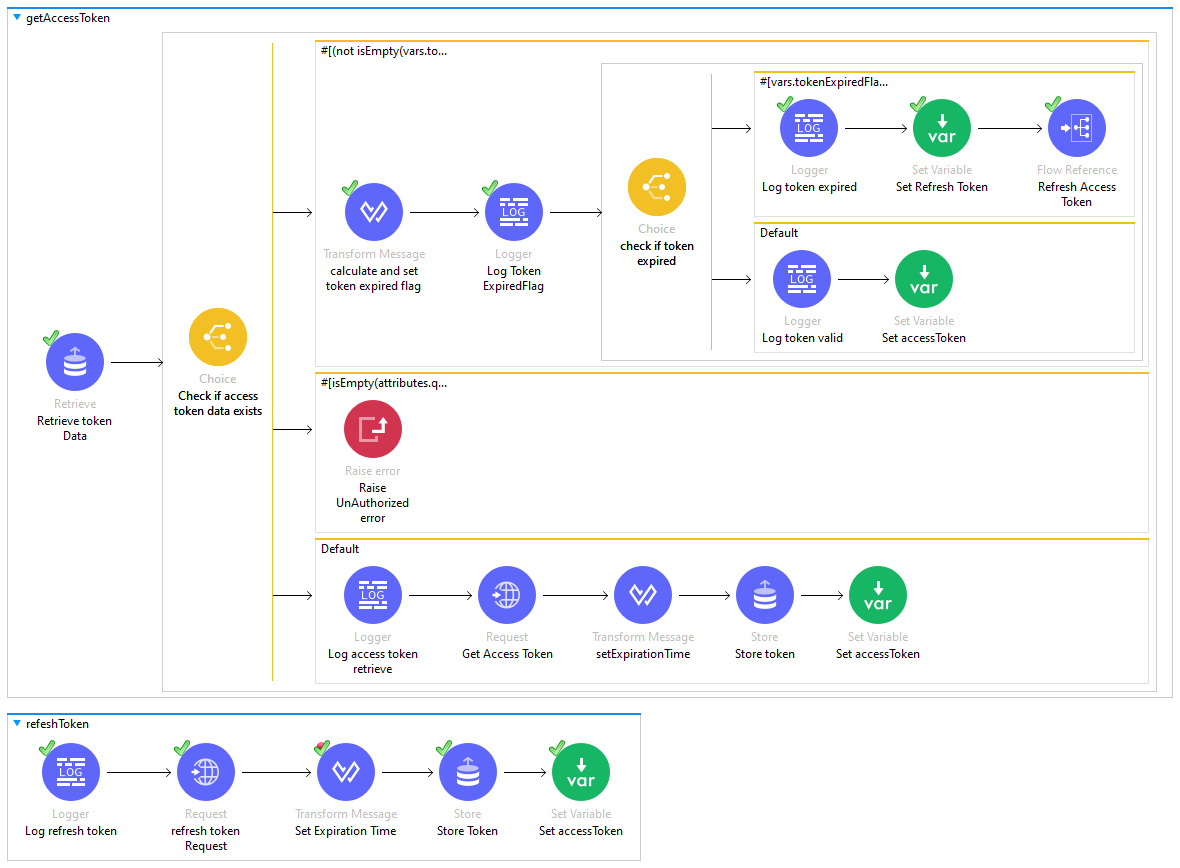
getAccessToken - MuleSoft Flow to get OAuth access token , refresh token.
-

Callback - MuleSoft flow for Fitbit callback flow to exchange access token once family member authorizes and provides consent.
-
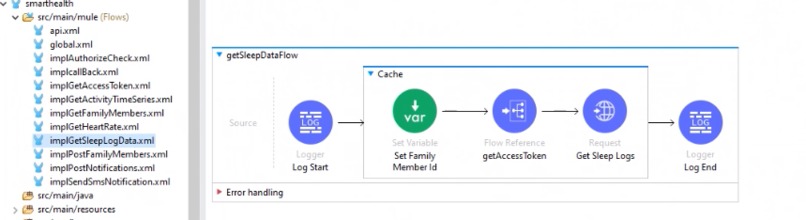
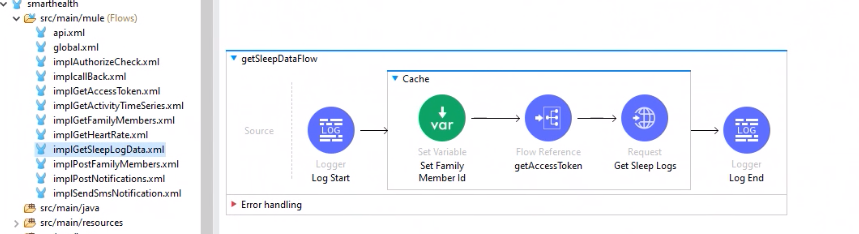
GetSleepData - MuleSoft Flow to retrieve Sleep logs for family members from Fitbit web API
-
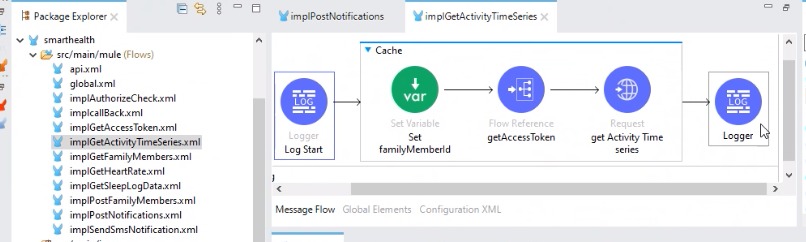
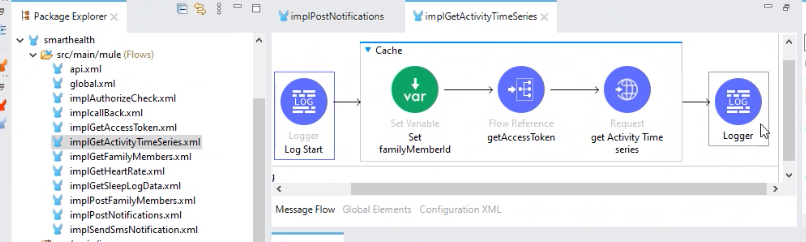
GetActivityData - MuleSoft Flow to retrieve activity time series data from Fitbit API.
-
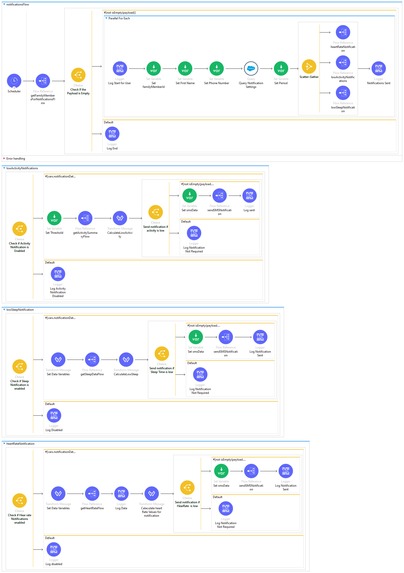
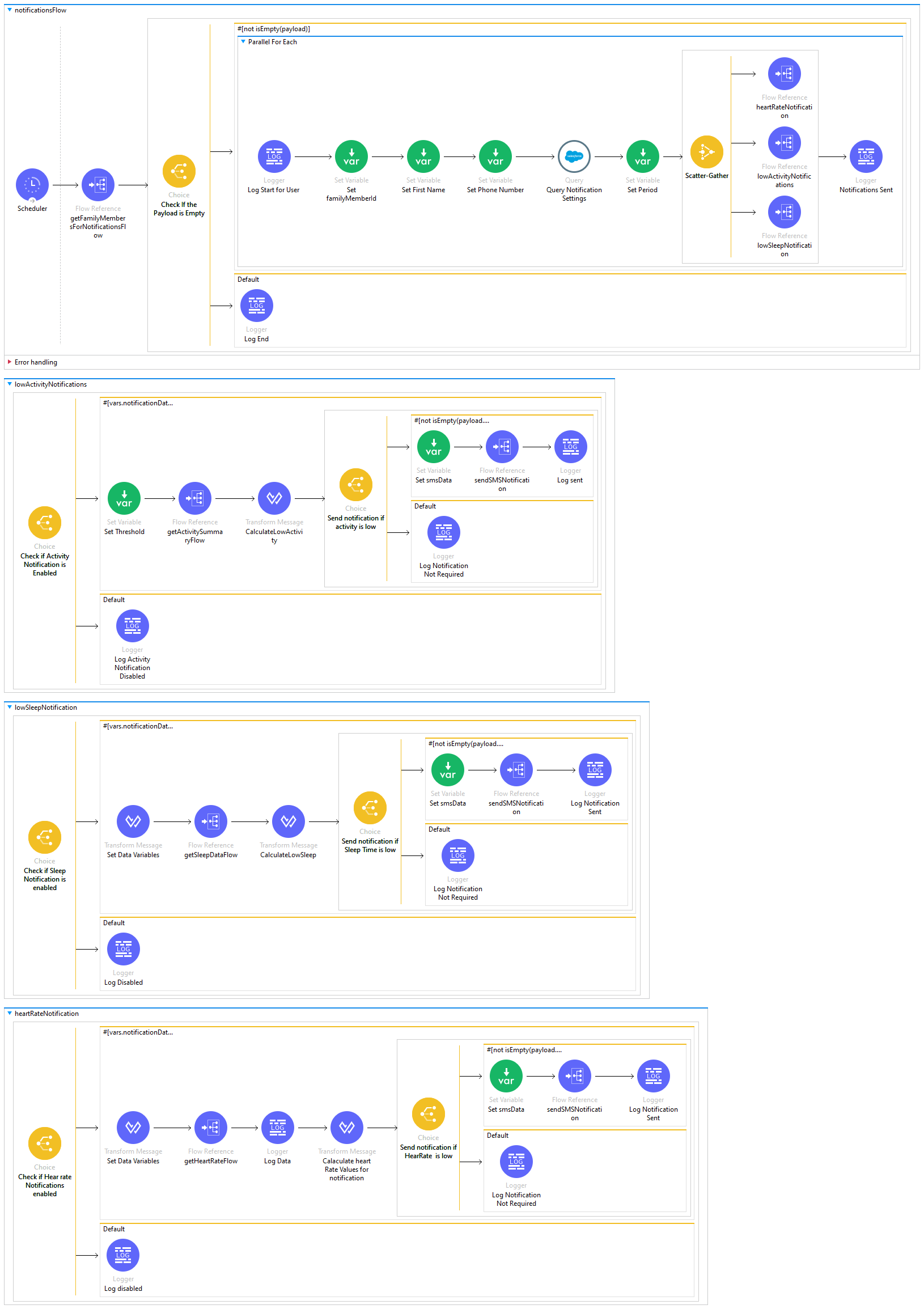
Notifications Logic - MuleSoft Flow to send notifications for all the users based on notification settings in Salesforce.
-
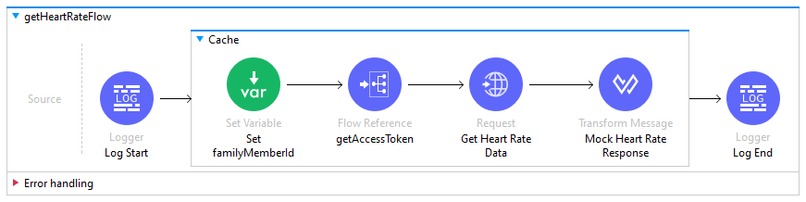
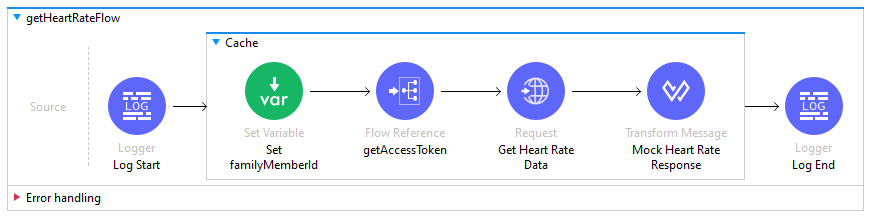
GetHeartRateData - MuleSoft Flow to retrieve heart-rate info from Fitbit API.
-
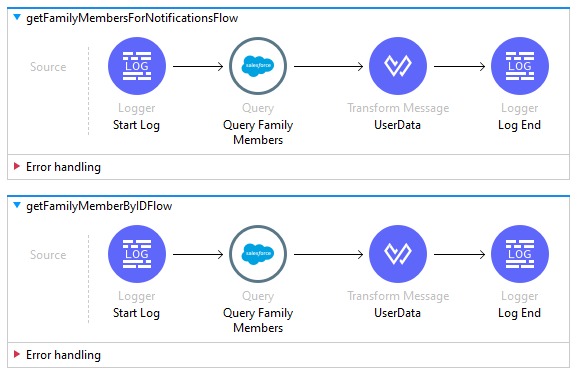
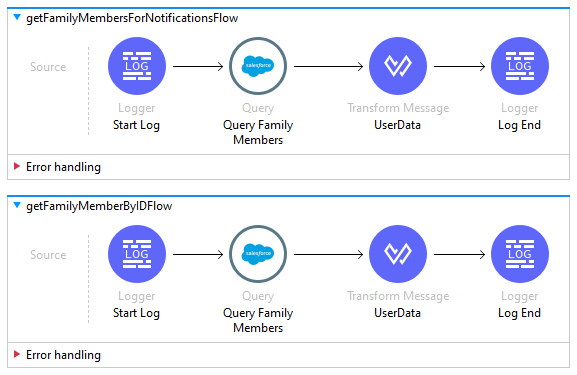
GetFamilyMembersData - MuleSoft Flow to add family member records in Salesforce using custom objects.
-
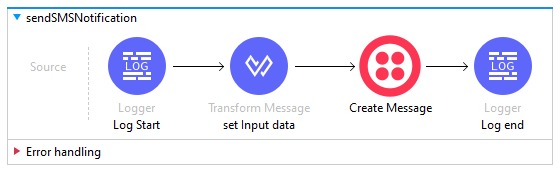
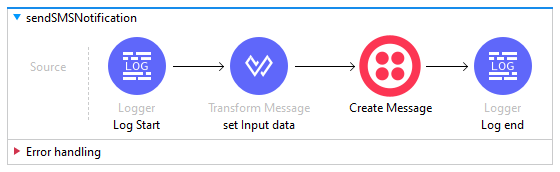
PostSMSNotifications - MuleSoft Flow to send SMS using Twilio connector.
-
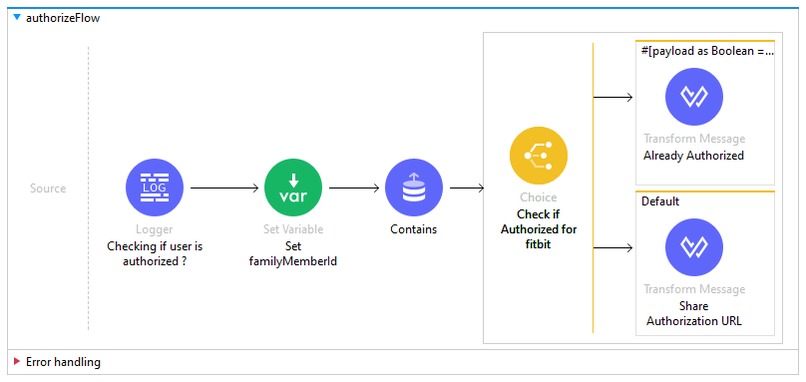
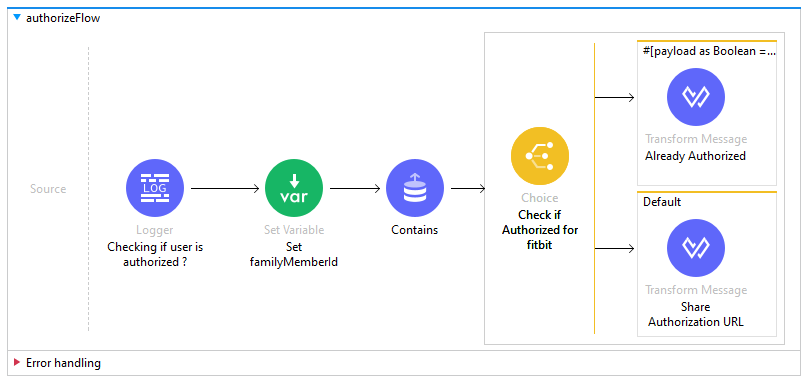
Authorization Check - MuleSoft Flow to check if the family member has already provided authorization for Fitbit access.
-
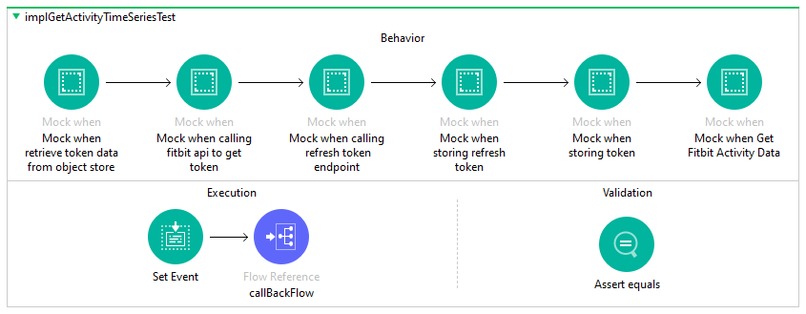
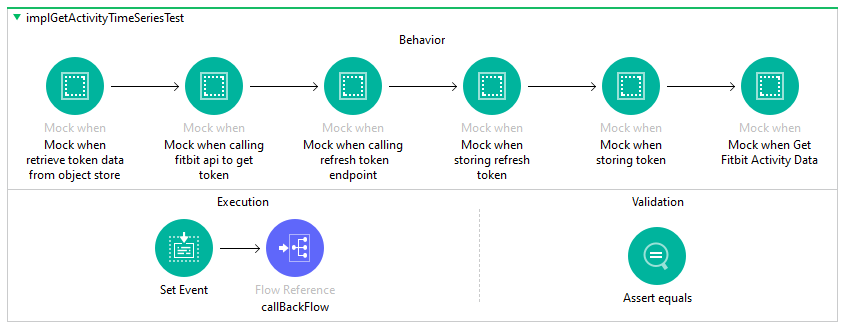
GetActivityData - MuleSoft Sample MUnit Flow
-
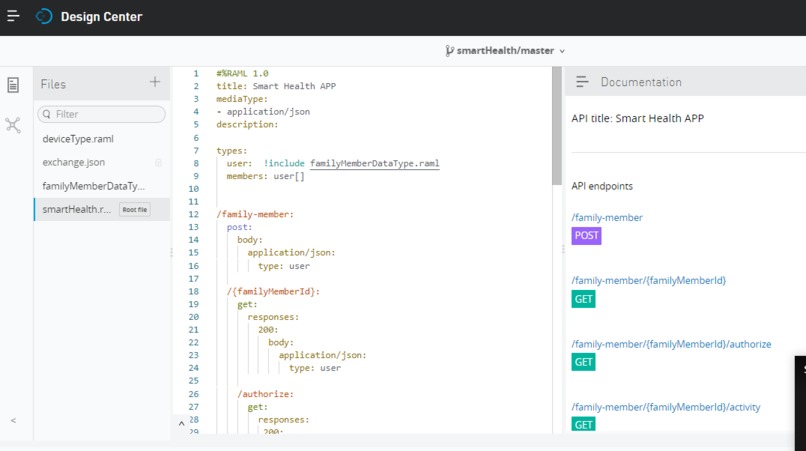
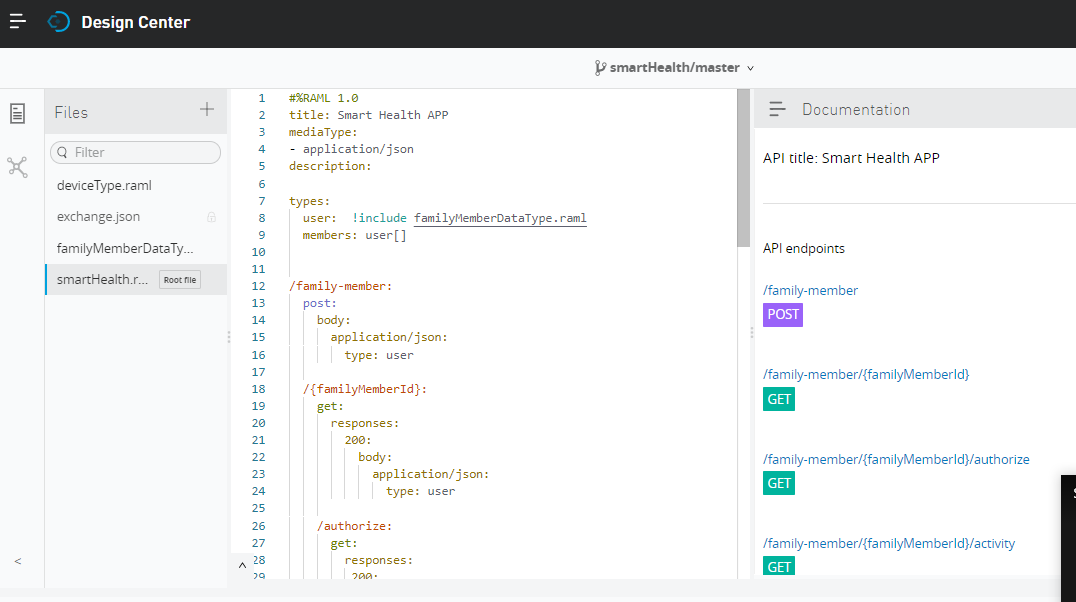
MuleSoft RAML View


Inspiration
One of our friend Sameer @Sam (name changed) stays with his family (spouse and children) in Bengaluru (city in India) and his elderly parents in Mysore another city which is 150 km away from Bengaluru. His father had been a cardiac patient for past two years. Few months back, Sam was on business trip; on that day his father was alone at home and was having trouble in breathing. Also, his hearth rate was going down, but he could not call for help in this situation. Suddenly he succumbed to this situation. His family was devastated on his loss. If only there was a way, for his family members to get alerted when father’s situation was deteriorating, there would have been a possibility to save his life. This thought gave birth to our Smart HealthCare App idea which could possibly save lives by enabling preventive/pro-active measures in case of health adversities / emergencies.
What it does
The Smart HealthCare App built around MuleSoft Integration platform enables user to add family members who use wearable devices (Fitbit, Google Fit, MI Fit band etc.) that tracks health parameters like physical activities, sleep patterns, heartbeat rates, diet patterns, steps, distance, calories, blood pressure, temperature etc. across devices. App allows the user to view the health information of all his near and dear ones in one place, available across different modern day health tracking devices across vendors. User (head of the Family / Guardian / Doctor) can also enable notifications and set threshold for some critical health parameters, based on which notifications can be sent pro-actively if the threshold value is exceeded.
How we built it
The Smart HealthCare App is built using following tools and technology stack.
Salesforce Web Application
- User Account registration
- Addition/updating of Family member’s/ Friends’ details.
- Update Notification Settings for critical health parameters.
- Health monitoring dashboard
MuleSoft Anypoint Platform
- Integrate Salesforce to store or retrieve User and family members Data.
- Integrate with Fitbit web App via API.
- Integrate with Twilio API for SMS notifications.
Postman
- To test Smart Healthcare App
Challenges we ran into
Overall the project execution was smooth but we did face some technical challenges in aptly syncing authorization information for Fitbit accounts with our application. It was overcome by studying the OAuth Authorization Code flow and implementing MuleSoft flow accordingly.
Accomplishments that we're proud of
The Smart Healthcare App idea was translated into working prototype using MuleSoft Anypoint Platform. It could potentially help save lives in case of emergencies and thus eventually arise as a boon to Health Care and Life Science Industry.
What we learned
We learned from this exercise that there are whole lot of technology and tools like MuleSoft, Salesforce, Fitbit wearable devices that enable us to create innovative lifesaving, community benefiting solutions for better living.
What's next for Smart HealthCare App
Currently app integrates with Fitbit wearable system and monitors parameters like step count, calories, sleep duration, heart rate etc. Same can be easily extended across other health tracking wearable devices or non-wearables like Google Fit, Mi Fit, Garmin, infrared guns, remote sensory devices etc. using API-LED Architecture. In future it can also be integrated with emergency health care services like (Ambulance, Hospitals, Nursing care, Labs, Health Insurance providers etc.) for seamless end to end healthcare eco-system. This app can also be customized for enterprises to monitor employee health. Currently the web app/ experience layer is built using Salesforce; same can be extended to other user channels like mobile app, Slack etc. via flexible integration options provided by MuleSoft.
Built With
- fitbit-web-apis
- mulesoft-anypoint-platform
- postman
- salesforce-community-portal
- twilio-apis
- visual-force-&-apex


Log in or sign up for Devpost to join the conversation.