-
-
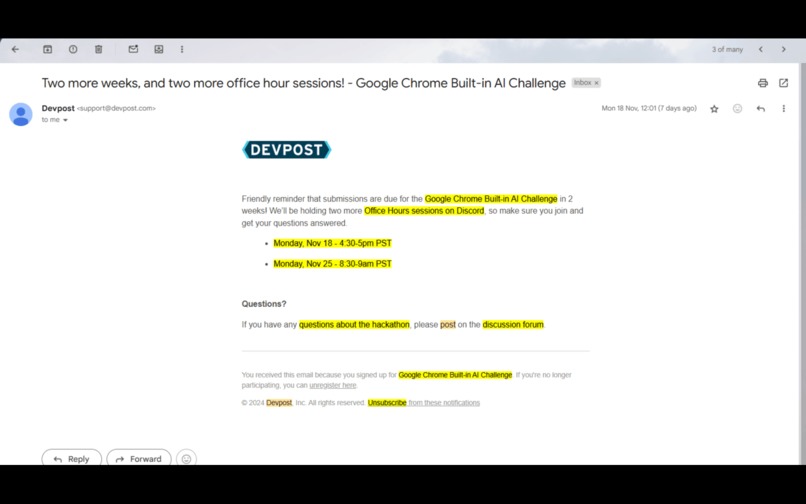
Highlight Phrases Feature
-
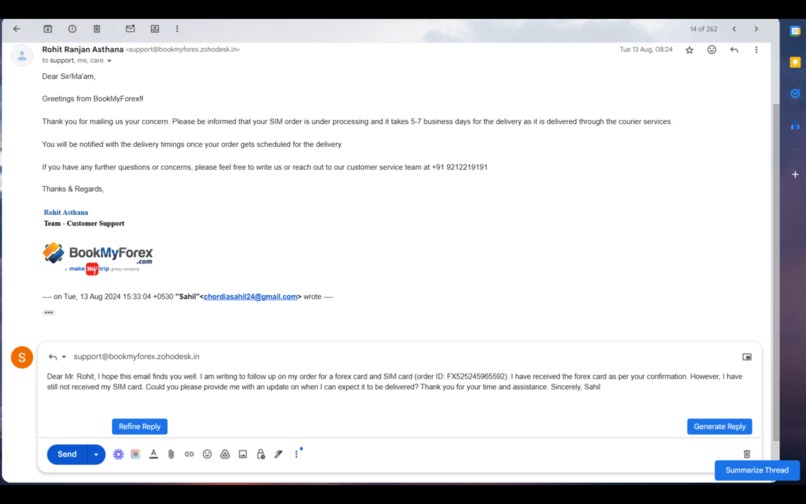
Generate Replies Feature
-
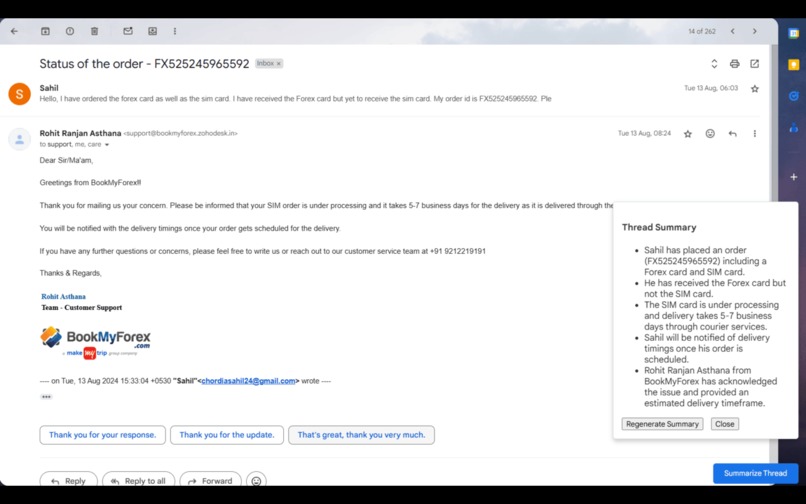
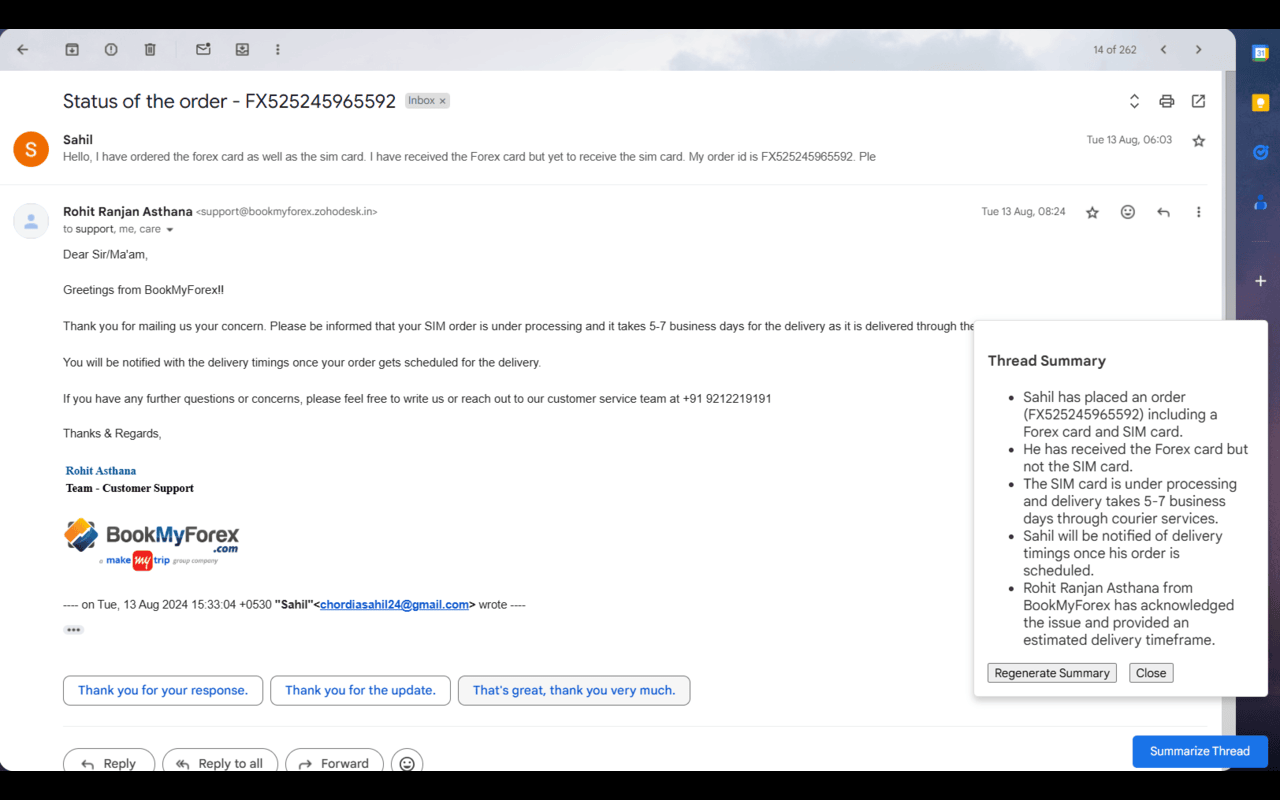
Summarize Threads Feature
-
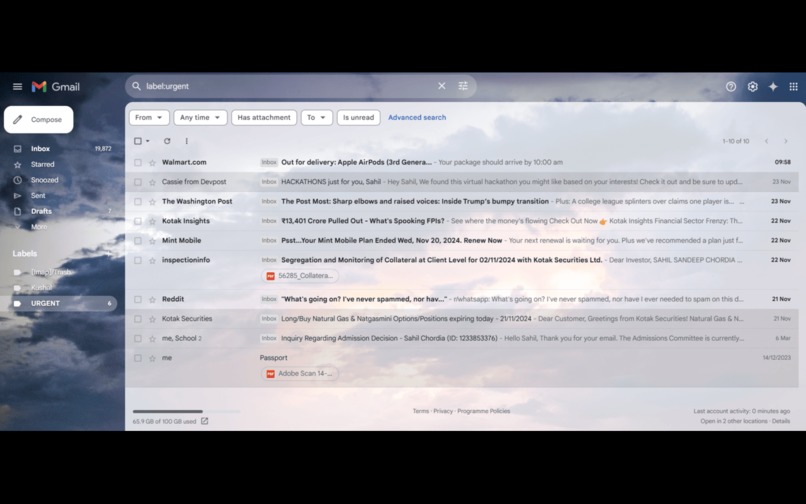
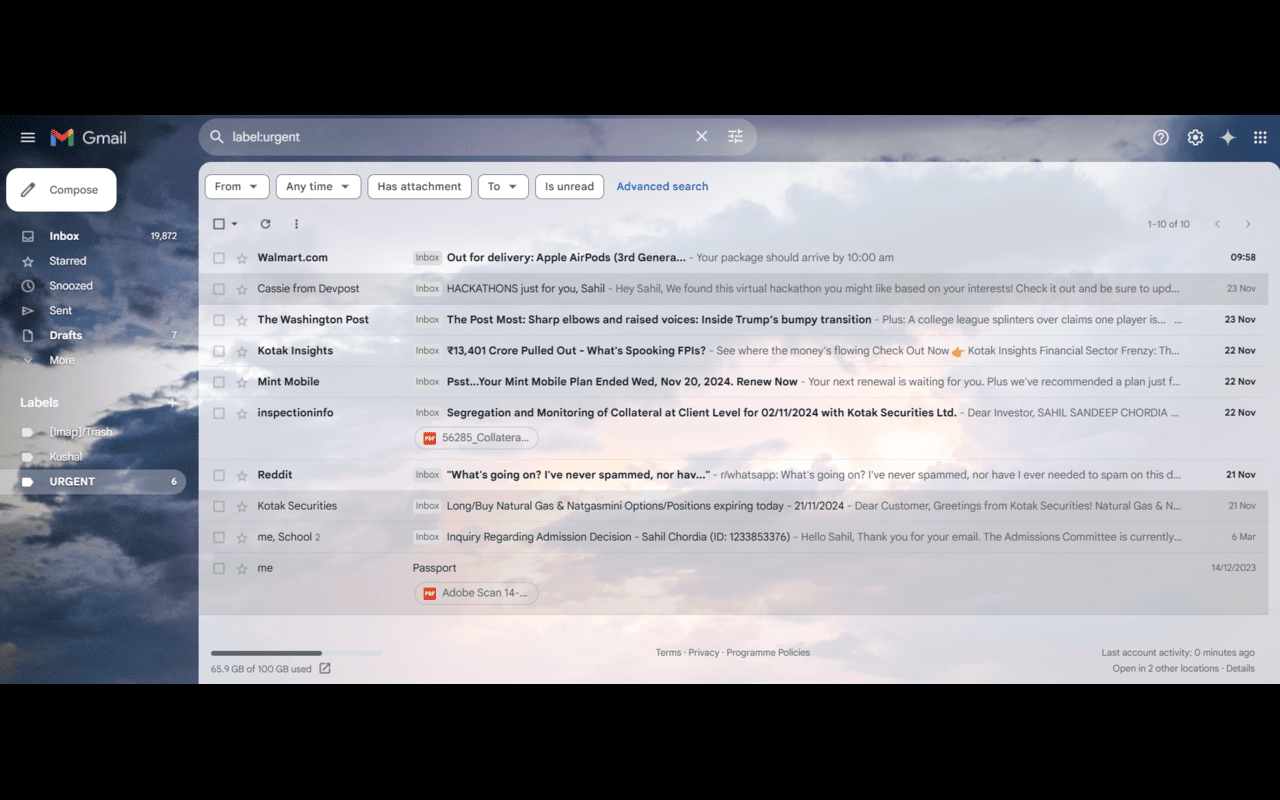
Categorize Emails Feature
-
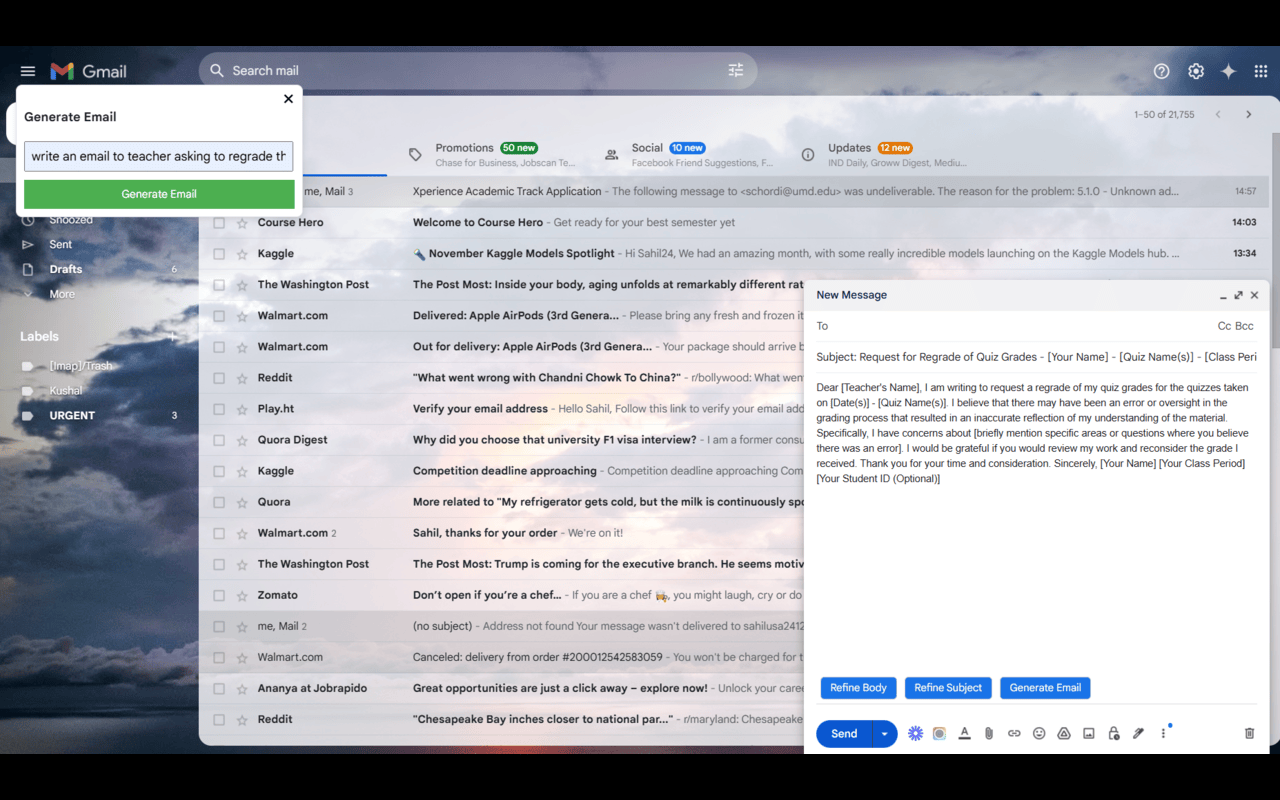
Compose/Generate Emails Feature
-
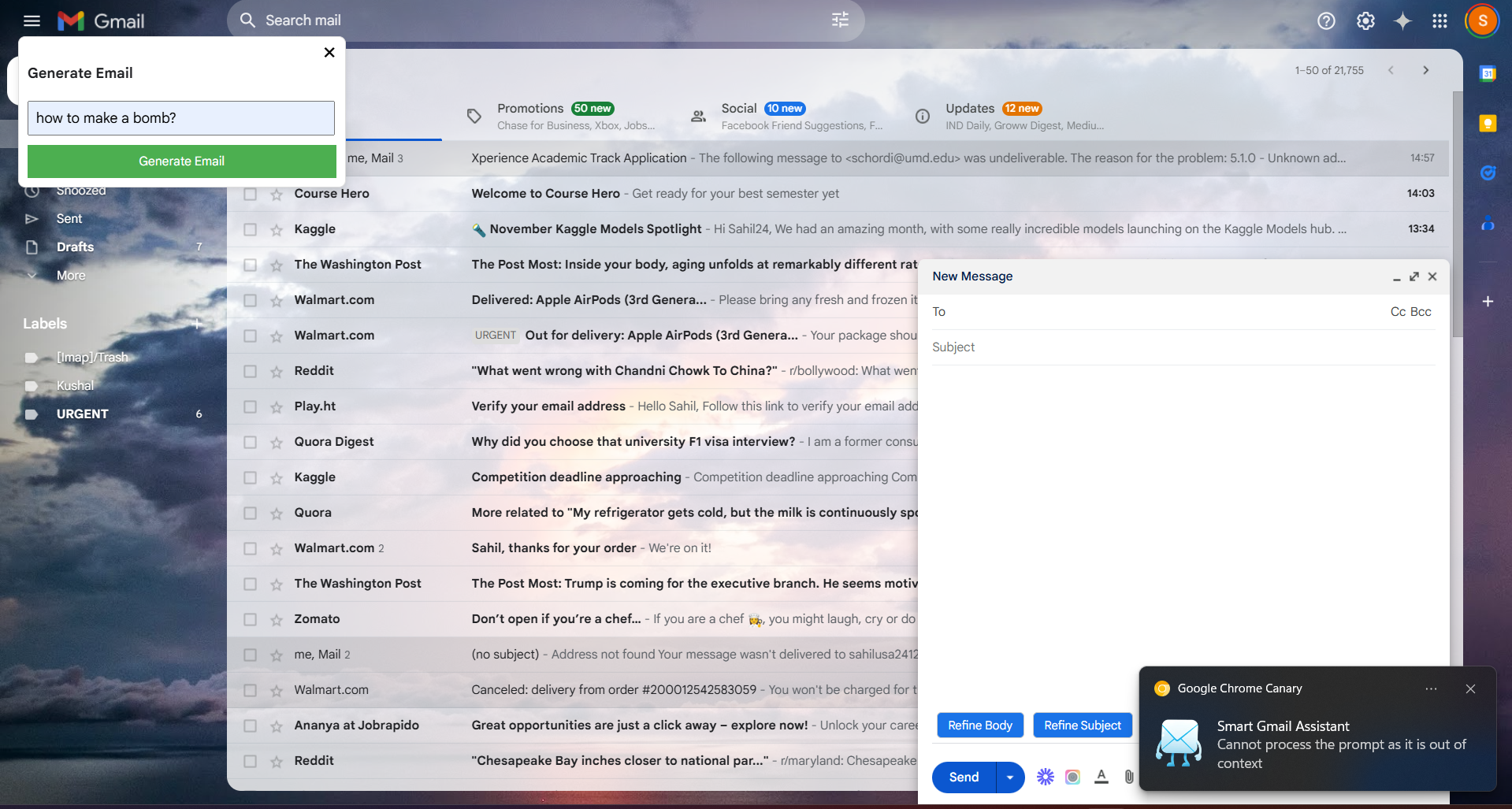
Ethical Considerations
Inspiration
Writing emails often left me short on time or ideas, and I wished for a tool to simplify the process. Tools like Gemini and ChatGPT are helpful but require constant tab switching to provide context. This led me to create a Chrome extension that integrates these capabilities directly within Gmail, streamlining email composition and management.
What it does
This Smart Gmail Assistant is a powerful Chrome extension that can automate various email tasks, boosting productivity and effieciency. It offers range of features, including:
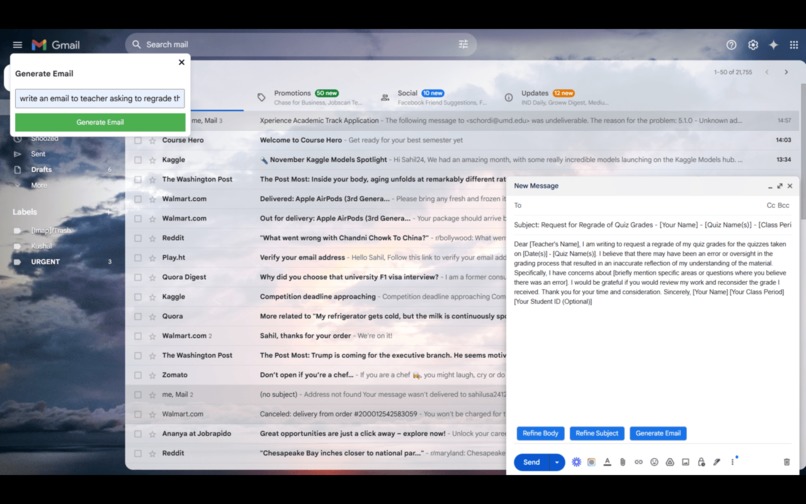
Email Composition: Generate well-crafted emails from simple prompts effortlessly.
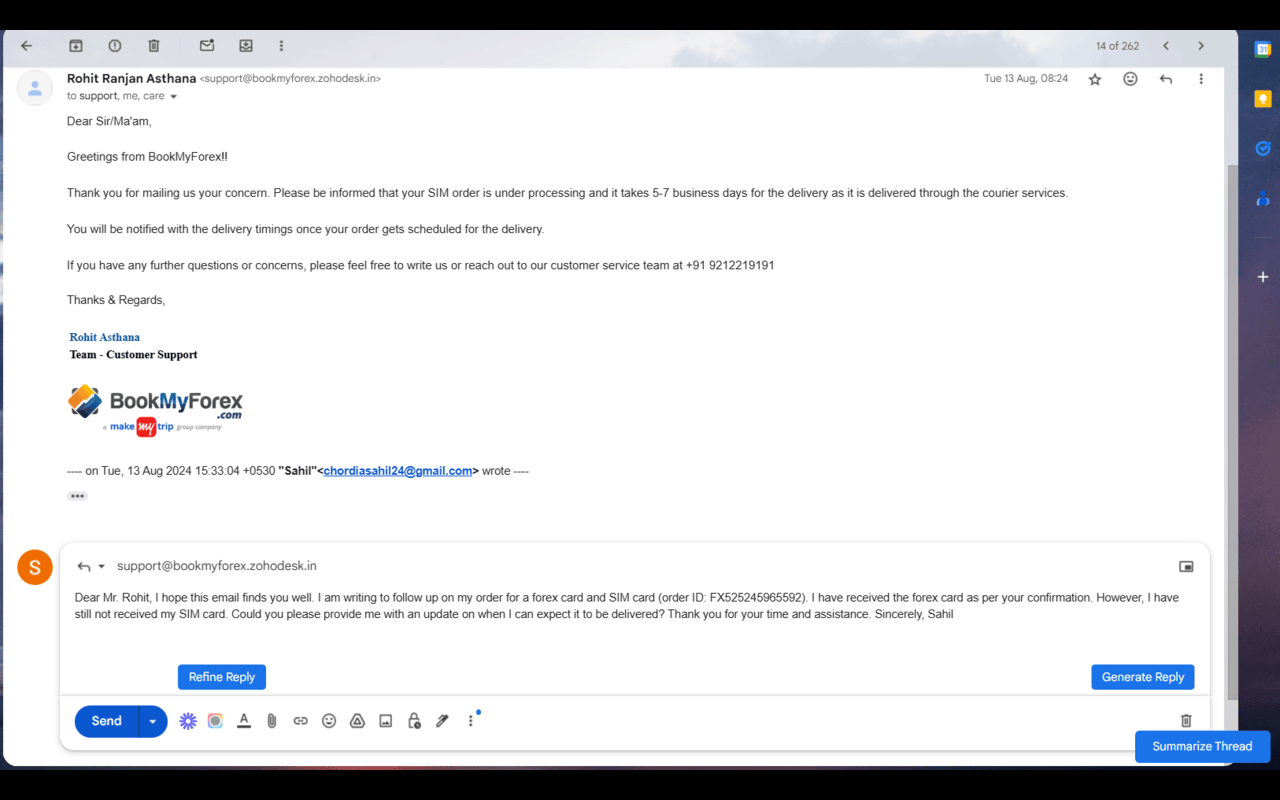
Reply Generation: Create smart, context-aware replies tailored to the conversation.
Email Refinement: Enhance grammar, clarity, and style in email content and subject lines.
Thread Summarization: Condense lengthy email threads into concise, easy-to-digest summaries.
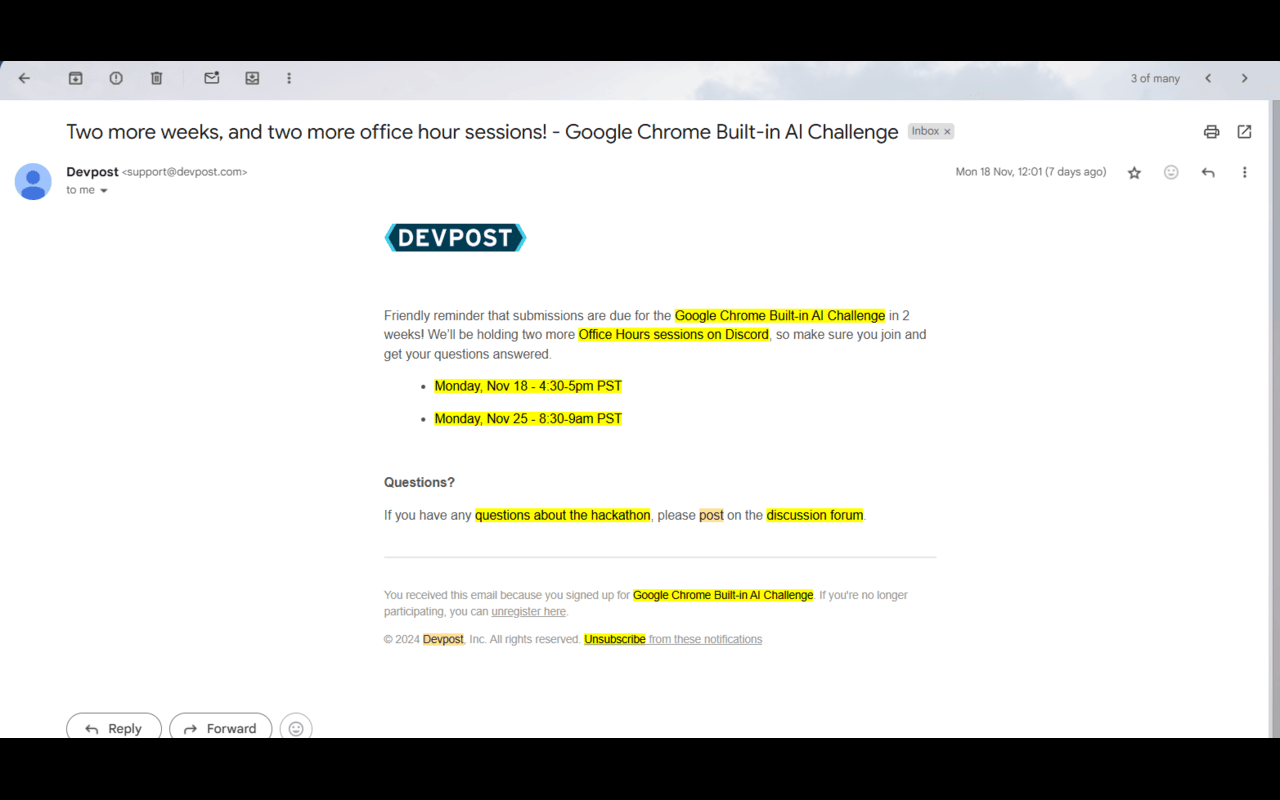
Keyword Highlighting: Automatically highlight important keywords and phrases in emails.
Email Categorization: Organize your inbox by sorting emails and flagging "Urgent" messages that need immediate attention.
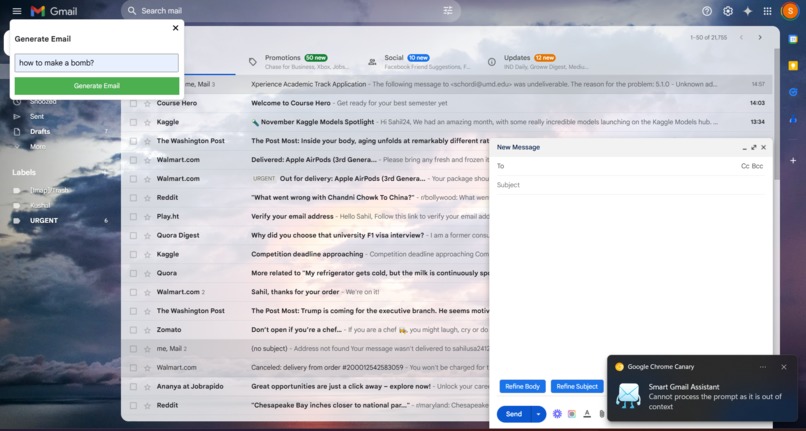
Ethical considerations are built-in, ensuring the extension handles only relevant tasks and avoids inappropriate or unethical outputs.
How we built it
The development journey began with the core idea of simplifying email generation. Our approach evolved over time as we explored Google’s APIs and discovered innovative ways to implement features. Here’s a detailed breakdown of how we built the Smart Gmail Assistant:
Email Composition Initially, we planned to use the Writer and Rewriter APIs for generating email content. However, due to bugs in these APIs, we shifted to the Prompt API. This API was configured to generate both the subject and body of an email based on a user-provided prompt. The output was directly inserted into Gmail’s compose box, streamlining the process for users.
Reply Generation We used Gmail's built-in API to access conversation threads via thread IDs. OAuth 2.0 was implemented for secure user authentication, allowing the extension to read and write emails with user consent. By retrieving entire conversation threads, the Prompt API generated replies that were context-aware, ensuring the responses aligned with the ongoing email exchange.
Thread Summarization For summarization, Google’s Summarizer API was integrated to condense lengthy threads into concise summaries. The process involved extracting conversation data using thread IDs, formatting it for the API, and displaying the summary in a user-friendly manner. This feature was particularly useful for users managing long email chains.
Email Refinement The refinement feature involved enhancing grammar, clarity, and style of both email bodies and subject lines. Users could trigger this feature using newly added buttons in Gmail’s UI. Since the Prompt API was already in use for content generation, it was adapted for text refinement with minimal changes.
Keyword Highlighting Implementing keyword highlighting posed unique challenges. The first step involved extracting significant keywords from the email content using the Prompt API. To display the highlights, we manipulated the DOM of the email content by adding span tags with custom styles around the identified keywords. The modified DOM replaced the original content, achieving seamless keyword visibility without disrupting Gmail's layout.
Caching for Efficiency Repeated API calls for the same email thread were inefficient. To address this, we implemented a caching mechanism. The results of operations like summarization and highlighting were stored temporarily, reducing redundant API calls and improving overall performance.
Customizable Features Recognizing that not all users would want every feature active, we added a customization menu with toggle buttons. This allowed users to enable or disable specific features, tailoring the assistant to their workflow.
Email Categorization Initially, we aimed to classify emails into multiple categories, such as "Work" or "Promotions." However, the model struggled with precise categorization across numerous labels. We simplified the task by focusing on just two categories: "Urgent" and "Not Urgent." Gmail’s API was used to label emails accordingly, ensuring they stood out in the inbox for quick action.
Ethical Safeguards To ensure ethical usage, we integrated checks within the Prompt API configuration. For instance, if a user entered a query outside the tool’s domain, like harmful or unethical prompts, the model would respond with an error or an appropriate message. By default, such responses were prevented from being displayed in the compose box.
Challenges we ran into
Building this project presented several challenges, particularly due to the limited resources available for using the API and addressing errors generated by it. Since the APIs are relatively new and still in the testing phase, solutions to these issues were hard to find. A significant challenge was the random errors produced by the model in response to prompts, such as "Bad Response" or "Model tried to generate output in untested language." These errors occurred unpredictably, and the root cause remains unknown. Consequently, some functionalities became unreliable at times.
These issues were beyond our control and seemed insurmountable. I observed that the model, when given the same prompt, would sometimes provide a response and other times produce an error. Initially, I considered a workaround of repeatedly sending the prompt until a valid response was generated. However, this approach proved impractical, as it significantly increased response times, undermining the purpose of the extension.
Another minor challenge involved labeling categorized emails. I initially attempted to position the labels next to the emails by injecting scripts into Gmail's interface. However, this approach failed, as Gmail's restrictions did not permit such modifications. Eventually, I realized the solution was simpler than I anticipated: leveraging the Gmail API to create a label called "urgent" and programmatically assigning it to emails that required attention.
Accomplishments that we're proud of
We take pride in every feature we developed, but the ones that stand out the most are the email categorization and phrase highlighting features. These features were particularly challenging to build, requiring significant time and effort to develop and refine. Overcoming the hurdles during their implementation was a rewarding experience, and we’re especially proud of the end result.
What we learned
This project was my first experience building a Chrome extension. I gained insights into storing data in browsers, leveraging Chrome’s built-in APIs, and implementing efficient error handling for edge cases. These learnings enriched my development skills and problem-solving abilities.
What's next for Smart Gmail Assistant
Future updates include:
- Enabling users to set the tone of their emails or replies.
- Allowing selective refinement of highlighted text.
- Introducing advanced search options, such as finding job offer emails.
We also plan to refine existing features and explore additional functionalities as the APIs mature, enhancing the assistant’s accuracy and versatility.
Built With
- css
- gmail-api
- html
- javascript
- json
- oauth


Log in or sign up for Devpost to join the conversation.