Inspiration
Managing personal finances can be overwhelming, especially when expenses come from multiple sources—cash, bank transactions, and receipts. Many people struggle to track their spending habits efficiently, leading to overspending and poor budgeting decisions.
We wanted to create an AI-powered, automated solution that simplifies expense tracking, integrates bank transactions, and provides insights to help users make smarter financial decisions.
What it does
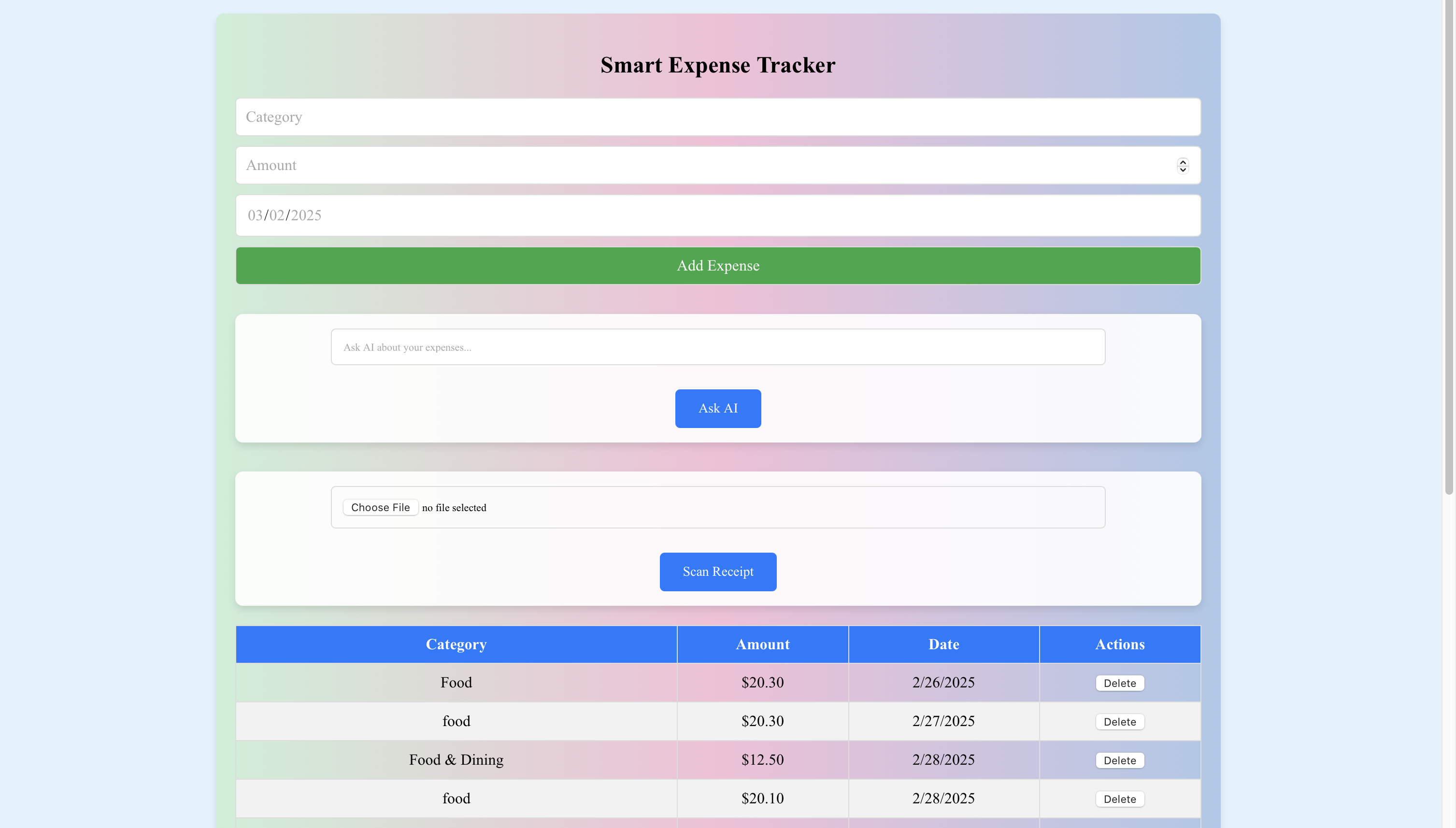
Automatically track expenses by linking bank accounts (Plaid API). Manually log and categorize expenses (Food, Bills, Travel, etc.). Scan receipts using OCR (Tesseract.js) to auto-extract transaction details. Get AI-driven insights on spending patterns using Groq API. Visualize spending trends with interactive charts (Recharts.js).
How we built it
Frontend (React.js) React.js for a dynamic, interactive user interface. Recharts.js for spending trend visualizations. Tailwind CSS for styling. Backend (Node.js & Express.js) Express.js for handling API requests. MySQL (Railway-hosted) for secure expense storage. Plaid API for bank transaction integration. Tesseract.js (OCR) for extracting text from receipts. Groq API (Mixtral-8x7b) for AI-driven financial insights. Deployment Frontend: Deployed on Render / Vercel. Backend: Deployed on Railway.app.
Challenges we ran into
Filtering Expenses by Date: Initially, the AI wasn’t recognizing specific date-based spending, but we fixed this by applying SQL filtering instead of JavaScript filtering. Plaid API Integration: Connecting real bank accounts was tricky due to sandbox vs. production environments. OCR Accuracy Issues: Some scanned receipts missed key details, requiring additional data validation. AI Response Formatting: Getting the AI to generate precise and structured insights took multiple iterations.
Accomplishments that we're proud of
Successfully built an automated expense tracking system. Integrated AI-driven insights to help users analyze spending patterns. Implemented OCR-based receipt scanning for auto-logging expenses. Built a fully deployed and working full-stack application in a short timeframe.
What we learned
SQL Filtering Matters: Filtering expenses in the database level (not in JavaScript) is crucial for accuracy. AI Prompt Engineering: We learned how to fine-tune AI responses to give more meaningful financial insights. API Integrations Are Complex: Plaid, Groq API, and Tesseract.js all required extensive testing and debugging. Users Love Data Visualization: Spending trends and insights are much more valuable when presented visually.
What's next for Smart Expense Tracker
Budget Alerts – Notify users when they exceed spending limits. Expense Categorization via AI – Auto-classify transactions based on description. Export Reports – Download spending summaries as CSV/PDF. Mobile App Version – A mobile-friendly UI for on-the-go tracking. Multi-Currency Support – Support for users with international transactions.


Log in or sign up for Devpost to join the conversation.